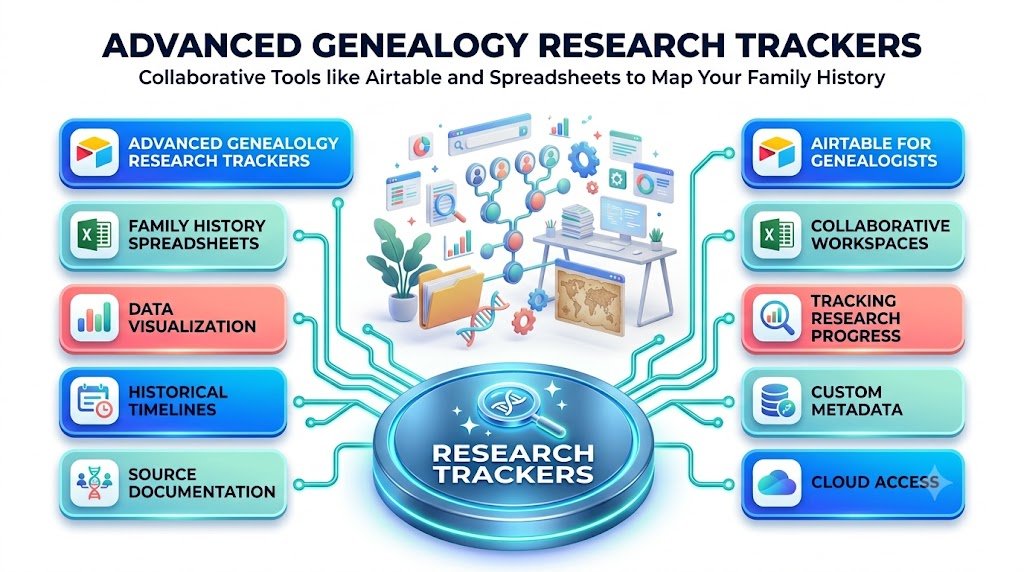
Transform scattered family records, historical documents, DNA discoveries, and unfinished research into an organized, searchable family history system.
Every family has a story. Some chapters are preserved in old photographs, handwritten letters, and carefully maintained family Bibles. Others are hidden in census records, immigration documents, property deeds, church registers, and archives that have not been opened for generations.
The challenge is rarely a lack of information. More often, it is figuring out how to organize everything you discover.
Imagine researching your great-grandfather for several months. You locate a census record, identify two possible birthplaces, discover an unfamiliar relative, and download several historical documents. Six months later, you return to the project, only to realize you cannot remember which documents you verified, which assumptions remain uncertain, or where you found that promising marriage record.
This is exactly where advanced genealogy research trackers can transform the way you work.
With carefully designed Airtable databases and family history spreadsheets in Excel, you can create a personalized research management system that records your discoveries, connects historical evidence, identifies missing information, and helps you decide what to investigate next.
You do not need to be a professional genealogist or database expert. You need a reliable process that turns individual discoveries into a documented, meaningful family history.
Why Traditional Family Trees Are Not Enough for Serious Genealogy Research
A traditional family tree is excellent for displaying relationships. It can show parents, grandparents, siblings, descendants, marriages, and generations.
However, a family tree does not necessarily explain how each relationship was established.
Consider a family tree showing that William Carter was born in 1872. Where did that date originate?
Was it copied from another researcher’s online tree? Did it appear in a birth register? Was it estimated from an obituary? Or was the year calculated from a census entry?
These differences matter.
Two sources can disagree, and a copied mistake can spread through hundreds of family trees when researchers fail to verify the original information.
A genealogy research tracker records not just what you believe, but why you believe it.
A well-structured genealogy database helps answer important questions:
- Which ancestors have verified birth and death records?
- Which family relationships require additional evidence?
- What archives and databases have already been searched?
- Which historical documents contain conflicting information?
- What should be researched next?
- Which relatives have contributed photographs or oral histories?
- Where are digital copies of records stored?
By documenting these details, you create something more valuable than a collection of names: a transparent, evidence-based family history.
What Is an Advanced Genealogy Research Tracker?
An advanced genealogy research tracker is a structured digital workspace designed to manage genealogical evidence, research activities, family relationships, archival sources, and unresolved questions.
Unlike a simple ancestry spreadsheet, an advanced tracker separates different kinds of information into organized tables or worksheets.
For example, instead of placing every detail about an ancestor into one crowded row, you can create connected records for individuals, documents, locations, events, and research tasks.
The result is a system that supports both historical discovery and research management.
Seven essential components of a genealogy tracking system
1. Ancestor database: A searchable list of individuals, including names, dates, locations, relationships, and unique identifiers.
2. Research activity log: A record of every search, including unsuccessful attempts and the databases or archives examined.
3. Source citation library: A structured collection of original documents, repository information, reference numbers, and source citations.
4. Historical timeline: A chronological view of significant events in an ancestor’s life.
5. Evidence and contradiction tracker: A dedicated place to compare conflicting information and document your conclusions.
6. Research task manager: A prioritized list of unanswered questions, upcoming archive visits, and next actions.
7. Digital document index: A searchable catalog of scanned records, historical photographs, correspondence, audio recordings, and other research materials.
These components can be created with Excel, Airtable, or a carefully maintained combination of both.
Airtable for Genealogists: Build a Connected Family Research Database
Airtable combines the familiar appearance of a spreadsheet with the relational structure of a database.
This makes it especially useful for family historians managing multiple people, historical events, and overlapping sources.
Rather than storing the same ancestor’s details repeatedly across several worksheets, Airtable allows you to connect records using linked fields.
For example, one marriage certificate can be connected to both spouses, the marriage event, a specific location, and the research question it helps answer.
How to build your first Airtable genealogy database
Start by creating a new Airtable base called Family History Research Hub.
Create the following connected tables:
| Table | Purpose |
|---|---|
| People | Individual ancestors and relatives |
| Relationships | Parent-child, marriage, and other connections |
| Sources | Census records, certificates, archives, and documents |
| Events | Births, marriages, migrations, deaths, and residences |
| Claims and Evidence | Assertions and their supporting or conflicting sources |
| Research Log | Searches, outcomes, and discoveries |
| Research Tasks | Unanswered questions and next steps |
| Locations | Towns, villages, counties, and historical jurisdictions |
This structure gives your research room to grow without forcing every piece of information into one complicated table.
Step 1: Create the People table
Your People table serves as the main directory of individuals.
Useful fields include:
- Person ID
- Full name
- Alternative names
- Birth date and birthplace
- Death date and place
- Living or deceased status
- Research status
- Biography notes
- Linked events
- Linked sources
- Linked relationships
Assign each person a permanent identifier, such as P-0001, rather than relying on names alone.
Historical records frequently contain people with identical names. Unique identifiers prevent accidental record merging and make the database more reliable.
Step 2: Build relationships between people
Create a Relationships table connecting two individual records.
Include the relationship type, relevant dates, supporting sources, and verification status.
This is more flexible than simply typing the names of parents or spouses into text fields.
A person may have multiple marriages, adoptive relationships, guardians, or disputed parentage that require careful documentation.
Airtable supports linked records within and between tables, helping researchers maintain these relationships without repeatedly copying information.
Step 3: Create a digital evidence library
Every important family history claim should be traceable to a source.
Create a Sources table containing:
| Field | Example |
|---|---|
| Source ID | S-0045 |
| Record type | Census |
| Document title | 1901 Census of England and Wales |
| Repository | Historical archive |
| Record reference | Volume, page, or archival reference |
| Relevant person | P-0001 |
| Date accessed | 2026-10-09 |
| Digital file | Linked scan or file path |
| Citation | Complete source reference |
| Reliability notes | Original image examined |
Record the repository, collection, reference numbers, and other locating details needed to retrieve the source again.
A website link by itself may not be sufficient because online addresses and database access can change.
Step 4: Create useful research views
One of Airtable’s strengths is the ability to display the same underlying records in different ways.
You could create views such as:
Unverified Ancestors: People with important dates or relationships requiring additional evidence.
Research in Progress: Questions with active investigations.
Missing Birth Records: Individuals without verified birth documentation.
Archive Visit Planner: Tasks requiring physical archive access.
Recently Added Sources: Newly collected documents awaiting evaluation.
Research Completed: Questions that have been resolved and documented.
Airtable supports different view types, including grid, calendar, gallery, and Kanban, although their suitability varies with the information being tracked.
Step 5: Use Airtable forms for family contributions
Family history research becomes more rewarding when relatives participate.
An Airtable form can collect contributions such as family stories, photographs, corrections, and information about inherited documents.
For example, relatives could submit a photograph description, approximate date, identified people, and contact details.
However, submissions should be reviewed before they become accepted historical facts.
A useful workflow is to direct new entries to a separate Family Contributions table with a Pending Review status.
Airtable forms can create records, while configured automations can assist with notifications and processing.
This gives family historians a practical way to collect information while maintaining editorial control.
Excel for Genealogy: Create Powerful Family History Spreadsheets
While Airtable is useful for connected databases, Microsoft Excel remains an excellent option for researchers who prefer traditional spreadsheets, local files, flexible calculations, and detailed analytical control.
A professionally designed genealogy research log Excel template can support years of historical investigation.
Excel is particularly valuable for sorting source information, tracking research progress, comparing conflicting dates, and preparing documents for offline use.
The ideal Excel genealogy workbook structure
Create a workbook with these worksheets:
| Worksheet | Primary function |
|---|---|
| Ancestor Register | Master list of family members |
| Research Log | Searches and results |
| Source Register | Citations and archival references |
| Life Events | Individual historical events |
| Evidence Review | Conflicting and corroborating evidence |
| Timeline | Chronological research |
| Research Tasks | Priorities and deadlines |
| Dashboard | Research progress and summary statistics |
Each worksheet should have a clear purpose.
Avoid filling the entire workbook with decorative formatting or dozens of unused fields. A manageable system will be more useful than an elaborate workbook that becomes exhausting to update.
Turn ordinary Excel ranges into structured tables
Select your data range and use Excel’s table feature.
Structured tables make it easier to filter and sort information while allowing formulas and formatting to expand as records are added.
For example, an Ancestor Register can be filtered to show people associated with one surname or historical location.
You can also filter research logs by record type, date searched, outcome, or research priority.
Use dropdown menus to maintain consistency
Data validation helps prevent inconsistent entries.
Imagine entering the following descriptions into your research tracker:
- Completed
- Complete
- Finished
- Done
Although these terms mean similar things, they make filtering and reporting more difficult.
Instead, establish consistent research statuses:
Not Started, In Progress, Awaiting Records, Needs Review, Resolved.
Use the same approach for evidence assessments, source types, and task priorities.
Consistent terminology makes even a relatively simple spreadsheet considerably more powerful.
Advanced Excel Formulas for Family Historians
You do not need complicated programming to make your genealogy workbook useful.
A handful of formulas can support data quality checks, research scheduling, and progress measurement.
Calculate research completion
Suppose the Status column of your research task table contains each task’s current state.
You can calculate the proportion resolved with:
=IFERROR(COUNTIF(E2:E101,"Resolved")/COUNTA(E2:E101),0)
Format the result as a percentage.
This produces a task-completion indicator rather than a measure of how complete the family history itself is.
Identify missing birth dates
If cell C2 contains an ancestor’s birth date, use:
=IF(C2="","Missing Birth Date","Recorded")
The formula makes it easier to identify blank fields, but remember that a recorded date is not necessarily a verified date.
Highlight overdue research tasks
Suppose the due date appears in F2 and the task status appears in E2.
Use this formula as a conditional formatting rule:
=AND(ISNUMBER(F2),F2<TODAY(),E2<>"Resolved")
Excel can then highlight overdue tasks automatically.
Flag possible duplicate names
If full names are stored in column B:
=IF(B2="","",IF(COUNTIF($B$2:$B$1000,B2)>1,"Review Duplicate",""))
This flags repeated names for review.
It does not establish that two records refer to the same historical person. In genealogical research, identical names are common, and records should be compared using dates, locations, relatives, occupations, and documentary evidence.
Airtable vs. Excel for Genealogy Research: Which Is Better?
Both platforms are capable, but they solve slightly different problems.
| Feature | Airtable | Microsoft Excel |
|---|---|---|
| Connected ancestor records | Native linked records | Requires custom relationships |
| Complex calculations | Supported formulas | Particularly strong |
| Offline research | More limited | Strong with locally saved files |
| Family collaboration | Convenient shared database | Possible through shared workbooks |
| Document management | Attachment fields | Links and file indexes |
| Research dashboards | Views and interfaces | Charts and PivotTables |
| Data automation | Built-in automations | Formulas, Power Query, scripts |
| Beginner familiarity | Moderate learning curve | Familiar spreadsheet format |
| Database-style organization | Strong | Requires more setup |
For researchers maintaining extensive interconnected data, Airtable may be the more convenient option.
For researchers who regularly work offline, analyze historical datasets, or want complete control over their spreadsheet files, Excel may be preferable.
The ideal choice also depends on privacy, subscription costs, file storage, and the size of your project. Check current platform limits before committing to a large research archive.
A practical hybrid approach
You do not always have to choose just one platform.
Consider using Airtable as your connected research workspace and Excel as a specialized analysis and reporting tool.
For example:
Airtable manages people, relationships, evidence, source references, and tasks.
Excel handles large record comparisons, data cleaning, detailed calculations, and printable research summaries.
Export data using stable identifiers and ensure you have a clear process for determining which platform contains the authoritative version of each record.
Without that discipline, a hybrid system can create duplicate or conflicting information.
Research Logs: The Most Underrated Genealogy Productivity Tool
Many family historians record successful discoveries but forget to document unsuccessful searches.
That is a costly habit.
Suppose you searched a particular parish register for an ancestor and found nothing. Several months later, you might repeat the same search because you no longer remember where you looked.
A detailed genealogy research log prevents this.
Every search should include the research question, source or collection, search criteria, date, outcome, and next action.
Example of an advanced research log
| Date | Research question | Source searched | Result | Next action |
|---|---|---|---|---|
| Oct 9 | Find John Miller’s birth | Parish register | No matching entry | Check neighboring parish |
| Oct 10 | Verify marriage date | Marriage index | Possible match | Request certificate |
| Oct 11 | Identify father’s name | Census collection | Two candidates | Compare occupations |
| Oct 12 | Locate immigration record | Passenger lists | Record located | Verify age and birthplace |
Illustrative research entries, not real archival findings.
A negative result can be important, but it must be interpreted carefully.
Not finding an individual in an index does not prove that the person never lived in the area.
The collection might be incomplete, a surname might have been misspelled, or records could be missing.
A good tracker distinguishes between “not found in the collection searched” and “evidence supports the absence of an event.”
That distinction is essential to responsible family history research.
Build an Evidence Evaluation System That Goes Beyond Source Collection
The most sophisticated genealogy systems do more than store records. They help researchers assess evidence.
Imagine that three historical documents provide different birth years for the same person.
A census suggests 1868, a marriage record implies 1870, and a death certificate reports 1869.
Which year should your family tree display?
The answer depends on the quality of the information, its origin, and the overall evidence.
Introduce a practical evidence evaluation framework
For each significant claim, document:
Source origin: Is this an original record, a derivative copy, or a compiled account?
Information origin: Was the information supplied by someone with firsthand knowledge or by an informant who may have been estimating?
Evidence relevance: Does the record directly address the question, provide indirect clues, or establish something through meaningful absence?
Corroboration: Do independent records support the same conclusion?
Conflicts: What contradicts the claim, and how has the conflict been evaluated?
Rather than automatically assigning a numerical confidence score, record a written explanation for important conclusions.
A document can be authentic yet still contain inaccurate information.
Similarly, multiple documents can repeat a single original mistake.
Your research tracker should preserve those distinctions.
Why an Evidence Review worksheet matters
An Evidence Review table can contain a Claim ID, Person ID, claim description, supporting sources, conflicting sources, assessment notes, conclusion, and review date.
For example, a claim that an ancestor was born in 1869 might be marked “Provisionally accepted,” with notes explaining why that year is currently preferred.
New evidence could later change the conclusion without requiring you to erase earlier research.
This creates an auditable research history.
Create a Digital Family History Timeline
A timeline transforms scattered historical facts into a coherent life story.
Instead of viewing birth, marriage, residence, occupation, migration, and death as unrelated entries, you can examine how they connect.
Consider a fictional ancestor named Eleanor Bennett.
| Year | Event | Location |
|---|---|---|
| 1884 | Born | Bristol, England |
| 1905 | Married | Cardiff, Wales |
| 1911 | Recorded in census | Cardiff, Wales |
| 1923 | Migrated | Toronto, Canada |
| 1948 | Died | Toronto, Canada |
A timeline like this may generate valuable research questions.
Why did Eleanor relocate? Did other relatives migrate at the same time? Could employment records reveal additional details? Are passenger lists available?
Those questions can be added directly to your research task tracker.
Preserve uncertainty in historical dates
Historical dates are not always exact.
An advanced tracking system should support descriptions such as “circa 1884,” “before June 1905,” or “between 1911 and 1915.”
Store the original date statement separately from any normalized dates used for sorting.
Avoid converting an uncertain year into a precise date such as January 1 simply because a spreadsheet expects one.
That practice can introduce false precision into later research.
Organizing DNA Research With Airtable and Excel
DNA testing has introduced new opportunities for genealogical research, but managing match information can become complicated.
A separate, carefully protected DNA research tracker may help you organize match references, possible family branches, correspondence history, and research hypotheses.
Useful fields include:
- Match ID or alias
- Testing platform
- Shared DNA amount, where available
- Suspected family branch
- Shared matches or match groups
- Evidence supporting a relationship
- Contact status
- Next research action
- Privacy and consent notes
DNA results should be interpreted with appropriate genetic genealogy methods, including the limitations of relationship predictions and shared DNA ranges.
An estimated genetic relationship is not automatically proof of a specific genealogical relationship.
Protect sensitive DNA information
Genetic information can reveal unexpected family connections and sensitive personal details.
Do not publicly share identifiable DNA match information, private correspondence, or genetic records without appropriate permission.
Avoid collecting more personal information than your research actually requires.
For highly sensitive data, a separate restricted-access record may be safer than including everything in a widely shared family history workbook.
Family History Dashboards: Turn Research Data Into Useful Insights
A genealogy dashboard gives you an overview of your project without requiring you to open every worksheet or table.
It is especially useful when working across many generations or multiple family branches.
Useful indicators include total individuals researched, sources cataloged, unresolved claims, research tasks completed, and records awaiting review.
You can also display the distribution of research activity by surname, location, or historical period.
Four dashboard features worth building
Research Progress: Display completed tasks alongside active and unresolved work.
Missing Evidence: Show important claims without adequate documentation.
Source Collection Overview: Summarize the kinds of records collected, such as census documents, church records, immigration files, and photographs.
Next Research Priorities: Highlight actions that could resolve the most significant uncertainties.
A dashboard should help you make better research decisions rather than simply display attractive statistics.
Having 5,000 records does not necessarily mean your conclusions are more reliable than a carefully documented project with 500 records.
Measure research quality alongside research volume.
Advanced Genealogy Workflow: From One Discovery to a Verified Family Record
Let’s examine how the system works in practice.
Suppose you discover a possible marriage certificate for your great-grandparents.
First, create a source entry with the document’s title, issuing authority, reference details, and location of the digital copy.
Next, identify the people named in the certificate and connect the source to the relevant Person IDs.
Create a marriage event and record the date and place exactly as stated in the document.
Then evaluate whether the names, ages, occupations, residences, and witnesses correspond with other known records.
If the document conflicts with previously recorded information, create an evidence review entry rather than immediately overwriting the earlier data.
Finally, add follow-up tasks such as locating church registers, examining witness relationships, or checking nearby census records.
One document can now support multiple research questions, while its origin and interpretation remain clearly documented.
This is the practical advantage of advanced family history database management.
Ten Common Genealogy Tracking Mistakes to Avoid
Even a well-designed tracker can become unreliable if researchers do not follow consistent procedures.
1. Recording names without unique IDs. This increases the risk of confusing people with identical names.
2. Saving documents without citations. A record loses much of its research value when its source cannot be identified.
3. Ignoring unsuccessful searches. This leads to repeated work and incomplete research histories.
4. Treating online family trees as conclusive proof. User-contributed trees may contain valuable clues but still require independent verification.
5. Mixing facts with assumptions. Clearly distinguish documented information from research hypotheses.
6. Overwriting conflicting information. Preserve the evidence and explain how conclusions were reached.
7. Using inconsistent date and location formats. Standardized data improves sorting, searching, and comparisons.
8. Storing everything in one worksheet. Separate people, sources, events, and tasks where appropriate.
9. Neglecting backups and privacy. Research records can contain irreplaceable documents and sensitive personal information.
10. Building an overly complicated system. Start with a sustainable structure, then expand only when your research requires it.
A Practical 30-Day Plan to Organize Your Family History Research
You do not need to organize decades of research in a single weekend.
A gradual approach can create a strong foundation without making the process overwhelming.
Week 1: Establish your research foundation
Identify the family branches you want to study, gather existing records, and decide whether Airtable, Excel, or a hybrid workflow best suits your needs.
Build the People, Sources, and Research Log tables first.
Import a small, manageable set of ancestor records and assign unique IDs.
Week 2: Document your evidence
Select one branch of the family and organize the relevant records.
Add citations, note inconsistencies, connect source records, and preserve uncertainty.
Focus on accuracy before expanding the number of individuals in your database.
Week 3: Add research management features
Build your Research Tasks table and create useful filtered views.
Introduce consistent statuses and priorities.
Set up a simple progress dashboard.
Test whether you can return to an ancestor’s record and understand what has already been researched.
Week 4: Refine, protect, and expand
Review duplicate entries, correct inconsistent fields, and improve your file naming conventions.
Test backups and exported data.
Create a short set of instructions describing how family members or collaborators should contribute information.
By the end of the month, you should have a functional research system that can grow alongside your discoveries.
How to Choose or Buy a Genealogy Research Tracker Template
If you do not want to build a tracker from scratch, a predesigned Airtable base or Excel template can provide a useful starting point.
However, visual appearance should not be the deciding factor.
Look for templates that support genuine research workflows rather than simply displaying an attractive family tree.
A practical template should include a research log, source catalog, evidence review process, unique person identifiers, task management, and clear instructions.
Important questions to ask before purchasing
Can you add unlimited rows or records within the limits of your chosen software plan?
Can the template distinguish a verified fact from an untested hypothesis?
Can sources be linked to specific claims and individuals?
Are dates, names, and geographic locations handled consistently?
Can your data be exported without losing important context?
Are the formulas explained and easy to maintain?
Does the seller provide realistic examples and clear licensing information?
A professional genealogy tracking template should save research time without locking valuable family information into a system you cannot easily maintain or export.
Start with one family branch. Build your evidence library, document your research questions, and choose a tracker you can confidently use every week.
Turning Family History Research Into a Lasting Digital Archive
Advanced tracking tools become even more valuable when combined with a thoughtful digital preservation strategy.
Create consistent file naming conventions for archival images, documents, and photographs.
For example:
P-0024_1901_Census_Cardiff_Source-S0045.pdf
This naming structure connects the file to a person, event, location, and source identifier.
Organize scanned documents into clearly named folders and store the file paths or links in your database.
Where appropriate, preserve archival-quality master files separately from compressed copies used for everyday research.
Maintain independent backups, including at least one copy stored separately from your main working location.
Periodically verify that exported records, images, and citation information can actually be restored.
A digital family archive should remain understandable even if a particular software platform eventually changes or becomes unavailable.
Use AI Carefully to Support Genealogy Research
Artificial intelligence may assist with selected genealogy tasks, including generating research questions, proposing spreadsheet structures, summarizing user-supplied notes, and helping organize transcribed material.
However, AI-generated statements about historical individuals must be verified against authentic records.
AI tools can invent citations, misinterpret handwriting, confuse people with similar names, or present speculation as fact.
When working with digitized historical records, preserve the original image or transcription and document any AI-assisted interpretation separately.
Do not upload private family records or sensitive genetic information to an AI service without understanding its privacy and data-handling terms.
AI should support the evidence evaluation process, not replace it.
Frequently Asked Questions About Advanced Genealogy Research Trackers
1. What is the best spreadsheet for genealogy research?
Microsoft Excel is a strong choice for genealogy research because it supports structured tables, filtering, formulas, conditional formatting, and data analysis. The best workbook includes separate worksheets for ancestors, sources, research logs, timelines, and evidence evaluation. Researchers who prefer linked databases may find Airtable more convenient.
2. Is Airtable better than Excel for building a family history database?
Airtable is often more convenient for connecting people, documents, and historical events through relational records. Excel is particularly useful for offline research, spreadsheet calculations, and detailed analysis. The better option depends on your workflow, technical preferences, privacy requirements, and project complexity.
3. What information should a genealogy research log contain?
A useful genealogy research log should include the research question, person involved, date searched, repository or database, search criteria, source reference, result, evidence notes, and next action. Recording unsuccessful searches is especially important because it prevents unnecessary repetition.
4. Can I use Excel to manage DNA matches and family relationships?
Yes. Excel can organize match references, shared DNA amounts, predicted relationships, research notes, and correspondence status. However, interpreting DNA evidence requires appropriate genetic genealogy knowledge. Sensitive information should be protected, and match details should not be shared publicly without suitable consent.
5. Can beginners use advanced genealogy research tracker templates?
Absolutely. Beginners can start with three basic components: an ancestor register, a source catalog, and a research log. More advanced features, such as linked evidence, automated dashboards, and research task management, can be introduced gradually as the family history project grows.
Your Family History Deserves More Than a Collection of Names
Family history is not simply about tracing the longest possible ancestral line.
It is about recovering people, places, decisions, migrations, relationships, and experiences that shaped generations.
Every carefully documented record makes that story more trustworthy.
Advanced genealogy research trackers offer a practical way to preserve discoveries, investigate uncertainties, and build family histories that future generations can understand.
Airtable provides a flexible environment for connected records and collaborative workflows. Excel offers powerful spreadsheet organization and analysis capabilities. Used thoughtfully, either platform can help transform scattered historical information into a reliable research archive.
Begin with one ancestor, one research question, and one properly documented source.
As your evidence grows, your research system will grow with it.
And the next time you rediscover an old photograph or unfamiliar family name, you will know exactly where the investigation belongs.
Your next meaningful family discovery could begin with the research question you organize today.
Compliance Note
This article provides educational information about genealogy research organization, database design, and spreadsheet management. It does not establish the authenticity of any particular family relationship, historical record, or genetic conclusion.
The example names, dates, records, and workflows are illustrative. Users should independently verify historical information through credible archival sources and follow recognized genealogical research standards.
When handling living persons’ information, DNA data, birth certificates, photographs, or private correspondence, comply with applicable privacy laws, consent requirements, archive access conditions, and website terms of service.
Do not publish sensitive information about living relatives without appropriate permission. Genealogical records may also contain inaccurate, discriminatory, or outdated language that requires careful historical interpretation.
Historical documents, archive scans, databases, and photographs may have copyright, licensing, or reproduction restrictions. Verify permission before redistributing them or incorporating them into commercial templates.
Airtable and Microsoft Excel are trademarks of their respective owners. Any use of these platforms should follow their current product terms, licensing requirements, subscription conditions, and data protection policies.
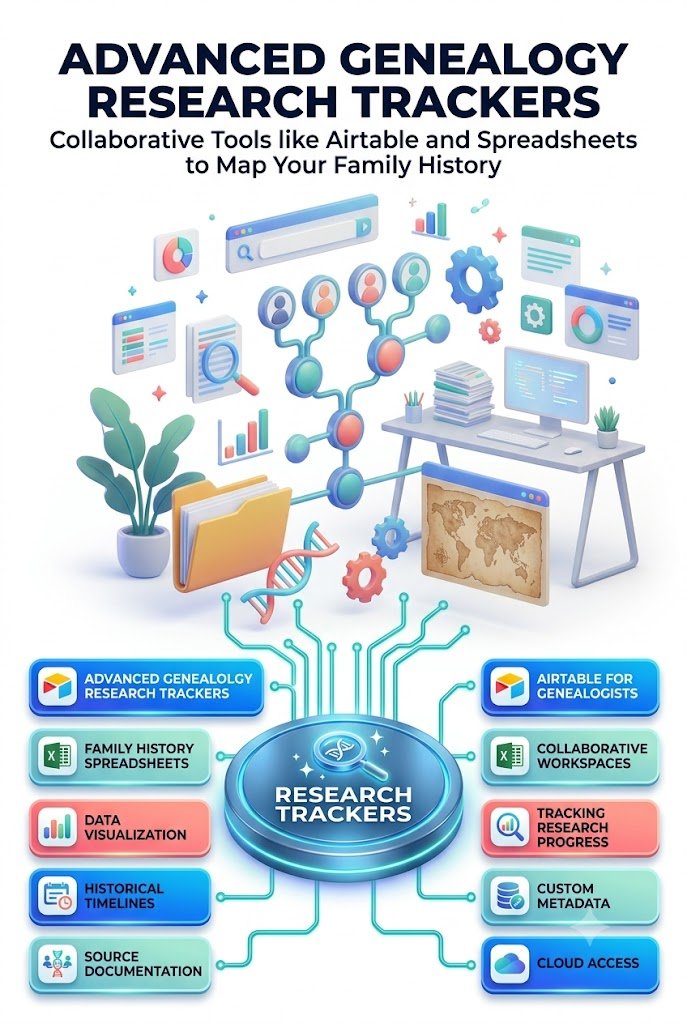
The original illustrative visual accompanying this article is AI-generated and is not presented as an authentic historical photograph or an image from a named archive.
No genealogy tracker, formula, automation, or AI tool can guarantee a verified ancestry result or resolve every historical research question. The reliability of conclusions depends on the quality, completeness, and interpretation of the available evidence.
Stay ahead with exclusive updates
Join our community. Get curated industry trends, actionable guides, and fresh resources delivered straight to your inbox.