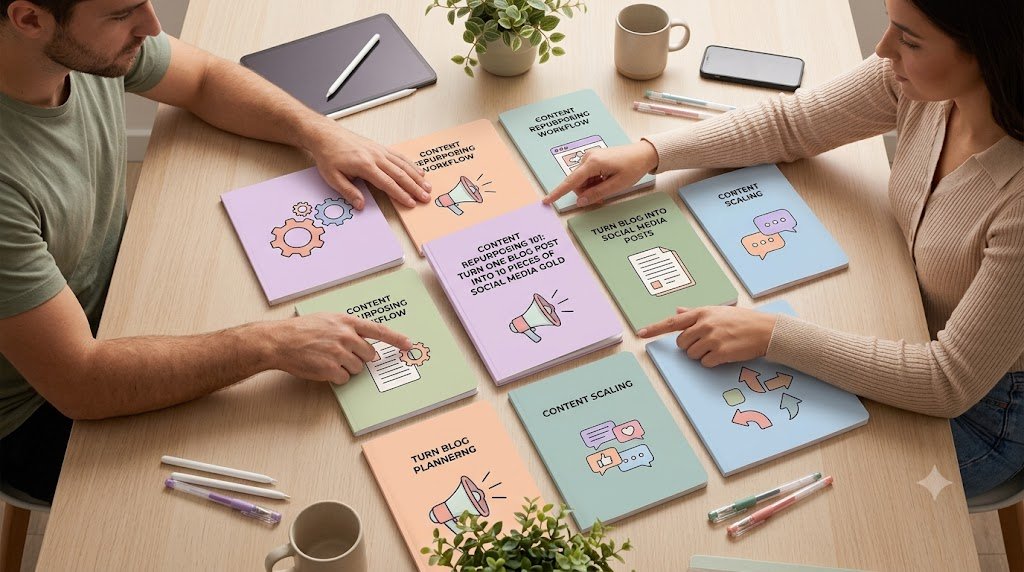
CONTENT MARKETING · SOCIAL MEDIA STRATEGY · ORGANIC GROWTH
Learn how to transform one high-quality blog article into a complete social media content strategy that attracts new audiences, generates qualified traffic, builds trust, and keeps your best ideas working across multiple platforms.
Imagine spending six hours researching, writing, editing, and publishing a valuable blog post. You share it once on social media, receive a handful of clicks, and then move on to the next article.
Two weeks later, that carefully crafted content is sitting in your blog archives, waiting for someone to discover it.
Now imagine taking that same article and transforming it into an Instagram carousel, a LinkedIn thought-leadership post, a short video, a Pinterest graphic, an email newsletter, and several other engaging pieces of content.
Suddenly, one article has become an entire marketing campaign.
That is the power of content repurposing.
For bloggers, digital entrepreneurs, affiliate marketers, small businesses, and content creators, learning how to turn blog content into social media posts can dramatically improve the efficiency of a publishing strategy.
The opportunity is not simply to publish more. It is to extract more value from research, expertise, and creative work you have already completed.
And the best part? You do not need an expensive production team or a complicated automation system to begin.
With a practical content repurposing workflow, you can build a sustainable content engine that supports brand awareness, audience engagement, organic discovery, email subscribers, and digital product sales.
What Is Content Repurposing?
Content repurposing is the process of transforming existing material into new formats, presentations, or distribution assets designed for different platforms and audiences.
Instead of creating every social media post from scratch, you use one substantial piece of content as the foundation for multiple smaller assets.
For example, a blog post titled “10 Ways to Start a Profitable Digital Product Business” might become a checklist carousel, three short educational videos, a LinkedIn discussion, a Pinterest infographic, and an email series.
Each asset communicates part of the original message in a way suited to its channel.
The difference between content repurposing and content duplication is adaptation.
Copying the same paragraph onto five platforms is duplication. Transforming an idea into a visually engaging tutorial, a short explanation, a discussion prompt, and a practical checklist is repurposing.
The goal is not to make your audience consume identical material repeatedly. It is to create multiple useful entry points into your expertise.
Why Content Repurposing Matters for Bloggers and Digital Entrepreneurs
Publishing more frequently sounds like a straightforward growth strategy until you consider the amount of work involved.
Research takes time. Writing requires concentration. Editing demands attention. Creating illustrations, finding examples, optimizing content, and promoting articles all add to the workload.
If your publishing strategy depends entirely on producing original content every day, maintaining quality becomes increasingly difficult.
A well-designed content scaling strategy changes that equation.
You create more marketing assets from existing research
A comprehensive blog article often contains several independent ideas.
Each explanation, example, comparison, or practical recommendation may deserve its own social media presentation.
Extracting these smaller ideas allows you to reuse the intellectual work without simply repeating the original article.
You reach audiences with different consumption habits
Not everyone prefers long articles.
Some people learn through short videos. Others save visual checklists, read professional insights on LinkedIn, or discover helpful graphics through Pinterest.
Content repurposing allows the same expertise to reach people in formats they are more likely to engage with.
You build repeated exposure without repetitive messaging
Someone might first encounter your brand through an Instagram carousel, recognize it later in a LinkedIn discussion, and finally visit your website after watching a tutorial.
Each interaction creates another opportunity to build familiarity.
However, repeated exposure only becomes valuable when the content remains useful and does not overwhelm the audience.
You establish clearer connections between content and products
Educational content attracts attention. Practical guidance builds trust. Relevant product recommendations help readers take the next step.
When connected thoughtfully, these stages can support an organic social media sales funnel without turning every post into an advertisement.
You extend the useful life of evergreen articles
An article about budgeting, blogging, email marketing, productivity, or digital product creation may remain useful long after publication.
Updating and repurposing that article periodically allows you to reintroduce its best lessons to new audiences.
For sustainable blogging, this is often more practical than constantly chasing short-lived trends.
The 10-in-1 Content Repurposing Framework
One original article can provide the foundation for ten distinct distribution assets.
ONE PILLAR BLOG POST
Research · Examples · Practical solutions
REPURPOSE INTO 10 ASSETS
01
Instagram carousel
02
LinkedIn post
03
Short-form video
04
Pinterest infographic
05
Facebook discussion
06
X / Threads series
07
YouTube tutorial
08
Email newsletter
09
Quote graphic
10
Downloadable checklist
10 Practical Ways to Turn One Blog Post Into Social Media Content
To make the workflow concrete, imagine you have published an in-depth article titled:
“How to Create and Sell Your First Digital Product: A Beginner’s Guide.”
This original blog post explains product research, audience validation, creation tools, pricing, marketing, and sales.
Here is how to repurpose it into ten pieces of content without losing its core message.
1. Transform the main lessons into an Instagram carousel
Instagram carousels are useful for breaking complicated information into short, visually organized steps.
Rather than attempting to fit an entire article onto one graphic, identify five to seven important lessons and build one slide around each.
For the digital product article, your carousel could follow this structure:
Example carousel
7 slides
DIGITAL PRODUCT GUIDE
1/7
Your First Digital Product
A simple roadmap from idea to launch
DIGITAL PRODUCT GUIDE
2/7
Find a Real Problem
Look for frustrations people already discuss.
DIGITAL PRODUCT GUIDE
3/7
Validate Before Building
Ask whether buyers want a solution.
DIGITAL PRODUCT GUIDE
4/7
Create a Small Solution
Start with one useful template, guide, or toolkit.
DIGITAL PRODUCT GUIDE
5/7
Set a Clear Price
Explain the result your product delivers.
DIGITAL PRODUCT GUIDE
6/7
Build a Simple Sales Page
Show the benefits, examples, and limitations.
DIGITAL PRODUCT GUIDE
7/7
Launch, Learn, Improve
Share the free guide for the full process.
A useful caption might read:
“Your first digital product does not need to be complicated. Start with a real problem, create a focused solution, and test demand before investing heavily. Save this roadmap for your next project.”
Conversion opportunity: Invite readers to visit the complete guide through your profile link, or offer a downloadable product-planning worksheet.
A carousel should provide genuine standalone value. Readers should not need to leave Instagram merely to understand its main lesson.
2. Turn one surprising insight into a LinkedIn post
LinkedIn works well for professional insights, practical observations, and thoughtful discussions.
Choose one idea from the original article and connect it to a business decision.
For example:
Many beginners think they need a large audience before selling a digital product.
But audience size is only one part of the equation.
A smaller audience with a clearly defined problem can sometimes be more commercially relevant than a large audience with little interest in buying.
Before developing your next product, ask three questions:
Who needs this solution?
How are they solving the problem today?
What would make your alternative worth purchasing?
A useful product starts with understanding the customer, not collecting followers.
End with a question that encourages relevant conversation:
“What is the biggest challenge you face when validating a new product idea?”
Conversion opportunity: Link to a detailed validation framework when it adds value, or direct interested readers to a relevant resource on your website.
LinkedIn posts should be written for professional readers, not simply shortened from blog paragraphs.
3. Create a 30–60-second short-form video
Short-form videos can turn one article section into a memorable explanation.
Use a simple three-part structure: hook, lesson, and action.
A possible script:
Opening hook: “Thinking about selling your first digital product? Avoid this common mistake.”
Main lesson: “Many beginners spend weeks building something before checking whether anyone wants it. Instead, identify one customer problem, talk to potential buyers, and test a small version of your solution.”
Closing CTA: “Save this video and read the full beginner’s guide for the complete launch process.”
Repurpose the format for Instagram Reels, YouTube Shorts, or other suitable video platforms, but adjust captions, pacing, and presentation to the audience.
Add clear subtitles and avoid placing important information where platform interface elements may cover it.
If you do not want to appear on camera, you can use screen recordings, demonstrations, animated diagrams, or appropriately licensed visuals.
4. Turn a step-by-step section into a Pinterest infographic
Pinterest can be useful for visually searchable subjects such as blogging, business planning, DIY projects, recipes, organization, and educational tutorials.
A long article often includes a numbered framework that can become a vertical infographic.
Example title:
“7 Steps to Create Your First Digital Product”
Your graphic could display the sequence: research a problem, identify an audience, validate demand, select a format, develop the product, create a sales page, and promote the launch.
Use readable text, a clear visual hierarchy, relevant branding, and an accurate destination URL.
Conversion opportunity: Link the Pin to the corresponding article or genuinely useful landing page.
Avoid creating multiple near-identical Pins that provide no new value or misrepresent what users will find after clicking.
5. Convert an article problem into a Facebook discussion
Facebook posts can encourage participation when they invite specific, meaningful responses.
Instead of introducing your blog article with a generic announcement, begin with a recognizable challenge.
For example:
“Have you ever started creating a digital product and then wondered whether anybody would actually buy it?
One useful approach is to validate the idea before completing the product.
You can begin by asking potential customers what they currently struggle with, what solutions they have tried, and what is still missing.
If you were creating a digital product today, which challenge would you want to solve?”
This approach turns article information into a conversation rather than a promotional announcement.
Relevant responses can help you understand audience language and identify questions for future articles.
Do not treat comments as permission to send unsolicited sales messages.
6. Extract a mini-thread for X or Threads
Some articles naturally contain sequences of related ideas that work as short text posts.
For example:
Post 1: Your first digital product does not need 100 features. It needs one clear purpose.
Post 2: Start with a recurring problem your target audience already recognizes.
Post 3: Before building, ask potential buyers how they currently solve it.
Post 4: Choose a format that fits the task: checklist, template, workbook, guide, or toolkit.
Post 5: Show an example of the outcome your product helps create.
Post 6: Launch a manageable version, gather feedback, and improve it.
Post 7: The full guide explains each step in more detail.
The strongest threads build an argument progressively.
Do not divide one long paragraph into several posts merely to manufacture a thread.
7. Expand the article into a YouTube tutorial
YouTube provides an opportunity to demonstrate processes that are difficult to explain fully through static text.
For the digital product example, you might create a tutorial titled:
“How to Plan Your First Digital Product: Beginner Walkthrough”
Show how to identify a customer problem, organize the product outline, choose the delivery format, and draft a basic product page.
Demonstrating actual steps makes the video more valuable than simply reading the article aloud.
Your blog becomes the script foundation, while the video adds demonstrations, visuals, commentary, and practical explanations.
Conversion opportunity: Add a relevant article link in the video description, subject to platform rules, and mention a downloadable planning resource when useful.
The goal is to help viewers make progress, regardless of whether they click through.
8. Turn the blog into an email newsletter
Email gives you an opportunity to build a direct relationship with readers who voluntarily subscribe.
Instead of sending the entire blog article by email, select a valuable lesson and add some context.
Example subject:
“Before You Build a Digital Product, Ask These 3 Questions”
The newsletter might open with a short observation about creators spending too much time on ideas that have not been validated.
It could then explore three questions:
Who specifically needs this solution? What alternatives do they already use? What improvement would make them consider paying?
Close with an invitation:
“Want the complete process? Read the beginner’s guide and explore the product-planning checklist.”
The message should feel useful even to subscribers who do not follow the link.
A thoughtful newsletter can create a repeat-visitor habit when it consistently delivers practical value.
9. Transform an original insight into a branded quote graphic
Strong articles often contain concise ideas worth highlighting.
For example:
“The best digital product is not always the biggest product. It is the one that solves a specific problem clearly.”
CONTENT STRATEGY · DIGITAL PRODUCT CREATION
Turn the sentence into a branded visual and pair it with a caption that explains its meaning.
You could ask readers to consider whether their next product needs more features or simply a clearer outcome.
Quote graphics are most effective when they communicate an original, meaningful idea rather than an overused motivational slogan.
Ensure quotations are genuinely yours or properly attributed, and never fabricate testimonials.
10. Convert the article into a downloadable checklist
A useful blog post can provide the foundation for a lead magnet.
For example, create a one-page document titled:
“First Digital Product Launch Checklist”
Include practical tasks for idea validation, product development, sales-page preparation, customer communication, and launch measurement.
This becomes a natural extension of the original article.
Readers receive a tool they can use, while your business creates an opportunity to establish an ongoing subscriber relationship.
Your CTA might read:
“Planning your first digital product? Get the free launch checklist and follow the process one step at a time.”
Keep the promise specific. Explain what subscribers receive and whether signing up also includes ongoing emails.
A helpful checklist should make a task easier, not simply duplicate the blog headings in a PDF.
How to Build a Repeatable Content Repurposing Workflow
The ten formats above become much more useful when connected through a practical production system.
Without a workflow, content repurposing can turn into another disorganized list of tasks.
The solution is to build a simple process that separates planning, creation, adaptation, publishing, and analysis.
Step 1: Select a strong pillar article
Not every blog post deserves ten repurposed assets.
Begin with content that already answers meaningful questions or contains ideas worth presenting independently.
Look for articles with evergreen relevance, original examples, practical steps, a clearly defined audience, and a natural next action.
Existing search traffic, engagement, conversions, and reader questions can help you identify promising candidates.
If an article is outdated, correct it before repurposing the information.
Step 2: Extract the content building blocks
Read your pillar article and identify its most useful elements.
A practical extraction sheet might contain:
| Content element | Repurposing opportunity |
|---|---|
| Main problem | Short video hook |
| Numbered process | Carousel or infographic |
| Surprising observation | LinkedIn post |
| Frequently asked question | Discussion post |
| Original statistic | Data graphic with source |
| Tutorial section | Demonstration video |
| Actionable summary | Email newsletter |
| Memorable original insight | Quote graphic |
| Detailed checklist | Lead magnet |
| Comparison or recommendation | Buyer-focused social post |
A single article does not need every element. Select what is genuinely present and useful.
Step 3: Adapt the message to each platform
Successful content scaling is not about sending identical information everywhere.
Each distribution channel creates a different reading or viewing experience.
For example, an Instagram carousel benefits from strong visual sequencing, while LinkedIn may reward a well-developed professional viewpoint.
A video requires a clear opening and coherent pacing. A newsletter benefits from a more personal explanation and a consistent editorial promise.
The topic can remain the same while the presentation changes.
Step 4: Create a reusable brand system
Rebuilding the design from zero for each post can consume more time than the writing itself.
Develop reusable templates for carousels, quote graphics, infographics, video subtitles, and email layouts.
Keep colors, typography, accessibility, and visual identity consistent without making every asset look identical.
Tools such as Canva, Figma, document editors, video editing software, and AI-assisted drafting tools can support this process.
But remember that templates should reduce repetitive production work, not replace thoughtful content.
Step 5: Build a manageable publishing calendar
Publishing all ten assets simultaneously is not necessary.
Spacing content gives you opportunities to adjust messaging, learn from responses, and introduce different ideas over time.
Here is an illustrative ten-day publishing sequence.
| Day | Content | Primary objective |
|---|---|---|
| 1 | Instagram carousel | Discovery and saves |
| 2 | LinkedIn insight | Professional trust |
| 3 | Short-form video | Reach and education |
| 4 | Pinterest infographic | Visual discovery |
| 5 | Facebook discussion | Audience feedback |
| 6 | X / Threads series | Idea distribution |
| 7 | YouTube tutorial | Deeper engagement |
| 8 | Email newsletter | Returning readers |
| 9 | Quote graphic | Message reinforcement |
| 10 | Downloadable checklist | Subscriber conversion |
This is a planning example, not a universal posting-frequency recommendation. Adjust the calendar according to your capacity and audience activity.
Step 6: Link content to relevant next steps
Not every social media post should ask for a purchase.
A useful strategy creates different pathways depending on the audience’s level of interest.
For someone encountering your brand for the first time, the next step might be saving a tutorial or reading an article.
A returning visitor might benefit from joining a newsletter.
Someone actively comparing solutions may appreciate a detailed product guide, a free preview, or a transparent sales page.
These transitions should feel natural.
Step 7: Track performance and improve the next cycle
Content repurposing becomes more effective when decisions are based on observable results.
Track both platform engagement and meaningful website outcomes.
Relevant measurements include qualified referral visits, article engagement, newsletter signups, lead magnet downloads, and attributed sales.
If the same topic consistently generates useful questions, consider expanding it into a more comprehensive guide.
If a format receives attention but little engagement from relevant readers, examine the content and audience fit before producing more of it.
An Interactive Content Repurposing Planner
Choose a weekly production capacity below to see how you could distribute your effort across content creation, publishing, and review.
Select your content production capacityStarter — 3 assetsBalanced — 6 assetsFull campaign — 10 assets
Balanced plan
6 assets
Mix discovery, relationship building, and a useful subscriber resource.
Instagram carousel · LinkedIn post · Short-form video · Pinterest graphic · Email newsletter · Checklist Copy my content plan
How to Use AI for Faster Content Repurposing Without Losing Authenticity
Artificial intelligence can help speed up content production, particularly when you need to transform an existing article into different formats.
For example, AI can help identify key lessons, propose alternative openings, reorganize information, outline video scripts, and create preliminary social media captions.
However, AI output should be treated as a draft requiring human judgment.
A reliable content repurposing workflow follows four principles.
Preserve the source meaning. Never allow a short social media post to exaggerate or contradict the original article.
Verify factual claims. Statistics, product information, platform features, and legal or financial statements need appropriate review.
Add original value. Use your own examples, demonstrations, observations, and editorial perspective.
Protect confidential information. Remove private customer information, unpublished business data, and other sensitive material before submitting content to external AI systems unless its use is appropriately authorized.
A reusable prompt can simplify the process:
AI content repurposing prompt Copy
Act as an experienced content strategist. Analyze the blog post I provide and identify ten useful, distinct repurposing opportunities. For each, recommend a suitable platform, target audience, original hook, content structure, clear reader benefit, and relevant non-pushy CTA.
Preserve the source meaning, avoid invented facts or experiences, and flag claims requiring verification. Tailor each format to its platform rather than duplicating text.
Finish with a realistic publication schedule and measurement plan.
Human review is especially important for content that will influence financial, medical, legal, or other consequential decisions.
AI can assist with content scaling, but credibility ultimately depends on the accuracy and usefulness of what you publish.
How to Optimize Repurposed Content for SEO, GEO, and Answer Engines
A successful repurposing strategy should help readers discover your content through social media while making the original article useful and accessible through search engines.
The central principle is straightforward: your blog should be the authoritative home for the complete information, while social media assets provide helpful, platform-specific ways to discover it.
Create a search-friendly pillar article
Organize your original article around a clearly defined reader problem.
For example, someone searching for “how to repurpose blog content for Instagram” likely wants practical instructions, not a broad explanation of digital marketing.
Answer the question early. Then provide examples, processes, mistakes to avoid, and appropriate next steps.
Use natural language in headings and paragraphs. Relevant phrases include content repurposing workflow, turn blog into social media posts, content scaling, social media content strategy, repurpose blog posts for Instagram, and how to reuse content across platforms.
These terms should fit the discussion rather than appear repeatedly for their own sake.
Structure information for clear answers
Answer Engine Optimization (AEO) focuses on making content easy to interpret and useful for question-based discovery.
For example:
How do you turn a blog post into social media content?
Start by identifying the article’s most useful ideas. Match each idea to a suitable platform, adapt the format, add a relevant call to action, and measure audience response.
A direct answer like this helps readers immediately understand the process.
Detailed examples and original insights then provide depth beyond the short explanation.
Improve usefulness for AI-powered search
Generative Engine Optimization (GEO) should not depend on speculative tricks.
A stronger approach is to publish genuinely helpful material with accurate definitions, specific examples, clear sourcing, and original analysis.
Google’s guidance for its generative search experiences emphasizes distinctive, valuable content and established SEO practices rather than artificial formatting tactics intended to manipulate AI visibility.
Google for Developers
+1
For this article, useful original material might include an actual production workflow, a comparison of repurposing formats, a tested content calendar, or measured results from a real campaign.
Whenever you publish statistics or make performance claims, identify the source and explain relevant limitations.
Support Google Discover eligibility with better presentation
Google Discover can surface relevant content based on user interests, but there is no guaranteed way to obtain placement.
For a blog article like this, use a descriptive, representative featured image rather than an exaggerated promise.
A 16:9 image showing a central blog article branching into distinct social media formats would communicate the subject clearly.
Google recommends high-quality Discover images at least 1,200 pixels wide, appropriate large-image preview settings, and relevant image references such as og:image or structured-data imagery.
Google for Developers
The page should also load efficiently, display well on mobile screens, and provide a satisfying reading experience.
Use BlogPosting or Article structured data with accurate information about the article, author, publication date, and image when applicable. This can help Google interpret the page, but does not guarantee a particular search appearance.
Google for Developers
Use trends selectively
Trending topics can support the distribution of evergreen content when there is a genuine connection.
For example, if a platform introduces a significant new publishing feature, a content repurposing article may deserve an updated section explaining how that feature changes the workflow.
But do not force unrelated trending keywords into an evergreen article simply to attract temporary attention.
A useful trend update should answer a question that readers actually have.
Turn First-Time Visitors Into Returning Readers
Traffic is valuable, but a blog becomes more sustainable when visitors have a reason to return.
Suppose someone discovers your content through Pinterest and visits your article.
If the article answers the reader’s immediate question and offers nothing else, the visit may end there.
A better experience helps the reader discover a logical next step.
The returning-reader journey
Social Media Discovery
A useful post captures relevant interest.
Helpful Blog Article
The visitor finds a deeper solution.
Relevant Free Resource
A checklist or template supports action.
Permission-Based Email Relationship
Useful follow-up content encourages return visits.
Returning Reader or Qualified Buyer
The reader chooses whether to explore more.
A simple recurring newsletter can be more compelling than a generic subscription invitation.
Instead of “Subscribe for updates,” consider:
“Get one practical content marketing workflow every week, including templates and examples you can apply to your own business.”
This establishes a specific expectation.
Also, create connections between related articles. A reader exploring social media content repurposing may appreciate a guide to building an editorial calendar, writing better blog headlines, or measuring content performance.
These internal links help readers explore the subject more deeply.
How to Turn Repurposed Content Into Commercial Opportunities
Content repurposing can support affiliate marketing, digital products, professional services, and email-based sales funnels.
But commercial success depends on relevance, credibility, and the quality of the offer.
A social media post about planning content could lead naturally to a free content calendar.
That free calendar might introduce a more comprehensive paid content management toolkit.
Similarly, a tutorial about blog optimization could discuss relevant software through a balanced review that explains both benefits and limitations.
The strongest buyer-intent content helps readers make informed decisions.
For instance, a person searching for “best content repurposing tools for small businesses” may be comparing solutions.
A helpful article should explain which tools are suitable for different needs, their limitations, and what users should consider before paying.
Then, a clear CTA can direct readers toward a comparison guide, demonstration, or product page.
Avoid claiming that a tool automatically produces successful campaigns or that any workflow guarantees sales.
Match your CTA to the reader’s needs
| Reader intent | Helpful CTA |
|---|---|
| Learning the basics | Read the complete guide |
| Saving practical advice | Save the checklist |
| Planning a campaign | Get the free content calendar |
| Comparing tools | Explore the detailed comparison |
| Ready to implement | View the content planning toolkit |
| Interested in ongoing learning | Join the weekly newsletter |
Notice that not every invitation asks for money.
A successful content strategy earns commercial interest by solving problems before presenting relevant offers.
Measure Content Repurposing ROI
One of the most common mistakes in content marketing is measuring the amount published instead of the value created.
Ten social posts may generate little business impact, while three carefully designed posts may attract highly relevant visitors.
Track outcomes that connect to your goals.
Suppose a campaign produces the following hypothetical results:
| Measurement | Illustrative result |
|---|---|
| Blog articles repurposed | 1 |
| Distribution assets created | 10 |
| Website visits attributed to campaign | 600 |
| Email signups | 48 |
| Product purchases attributed | 6 |
| Revenue at $19 per purchase | $114 |
These figures are an example of how to measure a campaign, not a prediction of expected performance.
A better evaluation also considers production time, promotional costs, refunds, repeat purchases, and the reliability of attribution.
For a newsletter-focused campaign, subscriber quality and continued engagement may matter more than immediate sales.
For an affiliate campaign, qualified clicks and properly attributed commissions may be more useful than video views alone.
Use platform analytics, website analytics, and consistently tagged campaign links where practical. Reconcile results carefully because attribution systems and privacy settings can produce different totals.
Common Content Repurposing Mistakes to Avoid
The most frequent problem is treating repurposing as a volume exercise.
Creating more material is not automatically beneficial.
Publishing identical content across every platform overlooks differences in audience expectations and presentation.
Using weak source material multiplies the impact of a poorly researched or outdated article.
Overloading graphics with text makes content difficult to understand, particularly on mobile devices.
Using excessive calls to action can make educational posts feel like advertisements.
Ignoring performance data prevents creators from learning which formats deserve continued investment.
Automating without review can introduce inaccurate claims, artificial language, and misleading summaries.
Promoting without appropriate disclosures can damage trust and create legal or platform-policy risks.
The solution is to focus on fewer, better adaptations whenever capacity is limited.
A Sustainable 30-Day Content Repurposing Plan
A structured monthly plan can help beginners establish consistent habits without becoming overwhelmed.
During the first week, audit existing articles and select one high-quality evergreen post. Update information, review links, and identify its strongest individual ideas.
During the second week, develop the core repurposed assets. Start with a carousel, a short video, a LinkedIn post, and an email newsletter.
During the third week, distribute the content according to a manageable calendar. Respond to relevant audience questions and record useful feedback.
During the fourth week, examine referral traffic, engagement, subscriber growth, and commercial outcomes. Determine which asset deserves improvement, which lesson could become a new article, and which format should be deprioritized.
By repeating this cycle, you can gradually build a content library rather than continually restarting from an empty page.
The goal is not to produce the highest number of assets. It is to create a process you can sustain while maintaining accuracy and originality.
Frequently Asked Questions About Content Repurposing
1. How many social media posts can I create from one blog article?
A detailed blog article can often support five to ten distinct assets, and sometimes more. The appropriate number depends on how many useful independent ideas the article contains. A short opinion piece may offer only two or three worthwhile adaptations, while a comprehensive tutorial may support carousels, videos, graphics, discussions, and downloadable resources.
2. Does repurposing blog content hurt SEO?
Repurposing an article into genuinely useful, platform-specific content does not inherently damage SEO. Problems are more likely to arise from publishing low-value duplicate pages, producing mass-generated material without added value, or misleading readers. Keep your primary article clear, original, and well-maintained.
3. Which social media platform is best for repurposing blog posts?
The best choice depends on the subject and target audience. LinkedIn can suit professional insights, Instagram can suit visual education, Pinterest can suit evergreen visual discovery, and YouTube can suit detailed demonstrations. Begin with platforms where your intended readers are active and evaluate actual results instead of assuming one platform works best for everyone.
4. Can AI automatically turn a blog post into ten social media posts?
AI tools can assist with extracting ideas, drafting captions, preparing outlines, and suggesting content formats. However, fully automated results may contain inaccuracies, repetition, or unsuitable messaging. Review each asset for factual correctness, originality, accessibility, platform relevance, and brand consistency before publication.
5. How can I make money from repurposed blog content?
Repurposed content can attract visitors to relevant affiliate reviews, digital product pages, consulting services, paid newsletters, or other commercial resources. Revenue depends on audience needs, traffic quality, trust, offer relevance, and conversion performance. A useful starting point is to connect educational posts to a helpful free resource and introduce an appropriate paid solution when it genuinely addresses the reader’s problem.
Make Every Great Article Work Harder
A well-written blog post should not disappear after its first week online.
It can become a foundation for educational graphics, meaningful conversations, practical videos, email lessons, and resources that continue helping readers over time.
Content repurposing is ultimately a shift in how you think about publishing.
Instead of asking, “What entirely new content should I create today?” ask, “What valuable insight from my existing work deserves a better opportunity to reach people?”
Start with one article. Extract its strongest ideas. Adapt them thoughtfully. Publish consistently. Measure what matters. Improve the next campaign.
The most valuable content is not necessarily the content you publish most often. It is the content that keeps solving problems wherever your audience encounters it.
Your next step: Choose one evergreen article from your blog and turn it into three useful social media assets this week. Once you identify what resonates, expand the process into a repeatable content repurposing system.
Compliance Note
This article provides general educational guidance about content marketing, SEO, social media distribution, automation, and digital product promotion. Examples, sales figures, conversion scenarios, and timelines are illustrative and do not guarantee traffic, search rankings, Google Discover inclusion, platform reach, subscribers, or revenue.
When repurposing content, respect copyright, image licensing, trademark rights, attribution requirements, platform policies, privacy obligations, and applicable advertising rules. Disclose affiliate relationships, sponsorships, and other material commercial connections clearly where required. Obtain appropriate consent for email marketing, handle personal information lawfully, and provide required unsubscribe options.
Review AI-assisted material for accuracy and originality before publication. Avoid fabricated experiences, false testimonials, misleading statistics, deceptive headlines, and unsupported income claims. Search features and platform requirements may change, so consult current official documentation.
Useful references include Google’s people-first content guidance, Google Discover documentation, and Article structured data guidance.
Stay ahead with exclusive updates
Join our community. Get curated industry trends, actionable guides, and fresh resources delivered straight to your inbox.