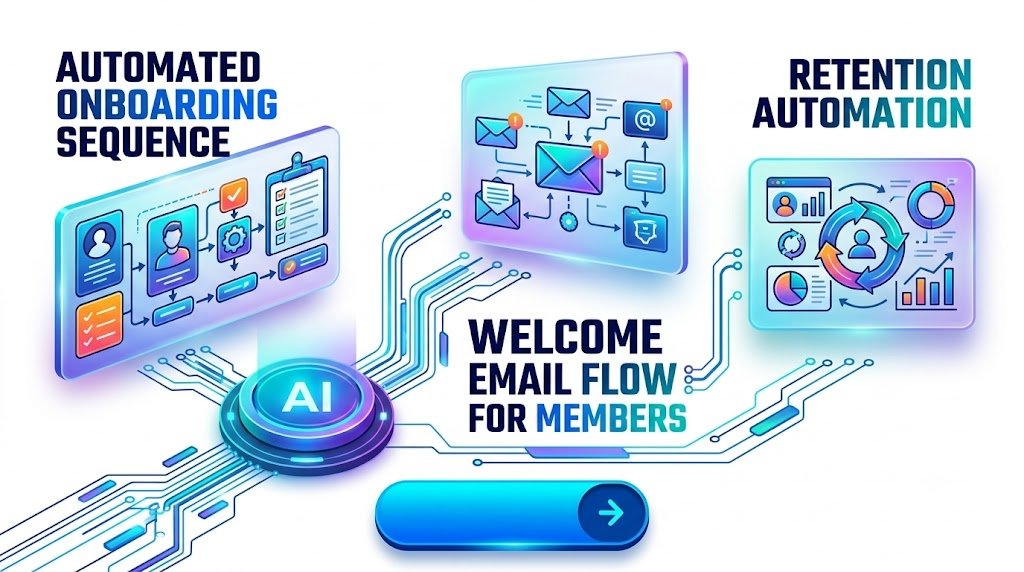
Turn New Signups Into Active, Engaged, and Loyal Community Members With a Smarter Welcome Experience
Imagine someone joining your online community because they believe it could help them solve a problem, learn a valuable skill, build professional connections, or achieve a personal goal.
They’re excited. They’ve just signed up, and they’re ready to explore.
But what happens next?
If they’re greeted by an empty dashboard, confusing navigation, dozens of discussion channels, and no clear instructions, that excitement can disappear surprisingly quickly.
Now imagine a different experience.
Within minutes of joining, they receive a friendly welcome email. They know exactly where to begin, which resources matter most, and how to introduce themselves. Over the next few days, they receive useful guidance, discover relevant discussions, and begin building relationships with other members.
Instead of feeling like another name on a membership list, they feel like they belong.
That’s the power of a thoughtfully designed automated onboarding sequence.
Whether you run a paid membership website, a professional networking group, an online learning community, a coaching program, or a subscription-based creator business, your onboarding experience influences how quickly new members discover value.
And when members experience meaningful value early, you create stronger foundations for ongoing participation, subscription renewals, referrals, and long-term community growth.
This guide explains how to build a practical welcome email flow for members, combine email marketing with behavioral automation, and create a retention system that supports genuine relationships without making your community feel robotic.
What Is an Automated Onboarding Sequence?
An automated onboarding sequence is a planned series of messages, instructions, resources, and engagement opportunities delivered to new community members after they join.
Instead of manually welcoming every member and explaining the same information repeatedly, you use automation tools to guide people through their first interactions.
A well-designed onboarding sequence can include:
- Personalized welcome emails
- Membership activation and account setup instructions
- Community guidelines and introductions
- Recommended resources based on member interests
- Invitations to discussions, challenges, or events
- Progress reminders and supportive check-ins
- Feedback requests and personalized follow-up messages
The objective isn’t simply to send emails.
The real purpose of community onboarding automation is to help every new member experience a meaningful first success.
That first success might be completing a profile, receiving an answer to a question, attending a live session, downloading a useful resource, or making their first connection.
The faster members understand how your community improves their lives, the more reasons they have to return.
Why Your First Seven Days Matter More Than You Think
Joining a community requires a small leap of trust.
Someone gives you their attention, creates an account, and sometimes pays a recurring membership fee before experiencing the full benefits of your platform.
During the initial days, they’re quietly evaluating whether joining was a good decision.
They may be wondering:
- Is this community relevant to my goals?
- Where should I begin?
- Will anyone respond if I participate?
- Are the resources worth my time or money?
- Can I realistically fit this membership into my routine?
Poor onboarding leaves these questions unanswered.
Effective onboarding addresses them naturally through helpful communication and easy participation.
Consider two members who join the same paid creator community.
Member A: Receives a payment confirmation and a generic welcome message. They log in, browse several discussions, feel overwhelmed, and leave without participating.
Member B: Receives a personalized welcome message, a simple starting checklist, and an invitation to a beginner-friendly discussion. They post an introduction, receive a response, and discover a practical resource related to their goals.
Both members purchased the same membership.
However, their first experiences are completely different.
The lesson is simple: membership retention begins with the experience you create immediately after someone joins, not when their renewal date approaches.
Step 1: Define the First Success You Want Every Member to Experience
Before creating email templates or selecting automation software, identify the specific result your onboarding process should help members achieve.
This is your onboarding activation goal.
Different communities need different activation goals.
| Community Type | Meaningful First Success |
|---|---|
| Online learning community | Complete the first lesson or exercise |
| Paid creator membership | Access a valuable exclusive resource |
| Business networking group | Introduce themselves and make a connection |
| Fitness membership | Complete their first workout or action plan |
| Professional coaching community | Identify a goal and attend an orientation session |
| Digital product seller community | Download and use their first template |
| Writer or blogger community | Share a draft or receive actionable feedback |
Notice that none of these objectives involve simply opening an email.
Email opens may help assess campaign performance, but they don’t prove that members are receiving value.
Your onboarding workflow should lead toward a tangible experience.
Use the First-Win Framework
A practical onboarding strategy focuses on three questions:
1. What did the member come here to achieve?
Understand the reason they joined.
2. What’s the easiest useful action they can complete?
Avoid assigning complicated tasks immediately.
3. How can you recognize or reinforce their progress?
Offer encouragement, relevant resources, or helpful feedback.
For example, if someone joins a digital marketing membership to improve website traffic, their first action might be completing a simple website visibility checklist.
That experience feels more valuable than receiving five promotional messages about premium features.
Practical action: Write one sentence describing the result every new member should achieve within their first week. Use that sentence to shape your entire onboarding sequence.
Step 2: Create a Seven-Day Welcome Email Flow for Members
A seven-day onboarding framework gives you a starting structure for building meaningful engagement without overwhelming new members.
You don’t need to email people every day.
Instead, deliver messages at useful moments, using member activity and preferences to determine when communication is needed.
Here’s an example of an automated onboarding sequence for a paid online community.
| Timing | Message Focus | Main Objective |
|---|---|---|
| Immediately | Welcome and access | Remove confusion |
| Day 1 | Community orientation | Help members navigate |
| Day 2 | First quick win | Demonstrate value |
| Day 3 | Introductions and connections | Encourage participation |
| Day 5 | Personalized resources | Deepen engagement |
| Day 7 | Progress and next steps | Establish a return habit |
This schedule is a starting hypothesis rather than a universal formula. Adjust message timing based on how quickly members typically use your platform and their stated communication preferences.
Email 1: The Immediate Welcome Message
Subject: Welcome! Your Community Journey Starts Here
Hello [First Name],
Welcome to [Community Name]!
We’re excited to have you here.
You’ve joined a community built around helping people like you learn, connect, and make meaningful progress.
Getting started is simple.
Here are three things you can do today:
- Visit your community dashboard.
- Complete your member profile.
- Explore our Start Here section.
You don’t need to do everything at once. Begin with one small step.
We’re looking forward to seeing what you accomplish.
[Community Team]
Suggested CTA: Explore Your Member Dashboard
The most important feature of this message is clarity.
New members should immediately understand how to access the benefits they joined for.
For paid memberships, ensure account access, payment details, cancellation information, and essential service instructions are easy to locate.
Email 2: Help Members Find Their Way
Subject: Your Simple Guide to Getting Comfortable in the Community
Hello [First Name],
Now that you’re officially part of [Community Name], let’s make everything a little easier.
Your membership gives you access to discussions, resources, and opportunities designed to support your progress.
Here are three useful places to explore:
- Start Here: Learn how the community works.
- Resource Library: Find practical tools and guides.
- Member Discussions: Ask questions and connect with others.
Not sure where to begin?
We’ve created a short orientation guide to help you find what matters most.
Suggested CTA: View Your Orientation Guide
This email reduces information overload.
Members don’t need to understand every feature. They need enough confidence to take their next step.
Email 3: Deliver the First Quick Win
Subject: Here’s One Small Step That Could Make Your Membership Worthwhile
Hello [First Name],
You don’t need to spend hours inside the community to make progress.
Today, try completing one practical activity:
[Insert a relevant beginner-friendly task.]
We’ve also prepared a helpful resource that walks you through the process.
Once you’ve completed it, you’ll have something useful to build on.
Suggested CTA: Complete Your First Activity
The goal is to demonstrate value through experience rather than promises.
If the member has already completed the first activity, your automation should skip this reminder and offer an appropriate next step instead.
Email 4: Encourage the First Community Interaction
Subject: Meet the People Who Make This Community Special
Hello [First Name],
Resources are useful, but the people you meet here can make the experience even more valuable.
We’d love to learn a little about you.
Visit our introductions section and share:
- What you’re currently working on
- One goal you’d like to achieve
- One thing you’d appreciate help with
You might discover members facing similar challenges or working toward similar goals.
Suggested CTA: Introduce Yourself to the Community
Avoid making introductions feel mandatory.
Some members prefer observing conversations before actively participating. Give them the option to read a helpful discussion or follow a topic instead.
Email 5: Share Relevant Resources
Subject: We Found a Few Resources You May Find Useful
Hello [First Name],
As you explore [Community Name], we want to help you spend less time searching and more time making progress.
Based on your selected interests, here are a few resources worth exploring:
[Resource 1]
[Resource 2]
[Resource 3]
Choose whichever feels most relevant to your current goal.
Suggested CTA: Explore Your Recommended Resources
Use preferences that members have willingly shared rather than making assumptions about their personal circumstances.
Personalization works best when members understand why they’re receiving a recommendation.
Email 6: Celebrate Progress and Establish the Next Step
Subject: Your First Week Is Almost Complete — Here’s What’s Next
Hello [First Name],
You’ve reached an important milestone in your membership journey.
Whether you’ve explored the resource library, completed an activity, or simply spent time learning how the community works, we hope you’re beginning to feel at home.
Here’s what you can look forward to next:
- Upcoming community discussions
- New learning resources
- Member events and challenges
- Opportunities to ask questions and receive support
We’d also love to hear about your experience so far.
What’s been useful, and what could we improve?
Suggested CTA: Share Your First-Week Feedback
The seventh-day message should feel like the beginning of an ongoing relationship, not the end of a marketing campaign.
Step 3: Use Behavioral Triggers Instead of Relying Only on Scheduled Emails
Time-based emails are useful, but they don’t always reflect what individual members actually need.
Imagine sending an email saying, “You haven’t introduced yourself yet,” to someone who introduced themselves an hour earlier.
That message creates unnecessary friction.
Behavior-based onboarding helps prevent these situations.
Instead of delivering every message according to a fixed calendar, automation software responds to specific actions or events.
Important Behavioral Automation Triggers
| Member Behavior | Suggested Automation |
|---|---|
| Completes registration | Send welcome and access instructions |
| Fails to activate account | Send helpful activation guidance |
| Completes profile | Recommend relevant discussions |
| Selects a topic of interest | Share topic-specific resources |
| Publishes first post | Offer encouragement and next steps |
| Completes first lesson | Recommend the next lesson |
| Registers for an event | Send confirmation and useful reminders |
| Shows no meaningful activity | Send a respectful support check-in |
| Completes onboarding | Move into ongoing member communications |
| Cancels membership | Stop promotional onboarding and send appropriate service information |
Example: A More Intelligent Onboarding Workflow
<escape>New member joins</escape>
↓
<escape>Send welcome email and access details</escape>
↓
<escape>Has the member completed account setup?</escape>
- Yes: Recommend their first activity.
- No: Send a helpful setup reminder after an appropriate delay.
↓
<escape>Has the member completed the first activity?</escape>
- Yes: Send encouragement and the next relevant resource.
- No: Offer a simplified starting guide or assistance.
↓
<escape>Has the member interacted with the community?</escape>
- Yes: Recommend an appropriate discussion or event.
- No: Offer a low-pressure way to participate.
↓
<escape>Move the member into the regular engagement journey.</escape>
This approach makes automated messages feel more timely and useful.
Important: Configure exit conditions so members don’t receive duplicate, outdated, or contradictory messages.
Step 4: Segment Members According to Their Goals
Not every community member joins for the same reason.
Some want educational resources.
Others want networking opportunities, accountability, expert feedback, or access to premium content.
Sending the same messages to everyone can weaken the relevance of your onboarding experience.
Segmentation helps you tailor the journey.
Collect Useful Information During Registration
Keep the signup experience short and friendly.
Ask one or two questions that help you improve onboarding.
For example:
What’s your main reason for joining?
- Learning new skills
- Networking with other members
- Growing a business
- Finding practical resources
- Receiving coaching or accountability
You could also ask:
How would you prefer to participate?
Members might prefer reading resources, joining live sessions, participating in discussions, or working through self-paced lessons.
These answers can guide your automated recommendations.
Example: Personalized Community Onboarding
Consider a membership community for digital entrepreneurs.
A new member selects “Starting an Online Business.”
Their first recommended resource could be a beginner’s business planning checklist.
Another member selects “Growing an Existing Business.”
Their onboarding could prioritize conversion optimization, customer retention, and advanced marketing discussions.
Both members receive a warm welcome, but their next steps reflect their different goals.
Personalization should make the experience easier, not create a complicated system that becomes difficult to maintain.
Start with two or three meaningful segments and expand only when the differences genuinely improve the member experience.
Step 5: Choose the Right Tools for Community Onboarding Automation
You don’t necessarily need expensive enterprise software to create a reliable onboarding system.
Many community platforms and email marketing services include automation features suitable for smaller businesses.
The most useful setup usually combines a community platform, an email automation tool, and a reliable way to pass membership events between them.
Community Platforms
Depending on your membership model, you might consider:
Circle: A community-focused platform that can support member spaces, discussions, events, and structured onboarding experiences.
Mighty Networks: Suitable for communities that combine discussions, membership experiences, courses, and events.
Discourse: A discussion-oriented platform useful for communities built around questions, knowledge sharing, and ongoing conversations.
WordPress membership websites: Suitable for businesses seeking greater control over content, access rules, membership functionality, and integrations.
Platform functionality, plan limitations, and integration availability can change. Confirm the current features and pricing before choosing a solution.
Email Marketing and Automation Tools
Kit: May suit creators who want subscriber segmentation, email sequences, and automated communication.
ActiveCampaign: Useful for more advanced contact segmentation and behavioral automation.
Mailchimp: Can support email campaigns and customer journeys, depending on the selected plan.
Workflow Integration Tools
Automation services such as Zapier or Make can connect software applications when a direct integration is unavailable.
For example:
Membership created → Add contact to authorized onboarding audience → Apply relevant tag → Begin welcome workflow.
The most important selection criteria are reliability, privacy controls, email deliverability, automation conditions, and ease of maintenance.
Avoid purchasing expensive software before defining the member experience you actually want to create.
Step 6: Build an Onboarding Experience Beyond Email
Email is an effective communication channel, but it shouldn’t become the entire onboarding experience.
Members need helpful experiences inside the community itself.
A strong onboarding system combines messages with clear navigation, useful resources, and opportunities for meaningful participation.
Create a Dedicated Start Here Area
Every community should have a simple location where new members can find essential information.
Include a short welcome message, community guidelines, an overview of the main spaces, and a recommended first activity.
A practical checklist might look like this:
- Access your member dashboard
- Read the community guidelines
- Update your profile
- Choose your favorite topics
- Explore a beginner resource
- Join a discussion or event
- Complete your first meaningful activity
Don’t make every action mandatory.
Members should feel supported rather than pressured.
Offer a Beginner-Friendly Community Space
A dedicated introductions or beginner questions area can reduce hesitation.
Make sure new members receive helpful responses.
An unanswered first question may create a more negative impression than a delayed welcome email.
Introduce Real Human Support
Automation works best when members know there’s a real person available when needed.
A community manager, moderator, or designated volunteer can welcome new participants and respond to common problems.
The goal is to automate repetitive communication while preserving human interaction where it matters.
Step 7: Design Retention Automation That Builds a Return Habit
Onboarding creates the initial experience.
Retention automation helps members continue receiving value after their first week.
However, there’s a significant difference between encouraging healthy engagement and repeatedly pushing people to log in.
A valuable membership doesn’t require every member to participate daily.
Some members may receive meaningful value from attending one workshop per month, reading a weekly digest, or accessing a specialist resource when they need it.
Your retention strategy should reflect those different usage patterns.
Introduce a Weekly Value Digest
Send an optional weekly summary featuring useful discussions, newly available resources, upcoming events, and relevant member contributions.
For example:
Subject: This Week Inside [Community Name]: 3 Resources Worth Exploring
The email could highlight:
- One practical discussion that answered a common question
- One new resource or tutorial
- One upcoming event connected to member interests
Suggested CTA: Explore This Week’s Highlights
This creates a predictable reason to return without requiring constant notifications.
Recognize Meaningful Milestones
You can automate congratulations when members complete a course module, participate in their first event, or achieve an optional learning milestone.
Be specific about what they’ve accomplished.
A message that says “Congratulations on completing your first lesson” is more meaningful than an exaggerated claim about their progress.
Use Supportive Re-Engagement Messages
If someone hasn’t accessed the community for a while, send a helpful check-in only when appropriate.
Subject: Need Help Finding the Right Resources?
Hello [First Name],
We hope things are going well.
If you haven’t had much time to explore the community recently, that’s completely understandable.
We’ve put together a short collection of useful resources you can access whenever it suits your schedule.
If there’s something specific you’d like help with, you’re welcome to reply.
Suggested CTA: Find a Resource for Your Current Goal
This message respects the member’s time and avoids creating guilt.
Don’t Automate Every Interaction
Generic congratulations, excessive notifications, and automated comments can make a community feel artificial.
Use human moderation and genuine personal responses for sensitive questions, disputes, complex support needs, and situations where empathy matters.
The most effective community retention automation makes genuine connection easier rather than trying to replace it.
Step 8: Prevent Common Onboarding Mistakes
Even well-intentioned community owners can create onboarding experiences that overwhelm or frustrate members.
Mistake 1: Sending Too Many Messages
Several emails in a short period can make your community feel demanding.
Better approach: Use carefully timed messages, suppression rules, and communication preferences.
Mistake 2: Asking for Engagement Before Providing Value
Repeated requests to introduce yourself, comment, and attend events may feel like work.
Better approach: Deliver a useful resource or simple first win before asking for more participation.
Mistake 3: Treating Every Member Identically
Generic recommendations can make members feel misunderstood.
Better approach: Use voluntary interest selections to tailor resources and next steps.
Mistake 4: Promoting Upgrades Too Early
Immediately advertising expensive membership tiers can distract from the benefits someone just purchased.
Better approach: Help new members use their existing membership before introducing an optional upgrade that solves a clearly different problem.
Mistake 5: Ignoring Member Feedback
A flawless automation workflow doesn’t guarantee a useful membership experience.
Better approach: Ask members where they became confused and update the process based on their responses.
Mistake 6: Forgetting Technical Testing
Broken links, missing access permissions, duplicate messages, and inaccurate personalization can damage trust.
Better approach: Test the entire onboarding journey using a new test-member account before launching.
Step 9: Measure Whether Your Onboarding Sequence Actually Works
It’s difficult to improve a process when you don’t know whether members are benefiting from it.
Community onboarding metrics help identify where people progress smoothly and where they need additional support.
Important Metrics to Track
| Metric | What It Reveals |
|---|---|
| Account activation rate | Percentage of new members who successfully activate access |
| Onboarding completion rate | Percentage completing your defined starting milestones |
| Time to first value | How quickly members achieve a meaningful first success |
| First interaction rate | Percentage participating in a relevant community activity |
| Seven-day activation rate | Percentage achieving your defined activation goal within seven days |
| 30-day engaged-member rate | Percentage meeting your meaningful engagement criteria after 30 days |
| Email click-through rate | Whether messages lead to relevant actions |
| Unsubscribe and complaint rate | Whether communications may be unwanted |
| Renewal or retention rate | Whether paying members continue their membership |
| Member satisfaction | Whether members perceive genuine value |
Email opens can provide limited supporting information, but privacy protections and automated email loading make them less reliable than actual member actions.
Calculate Your Onboarding Activation Rate
Use this simple formula:
Activation Rate = (Members Completing the Activation Goal ÷ Total Eligible New Members) × 100
Suppose 200 people join your community during a month, and 120 complete the defined onboarding activity.
Your activation rate is:
(120 ÷ 200) × 100 = 60%
That gives you a baseline to compare with future onboarding cohorts.
If your activation rate improves after simplifying your first activity, you may have evidence that the change helped.
However, confirm the results over a meaningful period and consider differences in traffic source, member expectations, and seasonal behavior.
Track Retention by Joining Cohort
Instead of looking only at the total number of members, group people according to the month or week they joined.
Compare the experience of members who received your previous onboarding process with those who received the improved version.
For example, you can examine whether members who completed a quick-start activity were more likely to remain active after 30 days.
This identifies useful relationships, although correlation alone doesn’t establish causation.
A controlled experiment can provide stronger evidence about which onboarding changes drive improvement.
Step 10: Use A/B Testing to Improve Your Welcome Sequence
Small adjustments can sometimes make onboarding easier.
Test changes that are meaningful for the member rather than focusing only on email appearance.
Useful experiments include:
Short versus detailed welcome emails: Does a simpler welcome message help more members activate their accounts?
One CTA versus multiple CTAs: Does a single clear next step reduce confusion?
Personalized versus general resources: Do interest-based recommendations increase first-week activation?
Different message timing: Do members respond better to a reminder after one day or three days?
A video orientation versus a written guide: Which format leads to more successful first actions?
Change one major element at a time whenever possible.
Define the outcome before beginning the test, use appropriately randomized groups, and avoid declaring a winner from a tiny sample.
Your objective isn’t to maximize clicks at any cost.
It’s to improve how successfully members achieve what they joined your community to do.
Step 11: Turn Onboarding Into a Sustainable Membership Growth Strategy
A successful onboarding system can support revenue growth, but monetization should follow demonstrated member value.
When people understand your community, experience useful results, and build relevant connections, they’re better positioned to evaluate additional offerings.
These might include advanced workshops, specialized coaching, premium resource libraries, or higher membership tiers.
Introduce Relevant Upgrades at Appropriate Moments
For example, a member who completes several beginner lessons might appreciate an invitation to an advanced workshop.
However, someone struggling to access their original membership shouldn’t receive an upgrade promotion instead of support.
Use actual member interests and clearly explained benefits.
Encourage Referrals After Positive Experiences
Members who report satisfaction or achieve a meaningful milestone may be receptive to an optional referral invitation.
For example:
“Know someone who would benefit from this community? You’re welcome to share an invitation.”
If you offer referral rewards, disclose them clearly and follow applicable advertising and endorsement requirements.
Build a Returning-Member Content Experience
One way to keep members interested is to create recurring experiences they can anticipate.
Examples include a monthly live workshop, a weekly expert discussion, a regularly updated template library, or a quarterly community challenge.
Mention upcoming opportunities during onboarding so new members understand there’s ongoing value beyond the resources available on their first day.
This also supports a more sustainable subscription model.
People are generally more likely to recognize membership value when they can see how it connects to their continuing needs.
A Practical 30-Day Implementation Plan
You don’t need to build an elaborate automation system all at once.
A simple, reliable onboarding flow is often more useful than an advanced workflow full of unnecessary branches.
Week 1: Understand Your Member Journey
Interview a few recent members or review existing feedback.
Identify where people become confused and define your first-success milestone.
Map the steps between registration and that milestone.
Week 2: Build the Essential Experience
Create your Start Here area, prepare the first helpful resource, and write your core welcome messages.
Connect the membership signup event to your automation platform.
Confirm that access and consent requirements are handled correctly.
Week 3: Add Behavioral Personalization
Create a small number of meaningful member segments.
Add conditions for completed activities, incomplete account setup, and important member actions.
Configure duplicate prevention, exit rules, and communication preferences.
Week 4: Test, Launch, and Improve
Test the experience on desktop and mobile devices.
Verify links, permissions, timing, personalization, and unsubscribe handling.
Launch the workflow and begin tracking your first activation metrics.
Continue reviewing results as enough member data becomes available.
Five Frequently Asked Questions
1. What is the best automated onboarding sequence for an online community?
The best automated onboarding sequence guides new members from registration to a meaningful first success with minimal confusion.
A practical approach includes an immediate welcome message, simple orientation, a quick-start activity, a relevant opportunity to connect, and a first-week check-in.
The exact number of emails depends on member expectations, community complexity, and communication preferences.
Prioritize useful actions over message volume.
2. How many emails should a community welcome sequence include?
A starting sequence of approximately four to six useful emails over the first seven to fourteen days can work for many communities, but there is no universally optimal number.
A simple membership may need only two or three messages.
A complex professional learning platform might require more structured guidance.
Use engagement data and member feedback to adjust message frequency, and suppress reminders once the relevant action is completed.
3. Can I automate community onboarding without coding?
Yes. Many community platforms, email marketing services, and workflow tools offer visual automation builders.
You can often connect registration events, member tags, email sequences, and activity conditions without writing custom code.
However, some integrations may require paid plans, API access, or technical configuration.
Choose your tools according to the complexity of the experience rather than the number of automation features advertised.
4. How does automated onboarding improve member retention?
Automated onboarding can support retention by making it easier for members to access benefits, overcome initial confusion, discover relevant resources, and build connections.
These experiences can increase the likelihood that members understand why the community matters to them.
However, onboarding alone cannot compensate for poor content, unresponsive moderators, unclear membership promises, or an unsatisfactory product.
Retention improves most sustainably when onboarding reinforces genuine, ongoing value.
5. What should I do if new community members stop participating?
First, investigate why they stopped.
They may be busy, confused, satisfied with occasional access, or disappointed by unmet expectations.
Offer a respectful check-in, recommend a relevant resource, or ask whether they need assistance.
Avoid repeatedly sending urgency-based reminders or implying that inactive members are failing.
If disengagement is widespread, review your community experience, onboarding difficulty, content relevance, and member feedback before increasing email frequency.
Build a Community Members Want to Return To
Successful community growth isn’t simply about convincing more people to register.
It’s about helping the people who already joined feel that their decision was worthwhile.
A thoughtful automated onboarding sequence removes unnecessary confusion, introduces relevant opportunities, and helps members experience value before excitement turns into uncertainty.
Start with a clear welcome.
Make the first action easy.
Offer a useful result.
Help members discover the people, knowledge, and resources that matter to them.
Then use automation to support their journey without overwhelming them.
You don’t need dozens of complicated workflows to create an excellent membership experience.
You need a reliable process that makes the next helpful step obvious.
Ready to improve your community onboarding?
Begin by reviewing what happens during the first 24 hours after someone joins your community. Identify one confusing step, one missing resource, or one unnecessary message.
Improve that experience first.
Then build a welcome email flow that guides every new member toward a meaningful first success.
A stronger onboarding experience begins with making people feel welcome—and giving them a genuine reason to return.
Compliance Note: Privacy, Email Marketing, Automation, and Responsible Content
This article provides general educational and business information, not legal advice or a guarantee of increased engagement, retention, traffic, or revenue.
Community owners should apply the following safeguards when implementing automated onboarding and marketing systems.
Email marketing and consent: Follow the rules applicable to each audience and jurisdiction, including the US CAN-SPAM Act, the UK Privacy and Electronic Communications Regulations (PECR), GDPR where applicable, and India’s relevant data-protection requirements. Membership-related service communications and promotional marketing may be subject to different rules. A paid membership does not automatically provide unlimited permission to send unrelated marketing messages.
Unsubscribe and communication preferences: Include required sender identification and opt-out mechanisms in commercial emails. Respect unsubscribe requests promptly, maintain suppression lists, and provide clear communication preferences where appropriate.
Privacy and data protection: Collect only information reasonably necessary to operate and improve the membership. Explain how information is used, establish an appropriate legal basis for processing, use suitable security measures, and define retention and deletion practices.
Behavioral tracking: Review applicable requirements before using tracking pixels, analytics cookies, behavioral profiling, or automated decision-making. Avoid collecting sensitive personal information unnecessarily.
Payments and subscriptions: Clearly explain pricing, recurring billing, renewal conditions, cancellation procedures, refunds, and access limitations before purchase. Comply with applicable consumer-protection and subscription rules.
Accessibility: Make onboarding instructions understandable and usable across devices. Use descriptive links, readable layouts, accessible email content, and alternatives to video-only instructions.
Promotional accuracy: Avoid fabricated reviews, invented member success stories, exaggerated income promises, or unsupported retention statistics. Clearly disclose material relationships, paid endorsements, and affiliate incentives when required.
Automation reliability: Test workflows, configure error handling, maintain consent records where required, and ensure that canceled accounts or opted-out contacts do not continue receiving inappropriate promotional sequences.
Search and publishing compliance: Publish genuinely helpful, original, people-first information. Avoid misleading headlines, excessive keyword repetition, undisclosed sponsored content, and unsupported claims about guaranteed Google Search or Discover placement. Search visibility and Google Discover distribution depend on factors outside a publisher’s control.
For further guidance, consult the Federal Trade Commission, UK Information Commissioner’s Office, Google Search Central, and relevant regulatory authorities in the regions where your members are located.
Always review current laws, platform terms, and marketing requirements before implementing or changing your onboarding system.
Stay ahead with exclusive updates
Join our community. Get curated industry trends, actionable guides, and fresh resources delivered straight to your inbox.