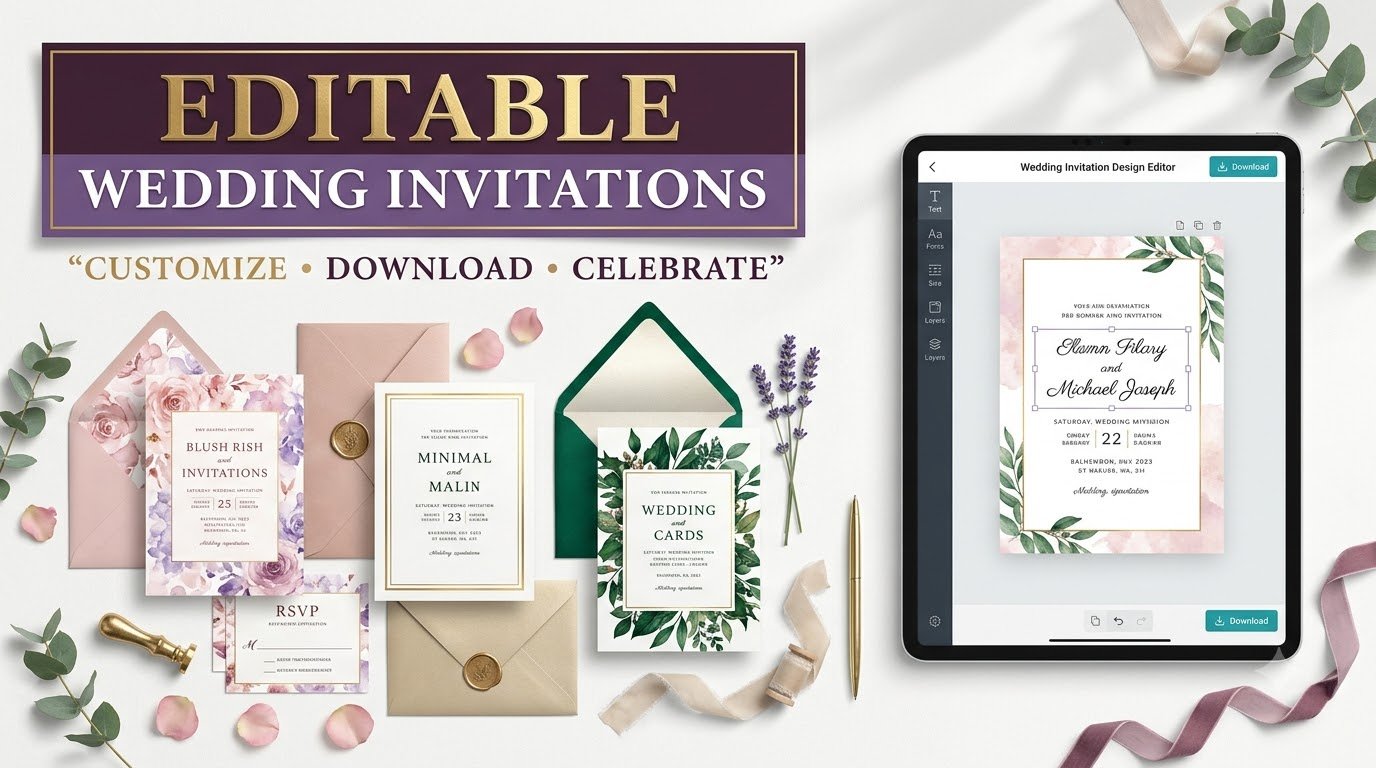
Discover beautiful editable wedding invitation templates. Customize names, colors, and designs, then download for printing or digital sharing.
Editable Wedding Invitation Templates: Beautiful, Personalized Invites Without the Design Stress
Your wedding invitation is more than a date on a card. It is your guests’ first glimpse of the celebration—and it should feel like you. An editable wedding invitation template makes it possible to create something thoughtful, elegant, and personal without starting with a blank design.
Maybe you picture soft watercolor flowers and handwritten names. Maybe you love minimalist black typography, dramatic emerald green, or a colorful invitation that celebrates two cultures. Whatever your vision, a customizable wedding invitation provides the design framework while keeping your names, wording, colors, schedule, and personality front and center.
But “editable” can mean different things. Some downloads let you change every design element; others allow only text replacement. Some work in Canva, others in Adobe Express, Word, PowerPoint, or PDF editors. Before paying for a template—or ordering 150 printed cards—you need to know what you are actually getting.
Why Couples Choose Editable Wedding Invitation Templates
Personalization used to mean hiring a designer for every adjustment. Today, an editable template can give you a polished starting point and control over the details that matter most. You can test names in different fonts, coordinate colors with flowers or attire, and revise information when a venue or ceremony time changes.
- More control: adjust wording, colors, layout, and images where the template’s license and editor allow.
- Faster decision-making: compare complete styles instead of building an invitation from scratch.
- Flexible delivery: use a digital wedding invitation for messaging or email, a print-ready card for mailing, or both.
- Consistent wedding stationery: match invitations with RSVP cards, save-the-dates, menus, welcome signs, and thank-you notes.
- Manageable costs: spend more on paper and finishing when those matter to you, or keep the invitation entirely digital.
Templates are not automatically cheaper in every situation. Premium fonts, licensed artwork, professional printing, postage, and extras can increase the total. Their biggest advantage is flexibility: you choose which parts are worth spending on.
7 Wedding Invitation Styles Worth Exploring
A smart way to narrow your options is to select the mood of your wedding before deciding on colors or fonts. These popular aesthetic directions help create a cohesive first impression.
🌸 Romantic floral
Watercolor blooms, gentle blush, sage, and elegant scripts. Lovely for gardens, spring weddings, and intimate celebrations.
Search: editable floral wedding invitation template
✨ Modern minimalist
Airy layouts, graceful serif or sans-serif type, and strong spacing. Best when simplicity is part of the wedding identity.
Search: minimalist wedding invitation editable
👑 Luxury classic
Ivory, black, deep burgundy, formal typography, and optional foil finishing for a timeless feel.
Search: elegant luxury wedding invite template
🌾 Rustic botanical
Natural textures, leafy illustrations, warm neutrals, and understated layouts for countryside or outdoor ceremonies.
Search: rustic printable wedding invitation
🎨 Bold contemporary
Expressive color blocks, playful compositions, striking type, and unexpected graphic shapes.
Search: modern colorful wedding invitation template
🪷 Cultural & traditional
Designs drawing on meaningful motifs, scripts, and ceremony traditions, adapted respectfully for the couple and families.
Search: editable Indian wedding invitation template
📸 Photo-forward
Engagement portraits, clean text panels, and layouts that put a real relationship at the center.
Search: wedding invitation template with photo editable
Small design decision, big impact: open the template on a phone before choosing. If names, the date, and the venue are difficult to read on a mobile screen, simplify the layout or increase text contrast before publishing.
Canva, Word, PDF, or Adobe Express: Which Editable Format Should You Buy?
There is no universal “best” editor. Choose the format you already know how to use, and check whether the product includes a true editable source file—not just a flattened image.
| Template type | Best for | What to verify |
|---|---|---|
| Canva editable link | Beginner-friendly layouts, coordinated stationery, shared editing | Access permissions, included fonts or assets, whether a paid Canva feature is required |
| Adobe Express template | Visual customization and image-based invitation layouts | Editor access, downloadable formats, paid elements, local print-service availability |
| Microsoft Word / PowerPoint | Familiar text editing and simple print designs | Font substitutions, page sizes, background positioning, printer output |
| Editable PDF | Small text changes to a fixed design | Whether fields are actually fillable and what software is needed |
| PSD / AI / SVG source | Advanced control for designers | Required applications, fonts, image links, and artwork rights |
| PNG / JPG only | Sharing an already-finished invitation | Usually not a fully editable template; editing text may be difficult or impossible |
For an accessible starting point, Canva wedding invitation templates offer designs you can personalize and print or share, while Adobe Express wedding invitations provide another customizable option with PDF, JPG, and PNG downloads. Feature availability, pricing, and printing locations vary, so check the editor’s current terms and your region before ordering.
How to Edit a Wedding Invitation Template in 8 Simple Steps
- Decide on print, digital, or both. Your output determines what file size, resolution, and export method you need.
- Choose the final dimensions. Common formats include 5 × 7 inches, but follow your printer’s exact requirements and account for envelopes.
- Open the original template. Follow the seller’s link or import instructions. Save an untouched backup before editing.
- Replace every placeholder. Update both names, date, day of week, time, venue, address, RSVP method, and any additional information.
- Personalize the visual identity. Edit supported fonts, colors, flowers, photos, monograms, or borders. Limit yourself to two or three coordinated fonts.
- Check legibility and contrast. View on a mobile phone and at actual print size. Keep important details away from trim edges.
- Export correctly. Use a print-quality PDF with bleed and crop marks only when your printer requests them; use an optimized PNG, JPG, or PDF for digital sharing.
- Proof, then send. Ask someone who has not worked on the design to verify the details. Order a sample print when possible.
Printers often prefer high-resolution artwork; 300 DPI at intended print size is a common benchmark for raster images. It does not rescue a low-resolution source photo, so confirm the original image quality too. Bleed and safe-area specifications should come from your actual print provider.
What Should a Wedding Invitation Say? Copy-Ready Wording Examples
Beautiful typography is not enough if guests cannot find the ceremony time. Keep the essentials visible and direct. Here are flexible wording models you can adapt to your culture, hosting arrangements, and preferred tone.
Classic & elegant
Together with their families
Olivia Bennett & Ethan Parker
joyfully invite you to celebrate their marriage
Saturday, the twelfth of June
at four o’clock in the afternoon
The Willow Garden, Asheville, North Carolina
Reception to follow
Kindly RSVP by May 12 at [Wedding Website]
Modern & relaxed
We’re getting married!
Join Maya & Alex for love, laughter, and a wonderful evening together.
Saturday, June 12 • 4:00 PM
[Venue Name], [City]
Dinner and dancing to follow
Details & RSVP: [Wedding Website]
Multiday celebration
With love and blessings from our families,
Anika & Rohan
invite you to celebrate their wedding festivities.
Welcome evening: [Date, Time, Venue]
Wedding ceremony: [Date, Time, Venue]
Reception: [Date, Time, Venue]
For dress guidance, travel information, and RSVP: [Website]
These are illustrative fictional examples, not real event announcements. For weddings with multiple venues, ceremony traditions, or language requirements, a separate details card or linked wedding website often makes the main invitation clearer. Review names and titles with both families if appropriate.
Print vs. Digital Wedding Invitations: Which Feels Right?
A printed invitation creates a tangible keepsake. A digital invitation can be delivered quickly, updated more easily, and may reduce printing and postage. Many couples use both: formal printed cards for guests who appreciate them and a mobile-friendly version for reminders or international guests.
| Consideration | Printed invitation | Digital invitation |
|---|---|---|
| Experience | Physical keepsake; tactile paper and finishing | Convenient on phones; easy to forward |
| Typical expenses | Printing, envelopes, finishing, mailing | Template or platform costs; sometimes service fees |
| Last-minute change | May require reprinting or a follow-up message | Often easier to update or resend |
| Accessibility | Readable print and high-contrast typography matter | Readable image, text alternative, and functional links matter |
| Best approach | Sample print before ordering in bulk | Test on multiple mobile screen sizes |
For digital distribution, avoid relying on a picture alone to communicate essential details. Include the event information in the email or message body so recipients can copy the address and date into their calendars.
How Much Does an Editable Wedding Invitation Cost?
Your total cost depends on more than the template. A free editable invitation may still require paid graphics or professional printing. A premium stationery suite can include several matching assets, but the purchase may not cover physical cards, envelopes, or designer services.
Use this planning formula: total invitation cost = template and asset fees + printing + envelopes + postage + optional proofs or revisions. For digital invitations, substitute any delivery-platform fee for print and postage costs.
Illustrative cost worksheet
| Line item | Example calculation | Illustrative total |
|---|---|---|
| Editable template | One-time purchase | $18 |
| Printing | 75 cards × $1.20 | $90 |
| Envelopes | 75 × $0.25 | $18.75 |
| Postage | 75 × $0.80 | $60 |
| Total | Example only | $186.75 |
These are hypothetical teaching figures, not current market quotes or postal rates. Confirm actual vendor pricing, shipping, local taxes, package dimensions, and postage requirements before you set a budget.
12-Point Checklist Before Buying an Editable Wedding Invitation
- Confirm exactly which text, colors, fonts, and artwork can be changed.
- Check whether a free or paid editor account is needed.
- Confirm that the source link/file is included, not only a preview image.
- Review included invitation and RSVP sizes.
- Check whether additional cards or matching stationery are included.
- Verify whether the listed artwork and fonts require separate licensing.
- Read personal-use and commercial-use permissions.
- Check whether you can download a high-quality PDF for printing.
- Confirm print bleed, trim, and safe margin settings.
- Read seller refund, delivery, and technical-support terms.
- Preview the design on a mobile phone and at intended print size.
- Check that all names, dates, times, and addresses can fit without crowding.
One common trap: a beautiful mockup can make an invitation look like it has gold foil, embossed texture, or deckled paper. Those effects may be digital illustrations only. Physical special finishes typically require a compatible print service and may cost extra.
Invitation Design Mistakes That Are Easy to Avoid
1. Using a script font for every line
Decorative lettering is lovely for names but often less readable for times, addresses, and RSVP instructions. Pair it with a simple supporting font.
2. Forgetting the RSVP pathway
Give guests one clear action and deadline: a website, email address, phone number, or enclosed RSVP card.
3. Choosing colors that disappear in print
Pale pink on cream can be stylish on a backlit screen yet faint on paper. Use a strong enough contrast for all essential information.
4. Buying a design without checking the format
A JPEG preview is not the same as a Canva edit link or layered source file. Ask about the editor and deliverables before purchasing.
5. Overcrowding the invitation
Keep the main card focused on who, what, when, and where. Move accommodation, parking, dress code, and registry details to a companion card or website.
6. Skipping the final proof
A typo in a street address or the wrong ceremony start time is a bigger problem than an imperfect decorative flourish. Cross-check event details with the venue and responsible organizers.
Can You Use Wedding Invitation Templates for Business?
Wedding planners, stationery designers, and small digital-product sellers may want to adapt invitations for clients or bundle coordinated wedding stationery. Before doing so, read the specific template and asset licenses. A personal-use purchase may not allow resale, redistribution, client sublicensing, or selling nearly unchanged templates.
If you sell invitations, communicate what clients receive: an editable file, a finished printable export, printing services, or design customization. Be transparent about third-party platforms, fonts, artwork, turnaround, and any fees. Do not claim ownership of artwork, trademarks, or licensed elements you do not control.
5 Wedding Invitation Flashcard Quiz Questions
Test your invitation-planning knowledge. Tap a question to reveal the answer and a quick practical lesson.
Flashcard 1 — Which file is most likely to let you change text, fonts, and colors: a flattened JPG or a genuine editable source file?
Answer: A genuine editable source file. A JPG is usually flattened, so its text and artwork are not separate editable objects. Check the exact included format before buying.
Flashcard 2 — Why should you view the invitation on a phone before sending it?
Answer: To confirm that names, dates, venue details, and RSVP instructions remain readable at a small size. Design for your guests, not just your laptop screen.
Flashcard 3 — What should you ask a print shop about besides paper size?
Answer: Accepted PDF format, required bleed, trim margins, safe zones, image quality, paper stock, and finishing. Specifications vary by printer.
Flashcard 4 — Is a mockup with gold-looking letters proof that actual foil printing is included?
Answer: No. Visual mockups can simulate foil. Physical foil requires an appropriate production process and may cost extra.
Flashcard 5 — Can you resell any editable wedding template after changing its colors?
Answer: Not automatically. Permissions depend on the original template and underlying asset licenses. Read the usage terms before offering designs to clients or reselling files.
Frequently Asked Questions About Editable Wedding Invitation Templates
1. What is the best editable wedding invitation template for beginners?
A template in an editor you already find comfortable is usually best. Canva and Adobe Express are accessible starting points for many beginners. Compare exact editing permissions, templates, paid assets, and export choices instead of selecting solely by appearance.
2. Can I download an editable wedding invitation template for free?
Yes. Some invitation editors offer free editable designs, but individual fonts, images, templates, or printing services may cost extra. Verify the license and download options before investing time in customization.
3. Can I edit a wedding invitation template on my phone?
Many browser-based design tools and mobile apps allow phone editing, but the experience varies. For complex layouts and print proofs, a larger screen may be easier. Always review the finished invitation on a phone even if you design on desktop.
4. What size should a printable wedding invitation be?
Five by seven inches is a familiar invitation size, but there is no single mandatory format. The right dimensions depend on your design, envelope, mailing requirements, and print provider. Set dimensions before editing.
5. Can I send an editable wedding invitation template through WhatsApp or email?
Yes—after personalizing it, export a suitable shareable file such as JPG, PNG, or PDF, then send the final invitation rather than the editable source link. Include key event details in accompanying text for clarity and accessibility.
Your Invitation Should Feel Like Your Celebration
The most memorable invitations are not necessarily the most expensive or intricate. They are the ones that tell guests what to expect and make them feel welcomed. A carefully chosen editable wedding invitation template gives you room to create exactly that feeling—whether it is classic and formal, vibrant and joyful, or refreshingly simple.
Choose a design that reads beautifully, edit it carefully, test how it looks in its final format, and make the wording unmistakably yours. If the template works for your people, your setting, and your budget, you have found a strong fit.
Editorial references: Canva wedding invitation templates; Adobe Express invitation maker. Features and availability should be rechecked before publishing.
Stay ahead with exclusive updates
Join our community. Get curated industry trends, actionable guides, and fresh resources delivered straight to your inbox.