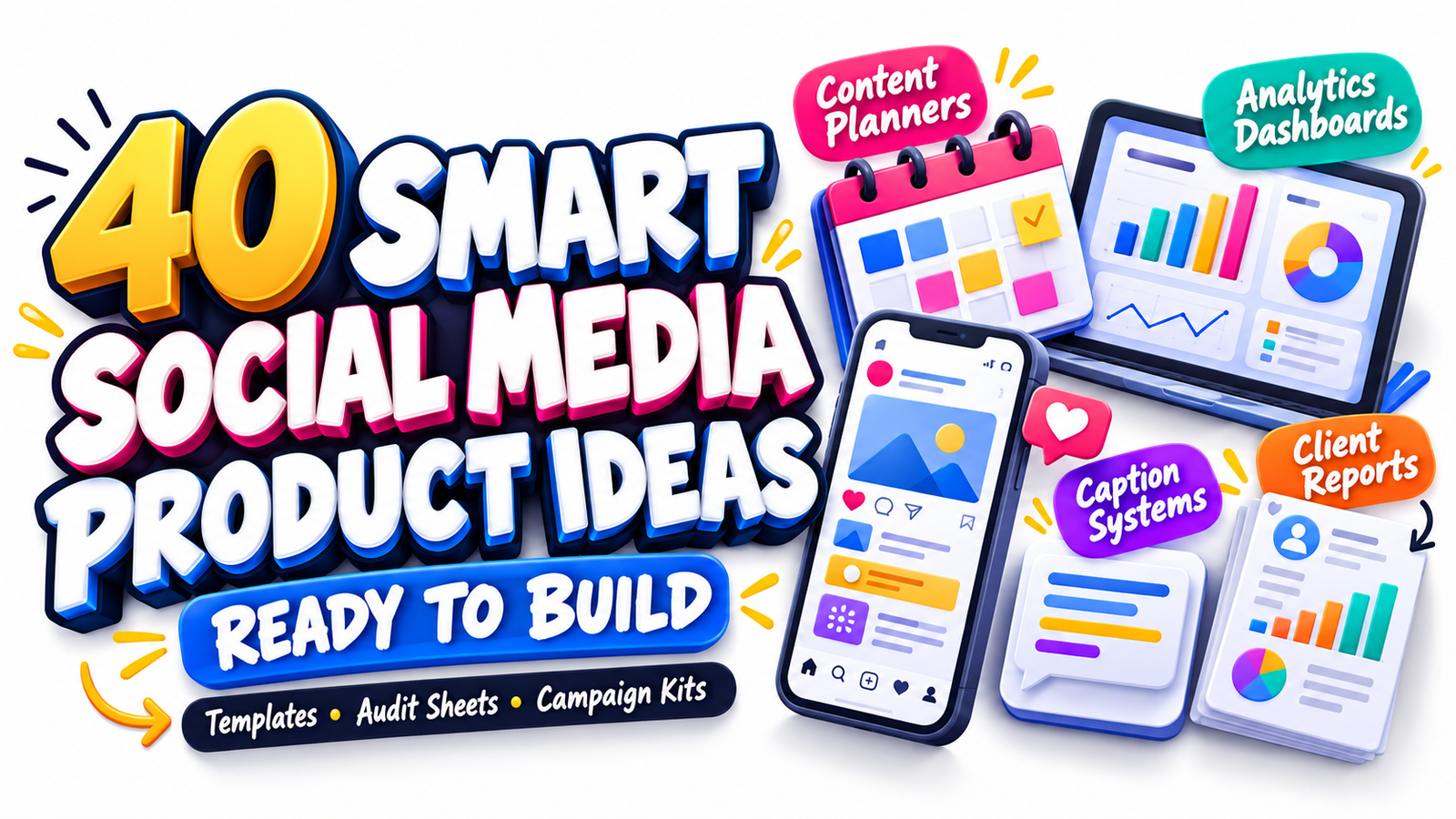
Managing social media has become far more complex than simply writing captions and scheduling posts. Social media managers now juggle strategy, content production, approvals, analytics, community management, campaigns, reporting, client communication, trend research, and increasingly, AI-assisted workflows.
That growing workload creates an equally strong opportunity for useful digital products.
From social media templates and content planner templates to audit systems, analytics dashboards, campaign kits, caption frameworks, and client report packs, there are dozens of resources you can create once and sell repeatedly to freelancers, agencies, creators, consultants, virtual assistants, and small-business marketing teams.
The opportunity is especially relevant in 2026. Current industry research emphasizes faster creative experimentation, deeper analytics, platform-specific strategies, AI-supported workflows, and stronger human authenticity. Hootsuite’s 2026 social trends research highlights creative pattern analytics, rapid-response marketing, AI-assisted workflows, social intelligence, and search-first social content, while Sprout Social’s 2026 research emphasizes human-created content and strategies adapted to the differences between individual platforms.
That means the strongest digital products for social media managers are no longer generic blank calendars. The best products solve specific workflow problems, reduce repetitive work, organize information, improve decision-making, or help professionals communicate results to clients.
Here are 40 practical digital product ideas you can start building.
Why Digital Products for Social Media Managers Have Strong Commercial Potential
Social media management contains repetitive processes.
Every month, managers plan content.
Every new client requires onboarding.
Every campaign needs goals, deadlines, creative assets, approvals, and tracking.
Every reporting period requires performance data.
Every strategy starts with research.
When the same task happens repeatedly, there is an opportunity to turn the process into a template, spreadsheet, dashboard, checklist, framework, or toolkit.
A good digital product does not merely look attractive. It helps someone complete an important task faster.
For example, a decorative content calendar may be useful.
But a content planning system containing content pillars, campaign goals, publishing dates, platform selection, approval status, asset links, calls to action, keywords, and performance tracking becomes considerably more valuable because it supports an entire workflow.
Modern content calendars are already evolving beyond basic calendars. Canva notes that teams may use calendar layouts, Kanban boards, or Gantt-style planning systems to track responsibilities, dependencies, deadlines, files, and campaign details.
This gives digital product creators room to build increasingly specialized tools.
1. Social Media Audit Worksheet
Create a professional audit template that helps users evaluate an existing social media presence.
Include sections for:
Profile optimization
Brand consistency
Content quality
Posting frequency
Engagement
Audience growth
Top-performing posts
Competitor comparison
Calls to action
Conversion opportunities
You could produce versions for Instagram, Facebook, LinkedIn, TikTok, Pinterest, YouTube, or a complete multi-platform audit bundle.
This works particularly well as a Google Sheets, Excel, Notion, Canva, or fillable PDF product.
2. Social Media Account Health Scorecard
Turn an audit into a simple scoring system.
Users could score areas such as:
Profile completeness
Content consistency
Visual branding
Engagement quality
Community response
Content diversity
Lead generation
Analytics tracking
Create an automatic total score with categories such as developing, established, or optimization needed.
This can make an otherwise complicated audit easier for beginners to understand.
3. Monthly Content Planner Template
A monthly content planner template is one of the most practical resources for social media professionals.
Instead of providing only dates, include:
Platform
Content pillar
Post format
Topic
Hook
Caption status
CTA
Asset link
Publishing date
Approval status
Campaign
Results
Build monthly, quarterly, and annual versions so customers can choose the planning depth they need.
4. 90-Day Social Media Content Planner
Some businesses prefer planning in campaigns rather than individual months.
Create a 90-day system with:
Quarterly objectives
Monthly themes
Weekly content priorities
Content pillars
Campaign dates
Launch dates
Promotional periods
KPIs
Review checkpoints
The longer planning window makes this product suitable for consultants, agencies, coaches, and marketing teams.
5. Annual Social Media Marketing Calendar
Create a 12-month strategic planning workbook covering:
Important dates
Seasonal campaigns
Launches
Events
Promotions
Content themes
Campaign deadlines
Planning periods
Reporting dates
Instead of stuffing the calendar with every possible holiday, allow customers to customize the events relevant to their own industries.
6. Content Pillar Planning Workbook
Many businesses know they need to post consistently but struggle with what to talk about.
A content pillar workbook can guide them through choosing three to seven recurring themes.
Include worksheets covering:
Audience problems
Audience questions
Business expertise
Brand values
Educational topics
Promotional topics
Community content
Entertainment content
Trust-building ideas
Then connect each pillar to possible post formats and content ideas.
7. 100 Social Media Content Prompts
Create niche-specific content prompt packs.
Possible editions include:
100 Instagram prompts for coaches
100 content ideas for real estate agents
100 LinkedIn prompts for consultants
100 social posts for photographers
100 content ideas for local businesses
100 posts for digital product sellers
Niche specificity usually makes a prompt product more useful than a generic collection.
8. Social Media Hook Library
The opening seconds or first lines of social content often determine whether audiences keep reading or watching.
Build a categorized hook library containing frameworks for:
Educational posts
Stories
Contrarian ideas
Questions
Lists
Mistakes
How-to content
Case studies
Product promotion
Lead generation
Reels
Carousel posts
Instead of promising that particular hooks will “go viral,” position the resource as a structured brainstorming and writing tool.
9. Caption Writing System
Go beyond simply selling caption examples.
Create a repeatable caption framework.
For example:
Hook
Context
Main insight
Example
Transition
Call to action
Include templates for:
Educational captions
Sales captions
Storytelling captions
Launch captions
Authority posts
Engagement posts
Testimonials
Announcements
This transforms a list of captions into a reusable writing system.
10. Call-to-Action Template Library
Many social posts fail to give audiences a clear next step.
Create CTA templates for goals such as:
Commenting
Saving
Sharing
Following
Sending a DM
Joining an email list
Downloading a lead magnet
Reading a blog post
Booking a consultation
Buying a product
Add guidance explaining when each CTA type is appropriate.
11. Instagram Content Planner
Create a platform-specific planning dashboard for Instagram.
Include:
Reels
Carousels
Stories
Static posts
Live sessions
Collaborations
Content pillars
Keywords
Captions
CTAs
Publishing dates
Results
Platform-specific products can appeal to customers who do not need a large multi-channel system.
12. LinkedIn Content Planning System
A LinkedIn planner could focus on professional thought leadership.
Include fields for:
Core topic
Audience problem
Personal experience
Expert insight
Opening hook
Supporting evidence
Story
CTA
Post format
Publication date
Comments to revisit
You could add a section for turning one long-form idea into several short LinkedIn posts.
13. Short-Form Video Planner
Short-form video continues to be an important social format, but managing production can become complicated.
Create a planner with:
Video concept
Hook
Script
B-roll
Shot list
On-screen message
CTA
Audio idea
Recording status
Editing status
Approval
Publishing date
Performance
Versions could target Reels, TikTok, YouTube Shorts, or multi-platform video.
14. Reels Script Template Pack
Create reusable frameworks rather than finished scripts alone.
Examples:
Problem → solution
Mistake → correction
Before → after
Myth → reality
Three quick tips
Mini tutorial
Story → lesson
Product demonstration
FAQ response
Include blank templates and completed examples.
15. Carousel Post Template Kit
Create editable carousel structures that help businesses organize educational content visually.
Possible layouts include:
How-to guide
Checklist
Five mistakes
Step-by-step process
Myth versus fact
Case study
Comparison
FAQ
Framework
Mini tutorial
You could sell design templates separately or combine them with copywriting frameworks.
16. Social Media Campaign Planner
Campaign management involves more than publishing a few posts.
Create a system covering:
Campaign objective
Audience
Offer
Messaging
Channels
Content assets
Posting schedule
Paid promotion
Influencer activity
Email coordination
KPIs
Deadlines
Results
This is useful for product launches, events, promotions, seasonal campaigns, and lead-generation campaigns.
17. Product Launch Social Media Kit
Create a launch-specific toolkit covering:
Pre-launch
Announcement
Education
Objection handling
Social proof
Launch day
Reminder posts
Closing period
Post-launch follow-up
Add caption prompts, story ideas, launch calendar templates, and KPI tracking.
18. 30-Day Launch Content Calendar
Create a ready-to-customize calendar showing how launch communication can develop over four weeks.
For example:
Week 1 — awareness
Week 2 — education
Week 3 — anticipation
Week 4 — promotion and conversion
Customers can replace the sample prompts with their own business information.
19. Campaign Brief Template
Agencies and teams often need a concise document that explains exactly what a campaign is trying to achieve.
Create fields for:
Objective
Audience
Problem
Core message
Offer
Deliverables
Platforms
Creative direction
Tone
CTA
KPIs
Budget
Deadline
Approvals
The template can also be bundled with your campaign planner.
20. Social Media Client Onboarding Kit
A complete onboarding kit can become a higher-value digital product.
Include:
Welcome document
Client questionnaire
Brand information form
Account access checklist
Goals worksheet
Audience questionnaire
Competitor form
Content preference sheet
Approval process
Communication expectations
Timeline
Freelance social media managers may find these systems particularly useful.
21. Social Media Client Questionnaire
Create a standalone discovery questionnaire that managers can send before developing a strategy.
Ask about:
Business goals
Products and services
Ideal customers
Brand personality
Competitors
Current platforms
Best-performing content
Past campaigns
Content restrictions
Available assets
KPIs
Approval contacts
Provide editable Word, Google Docs, Canva, and PDF versions when possible.
22. Client Content Approval Tracker
Content approval can become messy when feedback is scattered across messages and emails.
Create a centralized tracker with:
Post title
Platform
Caption
Creative link
Submitted date
Reviewer
Approval status
Requested changes
Final approval date
Scheduled date
A conditional formatting version in Google Sheets or Excel can make the product feel even more polished.
23. Social Media Workflow SOP Bundle
Standard operating procedures can help freelancers and agencies maintain consistency.
Create editable SOPs for:
Content research
Planning
Copywriting
Design
Review
Approval
Scheduling
Community management
Analytics
Monthly reporting
These can be sold individually or bundled as a complete social media operations manual.
24. Content Production Workflow Board
Build a Kanban-style system using stages such as:
Ideas
Research
Drafting
Design
Internal review
Client review
Approved
Scheduled
Published
Repurpose
Offer it as a Notion board, Trello-style template, spreadsheet, or printable workflow.
25. Social Media Analytics Dashboard
Analytics products can offer substantial value when they turn scattered numbers into understandable information.
Track metrics such as:
Followers
Reach
Impressions
Engagement
Video views
Watch time
Clicks
Saves
Shares
Leads
Conversions
Add month-over-month comparisons and simple charts.
Current social media management increasingly combines strategic content creation with data-driven insights and ongoing optimization, while AI is also being used to assist with audience analysis and workflow efficiency.
26. Monthly KPI Tracker
Not everyone needs a complicated dashboard.
A simple KPI spreadsheet can track:
Metric
Goal
Actual result
Previous month
Difference
Percentage change
Notes
Next action
Create separate tabs for Instagram, TikTok, Facebook, LinkedIn, Pinterest, and YouTube.
27. Content Performance Analyzer
This product answers an important question:
What content should we create more often?
Track each post by:
Topic
Content pillar
Format
Hook type
CTA
Reach
Engagement
Saves
Shares
Clicks
Conversions
The user can then identify recurring patterns among top-performing content.
This aligns particularly well with the growing emphasis on creative-pattern analysis and faster content experimentation described in 2026 industry research.
28. Social Media ROI Calculator
Create a spreadsheet that helps users compare marketing costs with measurable outcomes.
Potential inputs include:
Management cost
Advertising spend
Content production expense
Leads
Sales
Revenue
Conversion value
The workbook can calculate figures such as cost per lead, cost per acquisition, and return on advertising or campaign investment when the appropriate data is available.
Include clear notes explaining that social media attribution may be incomplete and that results depend on the tracking setup.
29. Monthly Social Media Report Template
Create a professional report agencies can customize for clients.
Sections might include:
Executive summary
Goals
Audience growth
Reach
Engagement
Top-performing content
Traffic
Leads
Campaign results
Key observations
Next-month priorities
Offer Canva, PowerPoint, Google Slides, and PDF-friendly versions.
30. Executive Social Media Report
Some clients do not want 30 pages of metrics.
Create a one- or two-page executive reporting template containing only:
Major wins
Important changes
Top content
Core KPIs
Business impact
Challenges
Next actions
This could be marketed toward consultants, agency owners, and marketing teams reporting to executives.
31. Competitor Analysis Spreadsheet
Help social media managers compare competitors systematically.
Track:
Platforms used
Follower size
Posting frequency
Primary formats
Popular topics
Engagement patterns
Offers
CTAs
Visual style
Strengths
Content gaps
Potential opportunities
The goal should be learning from market patterns rather than copying competitors.
32. Social Listening Tracker
Create a lightweight research system for recording:
Customer questions
Complaints
Repeated phrases
Product requests
Competitor mentions
Industry topics
Emerging conversations
Frequently discussed problems
This information can later feed into content planning and product development.
Social media is increasingly used not only as a distribution channel but as a source of audience and market intelligence.
33. Trend Tracking Dashboard
Social media managers need a way to decide whether a trend actually fits the brand.
Create fields for:
Trend
Platform
Date discovered
Audience relevance
Brand relevance
Risk
Possible concept
Required assets
Deadline
Status
Result
This converts trend chasing into a more strategic decision process.
34. Hashtag and Keyword Research Organizer
Create a research database for:
Primary keywords
Secondary keywords
Hashtags
Audience phrases
Search questions
Content topics
Competitor phrases
Platform
Intent
Related post ideas
Because social platforms increasingly act as discovery and search environments, keyword-aware planning can support content organization without encouraging repetitive keyword stuffing.
35. Social Media Content Repurposing Planner
One strong idea can produce many pieces of content.
Create a system showing how to transform:
Blog post → LinkedIn post
Podcast → short video
Webinar → carousel
YouTube video → Shorts
Case study → testimonial post
Newsletter → social thread
FAQ → Reel
Long video → clips
Include tracking fields so teams know which versions have already been produced.
36. Evergreen Content Library
Create a database where users store reusable content.
Categories could include:
Brand story
FAQs
Testimonials
Tips
Tutorials
Product education
Founder stories
Case studies
User-generated content
Common objections
Industry insights
Add “last published” and “next refresh” fields so older ideas can be updated instead of forgotten.
37. Community Management Response Library
Social media managers spend considerable time replying to recurring messages.
Create adaptable response frameworks for:
Product questions
Pricing questions
Compliments
Negative feedback
Support requests
Shipping questions
Collaboration inquiries
Spam
Refund questions
General comments
Make it clear that sensitive customer-service cases should receive personalized responses rather than blindly pasted templates.
38. Social Media Crisis Response Checklist
Create an organizational resource for moments when a brand receives unexpected criticism or a fast-moving issue emerges.
Sections could include:
Issue identification
Internal escalation
Fact verification
Response owner
Approval contacts
Public response status
Customer-service coordination
Monitoring
Follow-up
Post-event review
Avoid presenting it as a substitute for legal, security, or professional crisis advice.
39. AI Prompt Kit for Social Media Managers
AI can speed up research and production, but generic prompt collections quickly lose value.
Build workflow-based prompts for:
Audience research
Content ideation
Hook variations
Caption drafts
Repurposing
Campaign brainstorming
Content analysis
Competitor research
Reporting summaries
Customer-question categorization
Add prompts that require the user to provide brand voice, audience information, factual sources, and campaign context.
That approach reflects the broader 2026 shift toward using AI for process efficiency while preserving human judgment, taste, and authenticity. Sprout Social’s current research specifically emphasizes prioritizing human-generated content while using AI for insights and workflow improvements.
40. Complete Social Media Manager Business Toolkit
Combine several products into one premium resource.
A comprehensive bundle could contain:
Client onboarding kit
Social media audit
Strategy template
Monthly content planner
Content pillars workbook
Caption system
Hook library
Campaign planner
Approval tracker
Analytics dashboard
KPI tracker
Monthly report
SOP templates
Client offboarding checklist
Instead of marketing it as “thousands of templates,” organize the bundle around a simple promise:
One system for running the core workflow of a social media management business.
That makes the value easier for customers to understand.
How to Turn These Ideas Into Products People Actually Want
Having 40 ideas does not mean you should build 40 products immediately.
Choose one recurring problem.
Then solve that problem completely.
For example, instead of creating a generic spreadsheet called “Social Media Planner,” build:
90-Day Instagram Content Planning System for Freelance Social Media Managers
The second product immediately tells buyers:
Who it is for
What platform it supports
What task it handles
What period it covers
Specificity improves product positioning.
Start With the User’s Workflow
Ask yourself what happens before and after someone uses your template.
If you sell a campaign planner, the user may also need:
A campaign brief
Content calendar
Creative checklist
Approval tracker
Analytics sheet
Campaign report
Those related needs can eventually become complementary products or bundles.
Make Templates Easy to Customize
A professional digital template should not force buyers to redesign everything.
Use:
Clear headings
Simple instructions
Logical sections
Editable fields
Consistent formatting
Example entries
Blank master versions
Customers should understand the system quickly.
Provide Examples Without Overloading the Product
A blank template can feel intimidating.
Include one completed example showing how the resource might be used.
Then provide a clean blank copy.
For instance, your content calendar could contain:
Example version: Sample coffee shop campaign
Blank version: Ready for customer customization
This teaches the system without limiting how buyers use it.
Build for Multiple Experience Levels
Consider creating:
Starter version
Professional version
Agency version
A beginner may want a simple calendar.
An experienced manager may want automation, dashboards, formulas, multiple client tabs, and reporting tools.
This creates natural opportunities for product tiers.
Profitable Product Bundling Ideas
Once several products exist, combine related resources instead of selling every file separately.
A Social Media Planning Bundle could contain a content calendar, content pillar workbook, brainstorming sheet, hook library, and repurposing planner.
A Social Media Client Management Bundle could contain onboarding forms, questionnaires, approval trackers, meeting notes, reporting templates, and offboarding documents.
A Social Media Analytics Bundle could contain KPI trackers, campaign dashboards, content performance analysis, ROI worksheets, and monthly report templates.
A Short-Form Video Toolkit could contain video planning sheets, hook formulas, script frameworks, filming checklists, editing trackers, and performance sheets.
A Social Media Agency Toolkit could combine planning, strategy, onboarding, production, reporting, and internal operations.
Bundling works best when every resource contributes to one clear outcome.
Best Formats for Social Media Digital Products
Different products work better in different formats.
Google Sheets and Excel are suitable for dashboards, analytics, calendars, calculators, and trackers.
Canva works particularly well for client reports, strategy presentations, carousel templates, visual calendars, and branded documents.
Notion can work well for content databases, client portals, campaign management, and workflow systems.
Google Docs and Word are appropriate for questionnaires, SOPs, strategy documents, briefs, and checklists.
PDFs can be useful for printable workbooks, guides, quick-reference sheets, and instruction manuals.
Many sellers can increase perceived flexibility by providing the same framework in two complementary formats rather than forcing every customer into one platform.
SEO Keywords to Use Naturally When Promoting These Products
Strong keyword opportunities around this category include:
social media templates
digital products for social media managers
content planner templates
social media content planner
social media management templates
social media calendar template
Instagram content planner
social media audit template
social media analytics dashboard
social media report template
social media manager toolkit
social media strategy template
social media campaign planner
content creation templates
client onboarding templates
social media KPI tracker
social media marketing planner
social media workflow template
social media manager resources
digital marketing templates
Use these phrases where they genuinely describe the product.
Avoid forcing the same phrase into every paragraph, product title, image caption, or heading.
How to Make the Article and Products More Discover-Friendly
Google states that Discover uses many of the same systems and signals associated with helpful, people-first Search content. Its guidance recommends descriptive headlines rather than misleading clickbait, original and timely value, relevant high-quality images, and a strong overall page experience.
Google’s February 2026 Discover update also emphasized more original, in-depth, timely content from sources demonstrating expertise while reducing sensational content and clickbait.
For an article like this, that means focusing on practical usefulness rather than trying to manufacture curiosity.
Add original screenshots of your templates.
Demonstrate how one dashboard works.
Include a real example of a content planning workflow.
Explain what fields should be tracked and why.
Update the article as social media workflows change.
Use descriptive image filenames and useful alt text.
Google also recommends large, relevant Discover images of at least 1,200 pixels wide and notes that a 16:9 image such as 1280 × 720 satisfies its stated resolution guidance.
A Simple Digital Product Strategy for Beginners
If you are starting from zero, you do not need a huge product store.
Begin with three connected products.
Product 1: Entry Product
Monthly Social Media Content Planner
Product 2: Problem-Solving Product
Social Media Strategy + Campaign Planning Workbook
Product 3: Premium Product
Complete Social Media Manager Business Toolkit
Your smaller product introduces customers to your workflow.
The middle product solves a larger problem.
The premium toolkit brings several connected resources together.
Over time, customer questions can show you what to build next.
What Makes Social Media Templates Worth Paying For?
The strongest templates usually save one or more of these resources:
Time
They eliminate repeated setup.
Mental effort
They tell users what information to collect.
Organization
They keep projects, assets, deadlines, and responsibilities visible.
Consistency
They provide a repeatable workflow.
Communication
They help users explain plans and results clearly to clients or teams.
Decision-making
They turn raw information into something easier to evaluate.
A beautiful template that does none of these things may attract attention, but a useful system has a stronger reason to remain part of a customer’s workflow.
Frequently Asked Questions
1. What are the best digital products for social media managers?
Some of the most practical options include social media audit templates, content calendars, campaign planners, caption systems, client onboarding kits, approval trackers, analytics dashboards, KPI trackers, content repurposing systems, and monthly client report templates.
The best choice depends on the audience and the workflow problem being solved.
2. What format should I use for social media templates?
Use the format that matches the task.
Google Sheets or Excel works well for analytics and trackers. Canva is useful for visual reports and presentations. Notion works well for databases and workflows. Google Docs or Word is suitable for questionnaires, briefs, SOPs, and written strategy templates.
Offering two compatible formats can sometimes make a product useful to a wider audience.
3. Can content planner templates be sold to different niches?
Yes. A general planning framework can be adapted for audiences such as real estate agents, restaurants, coaches, photographers, fitness businesses, ecommerce brands, freelancers, salons, consultants, and local businesses.
However, simply changing the title is not enough. Adjust prompts, examples, content pillars, terminology, and workflow fields to reflect the actual needs of each niche.
4. How can I make social media templates more valuable?
Turn isolated templates into systems.
Add instructions, examples, formulas, workflow guidance, checklists, customization options, and related resources that help users complete an entire task.
For example, a campaign calendar becomes more useful when paired with a campaign brief, asset checklist, approval tracker, KPI dashboard, and reporting sheet.
5. Do I need advanced design skills to create digital products for social media managers?
Not necessarily.
Functionality, organization, readability, and usability matter more than excessive decoration.
Start with a clearly defined problem, build the simplest system that solves it, test the workflow yourself, and then improve the visual presentation. A clean and practical product can be more useful than a highly decorative resource that is difficult to use.
Build Resources That Become Part of the Workflow
The strongest opportunity in digital products for social media managers is not simply producing more downloadable files.
It is creating systems people return to.
A content planner that gets opened every morning.
An analytics dashboard used every month.
A client onboarding kit used for every new contract.
A campaign template reused for every launch.
A reporting system that turns complicated performance data into a clear client conversation.
That is where practical social media templates become more than attractive downloads. They become working business tools.
Start with one recurring problem, build a resource that solves it clearly, and improve it through real use.
One useful template can become a toolkit.
One toolkit can become a product collection.
And one well-designed product collection can become the foundation of a specialized digital-product business serving social media professionals.
Stay ahead with exclusive updates
Join our community. Get curated industry trends, actionable guides, and fresh resources delivered straight to your inbox.