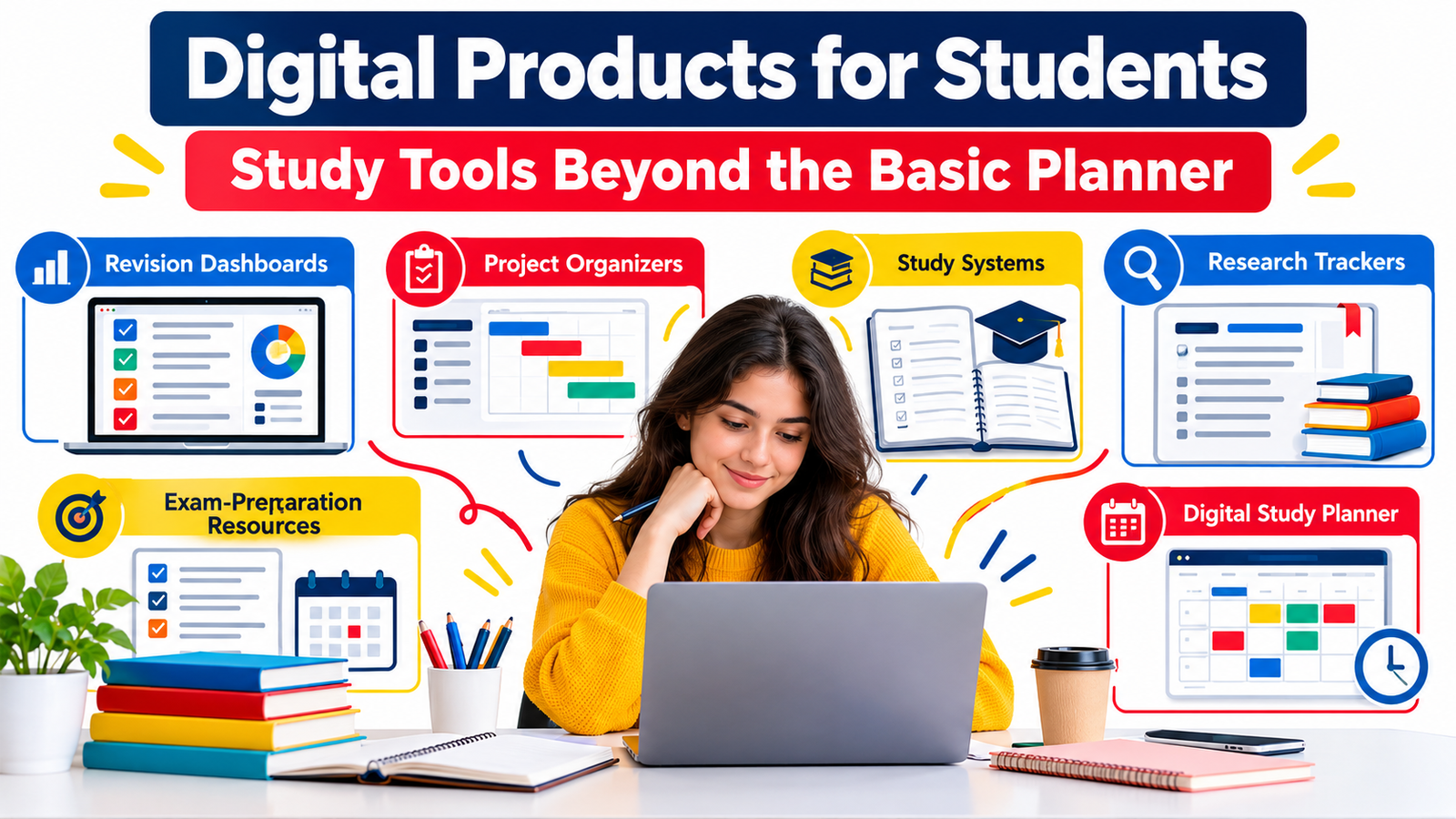
A basic planner can tell a student that an exam is coming next Friday. A better study system helps them decide what to revise today, which topics need the most attention, what assignments are falling behind, which research sources they have already reviewed, and how prepared they actually are for the exam.
That difference creates a valuable opportunity for digital-product creators.
Students increasingly work across laptops, tablets, cloud documents, learning platforms, digital textbooks, online lectures, PDFs, and mobile apps. They do not simply need another attractive calendar. They need practical systems that turn academic responsibilities into clear, manageable actions.
That is why student digital products, study templates, revision dashboards, research organizers, project systems, exam-preparation resources, and specialized digital study planner products can become useful additions to a digital shop.
The strongest products solve one specific academic problem particularly well.
Instead of asking, “How can I make another student planner?” a better question is:
What part of studying currently feels confusing, repetitive, stressful, or difficult to organize—and can a digital resource make it simpler?
This guide explores how to create student-focused digital products that go far beyond the traditional planner.
What Are Student Digital Products?
Student digital products are downloadable or online resources designed to help learners organize, study, revise, research, track progress, complete projects, or prepare for assessments.
They may be created as printable PDFs, spreadsheets, editable documents, digital notebooks, Notion-style systems, tablet-friendly worksheets, presentation templates, checklists, dashboards, trackers, or bundled study kits.
Common examples include a digital study planner, assignment tracker, revision dashboard, research log, exam preparation workbook, dissertation organizer, reading tracker, project management template, study session planner, and subject-specific revision system.
The key word is system.
A blank worksheet has limited value by itself. A thoughtfully designed system shows the student what information to record, how to use it, and what action to take next.
Why Go Beyond the Basic Student Planner?
Traditional planners are useful, but they often focus primarily on dates.
Students usually face deeper questions:
What should I study first?
Which chapters do I understand poorly?
How many assignments are due this month?
Which research papers have I already reviewed?
Which references can support my argument?
How much of the syllabus have I completed?
Which mistakes keep appearing in practice tests?
How should I divide a large project into smaller steps?
A specialized digital resource can address these questions directly.
This is where creators can differentiate themselves. Instead of selling one generic academic planner to everyone, you can create focused products for particular workflows, educational stages, subjects, or problems.
A university student writing a dissertation needs something very different from a high-school student preparing for final examinations. A medical student reviewing large amounts of information may need another system entirely.
Specificity can make a product easier to understand, easier to market, and more useful to the buyer.
25 Digital Product Ideas for Students Beyond the Basic Planner
1. Revision Dashboard
A revision dashboard provides an overview of everything a student needs to review before an exam.
Rather than simply listing subjects, allow students to record topics, confidence levels, revision status, last review date, practice scores, weak areas, and next revision dates.
For example, a biology student might mark “Cell Division” as high confidence while identifying “Genetics” as requiring additional practice.
The dashboard immediately answers an important question:
Where should I focus my study time next?
This can work particularly well as a spreadsheet, digital notebook, or interactive study template.
2. Exam Countdown System
An exam countdown resource can convert an approaching examination into a structured preparation schedule.
Include areas for exam dates, remaining study days, syllabus sections, revision rounds, mock tests, rest periods, and priority subjects.
A useful system might divide preparation into three stages:
Foundation review, active recall and practice, and final consolidation.
That gives the student a process instead of simply showing the number of days remaining.
3. Subject Mastery Tracker
Create a tracker that allows students to divide each subject into individual topics and rate their understanding.
Useful fields include:
Topic name, first study date, confidence level, revision frequency, practice score, common mistakes, and mastery status.
Students can quickly identify whether they have genuinely learned a topic or have simply read it once.
4. Study Session Planner
Many students schedule “study for three hours” without deciding what those three hours will contain.
A study session template can encourage better preparation.
It might include the session goal, topic, study method, planned duration, distractions to remove, resources required, practice activity, and short end-of-session review.
This is especially suitable for students who struggle with unfocused study time.
5. Active Recall Workbook
Active recall resources can help students turn passive notes into questions.
A template might contain areas for the topic, key questions, student answer, corrected answer, confidence level, and next review date.
The product could also include instructions for converting textbook chapters or lecture notes into recall prompts.
That transforms a simple worksheet into a reusable learning process.
6. Spaced Revision Tracker
Students frequently understand material after studying it and then forget much of it later.
A spaced revision tracker helps them schedule repeated reviews.
Create fields for initial learning, first review, second review, third review, final review, confidence rating, and practice result.
Avoid claiming that one revision schedule works perfectly for everyone. Instead, allow students to adjust intervals according to their course, memory, available time, and assessment requirements.
7. Practice Test Analysis Sheet
Completing practice papers is useful, but simply checking the final score may hide important information.
A practice test analysis sheet can help students categorize mistakes.
They might record whether an incorrect answer resulted from missing knowledge, misunderstanding the question, calculation error, time pressure, careless reading, or incomplete explanation.
Students can then identify patterns rather than repeatedly making the same mistakes.
This can be especially valuable in an exam preparation resource bundle.
8. Exam Mistake Log
An exam mistake log focuses entirely on errors.
For every mistake, students record the question or topic, why the mistake happened, correct approach, concept requiring revision, and whether the mistake was repeated.
Over time, this becomes a personalized revision guide.
Instead of revising every topic equally, students can concentrate on areas that repeatedly cause problems.
9. Assignment Command Center
A standard assignment tracker usually contains a title and deadline.
A more advanced assignment command center might include the course, assignment type, weighting, instructions received, research status, draft status, required references, submission format, due date, and completion percentage.
Students could also break each assignment into smaller milestones.
For example:
Research completed.
Outline completed.
First draft completed.
Editing completed.
References checked.
File submitted.
This makes a larger academic project feel much more manageable.
10. Semester Workload Dashboard
Students often see individual deadlines without seeing how multiple deadlines collide.
A semester workload dashboard gives them the bigger picture.
Students could record assignments, examinations, presentations, lab reports, reading requirements, group projects, and other major academic commitments.
The dashboard can reveal particularly demanding weeks so students can begin important work earlier.
11. Group Project Organizer
Group assignments introduce another challenge: collaboration.
Create a digital system containing the project objective, team members, responsibilities, task owners, deadlines, meeting notes, shared resources, decision records, and progress updates.
A section called Waiting For can be particularly useful because it identifies tasks that cannot continue until another team member provides something.
12. Major Project Milestone Tracker
Large projects become easier when divided into stages.
A project organizer might divide work into:
Planning.
Research.
Outline.
Creation.
First draft.
Feedback.
Revision.
Proofreading.
Submission.
Each phase could have its own deadline and progress indicator.
This type of student project organizer can work for essays, presentations, capstone projects, research projects, portfolios, and dissertations.
13. Research Source Tracker
Students working with many sources can quickly lose track of what they have read.
Create a research tracker containing:
Source title.
Author.
Publication.
Publication date.
Link or identifier.
Main argument.
Useful quotation or evidence.
Relevant topic.
Student notes.
Citation completed.
Used in paper.
The student can then search their own research instead of repeatedly opening dozens of tabs.
14. Literature Review Matrix
A literature review matrix can be particularly valuable for university students.
Rather than storing every paper separately, students compare multiple studies using consistent categories.
Possible categories include research question, methodology, sample, main findings, limitations, key themes, useful evidence, and relationship to the student’s own research question.
This makes it easier to identify patterns, disagreements, and gaps across multiple sources.
15. Research Question Development Workbook
Students frequently begin with topics that are too broad.
For example:
“Social media.”
A research-question workbook can guide them from a broad interest toward a manageable academic question.
The workbook might help them define the subject, population, context, variables, time period, evidence availability, and possible limitations.
That makes the product useful before research even begins.
16. Citation Organization System
References can become surprisingly difficult to manage during larger assignments.
Create a citation organizer where students record complete citation details while researching rather than trying to reconstruct everything before submission.
Provide separate fields appropriate for books, academic papers, websites, reports, videos, and other commonly used sources.
Include a clear reminder that students should always follow the citation style required by their institution or instructor.
17. Academic Reading Tracker
A reading tracker should do more than record whether a chapter was completed.
Students could record:
What they read.
Why they are reading it.
Important arguments.
Key terminology.
Questions raised.
Useful evidence.
Connections to other readings.
Follow-up material.
This type of study template can work particularly well for literature, history, social sciences, law, humanities, and research-based courses.
18. Lecture-to-Revision Template
Lecture notes often disappear into folders and are rarely revisited.
Create a template that converts each lecture into a revision resource.
Students record the lecture topic, learning objectives, essential concepts, definitions, examples, questions, unclear points, related reading, and potential exam questions.
Add a short section called:
Explain this without looking at your notes.
That encourages students to test their understanding.
19. Digital Flashcard Planning Sheet
The product does not need to contain the flashcards themselves.
Instead, create a system for deciding what deserves a flashcard.
Students could identify important terminology, equations, dates, definitions, processes, concepts, and recurring mistakes.
This helps prevent the common problem of creating hundreds of unnecessary cards.
20. Essay Planning System
An essay planning product can guide students from question analysis to submission.
Useful sections include:
Understanding the question.
Key instruction words.
Initial position.
Research requirements.
Argument map.
Evidence.
Counterarguments.
Paragraph planning.
Introduction.
Conclusion.
Citation check.
Editing checklist.
Submission check.
This can become a much stronger product than a blank essay outline.
21. Dissertation or Thesis Dashboard
A dissertation dashboard can become a higher-value student digital product because the project is complex and extends over a long period.
Possible components include chapter planning, supervisor meeting notes, research progress, literature review tracking, methodology tasks, data collection, analysis, citations, revision history, deadlines, and submission requirements.
A dashboard view can show the entire project while separate pages handle individual stages.
22. Presentation Preparation Kit
Students regularly create academic presentations but often focus on slides before clarifying their message.
A presentation kit could contain:
Presentation objective.
Audience.
Time limit.
Key argument.
Slide outline.
Evidence required.
Visual requirements.
Speaking notes.
Rehearsal tracker.
Question preparation.
Technical checklist.
A related presentation grading-rubric review sheet could help students check their work against instructor requirements before presenting.
23. Study Habit Experiment Tracker
Different students benefit from different approaches.
Instead of promising one perfect productivity technique, create a tracker that helps students test their own study habits.
They can experiment with study duration, environment, time of day, background noise, break frequency, active-recall methods, study partners, or device restrictions.
After several sessions, the student records what appeared most useful.
This makes the resource personalized without making unrealistic claims.
24. Weekly Academic Review System
A weekly review can connect every other study tool.
Students spend a few minutes answering questions such as:
What did I complete?
What remains unfinished?
Which deadline has become more urgent?
What topic needs more revision?
Which assignment should I start earlier?
What is my most important academic priority next week?
A weekly review system can become one of the most reusable products in a student bundle.
25. Complete Exam Preparation Kit
Several focused tools can be combined into one premium resource.
For example, an exam-preparation kit could contain a syllabus tracker, revision dashboard, exam countdown, active recall sheets, mistake log, practice-test analyzer, confidence tracker, weekly review, study-session planner, and final pre-exam checklist.
Bundles work best when the resources form one connected workflow rather than being a random collection of pages.
Create Products Around Student Problems, Not Just Page Types
A stronger digital-product business begins with the problem.
Consider two product listings.
The first says:
40-Page Student Planner
The second says:
Exam Revision Dashboard: Organize Your Syllabus, Identify Weak Topics and Track Practice Progress
The second immediately communicates who the resource is for, what problem it addresses, and what the student can do with it.
That clarity matters.
Students are rarely searching because they want another PDF. They are searching because they want help managing something.
The product is simply the mechanism.
Build Different Products for Different Student Types
“Students” is an enormous market.
A more focused product can often communicate greater relevance.
High-School Students
Resources could focus on homework management, examination revision, subject tracking, project deadlines, study routines, and test preparation.
College and University Students
Useful products may include semester dashboards, academic reading trackers, essay systems, citation organizers, presentation kits, research trackers, and assignment planners.
Postgraduate Students
Products can become more specialized: thesis dashboards, dissertation systems, literature review matrices, supervisor meeting logs, research databases, and academic writing workflows.
Online Learners
Course progress trackers, learning dashboards, certification planners, note systems, project trackers, and skill-practice logs may be more relevant.
Professional-Exam Candidates
These students may want syllabus dashboards, question-bank trackers, mock-exam analysis sheets, revision calendars, mistake logs, and performance records.
The narrower the audience, the easier it often becomes to explain the product’s usefulness.
Choose the Right Format for Your Study Templates
A product’s format should match the job it performs.
A printable PDF works well when students need worksheets, checklists, or printable revision pages.
A spreadsheet works well when the resource includes progress calculations, sortable data, percentages, dashboards, or large lists of topics.
An editable document works well for structured writing, research notes, essay plans, and project planning.
A digital notebook can work well for tablet users who prefer handwriting.
A workspace-style template can be suitable when students need databases, interconnected pages, tasks, and long-term project management.
You can also offer several formats together when doing so genuinely makes the resource easier to use.
Do not add formats only to make a bundle appear larger.
Make a Digital Study Planner Easier to Use
A feature-rich product can still fail if the student cannot understand it quickly.
The first page should answer three questions:
What is this?
How do I use it?
Where should I start?
Include a short quick-start guide with an example workflow.
For instance:
Start by entering your subjects.
Break each subject into topics.
Rate your current confidence.
Choose the weakest important topic.
Schedule a study session.
Complete practice questions.
Record your mistakes.
Update your confidence after revision.
The student now understands the system rather than staring at an unfamiliar dashboard.
Use Examples Inside Your Student Digital Products
Blank templates can be difficult to understand.
Consider including one completed example.
A research tracker might contain an example source.
An assignment system might show a fictional essay progressing through milestones.
A revision dashboard could demonstrate how one student prioritizes weak topics.
Examples reduce uncertainty and show buyers exactly how the resource is intended to work.
Just make sure sample information is clearly identified as an example.
Create a Product Ladder Instead of One Isolated Download
You do not need to place every resource into one massive bundle.
A more flexible approach is to create related products at different levels.
A simple exam mistake log might be an entry-level resource.
A revision dashboard could become a larger standalone product.
A complete examination system could combine multiple tools.
A full academic productivity bundle could add assignment, research, project, and semester management resources.
This approach lets customers choose according to their needs rather than forcing everyone to buy the largest package.
How to Make Student Digital Products Feel More Valuable
Value is not measured by the number of pages.
A 12-page study system that solves a real problem can be more useful than a 150-page planner filled with repetitive layouts.
Focus on usability.
Give every page a reason to exist.
Make instructions clear.
Use consistent terminology.
Keep dashboards readable.
Avoid overwhelming students with unnecessary fields.
Include examples.
Help students understand the next action.
Allow useful customization where appropriate.
Create templates around real academic workflows.
The aim should be to reduce friction, not create another complicated system students have to manage.
Bundle Products Around One Outcome
Bundles are easier to understand when everything supports a common goal.
Consider these concepts:
Exam Success Toolkit: revision dashboard, syllabus tracker, practice-test analyzer, mistake log, recall sheets, exam countdown and weekly revision review.
Research Project Kit: research-question workbook, source tracker, literature matrix, citation organizer, reading notes and project milestones.
University Semester System: assignment command center, class tracker, semester dashboard, reading tracker, weekly academic review and project planner.
Dissertation Organization Kit: chapter dashboard, research tracker, literature review matrix, supervisor meeting log, milestone tracker and revision checklist.
The customer should be able to understand the bundle’s purpose almost immediately.
Selling Study Templates Without Making Unrealistic Promises
Trust is especially important when selling educational resources.
Avoid promising that a planner will guarantee better grades, eliminate stress, make someone learn twice as fast, or ensure examination success.
Digital resources can help students organize their work and create more structured study habits, but academic results depend on many factors.
Better product language focuses on function.
Instead of:
Guarantee better grades with this planner.
Use:
Organize your syllabus, track revision progress and identify topics that may need more practice.
The second claim is clear, useful, and supportable.
SEO Strategy for Student Digital Products
For search visibility, write around the problems students actually want to solve.
Your core keyword cluster might include student digital products, study templates, digital study planner, student planner templates, revision planner, exam preparation templates, study tracker, student productivity templates, academic planner, assignment tracker, revision dashboard, research tracker for students, and digital study tools.
Long-tail search phrases can target more specific intent:
digital revision planner for students
exam preparation study templates
university assignment tracker template
digital study planner for college students
research tracker template for students
dissertation planning template
student project organizer
revision dashboard template
exam mistake tracker
academic research organizer
study templates for university students
digital products for college students
Use these naturally where they genuinely help explain the topic.
Repeating the same phrase dozens of times does not make an article more useful.
GEO: Make the Content Easy to Understand and Reference
Generative search experiences tend to work better with content that clearly answers specific questions.
Define important terms directly.
Organize related concepts into clear sections.
Use descriptive headings.
Answer practical questions in straightforward language.
Provide examples.
Explain who each resource is designed for.
Clarify limitations instead of making exaggerated promises.
Connect related concepts such as revision dashboards, exam trackers, research organizers, assignment systems, and digital study planners.
A useful page should make it easy for both readers and search systems to understand what the article covers and how its sections relate to one another.
Commercial Content That Still Helps the Reader
SEO content does not need to hide commercial intent.
A reader interested in student templates may eventually want to purchase one.
The mistake is turning every paragraph into an advertisement.
Teach first.
Show students what makes a useful study system.
Explain how different templates work.
Help readers decide which tool fits their problem.
Then use a relevant call to action.
For example:
Want a simpler way to organize revision? Explore our student study resources designed to help you track subjects, identify weak areas and plan your next study session.
Or:
Building your own student productivity system? Browse our editable study templates, academic trackers and exam-preparation resources.
The CTA feels natural because it continues the reader’s existing goal.
How to Create Your First Student Digital Product
Start with one problem rather than designing an entire store.
Imagine students repeatedly saying:
“I don’t know what to revise first.”
That suggests a revision-priority dashboard.
Perhaps the problem is:
“I keep losing my research sources.”
That suggests a research database or source tracker.
Or:
“I start assignments too late.”
That suggests an assignment milestone system.
Build the smallest product capable of solving the problem.
Test the workflow yourself.
Remove unnecessary steps.
Add clear instructions.
Create one completed example.
Then develop related products based on the same audience.
A focused product family is usually more coherent than creating unrelated templates simply because they appear popular.
A Simple Student Product Ecosystem
Suppose your shop begins with a Revision Dashboard.
Your next product could be an Exam Mistake Log.
Then a Practice Test Analyzer.
Then a Syllabus Progress Tracker.
Then an Exam Countdown System.
Once these products work well individually, you can combine them into a Complete Exam Preparation Kit.
Later, you could add another product family built around research:
Research Source Tracker.
Academic Reading Notes.
Literature Review Matrix.
Citation Organizer.
Research Project Dashboard.
Now your store contains connected products instead of unrelated downloads.
That structure also creates natural opportunities for internal links, related-product recommendations, bundles, and content marketing.
Content Ideas to Promote Student Digital Products
Your blog can attract readers before they are ready to purchase.
Useful article topics might include how to build a revision system, how to organize university assignments, how to track research sources, how to analyze practice-test mistakes, how to prepare for multiple exams, how to create a semester dashboard, and how to manage a dissertation project.
Each article can naturally introduce the relevant resource.
A post about improving revision organization can link to a revision dashboard.
An article about literature reviews can introduce a research matrix.
A guide to university workload planning can connect to a semester dashboard.
This creates a content ecosystem where educational articles and commercial products support one another.
Build for Repeat Use
One of the best characteristics of a study template is reusability.
Ask whether the student can use the resource:
Every week.
For every assignment.
For multiple subjects.
For several examinations.
Across an entire semester.
For future courses.
A reusable digital study planner or academic dashboard may feel more valuable because it becomes part of the student’s routine rather than being used once and forgotten.
Keep Academic Integrity in Mind
Student digital products should support learning rather than replace it.
Research organizers can help students manage sources.
Essay planners can help organize arguments.
Study templates can support revision.
Citation trackers can help students keep reference information organized.
However, resources should not encourage plagiarism, fabricated sources, unauthorized collaboration, or submission of work that the student did not create when institutional rules require original work.
Where appropriate, remind buyers to follow their school, university, examination board, or instructor’s academic policies.
Frequently Asked Questions
1. What digital products are useful for students?
Useful student digital products include revision dashboards, assignment trackers, exam preparation templates, research organizers, reading trackers, study-session planners, project dashboards, citation logs, dissertation systems, mistake trackers, active-recall worksheets and digital study planners.
The most useful product depends on the specific academic problem the student wants to solve.
2. Can I sell digital study planner templates online?
Yes, creators can sell original digital study planners and related templates through suitable digital-commerce platforms, marketplaces, or their own websites. Before selling, make sure you have the necessary commercial rights to every font, graphic, photograph, icon, template component, and other asset included in the product.
Marketplace policies and licensing conditions can differ, so check the rules of the platform and assets you use.
3. What should I include in an exam-preparation digital product?
A practical exam-preparation system might include a syllabus tracker, revision dashboard, study-session planner, exam countdown, confidence tracker, active-recall pages, mock-test analyzer, mistake log, weekly revision review and pre-exam checklist.
Choose components that work together instead of adding unrelated pages simply to increase the size of the bundle.
4. Are student digital products only useful for school students?
No. They can be designed for high-school students, college students, university students, postgraduate researchers, online learners, certification candidates and people preparing for professional examinations.
Products usually become more useful when designed around a clearly defined type of learner.
5. What is the difference between a digital study planner and a revision dashboard?
A digital study planner usually helps students organize study schedules, subjects, assignments and academic activities over time.
A revision dashboard focuses more specifically on exam preparation by showing topics, revision status, confidence levels, practice performance, weak areas and progress.
The two products can also be combined into a larger academic study system.
Turn Study Problems Into Useful Digital Systems
The student market does not need endless copies of the same weekly planner.
There is room for resources that solve smaller, more specific academic problems exceptionally well.
A student who feels overwhelmed by revision may need a dashboard.
A researcher drowning in browser tabs may need a source tracker.
A university student juggling five assignments may need a workload system.
A student repeatedly losing marks for similar mistakes may need an exam-error log.
A dissertation student may need an entire project dashboard.
Start with the problem, build a clear workflow around it, and make every page help the student take the next useful action.
That approach can produce student digital products that are easier to explain, more practical to use, and more naturally suited to search queries around study templates, exam preparation resources, research organizers, academic productivity tools, and the modern digital study planner.
Looking for practical ways to organize study, revision, assignments and research? Explore or create student-focused digital resources built around one clear goal at a time—because the most useful study tool is not necessarily the biggest one. It is the one students can understand, use and return to when academic work becomes complicated.
Study Templates, Digital Study Planner, Student Planner, Revision Planner, Revision Dashboard, Exam Preparation, Exam Study Templates, Academic Planner, Student Productivity, Study Tracker, Assignment Tracker, Research Tracker, University Students, College Students, Digital Downloads, Printable Study Tools, Student Project Organizer, Academic Resources, Education Templates
Stay ahead with exclusive updates
Join our community. Get curated industry trends, actionable guides, and fresh resources delivered straight to your inbox.