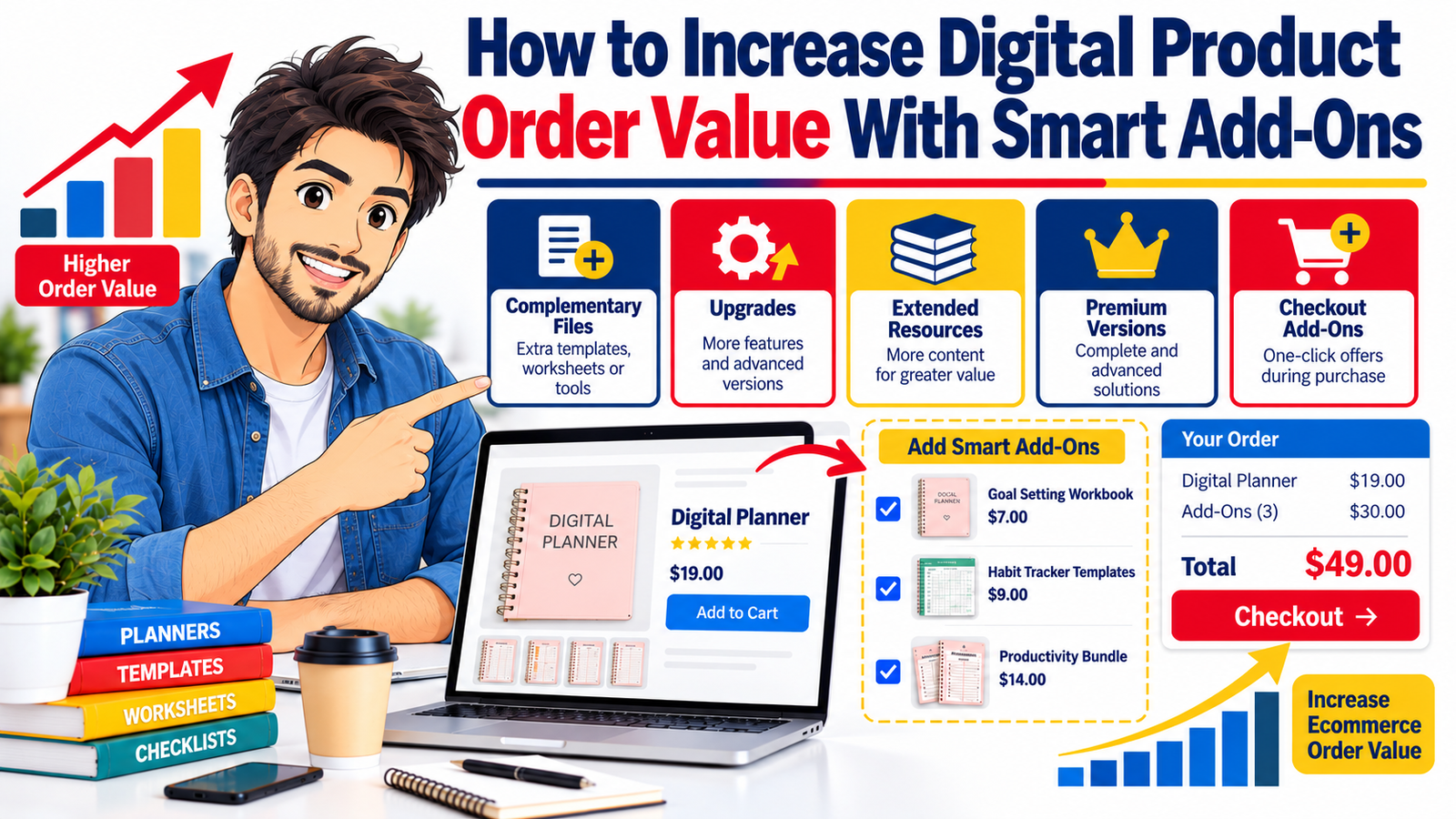
Selling more digital products does not always require finding more customers.
Sometimes the fastest path to higher revenue is helping the customer who is already ready to buy get more value from the purchase they are making.
That is where digital product add-ons, upsells, premium upgrades, complementary resources, and checkout offers become powerful.
Instead of immediately reaching for a coupon, you can increase ecommerce order value by giving buyers logical ways to expand, improve, customize, or accelerate the result they came to your store to achieve.
A customer buying a social media planner might also need caption templates. Someone purchasing a business spreadsheet may want an advanced dashboard. A buyer choosing an ebook could benefit from a workbook, checklist, editable template, or premium resource library.
These are not random extras.
The most effective digital product upsell feels like the natural next step.
This guide explains how to build those offers without depending on discounts, how to decide what to add, where to present your offer, how to price it, and how to increase average order value without making your checkout feel aggressive.
What Is a Digital Product Add-On?
A digital product add-on is an additional resource that complements a customer’s main purchase.
The core product solves the primary problem.
The add-on helps the buyer solve another part of that problem, complete the task faster, customize the outcome, access more depth, or receive a more advanced version.
For example, imagine you sell a Freelance Business Starter Kit.
The primary product might contain proposal and invoice templates.
Useful add-ons could include a client onboarding checklist, project profitability calculator, premium contract template collection, editable email scripts, or an advanced business dashboard.
The relationship between the products matters.
A strong add-on answers:
“Now that I have this product, what else would make it easier to achieve my goal?”
That question should drive your entire upsell strategy.
Why Increasing Order Value Can Be Better Than Constantly Chasing More Traffic
Many digital sellers focus heavily on traffic.
More social media reach. More Pinterest impressions. More paid advertisements. More SEO content. More followers.
Traffic certainly matters, but traffic acquisition is only one part of ecommerce growth.
Consider two stores.
Store A receives 1,000 orders with an average order value of $15.
Revenue equals $15,000.
Store B also receives 1,000 orders, but smart complementary offers increase its average order value to $22.
Revenue becomes $22,000.
The second store generated considerably more revenue without needing another 1,000 visitors.
That is why improving average order value for digital products can become an important growth lever.
Average order value can be calculated as:
Average Order Value = Total Revenue ÷ Number of Orders
The goal is not simply to make every transaction more expensive.
The better objective is to make each transaction more useful.
When customers see clear additional value, a larger order can feel more satisfying rather than more costly.
The Best Add-Ons Solve the Next Problem
Poor upselling starts with the seller.
“What else can I sell?”
Better upselling starts with the customer.
“What will this person probably need next?”
Suppose someone purchases a wedding planner template.
Their next needs might include vendor tracking, budget planning, guest management, seating plans, timelines, or printable checklists.
Those products share the same customer journey.
Now imagine offering that buyer a completely unrelated fitness planner.
The offer may be a perfectly good product, but it has little contextual relevance.
This principle is simple:
The closer the add-on sits to the original buying intention, the stronger the offer usually becomes.
Seven Smart Ways to Increase Digital Product Order Value
1. Add Complementary Files
Complementary resources are often the easiest place to begin.
They do not replace the original product. They make it more useful.
For example:
| Main Product | Complementary Add-On |
|---|---|
| Social media planner | Caption prompt pack |
| Resume template | Interview preparation workbook |
| Budget spreadsheet | Debt payoff calculator |
| Meal planner | Grocery list template |
| Photography guide | Posing reference cards |
| Content calendar | Headline and hook library |
| Business planner | KPI dashboard |
| Wedding planner | Vendor management sheet |
| Ebook | Action workbook |
| Course | Implementation templates |
The buyer immediately understands the connection.
That reduces the amount of explanation required.
Instead of saying, “Buy another product,” you are essentially saying:
“Here is another tool that helps you complete the same job.”
2. Offer a More Advanced Version
Some buyers want simplicity.
Others want more functionality.
That creates an opportunity for a premium version.
Imagine selling a basic expense tracker.
The standard edition might include monthly expense tracking and basic categories.
The premium version could include annual reporting, charts, profit tracking, tax categories, forecasting, multiple business dashboards, automation instructions, and additional templates.
Instead of discounting the premium product, clearly explain the difference in capability.
A simple three-level structure can work particularly well:
| Version | Best For | Typical Features |
|---|---|---|
| Starter | Buyers who need the essentials | Core files and basic instructions |
| Plus | Buyers who want more flexibility | Additional templates and customization |
| Premium | Buyers who want a complete system | Advanced tools, expanded resources and premium files |
This model allows customers to choose according to their needs rather than forcing everyone into the same package.
3. Sell Extended Resource Packs
Sometimes customers do not need a different product.
They need more of the product they already like.
Suppose your core product contains 50 social media prompts.
An expanded resource pack might include another 300 prompts organized by business category.
If your product includes 20 printable worksheets, your extended collection could provide 150 additional worksheets.
If you sell Canva templates, your standard product might include 30 designs while an extended library offers additional layouts, sizes, campaigns, or seasonal variations.
This is especially effective for resources people use repeatedly.
More variety can provide genuine utility.
4. Create Implementation Add-Ons
Information tells people what to do.
Implementation resources help them actually do it.
That distinction creates excellent add-on opportunities.
Imagine selling an ebook titled How to Launch Your First Digital Product.
An implementation pack could contain a product validation worksheet, launch checklist, pricing calculator, product description template, email launch sequence, content calendar, customer feedback sheet, and sales tracking dashboard.
The ebook provides knowledge.
The implementation pack transforms that knowledge into action.
For buyers who value speed and convenience, the practical toolkit can be more appealing than simply receiving more information.
5. Offer Premium Convenience
Convenience itself has value.
A customer may be willing to pay more when an upgrade reduces editing, setup, organization, or decision-making.
For example, a basic package might contain editable files.
The premium add-on might include multiple finished layouts, several sizes, pre-organized folders, ready-to-print versions, additional formats, quick-start instructions, and example implementations.
The key is not to deliberately make your basic product difficult to use.
Your standard product should still fulfill its promise.
The premium edition simply reduces additional work.
6. Build Use-Case Specific Add-Ons
One digital product may serve several audiences.
Instead of building completely separate products, create specialized expansion packs.
Suppose you sell a general social media content system.
Additional packs could be designed for real estate professionals, photographers, coaches, restaurants, ecommerce sellers, freelancers, authors, or local service businesses.
The underlying system remains consistent, but each expansion becomes more relevant to a specific buyer.
This strategy can also support long-tail SEO because each use case may correspond to a distinct search intention.
Instead of targeting only “social media templates,” you may eventually build pages around searches such as “social media templates for real estate agents” or “content templates for photographers.”
7. Add a Complete Bundle Upgrade
Bundles work best when they represent a complete solution rather than a random collection.
For example, instead of offering:
“15 Digital Products Bundle”
consider positioning the package around an outcome:
Complete Freelancer Client Management System
It could contain proposal templates, intake forms, onboarding checklists, project trackers, invoice sheets, client email templates, meeting notes, feedback forms, and project completion documents.
Customers can understand what the bundle helps them accomplish.
The more coherent the bundle, the less you need to compete purely on price.
Digital Product Upselling Without Discounts
Discounts can create urgency, but they should not be the only reason customers buy more.
Constant discounting can also train customers to wait for lower prices.
A stronger strategy is value expansion.
Instead of:
“Add this product and save 40%.”
you could communicate:
“Add the implementation workbook and turn the strategy into a step-by-step action plan.”
The second message explains why the product belongs in the transaction.
Other value-based messages might include:
“Add the advanced dashboard for monthly performance tracking.”
“Upgrade to the editable version if you want to customize every page.”
“Add the commercial-use resource pack for your business workflow.”
“Get the extended template library for more campaign options.”
The buyer sees a practical benefit rather than merely a lower price.
Checkout Add-Ons: Keep the Decision Simple
A checkout add-on works best when the buyer can understand it almost instantly.
Checkout is not the ideal place to explain a complicated new product.
Your buyer has already made an important decision: purchasing the primary product.
Do not make them restart the research process.
A good checkout add-on usually has four characteristics:
- Directly related to the main purchase
- Easy to understand within a few seconds
- Clearly describes the additional benefit
- Requires little additional decision-making
For example:
Add the Launch Checklist Pack
“Get 12 printable and editable checklists covering product preparation, launch day, email promotion and post-launch review.”
That communicates what the buyer gets and why it matters.
Order Bump vs. Upsell vs. Premium Upgrade
These terms are often used interchangeably, but they can play different roles.
| Offer Type | When It Appears | Main Purpose |
|---|---|---|
| Add-on | Product page or cart | Complement the main product |
| Order bump | Checkout | Add one simple related item |
| Upsell | Before or after checkout | Move buyer to a larger solution |
| Premium upgrade | Product selection stage | Increase functionality or resources |
| Cross-sell | Cart, checkout or post-purchase | Offer another related product |
| Post-purchase offer | Immediately after payment | Extend the completed purchase |
Understanding the difference makes your product funnel easier to design.
Use the Product Page to Introduce the Upgrade
Do not wait until checkout to reveal that a premium version exists.
Give buyers enough information on the product page to understand their choices.
A simple comparison might say:
Standard Version
Core planning system, editable worksheets and quick-start guide.
Premium Version
Everything in Standard plus advanced dashboards, additional templates, extended resource library and implementation tools.
This gives customers control.
Some people will intentionally choose the basic edition.
Others will immediately recognize that the premium edition better matches their needs.
Both outcomes are useful.
Make Add-Ons About Outcomes, Not File Counts
Digital product sellers often describe value by quantity.
“500 templates.”
“1,000 prompts.”
“100 worksheets.”
Quantity can matter, but quantity alone does not explain usefulness.
Instead of saying:
Includes 100 additional templates
say:
Includes 100 additional templates for launches, promotions, seasonal campaigns and everyday engagement, giving you more ready-to-customize options when planning content.
Now the customer understands why the additional files matter.
The principle applies across digital product categories.
Translate features into outcomes.
A calculator provides faster decision-making.
A checklist reduces missed steps.
A dashboard improves visibility.
A template reduces setup work.
A prompt library helps overcome idea fatigue.
A workbook supports implementation.
A premium version offers flexibility or depth.
Use Customer Questions to Discover Add-On Ideas
Your existing customers can tell you what to build next.
Pay attention to questions such as:
“Does this include an editable version?”
“Can I use this for another type of business?”
“Do you have a spreadsheet version?”
“Is there a more advanced tracker?”
“Can I get more examples?”
“Do you have templates for the next step?”
“Is there a printable version?”
Repeated questions can reveal natural product extensions.
Instead of guessing what customers might want, turn recurring requests into structured add-ons.
This approach can improve product development as well as your digital product upsell strategy.
Build a Product Ladder
A useful digital store can guide customers from smaller solutions toward larger systems.
For example:
| Stage | Product |
|---|---|
| Entry | Content Planning Checklist |
| Core | 30-Day Content Planner |
| Add-On | Caption Template Pack |
| Upgrade | 12-Month Content System |
| Premium | Complete Content Marketing Business Kit |
Each product solves a larger part of the customer’s problem.
This makes your catalog easier to navigate and creates natural opportunities for repeat purchases.
Do Not Hide Essential Features Behind an Upsell
There is an important difference between an optional enhancement and something required for the original product to work properly.
If customers buy a template advertised as editable, basic editing functionality should not suddenly require another purchase.
Your primary product should fulfill the promise made on the sales page.
Add-ons should extend the experience rather than repair an incomplete product.
Trust is more valuable than a short-term increase in order value.
How to Price Digital Product Add-Ons
There is no universal percentage that works for every store.
Pricing depends on customer type, product value, complexity, alternatives, licensing, perceived usefulness, and how much additional work the add-on saves.
Instead of choosing an arbitrary number, ask three questions.
How much additional value does the product create?
A simple checklist may justify a smaller price than a sophisticated financial dashboard.
How closely does it relate to the original purchase?
Highly relevant add-ons often require less persuasion.
How much decision friction does the price create?
A checkout add-on generally benefits from being easy to evaluate, while a premium upgrade can support a larger price difference if the value is clearly demonstrated.
Do not underprice resources simply because they are digital.
Customers are paying for utility, organization, knowledge, convenience, design, and the time saved by not creating the resource themselves.
Measure More Than Revenue
Increasing ecommerce order value should not come at the expense of conversion rate or customer satisfaction.
Track several metrics together.
Average Order Value
Revenue divided by completed orders.
Add-On Attach Rate
The percentage of relevant orders that include the add-on.
If 100 people buy your main product and 22 include the additional workbook, the attach rate is 22%.
Checkout Conversion Rate
If your add-ons create too much distraction, checkout completion may decline.
Revenue Per Visitor
This gives a broader picture by combining traffic, conversion, and order value.
Refund or Support Patterns
A higher order value is not useful if customers become confused about what they bought.
Watch for support requests that reveal unclear product positioning.
Test One Variable at a Time
Do not redesign your entire checkout and add five new offers simultaneously.
You will have difficulty understanding what actually changed performance.
Start with one relevant add-on.
Measure the baseline.
Then test another factor, such as the offer description, placement, product combination, premium tier, preview image, or price.
Small controlled improvements can reveal much more than constant large redesigns.
Create Strong Add-On Copy
Your add-on description should quickly answer four questions:
What is it?
Identify the resource.
Why would I need it?
Explain its relationship to the primary product.
What will it help me do?
Describe the outcome.
What exactly do I receive?
Clarify the contents or format.
For example:
Add the Client Email Template Pack
Turn your project workflow into a more complete client communication system. Get ready-to-customize email templates for onboarding, reminders, project updates, feedback requests, revisions and project completion.
The copy is short but communicates context, value, and content.
Use Visual Previews to Make Digital Add-Ons Tangible
Digital files cannot be held in a customer’s hands, so visual presentation carries extra importance.
Show what the buyer receives.
Use screenshots, page previews, dashboard examples, template mockups, workbook spreads, or organized resource displays.
A strong product preview reduces uncertainty.
Instead of displaying an abstract graphic saying “Premium Pack,” show enough of the actual resource to help shoppers understand the upgrade.
For content intended to attract organic and Discover traffic, use clear, representative feature images and avoid misleading promotional visuals.
Create Add-Ons Around Different Types of Value
A useful way to expand a digital product catalog is to think in terms of value dimensions.
| Value Type | Example |
|---|---|
| More quantity | Additional templates |
| More depth | Advanced guide |
| More speed | Ready-to-use checklist |
| More flexibility | Editable formats |
| More organization | Dashboard or tracker |
| More specialization | Industry-specific pack |
| More implementation | Workbook or action plan |
| More convenience | Pre-built system |
| More coverage | Complete bundle |
| More advanced functionality | Premium version |
This prevents your catalog from becoming a collection of near-identical products.
A Practical Example: Increasing Order Value in a Digital Template Store
Imagine you sell a Small Business Social Media Planner for $19.
Instead of discounting the planner, you create four related opportunities.
The buyer can add a $7 Caption Starter Pack.
A $12 Promotional Campaign Template Pack is available for sellers who run frequent offers.
A premium $39 version combines the planner with analytics dashboards, content templates, a yearly calendar, campaign worksheets, and additional planning tools.
After purchase, customers may be offered a separate industry expansion pack relevant to their business.
The customer is never required to upgrade.
Every option solves a recognizable additional need.
That is the difference between helpful merchandising and aggressive upselling.
SEO and GEO Opportunities for Digital Product Sellers
Smart product architecture can also create more useful content for search engines and AI-powered discovery systems.
Instead of publishing only generic product pages, create supporting content that answers real buying and implementation questions.
A content cluster around this subject could cover topics such as digital product upselling, checkout add-ons, premium digital product pricing, ecommerce average order value, digital product bundles, order bumps, post-purchase offers, digital download product strategy, and how to create complementary digital resources.
Answer important questions directly near the beginning of relevant sections.
Use clear headings that describe what each section explains.
Include concrete examples.
Add original screenshots, examples, calculations, templates, or observations whenever possible.
Keep author information and product policies easy to find.
Make pages fast, mobile-friendly, secure, and easy to navigate.
For AI-assisted discovery and generative search experiences, clarity matters. Content that clearly defines concepts, explains relationships, provides examples, and answers specific questions is easier for both people and automated systems to understand.
How to Make This Topic Stronger for Google Discover
Discover visibility cannot be guaranteed, but an article can be prepared to compete for attention.
Use a descriptive headline rather than an exaggerated promise.
A suitable title is:
How to Increase Digital Product Order Value With Smart Add-Ons
Create a strong original featured image that clearly represents digital products, ecommerce, complementary resources, and upselling.
Avoid generic visuals that have little connection to the article.
Use clear authorship information, a publication date, an updated date when appropriate, and transparent business information.
Most importantly, make the article genuinely useful enough that someone running a digital product store would want to save or share it.
Search optimization cannot substitute for reader value.
A Simple Smart Add-On Framework
Before creating your next upsell, evaluate it through four questions.
Relevance: Does this naturally belong with the original product?
Utility: Does it solve an additional customer problem?
Clarity: Can the buyer understand the benefit quickly?
Independence: Does the original product still work well without it?
If you can answer yes to all four, you probably have a strong add-on candidate.
Common Mistakes to Avoid
The biggest problem with upselling is not offering customers more.
It is offering the wrong thing at the wrong time.
Avoid unrelated checkout products, overwhelming buyers with too many options, hiding basic functionality behind premium upgrades, describing products only through file counts, using fake scarcity, making the checkout harder to understand, or forcing a larger bundle when the customer clearly wants the entry product.
One thoughtful add-on can outperform a cluttered collection of five mediocre offers.
Build More Value Into Every Customer Journey
Increasing digital product order value does not have to mean squeezing more money from every customer.
A sustainable strategy does the opposite.
It asks how you can serve the buyer’s original intention more completely.
The main product gets them started.
A complementary file fills a nearby gap.
An implementation resource helps them take action.
An extended pack provides more options.
A premium upgrade adds functionality.
A bundle creates a complete system.
When every additional offer has a clear purpose, upselling becomes part of the customer experience rather than an interruption to it.
Start with your best-selling product.
Look at what customers normally need before, during, and after using it.
Then create one highly relevant add-on around the strongest unmet need.
You may discover that improving the value of each customer relationship is one of the most effective ways to increase ecommerce order value without building your entire growth strategy around discounts.
Frequently Asked Questions
1. What is the best digital product upsell?
The best digital product upsell is usually the resource most closely connected to the customer’s original goal. Examples include an implementation workbook for an ebook, advanced dashboard for a spreadsheet, extended template library for a design pack, or specialized expansion kit for a general business resource.
2. How can I increase average order value without offering discounts?
Focus on additional value rather than lower pricing. Complementary products, premium editions, extended resource libraries, implementation tools, specialized versions, checkout add-ons, and complete solution bundles can increase order value while preserving the perceived value of your products.
3. How many checkout add-ons should I offer?
Simplicity is generally better. Start with one highly relevant offer and measure its performance before adding more. Too many decisions can distract customers from completing the purchase.
4. What is the difference between a digital product add-on and an upsell?
An add-on normally complements the original product, while an upsell may move the customer toward a larger or more advanced solution. For example, a caption pack could be an add-on to a content planner, while upgrading from the basic planner to a complete annual marketing system would be an upsell.
5. What digital products work well as add-ons?
Useful add-ons include calculators, checklists, templates, dashboards, prompt libraries, worksheets, trackers, printable resources, editable versions, advanced guides, industry-specific expansion packs, implementation kits, additional file formats, premium collections, and complementary resource libraries.
Stay ahead with exclusive updates
Join our community. Get curated industry trends, actionable guides, and fresh resources delivered straight to your inbox.