A visitor lands on your blog after searching for “how to create a social media content calendar.” They read your guide, learn something useful, and leave.
That visit may look successful in analytics, but if the reader never discovers your social media templates, content planners, marketing bundles, or related resources, your store has missed an important opportunity.
This is where ecommerce internal linking becomes much more than an SEO housekeeping task.
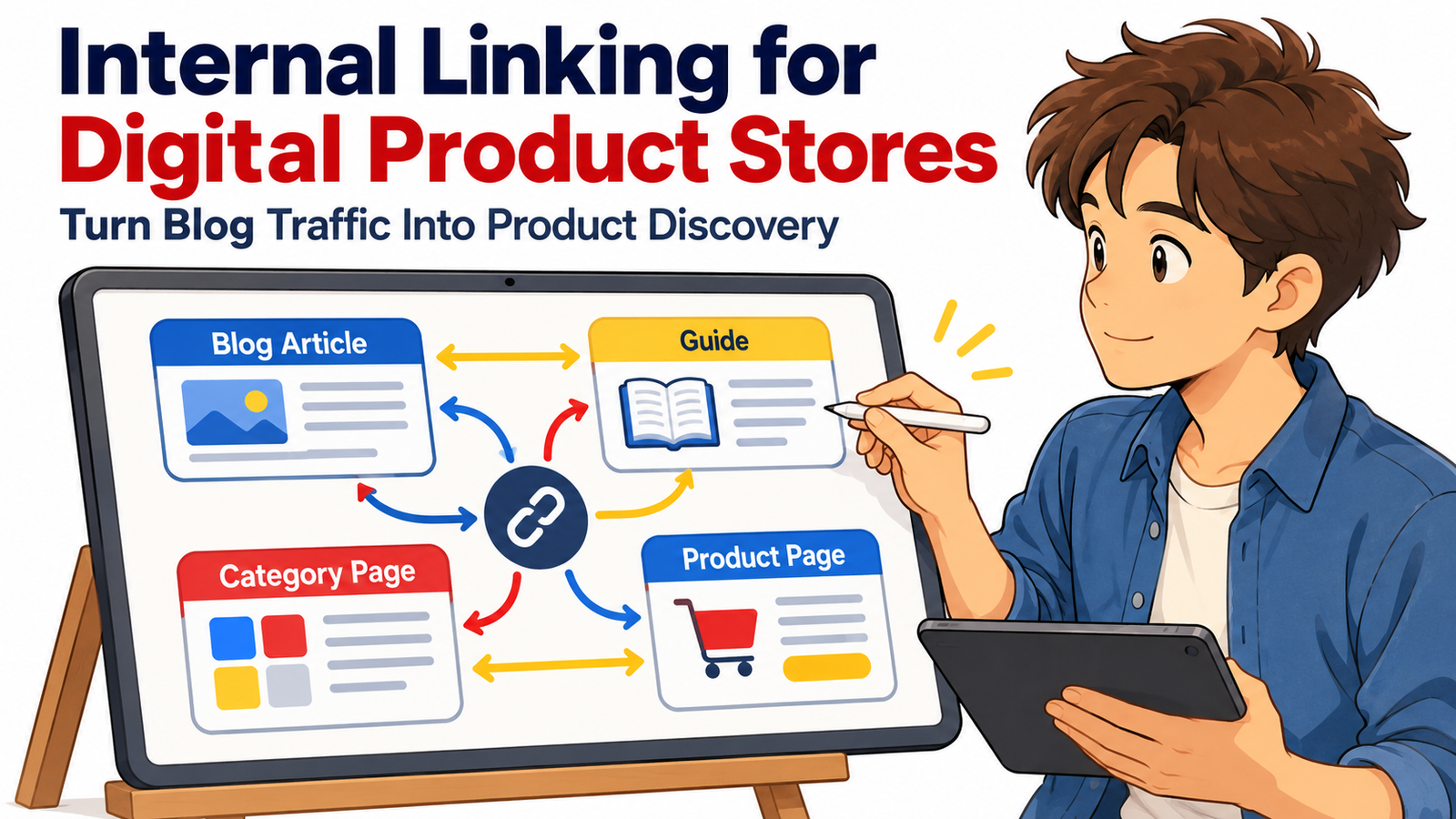
A thoughtful internal linking system connects educational content with commercial pages in a way that helps readers naturally move from question → solution → category → product → purchase decision.
For a large digital product store, internal links can connect hundreds or thousands of pages into a logical discovery network. Blog articles can introduce relevant product categories. Category pages can guide shoppers toward specific products. Product pages can answer deeper questions through useful guides. Related products can help visitors continue exploring without returning to the main navigation.
Google also uses links to discover pages and understand relationships between content. Its current guidance recommends making important pages reachable through crawlable links from other pages and using concise, descriptive anchor text rather than vague wording such as “click here.”
When those principles are combined with strong content strategy, internal linking SEO can help transform a collection of disconnected pages into a digital product ecosystem.
Why Internal Linking Matters So Much for Digital Product Stores
Digital stores often have a structural problem that traditional ecommerce stores do not face in quite the same way.
One store may contain:
business templates,
printables,
PLR resources,
spreadsheets,
ebooks,
Canva templates,
AI prompt collections,
marketing resources,
workbooks,
social media kits,
digital planners,
courses,
checklists and productivity tools.
As the catalog grows, discovering the right product becomes harder.
A shopper might arrive directly on a blog post and never see the store’s categories. Another might enter through one product page but have no idea that a complete bundle exists. Search engines may also have difficulty understanding which pages are strategically important if hundreds of pages sit several clicks away from stronger sections of the website.
Internal linking creates pathways between them.
Google’s ecommerce guidance explains that it analyzes links between pages to understand the relative importance of pages within a website. Google specifically notes that important categories or products can be promoted by linking to them from locations such as the homepage and relevant content.
That makes internal linking useful for both product discovery and site understanding.
Think of Your Store as a Discovery Network, Not a Collection of URLs
A strong digital product SEO strategy should not treat every page independently.
Imagine that your store sells social media resources.
You might have an article titled:
How to Build a 30-Day Social Media Content Plan
That article could naturally link to:
a Social Media Templates category,
a Content Calendar Spreadsheet,
an Instagram Planner,
a Caption Prompt Bundle,
and another guide about creating a weekly content workflow.
The Social Media Templates category could link back to the educational guide for visitors who need help choosing or using templates.
Individual product pages could link to the relevant category and to educational articles explaining how the resource solves a specific problem.
The result is a connected topic ecosystem.
Search visitors do not encounter a dead end. They encounter another useful step.
That is the central idea behind effective internal linking for digital product stores.
Match Internal Links to Search Intent
The strongest internal links usually appear when the destination page represents the reader’s logical next step.
Someone searching for:
“how to organize freelance client projects”
is probably in an informational stage.
Sending that person immediately to an unrelated “Buy Now” page can feel forced.
Instead, the article could explain the workflow and naturally introduce:
“Once your client list starts growing, a structured freelance project management template can help keep deadlines, invoices and deliverables in one place.”
The linked phrase leads to the relevant resource.
The commercial destination is connected directly to the informational need.
This approach creates a smoother progression between search intents.
Informational content answers questions.
Commercial guides help readers compare options.
Category pages help visitors browse solution types.
Product pages help them evaluate individual resources.
Checkout-oriented links support conversion when the customer is ready.
Internal linking should help visitors move through those stages rather than pushing every visitor toward the same page.
Build Topic Hubs Around Your Most Important Product Categories
Large stores benefit from organizing content around clear topic hubs.
Suppose you have a category called:
Business Spreadsheet Templates
Supporting content could include:
“How to Create a Small Business Budget”
“How to Track Monthly Business Expenses”
“Inventory Management Spreadsheet Guide”
“Cash Flow Planning for Small Businesses”
“Simple Sales Tracking Systems for Online Sellers”
Each article answers a specific search question while linking naturally to the main spreadsheet category and, where relevant, individual products.
The category page then becomes the central commercial hub.
It should also link back to useful supporting guides.
This creates a relationship such as:
Educational articles → Category hub → Individual products → Related guides and products
Rather than publishing isolated articles simply to attract search traffic, you are building a searchable knowledge system around commercial themes.
That distinction is important.
Google continues to emphasize helpful, reliable, people-first content and cautions against creating large amounts of content primarily because topics appear capable of attracting search traffic.
Your blog therefore should not exist merely to generate impressions.
It should help customers understand problems, solutions and products.
Turn Blog Traffic Into Relevant Product Discovery
Blog posts are often one of the strongest entry points into a digital product store because they can target informational and long-tail searches that product pages may not naturally satisfy.
The mistake is publishing excellent articles without creating meaningful routes into the store.
Every important article should answer one question:
What would this reader logically need next?
For an article titled:
How to Plan a Product Launch
relevant destinations might include a launch planner, marketing calendar, social media checklist or business planning category.
For:
How to Create Better Instagram Content
relevant links might point toward caption templates, Canva post templates, content calendars and prompt collections.
For:
How to Organize Your Monthly Business Finances
the natural destinations might be budgeting spreadsheets, profit-and-loss trackers and bookkeeping templates.
The internal link becomes helpful because the product extends what the article teaches.
The reader is not being interrupted by a promotion.
They are being given the next tool.
Use Category Pages as Both SEO Hubs and Shopping Hubs
Category pages deserve more attention than many digital stores give them.
A category page should not simply display fifty product thumbnails.
It can function as a useful navigation hub explaining what the collection contains, who it is designed for, which problems it solves and how shoppers can choose between different products.
For example, a category page for Digital Marketing Templates might explain the difference between content planners, campaign trackers, email templates, social media resources and reporting dashboards.
Within that description, internal links can lead to important subcategories and educational resources.
The page may then help three audiences at once:
search engines understanding the structure,
new visitors exploring a topic,
and buyers comparing possible solutions.
Google’s ecommerce documentation states that the way pages link to one another can help Google understand an ecommerce site’s structure and which pages are important.
For large stores, this makes category-page linking especially valuable.
Strengthen Product Pages With Educational Links
Internal linking should not flow only from blog posts toward products.
Product pages should participate too.
Imagine a customer reaches a Small Business Budget Spreadsheet product page but still has questions about creating a budget.
A contextual link such as:
“New to budgeting? Read our guide to creating a practical monthly business budget.”
can keep the visitor inside your ecosystem instead of forcing them to search elsewhere.
This approach is particularly useful for products that require explanation.
Educational links can address questions about:
how the template works,
when to use it,
how to customize it,
what information the buyer needs,
what mistakes to avoid,
and which related resources may be helpful.
A well-connected product page can become both a commercial destination and an entry point into your broader expertise.
Connect Related Products Without Creating Link Clutter
Related-product linking can increase discovery, but relevance matters more than quantity.
A customer viewing a Pinterest Marketing Planner might reasonably benefit from:
a Social Media Content Calendar,
Pinterest Pin Templates,
a Keyword Research Sheet,
or a Digital Marketing Bundle.
They probably do not need twenty unrelated products.
Too many links can reduce clarity and make pages feel like catalogs rather than thoughtfully designed buying experiences.
Use product relationships that make sense.
Complementary products solve adjacent problems.
Upgrades provide more complete functionality.
Bundles combine products into larger systems.
Alternative products serve similar customers with different needs.
Links should help visitors answer, “What else might help me accomplish this goal?”
Write Better Internal-Link Anchor Text
Anchor text is the clickable wording of a link.
Compare:
Click here
with:
social media content calendar template
The second phrase explains what the visitor should expect.
Google’s link guidance recommends descriptive, concise and contextually relevant anchor text and warns against forcing excessive keywords into links.
This means anchor text should sound like normal writing.
Instead of repeatedly using the exact same keyword across dozens of pages, vary phrasing according to context.
You might naturally use:
social media planning template,
30-day content calendar,
content planning spreadsheet,
social media calendar resource,
or marketing content planner.
The goal is clarity rather than manipulation.
If an anchor makes sense even when you read it without the surrounding paragraph, it is usually heading in the right direction.
Make Sure Important Pages Are Not Orphans
An orphan page is a page that has no meaningful internal links pointing toward it.
For a large digital product store, orphan pages can appear easily.
A new product gets published.
An old category disappears from the navigation.
A seasonal landing page stays live after a campaign.
A blog post is created but never added to another content hub.
A product remains available but disappears from every category.
The URL technically exists, yet very few visitors or crawlers have an obvious route to it.
Google recommends that pages you care about receive a link from at least one other page on your site.
For commercially important pages, one link should usually be considered the minimum rather than the strategy.
High-priority products should appear naturally within relevant categories, guides, collections and other navigation paths.
Keep Important Commercial Pages Within Easy Reach
Internal linking also affects click depth: how many steps visitors need to take before reaching a page.
Imagine this route:
Homepage → Shop → Templates → Business → Finance → Accounting → Spreadsheets → Product.
The product exists, but discovery requires too much effort.
Strategic links from relevant articles, bestselling collections, related-product sections and higher-level categories can create shorter routes.
This matters especially for:
bestselling products,
high-value bundles,
major categories,
evergreen resources,
new flagship products,
and pages generating significant organic search demand.
Google has explicitly noted that linking to important products from prominent areas or relevant content can help communicate their importance within the site.
Create a Blog-to-Product Linking System
Instead of deciding where to link every time an article is published, create a repeatable system.
A useful article might contain one early contextual link to a broader category when relevant, several contextual links within the main content, one or two links to related educational guides, and a clear product-discovery CTA near the point where the reader has enough information to understand the value of the resource.
The exact number should depend on usefulness, article length and topic complexity rather than an arbitrary SEO formula.
A 700-word article does not need fifteen commercial links simply because a 3,000-word guide contains fifteen.
Relevance comes first.
Use Internal Links Inside Calls to Action
A CTA does not always need to say:
Buy Now.
For informational visitors, a softer CTA often works better.
Examples include:
Explore the complete collection of business planning templates.
Browse digital tools designed to simplify your content workflow.
See the spreadsheet templates that can help turn this process into a repeatable system.
Compare our marketing planning resources and choose the format that fits your workflow.
These CTAs connect information with commercial discovery without creating unnecessary pressure.
They are particularly effective in blog posts where visitors may still be researching.
Update Older Articles When You Release New Products
Internal linking should be treated as an ongoing process.
When you release a new product, do not rely only on the new product page.
Search your existing content library for pages already attracting relevant visitors.
If you release a Freelance Client Management Template, older articles about freelance workflow, client onboarding, project management, invoices and productivity may provide strong internal-linking opportunities.
This has two advantages.
The new product receives discovery paths immediately.
Older articles become more useful because they now point readers toward a relevant solution.
The same process works when publishing new articles.
A new guide should link to existing products, but older content should also be updated to link toward the new guide when appropriate.
This creates a living content network rather than a chronological blog archive.
Use Google Trends Without Chasing Every Trend
Timely content can create new linking opportunities.
Google Trends’ current “Trending now” experience allows users to explore recently surging searches across more than 100 countries and regions, with data refreshed frequently.
For a digital product store, the useful approach is not to publish articles about every popular topic.
Instead, watch for trends that genuinely overlap with your store.
If interest rises around:
small business planning,
content creation,
AI productivity,
back-to-school organization,
holiday marketing,
budgeting,
job searching,
wedding planning,
social media workflows,
or another subject closely connected to your catalog,
you may have an opportunity to create or refresh useful content.
That timely guide can link into relevant categories and products.
However, Google explicitly cautions against producing content about trending subjects simply because they might bring search traffic rather than because they serve your existing audience.
Use trends to identify changing customer questions, not excuses to publish unrelated content.
Internal Linking and Google Discover
Google Discover can expose useful articles to people based on their interests, but no internal linking strategy can guarantee Discover traffic.
Google says Discover eligibility does not require special tags or structured data. Indexed pages that meet Discover policies are automatically eligible, although eligibility does not guarantee distribution. Google recommends people-first content, accurate headlines, non-clickbait presentation, timely or uniquely useful information, strong page experience and compelling high-quality imagery.
For digital stores, internal linking becomes valuable after a Discover visit arrives.
A reader might discover an article about:
“10 Ways to Organize Your Online Business Before the Holiday Season.”
Within that article, logical links could introduce:
a business planner,
inventory spreadsheet,
holiday marketing calendar,
social media template collection,
and ecommerce checklist.
The article attracts attention.
Internal links convert that attention into exploration.
That is a more sustainable goal than trying to force Discover visibility through SEO tricks.
Use Strong Featured Images for Discover-Friendly Articles
Visual presentation matters when developing content intended to perform across search and discovery surfaces.
Google currently recommends compelling, relevant, high-quality images for Discover and advises publishers to use large images that are at least 1200 pixels wide, enabled through max-image-preview:large or AMP, while avoiding generic or text-heavy imagery.
For articles, Google also recommends representative high-resolution images and supports multiple image aspect ratios such as 16:9, 4:3 and 1:1 in Article or BlogPosting structured data.
A digital product blog therefore benefits from original featured visuals that communicate the article’s subject immediately.
The image should support the article, not simply function as an advertisement.
Support Articles With Appropriate Structured Data
For blog content, Article or BlogPosting structured data can help Google better understand information such as the headline, author, image and publication details.
Google notes that Article structured data can help it understand article pages and potentially present better title, image and date information across supported search experiences.
Structured data should complement strong content and site architecture.
It does not replace internal links.
Think of structured data as providing explicit page-level information while internal linking explains relationships across your site.
Internal Linking for GEO and AI-Driven Discovery
Generative search experiences have made clear site organization even more valuable.
For GEO, or generative engine optimization, your goal should not be to manufacture artificial signals for AI systems.
Instead, make your information easy to interpret.
Use descriptive headings.
Define products clearly.
Create focused category pages.
Answer specific customer questions.
Connect supporting content logically.
Use descriptive link text.
Maintain consistent terminology for major categories and product types.
For example, if your site has a central category called Small Business Templates, related articles should make that relationship obvious rather than using confusing names for the same collection everywhere.
Clear information architecture helps both humans and automated systems understand how concepts, resources and commercial pages relate.
No internal linking technique can guarantee inclusion or citation in generative search results, so usefulness and clarity should remain the priority.
Avoid Keyword-Stuffed Internal Links
Internal linking can become counterproductive when every sentence appears engineered around keywords.
Consider:
“Download our best digital product templates, digital templates for businesses, digital business templates and professional digital templates.”
That is not useful writing.
Internal-link anchor text should fit naturally into the sentence.
Google specifically advises against cramming keywords into anchor text and recommends writing links naturally for readers.
Your article should sound like an expert helping someone solve a problem, not like a database of search queries.
Be Careful With Filters and Faceted Navigation
Large stores often use filters for:
product type,
price,
industry,
software format,
commercial rights,
theme,
audience,
and use case.
Filters can be excellent for customers but can create many URL combinations.
For example:
/templates?type=business&format=excel&audience=freelancer
Additional combinations can multiply rapidly.
Not every filtered URL needs to become an indexable SEO landing page.
Google provides separate ecommerce guidance for managing URL structures, canonical URLs and faceted navigation because uncontrolled combinations can create crawling inefficiencies and duplicate or low-value pages.
Build permanent, indexable category pages for search demand you genuinely want to target, and manage utility filters carefully.
Use Breadcrumbs to Reinforce Store Structure
Breadcrumbs help visitors understand where they are.
A product page might show:
Home → Business Templates → Finance Templates → Budget Spreadsheet
This gives users an immediate route back to broader collections.
It also reinforces your site’s hierarchy.
Google supports Breadcrumb structured data as one way to communicate a page’s position within a site hierarchy.
For stores with hundreds of products, breadcrumbs can provide a consistent internal-linking layer across nearly every commercial page.
Link From High-Traffic Pages to High-Value Relevant Pages
Check which pages already receive significant organic traffic.
These may include:
evergreen guides,
popular tutorials,
free resources,
comparison articles,
or high-performing category pages.
Then identify commercially relevant destinations that genuinely belong within those pages.
Suppose a tutorial attracts 20,000 visits over several months but has no links to related store products.
That page may already have the audience you are trying to attract.
Improving its internal links can be more useful than publishing another article aimed at the same audience.
Do not choose destinations based only on profit margin.
Choose pages that satisfy the visitor’s next likely need.
Create Content Clusters Around Buyer Problems
Product-first site structures are useful, but problem-first content can open additional discovery paths.
Instead of thinking only:
“Which products do we sell?”
ask:
“What problems bring customers to those products?”
If you sell productivity templates, customer problems might include:
missing deadlines,
losing track of tasks,
managing too many projects,
planning weekly priorities,
tracking clients,
or organizing recurring work.
Each problem can support educational content.
Those articles can then connect naturally to appropriate solutions in your product catalog.
This produces stronger alignment between search intent, content value and commercial relevance.
Build Two-Way Relationships Between Content and Commerce
Many stores follow one pattern:
Blog → Product.
A better architecture creates two-way movement.
Blog → Category.
Blog → Product.
Category → Blog guide.
Category → Subcategory.
Product → Category.
Product → How-to guide.
Product → Related product.
Guide → Guide.
This makes your website feel less like a funnel and more like a connected resource center.
Visitors can enter from almost anywhere and still find a logical next destination.
Measure Internal Linking by Business Outcomes
Do not evaluate internal linking only by counting links.
Measure what visitors actually do.
Look at:
organic landing-page engagement,
clicks from articles into categories,
clicks from guides into product pages,
product discovery rate,
pages viewed per session,
assisted conversions,
revenue from content-assisted sessions,
and search performance of pages receiving new links.
A good internal link should improve navigation or understanding.
A great one can do both while contributing to commercial discovery.
Search Console can also help you identify which pages gain impressions and clicks after content and site-architecture improvements.
A Practical Internal Linking Example
Imagine your digital store sells an Ecommerce Business Toolkit.
You publish:
How to Organize an Ecommerce Business Without Expensive Software
The article explains product research, inventory organization, launch planning, order tracking and customer-service workflows.
When inventory management is discussed, you link to an Inventory Dashboard Template.
When launch planning appears, you link to a Product Launch Planner.
When the article discusses systems more broadly, you link to the Ecommerce Templates category.
Near the end, a CTA says:
Want these systems in one place? Explore our Ecommerce Business Toolkit and compare the templates included.
The toolkit product page links back to the article under a section such as:
Need help setting up your ecommerce workflow? Read the complete organization guide.
Now both pages support each other.
The article attracts informational traffic.
The product provides the practical implementation.
The category offers broader discovery.
Related products give visitors additional options.
That is strategic ecommerce internal linking.
Build the Architecture Before You Build More Content
Many digital stores respond to slow organic growth by publishing more.
Sometimes the bigger opportunity is connecting what already exists.
Before producing another fifty articles, map your current site.
Identify your major commercial categories.
Identify your highest-value products.
Identify articles already receiving traffic.
Identify products with few internal links.
Identify categories that have no supporting guides.
Identify strong articles that offer no relevant commercial next step.
Then connect the missing relationships.
A store with 300 well-connected useful pages can provide a better discovery experience than one with 1,000 isolated URLs.
Five Frequently Asked Questions About Internal Linking for Digital Product Stores
1. How many internal links should a blog article contain?
There is no universal number that every article should use. Add internal links when they genuinely help readers reach useful supporting information, relevant categories or appropriate products. A detailed guide may naturally require more links than a short article. Relevance is more important than hitting an arbitrary number.
2. Should every blog article link directly to a product?
Not necessarily. Some articles are better matched to a category page, another guide or a free resource. The destination should reflect the visitor’s intent. If a specific product is a natural solution to the problem discussed, linking directly to it can make sense.
3. Does internal linking help SEO?
Internal links can help search engines discover pages and understand relationships and relative importance within a website. Google recommends ensuring important pages can be reached through crawlable links and using descriptive anchor text. Internal links are one component of SEO, not a guarantee of rankings.
4. Can internal linking help increase digital product sales?
Internal links can improve product discovery by moving interested readers toward relevant commercial pages. Whether this increases sales depends on factors such as traffic quality, product relevance, pricing, trust, product presentation and checkout experience. The strongest links connect the customer’s current problem with a genuinely useful next step.
5. Can internal linking help content appear in Google Discover?
Internal linking alone does not guarantee Discover visibility. Google says indexed content meeting Discover policies is automatically eligible, but appearance is not guaranteed. Helpful people-first content, accurate headlines, compelling large images, timely relevance and strong page experience are among Google’s stated recommendations. Internal linking is most valuable for helping visitors discover more of your store after they arrive.
Turn Every Useful Page Into a Pathway
The most effective digital product websites do not force visitors toward products.
They help visitors discover them.
A person may arrive looking for an answer and discover a guide.
The guide introduces a useful category.
The category reveals several solutions.
A product page answers deeper questions.
A related article builds confidence.
Another product completes the workflow.
That journey is created through thoughtful internal linking.
When articles, guides, category pages and product pages support one another, your website becomes easier to navigate, easier to understand and more commercially useful.
Build internal links around customer intent rather than keywords alone. Give important pages meaningful pathways. Use descriptive anchor text. Connect educational content with relevant commercial solutions. Refresh older articles as your catalog grows. Use timely search trends only when they genuinely serve your audience.
The goal is not to create the largest number of links.
It is to make the next useful page easier to discover.
For a growing digital product store, that simple principle can turn blog traffic into deeper engagement, stronger product discovery and a more coherent long-term SEO strategy.
Stay ahead with exclusive updates
Join our community. Get curated industry trends, actionable guides, and fresh resources delivered straight to your inbox.