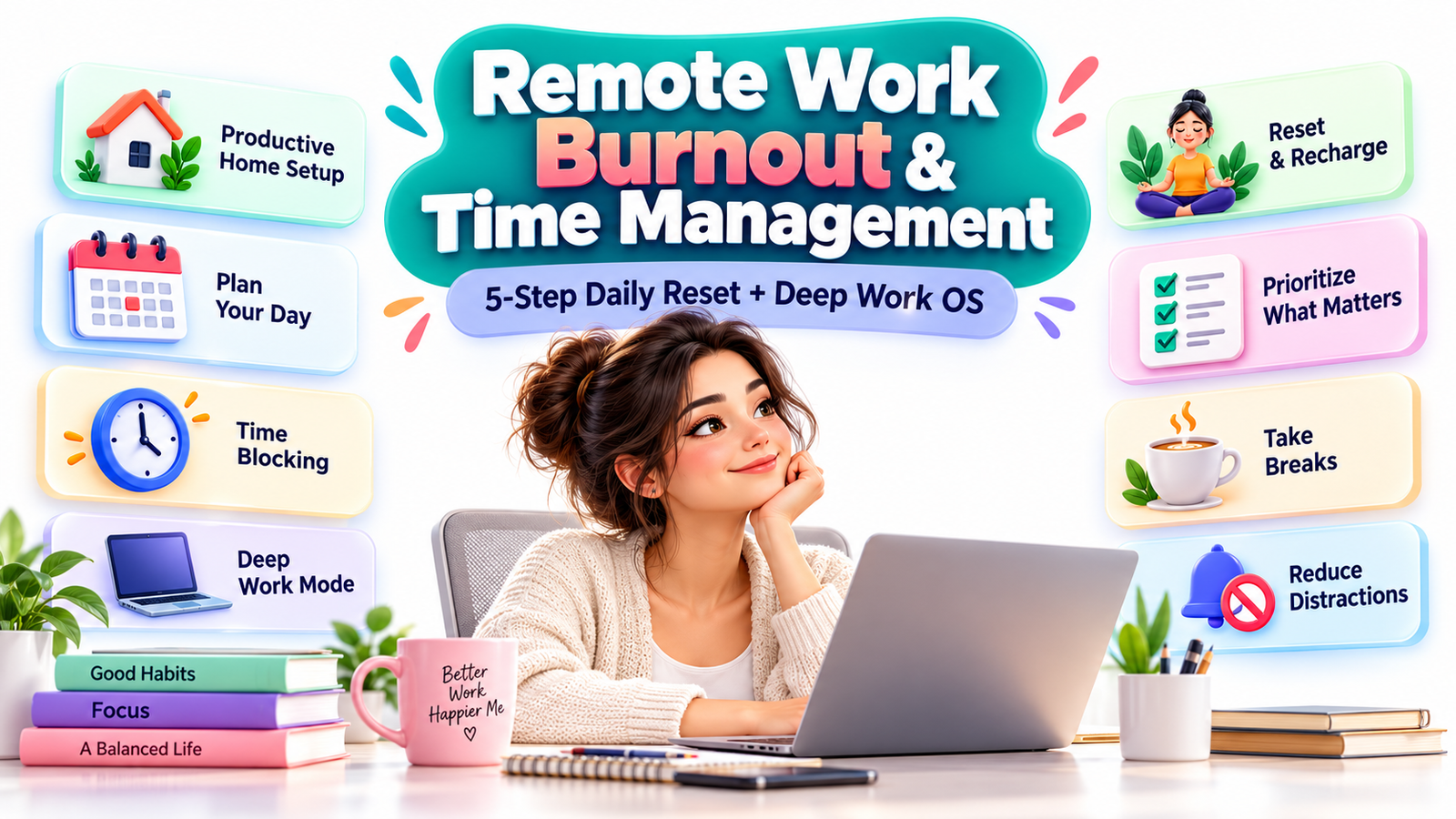
Remote Work Burnout & Time Management: A Practical System for Working From Home Without Living at Work
Working from home was supposed to create freedom.
No commute. No crowded train. No rushing out the door before sunrise. No office interruptions every few minutes.
Yet for many remote workers, something unexpected happened.
The office disappeared, but work somehow became harder to escape.
Your laptop sits a few feet from your bed. Slack notifications arrive while you eat breakfast. A quick afternoon email turns into another hour of work. You close your computer at 6:00 p.m., but your brain continues replaying unfinished tasks at 9:00.
Eventually, working from home can begin to feel less like flexibility and more like living at work.
That is where remote work burnout often begins.
The problem is not necessarily remote work itself. The deeper issue is the disappearance of boundaries, recovery periods, clear priorities, and predictable shutdown rituals.
Fortunately, you do not need a complicated productivity system or a 5:00 a.m. routine to regain control.
A better approach combines three things:
A simple daily reset routine that separates work from personal life.
A realistic deep-work system that protects your attention instead of exhausting it.
And, for creators or entrepreneurs interested in building additional income, an ethical way to turn your experience solving remote-work problems into useful content and recurring affiliate revenue.
Here is how the entire system works.
Why Working From Home Can Feel More Exhausting Than Going to an Office
Remote work removes many traditional workplace boundaries.
That sounds positive until you realize those boundaries also created psychological transitions.
A commute told your brain:
Work is beginning.
Later, the journey home communicated:
Work is finished.
Remote workers often lose both signals.
The result can be a strange state where you are technically home but mentally still inside the office.
Several patterns make the problem worse.
The workday has no clear ending
In an office, people eventually leave.
At home, your computer remains available.
You may think:
“I’ll just answer one more message.”
That one message becomes three emails, a spreadsheet update, and another half-hour of work.
Repeating this behavior teaches your brain that work never completely ends.
Digital communication creates invisible pressure
Remote workers often depend heavily on messaging platforms, email, video calls, project-management tools, and shared documents.
Each tool is useful.
Together, they can create constant interruption.
A notification may take only five seconds to read, but recovering your original concentration can take much longer.
Productivity becomes confused with availability
Remote workers sometimes feel they must prove they are working.
That can lead to instant replies, unnecessary meetings, excessive status updates, and reluctance to step away from the computer.
Being available all day, however, is not the same as producing meaningful work.
Home becomes psychologically associated with work
If you work from your sofa, bedroom, kitchen table, and dining area, eventually almost every part of the house becomes connected with your job.
Your environment stops helping you switch modes.
This is why better remote work time management starts with something more fundamental than another productivity app.
It begins with boundaries.
The 5-Step Daily Reset Routine for Remote Workers
A daily reset is a short sequence that helps close one workday and prepare for the next.
Think of it as a replacement for the commute you no longer have.
The goal is not productivity for productivity’s sake.
The goal is psychological separation.
Step 1: Perform a Five-Minute Workday Download
Before shutting down, write down everything still occupying your mind.
This might include:
- unfinished assignments
- people you need to contact
- ideas you do not want to forget
- deadlines
- questions
- tomorrow’s priorities
Do not try to solve everything.
Simply move the information from your brain into a trusted system.
A notebook works.
A notes app works.
A task manager works.
The tool matters less than the habit.
Suppose you finish the day thinking:
“Tomorrow I need to update the proposal, reply to Sarah, check campaign numbers, prepare for Thursday’s meeting, and send the invoice.”
Instead of carrying those reminders through dinner, write them down.
Your brain no longer needs to rehearse them repeatedly.
Step 2: Identify Tomorrow’s Three Most Important Outcomes
Long task lists create anxiety because everything appears equally important.
Instead, choose three outcomes that would make tomorrow feel productive.
For example:
- Finish client proposal.
- Review quarterly campaign results.
- Prepare presentation outline.
Notice the word outcomes rather than tasks.
“Work on proposal” is vague.
“Finish proposal and send for review” is specific.
Your three priorities become the foundation of tomorrow’s schedule.
Everything else fits around them.
Step 3: Close Your Digital Office
Remote workers often stop working physically while remaining connected digitally.
That keeps the nervous system partially engaged.
Create a shutdown sequence.
Close unnecessary browser tabs.
Quit work applications.
Silence nonessential notifications.
Update your status if your team uses one.
Put work equipment away when possible.
Then say something simple:
Work is finished for today.
It may sound trivial, but repeated rituals become powerful environmental signals.
Step 4: Change Your Physical State
Your body needs a transition too.
You do not need an elaborate wellness routine.
Try a 10- to 20-minute activity:
Take a walk.
Stretch.
Shower.
Change clothes.
Water your plants.
Prepare tea.
Play music.
Do a short workout.
The activity itself is less important than the message:
The workday has ended.
If your previous commute took 30 minutes, consider replacing part of that commute with movement instead of immediately moving from your laptop to social media.
Step 5: Protect the First Hour After Work
This step is frequently overlooked.
If you finish working and immediately spend another hour scrolling through email, news, social media, and professional content, your brain may never fully transition into recovery mode.
Try giving yourself a low-stimulation window.
Eat.
Walk.
Talk with family.
Cook.
Read.
Listen to music.
Exercise.
Sit outside.
Your evening does not have to become another self-improvement project.
It simply needs to stop feeling like an extension of the office.
Why Time Blocking Works Better Than an Endless To-Do List
A to-do list tells you what needs to happen.
A calendar tells you when it will happen.
That difference matters.
Imagine your task list contains 17 items.
Without scheduling, you may spend the entire day deciding what to do next.
That decision-making creates friction.
Time blocking removes part of that uncertainty.
Instead of saying:
“Today I need to write the report.”
You schedule:
9:00–10:30: Draft report
Now the task has a home.
This is the foundation of what we can call a Deep Work OS.
Not another complicated productivity framework.
A simple operating system for protecting your attention.
The Deep Work OS: A Practical Remote Work Time-Blocking System
You do not need to schedule every five minutes.
Over-scheduling can create another form of stress.
Instead, divide your day into broad work modes.
Block 1: Startup
Duration: approximately 15–30 minutes.
Use this time to:
review your calendar
confirm priorities
handle truly urgent messages
prepare your workspace
open the files required for your first focused session
Avoid beginning the morning with 45 minutes of random email processing.
Your inbox contains other people’s priorities.
Your morning plan should begin with yours.
Block 2: Deep Work Session
Duration: roughly 60–120 minutes depending on your role and concentration capacity.
Use this block for cognitively demanding work:
Writing.
Coding.
Design.
Research.
Strategic planning.
Analysis.
Proposal development.
Financial modeling.
Course creation.
Client deliverables.
Turn off avoidable notifications.
Close unrelated browser tabs.
Keep your phone away from immediate reach when practical.
One protected 90-minute session can often produce more valuable work than several hours of fragmented attention.
Block 3: Communication Window
Instead of checking communication channels constantly, create specific windows for them when your role allows.
For example:
11:00 a.m. — email and team communication
2:30 p.m. — second message check
4:30 p.m. — final inbox review
Some jobs require faster responses, of course.
But even then, separating periods of concentration from periods of communication can dramatically reduce mental switching.
Block 4: Administrative Work
Use a dedicated period for tasks such as:
invoicing
scheduling
file organization
expense tracking
CRM updates
timesheets
project-management updates
routine reports
forms
These tasks matter, but they generally should not consume your best concentration hours.
Block 5: Buffer Time
One reason productivity systems fail is that they assume nothing unexpected will happen.
Reality disagrees.
Clients call.
Meetings run late.
Software breaks.
Children need attention.
Projects take longer than expected.
Build 30–60 minutes of unscheduled buffer time into your day whenever possible.
A calendar filled to 100% capacity is fragile.
A calendar with breathing room is resilient.
Block 6: Shutdown
Reserve the final 15 minutes for the daily reset routine.
Do not simply work until you are mentally exhausted and close the laptop.
Close the day intentionally.
A Sample Remote Work Schedule That Doesn’t Require Waking Up at 5 A.M.
A sustainable productivity routine should fit normal life.
Here is a simple example.
8:30–8:45
Startup routine and daily planning
8:45–10:15
Deep work session
10:15–10:30
Break
10:30–11:00
Email and messages
11:00–12:30
Project work or meetings
12:30–1:15
Lunch away from the workstation
1:15–2:30
Second focused work block
2:30–3:00
Email, Slack, administrative tasks
3:00–4:00
Meetings or collaborative work
4:00–4:30
Buffer period
4:30–4:45
Final communication check
4:45–5:00
Daily shutdown routine
The exact schedule is not important.
The architecture is.
Focus.
Communication.
Recovery.
Administration.
Buffer.
Shutdown.
That rhythm makes remote work more predictable.
Stop Measuring Productivity by Hours
One of the most damaging beliefs in knowledge work is:
More hours automatically equal more productivity.
They often do not.
Five highly focused hours can produce more valuable output than nine fragmented hours filled with notifications, meetings, scrolling, and context switching.
Try measuring productivity by outcomes instead.
Ask:
What did I complete?
What decision did I make?
What problem did I solve?
What meaningful work moved forward?
What can now happen because of what I finished today?
This shift is especially valuable for freelancers, remote employees, consultants, creators, and entrepreneurs whose work is driven by outputs rather than physical presence.
The 50-Minute Focus Method
If long deep-work sessions feel intimidating, start smaller.
Try this:
Work for 50 minutes.
Take a 10-minute break.
Repeat.
During the 50-minute session:
Choose one task.
Close unrelated tabs.
Silence unnecessary notifications.
Avoid your inbox.
Avoid social media.
Do not start a second task.
During the break:
Stand up.
Drink water.
Stretch.
Walk.
Look away from the screen.
This simple rhythm works because it makes focused work feel manageable.
You are not promising yourself four uninterrupted hours.
You are committing to 50 minutes.
Create a Work-Only Zone Even in a Small Home
Not everyone has a dedicated home office.
That is fine.
You need a boundary, not necessarily a room.
Your work zone could be:
one corner of a table
one desk
one chair
one section of your bedroom
a foldable desk
a specific laptop stand
a particular lamp that you use only during work
Environmental cues are powerful.
When the lamp turns on, work begins.
When the laptop closes and the lamp turns off, work ends.
Small rituals create separation even inside small spaces.
The Hidden Remote Work Problem: Micro-Interruptions
Most people notice obvious distractions.
Few notice the dozens of tiny ones.
A Slack notification.
A phone buzz.
A browser notification.
An email preview.
A colleague asking a minor question.
A social media tab.
A quick news check.
A delivery alert.
Each interruption seems harmless.
The cumulative effect can be enormous.
The solution is not complete isolation.
It is intentional availability.
Create periods where colleagues can reach you easily and periods where focused work gets priority.
Remote teams benefit when expectations are explicit.
For example:
“I’m doing focused project work between 9:00 and 10:30. For urgent matters, call me. I’ll check Slack after 10:30.”
Clear communication prevents focus time from being mistaken for unavailability.
Schedule Recovery Before You Think You Need It
Most people rest after exhaustion.
A better system schedules recovery before exhaustion arrives.
That might include:
A real lunch break.
Two short walking breaks.
A screen-free coffee break.
A five-minute breathing pause.
An afternoon stretch.
A short outdoor walk after finishing work.
One meeting-free morning each week where team culture permits.
Recovery should be part of productivity, not something earned only after completing everything.
Because everything is never completed.
There will always be another email.
Another task.
Another opportunity.
Another request.
Use the 80% Calendar Rule
Here is a simple principle:
Do not intentionally schedule 100% of your productive capacity.
Aim closer to 80%.
Why?
Because real life consumes the other 20%.
Unexpected requests appear.
Tasks expand.
Technology fails.
People need help.
Meetings run over.
If your entire day is already booked, every interruption becomes a crisis.
Leaving capacity in your schedule dramatically reduces that pressure.
A Weekly Remote Work Reset
Daily routines manage today.
Weekly reviews manage direction.
Once a week, spend approximately 30 minutes reviewing your work system.
Ask yourself:
What drained my energy this week?
What created unnecessary interruptions?
Which meetings were actually useful?
Which task repeatedly moved to tomorrow?
What should I stop doing?
What should I automate?
What should I delegate?
What requires a larger protected work block?
What should become next week’s priority?
Then look at your calendar before Monday arrives.
Reserve deep-work blocks early.
Protect deadlines.
Add buffer time.
Schedule breaks.
Planning your focus before other people fill your calendar makes an enormous difference.
The Returning Visitor Habit: Build a Personal Friday Scorecard
If you are building better remote-work habits, do not rely on memory.
Create a tiny weekly scorecard.
Every Friday, rate the following from 1–5:
Focus quality
Energy level
Boundary protection
Deep-work completion
Meeting load
After-hours work
Exercise or movement
Sleep consistency
You are not looking for perfection.
You are looking for patterns.
Perhaps you notice that weeks with seven hours of video meetings leave you exhausted.
Or maybe afternoon deep-work sessions consistently fail while morning sessions succeed.
Or perhaps your productivity drops whenever you skip lunch away from your desk.
Data helps you improve your routine without guessing.
Bookmark your scorecard.
Return every Friday.
Over several weeks, you are effectively building your own remote-work operating manual.
How to Know When Your Productivity System Is Becoming the Problem
Productivity advice can become counterproductive.
You do not need:
17 applications
five planners
three dashboards
hourly performance measurements
color-coded calendars for every minute
a 30-step morning routine
The purpose of a productivity system is to reduce cognitive load.
If managing the system becomes another job, simplify it.
A useful remote-work setup may require only:
One calendar.
One task list.
One notes system.
One communication platform.
One shutdown routine.
Simple systems are easier to maintain under stress.
The Commercial Opportunity Around Remote Work Wellness
There is also a business lesson hiding inside the remote-work burnout problem.
Millions of people search for ways to:
work from home more effectively
improve focus
manage their time
organize home offices
reduce digital distraction
improve ergonomics
manage meetings
build healthier routines
choose productivity software
find remote-work tools
That demand has created an entire ecosystem of products and services.
For bloggers, newsletter publishers, YouTubers, creators, and niche website owners, remote-work wellness can therefore become a commercially viable content category.
But there is an important distinction.
Do not monetize someone’s distress.
Monetize useful solutions.
That approach produces better content, stronger trust, and potentially more sustainable affiliate revenue.
How I Would Build a Recurring Affiliate Stream Around WFH Wellness Tools
Recurring affiliate revenue typically comes from recommending subscription products that pay commissions for qualifying customers according to the individual affiliate program’s terms.
Products in the remote-work ecosystem might include:
productivity software
project-management platforms
time-tracking tools
calendar tools
focus applications
note-taking software
team collaboration platforms
online learning memberships
virtual coworking services
cloud storage
website hosting
newsletter platforms
business software
Not every product offers recurring commissions, and commission structures can change.
Always check the current affiliate terms before building content around any offer.
Step 1: Choose a Narrow Problem
Avoid building a website around the enormous topic of “productivity.”
Go narrower.
For example:
Time management for remote freelancers.
Productivity tools for remote marketing teams.
Home-office systems for small apartments.
Focus strategies for remote software developers.
WFH productivity for parents.
Digital organization for consultants.
Meeting reduction for distributed teams.
The narrower positioning helps your content feel more relevant.
Step 2: Publish Problem-First Content
Do not begin with:
“Here are 15 products you should buy.”
Begin with a real problem.
For example:
Why Remote Workers Lose Two Hours a Day to Context Switching
Then teach the solution.
Explain notification management.
Discuss communication windows.
Show time-blocking examples.
Explain focused work.
Only then mention tools that can support the system.
This creates trust because the article provides value even if the reader purchases nothing.
Step 3: Create High-Intent Comparison Content
Informational articles build traffic.
Comparison content often captures visitors closer to making a decision.
Examples include:
Best focus apps for remote workers
Best time-blocking apps for freelancers
Best project-management tools for small remote teams
Notion vs Trello for remote work
Best calendar apps for time blocking
Best distraction blockers for working from home
Best ergonomic home-office upgrades
Free vs paid productivity software
The goal is not to declare every tool “amazing.”
Explain who each option is for.
Discuss limitations.
Mention pricing considerations.
Show practical use cases.
Readers trust recommendations more when the disadvantages are visible too.
Step 4: Build Content Clusters
A single article rarely creates a durable content business.
Build interconnected resources.
For example, your main guide could be:
Complete Remote Work Productivity Guide
Supporting articles might include:
How to Build a Remote Work Schedule
Best Time-Blocking Methods
How to Stop Checking Slack Constantly
Remote Work Morning Routine
Remote Work Evening Shutdown Routine
How to Run Fewer Meetings
Best Focus Tools for Remote Workers
How to Build a Home Office in a Small Apartment
Best Productivity Apps for Freelancers
How to Avoid Working After Hours
These articles naturally support each other.
Readers move from one useful answer to another instead of leaving after a single visit.
Step 5: Create a Returning-Visitor Asset
Search traffic is valuable.
A returning audience is more valuable.
Give readers a reason to come back.
Create something practical.
For example:
A weekly remote-work reset checklist.
A downloadable time-blocking template.
A Friday productivity scorecard.
A 30-day focus challenge.
A home-office checklist.
A remote-worker tool directory.
A monthly productivity newsletter.
Instead of ending every article with “subscribe to my newsletter,” explain exactly why returning is useful.
For example:
Every Friday, get one five-minute remote-work reset you can use before Monday arrives.
Specific promises convert better than vague invitations.
Step 6: Recommend Tools Inside Real Workflows
Affiliate content becomes more useful when readers can see how a product fits into a system.
Instead of writing:
“Tool X is great for productivity.”
Show:
8:30 — review priorities in your task manager.
9:00 — activate focus mode.
10:30 — check team messages.
2:00 — track project progress.
4:45 — review completed tasks.
Now the software becomes part of a workflow rather than an advertisement.
That usually makes the recommendation easier to understand and more credible.
Step 7: Use a Trust-First Affiliate Strategy
Commercial content performs better long term when trust comes first.
Disclose affiliate relationships clearly where required.
Use products before recommending them whenever practical.
Do not invent personal results.
Do not describe every product as the “best.”
Explain alternatives.
Mention drawbacks.
Update outdated pricing and features.
Remove weak products from your recommendations.
A reader who trusts one article may return for ten more.
That returning relationship is far more valuable than forcing one conversion.
Create a Simple Remote Work Product Funnel
You can connect informational content with commercial content naturally.
Imagine someone searches:
How do I stop working late when working from home?
They discover your article about shutdown routines.
Inside that article, you link to:
A free weekly planning template.
The reader downloads it.
Later, they receive an email explaining your time-blocking system.
That email links to your comparison of several calendar or productivity tools.
The reader chooses the tool that fits their needs.
You may receive an affiliate commission if the program offers one and the purchase qualifies.
The reader gets a useful solution.
You earn revenue by helping them solve a real problem.
That is the healthiest version of affiliate marketing.
Avoid the “Monetize Burnout” Trap
There is a major difference between:
Helping exhausted remote workers find useful solutions
and
Using fear to pressure exhausted people into buying products.
Avoid messaging such as:
“Buy this before burnout destroys your career.”
Instead say:
“If constant context switching is making your workday harder, this tool may help you group tasks and protect focus time.”
Responsible marketing is often more persuasive because it sounds like advice instead of manipulation.
Your 7-Day Remote Work Reset Challenge
If your current workday feels chaotic, do not rebuild everything at once.
Try this seven-day experiment.
Day 1: Create a Shutdown Time
Choose the point when work normally ends.
Treat it as seriously as the start of a meeting.
Day 2: Choose Three Priorities
Before beginning work, identify your three most important outcomes.
Day 3: Protect One Focus Block
Schedule one uninterrupted 60-minute work session.
Day 4: Batch Communication
Create specific periods for email and messaging where your responsibilities allow.
Day 5: Leave Your Workspace for Lunch
Even 20 minutes away from your computer can create meaningful separation.
Day 6: Audit Your Notifications
Disable anything that does not deserve immediate access to your attention.
Day 7: Review the Week
Ask:
What worked?
What felt difficult?
What gave me more energy?
What reduced stress?
What should I repeat next week?
Do not aim for a perfect system.
Aim for a repeatable one.
A Better Definition of Remote Work Productivity
Remote-work productivity should not mean squeezing more work into every available minute.
A healthier definition is:
Completing meaningful work while preserving enough energy to have a life after work.
That changes the goal completely.
You begin protecting:
Focus.
Time.
Attention.
Relationships.
Health.
Rest.
Personal interests.
Instead of asking:
“How can I work more?”
Ask:
“How can I make the hours I already work more intentional?”
That question leads to better systems.
Your Remote Work Reset Checklist
Before finishing today, try this:
Choose tomorrow’s three priorities.
Put your most important task on the calendar.
Schedule one protected focus block.
Create at least one communication window.
Add buffer time.
Write down unfinished tasks.
Close your work applications.
Step away from your workspace.
Do something that clearly signals the workday is finished.
Then repeat tomorrow.
Small boundaries, repeated consistently, are often more powerful than dramatic productivity overhauls.
Frequently Asked Questions About Remote Work Burnout and Time Management
1. How can I avoid burnout while working from home?
Start by creating clear boundaries between working hours and personal time. Use a consistent start time, schedule focused work periods, take genuine breaks, reduce unnecessary notifications, and create a shutdown routine at the end of the day. Sustainable remote work depends on recovery as much as productivity. If exhaustion, anxiety, sleep disruption, low mood, or other symptoms persist or interfere with everyday life, consider speaking with an appropriate healthcare professional.
2. What is the best time-management method for remote workers?
There is no single system that works for everyone, but time blocking is especially useful for remote work because it gives tasks specific places on your calendar. Separate deep work, meetings, communication, administration, breaks, and buffer periods instead of attempting everything simultaneously.
3. How many hours of deep work should I schedule each day?
Start conservatively. One or two focused sessions of approximately 60–90 minutes may be more realistic than trying to concentrate intensely throughout the entire day. The ideal amount varies according to your job, workload, energy, environment, and responsibilities. Focus quality matters more than accumulating impressive-looking hours.
4. How do I stop working after hours when my office is at home?
Create a physical and digital shutdown ritual. Write down unfinished work, identify tomorrow’s priorities, close work applications, silence notifications where appropriate, leave your workspace, and immediately begin a non-work activity such as walking, cooking, exercising, or spending time with family. Repeating the sequence teaches your brain that work has ended.
5. Can a remote-work blog make money through affiliate marketing?
Yes, a remote-work website, newsletter, video channel, or resource hub may generate affiliate income by recommending relevant software, productivity services, home-office products, education platforms, or other useful tools. Revenue is never guaranteed, and affiliate terms vary. The strongest approach is to create genuinely helpful problem-solving content, disclose commercial relationships appropriately, and recommend products based on clear use cases rather than exaggerated promises.
Build a Workday You Do Not Need to Recover From Every Night
Remote work can provide extraordinary flexibility.
But flexibility without boundaries easily becomes availability without limits.
The solution is not squeezing more productivity into your day.
It is designing your day more deliberately.
Create a start.
Protect focused work.
Batch distractions.
Leave buffer space.
Take real breaks.
Close the workday intentionally.
Then give yourself permission to be home when you are home.
And if you are building content around the growing remote-work economy, remember the same principle applies to business.
Solve real problems first.
Recommend useful tools second.
Build trust continuously.
That combination can turn one helpful article into a returning audience—and a returning audience into a sustainable content business.
Start today with one change: choose tomorrow’s most important 60-minute focus block and put it on your calendar before anything else claims that time.
Then come back at the end of the week and ask a more important question than “Did I work enough?”
Ask:
“Did my workday leave enough room for the rest of my life?”
Stay ahead with exclusive updates
Join our community. Get curated industry trends, actionable guides, and fresh resources delivered straight to your inbox.