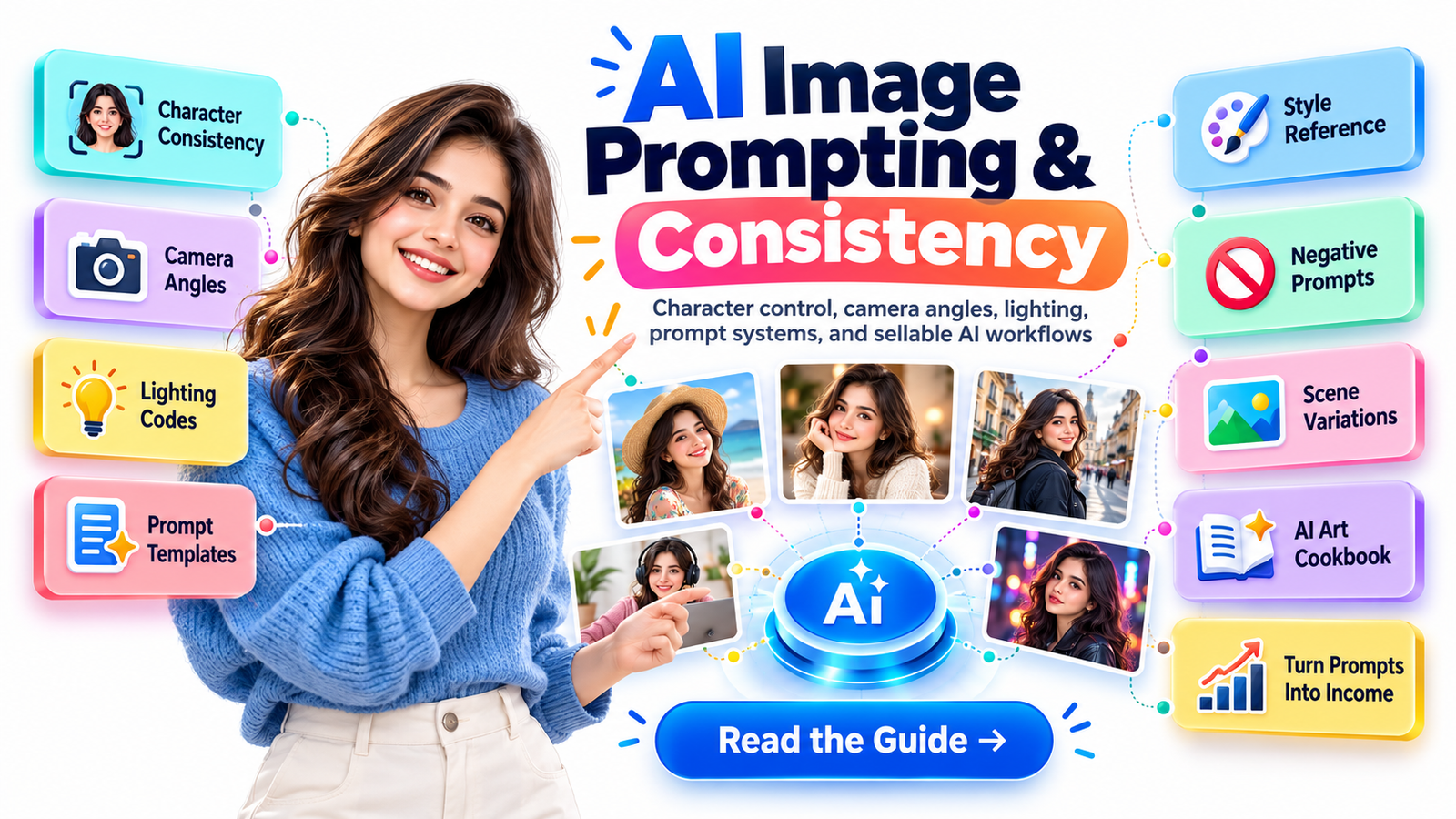
The Complete Guide to Better Characters, Smarter Prompts, and Sellable AI Art Systems
You finally create the character you wanted.
The face looks right. The hairstyle works. The clothing fits the concept. The lighting is beautiful.
Then you generate the next scene.
Suddenly the character has a different jawline, a different nose, lighter hair, a new outfit, an extra finger, or the unmistakable expression of someone who has never met the person in your first image.
That frustration is one of the biggest barriers between casual AI image generation and professional AI-assisted visual production.
Creating one impressive AI image is relatively easy.
Creating the same believable character across ten, twenty, or fifty images is a completely different skill.
And that skill is becoming increasingly valuable for illustrators, digital-product creators, marketers, bloggers, social media managers, authors, educators, print-on-demand sellers, game designers, and entrepreneurs building visual brands with generative AI.
This guide will show you how to improve AI image prompting and character consistency, build stronger Midjourney prompts, control camera angles and lighting, use negative prompting intelligently, troubleshoot distorted faces, and turn your knowledge into something commercially useful—such as an AI prompt cookbook, character prompt pack, visual content kit, or niche prompt library.
More importantly, you will stop treating prompting like gambling.
You will start treating it like a repeatable creative system.
Why AI Characters Keep Changing
Generative image systems do not think about your fictional character in quite the same way you do.
You may think:
“This is Ava. She is the same woman from the previous image.”
The model sees a collection of visual instructions, references, associations, composition requirements, stylistic signals, and probabilistic possibilities.
If those signals change substantially between generations, the output can change substantially too.
Character drift commonly appears as:
- different facial proportions
- changing eye color
- inconsistent hairstyles
- altered age
- shifting skin tone
- different body proportions
- disappearing accessories
- wardrobe changes
- inconsistent illustration style
- distorted hands or facial details
- different expressions that accidentally change identity
The solution is not simply writing longer prompts.
In fact, excessively complicated prompts can sometimes create more conflicts.
The better approach is to separate your prompt into fixed identity information and variable scene information.
That distinction is the foundation of character consistency.
Character Consistency in Midjourney Has Changed
If you have been following older Midjourney tutorials, you may still see recommendations built around Character Reference or --cref.
Those tutorials are now partly historical.
As of Midjourney V8.2, which became the default version in July 2026, Midjourney’s Edit Model is the current reference-based workflow for V8.x. It can work with up to four reference images and replaces the older Character Reference and V7 Omni Reference approach for current V8.x workflows.
Character Reference remains associated with older V6 workflows, while Omni Reference is a V7 feature. Midjourney itself directs V8.x users toward the Edit Model for character and object consistency.
That matters because one of the biggest mistakes in AI prompting is following a technically correct tutorial that was written for the wrong model generation.
Your prompting workflow should evolve with the tool.
The Character Consistency System
Instead of trying to solve everything with one giant prompt, build your character in layers.
Think of the process as creating a lightweight production bible.
1. Build a Character Identity Block
Create a short description containing the visual traits that must remain stable.
For example:
Maya Sen, 27-year-old South Asian woman, oval face, warm medium-brown complexion, large dark-brown almond-shaped eyes, straight shoulder-length black hair with a center part, subtle rounded nose, soft natural eyebrows, small gold stud earrings.
Notice what is missing.
There is no camera angle.
No background.
No dramatic lighting.
No emotional action.
Those things change from scene to scene.
The identity block should describe the features that make the character recognizable.
Your goal is not maximum detail.
Your goal is repeatable detail.
2. Separate Permanent Traits From Temporary Traits
Create two mental categories.
Permanent traits include facial structure, approximate age, hair, eye color, important accessories, body type, and defining features.
Temporary traits include pose, clothing for a particular scene, camera angle, location, expression, lighting, props, weather, and action.
If your identity description changes every time you create a scene, you are effectively asking the model to reinterpret the character every time.
Consistency becomes easier when the permanent block stays stable.
Build a Reference Pack Before Building a Story
One attractive portrait is helpful.
A small visual reference pack is better.
Try establishing your character through several controlled views:
front-facing portrait
three-quarter portrait
side profile
full-body standing view
neutral-expression portrait
If you are using Midjourney’s current Edit Model, multiple reference images can be attached when creating or modifying images, giving you more reference information than older single-reference workflows allowed.
Think of those images as your digital casting photographs.
You are teaching the workflow what should remain recognizable before asking it to perform difficult scenes.
Do Not Change Everything at Once
Suppose your successful starting image contains:
a woman facing the camera
indoor studio lighting
neutral expression
simple white shirt
portrait framing
Then your next prompt asks for:
the same woman sprinting through a rainy cyberpunk market at night, viewed from behind, wearing a futuristic armored jacket, illuminated by red neon lights.
Almost every meaningful variable has changed simultaneously.
Identity preservation becomes harder.
A more controlled workflow would progress gradually:
portrait → three-quarter portrait
three-quarter portrait → half-body
half-body → full-body
full-body → walking
walking → new location
new location → dramatic lighting
dramatic lighting → complex action
This approach may feel slower at first.
It usually saves time because you spend less time trying to rescue generations that have drifted too far.
The Master AI Image Prompt Formula
A useful general-purpose structure is:
Subject + Identity + Action + Environment + Composition + Camera + Lighting + Style + Detail + Parameters
For example:
Editorial photograph of Maya Sen, 27-year-old South Asian woman with an oval face, warm medium-brown complexion, dark almond-shaped eyes and straight shoulder-length black hair, sitting beside a café window and writing in a notebook, modern minimal coffee shop, three-quarter composition, eye-level camera, 50mm photographic look, soft morning window light, realistic editorial photography, natural skin texture, subtle depth of field.
This structure gives every phrase a job.
Subject
What is the image primarily about?
woman
robot
bakery
mountain cabin
sports car
product package
Identity
Which characteristics cannot change?
face shape
hair
age range
signature clothing
accessories
body characteristics
Action
What is happening?
walking
reading
presenting
running
cooking
drawing
holding a product
Environment
Where is it happening?
home office
Tokyo street
minimal studio
luxury hotel
forest
bakery
warehouse
Composition
How should the visual information be organized?
close-up portrait
medium shot
full-body composition
centered composition
symmetrical layout
subject positioned on right third
negative space on left
Camera
How should the viewer experience the subject?
eye level
low angle
overhead
three-quarter angle
over-the-shoulder
wide establishing shot
Lighting
What produces the visual mood?
soft window light
golden-hour sunlight
studio softbox
rim lighting
overcast daylight
neon illumination
Style
What visual language should the model follow?
editorial photography
cinematic realism
commercial product photography
watercolor illustration
minimal vector art
hand-drawn graphite sketch
Detail
What finishing characteristics matter?
natural skin texture
clean background
subtle shadows
shallow depth of field
fine fabric texture
realistic material reflections
Once you understand this structure, you can build hundreds of prompts without starting from zero.
The AI Art Camera-Angle Cheat Sheet
Camera language is one of the easiest ways to make AI images feel intentionally directed instead of randomly generated.
Eye-Level Shot
The camera sits roughly at the subject’s eye height.
Best for:
professional portraits, lifestyle photographs, educational images, character introductions and realistic commercial content.
Prompt language:
eye-level camera, natural perspective
Low-Angle Shot
The camera looks upward.
This can make the subject appear powerful, heroic, dominant or dramatic.
Prompt language:
low-angle perspective, camera looking upward
Useful for:
superheroes, entrepreneurs, athletes, architecture and cinematic scenes.
High-Angle Shot
The camera looks downward.
Useful for vulnerability, overview, visual context or stylized composition.
Prompt language:
high-angle view, camera looking downward
Bird’s-Eye View
The camera is positioned directly or almost directly above the scene.
Excellent for:
food photography
workspace layouts
flat lays
room design
tabletop scenes
travel compositions
Prompt language:
overhead bird’s-eye view, top-down composition
Three-Quarter View
One of the most useful angles for character work.
The face or body is rotated partly away from the camera while remaining recognizable.
It usually provides more visual depth than a straight-on portrait.
Prompt language:
three-quarter portrait, face turned slightly toward camera
Side Profile
Useful for character sheets and cinematic portraits.
Prompt language:
clean side-profile portrait
Over-the-Shoulder Shot
The viewer looks from behind one character toward another person or object.
Excellent for:
computer scenes
conversations
gaming
reading
workplace storytelling
Prompt language:
over-the-shoulder composition, focus on laptop screen
Wide Establishing Shot
Shows the character within a larger environment.
Use this when location matters as much as the person.
Prompt language:
cinematic wide establishing shot, full environment visible
Lens Language That Changes the Feel of Your Prompt
You do not need to become a professional photographer to benefit from photographic terminology.
Think of lens descriptions as creative signals rather than magic codes.
A wider-lens look tends to emphasize environment and perspective.
A standard or moderate focal-length look often feels natural.
A longer portrait-lens look tends to isolate the subject and compress the background.
Useful prompt language includes:
24mm wide-angle look for interiors, architecture and environmental scenes.
35mm documentary look for lifestyle, street and storytelling images.
50mm natural perspective for balanced everyday photography.
85mm portrait look for flattering headshots and stronger subject separation.
Macro photography for extreme close-ups of products, food, flowers, jewelry or textures.
The lens description works best when the rest of your prompt supports it.
Writing “85mm portrait” while simultaneously asking for an enormous panoramic landscape can create competing signals.
Lighting Prompts That Actually Describe Something
“Beautiful lighting” is vague.
“Soft diffused window light from camera left” is actionable.
Here are practical lighting descriptions you can reuse.
Soft Window Light
soft natural window light, gentle facial shadows, realistic skin tones
Excellent for lifestyle photographs, portraits, food, interiors and educational content.
Golden-Hour Lighting
warm golden-hour sunlight, long soft shadows, subtle backlight
Ideal for travel, lifestyle, romance and outdoor storytelling.
Blue-Hour Lighting
cool blue-hour ambient light, subtle city illumination
Useful for atmospheric urban images.
Studio Softbox
large diffused studio softbox, controlled shadows, clean commercial lighting
Excellent for product photography, portraits and ecommerce imagery.
Rim Lighting
subtle rim light outlining the subject, darker background
Useful for cinematic separation.
Backlighting
warm backlight behind subject, gentle edge glow
Excellent for portraits, nature scenes and cinematic storytelling.
Dramatic Side Lighting
directional side light, strong light-to-shadow transition
Useful for serious portraits, editorial imagery and high-impact advertisements.
Overcast Daylight
soft overcast daylight, low-contrast natural shadows
Extremely useful when you want realistic outdoor photography without harsh sunlight.
Neon Lighting
cyan and magenta neon illumination reflecting across face and environment
Useful for cyberpunk, nightlife and futuristic scenes—but use specific colors only when those colors genuinely belong to your concept.
Why Faces Become Distorted
Distorted AI faces are not always caused by a bad face description.
Sometimes the problem comes from composition overload.
A face may become weaker when it occupies only a tiny portion of an extremely complicated frame.
For example:
Twenty people dancing at a futuristic festival, enormous city skyline, flying vehicles, fireworks, dramatic fog, complex clothing, dozens of signs, detailed faces…
You are asking the model to distribute its attention across many competing elements.
If the main person’s identity matters, prioritize it.
Instead of generating the most complicated version immediately, create the key character first and progressively build outward.
The Consistency Rule: Protect the Identity, Vary the Scene
When generating a character series, freeze the identity language.
Example fixed identity:
Maya Sen, 27-year-old South Asian woman, oval face, warm medium-brown complexion, dark almond-shaped eyes, straight shoulder-length black hair with center part, small gold stud earrings.
Then change only the scene block.
Scene 1:
standing beside a café counter, smiling naturally
Scene 2:
working on a laptop inside a modern home office
Scene 3:
walking through a city street in light rain
Scene 4:
presenting a business concept beside a large display
This creates a reusable visual system instead of four unrelated prompts.
Use Style References for Style—Not Identity
Character consistency and style consistency are different problems.
You may successfully preserve the same person while accidentally changing from cinematic photography to glossy illustration.
Midjourney’s Style Reference system is designed to carry visual qualities such as color, medium, texture and lighting rather than copy the person or object itself. Current Midjourney documentation supports Style References alongside modern reference workflows, making it useful when you want both identity and visual-language consistency.
That distinction is powerful.
Use your character reference to answer:
Who is this?
Use your style reference to answer:
What should the world look like?
Build a Visual Style Bible
If you are generating images for a brand, book or digital product, document your visual decisions.
For example:
Visual medium: realistic commercial photography
Lighting: bright diffused daylight
Color treatment: clean, slightly warm
Background: minimal modern environments
Camera feel: 50mm or 85mm photographic look
Depth: moderate background separation
Skin: realistic natural texture
Composition: generous negative space for headlines
Now your prompts can follow one visual identity.
This is particularly valuable for bloggers producing featured images, ecommerce sellers building product galleries, authors designing illustrated books, or creators building recurring social media characters.
Negative Prompts: Use Them Carefully
Negative prompting is useful, but it is frequently misunderstood.
Midjourney provides the --no parameter for specifying elements you want excluded. Its documentation recommends naming the unwanted items rather than writing conversational instructions such as “please don’t include…”
A simple example could be:
minimalist ceramic coffee cup on white studio background –no flowers, text, spoon
But do not try to solve every image problem with a giant blacklist.
A prompt containing dozens of negative concepts may become harder to manage than simply describing the desired image properly.
Positive direction should usually do most of the work.
Instead of:
–no messy office
describe:
clean minimal office, organized desk, uncluttered background
Instead of relying entirely on:
–no hat
make the desired hairstyle clearly visible in your positive description.
A Practical Negative Prompt Library
For clean commercial images, depending on your generator and project, useful exclusions may include unwanted:
text
logos
watermarks
duplicate objects
background crowds
extra accessories
visual clutter
unwanted props
If your model repeatedly introduces something specific, target that problem rather than copying a generic hundred-word negative-prompt list from the internet.
Effective prompting is diagnosis.
Not superstition.
Do Seeds Guarantee the Same Character?
No.
This is one of the most important AI image prompting myths to understand.
Midjourney describes seeds primarily as a testing and experimentation tool. Its documentation specifically notes that a seed does not store a character, appearance or style and should not be treated as a reliable character-locking mechanism across changing prompts.
Seeds can still be useful.
If you want to compare two versions of a prompt while changing one variable, keeping the seed controlled can make experimentation easier.
But a seed should not become your entire consistency strategy.
Reference images, stable descriptions, controlled changes and deliberate editing are much more important.
The “One Variable at a Time” Testing Method
Professional prompting becomes dramatically easier when you stop changing five things simultaneously.
Suppose this is your baseline:
commercial portrait of a female entrepreneur, eye-level camera, 50mm photographic look, soft daylight, modern office
You want to understand whether the camera angle improves the image.
Do not simultaneously change:
camera
lighting
wardrobe
location
style
Change only:
low-angle camera
Then compare.
Next test:
three-quarter camera
Next:
high-angle camera
You are now learning which wording produces which visual effect.
That information becomes intellectual property for your own prompt library.
Create a Prompt Matrix Instead of Random Prompts
A prompt matrix turns your creative knowledge into a reusable system.
Imagine combining:
5 camera angles
× 5 lighting styles
× 5 locations
× 5 poses
That already creates 625 possible combinations.
You do not need to write 625 prompts manually.
Build modular prompt blocks.
For example:
Identity block
Maya Sen, 27-year-old South Asian woman, consistent facial features…
Pose block
standing confidently with arms relaxed
Location block
minimal modern creative studio
Camera block
eye-level 50mm portrait composition
Lighting block
large soft window light from camera left
Style block
realistic editorial photography, natural skin texture
Now you can recombine them intelligently.
This is how a prompt collection becomes a system rather than a folder full of sentences.
Character Consistency for Children’s Books
Children’s books present a particularly demanding consistency problem because the character may appear dozens of times.
Create a character sheet before producing finished scenes.
Document:
age
height relationship
hair
eyes
face shape
signature outfit
shoes
important accessories
color palette
illustration medium
proportions
Then establish reference views.
Do this before generating chapter illustrations.
Otherwise you may reach page 18 only to discover that your protagonist has gradually transformed into a different child.
Character Consistency for Social Media
Recurring characters can become recognizable brand assets.
For example, a productivity brand might use the same young professional across:
Instagram posts
Pinterest pins
blog graphics
carousel covers
advertisements
email banners
lead magnets
Instead of inventing a new person for every graphic, build a consistent visual spokesperson.
A viewer may eventually recognize the style before reading the brand name.
That is where AI image generation starts moving from content creation toward visual branding.
Character Consistency for Ecommerce and Digital Products
Consistency also improves perceived product quality.
Imagine selling a 100-prompt lifestyle photography kit.
If the demonstration images feel like they came from ten different visual worlds, the product can look improvised.
If they share:
similar lighting
consistent composition
cohesive typography outside the generated image
similar image treatment
predictable prompt formatting
the package feels intentional.
Presentation affects perceived value.
A Better AI Prompt Cheat-Sheet Formula
Use this compact template whenever you get stuck:
[subject] + [defining identity] + [action] + [environment] + [camera angle] + [lens/look] + [lighting] + [composition] + [visual style] + [important details] + [technical parameters]
Example:
South Asian female business consultant with shoulder-length black hair and natural professional appearance, reviewing analytics on a laptop, modern high-rise office, three-quarter camera angle, 50mm natural photographic perspective, soft window light, medium composition with negative space on the left, premium editorial business photography, realistic skin texture, uncluttered environment.
Notice that the prompt tells a visual story.
It does not simply throw fashionable keywords at the model.
Prompt Words Cannot Rescue a Weak Concept
A common mistake is believing that enough modifiers will transform an unclear idea into an exceptional image.
Words such as:
masterpiece
8K
ultra detailed
award winning
cinematic
hyperrealistic
stunning
professional
can sometimes influence aesthetics, but they do not replace art direction.
Compare:
stunning cinematic professional woman masterpiece 8K
with:
female architect reviewing a scale model inside a bright contemporary studio, three-quarter composition, eye-level camera, soft north-facing window light, realistic editorial photography, architectural plans visible in foreground
The second prompt gives the model something concrete to compose.
Specificity beats decoration.
How to Fix Common AI Image Problems
Problem: The Face Changes
Strengthen your reference workflow.
Reduce unnecessary changes.
Keep the identity description stable.
Avoid changing hairstyle, age, makeup, lighting, perspective and expression simultaneously.
Problem: The Character Looks Too Young or Too Old
Specify age consistently.
Do not alternate between phrases such as:
young woman
mature professional
girl
adult female
if you expect the same person.
Use a stable age description.
Problem: Hair Keeps Changing
Describe:
length
texture
color
parting
fringe or no fringe
For example:
straight shoulder-length black hair, center part, no bangs
Problem: Clothing Changes
If clothing is part of the character identity, include it in every relevant prompt or maintain it through your reference workflow.
If the clothing should change, keep the face and hair descriptions especially stable while changing the wardrobe variable.
Problem: Hands Look Wrong
Simplify difficult hand interactions.
Instead of asking immediately for:
character holding five tiny objects while typing and pointing
start with:
hands resting naturally on desk
Then move toward more complicated gestures.
Editing a strong image can also be more efficient than repeatedly regenerating an otherwise successful composition.
Problem: Too Many Random Objects Appear
Simplify your environment description.
Use precise exclusions when appropriate.
Ask yourself whether every object in your prompt actually contributes to the composition.
Problem: The Style Keeps Changing
Create a fixed style block or use a Style Reference.
Do not alternate randomly between:
cinematic
anime
photorealistic
watercolor
3D
editorial
unless changing style is intentional.
The Character Lock Checklist
Before generating another scene, ask:
Does the identity description match?
Am I using the correct reference images?
Is the model version the same?
Is the visual style stable?
Did I accidentally change the character’s age?
Did I change hair and wardrobe simultaneously?
Am I introducing too many scene variables?
Does the camera angle still show enough of the face?
Can this change be made through editing instead of rebuilding the image?
That short check can prevent dozens of wasted generations.
Why Editing Is Becoming More Important Than Regenerating
Early generative-image workflows encouraged endless regeneration.
Generate four.
Generate four more.
Change the prompt.
Generate again.
Modern workflows increasingly benefit from preserving what already works.
Midjourney’s current Edit Model can make written changes to existing images, work with reference images, alter perspective, support targeted editing, and perform inpainting and outpainting through the Editor.
That suggests a better production mindset:
Do not recreate a successful image simply because one element is wrong.
Fix the element.
If the face is correct but the jacket is wrong, preserve the face.
If the composition is excellent but the background needs modification, preserve the composition.
Good AI art direction increasingly depends on knowing what not to regenerate.
From Prompt Engineer to Digital Seller
Now we reach the commercial opportunity.
Suppose you have spent weeks experimenting with camera angles, character references, ecommerce compositions, lighting setups and prompt structures.
You could keep that knowledge inside a private folder.
Or you could package it.
A well-designed AI prompt cookbook could help a specific audience reach a specific visual result faster.
The strongest products are rarely:
10,000 Random AI Prompts
They are more often:
150 AI Product Photography Prompts for Etsy Sellers
Character Consistency Prompt Kit for Children’s Book Creators
AI Food Photography Prompt Cookbook for Restaurant Marketers
200 Commercial Real Estate Image Prompts
Midjourney Camera Angle and Lighting Prompt Guide for Beginners
AI Social Media Image Prompt System for Coaches
Specificity creates commercial clarity.
Can You Launch an AI Prompt Cookbook in 24 Hours?
You can build and publish a focused minimum viable product within a day if the scope is intentionally small and you already understand the subject.
That does not mean sales are guaranteed within 24 hours.
Treat the 24-hour concept as a production sprint, not an income promise.
Here is a practical workflow.
Hours 1–2: Choose One Buyer
Do not start with prompts.
Start with the customer.
Examples:
Etsy seller
food blogger
realtor
children’s author
YouTube creator
fitness coach
beauty business
photographer
job-search content creator
restaurant owner
Ask:
What type of image does this person repeatedly need?
That question is more valuable than asking:
“What prompts are trending?”
Hours 3–5: Define the Outcome
Your product needs a promise that is narrow enough to understand.
Weak:
AI Prompt Guide
Better:
100 AI Lifestyle Photography Prompts for Small Business Instagram Content
Stronger:
100 Consistent AI Brand-Character Prompts for Coaches Who Need Weekly Instagram Visuals
The buyer should immediately understand what the product helps them create.
Hours 6–10: Build the Prompt Library
Organize prompts into functional categories.
For example:
portraits
workplace scenes
product interaction
social proof visuals
educational scenes
lifestyle images
calls to action
seasonal visuals
Use a consistent format.
Add editable placeholders such as:
[CHARACTER]
[PRODUCT]
[LOCATION]
[BRAND STYLE]
[LIGHTING]
[CAMERA ANGLE]
This makes your product reusable instead of disposable.
Hours 11–13: Add the Cheat Sheets
This is where the product becomes more valuable than a raw prompt dump.
Include quick-reference guidance for:
camera angles
lighting
composition
negative prompting
identity descriptions
style consistency
aspect ratios
reference-image workflows
common problems
prompt troubleshooting
The buyer is purchasing faster decision-making, not merely sentences.
Hours 14–16: Generate Demonstration Images
Show what selected prompts can produce.
Use cohesive examples.
Your product cover, previews and sample pages should communicate one visual identity.
Do not attempt to showcase every possible style.
A focused aesthetic frequently looks more professional.
Hours 17–19: Package the Product
Depending on your platform, the product could include:
a PDF guide
editable document
prompt database
Notion-style library
spreadsheet prompt generator
reference-image checklist
bonus prompt worksheet
Make navigation simple.
A customer should not need instructions to understand your instructions.
Hours 20–21: Write the Sales Page
Lead with the customer’s problem.
For example:
If your AI characters look like a different person in every image, this prompt system gives you a structured workflow for identity, camera, lighting, scene changes and reference images—so you can spend less time guessing and more time creating a cohesive series.
Then show:
the problem
the desired result
what is included
who it is for
sample prompts
sample outputs
limitations
how to use it
call to action
Trust converts better than inflated claims.
Hours 22–23: Create a Free Sample
Give potential customers something immediately useful.
Examples:
10 character-consistency prompts
camera-angle mini cheat sheet
20 lighting prompts
character identity worksheet
5 ecommerce photography prompts
The free sample can become an email opt-in, social content upgrade or preview product.
This also gives first-time visitors a low-risk reason to return.
Hour 24: Publish and Start the Feedback Loop
Your first version is not the end of the product.
Watch what buyers and readers ask.
Questions reveal future products.
If customers keep asking:
“How do I maintain the same outfit?”
that could become a tutorial.
If they ask:
“How do I create consistent children’s book characters?”
that could become another prompt pack.
If they ask:
“How do I make commercial product images?”
that could become a specialized cookbook.
Every repeated question is potential content.
Every recurring frustration is potential product research.
The Returning-Visitor Strategy
One article may attract a search visitor.
A structured knowledge series gives that visitor a reason to come back.
Instead of publishing unrelated AI posts, connect them.
For example:
Part 1: AI Image Prompting & Character Consistency
Part 2: 100 Commercial AI Photography Prompts
Part 3: AI Product Photography for Digital Sellers
Part 4: Building a Visual Brand With Consistent AI Characters
Part 5: Creating and Selling an AI Prompt Cookbook
Now a reader who solves today’s character problem already knows what to read tomorrow.
Returning traffic grows when each useful answer opens the door to the next useful answer.
How to Make an AI Prompt Product Worth Buying
Free prompts are everywhere.
Therefore the commercial value cannot simply be:
“Here are some prompts.”
A stronger paid product provides:
organization
testing
context
instructions
examples
editable frameworks
troubleshooting
niche specialization
workflow
time savings
The product should reduce uncertainty.
That is what makes information commercially useful.
Avoid the Generic Prompt-Bundle Trap
Suppose two products appear in front of a restaurant owner.
Product A:
5,000 Ultimate AI Prompts
Product B:
150 Restaurant Marketing Image Prompts: Menu Photography, Social Posts, Seasonal Promotions, Delivery Ads and Customer Storytelling
Which one immediately feels more relevant?
Usually Product B.
Niche specificity improves both search intent and buyer intent.
The same principle applies to your articles.
Do not try to rank for every interpretation of “AI prompts.”
Create the best answer for a specific problem.
Trust Matters More as AI Content Grows
The internet does not need another article that says:
“Use descriptive words and be creative.”
Readers want evidence that the writer understands the workflow.
Show:
before-and-after prompt improvements
real troubleshooting logic
specific camera terminology
reference workflows
limitations
updated software behavior
practical examples
When a feature changes, update the article.
That freshness gives returning visitors a reason to trust the site as an ongoing resource rather than a one-time content farm.
AI Prompting Is Moving From Tricks to Systems
The most important shift in AI image creation is not a secret keyword.
It is the movement from random experimentation toward structured art direction.
Professional consistency comes from controlling variables.
Define the character.
Build good references.
Separate identity from scenery.
Keep visual style stable.
Change one variable at a time.
Use camera language intentionally.
Describe lighting rather than praising it.
Edit successful images instead of unnecessarily rebuilding them.
Document what works.
Then turn that knowledge into a reusable prompt system.
Once you do that, you are no longer asking:
“What magic phrase will make the AI create something good?”
You are asking:
“What visual decision should I control next?”
That is a much more powerful question.
And if you create AI images regularly, save this guide and return when your next character starts drifting. Each new project will reveal another pattern worth adding to your personal prompt cookbook.
Frequently Asked Questions
1. How do I keep the same character consistent in Midjourney?
Start with clear reference images and a stable identity description. In current Midjourney V8.x workflows, use the Edit Model reference system rather than relying on older V6 Character Reference tutorials. Keep permanent traits such as face shape, age, hair and defining accessories consistent while changing scene variables gradually. Avoid changing wardrobe, lighting, perspective, expression and environment simultaneously.
2. What is the best AI image prompt structure?
A practical structure is: subject + identity + action + environment + composition + camera + lighting + visual style + important details + parameters. You do not need every category in every prompt, but this framework makes it easier to diagnose why an image is not matching your intention.
3. Do negative prompts fix distorted AI faces?
Not necessarily. Negative prompting can remove unwanted elements, but facial distortion can also come from difficult poses, tiny faces, overloaded compositions, conflicting instructions or weak references. First simplify the composition and strengthen identity control. Use negative prompting for specific recurring unwanted elements rather than treating it as a universal repair tool.
4. Can using the same seed keep a Midjourney character identical?
No. A seed can be useful for controlled testing, but Midjourney does not recommend treating seeds as saved character identities or style presets. Reference-based workflows, stable prompts and careful editing are more useful for long-term consistency.
5. Can I make money selling AI prompts or an AI prompt cookbook?
Yes, prompt-based digital products can form part of a legitimate digital-product business when they provide genuine utility, but income is never guaranteed. The strongest products usually solve a defined problem for a defined audience. A tested character-consistency system, commercial photography prompt library, niche image cookbook, editable prompt framework or industry-specific visual kit is generally more useful than an enormous collection of random prompts. Add examples, instructions, troubleshooting guidance and reusable templates so the customer is buying a workflow rather than merely a list of phrases.
Build Your Prompt System Before Your Next Image
The creators who get the most value from generative imaging are unlikely to be the people who memorize the greatest number of trendy prompt words.
They will be the people who develop reliable systems.
Build one character carefully.
Preserve that identity.
Test one camera variable.
Test one lighting variable.
Record what works.
Turn the result into a template.
Repeat.
Soon, what once felt unpredictable begins to feel manageable.
And that is the real advantage of mastering AI image prompting and consistency: not producing one lucky image, but developing a repeatable creative process that can support your content, brand, illustrations, client work, digital products and future AI-powered visual business.
Stay ahead with exclusive updates
Join our community. Get curated industry trends, actionable guides, and fresh resources delivered straight to your inbox.