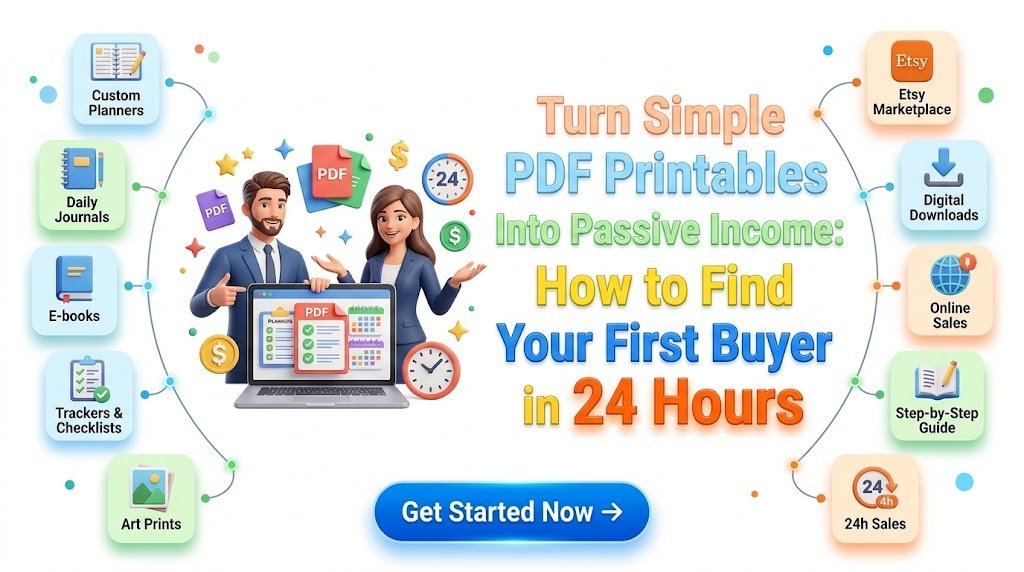
What if the first digital product you sell isn’t a complicated online course, an expensive software application, or a 100-page eBook—but a simple, useful PDF someone can download and print at home?
Imagine creating a five-page household budget planner in the morning, publishing it for sale in the afternoon, and introducing it to potential buyers before the day ends.
No physical inventory. No shipping boxes. No warehouse. Just a digital file that solves a small but meaningful problem.
That’s the opportunity behind selling PDF printables online.
From printable budget planners and daily habit trackers to children’s educational worksheets and small-business checklists, printable digital products offer beginners a relatively affordable way to test an online business idea.
And the most interesting part? You don’t necessarily need thousands of followers, professional graphic design experience, or a large advertising budget to get started.
You need three things: a specific problem, a useful printable solution, and a practical way to reach people who already want that solution.
This guide explains how to create and sell printables, identify profitable niches, choose an online marketplace, price your products, and work toward your first customer within 24 hours.
A first sale in one day is a target, not a guarantee. But with the right approach, 24 hours can be enough to create a product, validate buyer interest, launch a listing, and start meaningful conversations with potential customers.
Why PDF Printables Are an Attractive Passive Income Idea
Passive income sounds appealing because it suggests earning money without repeating the same work for every transaction.
Printable products are one way to build a business that has some of those characteristics.
A printable PDF is a downloadable digital document that customers can print at home, at work, or through a local printing service.
Instead of manufacturing a product every time someone orders, you create the original file once and make it available for repeated purchases.
For example, a freelancer expense tracker could be purchased by a customer today, another next week, and a third next month without you manually creating another copy.
When your selling platform supports automatic digital delivery, customers can receive their files immediately after a completed purchase.
However, passive income doesn’t mean effortless income. Product research, design improvements, customer support, marketing, fees, and occasional updates still require attention.
The advantage is that the same digital asset can continue generating revenue after its initial creation.
What Makes Printable Products Beginner-Friendly?
Low initial investment: Many printable designs can be created with commonly available document editors and design tools.
Simple production: A useful checklist or tracker might require only one to five pages.
No physical inventory: Digital delivery eliminates packaging and shipping requirements.
Flexible pricing: Sellers can experiment with individual sheets, small bundles, and premium collections.
Niche opportunities: Printables can serve teachers, parents, students, freelancers, pet owners, event planners, and other clearly defined audiences.
Repeat purchase potential: Customers who appreciate one printable may return for complementary products.
A simple product doesn’t have to look cheap. A thoughtfully designed, easy-to-use printable can offer genuine value because it helps customers save time, stay organized, or complete a task more confidently.
The Secret to Selling Printables: Solve a Small Problem Extremely Well
One of the biggest mistakes new printable sellers make is creating something simply because it looks attractive.
Beautiful typography and coordinated colors are helpful, but visual appeal alone doesn’t guarantee sales.
Buyers are usually interested in an outcome.
A parent may need a morning routine chart to help a child prepare for school.
A freelancer may want a straightforward invoice tracker.
A student may need a printable revision timetable before an examination.
A small-business owner may need a weekly inventory checklist.
Notice what these examples have in common.
Each printable addresses a specific task for a specific person.
Compare two product ideas:
- Generic product: Printable Planner
- Specific product: Weekly Appointment Tracker for Independent Beauty Professionals
The second product communicates who it is for and what it helps accomplish.
That clarity can make the product easier to discover, describe, demonstrate, and sell.
The best first printable is often not the most creative idea. It’s the simplest useful solution to a problem people already recognize.
15 Printable PDF Products You Can Create and Sell Online
You don’t have to start with a complicated digital planner collection. Consider these practical printable product ideas, each of which can be adapted for a particular audience.
| Printable product | Potential customer | Suggested test price |
|---|---|---|
| Monthly budget planner | Students and families | $3–$6 |
| Weekly meal planner | Busy households | $2–$5 |
| Children’s reward chart | Parents and caregivers | $2–$5 |
| Daily habit tracker | Productivity enthusiasts | $2–$4 |
| Wedding planning checklist | Engaged couples | $4–$8 |
| Freelance income tracker | Independent professionals | $3–$7 |
| Pet care schedule | Pet owners | $2–$5 |
| Study revision planner | Students | $2–$5 |
| Cleaning schedule bundle | Homeowners and renters | $3–$7 |
| Small-business inventory sheet | Local business owners | $4–$9 |
| Birthday party planner | Parents and event organizers | $3–$6 |
| Reading log | Teachers and families | $2–$4 |
| Travel packing checklist | Travelers | $2–$5 |
| Gardening journal | Home gardeners | $3–$7 |
| Social media content planner | Freelancers and creators | $4–$9 |
These are illustrative starting prices, not verified market averages. Actual pricing should reflect product quality, competitor positioning, platform costs, customer expectations, and included usage rights.
A specialized printable that helps someone complete an important task can sometimes justify a higher price than a generic design.
Three Particularly Practical Niches for Beginners
1. Home and family organization
Families regularly manage appointments, chores, grocery shopping, school schedules, and monthly expenses.
Products such as meal planners, family calendars, and cleaning checklists can address recurring organizational needs.
2. Education and learning
Teachers, tutors, and parents may use printable worksheets, reading logs, flashcards, and activity sheets.
Educational materials should be accurate, age-appropriate, and original, particularly when designed for children.
3. Small-business productivity
Small-business operators need simple tools to track appointments, orders, inventory, expenses, and daily tasks.
A specialized business printable can appeal to customers who need practical organization but don’t want complicated software.
For a fast initial launch, select the niche in which you can most easily understand the customer’s problem.
How to Find a Printable Product People Actually Want
Creating an attractive PDF is the easy part.
Identifying something people are willing to purchase requires more thought.
The strongest approach combines search research, competitor observation, and direct customer conversations.
Step 1: Search for Problems, Not Just Products
Start by looking for questions people ask in online communities, search engines, and relevant social groups.
For instance, instead of searching only for “printable planner,” explore phrases such as:
- Printable cleaning checklist for Airbnb hosts
- Weekly food budget planner for two people
- Daily routine chart for preschool children
- Printable appointment book for hairstylists
- Simple expense tracker for freelancers
These phrases reveal what someone wants to accomplish.
A buyer searching for an appointment tracker may already know the problem and may be close to choosing a solution.
Step 2: Study Marketplace Listings
Explore marketplaces such as Etsy and search for comparable digital downloads.
Observe the product presentation, buyer reviews, questions, included pages, formats, and positioning.
Look for recurring complaints.
Perhaps customers mention that a planner has insufficient writing space.
Maybe buyers want both A4 and US Letter versions.
Others might prefer a black-and-white design that consumes less printer ink.
These observations can reveal opportunities for a more useful product.
However, don’t assume that a listing with many reviews represents current demand. Reviews accumulate over time and don’t necessarily indicate recent sales.
Step 3: Validate Demand Through Conversations
Communities such as Reddit, Facebook groups, and professional forums can reveal useful customer problems.
Focus on understanding their needs rather than immediately promoting a product.
For example, a discussion about household expenses might reveal that people struggle to keep track of irregular bills.
That could inspire a specialized printable called:
Monthly Bill Calendar and Payment Tracker for Busy Households
Before creating it, ask whether people prefer weekly layouts, monthly views, or bill-by-bill tracking.
The goal is to confirm that the problem exists and that your proposed design is useful.
Step 4: Evaluate the Product Idea
A strong beginner product should satisfy four conditions:
- It solves one clearly defined problem.
- The customer can understand its value quickly.
- You can create a genuinely useful version within a few hours.
- You can identify realistic channels for reaching potential buyers.
If an idea passes all four tests, it is worth considering for your first launch.
How to Create a Professional Printable PDF Without Advanced Design Skills
You don’t need to become a professional illustrator to create a commercially useful printable.
You do need to understand basic layout, usability, file formatting, and print quality.
Popular creation tools include Canva, Google Docs, Microsoft Word, and other design applications that support PDF export.
Choose a Simple Product to Build
Consider creating a three-page weekly household budget planner.
Your product could include:
Page 1: Weekly Budget Overview
Space for income, spending limits, fixed expenses, and savings goals.
Page 2: Daily Spending Log
A structured table for recording dates, purchases, categories, and amounts.
Page 3: Weekly Review
Questions and spaces for identifying unnecessary spending and setting priorities for the following week.
This product does not require complicated financial formulas.
Its purpose is to help people organize and review their spending.
Follow Five Essential Design Principles
1. Keep the layout uncluttered.
A printable needs sufficient space for writing. Avoid filling every corner with decorative elements.
2. Use legible typography.
Choose clear fonts and sensible sizes. Arial and similar readable typefaces work well for functional documents.
3. Make the design printer-friendly.
Provide adequate margins and strong contrast. Avoid unnecessarily large solid-color backgrounds that consume ink.
4. Export common paper sizes.
Consider both A4 and US Letter formats when your target audience includes international buyers.
5. Test the finished document.
Open the exported PDF, inspect each page at full size, and print a sample whenever possible.
Verify that lines are visible, text is readable, and nothing extends beyond the printable area.
A basic quality check can help prevent refunds and unfavorable reviews.
Make Your Printable Feel More Valuable
The most useful upgrades are often small.
Add clear instructions, thoughtful page organization, reusable worksheets, and a brief explanation of how to get the best results.
You could also provide two versions:
- A minimalist black-and-white edition
- A coordinated color edition
Customers then have a practical choice without needing to purchase another product.
Remember that a collection of unrelated pages is not necessarily a valuable bundle. Every included page should serve the advertised purpose.
Where to Sell Printable PDFs Online
Choosing the right marketplace depends on your audience, budget, available payment options, and marketing strategy.
Three commonly considered selling platforms are Etsy, Gumroad, and Payhip.
Etsy: A Marketplace for Discoverable Digital Products
Etsy allows eligible sellers to offer original digital designs, including ready-made printable files.
A key advantage is that buyers can discover listings through marketplace search.
However, a new listing does not automatically receive substantial visibility.
Etsy also charges fees. Its published fee information lists a $0.20 USD listing fee and a 6.5% transaction fee, with other potential charges including payment processing, applicable taxes, and location-specific fees.
Always check the current terms before pricing your products.
Etsy requires digital products to be made or designed by the seller, subject to its creativity and other marketplace policies.
Gumroad: A Simple Option for Direct Selling
Gumroad is a platform creators can use to sell downloadable products through online product pages.
It can be useful when you plan to generate traffic through social media, a blog, an email newsletter, or an existing community.
Review the current transaction fees, supported countries, payment options, and payout requirements before publishing.
Payhip: A Digital Storefront Option
Payhip provides tools for selling digital downloads through a storefront.
It can be suitable for creators who want to promote products directly and build a collection of related downloads.
As with any platform, payment processing, eligibility, taxes, and fees should be checked against the current terms.
Which Platform Should You Choose?
| Your priority | Platform to investigate |
|---|---|
| Marketplace-based product discovery | Etsy |
| Direct sales from your audience | Gumroad |
| A downloadable product storefront | Payhip |
| Building an independent content brand | Your own website connected to a suitable checkout |
No platform can guarantee visitors or purchases.
For a 24-hour launch, it is often more effective to publish one excellent product on a suitable platform than to spend the entire day building multiple storefronts.
The 24-Hour First-Buyer Strategy: From Idea to Live Product
A first sale within 24 hours is possible, but it depends on demand, audience access, product quality, buyer trust, and operational readiness.
The following schedule is designed to help beginners prioritize the activities most likely to create useful feedback and potential purchasing opportunities.
It assumes that your chosen platform and payment account are already available. New-account verification or storefront approval may take longer.
Hours 1–2: Identify a Specific Buyer and Problem
Choose one audience.
For example:
Freelancers who struggle to track unpaid invoices.
Next, define a clear problem.
They need a simple printable system to record invoice numbers, due dates, payments, and outstanding balances.
Your proposed product:
Freelancer Invoice Payment Tracker – Printable PDF
Search for similar products and observe what customers may need.
Keep the scope intentionally narrow.
Hours 3–5: Create Your Printable
Build a compact three-to-five-page product.
Include an invoice tracking sheet, monthly payment overview, overdue payment checklist, and simple usage instructions.
Make the pages visually consistent.
Export the file as a PDF and check the formatting.
Test the printable using realistic sample information rather than empty boxes alone.
This helps reveal whether the columns are large enough and whether the workflow makes sense.
Hour 6: Prepare the Product Images
Buyers cannot physically examine your PDF before purchasing.
Your listing images must explain its purpose.
Prepare a cover image showing the overall layout, a close-up of one or two important pages, and a graphic explaining what’s included.
Include a clear statement:
DIGITAL DOWNLOAD – NO PHYSICAL PRODUCT WILL BE SHIPPED
Use genuine previews of the downloadable product, rather than misleading mockups that suggest additional items are included.
Hours 7–8: Create a Buyer-Focused Product Listing
Your product title should communicate the main benefit.
For example:
Printable Freelancer Invoice Tracker PDF | Monthly Payment Organizer | A4 & US Letter
A useful description might begin:
“Keep your freelance invoices and payment records in one simple place. This printable PDF tracker helps you organize invoice dates, monitor outstanding payments, and review your monthly income without complicated software.”
Then clarify what the customer receives, file sizes, printing instructions, licensing terms, and any limitations.
Choose a test price consistent with comparable products and your costs.
For example, you might begin at $4.99 and adjust after obtaining meaningful feedback.
Hours 9–12: Find Relevant Conversations and Communities
Now shift from designing to customer discovery.
Look for relevant conversations where people discuss the problem your printable addresses.
Potential sources include professional communities, social media discussions, niche forums, and your existing contacts.
Avoid treating these groups as advertising spaces unless promotions are clearly permitted.
Provide helpful insights first.
For example, when someone asks how to stay organized with overdue invoices, explain a simple tracking process.
If community rules allow product recommendations, you can transparently mention your relevant printable.
A useful solution presented in the right context is more compelling than a generic advertisement posted everywhere.
Hours 13–16: Reach Potential Buyers With Personalized Offers
Rather than messaging large numbers of strangers, identify a small number of genuinely relevant contacts who have expressed interest in the problem.
Respect platform rules, privacy expectations, and people’s communication preferences.
A natural outreach message could be:
“Hi! I noticed you were looking for a simpler way to track freelance invoices. I recently created a printable tracker for payment dates and outstanding balances. If it’s useful, I can share a preview so you can see whether it fits your workflow.”
This approach starts with relevance rather than pressure.
If someone expresses interest, share the product page and answer any questions.
Do not repeatedly message nonresponders or offer unsolicited sales pitches in communities that prohibit them.
Hours 17–20: Publish a Useful Demonstration
Create a short video, image carousel, or educational post showing how the printable works.
Instead of announcing “Buy My Printable,” show an outcome.
For example:
“Still forgetting which client invoices are overdue? Here’s a simple way to organize your payment records on one page.”
Demonstrate the actual PDF.
Show where customers enter invoice information, how they review overdue payments, and what they can expect from the file.
End with a low-pressure invitation to view the product.
You can publish the demonstration on an appropriate channel such as Instagram, Pinterest, a professional community, or your existing blog.
Hours 21–24: Review Results and Improve the Offer
Check your available product analytics and feedback.
Did people visit the page?
Did they click on the product?
Did anyone ask questions?
Were there purchases, abandoned checkouts, or requests for a different format?
Avoid making dramatic changes based on only a handful of visitors.
If people show interest but hesitate to buy, clarify the offer and address recurring questions.
If nobody visits, prioritize improving distribution rather than redesigning the product immediately.
Your first 24-hour goal is to create a product and reach qualified potential customers. A sale is an excellent outcome, but useful validation is valuable progress too.
How to Write Printable Product Descriptions That Turn Visitors Into Buyers
A good product description should answer five questions quickly:
- What is this?
- Who is it for?
- What problem does it help solve?
- What exactly will I receive?
- How do I use it?
Consider a printable cleaning checklist.
A weak description might say:
“Beautiful printable cleaning planner. Amazing design. Download today.”
A stronger version would say:
“Make weekly house cleaning easier to organize with a room-by-room printable checklist. Designed for busy households, this downloadable PDF includes daily tasks, weekly cleaning schedules, and reusable blank pages. Print the file at home and start planning your cleaning routine today.”
The second description is more useful because it explains the product and its application.
Three Elements That Build Buyer Confidence
Clear product previews: Show exactly what is included.
Transparent delivery information: Explain how customers obtain the file and what they need to print it.
Specific limitations: State whether the product is editable, whether refunds apply, and whether commercial reuse is permitted.
Avoid false urgency, unsupported performance claims, and invented customer reviews.
Trustworthy descriptions can support both conversions and long-term customer satisfaction.
Pricing Printable PDFs for Sustainable Profit
The cheapest product is not always the most appealing.
A $1 printable might attract attention, but marketplace fees and payment processing costs can make very low-priced items less attractive financially.
A $7 product could offer better value when it includes several thoughtfully connected pages.
Experiment with three potential product tiers.
| Product tier | Illustrative price | Example |
|---|---|---|
| Single printable | $2–$4 | One-page habit tracker |
| Small bundle | $5–$9 | Five-page productivity planner |
| Expanded collection | $12–$19 | Coordinated planning kit with multiple layouts |
These figures are pricing experiments, not guaranteed profitable ranges.
To understand the economics, imagine selling a printable bundle for $6.
If you make 20 sales, gross revenue is $120.
If you make 100 sales, gross revenue is $600.
Those amounts are before marketplace fees, transaction costs, refunds, taxes, marketing expenses, and your time.
Sales volume is uncertain and cannot be assumed from the product price.
The goal is to develop products that customers consider worth purchasing while preserving a realistic margin.
How to Turn One Printable Into a Small Digital Product Collection
After validating your first product, look for closely related problems.
Suppose your initial product is a weekly meal planner.
You could develop a coordinated collection that includes:
- Weekly meal planner
- Grocery shopping checklist
- Pantry inventory sheet
- Family meal budget worksheet
- Monthly meal calendar
Together, these products form a practical household meal-planning system.
You could sell individual sheets and offer a combined bundle.
The advantage is that your next product doesn’t have to target an entirely new audience.
It can serve customers who already understand and appreciate the usefulness of your first printable.
Create Natural Product Connections
On the individual meal planner page, introduce the grocery checklist as a relevant companion.
Within your downloadable instructions, mention complementary products without making them necessary to use the original purchase.
In your content, explain how different tools fit together into a complete workflow.
These connections can encourage repeat visits and relevant additional purchases.
How to Attract Buyers Without Paid Advertising
Paid advertising can be useful after a product has demonstrated demand, but beginners often benefit from learning how to attract relevant visitors organically.
Pinterest: Show the Outcome Visually
Pinterest can work as a visual discovery channel for planners, templates, home organization tools, and educational printables.
Create appealing images that demonstrate the printable’s purpose.
For example, a pin about organizing household expenses might use the headline:
“A Simple Weekly Budget Printable for Busy Families”
Show the actual worksheet and link to a relevant product or explanatory article.
Use accurate descriptions, avoid repetitive promotional posting, and follow Pinterest’s current guidelines.
Blogging: Answer Questions Before Selling
A blog can attract people searching for practical solutions.
If you sell a cleaning checklist, publish an article such as:
“How to Create a Weekly Cleaning Routine for a Busy Household”
Explain the process, provide genuinely useful advice, and show how your printable fits into the routine.
A natural invitation might be:
“Prefer a ready-made checklist? Explore the printable weekly cleaning planner and start organizing your routine.”
This connects informational content with a relevant product without making the article feel like an advertisement.
Short-Form Video: Demonstrate the Transformation
A 20–30-second demonstration can explain a printable quickly.
Consider a video about a study planner.
Begin with a relatable situation: a desk covered in scattered notes and incomplete study plans.
Then show how the printable organizes topics, deadlines, and revision sessions.
Finish by explaining where viewers can preview the file.
The video should demonstrate genuine usefulness rather than promise dramatic results.
Email Marketing: Give Visitors a Reason to Return
Not every visitor buys on their first visit.
Some are researching, comparing options, or simply collecting ideas.
Offer a helpful free resource, such as a one-page weekly planning sheet, in exchange for an optional email subscription.
Explain what subscribers will receive.
For example:
“Get a free weekly planning printable plus occasional new worksheets, practical organization tips, and product updates.”
With proper consent, you can nurture interested readers by sharing helpful content and relevant product recommendations.
This creates a relationship beyond one marketplace visit.
How to Build a Blog That Brings New Visitors Back
A printable shop can generate individual transactions.
A useful content library can support ongoing discovery, trust, and repeat visits.
Imagine someone discovers your blog while searching for a weekly budget printable.
They read your guide, download a free sample, and explore a related article about reducing household spending.
A week later, they return to read a monthly budget planning tutorial.
Eventually, they may purchase a complete household organization bundle.
That is a more sustainable relationship than relying exclusively on a single sales pitch.
Build Content Around Connected Problems
If your first printable focuses on household budgeting, create related articles that naturally guide readers from one topic to another.
Potential titles include:
How to Start a Family Budget With a Simple Printable Worksheet
7 Common Household Budgeting Mistakes and How to Avoid Them
Weekly vs. Monthly Budget Planners: Which One Fits Your Routine?
How to Organize Bills, Savings Goals, and Daily Expenses on Paper
Best Printable Budget Worksheets for Beginners: What Features Matter?
Each article should provide a complete, helpful answer even if readers don’t purchase anything.
Link to relevant companion articles where doing so improves the reader’s experience.
Create a Returning-Visitor Habit
Publish genuinely useful updates that give readers a reason to revisit your website.
You might introduce a new printable each week, provide a free monthly checklist, or explain how to use an existing product more effectively.
For example:
“New This Week: A Free Monthly Planning Sheet to Help Organize Your Next 30 Days.”
Consistency and value are more important than constant promotional announcements.
How to Make Printable Products Easier to Discover in Search and AI Answers
People discover digital products in different ways.
Some search Google for specific printable worksheets.
Others ask AI-powered assistants which tools might help them plan meals, organize expenses, or manage their schedules.
Clear, original, well-structured content can make your product pages and educational articles easier for these systems to interpret.
Use Specific, Descriptive Page Titles
A title such as “Printable Planner” is broad.
A title such as “Printable Weekly Meal Planner PDF for Busy Families” communicates a clearer purpose.
Write titles for actual users, not for search engines alone.
Answer Important Questions Directly
Explain file formats, paper sizes, printing requirements, intended audiences, and product limitations in ordinary language.
A customer should not have to guess whether your printable works with standard home printers.
Clear explanations also make your pages easier to understand and reference.
Write Helpful Product Explanations
Avoid publishing dozens of nearly identical descriptions with only a few words changed.
Describe the actual use case, demonstrate the product, and include details that distinguish it from alternatives.
If a printable includes a unique layout or instructional method, explain why it was designed that way.
Use Relevant Featured Images
For blog posts, create original, representative images that accurately show the subject.
High-resolution landscape images at least 1,200 pixels wide are recommended by Google for Discover eligibility and compelling presentation.
A relevant, well-composed image can make an article easier to recognize and more appealing to readers.
Google Discover visibility is not guaranteed, and no particular title, image, or optimization technique can ensure distribution.
Keep Your Website Useful on Mobile
Use readable paragraphs, clear buttons, responsive product images, and a straightforward path from the article to the product.
Customers should be able to understand the offer without zooming into tiny screenshots or navigating a confusing checkout experience.
A fast, accessible, transparent website supports a better purchasing experience.
Five Mistakes That Can Prevent Your First Printable Sale
1. Creating Too Many Products Before Validating One
A large catalog does not automatically mean a profitable store.
Start with one specific product and gather feedback before expanding.
2. Competing Only on Price
Repeatedly lowering prices can reduce profitability without resolving weak demand or unclear positioning.
Improve product relevance, perceived usefulness, and presentation before assuming price is the problem.
3. Using Generic Product Images
Customers need to understand what they’re buying.
Show the real pages, important features, and included formats.
Avoid promotional mockups that obscure the actual product.
4. Ignoring Licensing and Copyright
Do not copy another seller’s worksheets, illustrations, product descriptions, or designs.
Only use fonts, graphics, templates, and other assets when your license permits the intended commercial use and redistribution.
5. Expecting Automatic Traffic
Publishing a product does not guarantee search rankings or marketplace sales.
Discovery takes research, relevant content, audience outreach, experimentation, and time.
A Practical Seven-Day Growth Plan After Your First Launch
Whether your product sells on the first day or not, the next week provides an opportunity to improve your business.
Day 1: Publish your initial printable, verify the buying process, and introduce it to relevant potential customers.
Day 2: Review available listing visits, questions, and feedback. Improve unclear descriptions or previews.
Day 3: Publish a useful article addressing a problem directly connected to the printable.
Day 4: Create several original product demonstration images suited to your promotional channels.
Day 5: Offer a relevant free sample to interested visitors and establish an appropriate, consent-based way to communicate future updates.
Day 6: Identify one closely related printable that could complement the original product.
Day 7: Review product feedback, expenses, traffic sources, and purchases. Decide whether to improve the existing product, develop a companion item, or test a different niche.
Avoid expanding solely because you’ve completed seven days.
The right next step depends on what you’ve learned.
Frequently Asked Questions About Selling Printable PDFs
1. Can I really make money selling PDF printables online?
Yes, printable PDFs can generate income when customers find them useful and are willing to pay for them. Revenue depends on demand, quality, pricing, competition, marketing, and platform costs. It is possible to make repeated sales from one digital product, but income is neither automatic nor guaranteed.
2. Can I get my first printable sale within 24 hours?
It is possible, particularly if you already have access to relevant potential customers and offer a solution they want. However, nobody can reliably guarantee a purchase within a specific period. A better first-day strategy is to launch a useful product, reach qualified prospects ethically, and collect feedback that improves your chances of future sales.
3. What are the best printable products for beginners?
Practical products such as budget planners, household checklists, study schedules, meal planners, habit trackers, and small-business worksheets are worth researching. The most suitable option is one that addresses a clear need in an audience you understand. Validate demand rather than assuming any category will sell.
4. Do I need Canva Pro or expensive software to create printables?
No. You can create many functional printable PDFs using tools such as Google Docs, Microsoft Word, or free design software. Paid applications may provide convenience or additional features, but professional-looking documents can be created with simple tools. Check all commercial licensing terms for fonts, templates, and graphics before selling.
5. Is selling printables genuinely passive income?
Selling printables can become a form of semi-passive income because a completed digital file may be sold repeatedly with automatic delivery. However, ongoing marketing, support, design updates, bookkeeping, and compliance still require work. A realistic goal is to build a collection of useful digital assets that can generate revenue without requiring you to recreate every order.
Build Your First Printable Around One Clear Customer Need
You don’t need an enormous product library to start selling digital downloads.
You don’t need to invent an entirely new category of planner.
And you don’t need to build a sophisticated business infrastructure before discovering whether customers value your idea.
Begin with a person who has a specific problem.
Create a printable that makes their task easier.
Present it clearly, price it responsibly, and introduce it where interested people can genuinely benefit from it.
Then listen, learn, and improve.
The most important step isn’t creating 100 products. It’s discovering whether one thoughtfully designed PDF can solve a problem someone considers worth paying for.
Your 24-hour challenge starts here: Choose one audience, identify one practical problem, create one useful printable, and publish one clear offer.
If a customer purchases it, you’ve validated an important part of your idea.
If not, use the feedback to improve the next version rather than assuming the opportunity has disappeared.
And if you want to keep building a digital product business, explore more practical guides on printable bundles, digital product pricing, marketplace research, and beginner-friendly marketing strategies.
One useful PDF can be the beginning of a much larger collection of digital products.
Compliance Note
This article is provided for general educational and informational purposes. Examples of income, pricing, timelines, and potential revenue are illustrative and do not constitute financial guarantees or promises of sales, profits, marketplace rankings, or passive income.
Selling digital products involves commercial risk. Results vary according to customer demand, competition, product quality, marketing activities, fees, tax obligations, and individual circumstances.
Creators must use original material or assets properly licensed for their intended commercial use, including any restrictions on redistribution of fonts, artwork, templates, and AI-generated content. Products containing third-party intellectual property, recognizable brands, copyrighted characters, or trademarked materials may require authorization. Purchasing a design asset or template does not automatically grant unrestricted resale rights.
Follow applicable platform terms, including originality, digital delivery, listing accuracy, prohibited content, refund policies, and advertising rules. Product listings must clearly distinguish digital downloads from physical goods.
Sellers are responsible for applicable taxes, invoicing, consumer-protection obligations, privacy requirements, and other relevant laws in their jurisdictions and buyers’ jurisdictions where applicable. Collect email addresses and send promotional messages only in accordance with applicable privacy and marketing laws, including consent and unsubscribe requirements.
Avoid false reviews, misleading scarcity claims, deceptive product imagery, spam, unauthorized contact scraping, and unsupported promises of results. Educational, financial, and health-related printables should be appropriately qualified and must not imply professional credentials or guaranteed outcomes.
Search visibility, Google Discover distribution, AI-generated answer inclusion, and marketplace placement are not guaranteed. Follow current search-engine and platform guidance, prioritize helpful original content, and verify fees and policies before launching or changing a product listing.
Stay ahead with exclusive updates
Join our community. Get curated industry trends, actionable guides, and fresh resources delivered straight to your inbox.