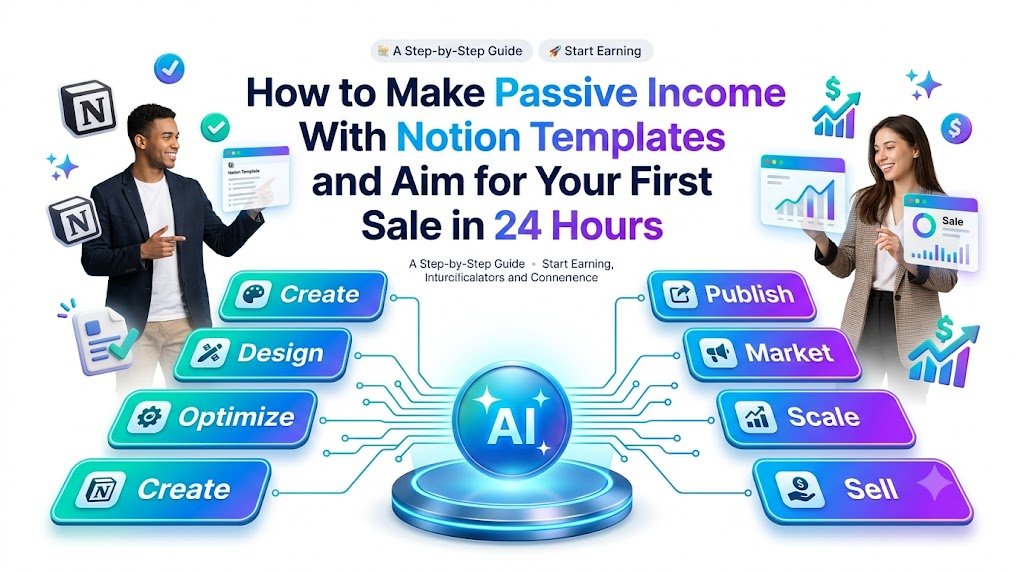
DIGITAL PRODUCTS • NOTION TEMPLATES • ONLINE BUSINESS
Discover how to create, price, market, and sell Notion productivity templates—even without a large audience, an established online store, or advanced design skills.
Imagine building a useful digital product in the morning, publishing it in the afternoon, and receiving your first purchase notification that evening.
That is the opportunity behind selling Notion productivity templates.
You do not need to manufacture physical products, maintain inventory, arrange shipping, or invest thousands of dollars in a traditional business. Instead, you create a practical digital workspace that helps someone solve a real problem—and make it available for purchase online.
A freelancer might need a better client tracker. A student may want a simple study planner. A content creator could benefit from a ready-made editorial calendar. A small business owner might be searching for an organized customer relationship management system.
Every one of these everyday frustrations represents a potential digital product idea.
But there is an important distinction between creating a beautiful Notion dashboard and building something people will actually buy.
The fastest path toward your first sale is not creating the most complicated template. It is finding one urgent problem, developing a simple solution, and putting that solution directly in front of people who already need it.
In this guide, you will learn how to make money selling Notion templates, choose profitable niches, build your first product, identify potential buyers, and execute a focused 24-hour sales plan.
The goal is an achievable process, not a guaranteed payout. Your first sale could happen within a day, but results depend on the quality of your offer, customer demand, marketplace approval, and how effectively you reach buyers.
What Are Notion Templates, and Why Do People Buy Them?
Notion is a flexible digital workspace that allows people to organize information, manage projects, track tasks, document processes, and plan their daily activities.
A Notion template is a prebuilt page or collection of connected pages that users can duplicate into their own workspace and customize.
Rather than spending hours building a productivity system, buyers can start with something already designed for their specific needs.
For example, a freelance designer could purchase a client management template containing project timelines, deliverable checklists, payment tracking, and client notes.
The buyer is not simply purchasing a collection of tables and attractive icons. They are purchasing convenience, structure, and a faster way to get organized.
That is why a carefully designed productivity template can become a valuable digital product.
How selling Notion templates generates income
The business model is straightforward.
Find a problem
Build a template
Publish it
Reach buyers
Earn from sales
You develop a template once, list it on an appropriate selling platform, and allow customers to purchase access to their own copy.
The same product can potentially serve multiple customers without requiring you to rebuild it for each purchase.
However, passive income does not mean zero work. Successful sellers still invest time in product improvements, marketing, customer support, updating instructions, and maintaining their listings.
The income becomes more scalable when the creation work is separated from individual transactions.
Why Notion Productivity Templates Can Be a Good Beginner Digital Product
Notion templates offer several advantages for people exploring digital product businesses.
Low startup costs: You can begin experimenting with Notion’s free features and create practical products without expensive equipment.
No physical inventory: Your product exists digitally, eliminating packaging, storage, and shipping requirements.
Repeatable distribution: A single template can be delivered to multiple buyers.
Flexible niches: Templates can serve students, freelancers, professionals, creators, business owners, and personal productivity enthusiasts.
Opportunities for additional products: A simple task tracker can lead to premium dashboards, specialized bundles, and related productivity resources.
Location-independent operations: You can build and market digital templates from wherever you have the necessary internet access and platform eligibility.
The biggest challenge is competition. Many sellers offer general productivity dashboards, to-do lists, and personal planners.
A new seller therefore needs a more specific reason for customers to choose their product.
10 Notion Template Ideas You Can Create and Sell
Instead of trying to sell another generic all-in-one productivity dashboard, focus on a narrowly defined customer problem.
| Notion template idea | Target buyer | Illustrative starting price |
|---|---|---|
| Freelance Client Tracker | Freelancers | $9–$19 |
| Student Exam Planner | Students | $5–$12 |
| Content Creator Calendar | Creators | $9–$24 |
| Small Business CRM | Entrepreneurs | $15–$39 |
| Job Application Tracker | Job seekers | $5–$15 |
| Personal Budget Planner | Budget-conscious users | $5–$15 |
| Social Media Content Hub | Social media managers | $12–$29 |
| Digital Product Launch Planner | Online sellers | $12–$29 |
| Weekly Productivity Dashboard | Busy professionals | $5–$15 |
| Online Course Creation Planner | Educators | $15–$35 |
These prices are suggested testing ranges in USD, not verified marketplace averages or earnings forecasts.
The strongest product is not necessarily the one with the highest price or the greatest number of features.
It is the one that delivers the clearest benefit to a well-defined customer.
For example, compare these two product names:
Notion Ultimate Productivity Dashboard
Notion Client Tracker for Freelancers: Manage Projects, Deadlines, and Payments in One Place
The second communicates a specific audience, a recognizable problem, and an immediately understandable benefit.
That clarity can make the product easier to market and more appealing to buyers searching for a solution.
How to Find a Notion Template Niche That People Will Pay For
Finding a worthwhile product idea begins with researching buyer problems, not selecting your favorite Notion layout.
A practical starting point is to investigate the questions people repeatedly ask in professional communities.
Visit relevant Reddit communities, creator discussions, productivity forums, and marketplace listings.
Look for questions such as:
- How can I track multiple freelance clients without losing deadlines?
- What is a simple way to manage my university assignments?
- How do I organize my Instagram content calendar?
- How can I keep track of job applications and interviews?
- Is there an easier way to plan a digital product launch?
These questions help reveal friction in existing workflows.
Someone asking how to manage twenty freelance projects may be a more relevant potential customer than someone casually browsing beautiful dashboard screenshots.
Validate demand before building
Before investing hours in design, evaluate your product idea using four questions.
Is the problem recurring? A system used every week may have more lasting value than a one-time novelty.
Does solving the problem save time or reduce confusion? Templates must deliver practical utility.
Can you identify where potential customers gather? If you cannot reach buyers, even an excellent template may struggle.
Are people already paying for related solutions? Existing products can indicate commercial interest, although their presence does not prove your own template will sell.
You can explore the Notion Marketplace to study how comparable products communicate benefits, features, and use cases.
Evaluate the market without copying other creators’ layouts, instructions, branding, or proprietary material.
How to Create Your First Notion Productivity Template
For this example, imagine building a product called:
Freelance Client Command Center — A Simple Notion Workspace for Managing Clients, Projects, and Deadlines.
The customer is an independent freelancer who wants to stop managing projects through scattered messages, notebooks, and spreadsheets.


12
Visual references for the kinds of dashboards, project boards, and calendar layouts a productivity template can offer.
Step 1: Design around one outcome
Start with a clear product promise:
Track every active client project, deadline, and next action in one organized workspace.
This becomes your design filter.
If a feature does not support that promise, it may not belong in the first version.
Step 2: Build the essential workspace
Create the following connected sections:
Client Directory: Store client names, business details, contact information, and project relationships.
Project Tracker: Organize projects by status, priority, deadline, and client.
Task Manager: Display outstanding tasks and upcoming commitments.
Payment Tracker: Record invoice references, amounts, due dates, and payment statuses. Do not represent it as a payment-processing or accounting system.
Weekly Overview: Provide a simplified dashboard showing active work and important deadlines.
For an initial product, these sections offer enough functionality without overwhelming new users.
Step 3: Include sample information
A blank database is often less helpful than an example showing how the system works.
Create fictional sample clients, projects, and tasks to demonstrate how buyers should use the template.
For example:
Client: Bright Studio
Project: Website Redesign
Deadline: November 12
Status: In Progress
Next Action: Submit homepage draft
Using realistic but fictional examples makes the product more approachable without exposing anyone’s private information.
Step 4: Make it attractive without sacrificing usability
Choose consistent icons, a limited color scheme, descriptive headings, and well-organized databases.
Keep the most important actions visible.
Avoid complex formulas and unnecessary automations unless they genuinely help the intended buyer.
Remember that a new customer may have limited knowledge of Notion.
A simpler experience can deliver more value than an elaborate dashboard requiring extensive training.
Step 5: Create a beginner-friendly instruction page
Include a short setup guide explaining how to duplicate the template, replace sample information, add new clients, manage tasks, and adjust database views.
You can also include a brief tutorial video or annotated screenshots.
This extra guidance improves the buyer experience and can reduce support requests.
Step 6: Test the product before selling
Duplicate the finished template into a separate test workspace or account.
Verify that databases, linked views, navigation, buttons, and subpages work as expected.
Make sure your shared product contains no private credentials, customer records, or restricted content.
According to Notion’s official selling instructions, creators preparing a template for Marketplace should publish the relevant Notion Site and enable the duplication option. Paid Marketplace access follows its own purchase and listing controls.
Notion Help – Notion Help Center
+1
A product that works smoothly is more likely to earn trust than one requiring customers to repair broken databases after purchase.
Where to Sell Notion Templates Online
Once your product is functional, the next challenge is choosing a suitable platform.
Different marketplaces offer different audiences, fees, payment methods, and promotional opportunities.

Notion Marketplace
This is a natural starting point because shoppers are already looking for Notion products. Creators can submit templates for review, and eligible approved sellers can process purchases directly through Marketplace.
Best for: Reaching existing Notion users.

Gumroad
A digital product storefront suitable for selling templates, tutorials, and resource bundles. You can create a focused product page and promote your offer through direct links.
Best for: Creators marketing their own digital products.

Etsy
Etsy allows sellers to list qualifying digital products. Search-focused listings, suitable images, and clear product descriptions can help shoppers understand what they are purchasing.
Best for: Sellers who want to test marketplace-based discovery.

Payhip
Payhip offers digital product storefront capabilities, allowing creators to package and sell downloadable resources.
Best for: Sellers looking for a straightforward digital storefront.
For a 24-hour sales experiment, prioritize a platform where you can legally and operationally activate checkout quickly.
Notion’s official documentation explains that direct Marketplace selling requires creator approval and Stripe onboarding, which can involve a waitlist and review period. Notion also supports third-party checkout links for relevant listings, subject to its listing rules. Therefore, do not build your entire 24-hour goal around receiving immediate Marketplace approval.
Notion Help – Notion Help Center
+1
Before choosing a platform, check its current fees, country eligibility, digital delivery requirements, refund rules, and payment verification process.
How Much Should You Charge for Your First Notion Template?
Pricing influences both purchase decisions and perceived value.
A very low price might attract attention, but it can also create the impression that your template is basic or unsupported.
An unnecessarily high price makes an unproven product harder to sell.
For a beginner launching a small productivity template, a practical experiment is to test a price between $7 and $19.
More specialized products with deeper workflows, original educational resources, and additional support may justify higher prices.
A simple three-tier pricing strategy
Starter
$7
Single-purpose template
Professional
$17
Full dashboard and setup guide
Bundle
$29
Multiple coordinated templates
Illustrative pricing architecture, not a claim about typical customer spending.
For your first 24 hours, consider launching one well-defined product at a transparent introductory price.
If you choose to offer a discount, make it genuine, explain the eligibility or expiration, and avoid creating artificial urgency.
The purpose of a launch price is to test willingness to pay, gather useful feedback, and begin developing a customer base.
Your 24-Hour Plan to Aim for Your First Notion Template Sale
The following schedule is designed for someone starting without a finished product, assuming that their chosen checkout method is already available or can be activated promptly.
YOUR PRODUCT LAUNCH
24-Hour Action Tracker
0 of 7 steps completed
0%
Research one customer problem
Hours 1–2
Build your Notion template
Hours 3–6
Test it and create a preview
Hours 7–8
Publish the product listing
Hours 9–10
Reach relevant potential buyers
Hours 11–16
Share a demonstration and follow up
Hours 17–20
Review results and improve the offer
Hours 21–24
Copy launch checklist
Hours 1–2: Find one urgent problem
Do not begin by designing whatever seems popular.
Select a clearly identifiable audience and investigate its workflow frustrations.
For example, browse discussions where freelancers describe difficulty organizing client projects.
Study the problems they mention and record the features that would help.
At the end of these two hours, you should be able to complete this sentence:
I am building a Notion template for [specific customer] who needs to [specific outcome] without [specific frustration].
Example:
I am building a Notion template for freelance designers who need to manage client deadlines without maintaining several disconnected spreadsheets.
This statement guides product development, marketing messages, and customer outreach.
Hours 3–6: Build the minimum useful template
Now create your Notion workspace.
Prioritize working features over decoration.
For the freelancer example, build a client directory, project tracker, weekly tasks view, and simple payment status table.
Use straightforward database relationships and useful views.
Avoid spending four hours selecting icons, cover images, or complex design elements.
A functional product that solves a real problem has more commercial potential than an impressive dashboard that customers struggle to understand.
Hours 7–8: Create a preview that demonstrates the benefit
Potential customers need to understand what they will receive.
Take clean screenshots showing the main dashboard, database views, and sample workflows.
Consider recording a short demonstration showing how a user can add a new client, create a project, and identify upcoming deadlines.
Your preview should answer one important customer question:
What will this product help me accomplish immediately after purchase?
Avoid displaying confidential information or misleading mockups that show features not included in the product.
Hours 9–10: Publish a focused product listing
Create your digital product page using an available storefront.
Use a descriptive, benefit-driven product title.
For example:
Freelance Client Tracker for Notion — Organize Projects, Deadlines, and Payments
A useful description could read:
Stop juggling disconnected notes and spreadsheets. This beginner-friendly Notion client tracker helps freelancers organize projects, follow deadlines, review upcoming tasks, and monitor payment statuses from one workspace. Includes a setup guide and sample data so you can start organizing your business quickly.
Include the actual features, compatibility requirements, product screenshots, purchase price, and delivery instructions.
Your purchase button should use clear language, such as Get the Freelancer Tracker or Buy the Notion Template.
Do not confuse customers with vague claims such as “transform your entire business overnight.”
Hours 11–16: Reach people who may genuinely need the product
A common mistake is publishing a template and expecting buyers to discover it immediately.
New sellers often need to generate their own initial traffic.
Find relevant communities, potential collaborators, and creators serving your target audience.
For example, if your product is designed for freelancers, consider communities discussing freelance business management.
Participate helpfully in conversations, and share a product link only where community rules permit promotional content.
You can also contact a small number of relevant people through appropriate business channels, provided the outreach is individualized, lawful, and welcomed.
A respectful message might say:
Hi, I saw your discussion about organizing freelance client projects. I recently created a Notion client tracker designed to make that process simpler. I can share a preview if it would be useful. No pressure at all.
This approach starts a conversation instead of delivering an aggressive sales pitch.
Avoid scraping private contact details, sending unsolicited bulk messages, or disguising advertising as an independent recommendation.
Hours 17–20: Publish a short demonstration
Create a simple educational video or visual walkthrough.
A strong format is to show the problem first, then demonstrate how the template helps.
For example:
Managing five freelance clients across different spreadsheets? Here’s a simple way to see projects and deadlines in one Notion workspace.
Follow this with a genuine demonstration and a clear invitation to view your template.
Distribute the content through channels relevant to your audience, such as Pinterest, LinkedIn, Instagram, YouTube Shorts, or niche communities.
You do not need to publish everywhere. Choose one or two channels where the intended buyers actually spend time.
Hours 21–24: Measure interest and improve your offer
At the end of the launch window, review your results.
Did anyone visit the product page? Did visitors engage with the demonstration? Did anyone ask for clarification? Did someone purchase?
If you have no sales, avoid assuming the idea has failed.
A product may struggle because the audience is wrong, the value proposition is unclear, the preview does not build confidence, or too few qualified people saw the offer.
Improve the weakest point and continue testing.
A successful first-day experiment can produce more than revenue. It can reveal which problems attract attention and which benefits motivate customers to act.
How Much Passive Income Can Notion Templates Generate?
Notion template income depends on traffic, conversion rates, pricing, fees, refunds, and ongoing product demand.
There is no standard income figure that every creator can expect.
However, you can model different outcomes to understand how a digital product business might grow.
Notion Template Revenue Calculator
Explore hypothetical monthly revenue based on different traffic and conversion assumptions.Template price
$12Monthly product page visitors
500Assumed purchase conversion rate
2.0%
Illustrative monthly gross revenue
$120.00
Expected sales under these assumptions
10.0
Gross revenue per 100 visitors
$24.00
This is a scenario model, not a sales forecast. Actual transactions are whole numbers. Platform fees, taxes, refunds, advertising costs, and other expenses are not deducted.
The formula is simple:
Monthly gross revenue = Product page visitors × Conversion rate × Product price
What matters most is that each assumption must be tested against actual results.
For instance, increasing qualified traffic is often more valuable than attracting thousands of unrelated visitors.
Similarly, improving your product preview and description may improve conversions without requiring a larger advertising budget.
Your first sale is a useful milestone. Sustainable profitability requires monitoring revenue after costs and consistently improving the customer experience.
How to Get More Notion Template Buyers Without Paid Advertising
Paid advertising is not necessary for every new digital product business.
Organic content and targeted distribution can help potential customers discover your work, although neither guarantees purchases.
Create Pinterest content around specific problems
Pinterest can be useful for evergreen educational content with strong visuals.
Rather than posting only a picture of your dashboard, develop helpful pins based on relevant search interests.
Potential titles include:
How to Organize Freelance Clients in Notion
Simple Notion Project Tracker for Busy Freelancers
How to Manage Client Deadlines Without Multiple Spreadsheets
Each pin can lead to a helpful blog article, appropriate storefront, or product explanation.
Use original graphics, readable text, and accurate descriptions.
Publish educational articles that answer buyer questions
A blog can create a longer-term discovery channel for your digital products.
For example, a seller offering a freelance project tracker might publish an article called:
How to Manage Multiple Freelance Projects Without Missing Deadlines.
The article should explain a useful workflow independently of the product.
Then introduce the template naturally as an optional shortcut.
This is more effective for building trust than turning every paragraph into a sales pitch.
Share useful workflow demonstrations
People may not initially search for a Notion template.
They might search for ways to improve productivity, organize projects, or reduce administrative work.
Educational content can bridge that gap.
Demonstrate a real organizational problem, explain a practical solution, and show how your template supports it.
Build relationships with small creators
Large influencers are not your only potential partners.
A niche creator with a focused audience of freelancers may be more relevant than a general lifestyle account with a much larger following.
Potential collaborations include tutorial videos, newsletter features, honest product reviews, and clearly disclosed affiliate partnerships.
Choose partners based on audience relevance and transparency, rather than follower numbers alone.
How to Turn First-Time Visitors Into Returning Visitors and Buyers
A person visiting your product page for the first time may not purchase immediately.
They could be comparing alternatives, learning how Notion works, or deciding whether your product fits their needs.
Your content strategy should give them a useful reason to return.
Offer a free starter version
A free mini-template can introduce customers to your design style and demonstrate your ability to solve a problem.
For example, a paid Freelancer Client Command Center might have a free companion called Simple Freelance Task Tracker.
The free product could include basic task tracking, while the paid version adds connected client records, project management, and additional workflows.
Be transparent about the differences.
Build an optional email learning series
Readers who genuinely want more productivity advice can subscribe to an email newsletter.
A short educational series might cover organizing project information, prioritizing deadlines, developing weekly planning habits, and using connected Notion databases.
Once you’ve delivered useful information, introduce relevant templates when appropriate.
Always obtain valid marketing consent and provide a straightforward unsubscribe option.
Create a content series readers will want to follow
Instead of publishing disconnected tutorials, build a recognizable sequence.
For example:
The 7-Day Notion Productivity Challenge
Each installment can help readers improve one part of their workspace.
This approach creates a natural reason to return without relying on artificial cliffhangers or exaggerated promises.
Maintain and update your products
If you add meaningful features, repair issues, or improve instructions, communicate those updates to existing buyers through permitted channels.
Responsive support helps build customer confidence and may encourage legitimate word-of-mouth referrals.
Long-term digital product revenue becomes more realistic when customers associate your work with reliability.
How to Build a Notion Template Business Beyond Your First Sale
One successful template can become the foundation of a small product collection.
For instance, a freelance client tracker may reveal demand for related products.
You might develop a project proposal organizer, freelance onboarding checklist, monthly income dashboard, or content management system.
Over time, these products can form a coordinated business toolkit.
The important principle is to expand based on verified demand, not the assumption that more products automatically produce more revenue.
Start with a small product portfolio
Your first product should solve one problem extremely well.
Your second should address a related need expressed by customers.
Your third might combine proven features into a premium bundle.
This creates a more coherent store than producing dozens of unrelated templates.
Create product upgrades that deliver genuine value
A basic planner might become a professional version with more flexible databases, additional views, tutorial materials, and optional integrations.
Do not remove essential functionality from the basic product merely to pressure customers into upgrading.
Buyers should receive what the original listing promises.
Measure the business regularly
Review product page traffic, sales, refunds, support requests, net earnings, and sources of qualified visitors.
Pay attention to which articles, videos, or community contributions generate useful engagement.
Over time, this information can help you decide which templates to improve and which new products are worth developing.
Common Mistakes That Prevent Notion Templates From Selling
Even thoughtful creators can make avoidable mistakes when launching their first template.
Creating overly broad products: A dashboard promising to organize every aspect of life may be harder to communicate and more difficult for beginners to use.
Prioritizing appearance over usefulness: Visual design matters, but working features and intuitive navigation matter more.
Ignoring customer research: Building without understanding actual problems increases the risk of creating something buyers do not need.
Using weak product previews: Customers need to see how the workspace works before deciding to purchase.
Offering unclear instructions: A sophisticated dashboard can quickly become frustrating when customers do not know how to set it up.
Expecting automatic traffic: Publishing a listing does not guarantee exposure or sales.
Copying existing templates: Reusing another creator’s protected material without permission can create intellectual property and marketplace compliance problems.
Making unrealistic income promises: A product is more credible when its benefits are described accurately and results are not guaranteed.
Failing to test the purchasing experience: Broken delivery links, restricted access, and confusing setup steps can damage customer trust.
Fixing these problems is often more valuable than creating yet another template.
Frequently Asked Questions About Selling Notion Templates
1. Can beginners make money selling Notion templates?
Yes. Beginners can create and sell original Notion templates, provided they meet the requirements of their chosen platform. You do not need advanced programming experience to build a basic task tracker, planner, or client dashboard. However, generating sales requires a useful product, customer demand, effective distribution, and a working payment process. Revenue is not guaranteed.
2. Can I really get my first Notion template sale within 24 hours?
It is possible, especially if you already have access to an interested audience and an operational storefront. However, starting with no product, traffic, or payment setup makes the goal more challenging. Marketplace reviews and seller verification can also extend the process. Treat 24 hours as a focused product launch experiment, not a promise of immediate earnings.
3. What types of Notion templates are best for beginners to sell?
Simple, clearly targeted templates are good starting points. Examples include freelance client trackers, student assignment planners, content calendars, job application trackers, and small-business project dashboards. Choose a product you can build, test, and explain confidently. A useful single-purpose template may be easier to sell than a complex system with dozens of features.
4. Where can I sell Notion templates without my own website?
You can explore Notion Marketplace and compatible third-party digital product platforms such as Gumroad, Payhip, and Etsy, subject to each platform’s current rules. Check account eligibility, fees, payment onboarding, delivery procedures, and product listing requirements before launching. A personal website can be valuable later, but it is not always necessary for a first product experiment.
5. Are Notion templates a realistic source of long-term passive income?
They can generate recurring digital product revenue if customers continue purchasing them. However, sustained income requires demand, product maintenance, customer service, traffic generation, and occasional updates. Success is not automatic, and results vary considerably. A more useful objective is to build a small, profitable digital product business that becomes increasingly efficient over time.
Your First Notion Template Could Become the Start of a Larger Digital Business
You do not need a perfect website, an enormous social media following, or a library of expensive products to begin exploring digital product sales.
You need an identifiable customer, a meaningful problem, and a Notion template that makes the customer’s work easier.
The first version does not have to be elaborate. A well-designed client tracker or content planner can be enough to test whether people are willing to pay for your solution.
Focus your first 24 hours on validating one problem, creating a functional product, publishing through an available selling channel, and reaching a relevant audience.
If you make a sale, study what worked. If you do not, use what you learned to improve the product and its positioning.
The long-term opportunity is not merely selling one dashboard. It is developing a collection of useful digital tools that customers trust, recommend, and return to.
Your next step: Choose one customer problem today, create a simple Notion template that addresses it, and launch a genuine sales experiment. Your first product does not need to be perfect to teach you something valuable about the market.
Compliance Note
This article is intended for educational and general business information purposes only. It does not provide financial, legal, tax, or professional investment advice. The 24-hour launch strategy is an aspirational experiment and does not guarantee a first sale, specific revenue, profitability, or a passive income outcome.
All pricing suggestions, example products, and revenue calculations are illustrative rather than verified market averages or promises of future performance. Actual outcomes depend on demand, competition, product quality, traffic, conversions, platform fees, taxes, refunds, and other operating costs.
Creators should comply with Notion’s current Marketplace guidelines, applicable platform rules, intellectual property laws, consumer protection requirements, and local tax obligations. Sell only original content or materials for which you have the necessary commercial rights, and accurately disclose limitations, dependencies, included features, and refund terms.
Notion’s documentation currently states that direct Marketplace payments require approval and Stripe onboarding; it also describes transaction fees, payout conditions, and refund procedures that sellers should review before listing products.
Notion Help – Notion Help Center
Respect customer privacy, obtain appropriate consent before sending marketing communications, avoid unsolicited bulk outreach, and disclose paid recommendations or affiliate relationships as required by applicable law.
Search rankings and Google Discover placement cannot be guaranteed. Publishers should prioritize genuinely helpful content, accurate representations, original imagery, fast mobile pages, and appropriate structured data. Google’s documentation recommends large, relevant images of at least 1,200 pixels in width for Discover and supports Article and BlogPosting structured data to clarify article information.
Platform policies, fees, eligibility, and search guidance may change. Verify the latest applicable requirements before publishing, promoting, or selling digital products.
Stay ahead with exclusive updates
Join our community. Get curated industry trends, actionable guides, and fresh resources delivered straight to your inbox.