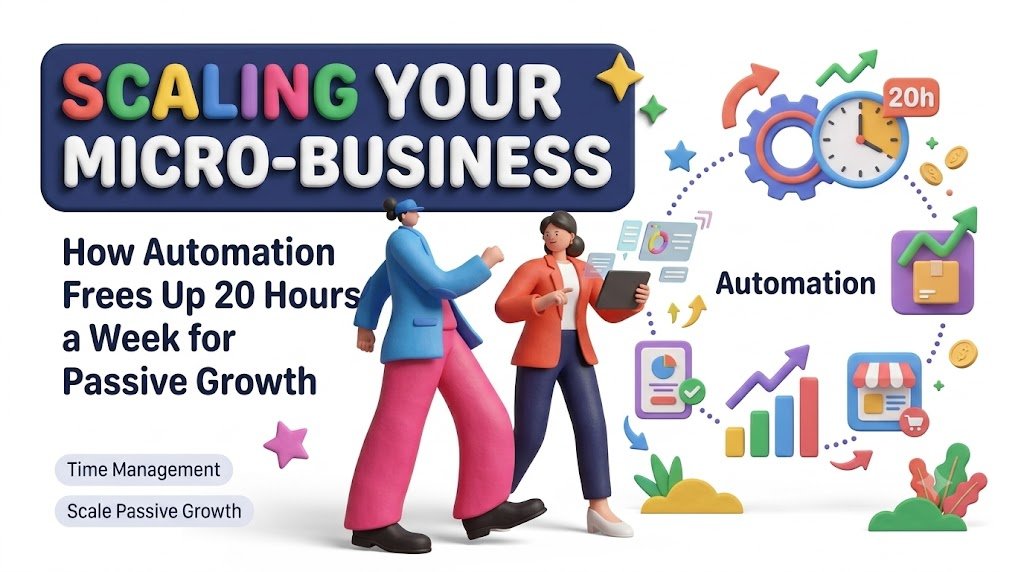
What if your business could handle more customers, deliver more products, and generate more sales without requiring you to work longer hours?
Imagine beginning your Monday morning without a crowded inbox, unfinished invoices, forgotten follow-ups, or a long list of social media posts waiting to be published.
Your customers have already received their order confirmations. Your digital products have been delivered. Your appointments are organized, your newsletter is scheduled, and your sales dashboard shows what happened while you were away.
You haven’t hired a large team. You haven’t invested in expensive enterprise software. You’ve simply built systems that take care of predictable tasks.
That is the opportunity behind micro business automation.
For freelancers, independent creators, digital product sellers, consultants, and small online business owners, automation can turn a demanding daily operation into a more manageable and scalable business.
And while saving 20 hours every week is not guaranteed, it is a useful planning target for business owners who currently spend substantial time on repetitive administration, marketing, customer communication, and order management.
The real objective is bigger than saving time. It is to use those recovered hours to improve products, attract customers, build recurring revenue, and create a business that does not depend on your constant attention.
What Is Micro-Business Automation?
Micro-business automation is the practice of using software, predefined rules, and connected digital tools to complete recurring business activities with minimal manual intervention.
Instead of performing the same action every time a customer purchases a product, submits a form, or schedules an appointment, you create a workflow that responds automatically.
For example, consider a creator selling downloadable business templates.
Without automation, every purchase might require checking the payment, locating the correct files, sending a download link, updating a spreadsheet, and emailing the customer.
With an automated storefront, those steps can happen after a successful payment without the creator individually processing each order.
The customer receives the product faster, and the business owner spends less time on routine fulfillment.
This is where the connection between business automation and passive growth becomes important.
Automation does not automatically create demand. It allows an existing business process to handle more activity without requiring an equivalent increase in manual work.
A well-designed system can help a micro-business grow more efficiently while keeping the owner involved in important decisions.
Why Automation Matters More as Your Business Grows
Many entrepreneurs initially measure progress through sales.
More customers mean more revenue. More orders mean the business is expanding.
But increased demand often introduces a hidden challenge: operational complexity.
Ten customers might require a few emails. One hundred customers might require dozens of support messages, purchase confirmations, refunds, questions, reminders, and follow-ups.
If every activity depends on the founder, the business eventually reaches a capacity limit.
The owner becomes the bottleneck.
Automation helps remove that bottleneck by separating predictable activities from tasks that require human judgment.
Consider these three categories:
Tasks that should remain human-led: Business strategy, product positioning, sensitive customer situations, creative direction, and important financial decisions.
Tasks that can be automated: Routine receipts, product delivery, standard reminders, basic information requests, approved email sequences, and reporting.
Tasks that benefit from human-assisted automation: Content drafting, customer support suggestions, lead qualification, personalized recommendations, and performance analysis.
The goal is not to remove people from your business. It is to stop spending valuable human attention on work that software can complete reliably.
A September 2026 Zapier survey of more than 500 small and medium-sized business owners and operators reported that 76% were already using some form of automation. Among automation users, 94% reported at least one benefit, including improved consistency, cost savings, or more time for higher-value activities.
These are survey-reported outcomes, not a promise of results for every business.
Nevertheless, they reflect a practical shift: automation is becoming part of ordinary business operations rather than something reserved for large organizations.
The 20-Hour Automation Blueprint: Where Your Time Can Go
The first step in improving time management for entrepreneurs is recognizing how much work happens between the important tasks.
Opening your inbox several times a day, preparing similar invoices, publishing repetitive announcements, copying customer information, and preparing weekly reports may appear insignificant individually.
Together, these activities consume substantial time.
Here is an illustrative weekly automation model for an established micro-business with sufficient repetitive workload.
| Business activity | Illustrative weekly time recovered |
|---|---|
| Email sorting and standard follow-ups | 4 hours |
| Social media scheduling and content distribution | 3 hours |
| Customer onboarding and order fulfillment | 3 hours |
| Invoicing, reminders, and bookkeeping preparation | 3 hours |
| Appointment scheduling and notifications | 2 hours |
| Customer support triage and FAQs | 2 hours |
| Sales tracking and performance reporting | 2 hours |
| File organization and routine backups | 1 hour |
| Potential weekly total | 20 hours |
These figures are hypothetical planning estimates, not measured industry averages. Actual savings depend on transaction volume, workflow complexity, software reliability, and the amount of manual work currently involved.
A business that only spends six hours per week on these activities cannot realistically recover 20 hours from them.
A business with frequent orders, appointments, and customer messages may have significantly more room for improvement.
Start with a time audit before purchasing any automation tools.
Track your activities for five working days. Record the frequency of each task, its approximate duration, and whether it follows predictable rules.
The results will help you identify which processes deserve attention first.
1. Automate Email Marketing Without Losing the Personal Connection
Email remains an important communication channel for many online businesses because it supports direct relationships with subscribers and customers.
But writing the same welcome message repeatedly, remembering every follow-up, and manually announcing products can consume hours.
An email automation system allows you to prepare communications that activate when a defined event occurs.
For example, a visitor downloads a free productivity checklist from your website.
The system might then:
- Send the requested checklist immediately.
- Deliver a useful tutorial two days later.
- Share an example of the checklist in use.
- Introduce a relevant paid template.
- Invite the subscriber to receive future business productivity resources.
Once configured, the sequence can support new subscribers without manually writing each email.
The important distinction is between automation and impersonal marketing.
Your messages should solve problems and provide value before making a sales offer.
A practical email automation example
A freelance graphic designer offers a free brand identity checklist.
Visitors who request it receive a short educational series covering color selection, typography, logo consistency, and common branding mistakes.
Later, the sequence introduces a paid brand kit.
The same sequence can serve many subscribers while the designer focuses on client projects.
Tools such as Mailchimp, Kit, Brevo, and other email marketing platforms can support different versions of these workflows. Compare their current features, pricing, and data protection options before choosing one.
Try this: Create one useful free resource and a three-email educational welcome sequence. Measure signups, clicks, replies, unsubscribes, and sales rather than sending more messages simply because automation makes it easy.
2. Build a Content Publishing System That Runs on a Schedule
Content marketing is one of the most demanding responsibilities for creators and small business owners.
A typical week might involve blog writing, Instagram posts, Pinterest graphics, LinkedIn updates, promotional emails, and short-form video scripts.
Producing every piece separately creates unnecessary work.
A smarter approach combines content batching with automation.
The one-to-many content method
Start with one useful article answering an important customer question.
For example:
How to Organize a Small Digital Product Business in 30 Minutes a Day
From this article, develop:
- Three short social posts.
- Five actionable tips for Pinterest.
- One email newsletter.
- One short educational video script.
- One downloadable checklist.
Prepare the content in a single editing session, then schedule approved posts using suitable publishing tools.
This reduces context switching and helps maintain consistency.
Canva, Buffer, Meta Business Suite, and other supported scheduling platforms may be useful depending on the channels you operate.
AI writing tools can assist with outlining and repurposing, but factual accuracy, originality, brand voice, and final approval should remain your responsibility.
The most efficient automation strategy is not publishing the maximum amount of content. It is delivering valuable content consistently with fewer repetitive actions.
3. Automate Digital Product Delivery and Customer Onboarding
Digital products are particularly well suited to automated fulfillment.
Unlike physical products, downloads such as eBooks, planners, spreadsheets, templates, guides, and educational resources often require no packaging or shipping.
A properly configured storefront can handle routine purchase and delivery steps.
Imagine selling a $19 digital business planning toolkit.
A customer visits the sales page, reviews the offer, completes payment, and receives the purchased files automatically.
The system may also issue a receipt, register the transaction, and send a short getting-started guide.
A later message can offer troubleshooting help or request product feedback, subject to the applicable marketing preferences and consent rules.
This reduces fulfillment workload while making product delivery more convenient.
Platforms such as Gumroad, Payhip, Shopify, and WooCommerce can support digital product businesses, although exact capabilities and fees differ.
Example: The automated digital toolkit business
An independent creator sells three products:
Product A: Monthly Content Planner — $9
Product B: Small Business Finance Tracker — $19
Product C: Digital Marketing Starter Bundle — $29
Each product has its own landing page, checkout flow, delivery mechanism, and support instructions.
Visitors can purchase without requiring a manual response from the seller.
A related-products section helps customers discover other relevant resources.
This is a practical foundation for scalable digital commerce.
It is not completely passive. The owner still needs to maintain files, test downloads, handle exceptions, update product information, manage refunds, and market the store.
4. Use AI-Assisted Customer Support Without Frustrating Buyers
Customer questions often repeat.
Where can I download my purchase?
How do I open the template?
Does this product work on mobile?
Can I request a refund?
How do I contact support?
A well-maintained knowledge base and automated first response can resolve straightforward questions quickly.
However, customers should not be trapped in endless automated replies.
The most effective system uses three support levels.
Level one: Self-service information. Customers access clear FAQs, tutorials, and help articles.
Level two: Automated assistance. A system identifies the question and provides a relevant, approved answer.
Level three: Human support. Sensitive, unusual, or unresolved requests move to a person.
This structure helps preserve customer trust.
Start by collecting your 20 most common customer questions. Write accurate, concise answers and organize them into a searchable support resource.
If you later introduce an AI assistant, restrict it to verified business information where possible, monitor mistakes, and provide an obvious human support option.
An effective support workflow should reduce resolution time, not merely reduce the number of messages the owner sees.
5. Connect Your Business Applications With No-Code Automation
One of the biggest productivity problems is disconnected software.
A customer fills out a form on one platform.
Their information must then be copied to a spreadsheet.
A welcome email must be sent from another platform.
A task must be created elsewhere.
A notification must be delivered to the business owner.
No-code automation platforms can connect some of these actions.
Example: Lead inquiry to organized follow-up
Trigger: A prospective customer submits a consultation request.
Automated workflow:
- Capture the form details.
- Check for duplicate records.
- Save the lead in an approved CRM or spreadsheet.
- Send an acknowledgment.
- Create a follow-up task.
- Notify the business owner.
- Record the workflow result or error.
Popular workflow automation platforms include Zapier, Make, and n8n.
They have different pricing models, hosting options, supported integrations, and technical requirements.
For beginners, the simplest option is often the one that already integrates reliably with the tools they use.
Before activating a workflow, test incomplete forms, duplicate requests, delivery failures, permission errors, and unusual customer inputs.
A broken automated process can create problems much faster than a broken manual process.
6. Simplify Financial Administration With Automated Workflows
Financial administration is essential, but it can become repetitive.
Preparing invoices, categorizing transactions, checking payment status, and sending reminders all take time.
Accounting and payment software can automate parts of these activities.
For example, an approved invoicing workflow might generate a numbered invoice, apply appropriate customer information, send it, and record whether payment has been received.
An unpaid invoice can create a reminder according to the agreed payment terms.
A payment confirmation can update a bookkeeping record.
Tools such as QuickBooks, Xero, Zoho Books, or locally appropriate accounting platforms may offer useful capabilities.
Still, bookkeeping automation is not a replacement for accounting judgment.
Tax classification, GST or VAT obligations, refund processing, reconciliations, and financial reporting require accurate setup and appropriate oversight.
Never allow an unverified AI system to make unrestricted transfers, alter bank details, or approve significant payments.
7. Automate Appointment Booking and Client Onboarding
Service-based businesses can lose valuable time coordinating meetings.
The familiar exchange goes something like this:
“Are you free Tuesday?”
“Tuesday is difficult. What about Thursday?”
“Thursday works, but only after lunch.”
Scheduling software reduces this repetitive communication.
A client can choose from available appointments, receive a confirmation, and get a reminder before the meeting.
An onboarding workflow can then request necessary documents, provide service instructions, or create a project workspace.
For consultants, coaches, tutors, designers, and freelancers, these systems can improve the customer experience while reducing administrative work.
Calendly, Google Calendar appointment scheduling, and similar platforms may be suitable depending on booking requirements.
Be careful not to request unnecessary personal information during automated onboarding.
8. Create a Business Dashboard That Shows What Deserves Your Attention
Automation becomes much more valuable when the business owner can see its results.
Instead of checking multiple applications, create a central dashboard displaying essential performance indicators.
Useful metrics include revenue, orders, conversion rate, refunds, customer acquisition costs, email performance, customer support volume, and automation failures.
For a digital product store, consider tracking:
| Metric | What it helps you understand |
|---|---|
| Store visitors | How much traffic arrives |
| Conversion rate | How often visits lead to purchases |
| Average order value | Revenue generated per completed order |
| Refund rate | Potential product or expectation problems |
| Repeat purchase rate | Customer retention and loyalty |
| Revenue by product | Which offers contribute to sales |
| Support requests per order | Customer experience and product clarity |
| Automation failure rate | Whether your workflows are reliable |
The purpose is not to create a complicated analytics system.
It is to make better decisions without spending hours gathering information.
A simple spreadsheet updated through approved integrations may be enough for a small business.
9. Turn Recovered Time Into Sustainable, Less Hands-On Growth
Saving time is useful. Knowing what to do with the saved time is what turns efficiency into business growth.
Imagine that your automation program eventually recovers ten hours per week.
If you use those hours only to take on more urgent administrative work, your business may remain dependent on constant effort.
Instead, direct some of that time toward activities that create longer-term value.
Build evergreen digital products
Develop downloadable resources that solve persistent problems, such as budgeting templates, planning systems, educational materials, or business checklists.
These products can remain available for purchase after the initial creation process.
Improve high-performing products
Analyze customer feedback and strengthen your best-selling offers.
A clearer tutorial, better template instructions, or improved product bundle may create more value than launching several unrelated products.
Build a repeatable customer acquisition system
Create helpful articles, practical email resources, search-friendly product pages, and carefully managed partnerships.
Evergreen discovery can support recurring traffic, but it still requires content maintenance and promotion.
Create relevant repeat-purchase opportunities
Offer product updates, companion resources, or an appropriately priced membership when customers genuinely benefit from ongoing value.
Never assume recurring billing is appropriate simply because it creates predictable revenue.
Strengthen your business assets
Invest time in improving your brand, product library, documented processes, customer relationships, and owned communication channels.
These assets can make future growth less dependent on daily manual effort.
Passive growth is better understood as increasing revenue potential without increasing operational effort at the same rate.
It is not a promise of income without work.
10. A Simple Formula to Decide Whether Automation Is Worth the Cost
Not every automation is financially worthwhile.
A process that saves five minutes per month may not justify an expensive subscription or complicated setup.
Use a simple evaluation model.
Monthly automation value = Monthly hours genuinely saved × Estimated value of an hour
Monthly net value = Monthly automation value − Monthly recurring cost − Amortized setup and maintenance costs
For example, assume:
- An automation saves four hours per week.
- Your estimated time value is $20 per hour.
- You use four weeks as a simple monthly planning assumption.
- Software costs $35 per month.
- Setup and ongoing maintenance are excluded from the initial simplified calculation.
Four hours × four weeks × $20 = $320 in estimated monthly time value.
Subtracting the $35 software expense leaves $285 in potential monthly net time value before setup, monitoring, and maintenance costs.
This is not an extra $285 in guaranteed profit.
The calculation estimates the value of capacity recovered. It only becomes a financial benefit if the time is productively redeployed, paid labor is genuinely reduced, or another measurable outcome improves.
For more accurate decisions, include workflow testing, correction time, subscriptions, transaction charges, and any additional compliance expenses.
11. The 30-Day Micro-Business Automation Action Plan
You do not need to automate your entire business immediately.
A gradual approach is easier to manage and less likely to interrupt customer service.
Week 1: Understand your current workload
Track repetitive activities for five working days.
Identify how often each task occurs and how long it takes.
Create a shortlist of processes that are frequent, predictable, low-risk, and easy to verify.
Choose one or two starting workflows.
Good beginner examples include calendar reminders, approved email confirmations, and digital product delivery.
Week 2: Build and test your first workflows
Select software that integrates with your existing tools.
Build one automation at a time.
Test successful events and failure cases.
Check that customers receive accurate information and that records are not duplicated.
Document how to turn the automation off if something goes wrong.
Week 3: Improve customer-facing operations
Introduce a welcome sequence, customer knowledge base, or support triage workflow.
Review customer-facing language for clarity and accuracy.
Make sure customers can reach a human when required.
Monitor delivery, satisfaction, complaints, and unsubscribe activity.
Week 4: Measure and optimize
Compare the new workflow with your original time audit.
Measure actual time saved rather than relying on predictions.
Review recurring software expenses and workflow errors.
Keep effective automations, correct unreliable ones, and remove anything that adds unnecessary complexity.
Finally, assign some of your recovered time to improving your strongest product or customer acquisition channel.
After 30 days, you should have a clearer understanding of whether automation is reducing workload and which processes to improve next.
12. The Biggest Automation Mistakes That Slow Down Entrepreneurs
Automation works best when it improves a sensible process.
If a workflow is already confusing, automating it may simply repeat mistakes faster.
Automating everything at once: Begin with simple, high-frequency tasks and expand only after testing.
Using too many subscriptions: New software can introduce additional costs, training requirements, and maintenance.
Ignoring customer experience: Fast automated messages are not helpful when they are inaccurate or irrelevant.
Publishing unchecked AI content: Review factual claims, originality, product details, and customer communications before publication.
Failing to monitor errors: Build alerts and error logs so failed payments, missing downloads, or incorrect records receive attention.
Confusing time savings with profit: Recovered hours do not automatically produce sales.
Overlooking data protection: Connected applications should receive only the permissions and information they need.
Depending on one platform: Maintain appropriate backups, export capabilities, and a manual fallback for important processes.
Automation should simplify your business. It should not make your business impossible to operate when one tool fails.
13. How Automation Can Help Turn First-Time Buyers Into Returning Customers
A successful micro-business needs more than occasional transactions.
It needs trust, consistent product quality, and relevant reasons for customers to return.
Automation can support those goals through timely communication.
Imagine someone purchases a digital weekly planner.
The customer receives the planner and a simple getting-started guide.
Several days later, they receive a practical productivity tip, if they have chosen to receive that type of communication.
Later, they may be invited to explore a related monthly planning template.
The sequence should feel helpful rather than relentless.
Retention improves when businesses understand customer needs, deliver value, and make future purchases convenient.
Consider three customer stages:
New visitor: Offer useful information, clear product descriptions, and an optional free resource.
First-time customer: Deliver the purchase promptly, provide support, and explain how to get the best results.
Returning customer: Recommend genuinely relevant updates or complementary products while respecting communication preferences.
The same principle applies to blog readers.
An article that solves one problem can introduce a related guide, an optional email series, or a downloadable resource that helps the reader take the next step.
The objective is to create a useful relationship, not simply increase the number of automated messages.
14. From Solo Operator to System-Driven Business Owner
One important change happens when entrepreneurs stop thinking only about completing tasks and begin thinking about improving systems.
A task-focused owner asks:
“How can I finish these 20 customer emails faster?”
A systems-focused owner asks:
“Why am I receiving these same questions, and how can I make the answers easier to find?”
A task-focused owner asks:
“How can I manually publish tomorrow’s promotional content?”
A systems-focused owner asks:
“Can I establish a reliable publishing calendar that reduces repeated setup?”
The second approach creates improvements that may continue producing value.
Over time, a micro-business can develop documented workflows for purchasing, onboarding, support, reporting, content distribution, and customer retention.
These systems make the business easier to manage and can also support future delegation.
If you eventually hire a virtual assistant, contractor, or small team, they can work from established processes instead of learning everything through trial and error.
This is how an owner-operated business can begin developing more repeatable operating capacity.
15. Your Next Step: Automate One Process and Measure the Difference
You do not need an expensive technology stack or advanced programming skills to begin.
Choose one repetitive activity that creates frustration every week.
Write down how it currently works.
Identify which steps follow predictable rules.
Then test whether existing software can handle those steps more reliably.
Measure the result over two weeks.
If the workflow saves time, maintains quality, and operates within your budget, improve it.
If it creates confusion or errors, simplify the process before adding more automation.
From there, you can introduce additional workflows according to their practical value.
The long-term opportunity is not simply to save 20 hours every week. It is to build a business where your time is increasingly spent on creativity, customer relationships, product development, and growth rather than repetitive administration.
Start with one workflow this week. Build one reliable system. Use the hours you recover to create something your customers will value next month.
Frequently Asked Questions
1. Can automation really save a micro-business 20 hours per week?
It can be possible for businesses with large amounts of repetitive work, but 20 hours is a target rather than a typical or guaranteed outcome. Actual savings depend on the time currently spent on administrative tasks, order fulfillment, marketing, and customer communication. A time audit is the best starting point for estimating realistic opportunities.
2. What is the best automation tool for a small business?
There is no universally best tool. Zapier and Make are examples of platforms for connecting business applications, while n8n may suit owners seeking greater technical control. Email platforms, storefronts, scheduling software, and accounting tools also offer native automation. Choose based on integration compatibility, reliability, privacy, pricing, and ease of maintenance.
3. How can I automate my business without coding?
Begin with built-in features such as scheduled posts, automatic receipts, booking reminders, customer email sequences, and digital product delivery. Many services provide visual workflow builders that use triggers and actions. Start with one simple workflow, test it thoroughly, and expand after verifying that it works.
4. Does automation make a business passive?
No. Automation can make a business less dependent on daily manual effort, but product development, customer acquisition, support, legal compliance, software maintenance, and financial decisions still require attention. It is more accurate to describe the result as a streamlined or partially automated business.
5. How much should a beginner spend on business automation?
Start with the features already included in your existing software or suitable low-cost plans. Establish whether an automation delivers real time savings or other measurable benefits before upgrading. Compare subscription costs with expected workload reduction, maintenance requirements, and customer experience improvements. There is no fixed budget appropriate for every micro-business.
Compliance Note
This article is provided for educational and general business information purposes. The 20-hour time-saving framework, financial examples, and business scenarios are illustrative and do not guarantee revenue, profit, customer growth, search rankings, or particular productivity outcomes.
Before implementing automation, review applicable privacy, consumer protection, electronic marketing, tax, accounting, and data security requirements in your jurisdiction. Obtain marketing consent when legally required, honor unsubscribe requests, protect customer information, and disclose sponsorships or affiliate relationships where applicable.
Maintain appropriate human oversight for payments, refunds, legal or financial decisions, sensitive customer issues, and AI-generated communications. Follow the terms and policies of the services you use. Confirm software capabilities and pricing directly with providers.
Automated marketing, AI assistance, and digital product sales should be transparent, accurate, and respectful of customer choices.
The most sustainable approach to micro-business automation is simple: use technology to improve the customer experience and reduce unnecessary work, while keeping responsibility and accountability with the business owner.
Stay ahead with exclusive updates
Join our community. Get curated industry trends, actionable guides, and fresh resources delivered straight to your inbox.