Being busy is not the same as being productive.
A professional can spend an entire day answering emails, attending meetings, switching between apps, checking notifications and updating documents—yet still finish the day wondering where the time went.
Entrepreneurs often face the same problem on an even larger scale. They may be managing clients, marketing, finances, content, employees, projects and business development at the same time.
That is exactly why productivity digital products have become such a useful category of digital resources.
Instead of giving people more information to consume, productivity products can help them organize information they already have, decide what deserves attention, simplify repetitive work and create clearer systems for getting things done.
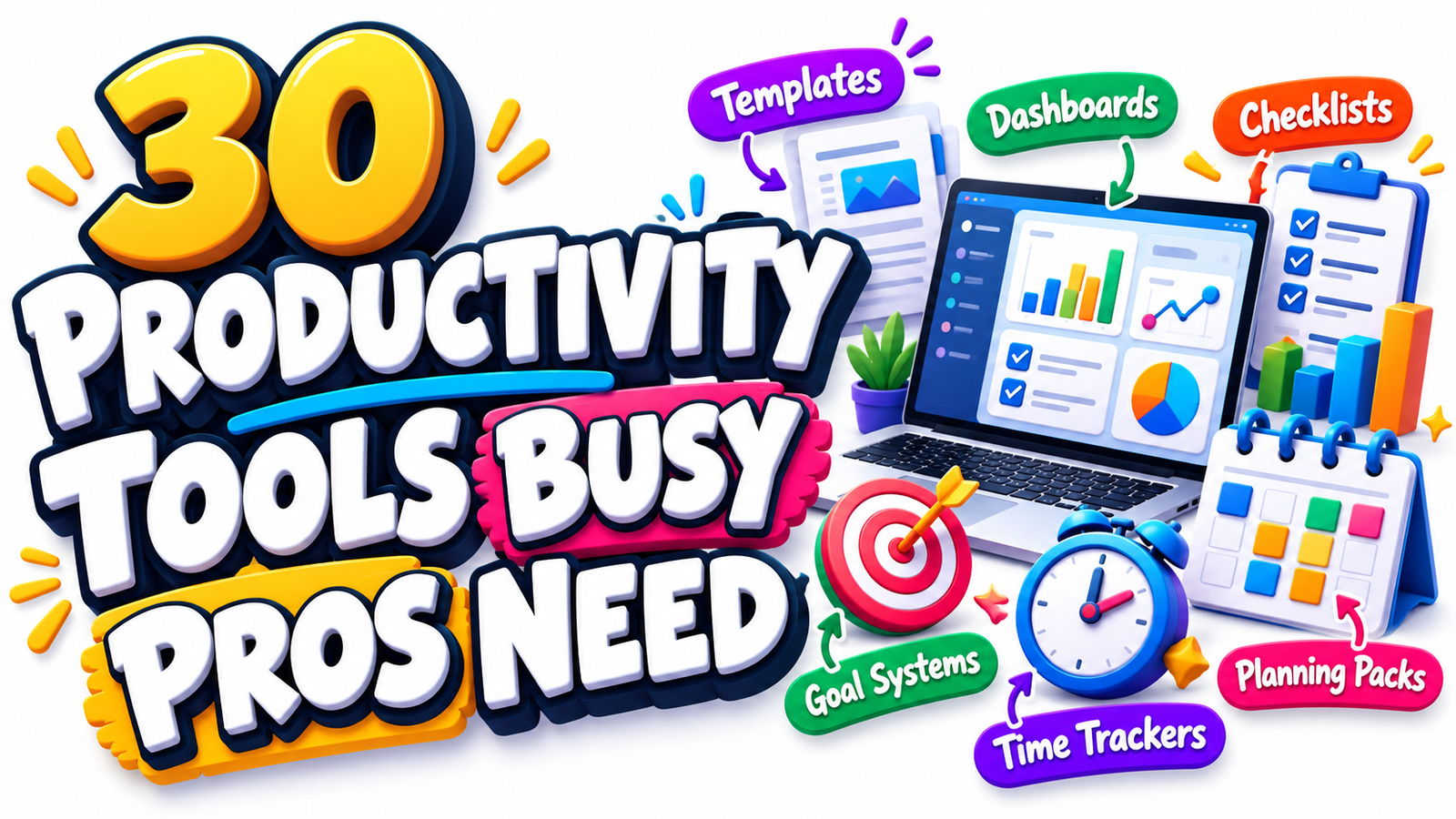
From workflow sheets and goal-setting systems to meeting templates, time trackers, dashboards, checklists and complete planning packs, there are many ways creators can turn everyday productivity challenges into practical digital products.
If you are looking for digital product ideas for professionals, freelancers, consultants, managers or entrepreneurs, the following 30 concepts provide a strong starting point.
Why Productivity Digital Products Have Strong Market Potential
Modern work is increasingly fragmented.
Professionals may move between email, calendars, messaging platforms, documents, project-management software, spreadsheets, video meetings and AI tools throughout a normal workday.
At the same time, organizations are focusing more heavily on improving workflows rather than simply adding more technology. Microsoft’s 2026 Work Trend Index, for example, highlights the growing importance of redesigning work as AI takes on more execution tasks and people spend more time directing, evaluating and managing outcomes.
That environment creates an opportunity for thoughtfully designed productivity templates and business productivity tools.
Customers are not necessarily looking for another complicated productivity system.
Many simply want something that answers a specific question:
What should I work on today?
What are my highest-priority tasks?
Where is this project getting delayed?
What did we decide during the meeting?
How much time am I spending on this client?
What should happen next?
A useful digital product makes those questions easier to answer.
What Makes a Productivity Digital Product Valuable?
The best productivity products usually solve one clearly defined problem.
A simple one-page weekly planner that helps a consultant prioritize projects can sometimes be more useful than a 100-page productivity workbook.
Strong productivity resources tend to share several characteristics.
They are easy to understand.
They reduce decision fatigue.
They organize scattered information.
They encourage action.
They can be reused.
They fit naturally into an existing workflow.
They produce a visible outcome.
Before creating any productivity product, ask:
What becomes easier after someone uses this?
The answer should be specific.
For example:
Instead of saying:
“This planner improves productivity.”
Say:
“This weekly planning dashboard helps a busy consultant identify three important priorities, schedule focused work and track unfinished tasks before they become overdue.”
Specific outcomes make digital products easier to understand, position and market.
30 Productivity Digital Product Ideas
1. Daily Priority Planner
A daily priority planner helps users distinguish important work from routine activity.
Instead of creating another enormous to-do list, design the page around a limited number of priorities.
Useful sections could include:
Top three priorities
Important meetings
Quick tasks
Deep-work block
Follow-ups
Notes
End-of-day review
This type of productivity template can work particularly well for executives, freelancers, consultants and entrepreneurs.
2. Weekly Productivity Dashboard
Create a dashboard that gives users one view of their entire week.
It might include:
Weekly goals
Important deadlines
Scheduled meetings
Key projects
Personal commitments
Tasks waiting for others
Progress indicators
Weekly reflection
Versions can be created for Excel, Google Sheets, Notion, PDF or printable use.
3. Time-Blocking Planner
Time blocking remains a practical way to assign specific periods of the day to important activities.
A digital time-blocking planner could include sections for:
Deep work
Administrative work
Meetings
Client work
Planning
Learning
Breaks
Personal responsibilities
Consider offering daily, weekly and executive versions in one package.
4. Professional Time Tracker
Build a clean time-tracking spreadsheet that allows professionals to record where their working hours actually go.
Useful categories could include:
Client work
Meetings
Administration
Marketing
Sales
Research
Content creation
Travel
Learning
Internal operations
A dashboard can automatically summarize total hours by activity.
This gives the product more value than a simple stopwatch.
5. Time Audit Workbook
A time tracker records hours.
A time audit helps users interpret them.
Create a workbook that helps users compare:
Time spent
Value created
Energy required
Frequency
Importance
Possibility of automation
Possibility of delegation
The user can then identify activities to eliminate, simplify, delegate or protect.
6. Goal-Setting System
Create a structured goal planner that turns broad ambitions into measurable actions.
The system might move through:
Long-term goal
Quarterly target
Monthly milestone
Weekly action
Daily task
Progress review
Obstacle tracking
Next action
This makes the product more practical than a basic goal worksheet.
7. 90-Day Business Goal Planner
Many professionals find shorter planning cycles easier to manage than annual plans.
Create a 90-day productivity pack containing:
Main objective
Success metrics
Monthly milestones
Weekly priorities
Projects
Habits
Review pages
Progress dashboard
Lessons learned
You can create specialized editions for entrepreneurs, coaches, freelancers or small businesses.
8. Quarterly Planning Pack
A quarterly planning bundle can become a higher-value digital product.
Include resources such as:
Quarterly goals
Revenue objectives
Project planning sheet
Marketing priorities
Operations checklist
Team priorities
Monthly milestones
Risk tracker
Quarterly review
The product becomes even more useful when customers can reuse it four times per year.
9. Project Priority Matrix
Create a digital worksheet that helps users decide which projects deserve attention.
Projects could be compared according to:
Potential impact
Urgency
Revenue potential
Required effort
Strategic importance
Deadline
Risk
Resources required
A scoring system can automatically generate a suggested priority order.
10. Workflow Mapping Sheet
Workflow problems are often hidden until they are visualized.
A workflow mapping template can help professionals document:
Starting point
Required inputs
Major steps
Person responsible
Tools used
Approval stages
Common delays
Final output
Possible automation opportunities
These templates can be particularly valuable for consultants, agencies and growing businesses.
11. Standard Operating Procedure Template Pack
SOP templates transform repeated processes into repeatable systems.
Create templates for:
Purpose
Scope
Responsibilities
Required tools
Step-by-step procedure
Quality checks
Troubleshooting
Review frequency
Version history
A bundle can include Word, Google Docs and editable PDF versions.
12. Recurring Task Checklist
Professionals repeatedly perform the same activities but often rely on memory.
Create reusable checklists for recurring tasks such as:
Monday planning
Friday review
Month-end administration
New client onboarding
Content publishing
Invoice processing
Project launch
Team reporting
A well-designed checklist reduces the risk of small but important tasks being forgotten.
13. Meeting Agenda Template Pack
Meetings can become unproductive when participants arrive without a clear objective.
Create agenda templates for:
Weekly team meetings
Client meetings
Project meetings
Strategy sessions
Performance reviews
Sales meetings
One-to-one meetings
Brainstorming sessions
Each template should encourage users to define the desired outcome before the meeting begins.
14. Meeting Notes and Action Tracker
Meeting notes become much more valuable when they capture decisions and responsibilities.
Design a template containing:
Meeting purpose
Participants
Discussion points
Key decisions
Action items
Owner
Deadline
Follow-up date
Unresolved questions
The action-tracking component is what turns ordinary notes into a productivity tool.
15. One-to-One Meeting Planner
Managers frequently conduct individual meetings with team members.
A structured planner could include:
Previous commitments
Current priorities
Achievements
Challenges
Feedback
Support required
Career development
New actions
Follow-up date
Create separate versions for managers and employees.
16. Decision-Making Worksheet
Professionals frequently lose time because decisions remain unresolved.
Create a structured decision worksheet including:
Decision required
Available options
Benefits
Risks
Financial impact
Time impact
Evidence available
Unknown information
Decision deadline
Chosen action
Review date
This can become a valuable executive productivity resource.
17. Delegation Planner
Entrepreneurs often know they should delegate but struggle to decide what should be handed over.
A delegation worksheet could help users identify:
Task
Frequency
Value
Skill required
Current owner
Potential delegate
Training needed
Instructions
Deadline
Quality standard
This is particularly relevant for growing small businesses.
18. Email Management Planner
Instead of promising the impossible goal of “inbox zero,” create a realistic system for processing email.
Sections could include:
Urgent responses
Waiting for reply
Delegate
Archive
Follow-up
Client communication
Administrative messages
Newsletter review
Users could combine the planner with scheduled email-processing periods.
19. Focus Session Planner
Create a compact worksheet for deep-work sessions.
The user records:
Primary objective
Start time
End time
Distractions to avoid
Required resources
Success definition
Tasks completed
Interruptions
Next step
The simplicity of this product can be part of its appeal.
20. Distraction Tracker
Many people know they lose focus but do not know what repeatedly interrupts them.
A distraction tracker can record:
Time
Activity
Type of interruption
Trigger
Duration
Whether interruption was necessary
Recovery time
Possible solution
After several days, users can identify patterns.
21. Productivity Habit Tracker
Create a habit tracker focused specifically on professional routines.
Examples include:
Daily planning
Inbox processing
Deep work
Reading
Exercise
Sales outreach
Client follow-up
End-of-day review
Weekly planning
Progress bars, charts or streak counters can make digital versions more engaging.
22. Client Workload Dashboard
Freelancers and agencies may benefit from a visual overview of all active clients.
Include:
Client name
Current project
Priority
Status
Deadline
Next deliverable
Outstanding payment
Next communication date
Hours used
Potential risk
This combines project management with client administration.
23. Entrepreneur Command Center
Create a central business dashboard for entrepreneurs.
It could summarize:
Today’s priorities
Current projects
Revenue targets
Sales pipeline
Marketing campaigns
Outstanding invoices
Content schedule
Important metrics
Meetings
Business goals
This can become a premium digital product when multiple connected templates are included.
24. KPI Tracking Dashboard
Busy professionals rarely need dozens of metrics.
Create a simple dashboard focused on the small number that actually matter.
Depending on the audience, metrics might include:
Revenue
Leads
Conversion rate
Projects completed
Billable hours
Client retention
Average order value
Marketing performance
Cash position
Progress toward goals
Allow customers to customize the metrics.
25. Weekly Review Template
A weekly review encourages users to stop reacting and start evaluating.
Useful prompts include:
What did I complete?
What remains unfinished?
What created the most value?
What wasted time?
What needs follow-up?
What should I stop doing?
What is the most important goal next week?
What should be scheduled now?
This can be sold alone or included inside a broader planning system.
26. Monthly Business Review Pack
Create a professional review system for entrepreneurs and managers.
Include sections for:
Revenue performance
Major achievements
Missed targets
Marketing results
Project status
Operational problems
Customer insights
Expenses
Lessons learned
Priorities for next month
Monthly reviews can help transform raw business activity into clearer decisions.
27. Workload Capacity Planner
A capacity planning spreadsheet can help users avoid taking on more work than they can realistically complete.
Track:
Available hours
Existing commitments
Project estimates
Meetings
Administrative workload
Buffer time
Deadline pressure
Available capacity
This can be particularly useful for agencies, consultants and project managers.
28. Business Checklist Library
Instead of creating one checklist, build a complete productivity library.
Possible checklists include:
Daily operations
Weekly review
Monthly reporting
Client onboarding
Client offboarding
Project launch
Website publishing
Product launch
Email campaign setup
Invoice follow-up
Team meeting
Quarterly review
Bundling related resources increases perceived usefulness.
29. Productivity Planning Pack
Combine several popular templates into one complete system.
For example:
Daily planner
Weekly planner
Monthly planner
Goal sheet
Time tracker
Priority matrix
Meeting notes
Habit tracker
Weekly review
Project tracker
Customers then receive a complete productivity environment instead of one isolated worksheet.
30. AI-Assisted Workflow Planner
One particularly timely opportunity is a productivity template designed around human and AI workflows.
Instead of simply listing AI prompts, help users identify where AI actually belongs inside their work process.
The template could include:
Task
Current process
Manual time required
AI assistance opportunity
Human review required
Tools used
Expected output
Quality check
Time saved
Process improvement notes
The goal should not be replacing human judgment.
The value comes from helping users decide which repetitive or information-heavy tasks can be assisted by technology while keeping important decisions and quality control with the professional.
How to Turn These Ideas Into Products People Will Actually Use
Having an idea is only the beginning.
A productivity product becomes valuable when it fits naturally into someone’s working routine.
Start With One Specific Audience
Avoid creating a generic planner for “everyone.”
A stronger product might be:
Weekly Productivity Planner for Freelance Designers
Client Capacity Dashboard for Marketing Agencies
Quarterly Goal Planner for Coaches
Meeting Management Kit for Team Leaders
Time Audit Workbook for Consultants
Business Command Center for Solo Entrepreneurs
Specific positioning helps potential customers immediately understand whether the product was designed for them.
Focus on Outcomes Instead of Page Count
More pages do not automatically create more value.
A 15-page system that helps a customer solve one meaningful problem may be more useful than a 150-page bundle containing repetitive worksheets.
Ask what outcome the buyer wants.
They might want to:
Save time.
Reduce missed deadlines.
Organize meetings.
Manage clients.
Track projects.
Prioritize tasks.
Delegate work.
Plan business goals.
Understand where their time goes.
Build the product around that transformation.
Choose the Right Digital Format
Different productivity products work better in different formats.
Ideal for:
Printable planners
Workbooks
Checklists
Meeting sheets
Goal worksheets
Reflection pages
Google Sheets or Excel
Ideal for:
Time trackers
Dashboards
Financial productivity tools
KPI trackers
Capacity planners
Project scoring systems
Automated reports
Notion
Useful for:
Business dashboards
Task systems
Content planning
Project management
Knowledge organization
Client management
Canva
Useful for visually attractive:
Planners
Workbooks
Checklists
Productivity journals
Printable packs
Business organizers
Google Docs or Word
Useful for:
SOPs
Meeting templates
Process documentation
Strategy documents
Business planning worksheets
Offering multiple formats can also create premium bundle opportunities.
Create a Product Ecosystem Instead of Isolated Downloads
One productivity product can become the beginning of an entire collection.
For example, start with:
Daily Productivity Planner
Then expand into:
Weekly Productivity Planner
Monthly Planning Dashboard
90-Day Goal System
Time Management Pack
Meeting Productivity Kit
Business Dashboard
Complete Entrepreneur Productivity System
This approach helps sellers build complementary products rather than constantly searching for unrelated ideas.
Make the Product Easy to Start
Complicated productivity systems often fail because customers do not know where to begin.
Include a short “Start Here” guide explaining:
Who the product is for
What problem it solves
Which page to use first
How often to use it
How the templates connect
Which sections are optional
A five-minute onboarding guide can significantly improve the usability of a digital product.
Include Examples
Blank templates sometimes require too much imagination.
Show customers how the resource could look when completed.
For example, include:
A sample weekly plan
A completed project tracker
A fictional meeting agenda
A sample time audit
An example KPI dashboard
A completed priority matrix
Examples can reduce confusion and help customers understand the intended workflow.
Avoid Productivity Overload
There is an important paradox in the productivity market.
A productivity system can itself become another source of work.
Do not make users maintain ten dashboards just to organize five tasks.
Good business productivity tools should simplify the work rather than becoming the work.
Whenever possible, reduce:
Unnecessary fields
Duplicate information
Manual data entry
Complex instructions
Decorative clutter
Excessive tracking
The fastest system to understand often becomes the easiest system to continue using.
Build Around Modern Workflow Problems
Current workplace changes are also creating new opportunities for productivity digital products.
Professionals increasingly need resources for:
Human-AI workflows
Meeting follow-up
Decision tracking
Workflow documentation
Delegation
Remote collaboration
Information organization
Focus management
Cross-project visibility
Knowledge capture
Automation planning
Performance dashboards
Creators who understand these real working problems can develop more useful products than those simply copying generic planner layouts.
SEO Opportunities for Productivity Digital Products
If you sell or publish content around these resources, target keywords according to buyer intent.
Primary keywords could include:
productivity digital products
productivity templates
business productivity tools
digital productivity planner
productivity planner template
productivity tools for entrepreneurs
productivity templates for professionals
Secondary and semantic keywords could include:
time management templates
business planning templates
workflow templates
meeting templates
goal planner
time tracker spreadsheet
productivity dashboard
business dashboard template
weekly planning template
project management worksheet
professional productivity planner
business checklist template
entrepreneur planner
work organization templates
Long-tail search terms can be especially valuable because they reflect more specific needs.
Examples include:
best productivity templates for busy professionals
digital productivity products for entrepreneurs
weekly productivity planner for business owners
meeting templates for managers
time tracking spreadsheet for freelancers
workflow templates for small business
business productivity dashboard template
goal-setting templates for entrepreneurs
productivity planning pack for professionals
AI workflow planner for business
Rather than repeating keywords unnaturally, create useful content around the problems those searches represent.
How to Make Productivity Content More Discover-Friendly
Google Discover is not something publishers can guarantee placement in. However, content can be created in ways that improve its usefulness and presentation.
Use a strong, accurate headline.
Avoid misleading clickbait.
Use a high-quality featured image.
Make the article easy to scan on mobile devices.
Offer original examples and practical insight.
Keep information current.
Use clear author information where appropriate.
Create a strong opening that quickly communicates value.
Avoid filling the page with intrusive advertisements.
Use descriptive headings.
Provide information that readers may want to save or share.
For this article, a Discover-friendly headline variation could be:
30 Productivity Digital Products Busy Professionals Will Actually Use
Another possibility is:
30 Smart Productivity Templates Entrepreneurs Can Use to Organize Their Work
The key is creating curiosity without promising results the article cannot support.
Turning a Simple Template Into a Premium Offer
A single template may sell as an entry product.
A complete system can support a higher-value offer.
For example:
Starter Product
Weekly Productivity Planner
Expanded Product
Professional Planning Pack
Premium Product
Entrepreneur Productivity Command Center
Complete Bundle
Business Productivity Toolkit
The premium version could include:
30+ templates
Spreadsheet dashboard
Printable workbook
Meeting templates
Project planners
Time-management tools
Goal system
SOP templates
Instruction guide
Example pages
Bonus checklists
Instead of adding random files to increase the file count, every resource should contribute to the same outcome.
What Buyers Really Want From Productivity Products
Most customers do not actually want another planner.
They want greater clarity.
They want to know what to do next.
They want fewer forgotten tasks.
They want projects to move forward.
They want meetings to produce decisions.
They want their business information organized.
They want their time to feel intentional instead of constantly reactive.
That distinction matters.
Successful productivity digital products do not simply organize pages.
They organize decisions.
When designing your next resource, begin with a real working problem and build the smallest, clearest system capable of solving it.
A workflow sheet can remove confusion.
A meeting template can create accountability.
A time tracker can expose hidden inefficiency.
A dashboard can bring scattered information together.
A checklist can prevent important steps from being missed.
A planning pack can turn goals into visible actions.
That is what gives productivity templates and business productivity tools lasting usefulness in a crowded digital marketplace.
Frequently Asked Questions
1. What are productivity digital products?
Productivity digital products are downloadable or online resources designed to help people organize work, manage time, track goals, document processes, plan projects and improve everyday workflows. Examples include planners, spreadsheets, dashboards, checklists, meeting templates, time trackers, SOP templates and business planning systems.
2. Which productivity digital products are good for beginners to create?
Simple products are usually the easiest place to start. A weekly planner, meeting template, priority worksheet, project checklist, time tracker or goal-setting sheet can be created without building a complicated system. Start by solving one specific productivity problem before expanding into larger bundles.
3. What formats are best for selling productivity templates?
The best format depends on how the customer will use the product. PDFs work well for printable planners and checklists. Excel and Google Sheets are useful for trackers and dashboards. Notion works well for connected workspace systems, while Canva is useful for visually editable planners and workbooks. Word and Google Docs are particularly suitable for SOPs and business documentation.
4. How can I make a productivity template more valuable?
Make the template specific, easy to understand and connected to a clear result. Include instructions, examples, automated calculations where appropriate and complementary resources that support the same workflow. Specializing the product for a particular profession or use case can also make its value easier to understand.
5. Can productivity templates be turned into a larger digital product business?
Yes. A focused template can become the starting point for a broader product ecosystem. For example, a weekly planner can expand into a monthly planner, 90-day goal system, time tracker, meeting kit, business dashboard and eventually a complete productivity toolkit. The strongest collections are built around related customer needs rather than simply combining unrelated files.
Build Systems That Give People Their Attention Back
The strongest opportunity in productivity digital products is not creating more things for busy people to manage.
It is creating tools that reduce the amount they need to manage mentally.
Professionals and entrepreneurs already have tasks, projects, meetings, messages, deadlines and goals competing for their attention.
A useful digital product gives that information structure.
It helps someone see what matters, decide what comes next and move forward with less friction.
Whether you create a one-page workflow sheet, a sophisticated spreadsheet dashboard or an entire business planning pack, focus on one principle:
Make work easier to understand, easier to organize and easier to complete.
That is where a simple digital download can become a genuinely useful productivity tool.
Stay ahead with exclusive updates
Join our community. Get curated industry trends, actionable guides, and fresh resources delivered straight to your inbox.