Running a small business often means doing the work of several departments at once.
One hour you are serving customers. The next, you are calculating prices, creating an invoice, checking inventory, planning social media posts, updating a client form, or trying to remember how you handled the same task last month.
This is exactly where practical digital products can become valuable.
Small business owners usually do not need another complicated piece of software or a decorative template they will never open again. They need simple business digital downloads that solve repetitive problems, save time, organize information, and make everyday decisions easier.
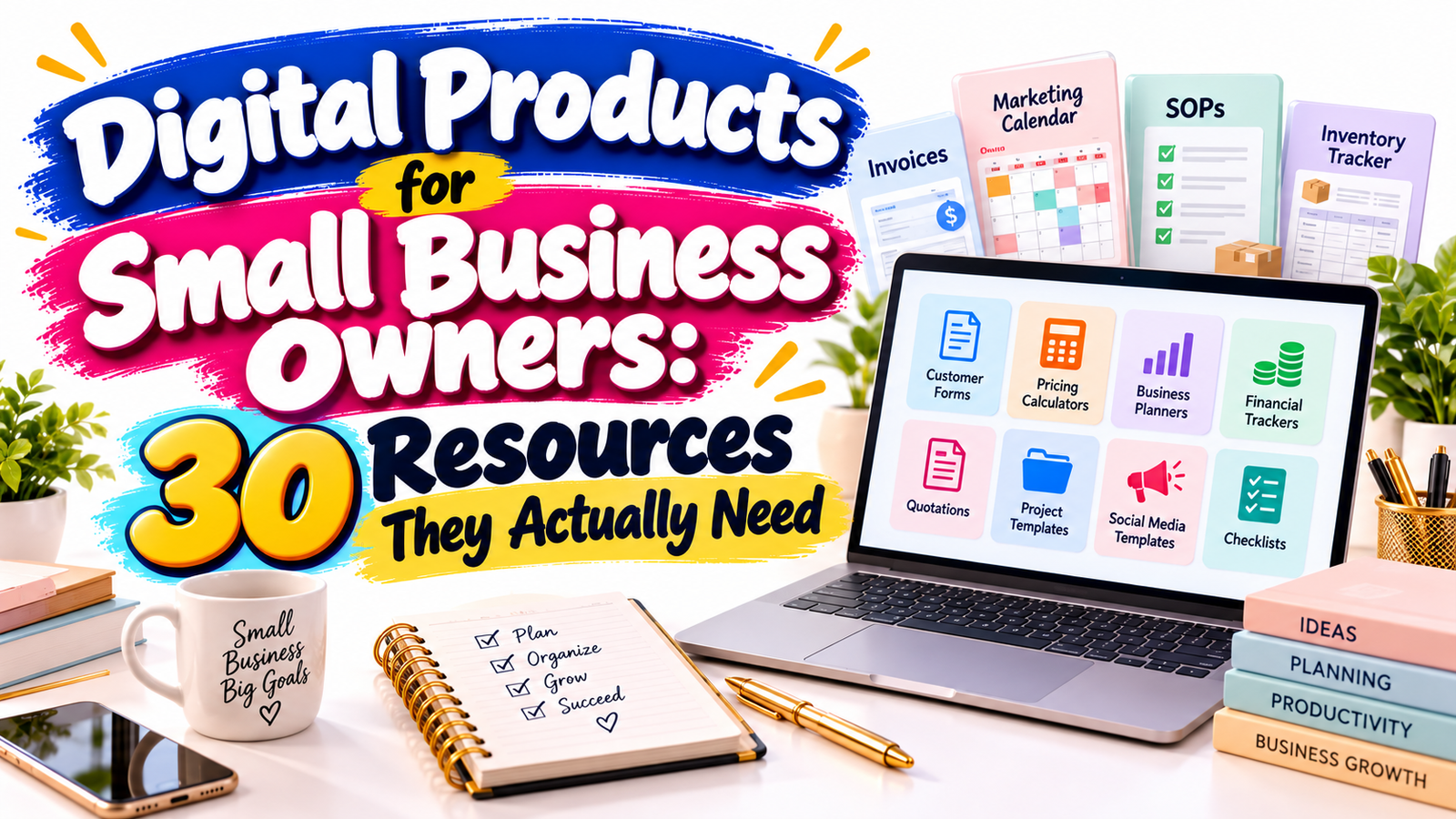
That is why useful resources such as invoice templates, marketing calendars, standard operating procedures, inventory trackers, customer forms, pricing calculators, and business planning tools continue to have strong commercial potential.
For digital product creators, this creates an important opportunity. Instead of asking, “What template can I make?” start with a better question:
What task does a small business owner repeatedly need to complete faster, more accurately, or more professionally?
This guide explores 30 digital products for small business owners that solve real operational problems while offering strong potential for individual sales, niche collections, business bundles, and premium resource libraries.
Why Small Business Templates Have Real Value
The strongest small business templates are not simply attractive files. They reduce friction.
A well-designed template may help a business owner:
- create professional documents faster
- standardize recurring processes
- reduce forgotten tasks
- organize customer information
- calculate prices consistently
- prepare marketing campaigns
- monitor inventory
- delegate tasks
- manage cash flow
- document business procedures
- make better planning decisions
The value is not necessarily in the number of pages.
A three-page pricing calculator that helps someone avoid undercharging may be more valuable than a 100-page generic business planner.
This is an important principle for anyone selling business digital downloads:
Sell the outcome, not simply the file.
Instead of marketing a “spreadsheet template,” explain that it helps the buyer calculate profitable prices.
Instead of offering a “content calendar,” explain that it helps a small business organize a month of promotional activity without planning every post from scratch.
That difference makes a digital product easier to understand, easier to search for, and potentially easier to sell.
30 Digital Products Small Business Owners Actually Need
1. Professional Invoice Template
An invoice template is one of the most practical digital products for service providers, freelancers, consultants, contractors, photographers, designers, tutors, coaches, and small agencies.
A useful invoice template should include areas for:
- business information
- customer information
- invoice number
- invoice date
- due date
- service or product description
- quantity
- rate
- taxes
- discounts
- total amount
- payment instructions
- notes
Offering editable versions in Excel, Google Sheets, Word, Google Docs, or Canva can increase usability.
A niche-specific version can be even more attractive. For example:
- photographer invoice template
- cleaning business invoice template
- consulting invoice template
- contractor invoice template
- virtual assistant invoice template
Specificity often creates stronger buying intent than a completely generic business template.
2. Invoice Tracking Spreadsheet
Creating invoices solves only part of the problem.
Small business owners also need to know which invoices have been:
- created
- sent
- paid
- partially paid
- overdue
- cancelled
An invoice tracker can include invoice number, customer, amount, payment status, due date, payment date, and outstanding balance.
Conditional formatting and simple dashboard summaries can make the spreadsheet especially useful.
3. Quotation and Estimate Template
Many businesses need to send a price estimate before receiving an order.
A quotation template can help users clearly present:
- project scope
- estimated costs
- quantities
- optional services
- payment terms
- validity period
- estimated delivery
- customer approval
Consider creating specialized versions for contractors, consultants, designers, repair businesses, landscapers, event professionals, and service providers.
4. Expense Tracker
Business expenses can quickly become difficult to monitor.
A simple expense tracker can help owners record:
- date
- supplier
- category
- description
- payment method
- amount
- tax
- receipt reference
Monthly category summaries can help users understand where money is being spent without turning the template into a complicated accounting system.
Clearly explain that a general expense tracker is an organizational resource rather than a replacement for professional accounting or tax advice where required.
5. Monthly Cash-Flow Planner
Profit and available cash are not always the same thing.
A cash-flow planner helps small businesses estimate money entering and leaving the business over a particular period.
Useful sections may include:
- opening balance
- expected sales
- accounts receivable
- recurring expenses
- payroll
- subscriptions
- supplier payments
- taxes
- loan payments
- planned purchases
- projected closing balance
This is especially useful for seasonal businesses and businesses with irregular payment schedules.
6. Small Business Budget Template
A budget spreadsheet helps business owners compare what they intended to spend with what they actually spent.
Categories can include:
- marketing
- software
- rent
- contractors
- inventory
- equipment
- professional services
- insurance
- shipping
- utilities
- training
Adding columns for budget, actual spending, and variance turns a basic spreadsheet into a more useful decision-making tool.
7. Product Pricing Calculator
Pricing is one of the most common challenges for product-based businesses.
A pricing calculator can help users consider:
- material cost
- packaging
- labor
- transaction fees
- marketplace fees
- shipping contributions
- overhead allocation
- desired profit
The calculator can then produce possible selling prices and estimated profit margins.
This type of small business digital download has strong value because it helps solve a specific financial decision rather than simply storing information.
8. Service Pricing Calculator
Service businesses have different pricing challenges.
A service pricing calculator can include:
- target income
- billable hours
- non-billable hours
- business expenses
- taxes or reserves
- desired profit
- project duration
- subcontractor costs
The output could calculate a suggested hourly, daily, project, or package rate based on the user’s own assumptions.
Include clear instructions so buyers understand exactly what each field means.
9. Break-Even Calculator
A break-even calculator helps business owners estimate how many products or services they need to sell before covering relevant costs.
Inputs might include:
- fixed expenses
- variable cost per unit
- selling price
- average order value
The spreadsheet can automatically calculate approximate break-even units and revenue.
This works particularly well as part of a financial planning bundle.
10. Profit Margin Calculator
Many entrepreneurs know their sales revenue without knowing what individual products actually contribute.
A profit calculator can display:
Selling Price – Relevant Costs = Estimated Profit
It may also calculate gross margin percentages.
A simple tool like this can be offered separately or combined with pricing and break-even calculators.
11. Inventory Tracker
An inventory tracker is useful for retailers, craft sellers, makers, ecommerce businesses, bakeries, boutiques, small wholesalers, and product-based businesses.
Useful columns include:
- SKU
- item name
- category
- supplier
- purchase cost
- selling price
- quantity available
- reorder level
- quantity sold
- restock date
Automated low-stock indicators can significantly improve the usefulness of the spreadsheet.
12. Inventory Reorder Planner
A standard inventory spreadsheet records stock.
A reorder planner focuses specifically on when additional inventory may be needed.
Useful inputs can include:
- current quantity
- average sales volume
- expected demand
- supplier lead time
- safety stock
- reorder threshold
This creates another digital product opportunity instead of trying to force every inventory function into one enormous spreadsheet.
13. Supplier Management Template
Businesses working with several suppliers need a central record of important information.
A supplier database can track:
- supplier name
- contact information
- products supplied
- minimum order quantities
- pricing
- payment terms
- delivery times
- ordering website
- notes
- last order date
This resource pairs naturally with inventory templates.
14. Purchase Order Template
A professional purchase order template allows a business to document what it is ordering from suppliers.
Useful fields include:
- purchase order number
- supplier
- delivery address
- product description
- SKU
- quantity
- unit price
- subtotal
- taxes
- shipping
- authorized person
- expected delivery date
Offering printable PDF and editable spreadsheet versions can broaden its usefulness.
Marketing Digital Products for Small Businesses
15. Annual Marketing Calendar
Marketing becomes much easier when campaigns are planned before they are urgently needed.
An annual marketing calendar may contain sections for:
- major promotions
- seasonal campaigns
- product launches
- email campaigns
- social media themes
- advertising
- partnerships
- events
- content deadlines
Users should be able to see the year at a glance while still having space for monthly planning.
16. Monthly Marketing Planner
The annual calendar provides direction.
The monthly planner provides execution.
It can include:
- campaign objective
- target audience
- offer
- primary message
- marketing channels
- content needed
- budget
- deadline
- responsible person
- results
This can be particularly attractive to owners who manage their own marketing.
17. Social Media Content Calendar
Many small businesses struggle with consistency rather than a complete absence of ideas.
A social media calendar can organize:
- publication date
- platform
- content topic
- format
- caption
- visual requirement
- call to action
- campaign
- status
- performance notes
Different versions can be created for restaurants, salons, coaches, ecommerce stores, local businesses, real estate professionals, and other niches.
18. Content Idea Bank
A content idea library gives small businesses ready-to-adapt prompts instead of finished copy.
Categories may include:
- educational posts
- product demonstrations
- customer FAQs
- testimonials
- behind-the-scenes content
- founder stories
- problem-solving posts
- promotional posts
- seasonal ideas
- engagement questions
This works especially well when paired with a marketing calendar.
19. Campaign Planning Template
Businesses running launches or promotions need more detailed organization.
A campaign planner could contain:
- objective
- offer
- target customer
- key message
- channels
- promotional assets
- launch date
- budget
- KPIs
- post-campaign results
The template helps turn an idea into an organized campaign.
20. Marketing Performance Tracker
Creating marketing content is only half the process.
Businesses also need to understand what worked.
A performance dashboard might track:
- traffic
- leads
- enquiries
- email subscribers
- sales
- conversion rate
- advertising spend
- cost per lead
- campaign revenue
Keeping the dashboard simple makes it more accessible to non-technical buyers.
SOPs and Business Operations Templates
21. Standard Operating Procedure Template
Standard operating procedures, commonly called SOPs, help businesses document how recurring tasks should be completed.
A good SOP template can include:
- procedure title
- purpose
- person responsible
- required tools
- step-by-step instructions
- quality checks
- troubleshooting
- related documents
- review date
SOP templates are particularly useful as businesses begin delegating tasks.
22. SOP Library Starter Kit
Instead of selling a single SOP template, create a structured starter collection.
It might include frameworks for:
- customer onboarding
- order processing
- customer support
- refunds
- content publishing
- invoice processing
- inventory restocking
- employee onboarding
- file organization
- weekly reporting
The goal should be to provide adaptable frameworks rather than pretending one procedure fits every company.
23. Employee Onboarding Checklist
Even very small companies eventually need repeatable onboarding.
A structured checklist can include:
- employee information
- contracts or paperwork
- system access
- equipment
- account setup
- training
- company policies
- role expectations
- first-week tasks
- review milestones
Versions can be created for both employees and contractors.
24. Weekly Operations Checklist
Owners often carry recurring responsibilities in their heads.
A weekly checklist can organize tasks such as:
- reviewing unpaid invoices
- checking inventory
- updating customer records
- responding to enquiries
- reviewing marketing
- monitoring cash flow
- backing up important files
- planning the following week
Simple operational resources can become surprisingly useful when they reduce mental overload.
Customer and Client Management Templates
25. Customer Intake Form
Customer intake templates help businesses collect necessary information before beginning work.
Depending on the niche, fields might include:
- contact details
- business information
- goals
- requested services
- preferences
- deadlines
- relevant background information
- communication preferences
Avoid collecting unnecessary sensitive information. Templates should encourage businesses to gather only information relevant to the service being provided.
26. Client Onboarding Kit
A complete client onboarding kit can combine several related business templates.
For example:
- welcome guide
- intake questionnaire
- project checklist
- communication expectations
- payment information
- project timeline
- frequently asked questions
- next-step instructions
This can be positioned as a higher-value product compared with selling the individual components separately.
27. Customer Feedback Form
Feedback templates help businesses systematically learn from customer experiences.
Useful questions could measure:
- overall satisfaction
- product quality
- service experience
- communication
- delivery
- likelihood of returning
- improvement suggestions
Create short versions as well as more comprehensive versions for different businesses.
28. Customer Complaint and Resolution Tracker
Complaints can reveal recurring operational problems.
A resolution tracker may include:
- customer
- date
- issue category
- description
- responsible team member
- action taken
- status
- resolution date
- follow-up
- internal notes
This turns individual complaints into information that businesses can learn from.
Planning Tools for Small Business Owners
29. 90-Day Business Action Planner
Annual plans can feel distant.
A 90-day planner gives small business owners a shorter execution window.
It can help them define:
- three major goals
- monthly milestones
- weekly priorities
- key projects
- revenue targets
- marketing activities
- important deadlines
- metrics
- lessons learned
The structure encourages action without overwhelming the user with a full-year planning system.
30. Small Business KPI Dashboard
A simple business dashboard brings important numbers into one place.
Possible metrics include:
- sales
- orders
- average order value
- leads
- conversion rate
- repeat customers
- outstanding invoices
- expenses
- inventory value
- marketing performance
The template should prioritize clarity.
Small business owners often need five useful numbers more than fifty complicated charts.
How to Turn These 30 Resources Into a Digital Product Business
You do not need to create all 30 products at once.
A stronger approach is to build a digital product ecosystem around one customer problem.
Imagine targeting handmade product sellers.
Your first product might be:
Handmade Product Pricing Calculator
Then add:
Inventory Tracker
Then:
Supplier Tracker
Then:
Order Management Spreadsheet
Then combine them into:
Handmade Business Operations Bundle
Eventually you could create a larger:
Complete Handmade Business Toolkit
The same model works for consultants, photographers, cleaning companies, coaches, freelancers, salons, ecommerce sellers, tutors, virtual assistants, restaurants, contractors, creators, and many other small-business segments.
Build Around Business Workflows
One useful way to identify product opportunities is to map the customer journey.
For example:
Lead → Customer → Project → Invoice → Payment → Follow-Up
Each stage creates potential digital resources.
Lead stage:
- enquiry form
- lead tracker
- discovery questionnaire
Customer stage:
- onboarding kit
- customer database
- welcome guide
Project stage:
- project planner
- task tracker
- SOP
Payment stage:
- quotation
- invoice
- payment tracker
Follow-up stage:
- feedback form
- testimonial request
- customer follow-up tracker
This is how one template can eventually develop into a complete product collection.
What Makes a Small Business Digital Product Worth Buying?
Before creating another template, evaluate it against five questions.
Does It Solve a Repeated Problem?
Recurring tasks create stronger product opportunities.
A resource used every week or every month has potentially greater practical value than something used only once.
Is the Benefit Immediately Understandable?
A customer should quickly understand what the resource does.
“Small Business Inventory Tracker With Automatic Low-Stock Alerts” is clearer than:
“Business Spreadsheet Pack.”
Specific descriptions reduce uncertainty.
Is It Easy to Customize?
Depending on the product, buyers may want to change:
- business name
- colors
- categories
- currency
- tax rates
- products
- prices
- dates
- workflows
Customization can improve perceived usefulness.
Does It Save Time?
Time-saving value is one of the strongest selling points for small-business templates.
A good digital download should ideally help reduce setup work rather than introduce more work.
Does It Produce a Useful Outcome?
The strongest products help buyers complete something.
For example:
Invoice template → Send an invoice.
Pricing calculator → Calculate a price.
Marketing calendar → Organize campaigns.
SOP template → Document a process.
Inventory tracker → Monitor stock.
Business planner → Turn goals into actions.
Outcome-focused products are easier to position commercially.
Best File Formats for Business Digital Downloads
Different business resources work better in different formats.
Excel and Google Sheets are excellent for calculations, financial trackers, dashboards, inventory, budgets, and data management.
Word and Google Docs work well for SOPs, forms, procedures, policies, checklists, and written documentation.
Canva can be useful for visually branded client documents, marketing planners, presentations, welcome guides, and printable resources.
PDF files are useful for instructions, printable worksheets, checklists, and user guides.
One product can also contain multiple formats.
For example, an inventory system might include:
- Excel tracker
- Google Sheets version
- PDF instructions
- printable stock-count worksheet
This creates a more complete customer experience.
How to Create Better Small Business Templates
A professional business template should feel easy to understand from the first use.
Use clear labels instead of clever terminology.
Include realistic sample data so customers understand how the system works.
Separate input areas from calculated results.
Provide simple instructions.
Avoid excessive decorative elements that interfere with usability.
For spreadsheets, protect complicated formula cells when appropriate while keeping necessary input fields editable.
Test formulas before selling.
Consider different screen sizes.
Create a clean master version.
Include version information when updates are important.
Most importantly, design the resource around the customer’s workflow rather than around how impressive the template looks.
SEO Strategy for Selling Digital Products for Small Business
If you sell these resources through your own website, search visibility begins with understanding search intent.
Someone searching:
small business templates
may still be researching.
Someone searching:
small business invoice template Excel
has a more specific requirement.
Someone searching:
inventory spreadsheet for handmade business
has an even clearer use case.
That is why long-tail keywords can be valuable.
Instead of targeting only broad phrases such as:
- digital products for small business
- business templates
- business digital downloads
also create pages around more specific terms such as:
- invoice template for small business owners
- small business marketing calendar template
- editable SOP template for small business
- inventory tracker spreadsheet for small business
- customer intake form template
- product pricing calculator spreadsheet
- service pricing calculator for freelancers
- 90-day business planning template
- small business expense tracker
- business operations templates
Avoid forcing all these phrases repeatedly into one page.
Match each important search intent with the most relevant product or category page.
GEO and AI Search Optimization for Business Digital Products
Generative Engine Optimization, often shortened to GEO, focuses on making content understandable and useful within AI-assisted discovery experiences.
However, GEO should not be treated as a replacement for sound SEO.
Google’s current guidance states that existing SEO best practices remain relevant for AI features such as AI Overviews and AI Mode, and that there are no separate special technical requirements simply to appear in those experiences.
For digital product sellers, that means the foundation remains straightforward:
Create genuinely useful pages.
Describe products precisely.
Answer real customer questions.
Use descriptive headings.
Clearly explain who the resource is for.
Explain what files are included.
State what the template helps users accomplish.
Keep important information accurate.
Avoid vague marketing language.
Use structured product information where appropriate.
Make important information accessible in text rather than hiding everything inside images.
For example, instead of writing:
The Ultimate Business Template You’ll Love
write something more informative:
Small Business Inventory Tracker for Excel With Stock Levels, Reorder Tracking and Supplier Records
That wording gives both humans and search systems substantially more context.
Use Structured Product Information
Product pages should make essential information obvious.
Include details such as:
- product name
- purpose
- target customer
- included files
- software requirements
- editable elements
- important limitations
- price
- licensing information
- delivery format
- frequently asked questions
For ecommerce sites, Google recommends relevant Product structured data because it can help search systems understand product information and can make qualifying pages eligible for richer search presentations. Product data can include information such as price, availability, reviews, shipping details, and other attributes where applicable.
Structured data improves machine readability, but it does not guarantee a particular search appearance.
Make Your Product Pages Easy to Quote and Understand
AI-powered search experiences frequently work with specific questions.
Create clear sections that directly answer questions such as:
- What is included?
- Who is this template for?
- What software do I need?
- Is the file editable?
- Can I use it commercially?
- Does it contain automatic calculations?
- Can I customize the currency?
- Is this suitable for beginners?
Straightforward answers improve usability for customers while also making the page easier for search systems to interpret.
Bing has likewise emphasized clear, consistent information across text and other formats, along with keeping important web content current as AI-assisted search develops.
Create Topic Clusters Instead of Isolated Product Pages
A store selling small-business resources could create a broader information structure.
For example:
Main category:
Small Business Templates
Supporting categories:
Financial Templates
Marketing Templates
Inventory Templates
Customer Management Templates
Business Planning Templates
SOP Templates
Then publish educational articles such as:
How to Create an SOP for a Small Business
How to Calculate a Profitable Product Price
How to Build a Monthly Marketing Calendar
How to Track Inventory Without Expensive Software
What Should Be Included in a Client Onboarding Process?
Each article can naturally direct readers toward an appropriate digital resource.
This creates a more useful website than publishing dozens of isolated sales pages.
Bundle Products Around Outcomes
Bundles work best when the included products belong together.
Instead of creating a random “100 Business Templates” package, consider focused collections.
Small Business Finance Kit
Include:
- invoice template
- invoice tracker
- expense tracker
- budget
- cash-flow planner
- pricing calculator
- break-even calculator
Business Operations Toolkit
Include:
- SOP template
- SOP starter library
- weekly checklist
- supplier tracker
- inventory tracker
- purchase order template
- KPI dashboard
Small Business Marketing System
Include:
- annual marketing calendar
- monthly marketing planner
- content calendar
- content idea bank
- campaign planner
- marketing performance tracker
Client Management Bundle
Include:
- customer intake form
- onboarding checklist
- welcome guide
- customer tracker
- feedback form
- complaint resolution tracker
A focused bundle gives the buyer a clear reason for why all the files belong together.
Niche Versions Can Create New Product Opportunities
One generic template can become several specialized products when meaningful adjustments are made.
An inventory tracker could become:
- bakery inventory tracker
- boutique inventory tracker
- craft business inventory tracker
- candle business inventory tracker
- jewelry inventory spreadsheet
- small retail inventory tracker
A marketing calendar could become:
- salon marketing planner
- restaurant marketing calendar
- real estate content calendar
- coaching business marketing planner
- ecommerce promotion calendar
The goal is not merely changing the title.
Modify terminology, examples, categories, workflows, instructions, and formulas so the resource genuinely fits the niche.
Do Not Confuse Quantity With Value
A store does not necessarily become stronger by offering thousands of files.
Customers often prefer a smaller collection that clearly solves a specific problem.
Compare:
2,000 Small Business Files
with:
Small Business Finance Toolkit: Invoice, Expense, Cash-Flow, Pricing and Profit Templates
The second offer immediately communicates what the customer will receive and what problems the toolkit addresses.
Digital product businesses can compete through usefulness, clarity, organization, specialization, and customer experience—not simply file count.
A Practical Product Development Formula
Use this framework when deciding whether a new business digital download is worth creating:
Specific Customer + Repeated Problem + Useful Tool + Clear Outcome
For example:
Freelancer + inconsistent pricing + service pricing calculator + more structured rate decisions
Or:
Boutique owner + stock management + inventory tracker + clearer reorder planning
Or:
Consultant + inconsistent onboarding + client onboarding kit + repeatable customer experience
This approach produces stronger product ideas because it starts with the buyer rather than the template.
Five Frequently Asked Questions
1. What digital products are most useful for small business owners?
The most useful products generally solve recurring operational problems. Examples include invoice templates, expense trackers, inventory spreadsheets, pricing calculators, marketing calendars, SOP templates, customer forms, project trackers, cash-flow planners, and business planning systems. The right product depends on the business model and workflow.
2. What small business templates are easiest to sell?
Templates with a clear purpose are usually easier for customers to understand. A product such as a “Product Pricing Calculator for Handmade Sellers” communicates a stronger use case than a generic “Business Spreadsheet.” Demand still depends on audience size, competition, product quality, pricing, marketing, and market conditions, so no template can guarantee sales.
3. Should business digital downloads be sold individually or in bundles?
Both approaches can work. Individual products provide a lower-cost entry point, while related bundles can offer greater convenience and perceived value. A practical strategy is to sell important templates individually and also offer complementary resources together as a focused toolkit.
4. Which formats are best for small business digital products?
Excel and Google Sheets are strong choices for calculations, inventory, dashboards, budgets, and trackers. Word and Google Docs are appropriate for SOPs, forms, procedures, and documentation. Canva can work well for visually editable marketing and client materials, while PDFs are useful for instructions, worksheets, and printables. The best format depends on what the customer needs to accomplish.
5. How can I improve SEO and GEO visibility for small business templates?
Create useful pages around specific customer questions and search intent. Use descriptive titles, helpful headings, clear product explanations, FAQs, internal links, accurate product details, and relevant structured data. Keep important information visible in readable text and update pages when information changes. Google currently advises that established SEO best practices also support visibility in its generative AI search features rather than requiring a completely separate optimization system.
Build Resources That Make Running a Business Easier
The biggest opportunity in digital products for small business is not creating more files.
It is creating better solutions.
Small business owners deal with repeated tasks every day: sending invoices, setting prices, checking inventory, onboarding customers, organizing marketing, documenting processes, reviewing finances, and planning what happens next.
Each repeated task represents an opportunity for a useful digital product.
Start with one problem.
Create one resource that makes that problem easier.
Make the instructions clear.
Test the workflow.
Improve the design.
Then identify the next logical problem your customer faces.
An invoice template can become a payment-management system.
A pricing calculator can become a financial toolkit.
An inventory tracker can become an operations bundle.
A marketing calendar can become an entire marketing planning system.
That is how a simple small business template can grow into a valuable collection of business digital downloads built around real customer needs.
The strongest digital products are rarely the ones with the most pages, formulas, or bonuses.
They are the ones a business owner opens on a busy Monday morning and thinks:
“This just made my job easier.”
Stay ahead with exclusive updates
Join our community. Get curated industry trends, actionable guides, and fresh resources delivered straight to your inbox.