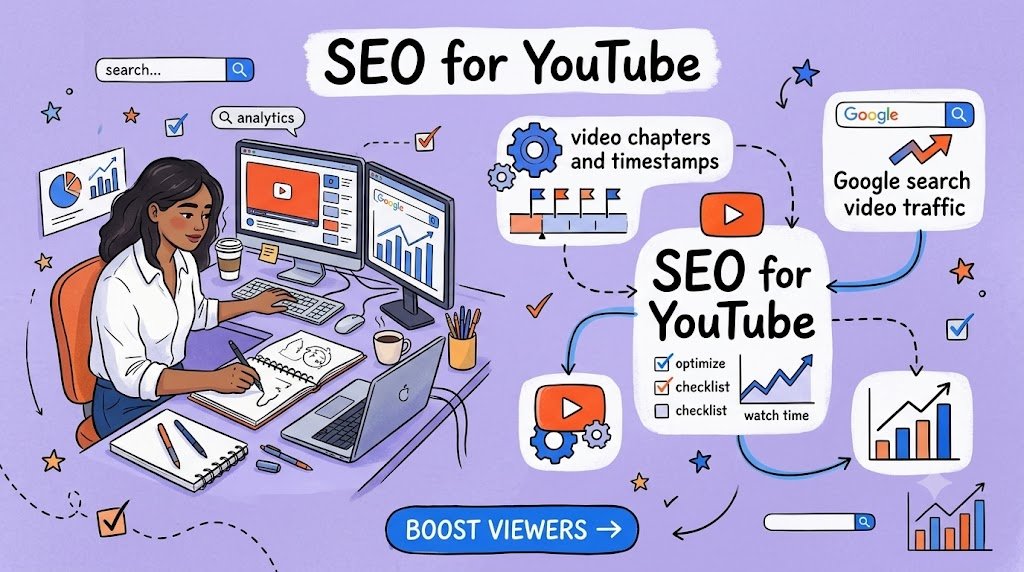
YouTube SEO Guide 2026 | Video Search Optimization | Organic Traffic Growth
What if one YouTube video could answer ten different search questions without requiring you to produce ten separate videos?
Imagine publishing a 20-minute tutorial about building an online store. One viewer wants to know how to connect a payment gateway. Another wants to configure shipping. A third is searching Google for instructions on adding a product to Shopify.
All three questions could be answered inside the same video. The challenge is helping viewers—and search engines—find the exact moments that matter.
That’s where video chapters and timestamps become powerful.
Instead of presenting a long video as one continuous recording, chapters divide it into clearly labeled sections. These sections help viewers navigate directly to relevant information and can help Google understand the important moments within your content.
Google can display video key moments in certain search experiences, allowing people to jump into a relevant section rather than starting at the beginning. Google may identify those moments automatically or use information provided by creators.
For YouTubers, educators, digital marketers, bloggers, business owners, and content creators, this creates an opportunity to make existing videos more useful and more discoverable.
But timestamps alone don’t guarantee higher rankings, increased clicks, or appearances in Google Search. The strongest approach combines accurate chapters with audience research, clear video titles, helpful content, and a wider search strategy.
This guide explains how to build that system, optimize YouTube videos for Google Search traffic, and turn valuable video discoveries into returning viewers, subscribers, and potential customers.
What Are Video Chapters and Timestamps?
A video timestamp identifies a particular point in a recording. For example, 03:45 directs viewers to a moment three minutes and forty-five seconds into a video.
A video chapter is a named section of a recording, usually identified by a starting timestamp and a descriptive title.
Consider a beginner-friendly tutorial about WordPress website development.
Example: How to Create a WordPress Website
Sample chapter navigation
00:00
Introduction and What You’ll Build
01:20
Choose Hosting and a Domain
04:10
Install WordPress
07:35
Choose and Customize a Theme
11:50
Create Important Website Pages
16:15
Basic Website SEO Settings
19:30
Publish and Test Your Website
Each chapter represents a different part of the tutorial. Rather than requiring viewers to watch the entire recording, the creator gives them a way to reach their preferred topic quickly.
This is particularly useful for educational content, software demonstrations, product comparisons, interviews, podcasts, business training, and step-by-step tutorials.
Why Video Chapters Matter for Google Search SEO
Traditional YouTube SEO often focuses on video titles, descriptions, thumbnails, and engagement. These elements still matter, but the structure of the content also deserves attention.
Video chapters can contribute to a stronger search experience in several ways.
1. They make important video moments easier to identify
Google’s key moments feature helps users find specific segments inside videos.
For example, a person searching for “how to add products to Shopify” might encounter a video that covers an entire Shopify setup process. If Google identifies a useful segment about product creation, it may present a way to jump directly to that moment.
Creator-supplied timestamps and labels help describe those sections, although Google determines how and whether they appear in results.
2. They improve navigation for viewers
Long videos can be valuable, but viewers often arrive with one immediate problem.
A person searching for instructions to fix a WordPress plugin error may not want to watch a lengthy introduction about website development.
A chapter labeled “Fix WordPress Plugin Errors” helps that viewer locate the relevant instruction.
Better navigation can reduce unnecessary searching within a video and make the experience more satisfying. Whether that produces measurable improvements in retention or watch time depends on the actual content and audience.
3. They give different questions their own identifiable sections
One comprehensive video might answer several related questions, such as:
- How do I create an online store?
- How do I connect Shopify with Printful?
- How do I calculate shipping costs?
- How do I optimize product pages for SEO?
- How do I launch my first product?
These questions represent different search intentions.
Adding accurate chapters gives each answer a clear identity within the larger video. This can support discoverability without claiming that every chapter becomes a separately indexed search result.
4. They support your wider content marketing strategy
A well-organized YouTube tutorial can become the foundation for a blog article, newsletter, digital download, short video, or customer education resource.
When chapters are already organized around useful questions, repurposing becomes easier.
One recording can support multiple entry points into your content ecosystem, with each platform providing a different way for people to discover your expertise.
How to Add Video Chapters to YouTube Correctly
YouTube allows eligible creators to add manual chapters through the video description. These provide individual section previews and navigational markers.
According to YouTube’s official guidance, manual chapters must start at 00:00, contain at least three timestamps in ascending order, and have chapters lasting at least 10 seconds. Adding manual chapters also overrides automatic chapters for that video.
Step-by-step setup
- Open YouTube Studio and sign in to your channel.
- Select Content and choose the video you want to edit.
- Open the video’s description field.
- Add your chapter timestamps and descriptive section titles.
- Check that each timestamp matches the actual start of its section.
- Save your changes and review the video on YouTube to confirm the chapters appear correctly.
If chapters are unavailable, check your channel’s feature eligibility and any applicable YouTube restrictions. Some creators may need access to advanced features.
A practical timestamp example
For a video about automating a print-on-demand store, a useful description section could look like this:
Video Chapters Copy
00:00 Introduction to Print-on-Demand Automation 01:15 How Shopify and Printful Work Together 04:30 Connect Printful to Shopify 07:45 Create Your First Print-on-Demand Product 11:20 Configure Product Pricing and Profit Margins 15:10 Set Up Order Fulfillment 18:40 Test Your Automated Store 21:30 Common Problems and Troubleshooting 24:15 Next Steps and Free Store ChecklistIllustrative timestamps. Match each chapter to the actual video before publishing.
Notice that each chapter title describes what the viewer will learn or accomplish.
The titles are not simply “Part One,” “Part Two,” and “Part Three.” They communicate useful information to both people and systems interpreting the video.
How to Research Keywords for Video Chapter Titles
The most effective video chapter strategy begins before uploading a video.
It starts with understanding what your audience is actually searching for.
A creator producing a tutorial about email marketing could build the recording around questions such as “how to create an email welcome sequence” or “how to reduce abandoned cart emails.”
The objective is not to squeeze every possible keyword into the description. It is to organize genuinely useful answers into clearly defined sections.
Start with one main search topic
Every video needs a central purpose.
For example:
Main video topic: How to Start an Online Store With Shopify
The entire video should satisfy that broad search intent.
The chapter titles can then address the individual tasks that make up the process.
Identify related questions with clear intent
Useful research sources include Google autocomplete, relevant People Also Ask questions, YouTube search suggestions, audience comments, customer support questions, and your own analytics.
Search for phrases that reveal what viewers want to accomplish.
For an e-commerce tutorial, those might include “set up Shopify payments,” “connect Shopify domain,” or “configure Shopify shipping.”
These phrases can inform your chapters when the recording genuinely answers them.
Match chapter wording to the content
Compare these two approaches:
| Generic chapter title | Clear, search-friendly alternative |
|---|---|
| Getting Started | Set Up Your Shopify Store |
| Important Settings | Configure Shopify Payment Methods |
| Products | Add Products and Write Descriptions |
| More Information | Calculate Shipping Costs |
| Optimization | Improve Shopify Product Page SEO |
| Ending | Test and Launch Your Online Store |
The improved titles are easier to understand and express what the viewer should expect.
They also incorporate relevant search language naturally, rather than stacking unrelated keywords.
Don’t force exact-match keywords
A chapter title should accurately summarize the video segment.
If a section only explains how to connect an application, calling it “Complete E-commerce Business Automation Tutorial” would misrepresent its content.
Search optimization works best when the descriptive language matches the actual information being delivered.
A Search-Intent Strategy That Works Beyond YouTube
A useful way to plan video chapters is to categorize the questions your viewers ask.
Different questions reflect different stages of their journey.
Informational intent
The viewer wants to understand a subject.
Example: “What are YouTube video chapters?”
Practical intent
The viewer wants to complete a task or solve a problem.
Example: “How to add timestamps to YouTube videos”
Commercial investigation
The viewer wants to compare solutions before deciding.
Example: “Best video SEO tools for creators”
Transactional intent
The viewer is considering a specific purchase or service.
Example: “Buy a YouTube SEO training course”
A comprehensive tutorial can include different types of questions, provided they all fit the video’s purpose.
For example, a video demonstrating a YouTube SEO workflow might explain metadata, show how to implement chapters, compare tools, and offer a relevant downloadable checklist.
This creates a logical path from discovering information to taking action.
The important distinction is that viewers should receive the answer they came for before encountering a commercial offer.
How Google Uses Timestamps and Video Key Moments
Google Search and YouTube are related, but they do not operate as identical discovery systems.
YouTube chapters primarily provide navigation within YouTube’s video experience. Google’s key moments feature can make specific segments accessible through eligible search results.
Google may automatically recognize video moments, and creators can supply more explicit information through supported timestamps or structured data. Google’s guidance says it prioritizes appropriately supplied creator-defined moments.
Can individual chapters rank independently?
It is more accurate to say that Google can surface individual moments within a video than to say each chapter becomes its own independently ranked webpage.
A chapter does not automatically create a separate Google-indexed URL or guarantee an additional search listing.
However, if an appropriate video result is shown with key moments, searchers may have more direct access to the part of the video that answers their question.
That distinction matters when setting realistic expectations for Google search video traffic.
Can Google identify key moments without timestamps?
Yes.
Google has systems that attempt to identify important moments automatically.
Creator-defined timestamps can provide clearer editorial guidance and more accurate segment descriptions, but they do not force Google to display specific moments.
Google’s recommended YouTube timestamp format includes a timestamp and label on the same line, with entries presented in chronological order.
Why captions and spoken explanations still matter
Chapter titles should be supported by what the video actually contains.
Accurate captions and transcripts make the content more accessible, while clear spoken explanations help viewers understand the topic.
For example, a chapter titled “How to Configure Shipping Rates” should contain a real, complete explanation of shipping configuration.
A timestamp cannot compensate for a section that never answers the promised question.
How to Optimize Your Entire YouTube Video for Google Search Traffic
Timestamps are only one component of a successful video search strategy.
The surrounding video information should explain what the content covers, who it helps, and why it deserves attention.
Write a title that communicates the outcome
A useful title identifies the task and the audience’s likely objective.
Instead of:
My Shopify Video Tutorial
Consider:
How to Set Up a Shopify Store: Beginner’s Step-by-Step Tutorial
The second title tells potential viewers exactly what they can expect.
Include your main topic naturally, but avoid exaggerated promises such as guaranteed rankings, automatic income, or effortless business success.
Create a genuinely useful description
Your YouTube description should do more than repeat keywords.
Begin with a concise explanation of the video’s value, summarize the process viewers will learn, and provide relevant resources.
Include timestamps in a clearly labeled section.
Additional information might include links to official documentation, related tutorials, downloadable templates, or a product used in the demonstration.
Links should be relevant and transparent, particularly when they contain affiliate relationships.
Design a thumbnail around one clear idea
A thumbnail should help viewers recognize the video’s topic at a glance.
For a video titled “How to Add Chapters to YouTube Videos,” a simple thumbnail showing a segmented video timeline and a small amount of readable text can communicate the subject effectively.
Avoid unrelated graphics, overcrowded typography, or misleading images that suggest outcomes the content cannot deliver.
Publish accurate captions
Review automatically generated captions for technical terms, product names, and instructions.
If your tutorial refers to Shopify, Printful, or a specific software setting, caption errors can confuse viewers.
Where practical, provide accurate subtitles in the languages your audience uses.
Build relevant internal viewing paths
Connect related videos through playlists, end screens, cards where available, and naturally placed links.
A beginner who learns how to create a Shopify store may also benefit from a video about pricing products or improving product descriptions.
This gives viewers a reason to continue exploring your content after their original question has been answered.
How to Use Video Chapters to Bring Visitors to Your Website
Google search traffic becomes particularly valuable when it connects viewers to a broader collection of useful resources.
A video may introduce your expertise, but a website can give visitors access to deeper tutorials, downloadable files, email courses, and relevant products.
For example, consider a YouTube creator who teaches website design.
The creator publishes a video showing how to create a professional WordPress website. One chapter explains how to install essential plugins. Another explains how to configure basic SEO settings.
The creator then publishes a companion blog post that covers the complete process in written form.
The article includes screenshots, detailed instructions, links to relevant documentation, and an embedded version of the YouTube video.
Visitors who prefer reading can follow the article. People who learn visually can watch the recording. Those looking for a specific explanation can use the chapters.
This provides several ways to consume the same underlying expertise without producing identical or low-value content.
Create a companion article for your most valuable videos
A strong companion article should add something beyond the video.
It might include updated screenshots, troubleshooting instructions, comparison tables, downloadable resources, or answers to questions raised in the comments.
Use descriptive headings that correspond naturally with the video’s important sections.
For example, a video chapter about configuring WordPress permalinks might accompany an article section explaining why permalink structure matters and how to modify it safely.
This combination makes your website more useful while giving search engines accessible written information about the topic.
Add timestamped links to relevant article sections
If a chapter directly answers a question, consider linking to that moment from your website.
A timestamped YouTube link can direct a reader to a particular segment. For example, a link using the t=245s parameter starts playback at approximately four minutes and five seconds.
Make sure the linked timestamp is correct and that the surrounding article clearly explains what the reader will see.
Don’t add timestamped links to every paragraph. Use them when watching a specific demonstration genuinely improves the explanation.
Understand how Google indexes embedded videos
Embedding a YouTube video into a blog article does not automatically make that blog post eligible for Google’s dedicated video features.
Google distinguishes between pages primarily intended for watching a video and pages where video is supporting content.
For creators who want their own website to compete for eligible video search features, a dedicated video watch page can be appropriate.
Google recommends descriptive metadata, indexable watch pages, accessible thumbnails, and appropriate structured data. It may index an embedded video on your website and the corresponding YouTube watch page separately when eligibility requirements are met.
The choice should depend on the user experience. Don’t create thin video pages merely to produce additional URLs.
Using Video Structured Data to Support Google Search Visibility
Website owners who publish video content can help Google understand it through supported structured data.
The most relevant vocabulary includes VideoObject, Clip, and SeekToAction.
VideoObject describes the video itself, including details such as its title, description, upload date, and thumbnail.
Clip identifies explicitly defined video segments. It can provide chapter names, start times, and links to those moments.
SeekToAction tells Google how to construct a link to a particular time in a video, allowing Google to identify suitable moments automatically.
Google documents both approaches for video key moments, with different eligibility requirements.
For example, consider a website hosting its own 15-minute design tutorial.
The video might have three important segments:
| Chapter | Start time | Subject |
|---|---|---|
| First | 00:00 | Prepare the Design Workspace |
| Second | 04:20 | Create a Landing Page Layout |
| Third | 09:45 | Export and Publish the Design |
If the website supports direct links to those moments, appropriately configured Clip markup can describe them.
The markup must correspond with real video content and valid URLs. It should not describe nonexistent sections or point to pages that cannot play the video.
For most creators who publish exclusively on YouTube, correctly formatting timestamps in their YouTube description is the simpler starting point.
Adding unsupported or unnecessary schema to a website is not a substitute for providing accurate content.
Making Your Video Content Easier to Understand in AI-Powered Search
People increasingly discover information through conversational search queries.
Instead of searching only for “YouTube timestamps,” someone may ask, “How can I divide a long tutorial into sections so viewers can jump directly to the answer?”
A useful video addresses the substance of that question, not just an isolated keyword.
This suggests an approach based on clear explanations, complete answers, and descriptive organization.
For example, a creator covering video SEO might dedicate individual chapters to adding timestamps, naming chapters, correcting errors, and measuring external traffic.
Each chapter should answer a recognizable question in a way that makes sense when encountered independently.
Accompanying written articles can further improve clarity by explaining important terms and processes in accessible language.
Google’s guidance for AI search experiences continues to emphasize conventional search fundamentals, useful original information, accessible text, and appropriate structured data. It does not require a special AI-only schema or a separate technical trick to qualify for AI Overviews or AI Mode.
The practical opportunity is to make your expertise easy to locate, understand, and verify across both video and text.
How to Turn Google Search Viewers Into Returning Visitors
Getting discovered is only the beginning.
A creator who attracts thousands of one-time visitors but gives them no reason to return may struggle to build an audience or sustainable business.
Video chapters can form part of a thoughtful viewer journey.
Create a content series around related problems
Suppose a viewer discovers your video while searching for instructions on installing WordPress.
After watching that chapter, their next question might be how to secure the website or improve its speed.
A related tutorial can address that next problem.
When your content follows a logical learning sequence, viewers have a practical reason to return.
Provide a useful free resource
A free resource can extend the value of the video.
For instance, a website development tutorial might offer a printable launch checklist or a collection of essential website settings.
Place a relevant link in the description, and explain briefly how the resource helps.
The strongest offer directly relates to the viewer’s current task.
An unrelated sales pitch is unlikely to feel useful, even if it appears in a well-optimized video.
Invite viewers to subscribe for a specific benefit
Instead of repeatedly asking viewers to subscribe, explain what future content will help them accomplish.
For example:
“Subscribe for practical WordPress tutorials covering website security, speed, SEO, and maintenance.”
This communicates a reason to return.
It also attracts viewers who are genuinely interested in the subject rather than collecting subscribers who may never watch again.
Use a helpful email follow-up
An optional email series can help readers continue learning after leaving YouTube.
A five-part website creation series might begin with setup instructions, continue with customization, introduce security and SEO, and finish with a publishing checklist.
Each email should deliver genuine value, with any commercial recommendations appearing naturally and transparently.
Respect subscriber consent, explain what they are signing up for, and provide a working unsubscribe option.
How to Create Commercial Opportunities Without Hurting Viewer Trust
Not every video needs to sell something.
However, educational video content can introduce products and services when they solve the viewer’s problem.
A tutorial about professional website design might naturally mention a suitable hosting provider, premium design template, or website maintenance service.
A video covering YouTube production might demonstrate a microphone, editing application, or video planning template.
The connection should be relevant to the content.
Consider a chapter titled “Choose the Right Video Editing Software.”
The creator can demonstrate several editing tools, discuss their strengths and limitations, and help viewers understand the differences.
If an affiliate link is included, a clear disclosure should explain that the creator may receive a commission.
Similarly, a chapter explaining how to use a digital planner could link to the creator’s own downloadable planner.
The purpose of the chapter remains education. The product is an optional solution for viewers who want additional help.
This approach can support buyer confidence because the recommendation follows a practical demonstration.
How to Optimize Video Chapters for Google Discover and Emerging Interests
Google Discover differs from traditional keyword-driven search.
People may encounter content based on their interests rather than a specific search query.
Video chapters are useful for navigation, but they are not a direct mechanism for securing Discover distribution.
According to Google’s Discover guidance, indexed content that meets Discover policies can be eligible, although appearance is never guaranteed. Google also recommends useful, compelling content, accurate headlines, quality images, and a positive page experience.
For creators who publish companion articles, several practices are worth considering.
Use strong, relevant featured images
Choose an image that genuinely represents the article.
For a guide about video chapters, a visual showing a segmented video timeline or a creator working with a video editor is more relevant than generic marketing imagery.
For Discover, Google recommends high-quality images at least 1,200 pixels wide and the max-image-preview:large setting or an equivalent supported approach. A well-cropped landscape image can be appropriate when it suits the content.
Connect evergreen tutorials with timely developments
Evergreen tutorials solve problems that remain relevant over time.
Trending topics can introduce new questions or increased interest.
A creator covering e-commerce automation might maintain a comprehensive tutorial while publishing a separate update when a major platform feature changes.
The newer content can link to the evergreen guide when appropriate.
This balances long-term usefulness with timely coverage without artificially inserting trending terms into unrelated videos.
Keep existing tutorials accurate
Search-friendly content requires maintenance.
Software interfaces change. Platform requirements change. Features disappear or move.
If a tutorial becomes outdated, update its description, add a clearly dated correction, or publish a new video when the original demonstration is no longer reliable.
Avoid silently presenting outdated instructions as current.
Accurate maintenance is especially important for technology, finance, legal, and health-related content where incorrect guidance can have meaningful consequences.
How to Measure Whether Your Timestamp Strategy Is Working
Adding chapters is easy. Understanding their effect requires more careful analysis.
A creator should monitor whether viewers are finding the content, using it, and taking useful next steps.
Start with YouTube Studio.
YouTube’s analytics reports distinguish traffic from YouTube Search, external sources, suggested videos, and other discovery channels. The external traffic category can help identify visits coming from websites and applications outside YouTube.
YouTube Studio App Help Center
Review the following metrics over a meaningful period.
| Metric | What it helps you understand |
|---|---|
| External traffic sources | Whether Google Search and other websites are sending viewers |
| Audience retention | Where viewers continue watching or leave |
| Average view duration | How long viewers typically watch |
| Search traffic | Which search experiences and queries drive discovery |
| Website engagement | Whether video-related visitors explore useful resources |
| Email or product conversions | Whether interested visitors take meaningful next steps |
Don’t assume that every improvement after adding chapters was caused by the chapters.
A video’s age, search demand, recommendations, competition, and other changes can influence performance.
Run a practical before-and-after comparison
Choose several older tutorials with useful content but limited chapter navigation.
Record their baseline performance before making changes.
Add accurate manual chapters and improve any genuinely unclear descriptions.
Review performance over a subsequent period, preferably comparing it with similar videos that were not changed.
Look for changes in external traffic, retention behavior, and relevant website visits.
This is not a controlled scientific experiment, but it can provide useful directional evidence.
For websites, Google Search Console can help monitor search clicks, impressions, video indexing, and eligible video search appearances.
For a YouTube-only video, Search Console generally does not give you ownership-level performance data for YouTube’s own watch page.
Use YouTube Studio for your YouTube channel and Search Console for websites you control.
A 30-Day Video Chapter Optimization Plan
Turning video chapter optimization into a routine is more sustainable than editing dozens of videos without a clear strategy.
Days 1–7: Audit and research
Identify five to ten existing long-form videos that answer useful questions. Check their current titles, descriptions, retention patterns, and external traffic sources. Research related audience questions.
Days 8–14: Add accurate chapters
Review each recording, identify meaningful sections, and write descriptive timestamp labels. Confirm that the chapter boundaries match what viewers see and hear.
Days 15–21: Build supporting content
Create or update companion articles, add useful internal links, verify captions, and prepare one relevant downloadable resource where appropriate.
Days 22–30: Measure and refine
Review available analytics, confirm that chapters work, inspect any relevant search appearances, and identify which tutorials deserve further attention.
Thirty days is enough to establish a repeatable workflow, but not necessarily enough to establish a statistically meaningful change in Google Search traffic.
Continue evaluating performance over longer periods, especially for evergreen videos whose visibility can develop gradually.
Common Mistakes That Limit the Value of Video Chapters
Even well-intentioned optimization can disappoint when chapter labels are inaccurate or the content fails to satisfy viewers.
One frequent mistake is creating too many chapters.
A 12-minute video does not necessarily need 20 separate sections. Excessive segmentation can interrupt the natural flow and make navigation more complicated than necessary.
Another mistake is using vague labels such as “Important Tips” or “More Details” when a precise description would help viewers.
Creators also sometimes add timestamps without checking them. A chapter that begins halfway through an explanation is frustrating, especially when a viewer arrives directly from a search result.
Keyword stuffing creates a different problem.
Repeating “YouTube SEO” in every chapter title does not make the content more useful. It can make labels repetitive and misleading.
Finally, some creators become too focused on ranking potential and overlook the actual quality of the recording.
A descriptive chapter cannot rescue unclear audio, incorrect instructions, irrelevant information, or a tutorial that never demonstrates the promised solution.
The chapter should make a useful answer easier to find—not disguise the absence of one.
Frequently Asked Questions About Video Chapters and Google Search
1. Do YouTube video chapters help videos rank higher on Google?
Video chapters can help Google identify and present relevant moments within eligible videos, but they are not a guaranteed ranking boost. Their clearest benefits are improved navigation, descriptive organization, and potential eligibility for useful key-moment experiences. Strong search performance still depends on content relevance, quality, competition, and Google’s ranking systems.
2. How many timestamps should I add to a YouTube video?
For manual YouTube chapters, include at least three timestamps in chronological order, starting at 00:00. Each chapter must last at least 10 seconds. Beyond these requirements, choose the number of chapters based on the video’s structure. A 30-minute tutorial might need six to ten chapters, while a shorter video may need only three or four.
3. Can Google display video timestamps directly in search results?
Yes. Google supports a key moments feature that can identify and display important video segments in certain search experiences. For YouTube videos, creators can provide timestamps and descriptive labels in the video description. However, Google decides whether those moments appear, and visibility can vary by query, device, and search context.
4. Should I include keywords in every video chapter title?
Use relevant search language when it accurately describes the section, but don’t force keywords into every label. A chapter titled “Connect Shopify to Printful” is more useful than a repetitive title containing several unrelated marketing terms. Clear and accurate wording benefits viewers and helps explain the subject of each segment.
5. Can video chapters generate website traffic and product sales?
Video chapters can help viewers discover useful information, which may lead them to explore your website or resources. A well-designed content journey can include companion articles, downloadable checklists, relevant products, and optional email subscriptions. However, chapters do not automatically create website visits or sales. Results depend on the value of the content, viewer needs, the relevance of your offers, and the effectiveness of your conversion experience.
Build a Search-Friendly Video Library That Keeps Working for Your Audience
The most valuable videos are not always the newest or the longest.
Often, they are the recordings that answer important questions clearly and remain useful after publication.
A comprehensive tutorial with accurate timestamps, descriptive chapters, reliable explanations, and relevant supporting resources can serve viewers for months or years, provided the information stays current.
A viewer may initially arrive through a single question about software configuration. If the explanation solves their problem, they may explore another tutorial, read a companion article, join an email series, or return when they encounter a related challenge.
That is how a useful video can become part of a larger audience-building system.
Begin with one of your existing tutorials. Watch it carefully, identify its most valuable sections, and give each section a clear, accurate chapter title.
Then improve the surrounding description, connect the video to helpful resources, and monitor the results.
Your next opportunity for Google Search traffic may already exist inside a video you’ve published. Making its best moments easier to discover is a practical place to start.
Compliance Note
This article provides general educational information about video chapters, YouTube optimization, Google Search visibility, content marketing, and website monetization. It does not guarantee search rankings, Google Discover placement, key-moment appearances, traffic growth, subscriber increases, or financial results.
YouTube and Google Search features, eligibility requirements, algorithms, and content policies may change. Creators should consult current official documentation, comply with applicable platform policies, use accurate metadata, respect intellectual property rights, and avoid misleading titles, fabricated claims, artificial engagement, and deceptive search optimization practices.
Any affiliate partnerships, sponsorships, paid recommendations, or commercial relationships should be disclosed clearly in accordance with applicable advertising and consumer protection requirements. Email marketing should follow applicable privacy, consent, and unsubscribe regulations. Financial examples and marketing outcomes, if used, should be treated as illustrations rather than earnings promises.
The article was independently composed for this request; no external plagiarism-detection certification has been performed. Technical information was checked against relevant official Google and YouTube guidance available as of October 10, 2026.
For further guidance, consult YouTube’s official Video Chapters documentation, Google’s video SEO best practices, and Google’s video structured data documentation.
Stay ahead with exclusive updates
Join our community. Get curated industry trends, actionable guides, and fresh resources delivered straight to your inbox.