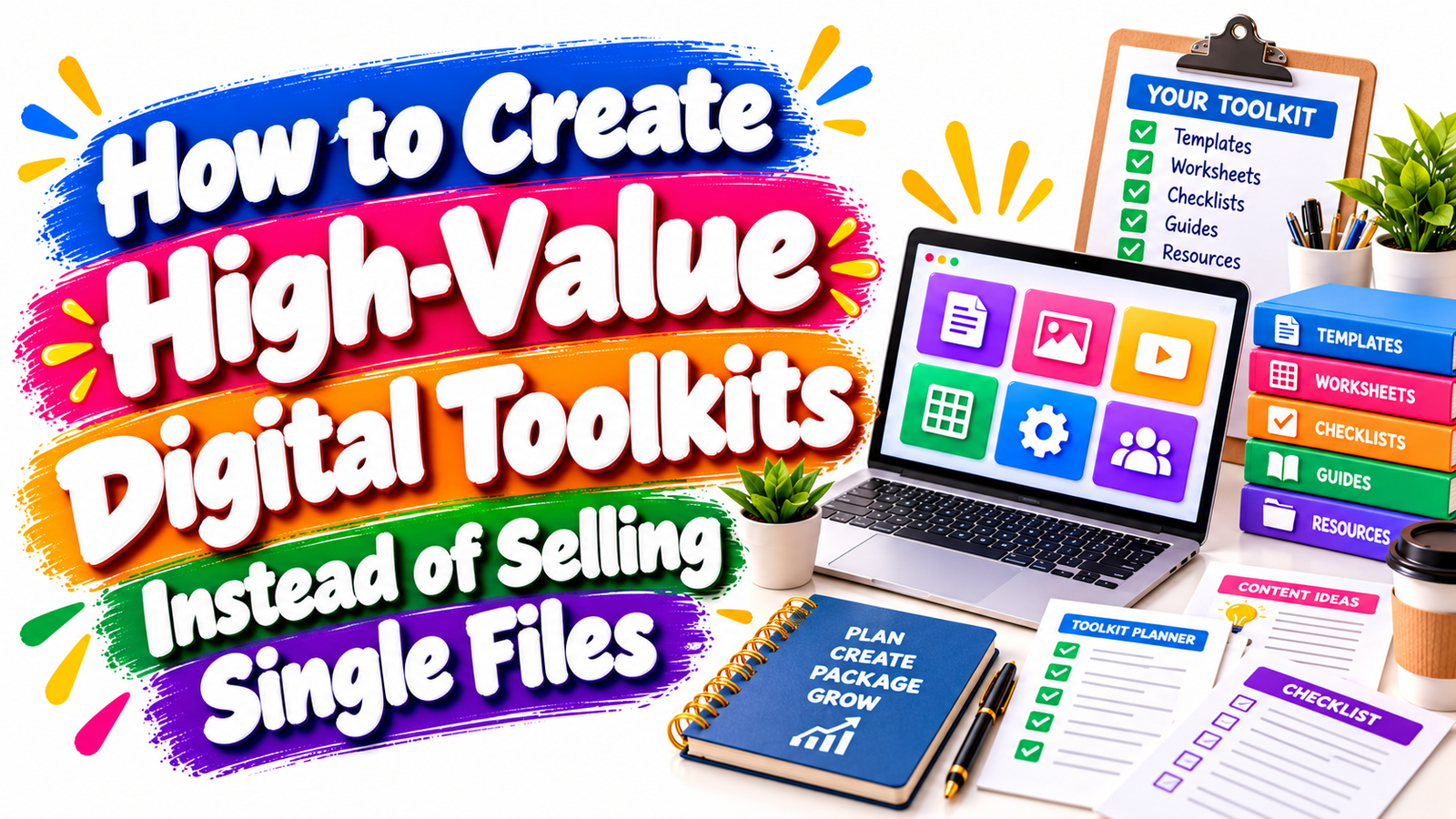
Selling one template, one checklist, or one worksheet can solve a small problem. But a thoughtfully designed digital toolkit can help a buyer complete an entire task, project, or transformation.
That difference matters.
A customer may hesitate to pay much for a single invoice template, content planner, onboarding form, or pricing worksheet because each file addresses only one narrow need. Combine those resources into a coordinated system, however, and the perceived usefulness changes dramatically.
Instead of selling a file, you are selling a process.
Instead of offering a document, you are offering direction.
Instead of asking customers to figure out what they need next, you give them a complete set of resources designed around one clear outcome.
This is why digital toolkits, business toolkit templates, digital resource kits, implementation packs, workflow bundles, and creator systems can be powerful digital-product formats. They help buyers save time, reduce uncertainty, organize their work, and move from information to action more easily.
For creators, digital toolkits also create opportunities to build more differentiated products, serve specific niches, increase perceived value, and develop a broader digital-product ecosystem.
What Is a Digital Toolkit?
A digital toolkit is a collection of related digital resources organized around a specific problem, workflow, goal, or outcome.
Rather than combining random files simply to increase the product count, a strong toolkit brings together complementary resources that help the customer move through a process.
For example, a freelancer client onboarding toolkit might contain a client questionnaire, project brief, welcome guide, onboarding checklist, email templates, meeting agenda, project timeline, file-request sheet, communication policy, and project tracker.
Each resource serves a different purpose, but every item contributes to one larger goal: helping the freelancer onboard a client professionally and efficiently.
That outcome-based structure is what separates a useful digital resource kit from a loose bundle of downloads.
Why Single Files Often Feel Less Valuable
Single digital files can still be useful and profitable. A simple template may be exactly what a buyer needs.
The limitation is that one file frequently solves only one step of a larger problem.
Imagine someone starting a small service business. They may need a pricing calculator, proposal template, contract checklist, client questionnaire, invoice tracker, onboarding guide, project planner, and follow-up email sequence.
Selling each item separately requires the buyer to identify every missing piece, compare products, make several purchasing decisions, and then work out how everything fits together.
A well-designed business toolkit template collection removes much of that friction.
The buyer receives a connected system instead of disconnected pieces.
This can make the product feel more practical because customers immediately understand how the resources support their workflow.
Start With the Outcome, Not the Number of Files
One of the most common mistakes when creating digital bundles is focusing on quantity.
Creators may think:
“How can I include 50 files?”
A better question is:
“What should the buyer be able to accomplish after using this toolkit?”
That question changes the entire product-development process.
A high-value digital toolkit should have a clearly defined destination.
For example:
A social media toolkit could help a local business plan one month of content.
A freelancer toolkit could help independent professionals manage projects from inquiry to final delivery.
A startup toolkit could help new entrepreneurs organize their first business launch.
A course creator toolkit could help educators plan, produce, launch, and evaluate an online course.
A small-business finance toolkit could help owners organize pricing, expenses, cash flow, and monthly financial reviews.
The more specific the outcome, the easier it becomes to decide which resources belong inside the product.
Build the Toolkit Around a Simple Customer Journey
Once the outcome is clear, map the steps your customer must complete.
Suppose you want to create a digital marketing toolkit for small businesses.
The customer journey might look like this:
Understand the audience.
Clarify the offer.
Choose marketing channels.
Create a content plan.
Schedule campaigns.
Track performance.
Review results.
Improve the next campaign.
You can now create one or more practical resources for each stage.
Audience research might require a customer persona worksheet.
Offer development might use a value-proposition template.
Content planning might require a monthly marketing calendar.
Campaign execution might benefit from checklists.
Performance tracking could use a KPI dashboard.
Reviewing results might require a monthly marketing review worksheet.
Every file now has a purpose.
This approach produces a toolkit that feels intentional rather than oversized.
The Core Components of a High-Value Digital Toolkit
Although every toolkit will be different, many effective digital resource kits combine several types of assets:
- Templates give customers a ready-made starting structure, such as proposals, planners, spreadsheets, calendars, dashboards, forms, scripts, or documents.
- Guides explain how the customer should approach a process or use the included resources.
- Checklists help buyers complete important steps without forgetting key actions.
- Worksheets encourage users to think, calculate, plan, compare, or make decisions.
- Trackers help customers monitor progress, deadlines, finances, projects, habits, leads, inventory, marketing, or other measurable activities.
- Examples show customers what a completed resource can look like and reduce uncertainty about how to begin.
- Quick-start instructions explain what to open first, what to do next, and which resources are optional.
- Reference sheets provide frequently needed information in a compact format.
- Process maps or workflows show how the different components connect.
- Review tools help users evaluate results and decide what to improve.
The goal is not to include every possible format. Choose only the resources that make the customer’s desired outcome easier to achieve.
Think in Systems Instead of Files
A digital toolkit becomes significantly more useful when its components work together.
Consider a content creator toolkit.
You could sell a content calendar as a standalone file.
Or you could build a complete content planning system containing a brand-message worksheet, audience profile template, content pillar planner, keyword research sheet, monthly content calendar, weekly publishing planner, social post tracker, repurposing checklist, performance dashboard, and monthly review worksheet.
The second product tells a stronger story.
The customer is not buying ten unrelated files.
They are buying a system for planning, publishing, tracking, and improving content.
This systems-based approach can work across many digital-product niches.
Choose a Narrow Problem
Broad toolkits often become confusing.
A product called “The Complete Business Toolkit” could include almost anything: accounting, marketing, hiring, planning, sales, customer service, branding, operations, and productivity.
The promise becomes difficult to understand.
A narrower product is usually easier to position.
Compare that broad concept with:
“Freelancer Client Onboarding Toolkit”
“Etsy Shop Launch Toolkit”
“Small Business Monthly Finance Toolkit”
“Wedding Photographer Client Management Kit”
“Online Course Launch Toolkit”
“Restaurant Social Media Planning Toolkit”
“Virtual Assistant Client Workflow Toolkit”
Each title tells the potential buyer what the product is designed to help accomplish.
Specific positioning also creates stronger opportunities for long-tail SEO.
Someone searching for “freelancer client onboarding templates” has a clearer intent than someone searching simply for “business templates.”
Solve One Complete Problem
High-value digital toolkits work best when they solve one meaningful problem from beginning to end.
For example, imagine a creator selling a Small Business Pricing Toolkit.
Instead of offering only a pricing calculator, the toolkit might include a cost calculator, hourly-rate worksheet, profit-margin calculator, competitor research sheet, pricing strategy guide, service package planner, discount decision worksheet, price-review checklist, customer value worksheet, and annual pricing review tracker.
The outcome becomes much stronger.
The buyer does not simply calculate a number.
They learn how to think about pricing, structure offers, review profitability, and revisit pricing decisions over time.
Make Every File Earn Its Place
More files do not automatically create more value.
A toolkit with twelve carefully connected resources can be more useful than one containing 100 generic templates.
Before adding anything, ask:
Does this resource help the buyer reach the promised outcome?
Does it reduce a meaningful obstacle?
Does it save time?
Does it support a decision?
Does it make another resource easier to use?
Does it reduce the chance of an important step being missed?
If the answer is no, the resource may not belong in the toolkit.
Customers appreciate completeness, but they also appreciate simplicity.
Include Guidance, Not Just Templates
Templates are useful when customers already understand what to do.
Many buyers, however, need context.
A blank marketing calendar may not help someone who does not know what to publish.
A budgeting spreadsheet may confuse a buyer who does not understand the categories.
A client questionnaire may be underused if customers do not know when to send it.
Short instructions can dramatically improve usability.
You do not necessarily need a 100-page manual.
A concise guide explaining what each resource does, when to use it, and how the toolkit fits together may be enough.
This can turn a folder of files into a genuine digital system.
Create a Clear Start-Here Experience
Imagine purchasing a toolkit containing 27 files with names such as:
Template1.pdf
worksheet-final-2.pdf
tracker-new.xlsx
guide-edited.docx
calendar-version3.pdf
The product may contain useful material, but the experience feels unfinished.
Organization contributes directly to perceived quality.
Consider providing a “Start Here” file that explains the toolkit structure.
You could organize folders around a simple sequence such as:
01 Plan
02 Prepare
03 Execute
04 Track
05 Review
Customers immediately understand where to begin and how to progress.
Clear naming also helps customers locate resources quickly.
“Monthly Revenue Tracker.xlsx” is far more useful than “Spreadsheet03.xlsx.”
Design the Toolkit for Fast Implementation
Customers often buy digital products because they want to save time.
If your toolkit requires hours of explanation before someone can begin, it may create unnecessary friction.
Aim for quick wins.
The first resource should be easy to complete.
For example, an entrepreneur marketing toolkit might begin with a one-page Business Marketing Snapshot.
The customer enters their audience, primary offer, main marketing channel, monthly target, and current challenge.
That simple worksheet provides immediate clarity and prepares them for the more detailed templates that follow.
Small wins increase the likelihood that buyers continue using the product.
Combine Educational and Practical Resources
Some customers want information.
Others want execution tools.
The strongest digital toolkits often provide both.
Imagine selling an Email Marketing Toolkit.
A short guide could explain campaign planning.
A checklist could help users prepare the email.
A template could provide the structure.
A subject-line worksheet could help with ideation.
A campaign calendar could help with scheduling.
A tracking spreadsheet could measure results.
A review worksheet could capture lessons.
Each resource contributes differently, yet they all support one workflow.
Build Toolkits for Specific Audiences
Generic products compete primarily on price, appearance, and quantity.
Niche toolkits can compete on relevance.
Instead of creating a generic business toolkit, you could build versions for:
Freelancers.
Coaches.
Photographers.
Real estate professionals.
Ecommerce sellers.
Content creators.
Consultants.
Virtual assistants.
Local service businesses.
Teachers.
Nonprofit organizations.
Course creators.
Digital agencies.
Restaurants.
Beauty professionals.
The workflow may be similar, but the language, examples, categories, and templates can be tailored to the user’s actual environment.
That specificity can make the product feel more useful and easier to discover through search.
Example: From One Template to a Complete Toolkit
Suppose you already sell a project planner.
The single file might contain deadlines, tasks, owners, and status updates.
To create a Project Management Digital Toolkit, you could expand around the entire project workflow.
Add a project brief template.
Include a scope worksheet.
Create a milestone planner.
Provide a task tracker.
Add a meeting-notes template.
Include a risk register.
Create a project communication checklist.
Add a change-request log.
Provide a project review worksheet.
Include a project-closeout checklist.
Now the customer receives support throughout the entire project lifecycle.
The original project planner remains important, but it becomes one component of a larger system.
Example: Small Business Marketing Toolkit
A small-business owner may struggle to maintain consistent marketing.
A useful toolkit could revolve around the outcome:
“Plan and manage 90 days of small-business marketing.”
The digital resource kit might contain an audience worksheet, offer-positioning page, quarterly campaign planner, 90-day marketing calendar, content idea worksheet, social media planner, promotional checklist, email campaign planner, marketing budget sheet, campaign tracker, KPI dashboard, and quarterly review worksheet.
You have moved from selling a calendar to selling a marketing-planning process.
Example: Freelancer Business Toolkit
Freelancers often need administrative systems but may not want complicated software.
A freelancer business toolkit could contain inquiry forms, discovery-call notes, project qualification worksheets, proposal templates, onboarding checklists, project trackers, revision-request forms, invoice trackers, testimonial-request templates, project-closeout checklists, and client follow-up templates.
Every file supports the customer journey from lead to completed project.
Example: Creator Launch Toolkit
Creators launching ebooks, digital courses, memberships, templates, or downloads face a predictable sequence of tasks.
A launch toolkit could include a launch-goal worksheet, product positioning worksheet, audience research template, offer planner, pricing worksheet, launch timeline, content calendar, promotional email planner, social post templates, launch checklist, sales tracker, and post-launch review.
Again, the value comes from the connected workflow.
Use Modular Product Architecture
One advantage of digital toolkits is that they can help you build a wider product ecosystem.
Imagine your flagship product is a Small Business Marketing Toolkit.
Individual components can potentially support smaller entry-level products.
The toolkit itself becomes the complete solution.
You could later develop an advanced planning pack, premium implementation system, industry-specific edition, annual update pack, membership library, or supporting training program.
This creates several potential customer entry points without requiring you to build completely unrelated products.
Avoid Creating a Random Mega Bundle
Large bundles can attract attention, but quantity should never replace usefulness.
A folder containing thousands of generic templates may appeal to buyers who want variety. However, a focused toolkit serves a different purpose.
Its value comes from curation.
The customer should understand:
Why each resource is included.
When to use it.
How the files work together.
What result the entire system is designed to support.
A strong toolkit eliminates unnecessary choices.
Develop a Consistent Visual System
Your files should feel like parts of the same product.
Use consistent typography, page structures, headings, iconography, spacing, naming conventions, and instructional language.
The visual system does not have to be complex.
Consistency simply helps customers recognize that every resource belongs to the same workflow.
This becomes especially important when you create large sets of business toolkit templates.
Make the Files Easy to Edit
Customers often want to adapt digital resources to their own businesses.
Depending on the product, you might provide editable formats such as Canva templates, spreadsheets, document templates, fillable PDFs, or other commonly accessible formats.
Before choosing a format, consider what the buyer actually needs to change.
A calculator may work best in a spreadsheet.
A social media planner may work well in a spreadsheet, PDF, or editable design template.
A branded client welcome guide may benefit from an editable visual format.
A checklist may simply need a printable PDF.
Choose formats based on usability rather than trend.
Explain Compatibility Clearly
Product listings should make technical requirements easy to understand.
Tell customers which software or platforms they need.
Explain whether fonts, images, integrations, or accounts are required.
State whether the files are editable.
Mention the file formats included.
Clarify whether the resource is designed for printing, digital use, or both.
Reducing uncertainty before purchase helps customers make more informed decisions.
Add Examples Without Overcomplicating the Toolkit
Blank templates can sometimes intimidate customers.
Including one completed example can help.
Suppose your toolkit contains a weekly marketing planner.
Provide a blank version and a sample completed version for a fictional business.
The buyer can quickly understand what kind of information belongs in each section.
This technique is particularly useful for spreadsheets, planners, business forms, strategy worksheets, trackers, and process templates.
Create a Strong Product Promise
Your product description should focus on the result rather than the number of downloads.
Compare:
“Includes 24 editable templates.”
With:
“Plan, organize, track, and review your monthly marketing using 24 coordinated templates built around one simple workflow.”
The second description communicates how the product helps.
Buyers usually care less about the number of files than what those files allow them to accomplish.
Use Outcome-Based Naming
Product names should help both customers and search engines understand your offer.
Useful naming structures include:
Audience + Outcome + Toolkit
Problem + Solution + Resource Kit
Task + Business Toolkit Templates
Industry + Workflow + Digital Toolkit
Examples might include:
Small Business Marketing Planning Toolkit
Freelancer Client Onboarding Resource Kit
Online Course Launch Toolkit
Wedding Photographer Business Toolkit
Digital Product Seller Planning Kit
Ecommerce Inventory Management Toolkit
Service Business Pricing Toolkit
These names naturally support relevant search intent.
SEO Strategy for Digital Toolkit Products
Digital-product SEO begins with understanding the language customers use when searching.
Your primary keyword might be digital toolkit.
Relevant secondary and semantic keywords could include business toolkit templates, digital resource kit, downloadable business templates, editable toolkit templates, digital business resources, productivity toolkit, marketing toolkit templates, business planning worksheets, small business digital downloads, and workflow templates.
Long-tail keywords can target stronger purchase or solution intent.
Examples include:
digital toolkit for small business owners
business toolkit templates for freelancers
digital marketing resource kit
editable business planning toolkit
client onboarding toolkit templates
small business management templates
digital productivity toolkit
business planning worksheets and templates
Instead of repeating one keyword unnaturally, build topical depth around the problem your product solves.
GEO: Making Digital Toolkits Easier for AI Search to Understand
Generative Engine Optimization, often called GEO, focuses on making information clear, structured, contextual, and easy for AI-powered discovery systems to interpret.
For digital-toolkit content, clarity matters.
Explain what the toolkit is.
Identify who it is designed for.
Describe the problem it solves.
List the types of resources included.
Explain how the resources work together.
Provide real examples.
Answer common buying questions.
Use descriptive headings.
Define important terms.
Avoid vague promotional language.
A page that clearly explains its subject is more useful both to human readers and automated systems.
For example, instead of writing:
“The ultimate toolkit that changes everything.”
Use:
“This freelancer onboarding toolkit combines client questionnaires, project briefs, checklists, email templates, and workflow trackers designed to help independent professionals organize the client onboarding process.”
The second sentence communicates useful context.
Match Content to Search Intent
Someone searching “what is a digital toolkit” is probably learning.
Someone searching “digital toolkit examples” is researching possibilities.
Someone searching “business toolkit templates for freelancers” may be evaluating products.
Someone searching “buy small business marketing toolkit” has stronger commercial intent.
Your content can support these different stages.
Educational pages build topical authority.
Examples demonstrate usefulness.
Product pages explain what is included.
FAQs address objections.
Clear calls to action help buyers take the next step.
Price the System, Not the File Count
Toolkit pricing should reflect usefulness, audience, depth, specialization, quality, time saved, editable functionality, licensing terms, support materials, and the importance of the problem being solved.
Avoid pricing purely by calculating the number of files.
Ten strategic templates supporting an important business process could provide more value than 100 decorative worksheets.
Likewise, a specialized toolkit for professionals may reasonably be positioned differently from a simple general-purpose printable pack.
Study comparable offers, evaluate the customer problem, understand your licensing structure, and choose pricing that fits your market.
Be Careful With “Value Stacking”
Digital-product sellers sometimes calculate a separate theoretical value for every included file and present an enormous total.
Used carefully, this can help explain what is included.
Used aggressively, it can make the offer feel exaggerated.
Instead of relying heavily on inflated comparison numbers, explain practical benefits.
Show the workflow.
Demonstrate the resources.
Explain the time saved.
Clarify the use cases.
Provide realistic examples.
Trust is a valuable part of digital-product marketing.
Offer Different Toolkit Levels
Once you understand your audience, you may create multiple versions.
A starter edition might include the core templates.
A complete toolkit could include worksheets, guides, trackers, and examples.
A premium edition might include advanced resources, additional customization options, tutorials, commercial-use permissions where appropriate, or specialized versions.
This allows customers to choose based on their actual needs.
Keep the differences simple enough that buyers can compare options quickly.
Improve Existing Products Before Starting From Zero
You may already have the beginnings of a digital toolkit.
Review your current products.
Perhaps you sell:
A planner.
A tracker.
A checklist.
A worksheet.
A template.
Ask what happens immediately before and after the customer uses that product.
If you sell a social media calendar, customers may need an audience worksheet before it and an analytics tracker afterward.
If you sell an invoice template, customers may need a pricing worksheet before it and a payment tracker afterward.
If you sell a client questionnaire, customers may also need a consultation checklist, onboarding workflow, project brief, and client follow-up template.
The easiest toolkit idea may already be hidden inside one of your existing products.
Validate the Toolkit Before Building Everything
A large toolkit takes time to create.
Before designing dozens of files, confirm that the problem matters to your audience.
Read customer questions.
Study marketplace search suggestions.
Review competitor product descriptions.
Look at industry discussions.
Analyze common workflow frustrations.
Ask existing customers what slows them down.
Identify processes people already perform manually.
A toolkit is especially useful when customers regularly repeat the same process.
That means there is a natural opportunity to organize the workflow.
Make Updates Part of the Product Strategy
Some toolkits are evergreen.
Others need periodic updates.
Marketing planners may need new platform considerations.
Business documents may require adjustments as workflows change.
Software-specific templates may need compatibility updates.
Industry-specific resources may need revisions.
When relevant, state clearly what customers receive and whether future updates are included.
Do not promise ongoing updates unless you intend to provide them.
Respect Licensing and Intellectual Property
If your toolkit contains third-party fonts, graphics, mockups, templates, stock assets, data, software elements, or other licensed materials, make sure your intended use complies with the relevant license.
Similarly, explain your own customer license clearly.
Can buyers use the toolkit only for personal projects?
Can businesses use it internally?
Can freelancers use it with clients?
Can customers resell the templates?
Can they modify and redistribute them?
Licensing rules should be easy to find and understand.
If you sell PLR, MRR, commercial-use, or resell-rights resources, specify the exact rights provided by that particular product rather than assuming customers understand the terminology.
Focus on Transformation
The strongest difference between selling one file and selling a toolkit is transformation.
A template says:
“Here is something you can use.”
A toolkit says:
“Here is a structured way to complete the process.”
That difference can make your digital product more useful, more memorable, and easier to position.
Customers are rarely searching for more files.
They are searching for easier ways to achieve outcomes.
They want to organize their business.
Launch the project.
Plan the campaign.
Manage the client.
Track the money.
Save time.
Reduce confusion.
Make better decisions.
Your digital toolkit should connect those needs with practical tools.
A Simple Framework for Building Your First Digital Toolkit
Choose one audience.
Identify one meaningful outcome.
Map the major steps required to reach that outcome.
Create one useful resource for each important stage.
Remove anything that does not directly support the process.
Add short instructions.
Organize the files in a logical order.
Include examples where necessary.
Test the toolkit as if you were a first-time customer.
Improve confusing sections.
Then build the product page around the outcome rather than the quantity of files.
This framework works whether you are creating a marketing toolkit, planning toolkit, creator resource kit, financial toolkit, freelancer system, productivity pack, client management bundle, or business operations toolkit.
Why Digital Toolkits Can Strengthen a Digital Product Business
Single files are not outdated, and many customers will continue buying simple templates.
The opportunity is to think beyond the isolated download.
A strong digital toolkit can combine templates, guides, checklists, worksheets, trackers, examples, and instructions into one focused system.
For creators, this creates room for stronger product positioning, clearer differentiation, niche targeting, premium product development, and broader product ecosystems.
For buyers, it reduces the effort required to assemble their own solution.
That is the core principle behind high-value digital resource kits:
Do not simply give customers more files.
Give them a clearer path from problem to outcome.
Frequently Asked Questions
1. What should be included in a digital toolkit?
A digital toolkit should include only resources that help the buyer achieve the product’s promised outcome. Depending on the topic, that may include templates, worksheets, guides, checklists, trackers, planners, examples, calculators, reference sheets, and quick-start instructions. The goal should be completeness and usability rather than maximum file quantity.
2. How is a digital toolkit different from a digital bundle?
A bundle may simply combine several related or unrelated digital products. A digital toolkit is usually more process-oriented. Its resources are intentionally organized to help the user complete a specific workflow, solve a problem, or achieve a defined result.
3. What are good digital toolkit ideas for small businesses?
Useful ideas include client onboarding toolkits, marketing planning kits, pricing toolkits, business finance trackers, social media planning systems, inventory management kits, project management toolkits, hiring packs, content planning kits, customer service resources, and business launch toolkits. The best concept depends on the audience and the recurring problem you want to solve.
4. Can I turn existing templates into a digital resource kit?
Yes. Existing templates can provide an excellent starting point. Identify what customers need before and after using your current template, then create complementary resources around those steps. A standalone pricing calculator, for example, could become part of a broader pricing strategy toolkit containing research worksheets, profit calculations, service-package planners, and pricing review checklists.
5. How can I make business toolkit templates feel more valuable?
Focus on usability, specialization, organization, and outcomes. Make the toolkit easy to navigate, explain how the resources work together, provide editable files where appropriate, include examples, use consistent design, and target a specific audience or workflow. Customers are more likely to recognize value when they can immediately see how the toolkit helps them complete a meaningful task.
Stay ahead with exclusive updates
Join our community. Get curated industry trends, actionable guides, and fresh resources delivered straight to your inbox.