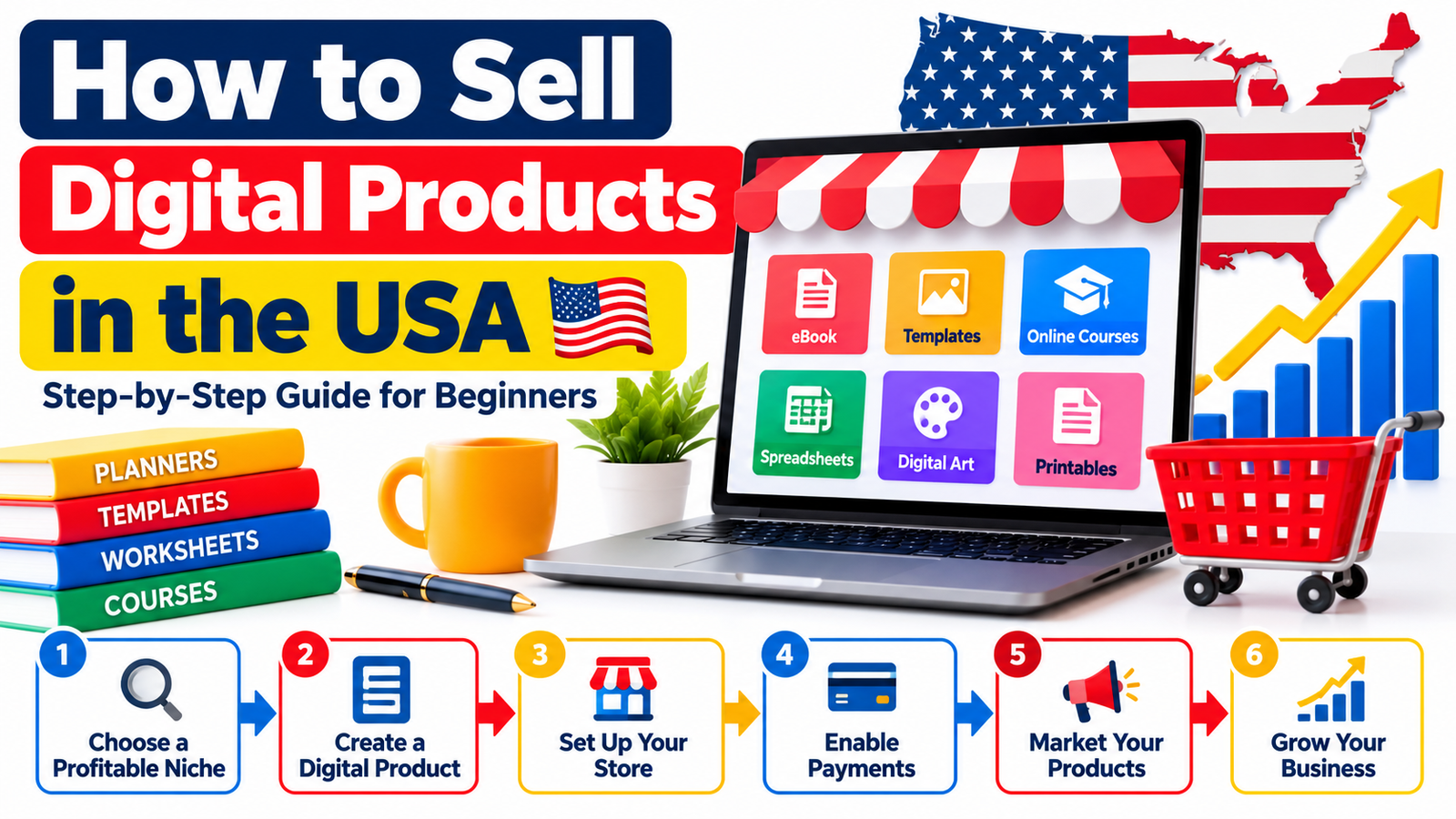
Selling digital products in the USA can be one of the most accessible ways to build an online business because you do not need a warehouse, physical inventory, packaging, or traditional shipping.
A digital product can be created once and delivered automatically to customers many times. That makes products such as eBooks, printable planners, templates, online courses, design assets, spreadsheets, digital art, stock resources, business documents, educational worksheets, and AI prompt collections attractive to creators and entrepreneurs.
However, creating a digital file is only one part of the business.
To sell digital products successfully in the United States, you also need to understand your target customer, product positioning, pricing, payment processing, licensing, taxes, product delivery, customer support, SEO, and marketing.
This beginner-friendly guide explains how to sell digital products in the USA step by step and build a business designed for sustainable growth.
What Is a Digital Product?
A digital product is an intangible item that customers purchase and receive electronically rather than through physical delivery.
Common examples include:
- eBooks and digital guides
- PDF workbooks
- Printable planners
- Canva templates
- Excel and Google Sheets templates
- Business forms
- Website templates
- Presentation templates
- Social media templates
- Stock photographs
- Digital illustrations
- SVG and PNG files
- Fonts
- Digital wall art
- Educational worksheets
- Online courses
- Video tutorials
- Audio products
- Music and sound effects
- Notion templates
- AI prompt collections
- PLR products
- MRR products
- Membership resources
- Software and digital tools
The attraction is simple: digital products can often be delivered automatically after purchase.
That removes many of the expenses associated with physical products while giving sellers access to customers across the United States and potentially worldwide.
Why Sell Digital Products in the USA?
The United States has a large population of online shoppers, entrepreneurs, students, professionals, creators, teachers, small-business owners, and consumers already accustomed to purchasing digital resources.
A seller does not necessarily need hundreds of products.
A carefully created product that solves one specific problem can sometimes be more valuable than a huge collection of unrelated files.
For example, compare these two offers:
Generic offer:
50 business templates.
Focused offer:
50 ready-to-edit client onboarding templates for freelance graphic designers.
The second product immediately tells buyers:
- who it is for,
- what problem it addresses,
- and what they will receive.
Specific positioning usually makes marketing easier.
Step 1: Choose a Profitable Digital Product Niche
Do not begin by asking:
“What digital product can I make?”
Start with:
“What problem can I help a particular customer solve?”
Strong digital product opportunities frequently exist where people want to:
- save time,
- make money,
- organize something,
- learn something,
- improve productivity,
- simplify repetitive work,
- create content faster,
- educate children,
- manage a business,
- plan finances,
- improve a skill,
- or access ready-made resources.
Potential niches include:
Small Business
You could create:
- invoice templates,
- bookkeeping spreadsheets,
- client onboarding documents,
- business planners,
- pricing calculators,
- marketing calendars,
- SOP templates.
Content Creation
Products might include:
- social media templates,
- content calendars,
- caption frameworks,
- video scripts,
- thumbnail templates,
- prompt libraries.
Education
Possible products include:
- worksheets,
- lesson planners,
- flashcards,
- homeschooling resources,
- classroom activities,
- study planners.
Personal Productivity
You could sell:
- digital planners,
- habit trackers,
- goal-setting systems,
- Notion dashboards,
- printable checklists.
Design
Popular formats may include:
- SVG files,
- PNG graphics,
- digital backgrounds,
- presentation templates,
- mockups,
- social-media graphics.
The more clearly you understand your intended customer, the easier it becomes to develop the product.
Step 2: Validate Demand Before Creating the Product
One of the biggest beginner mistakes is spending weeks creating something before checking whether people are searching for it.
Research the market first.
Look at:
- Google search results,
- Google Trends,
- marketplace search suggestions,
- competitor websites,
- social-media discussions,
- YouTube searches,
- customer reviews,
- Reddit discussions,
- questions people repeatedly ask.
Pay particular attention to customer complaints.
Complaints frequently reveal product opportunities.
Imagine customers saying:
“This planner is beautiful, but there isn’t enough room for weekly budgeting.”
That feedback could inspire a specialized budgeting planner.
Similarly, if customers repeatedly complain that business templates are confusing, a seller might create a beginner-friendly template package with instructions and examples.
Market research does not mean copying competitors.
The objective is to understand customer needs and create something more useful, clearer, more specialized, easier to use, or better organized.
Step 3: Define Your Ideal U.S. Customer
Trying to sell to everybody usually produces weak marketing.
Create a simple customer profile.
For example:
Customer: U.S.-based freelance photographer
Problem: spends too much time creating client documents
Product: photography business template bundle
Benefit: saves time setting up client workflows
Another example:
Customer: elementary-school teacher
Problem: needs additional classroom activities
Product: printable educational worksheet bundle
Benefit: ready-to-print classroom resources
Understanding your buyer helps determine:
- product features,
- design,
- language,
- pricing,
- sales copy,
- marketing channels,
- and keywords.
Step 4: Choose the Right Digital Product Format
Choose a format that is convenient for your customer.
Possible formats include:
- DOCX
- XLSX
- PPTX
- PNG
- JPG
- SVG
- EPUB
- ZIP
- MP3
- MP4
- editable Canva links
- Google Sheets
- Google Docs
- Notion templates
Make compatibility extremely clear.
For example:
Files included: PDF, PNG and SVG
Software required: Canva Free or Canva Pro, depending on template elements
Delivery: Instant digital download
Physical product: None
Customers should understand exactly what they are buying before reaching checkout.
Step 5: Create a High-Quality Product
Customers do not care how many hours you spent creating something.
They care whether it helps them.
Before publishing, test your digital product from the customer’s perspective.
Ask:
- Is it easy to understand?
- Are the files correctly named?
- Do all links work?
- Are the folders organized?
- Are instructions included?
- Is the file compatible with common software?
- Can customers quickly identify where to begin?
Large bundles should have especially good organization.
Instead of giving a buyer hundreds of files inside one folder, consider:
START HERE.pdf
01 Business Templates
02 Marketing Templates
03 Social Media
04 Finance
05 Bonus Resources
This small improvement can significantly improve perceived product quality.
Step 6: Create a Quick-Start Guide
Even simple products benefit from instructions.
Your guide could explain:
- Download the ZIP file.
- Extract the folder.
- Open START HERE.pdf.
- Select the template you want.
- Open the editing link.
- Customize the text and design.
- Export your finished file.
A customer who understands the product is less likely to contact support unnecessarily.
Step 7: Decide How You Will Structure Your U.S. Business
A digital product business may operate under different structures.
The U.S. Small Business Administration notes that business structure can affect taxation, paperwork, fundraising ability and personal liability. A sole proprietorship is generally simple to establish, while an LLC can provide liability separation in many situations. Requirements differ by state.
Common structures include:
Sole Proprietorship
Often used when someone begins selling independently.
It is relatively simple, but the business generally is not legally separate from the owner.
LLC
A Limited Liability Company can provide separation between personal and business liabilities in many situations.
Formation requirements, fees, annual filings and taxes depend on the state.
Corporation
Corporations involve greater administrative requirements and may be more suitable for certain larger businesses or businesses seeking outside investment.
Do not automatically form an LLC simply because another online seller recommends it.
Your best structure depends on factors such as:
- location,
- revenue,
- liability exposure,
- partners,
- employees,
- tax circumstances,
- and growth plans.
The SBA recommends checking applicable state and local registration and licensing requirements because they vary by location.
Step 8: Determine Whether You Need an EIN
An Employer Identification Number, or EIN, is a federal tax identification number used by businesses and other entities.
The IRS provides EINs directly without a fee. Its online application is available to qualifying U.S.-based applicants; businesses with a principal place of business outside the United States use different application procedures.
Depending on your business structure and circumstances, you may need or benefit from obtaining one.
Always use the official IRS process rather than paying an unnecessary third-party fee for an EIN.
Step 9: Open a Separate Business Bank Account
Keeping business income and expenses separate from personal transactions makes bookkeeping much easier.
A dedicated account can help you track:
- revenue,
- advertising expenses,
- software subscriptions,
- marketplace fees,
- payment processing fees,
- contractor costs,
- refunds,
- taxes,
- and profits.
The SBA includes opening a business bank account among the normal steps involved in launching a business.
Step 10: Choose Where to Sell Digital Products
You generally have two options:
Sell Through Your Own Website
Platforms and ecommerce systems can allow you to build your own storefront.
The advantage is greater control over:
- branding,
- pricing,
- customer experience,
- SEO,
- email marketing,
- upsells,
- analytics,
- and customer relationships.
The disadvantage is that you normally must generate your own traffic.
Sell Through an Existing Marketplace
Marketplaces can provide access to people already searching for products.
Depending on the product category, sellers commonly explore platforms specializing in:
- handmade and creative downloads,
- eBooks,
- courses,
- design assets,
- creator products,
- software,
- stock resources,
- educational materials.
Marketplace advantages can include built-in search traffic and easier setup.
Possible disadvantages include:
- listing fees,
- commissions,
- marketplace rules,
- competition,
- account dependence,
- limited branding control.
Many digital businesses eventually use both.
They use marketplaces for discovery while developing an independent website as a long-term brand asset.
Step 11: Set Up Secure Payment Processing
U.S. buyers typically expect familiar online payment options.
Depending on your ecommerce platform and eligibility, payment options may include:
- credit cards,
- debit cards,
- digital wallets,
- PayPal,
- platform-specific payment systems.
Before launching, understand:
- transaction fees,
- payout schedules,
- currency conversion fees,
- chargeback policies,
- refund processing,
- account reserve policies,
- geographic eligibility.
Never assume that every payment service is available to every seller worldwide.
This is particularly important if you live outside the United States but want to sell to U.S. customers.
Step 12: Understand U.S. Sales Tax for Digital Products
Sales tax can become one of the more complicated parts of selling digital products in the United States.
There is no single nationwide sales-tax rule covering every digital product.
Rules can vary by state and by product type.
The SBA explains that an online seller with sufficient physical or economic presence in a state may create sales-tax nexus and may then be required to collect applicable state or local sales tax. States use different nexus standards.
Digital-product tax treatment can also vary depending on whether the item is considered:
- downloadable software,
- an eBook,
- digital media,
- a subscription,
- a SaaS product,
- an online course,
- a template,
- or another category.
Some marketplaces handle certain sales-tax collection and remittance obligations for marketplace transactions.
That does not mean every seller is automatically free of all tax responsibilities.
As revenue grows, consider consulting a qualified tax professional familiar with ecommerce and multistate sales.
The SBA also provides links to individual state revenue departments so businesses can verify state-specific requirements.
Step 13: Understand Federal Income Tax
Money earned from an online business is generally not tax-free simply because the product is digital.
The IRS states that income earned through online or gig-related activities is taxable and explains that self-employed individuals may also have estimated-tax obligations.
Keep accurate records of:
- gross revenue,
- refunds,
- payment-processing charges,
- advertising expenses,
- software,
- website costs,
- contractors,
- business services,
- and other legitimate business expenses.
Good bookkeeping becomes increasingly important as the business grows.
Step 14: Create Clear Licensing Terms
Licensing is especially important for templates, design assets, PLR products, MRR products, educational resources and commercial-use downloads.
Your product page should clearly explain what the buyer may and may not do.
For example:
Personal Use
The customer may use the product for personal projects but may not redistribute or resell it.
Commercial Use
The customer may use the resource when creating certain commercial end products, subject to your license.
PLR
Private Label Rights can permit specified editing, branding or resale activities depending on the license.
MRR
Master Resell Rights can permit resale and sometimes the ability to transfer specified resale rights, depending entirely on the licensing agreement.
Never assume buyers understand these terms.
Spell out the permitted uses.
Also ensure that you actually own or have appropriate rights to everything included in the product.
Step 15: Create a High-Converting Product Page
Your product page should answer the buyer’s questions before they ask them.
A strong product page can include:
Clear Product Title
Example:
Small Business Finance Spreadsheet Bundle for Freelancers
This communicates more than:
Ultimate Spreadsheet Mega Pack
Short Value Proposition
Example:
Manage income, expenses, invoices and monthly business finances with editable spreadsheets built for independent professionals.
What’s Included
Be specific.
Example:
- Income tracker
- Expense tracker
- Profit-and-loss worksheet
- Invoice log
- Client payment tracker
- Monthly dashboard
- Annual financial summary
- Quick-start guide
File Information
State:
- file formats,
- number of files,
- approximate download size,
- required software,
- editing requirements.
Product Preview
Show enough to help customers understand the product without giving away the complete paid resource.
License
Explain what buyers are permitted to do.
Delivery Information
Make it obvious that it is a digital product.
Example:
Digital download only. No physical item will be shipped.
Refund or Cancellation Information
Clearly state your applicable policy and make sure it complies with relevant laws and platform requirements.
Step 16: Use Transparent Marketing
Digital-product sellers should avoid unrealistic promises.
Statements such as:
“Guaranteed $10,000 every month”
or
“Buy this template and become successful instantly”
can undermine trust and potentially create advertising-compliance issues.
The Federal Trade Commission emphasizes that advertising claims should not be deceptive and that required qualifications or disclosures should be presented clearly and conspicuously.
Build sales pages around:
- features,
- legitimate benefits,
- demonstrations,
- realistic examples,
- customer use cases,
- transparent pricing,
- and clear product information.
Trust is a stronger long-term marketing strategy than exaggerated promises.
Step 17: Price Your Digital Product Strategically
There is no universally correct price.
Evaluate:
- customer type,
- problem being solved,
- competing alternatives,
- product depth,
- uniqueness,
- commercial usage rights,
- customer support,
- included bonuses,
- perceived value.
For example, a simple printable checklist may be inexpensive.
A sophisticated financial dashboard with tutorials, templates and commercial licensing can justify a higher price.
Avoid pricing only according to file quantity.
A bundle containing 10 extremely useful resources can be more valuable than one containing 10,000 poorly organized files.
Step 18: Consider a Product Ladder
Instead of relying on one product, create multiple levels.
For example:
Free: Digital Product Launch Checklist
Entry Product: $9 Product Research Workbook
Core Product: $29 Digital Product Starter Kit
Premium Product: $79 Complete Digital Business Toolkit
The free resource attracts potential customers.
The inexpensive product introduces them to your brand.
The main product solves a larger problem.
The premium product provides greater depth or convenience.
This strategy can increase customer lifetime value without requiring aggressive selling.
Step 19: Optimize Product Pages for SEO
If you want customers to discover your website through Google, optimize each important page around real search intent.
Your primary keyword might be:
sell digital products in the USA
Related keywords could include:
- how to sell digital products
- digital products to sell online
- sell digital downloads USA
- how to start a digital product business
- best way to sell digital products
- digital product business for beginners
- where to sell digital products online
- selling digital products legally
- online digital product business
- how to make money selling digital products
Do not repeatedly force keywords into paragraphs.
Use natural variations where they genuinely improve clarity.
Step 20: Optimize Titles and Meta Descriptions
An SEO title could be:
How to Sell Digital Products in the USA: Beginner’s Guide
A possible meta description:
Learn how to sell digital products in the USA step by step, including product research, platforms, payments, taxes, pricing, SEO and marketing.
Your meta description should accurately summarize the page rather than make unrealistic promises.
Step 21: Target Long-Tail Keywords
Long-tail searches often reflect stronger intent.
Examples include:
- how to sell digital downloads in the USA
- how to start a digital product business from home
- where beginners can sell digital products
- how to price digital products
- how to sell templates online
- how to sell printables in the United States
- how to sell digital products without inventory
- digital product sales tax USA
- how to market digital downloads
- best digital products for small businesses
Create supporting articles addressing these topics individually.
Then internally link those articles to your main digital-product guide.
This helps build topical depth.
Step 22: Build Topical Authority
Rather than publishing random articles, create a connected content library.
For example:
Digital Product Business
Supporting articles:
- How to Find Profitable Digital Product Ideas
- How to Price Digital Products
- How to Create Digital Product Mockups
- How to Write Digital Product Descriptions
- How to Organize Large Digital Bundles
- How to License Digital Products
- How to Create a Digital Product FAQ
- How to Reduce Customer Confusion
- How to Build Trust With Digital Buyers
- How to Preview Digital Products
- How to Sell Digital Products on Your Own Website
Internal linking among these pages can help visitors discover more useful content while helping search engines understand the relationship between your topics.
Step 23: Optimize for Generative Search and GEO
Generative Engine Optimization, commonly shortened to GEO, focuses on making content easy for AI-powered search systems to understand, extract and reference.
There is no guaranteed formula for appearing in AI-generated answers.
However, useful content tends to have qualities such as:
- direct answers,
- descriptive headings,
- concise definitions,
- clear steps,
- factual support,
- examples,
- original insights,
- updated information,
- transparent authorship,
- reputable references.
For example, instead of writing:
“Taxes are complicated.”
Write:
“U.S. digital-product sales-tax rules vary by state, product type and whether the seller has established tax nexus.”
The second sentence gives search systems significantly more useful information.
Step 24: Prepare Content for Google Discover
Google Discover does not work like traditional keyword rankings.
Google states that indexed content meeting Discover policies is automatically eligible, but eligibility does not guarantee placement. Google recommends helpful, people-first content, accurate headlines, timely or interesting material, strong page experience and compelling high-quality images.
Google specifically recommends Discover images that are:
- at least 1200 pixels wide,
- high resolution,
- suitable for prominent display,
- relevant to the article,
- and enabled for large image previews.
Google also advises avoiding misleading clickbait, sensationalism and text-heavy generic images.
For this article, a 1280 × 720 featured image would be suitable.
A descriptive image concept could be:
How to Sell Digital Products in the USA
with a clean ecommerce illustration showing:
- laptop,
- digital files,
- payment symbol,
- download icon,
- U.S. map,
- storefront dashboard.
Keep the design simple enough to remain readable on mobile.
Step 25: Use Article or BlogPosting Structured Data
Google supports Article, NewsArticle and BlogPosting structured data.
Article markup can help Google better understand information such as:
- headline,
- author,
- images,
- publication date,
- modified date.
Google recommends using relevant high-resolution images and notes that providing multiple useful image aspect ratios can improve compatibility across search experiences.
Structured data does not guarantee higher rankings.
Its purpose is to help search engines understand the page more clearly.
Step 26: Create Original Featured Images
Avoid using the same generic stock image for dozens of posts.
For digital-product articles, create an original visual demonstrating the concept.
Possible headline:
Sell Digital Products in the USA
Supporting visual elements could include:
- digital download folder,
- ecommerce storefront,
- payment card,
- PDF icon,
- laptop,
- sales dashboard,
- U.S. map outline.
Google recommends large, relevant images for Discover rather than generic images such as a site logo.
Step 27: Build an Email List
Search traffic and social-media reach can change.
An email list gives your business a direct communication channel.
Offer something useful in exchange for an email subscription.
Examples:
- Digital Product Launch Checklist
- 50 Digital Product Ideas
- Product Pricing Calculator
- Canva Product Mockup Checklist
- Digital Business Starter Workbook
Then send useful content rather than constant promotions.
A simple email sequence could be:
Email 1: Deliver the free resource
Email 2: Help solve a related problem
Email 3: Share an example
Email 4: Introduce your product
Email 5: Answer common objections
Step 28: Use Content Marketing to Generate Traffic
Create content around questions potential customers are already asking.
If you sell bookkeeping spreadsheets, write about:
- how freelancers track expenses,
- simple bookkeeping systems,
- invoice management,
- cash-flow planning,
- financial organization.
Then naturally introduce your spreadsheet where relevant.
The principle is:
Teach first. Sell second.
Useful content can generate traffic long after publication.
Step 29: Use Pinterest for Visual Products
Pinterest can be useful for visual digital products such as:
- printables,
- planners,
- worksheets,
- templates,
- wedding resources,
- home organization tools,
- digital art,
- educational resources.
Create pins that show what the product actually does.
Avoid using identical promotional graphics repeatedly.
Test:
- product mockups,
- before-and-after examples,
- educational pins,
- checklists,
- mini tutorials,
- problem-solution graphics.
Step 30: Use Short-Form Video
Short videos can demonstrate a digital product faster than a sales page.
For example:
Video 1: How the template looks
Video 2: How to customize it
Video 3: Before versus after using the template
Video 4: Three problems the template solves
Video 5: What’s included in the download
Educational demonstrations usually feel more credible than constant direct selling.
Step 31: Use YouTube for Search-Based Marketing
YouTube can work especially well for:
- software templates,
- spreadsheets,
- productivity tools,
- courses,
- design products,
- educational resources.
Create tutorials based on what your customer searches for.
For example:
How to Track Freelance Income in Google Sheets
During the tutorial, demonstrate your financial template.
This attracts people who already have the problem your product addresses.
Step 32: Collect Genuine Reviews
Reviews reduce uncertainty.
Ask verified customers for genuine feedback about:
- product quality,
- ease of use,
- organization,
- usefulness,
- support.
Do not create fake reviews.
The FTC provides guidance emphasizing that customer reviews and endorsements should accurately represent genuine consumer experiences and that businesses should not manipulate review presentation in misleading ways.
Step 33: Improve Your Product Based on Customer Questions
Customer support messages are valuable market research.
If ten customers ask:
“How do I edit this?”
your instructions may need improvement.
If customers repeatedly ask:
“Can I use this commercially?”
your license is probably not clear enough.
Every repeated support question should trigger the question:
Can I improve the product or product page so future buyers do not need to ask this?
That creates a stronger customer experience over time.
Step 34: Track the Numbers That Matter
Do not measure success only by revenue.
Track:
- website visitors,
- product-page views,
- conversion rate,
- average order value,
- refund rate,
- email subscribers,
- email conversion,
- advertising cost,
- profit,
- returning customers.
Example:
You receive 1,000 visitors.
50 purchase.
Your conversion rate is:
50 ÷ 1,000 × 100 = 5%
If your average purchase is $30:
50 × $30 = $1,500 revenue
Understanding numbers helps identify what needs improvement.
Step 35: Improve Conversion Before Chasing More Traffic
Imagine 10,000 people visit your website but almost nobody purchases.
More traffic will not solve the real problem.
Check:
- product positioning,
- pricing,
- previews,
- checkout experience,
- mobile usability,
- loading speed,
- trust signals,
- product description,
- FAQs.
Sometimes improving a product page from a 1% conversion rate to 2% can be more valuable than doubling traffic.
Step 36: Avoid Common Beginner Mistakes
Creating Before Researching
Validate demand first.
Selling to Everybody
Define a clear customer.
Uploading Poorly Organized Files
Use folders, indexes and instructions.
Using Weak Product Images
Show realistic previews.
Hiding Important Information
Clearly disclose format, compatibility, licensing and delivery details.
Competing Only on Price
Compete through usefulness, specialization and customer experience.
Depending on One Platform
Build additional traffic sources and ideally your own audience.
Ignoring Tax Requirements
Research the rules applicable to your location and sales activity.
Making Unrealistic Income Claims
Market the product’s genuine benefits rather than promising financial outcomes.
Publishing Hundreds of Low-Quality Products
A smaller collection of genuinely useful products can create a much stronger brand.
A Simple Beginner Launch Plan
You do not need to build everything at once.
A practical sequence could look like this:
Week 1: Select one customer and one problem.
Week 2: Research competing products and customer complaints.
Week 3: Create one high-quality digital product.
Week 4: Build product previews, instructions and licensing information.
Week 5: Set up your storefront and payment process.
Week 6: Publish supporting SEO content.
Week 7: Create social and video demonstrations.
Week 8: Collect feedback and improve the product.
Then repeat what works.
Example Digital Product Business
Imagine you want to help U.S. freelance photographers.
Instead of opening a generic template store, you create:
Photography Business Client Management Kit
It includes:
- client inquiry tracker,
- project workflow template,
- invoice tracker,
- photography pricing worksheet,
- client checklist,
- email templates,
- quick-start guide.
You publish supporting articles such as:
- How Freelance Photographers Organize Clients
- How to Build a Photography Client Workflow
- Photography Invoice Tracking Guide
- How to Price Photography Packages
Each article solves a problem while naturally introducing your product.
You then create Pinterest graphics, YouTube tutorials and short-form demonstrations.
Now your website becomes more than an online store.
It becomes a specialized resource for a particular customer.
That positioning can be much harder for generic competitors to duplicate.
What Makes a Successful Digital Product Business?
A strong digital-product business usually combines five elements:
A clear customer
You know exactly who the product serves.
A meaningful problem
The customer has a reason to purchase.
A useful product
The solution saves time, reduces difficulty, improves organization or produces another tangible benefit.
Trust
Customers clearly understand what they receive and how it can be used.
Distribution
Potential buyers can discover the product through search, social platforms, marketplaces, email, referrals or advertising.
A beautiful download without distribution rarely sells.
Traffic without a useful product rarely converts.
The goal is to build both.
Frequently Asked Questions
1. Can a Beginner Sell Digital Products in the USA?
Yes. Beginners can sell products such as templates, printables, educational resources, eBooks, spreadsheets, digital art and other downloadable resources.
However, sellers still need to consider business registration, taxes, marketplace policies, intellectual-property rights, payment processing and applicable consumer rules.
Start with one focused product rather than trying to build a huge store immediately.
2. Do I Need an LLC to Sell Digital Products in the USA?
Not necessarily.
The SBA notes that a person conducting business without registering another entity may operate as a sole proprietorship, while an LLC can offer personal-liability protection in many situations. Requirements and consequences vary by state and individual circumstances.
Consider professional legal or tax advice if you are unsure which structure fits your circumstances.
3. Do I Have to Pay Tax When Selling Digital Products?
Potentially, yes.
Income from an online business can create federal income-tax obligations, while sales-tax obligations depend on factors such as state rules, product classification and whether you establish sales-tax nexus.
Because U.S. digital-product taxation varies considerably, verify the requirements relevant to your specific business.
4. What Are the Best Digital Products for Beginners to Sell?
Beginner-friendly products can include:
- checklists,
- planners,
- spreadsheets,
- Canva templates,
- educational worksheets,
- business templates,
- digital guides,
- prompt collections,
- printable resources.
The strongest choice is usually not simply the most popular product category.
It is the product where you can understand a particular customer’s problem and create a useful solution.
5. How Can I Get Customers for a New Digital Product?
Start with a combination of search-oriented content and demonstrations.
For example:
- publish SEO articles,
- create Pinterest content,
- make YouTube tutorials,
- publish short videos,
- offer a free lead magnet,
- build an email list,
- improve product-page SEO,
- encourage genuine customer reviews,
- participate in relevant communities without spamming.
Choose one or two channels initially instead of trying to master every platform simultaneously.
Start With One Useful Product
You do not need 1,000 digital products to begin selling online.
You need one clearly defined customer, one meaningful problem and one genuinely useful solution.
Research what people need. Create something that solves the problem well. Explain exactly what buyers receive. Establish appropriate licensing and business processes. Make purchasing easy. Then create useful content that helps the right people discover your product.
As sales begin, study customer behavior and improve the business systematically.
Your first objective should not be to build the largest digital store.
It should be to build a store customers understand, trust and want to return to.
Stay ahead with exclusive updates
Join our community. Get curated industry trends, actionable guides, and fresh resources delivered straight to your inbox.