Running an ecommerce business can look surprisingly simple from the outside.
Find a product. Create a listing. Make a sale. Ship the order.
Behind every successful online store, however, there is usually a much larger operational system at work. Sellers are researching products, comparing competitors, calculating margins, monitoring inventory, preparing launches, improving listings, handling customer questions, processing returns, tracking suppliers and trying to understand which products are actually producing profit.
When those tasks are managed through scattered notes, forgotten browser tabs and disconnected spreadsheets, even a small online store can become difficult to control.
That is where digital products for online sellers become valuable.
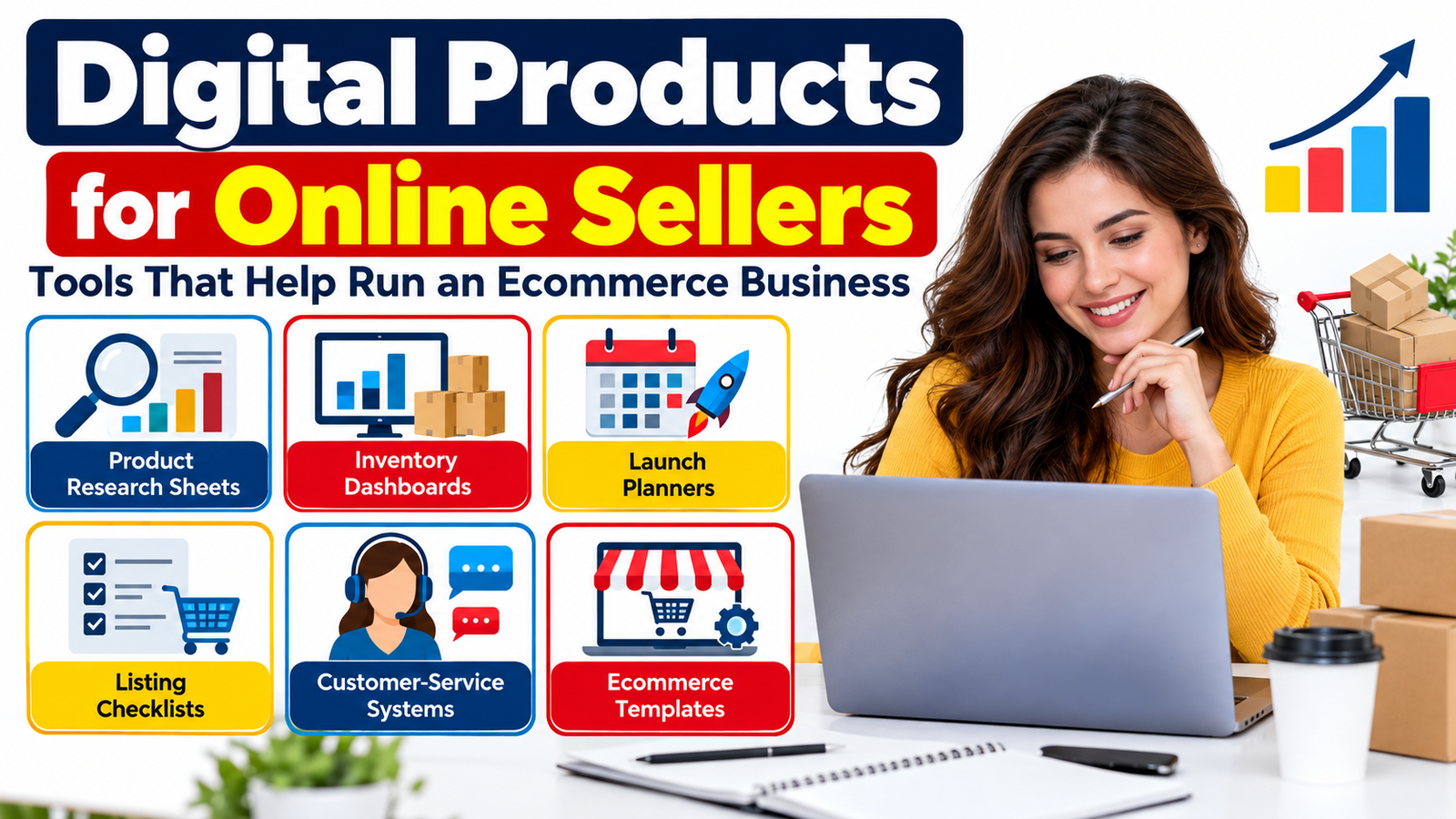
A thoughtfully designed product research sheet, inventory dashboard, launch planner or customer-service system can help a seller turn repetitive business tasks into organized workflows. These resources can also become attractive products for designers, ecommerce educators, virtual assistants, business coaches and digital-product creators who want to serve the growing online-seller market.
The opportunity is not simply to make another pretty planner.
The stronger opportunity is to create ecommerce business tools that solve specific operational problems.
Why Ecommerce Sellers Need Better Systems
Most online sellers do not struggle because they have absolutely no information.
They struggle because important information is scattered.
One product idea may be written in a notebook. Supplier pricing might live in an email. Inventory quantities may be stored in a spreadsheet that has not been updated for two weeks. Listing keywords could be saved in another document. Customer-service responses may have to be rewritten every time a buyer asks the same question.
Every disconnected process creates friction.
Good ecommerce templates reduce that friction by giving sellers one repeatable way to collect information, make decisions and complete recurring tasks.
The best templates generally help sellers answer questions such as:
What products should I investigate?
How much inventory do I currently have?
What does each item actually cost me?
When should I reorder?
Is my next product launch ready?
Have I completed every part of the listing?
Which customer questions appear repeatedly?
How many returns are occurring?
Which products generate healthy margins?
What needs attention today?
If your digital product helps an online seller answer one of these questions faster or more consistently, it has practical value.
Product Research Sheets for Smarter Product Decisions
Product research is one of the most important parts of ecommerce, yet many sellers approach it informally.
They notice a product, look at a few competing listings and decide whether the opportunity feels promising.
A structured product research spreadsheet encourages a more disciplined approach.
A useful research sheet can include product name, category, target customer, estimated selling price, estimated product cost, shipping expenses, marketplace fees, competitor pricing, supplier options, seasonal demand, product differentiation ideas, keyword observations and potential risks.
The objective is not to create a spreadsheet that magically predicts a winning product.
It is to help sellers compare opportunities using consistent information.
For example, imagine a seller evaluating three home-organization products. Without a research system, the seller might simply choose the item with the highest apparent demand.
A better research sheet could reveal that one product has lower competition but expensive shipping, another has strong demand but weak margins, while the third has moderate demand, manageable costs and opportunities for product differentiation.
The template does not make the business decision.
It makes the decision easier to evaluate.
Digital Product Opportunity
A basic product research sheet can become a larger Ecommerce Product Research Kit containing a product opportunity tracker, competitor comparison sheet, keyword research worksheet, supplier comparison table, margin estimator and product validation checklist.
That immediately creates more perceived usefulness than selling a single blank worksheet.
Inventory Dashboards That Prevent Stock Confusion
Inventory management becomes increasingly difficult as a store grows.
A seller managing five products may be able to remember approximately what is available. A seller managing 50 or 500 variations cannot rely on memory.
An inventory dashboard can provide a centralized view of product quantities and stock movement.
Useful fields might include SKU, product name, variation, opening stock, units received, units sold, damaged inventory, returned inventory, current quantity, reorder level, supplier lead time and reorder status.
A more advanced dashboard could automatically flag products approaching their reorder threshold.
For example:
A product begins with 300 units.
During the month, 180 units are sold.
Twenty additional units are unavailable because of returns or damage.
The seller is now operating with a much smaller available quantity than the original purchase number suggests.
Without accurate tracking, that seller may discover the problem only when an important product is nearly sold out.
A good inventory system makes the situation visible earlier.
Make the Dashboard Action-Oriented
Do not design inventory templates merely to store numbers.
Help sellers understand what those numbers mean.
An effective inventory dashboard might include sections for:
Healthy Stock
Products with comfortable inventory levels.
Low Stock
Products approaching their reorder point.
Reorder Required
Products that should be replenished.
Overstock
Products holding more inventory than expected.
Slow-Moving Stock
Items that may require promotion, bundling or pricing review.
This transforms a simple spreadsheet into a decision-support tool.
Ecommerce Launch Planners for Product Releases
Launching a product involves far more than publishing a listing.
The seller may need product photographs, pricing, descriptions, keyword research, inventory preparation, promotional content, email campaigns, marketplace setup, packaging and customer-support preparation.
Missing one important task can create unnecessary problems during launch.
An ecommerce launch planner gives sellers a repeatable process.
A practical planner could organize tasks into several stages.
Research Stage
Confirm the target customer, competitor landscape, expected pricing, product positioning and selling channel.
Product Preparation Stage
Confirm supplier details, inventory availability, packaging requirements, SKU information and product specifications.
Listing Stage
Prepare product title, description, images, features, keywords, pricing and delivery information.
Marketing Stage
Prepare email campaigns, social-media content, advertising creatives, promotional offers and launch announcements.
Launch Stage
Publish the listing, verify links, test checkout, review inventory synchronization and confirm customer-service readiness.
Post-Launch Stage
Track traffic, conversion, questions, returns, reviews, sales and potential improvements.
Once a seller has a reusable system, launching the second or tenth product becomes much easier than rebuilding the process each time.
Product Listing Checklists That Improve Consistency
Product listings act as digital salespeople.
They need to communicate what the product is, who it is for, what the buyer receives and why it may be useful.
Yet busy sellers frequently publish listings with missing information.
An ecommerce product listing checklist can prevent avoidable omissions.
A strong checklist might cover the product title, category, product specifications, customer benefits, photographs, image alt text where appropriate, product description, pricing, variants, SKU, shipping information, return information, inventory quantity, keywords and mobile review.
This type of digital product can work particularly well because sellers may use it repeatedly.
A Shopify seller can use it before adding a new product.
An Etsy seller can use it while preparing a new digital or physical listing.
A marketplace seller can adapt it for catalog uploads.
A virtual assistant can use it while managing client stores.
The more repeatable the task, the more valuable a checklist can become.
Customer-Service Systems for Faster Responses
Customer service is one of the most overlooked areas when people create digital products for online sellers.
Sellers repeatedly receive similar questions.
Where is my order?
Can I change my address?
When will this item be restocked?
How do I use the product?
Can I cancel my order?
What should I do if the item arrived damaged?
Do you accept returns?
Is this product available in another size?
Writing every answer from scratch wastes time and can produce inconsistent communication.
A customer-service response system gives sellers approved starting points for recurring situations.
The system could include response templates for order confirmations, shipping delays, address-change requests, damaged products, refunds, exchanges, product questions, delivery issues, cancellations and follow-up messages.
The strongest products should encourage sellers to customize responses rather than sending robotic scripts unchanged.
Templates should speed up communication without removing the human element.
Profit and Margin Trackers
Revenue can look impressive while profitability remains weak.
That is why a profit tracker can be one of the most useful ecommerce business tools.
A seller needs to understand more than selling price.
Product cost, payment-processing fees, marketplace fees, shipping, packaging, advertising and other operating expenses can significantly affect the amount remaining from each sale.
A profit tracker can help sellers record selling price, cost of goods, transaction fees, fulfillment costs, advertising allocation and estimated profit.
A monthly dashboard might then summarize revenue, product cost, advertising expense, fees, gross profit and approximate margin.
This type of resource is particularly valuable when positioned as a management tool rather than merely a bookkeeping spreadsheet.
It should also clearly explain that it is not a replacement for professional accounting or tax advice.
Supplier Comparison Templates
Choosing a supplier is rarely about selecting the lowest quoted price.
Sellers may also need to consider minimum order quantities, production time, shipping costs, product quality, customization options, communication and payment requirements.
A supplier comparison spreadsheet can make those differences easier to evaluate.
For every supplier, sellers can record contact details, product cost, minimum order, shipping estimate, sample cost, lead time, customization capability and notes.
This can become especially useful when a business is comparing several potential sources for the same product.
A companion supplier contact log can record conversations, quotations, sample orders and follow-up dates.
Order Management Dashboards
An order management dashboard helps sellers see what is happening after a purchase occurs.
Depending on the business model, useful status categories might include new order, payment confirmed, processing, packed, shipped, delivered, cancelled, returned and refunded.
For small sellers who do not yet need complex software, a clear spreadsheet or database template can provide a simple operating system.
The key is avoiding unnecessary complexity.
A small handmade seller may not need 40 fields for every transaction.
A wholesale ecommerce operation may need considerably more.
Successful template creators design around a specific type of user rather than trying to make one file serve everyone.
Returns and Refund Trackers
Returns contain valuable business information.
A seller who records only that a refund happened misses an opportunity to identify patterns.
A returns tracker can record product, order number, date, return reason, refund amount, product condition and resolution.
Over time, the seller may discover that one variation receives more complaints, one product description creates misunderstanding or one packaging method produces more damage.
The purpose of the tracker is therefore not simply administrative.
It can support better operational decisions.
Ecommerce Content Calendars
Online stores constantly need content.
New product announcements, promotions, educational posts, customer stories, seasonal campaigns, emails and product demonstrations all compete for attention.
An ecommerce content calendar gives sellers one location for planning these activities.
Useful fields can include publication date, platform, campaign, product being promoted, content format, call to action, creative status and performance notes.
The calendar becomes more valuable when it connects content to business objectives.
Instead of simply recording “Instagram post,” the seller might record:
Campaign: Holiday Gift Collection
Product: Gift Set A
Content Goal: Product discovery
CTA: View collection
Status: Scheduled
This makes the template a marketing system rather than a generic calendar.
Promotional Campaign Planners
Discounts can generate sales, but promotions should still be planned carefully.
An ecommerce promotional planner can help sellers organize campaign dates, offer structure, featured products, promotional codes, creative requirements, landing pages, inventory needs and results.
It can be useful for events such as seasonal sales, store anniversaries, new-product releases, clearance periods or holiday campaigns.
A post-campaign review section can help the seller record what happened and what should change next time.
Ecommerce KPI Dashboards
As stores grow, sellers can become overwhelmed by metrics.
A well-designed ecommerce KPI dashboard should focus attention rather than simply display every available number.
Depending on the seller’s platform and business model, the dashboard might track sales, orders, average order value, conversion rate, advertising spend, returns, inventory levels and customer-service volume.
The creator should clearly explain how each metric is entered and interpreted.
A beautiful dashboard that users cannot understand will quickly be abandoned.
Competitor Research Templates
Competitor research should not be about copying another seller.
It should help businesses understand market expectations and identify opportunities to differentiate.
A competitor analysis template can include product range, pricing, positioning, visual presentation, common customer questions, promotions, shipping policies and potential market gaps.
The seller can then use those observations to refine their own strategy.
For example, if several competing stores provide confusing product information, clearer education may become an opportunity.
If most competitors sell individual items, a thoughtfully designed bundle might provide another point of differentiation.
Research should lead to better decisions, not imitation.
Customer Feedback Trackers
Reviews, emails, return requests and support conversations contain valuable customer language.
A customer feedback tracker gives sellers one place to organize that information.
Feedback can be categorized as praise, complaint, feature request, product question, shipping issue or usability issue.
After enough responses accumulate, patterns become easier to identify.
Repeated questions may suggest that the product description needs improvement.
Repeated praise can reveal benefits worth highlighting.
Repeated requests may inspire future products.
Customer feedback can therefore become both an operational resource and a product-development resource.
Standard Operating Procedure Templates
An ecommerce business becomes easier to delegate when common processes are documented.
A seller may eventually work with virtual assistants, customer-service staff, warehouse partners or contractors.
Without written procedures, the owner may need to explain the same task repeatedly.
An ecommerce SOP template can help document activities such as adding a product, processing an order, responding to complaints, updating inventory, creating promotional codes and reviewing returns.
Each procedure can contain its purpose, responsible person, required tools, step-by-step process, quality check and completion criteria.
SOP templates become increasingly valuable as a business moves from owner-operated to team-operated.
How to Turn Individual Ecommerce Templates Into Product Bundles
Selling one checklist can work.
Selling a connected business system can often communicate more value.
Imagine combining a product research sheet, supplier tracker, margin calculator, launch planner, listing checklist, inventory dashboard, customer-service template library, returns tracker and KPI dashboard.
Instead of marketing it as nine unrelated spreadsheets, position it as an:
Ecommerce Seller Operations Toolkit
or
Online Store Management System
or
Ecommerce Business Dashboard Bundle
The difference is important.
Customers do not primarily want spreadsheets.
They want better organization, clearer decisions and fewer forgotten tasks.
Sell the outcome that the templates are designed to support.
Design Digital Products Around Seller Experience Levels
Not every ecommerce seller needs the same system.
Beginner Sellers
Beginners often benefit from simple tools such as product research sheets, startup checklists, listing templates, basic inventory trackers and launch planners.
Too much complexity can discourage them.
Growing Sellers
A growing business may need more advanced inventory dashboards, supplier systems, customer-service workflows, marketing calendars and profit trackers.
Established Sellers
More experienced operations may value KPI dashboards, SOP libraries, team-management systems and multichannel planning resources.
Segmenting products by experience level can also create a natural product ladder.
Someone might purchase a $9 starter checklist first, then a $29 planning bundle and eventually a larger ecommerce operations toolkit.
Create Templates for Specific Ecommerce Business Models
Generic resources serve a broad audience, but niche-specific products can communicate stronger relevance.
A template creator could develop systems specifically for Etsy sellers, Shopify store owners, handmade businesses, print-on-demand sellers, digital download shops, marketplace sellers, subscription-box businesses or small direct-to-consumer brands.
For example, a generic product planner might be called:
Product Launch Planner
A niche version could become:
Handmade Product Launch Planner for Etsy Sellers
The second product immediately communicates who it was designed for.
However, avoid claiming compatibility with a marketplace or platform unless you have actually designed and tested the workflow for that environment.
Make Ecommerce Templates Easy to Use
Complexity is not the same as value.
Many sellers purchase organizational tools because they already feel overwhelmed.
A template with dozens of unexplained tabs can make that problem worse.
Every digital product should ideally include clear instructions.
Explain what the template does.
Explain where the customer should begin.
Show which fields require manual input.
Identify any formulas that should not be changed.
Provide a completed sample whenever practical.
Explain how often the user should update the system.
Include basic troubleshooting guidance.
The easier the first five minutes are, the more likely customers are to continue using the product.
Formats You Can Use for Ecommerce Digital Products
Different seller problems require different formats.
Spreadsheets work well for calculations, inventory, pricing, product research and dashboards.
PDF workbooks work well for planning, strategy and guided exercises.
Editable document templates work well for SOPs, policies and customer communications.
Database-style systems can work well for product pipelines and workflow management.
Printable checklists work well for repeatable operational tasks.
A premium product can combine multiple formats.
For example, an Ecommerce Launch Kit could contain a planning workbook, spreadsheet tracker, launch checklist and customer-support templates.
How to Make Ecommerce Templates Feel More Professional
Professional design begins with usability.
Use consistent typography.
Create clear section headings.
Limit unnecessary decorative elements.
Keep data-entry fields visually distinct.
Use logical tab names.
Protect formulas where appropriate.
Include sample information.
Add simple instructions.
Test every formula.
Test the product on different screen sizes when relevant.
Review spelling and labels.
Remove unused cells, tabs and placeholder information before delivery.
Customers should not have to reverse-engineer the product before using it.
SEO Strategy for Selling Ecommerce Templates
SEO for digital products works best when content matches the question the customer is actually asking.
Someone searching for ecommerce templates may still be exploring broadly.
Someone searching for inventory spreadsheet for small ecommerce business has a much more specific problem.
Someone searching for product launch checklist for Shopify store has an even clearer use case.
Build product pages and supporting articles around these different levels of intent.
Useful topics might include how to organize ecommerce inventory, how to research new products, how to create a product launch workflow, how to track ecommerce expenses and how to build customer-service systems.
Educational content can attract people before they are ready to purchase.
The product then becomes the practical next step.
GEO: Make Your Content Easy to Understand and Cite
Generative search experiences increasingly reward content that provides direct, clearly structured answers.
For stronger GEO—or generative engine optimization—write sections that answer specific questions without forcing readers to search through long introductory passages.
Define terms clearly.
Use meaningful headings.
Include practical examples.
Explain processes.
Provide specific use cases.
Demonstrate experience rather than filling pages with generic statements.
When describing a product research sheet, explain what goes into it.
When discussing inventory dashboards, explain the decisions they support.
When mentioning customer-service systems, show which workflows can be organized.
Useful specificity serves both human readers and machine-driven discovery systems.
Creating Content With Google Discover in Mind
Discover visibility cannot be guaranteed, and it should not be treated as something a publisher can force.
A stronger strategy is to create genuinely useful, timely and visually compelling content for a clearly defined audience.
Use descriptive rather than sensational headlines.
Provide original insight and practical examples.
Keep the page easy to read on mobile devices.
Use strong, representative article imagery rather than generic decorative graphics.
Publish substantial content that gives readers a reason to save, share or return to your site.
Google’s current documentation emphasizes helpful, reliable, people-first content and descriptive page titles. Google also supports Article and BlogPosting structured data to help it understand details such as an article’s headline, author and representative images.
Commercial Opportunities for Digital Product Creators
The ecommerce seller market allows creators to build more than one standalone product.
A customer who purchases an inventory tracker may later need a profit dashboard.
Someone buying a launch planner may also need product research tools.
A seller purchasing customer-service templates may eventually need an SOP system.
This creates opportunities for complementary products and bundles.
A simple product ecosystem could begin with low-cost individual tools, expand into themed bundles and eventually offer a complete ecommerce business management library.
This approach allows customers to purchase according to their current needs rather than forcing everyone into one large package.
Build Products Around Problems, Not File Types
This distinction can completely change how digital products are marketed.
“We sell spreadsheets” focuses on the format.
“Organize your product research before investing in inventory” focuses on the problem.
“Inventory dashboard” describes a file.
“Know which products are running low before they sell out” explains the benefit.
“Customer-service templates” describes a resource.
“Respond faster to repeated customer questions while keeping communication consistent” explains why it matters.
Customers usually care far more about the problem being solved than whether the solution arrives as an XLSX file, PDF or editable document.
Practical Ecommerce Product Bundle Idea
A comprehensive Online Seller Business Toolkit could contain a product research workbook, competitor tracker, supplier comparison sheet, pricing and margin calculator, inventory dashboard, launch planner, product listing checklist, order tracker, returns tracker, customer-service response library, content calendar, promotion planner, KPI dashboard and ecommerce SOP template.
The toolkit could be offered in several levels.
A starter edition could focus on launching the store.
A growth edition could add inventory, marketing and performance tools.
A complete edition could combine operational dashboards, customer service, SOPs and management systems.
This gives buyers a clear path based on the stage of their business.
The Real Value of Ecommerce Business Tools
The best digital products for online sellers do not promise effortless success.
They create structure.
They help sellers remember important tasks, organize information, identify problems earlier and repeat good processes more consistently.
That is what makes tools such as product research sheets, inventory dashboards, launch planners, listing checklists and customer-service systems commercially useful.
For digital-product creators, this is also an important lesson.
Do not start by asking:
“What template should I design?”
Start by asking:
“What recurring ecommerce problem can I make easier to manage?”
That question can lead to products customers actually understand and use.
If you already sell digital resources, review your current catalog and look for missing operational tools. A single spreadsheet may become a small bundle, and a small bundle may eventually become a complete ecommerce business toolkit.
If you are starting from zero, choose one high-friction task—product research, inventory, launching, listings or customer support—and create the simplest useful system you can. Test it with realistic data, improve the instructions and expand only when the additional features genuinely help the user.
A useful ecommerce template does not need hundreds of features.
It needs to make one important job easier.
Frequently Asked Questions
1. What are the best digital products for online sellers?
Some of the most practical digital products include product research sheets, inventory dashboards, pricing calculators, profit trackers, launch planners, product listing checklists, supplier trackers, customer-service templates, returns trackers, marketing calendars and ecommerce SOP systems. The best choice depends on the specific operational problem the seller needs to solve.
2. Are ecommerce templates suitable for beginners?
Yes. In fact, beginners can benefit significantly from simple ecommerce templates because they provide structure while the seller is still developing business routines. Beginner products should remain easy to understand and avoid unnecessary dashboards, calculations or advanced terminology.
3. Can I sell ecommerce spreadsheet templates?
Yes, provided you created the templates yourself or hold the appropriate commercial rights to the material you are selling. Clearly describe the file format, software requirements, functionality and limitations. Test formulas and instructions carefully before releasing the product.
4. What should be included in an ecommerce inventory dashboard?
A practical inventory dashboard can include SKU, product name, variation, units received, units sold, current quantity, reorder threshold, supplier information, lead time and stock status. More advanced versions may also show overstock, slow-moving inventory, damaged products or projected reorder needs.
5. How can I make ecommerce digital products more valuable?
Focus on usability and problem-solving. Provide clear instructions, realistic examples, logical workflows and templates designed for a specific type of seller. Combining related tools into a coordinated system can also increase usefulness. For example, a product research sheet can be paired with a supplier tracker, margin calculator and launch planner to create a more complete product-validation toolkit.
Ecommerce Templates, Ecommerce Business Tools, Online Seller Templates, Ecommerce Spreadsheet, Inventory Dashboard, Product Research Sheet, Product Research Spreadsheet, Ecommerce Launch Planner, Product Listing Checklist, Ecommerce Customer Service Templates, Online Store Management, Seller Productivity Tools, Ecommerce Digital Downloads, Small Business Templates, Inventory Management Template, Ecommerce Planner, Online Business Tools, Product Launch Templates, Ecommerce Operations, Ecommerce Seller Toolkit, Shopify Seller Tools, Etsy Seller Resources, Ecommerce SOP Templates, Ecommerce Profit Tracker
Stay ahead with exclusive updates
Join our community. Get curated industry trends, actionable guides, and fresh resources delivered straight to your inbox.