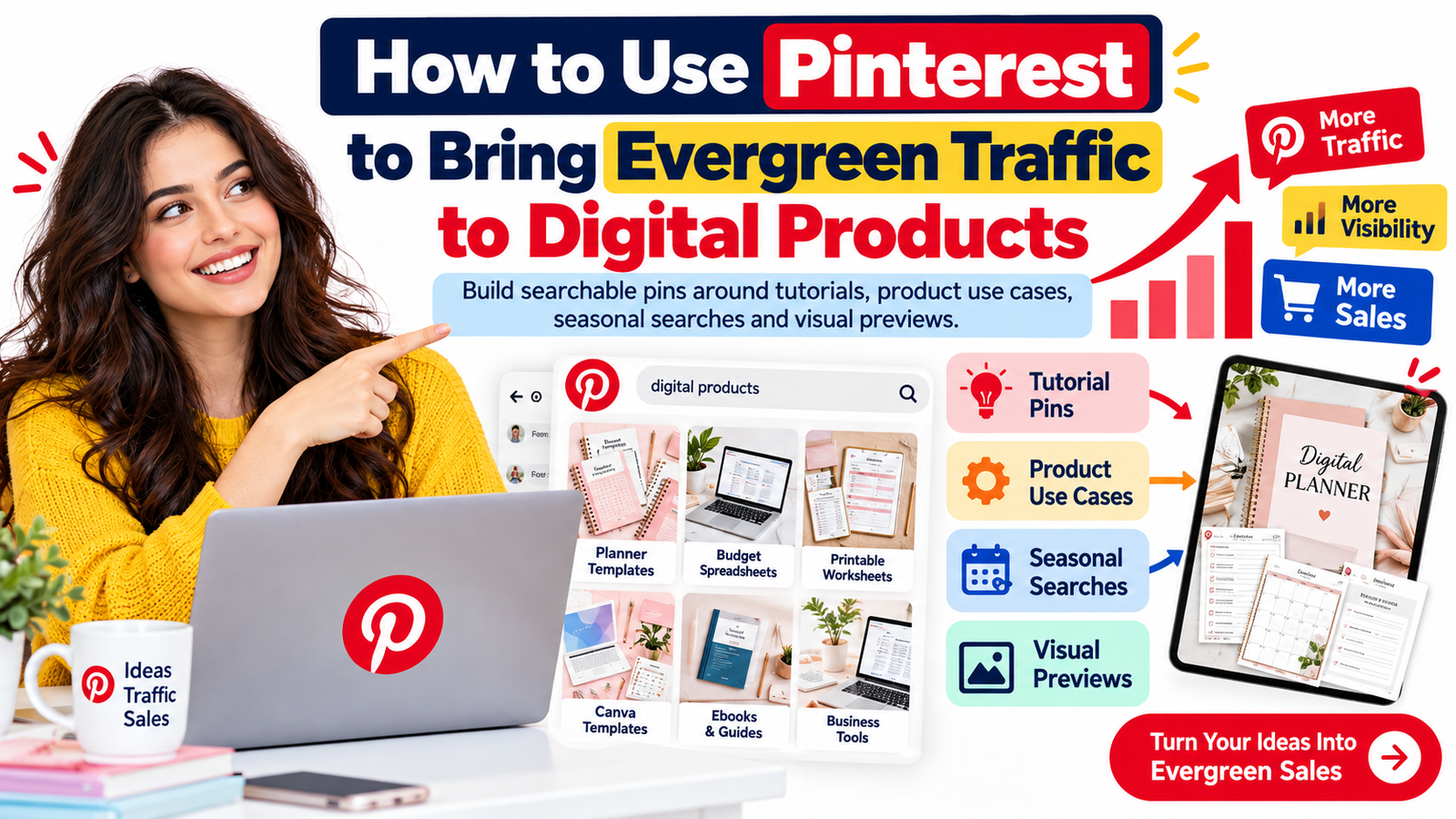
Pinterest can do something many social platforms struggle to do: keep sending people to useful content long after the day it was published.
A post on a fast-moving social feed may receive most of its attention within hours or days. A useful Pinterest Pin, however, can continue appearing when people search for an idea, browse related Pins, plan a project, compare products, or return to a saved board months later.
That makes Pinterest particularly interesting for digital product sellers.
Templates, planners, worksheets, ebooks, printable resources, Canva designs, business tools, checklists, courses, guides, presets, spreadsheets and other downloadable products naturally fit Pinterest because they can be demonstrated visually and connected to searches based on problems, goals and projects.
The opportunity is not simply to upload attractive product images.
A stronger Pinterest digital product marketing strategy treats every Pin as a searchable doorway into useful content.
Instead of publishing only “Buy My Planner” Pins, you can create searchable Pins around tutorials, product use cases, before-and-after examples, seasonal needs, checklists, visual previews and practical questions that potential customers are already asking.
Pinterest itself describes several discovery surfaces, including the home feed, search, related Pins and shopping experiences. It also recommends adding useful context through titles, descriptions, links and relevant boards so its systems can better understand and distribute content.
For digital sellers, that creates a simple but powerful idea:
Do not build your Pinterest account only around products. Build it around the searches, problems and aspirations that lead people to those products.
Why Pinterest Can Work Well for Evergreen Digital Product Marketing
Pinterest operates partly like a visual discovery platform and partly like a search engine.
People regularly open it because they want to find something: inspiration for a business, a printable activity, a wedding idea, a productivity system, a home project, a marketing plan, a budgeting method, a study strategy or a design style.
That behavior matters because search-driven traffic can have a longer useful life than purely chronological social traffic.
Pinterest recommends clear board names, useful Pin context, destination URLs and regular creation of original Pins. It also states that keywords in Pin titles, Pin descriptions, board titles and board descriptions can help Pinterest understand relevance.
For a digital product business, a single product can therefore generate many different search-focused entry points.
Imagine that you sell a digital wedding planner.
A basic approach might create a Pin showing the planner cover with the words “Digital Wedding Planner.”
A search-focused approach could also publish content around “12 Month Wedding Planning Checklist,” “Wedding Budget Categories,” “How to Organize Wedding Vendors,” “Wedding Planning Timeline for Beginners,” “Questions to Ask a Wedding Photographer” and “Wedding Guest List Organization Ideas.”
The product remains the same.
The number of reasons for discovering it becomes much larger.
That is the foundation of evergreen Pinterest traffic.
Pinterest Traffic Is Built Around Search Intent, Not Just Keywords
Pinterest SEO is sometimes reduced to adding popular phrases to Pin descriptions.
That misses the larger opportunity.
A keyword tells you what someone typed. Search intent helps you understand what they are actually trying to accomplish.
Someone searching for “meal planner printable” may want a printable product immediately.
Someone searching for “how to meal plan for a week” may still be learning.
Someone searching for “cheap weekly meal ideas” has a budget problem.
Someone searching for “Sunday meal planning routine” may be looking for a system.
All four searches could eventually lead to the same meal-planning product, but each requires a different Pin and landing-page angle.
This is why the strongest Pinterest SEO strategy begins with customer problems rather than keyword density.
Think about the task behind the search.
What is the person trying to plan, simplify, learn, organize, create, save, compare or complete?
Build your Pin around that task.
Build Four Types of Searchable Pins Around Every Digital Product
A sustainable Pinterest strategy becomes much easier when you stop trying to invent unrelated content every week.
Instead, build several content angles around the same product.
Tutorial Pins
Tutorial content attracts people who are looking for a process rather than a product.
If you sell a social media planner, you might publish:
“How to Plan 30 Days of Social Media Content”
The Pin can lead to a useful article explaining the process and naturally introduce your content-planning template.
A resume template seller could create:
“How to Organize a Resume for a Career Change”
A budgeting spreadsheet seller could create:
“How to Build a Simple Monthly Budget”
A digital teacher-resource seller could create:
“How to Organize Weekly Lesson Planning”
Tutorial Pins can be especially valuable because the content remains useful even when someone is not yet ready to purchase.
The tutorial earns attention.
The product provides the shortcut.
Product Use-Case Pins
Many customers do not need more information about what a product contains.
They need to understand how it fits into their life.
Instead of showing only a workbook cover, demonstrate the outcome.
A business spreadsheet could be presented as:
“Use This Dashboard to Track Monthly Business Expenses”
A content calendar could become:
“A Simple System for Planning One Month of Content”
A printable kids bundle could become:
“Easy Printable Activities for a Rainy Afternoon”
A Canva template pack could become:
“Create a Week of Instagram Posts From One Template Kit”
Use-case Pins connect a feature to a meaningful task.
That usually creates a stronger reason to click.
Create Visual Previews That Make the Product Understandable
Digital products are intangible.
Customers cannot hold them, flip through them or examine them on a shelf.
Pinterest can help close that gap.
Show worksheet pages.
Show a spreadsheet dashboard.
Display several template variations.
Demonstrate how the resource looks on a laptop, tablet or printed page.
Show a filled-in example beside a blank version.
Present a small collection of pages so the buyer understands the structure.
The goal is not to reveal every page.
The goal is to reduce uncertainty.
A customer who can immediately see how the product works is more likely to understand its value.
For Pinterest itself, strong visual presentation is also important. Pinterest recommends high-quality assets designed for mobile viewing and generally favors vertical creative. For standard image formats, Pinterest currently recommends a 2:3 aspect ratio, such as 1000 × 1500 pixels.
Use Seasonal Searches Without Abandoning Evergreen Content
Evergreen does not mean ignoring seasons.
A better model is to build an evergreen foundation and place seasonal content around it.
Suppose you sell a student planner.
Your evergreen Pins might target:
“Study Planner Template”
“Weekly Student Planner”
“Exam Revision Schedule”
“Assignment Tracker”
Then seasonal versions might address:
“Back-to-School Study Planner”
“Final Exam Study Schedule”
“New Semester Organization Checklist”
“College Planning for January Semester”
The product may remain nearly identical.
The search context changes.
Seasonal content can create traffic spikes while evergreen content continues working between them.
Pinterest publishes a Trends tool specifically to help businesses examine search and shopping interests, and Pinterest Predicts is designed to identify emerging cultural themes. Sellers can use those resources as research inputs rather than guessing what audiences may search for next.
The important part is timing.
Do not wait until the exact day of an event to publish the first related Pin.
Pinterest users often plan ahead.
Create seasonal resources while people are still researching and organizing.
How to Find Pinterest Keywords for Digital Products
You do not need to begin with an expensive keyword tool.
Start inside the platform.
Search your product category and observe the language that appears around the topic.
Look for repeated problem words, audience descriptions, product types and action phrases.
If you sell a budgeting spreadsheet, the broad phrase “budget spreadsheet” is only the beginning.
The wider topic may include monthly expense tracking, household budgeting, small business expenses, savings goals, debt tracking, cash flow planning and personal finance organization.
You can also use Pinterest Trends to investigate interest patterns and emerging searches where data is available.
The objective is not to collect hundreds of disconnected keywords.
Build small semantic groups.
For example, a creator selling a content planner could build one group around “content planning,” another around “social media organization,” another around “content calendar,” another around “creator workflow” and another around “30-day content ideas.”
Each group can support several Pins while pointing toward the same product or related educational content.
Where Pinterest Keywords Should Appear
Keyword placement should sound natural.
Your primary topic can appear in the Pin title, while closely related language can appear in the description, relevant board title, board description and destination-page content.
Pinterest explicitly recommends optimizing relevant keywords across Pin titles, Pin descriptions, board titles and board descriptions.
Avoid repeating the same phrase mechanically.
A Pin titled:
“Digital Product Planner | Digital Product Planner Template | Digital Product Planner Download”
sounds written for an algorithm rather than a customer.
A clearer title would be:
“Digital Product Launch Planner for Online Sellers”
Its description might explain that the resource helps creators organize launch tasks, product assets, promotions and deadlines.
Search engines gain context.
Humans gain a reason to care.
Write Pin Titles for Both Search and Curiosity
Pinterest allows Pin titles of up to 100 characters, although Pinterest notes that only part of a title may appear in some feeds.
Put the clearest information early.
Instead of:
“Here Is the Amazing Resource I Use to Keep Everything Organized”
try:
“Small Business Content Planner: Organize 30 Days of Posts”
Instead of:
“Something Every Bride Needs Before the Big Day”
try:
“Wedding Planning Checklist: What to Organize Before the Wedding”
Clarity supports both search understanding and user confidence.
Avoid manufactured curiosity.
A person should understand what they will receive before clicking.
Write Pin Descriptions for Relevance, Not Keyword Stuffing
Pinterest states that descriptions can help its systems determine relevance, even though descriptions are not always displayed prominently in feeds.
Use that space to explain the content naturally.
For example:
“Organize your digital product launch with a practical planner for tracking product files, pricing, promotional content, launch dates and customer tasks. Ideal for creators, Etsy sellers and digital product businesses looking for a simple launch workflow.”
This naturally contains useful semantic concepts without reading like a list of search terms.
Your description should clarify what the Pin contains, who it is useful for, what problem it addresses and what the visitor can expect after clicking.
Build Boards Around Customer Problems
Pinterest boards should not become random storage folders.
Treat them like categories in a useful resource library.
A store selling digital resources for small businesses might have boards covering business planning templates, social media templates, productivity systems, content-planning tools and digital product selling resources.
Pinterest specifically recommends organizing Pins into clearly named boards and gives descriptive, topic-focused board names as a search best practice.
The clearer your board structure is, the easier it is for both visitors and Pinterest to understand what your account is about.
Avoid vague board titles such as “Things I Love,” “Great Ideas” or “My Products” when search discovery is the goal.
Do Not Send Every Pin Directly to a Sales Page
One of the most useful changes a digital product business can make is expanding its destination strategy.
Some Pins should absolutely link to product pages.
Others should link to articles, tutorials, comparison pages, free resources or product-use guides.
Why?
Because people arrive with different levels of buying intent.
A person searching “printable daily planner” may be ready to shop.
A person searching “how to stop forgetting daily tasks” may need education first.
Sending both users to the exact same product page ignores their different needs.
An educational article can answer the second person’s question, show an example workflow and then introduce a planner as the next logical step.
This builds a more natural funnel:
Pinterest search → useful content → relevant digital product → purchase opportunity.
Create Content Clusters Instead of Isolated Pins
The most scalable Pinterest strategy is not “make more Pins.”
It is “build more useful entry points into the same topic.”
Suppose your primary product is an Etsy seller planner.
Your core article could explain how to organize an Etsy business.
A supporting article could explain product listing planning.
Another could cover inventory tracking.
Another could cover seasonal sales preparation.
Another could show how to organize customer-service tasks.
Each page can generate several visual Pins.
All of the content can naturally reference your Etsy planner.
Instead of relying on one sales page and one Pin, you create an interconnected discovery system.
This structure also supports conventional SEO and what is increasingly called GEO, or generative engine optimization.
Pinterest Marketing and GEO Can Work Together
GEO should not be treated as a magical replacement for SEO.
Google’s 2026 guidance on generative AI search features reinforces the continuing importance of established SEO practices while emphasizing useful, distinctive content rather than commodity information. Google has also clarified that special files such as llms.txt are not required to improve visibility in Google Search.
For a Pinterest-driven content site, that means your landing pages should answer questions clearly, demonstrate real experience, include useful examples, use descriptive headings and provide information that can be understood without decoding marketing language.
Instead of writing:
“Our revolutionary planner transforms productivity.”
write:
“This 30-day content planner gives creators dedicated sections for content ideas, publishing dates, platforms, calls to action and completion status.”
Specificity is easier for customers, search engines and AI-powered discovery systems to understand.
Turn One Digital Product Into Many Pinterest Pins
You do not need dozens of products to build a substantial Pinterest presence.
One strong digital product can support months of content.
Imagine a freelance business planner.
One Pin can show the full product.
Another can focus on its client tracker.
Another can show the income worksheet.
Another can explain how to organize freelance projects.
Another can present a “weekly freelance admin routine.”
Another can demonstrate a completed planning page.
Another can link to an article about avoiding missed client deadlines.
Another can highlight a seasonal “new year business reset.”
The underlying product is unchanged.
Only the user intent changes.
This is far more sustainable than constantly creating new products simply because you need something new to post.
Refresh Successful Topics Instead of Constantly Chasing New Ones
Evergreen marketing does not require publishing completely new subjects forever.
Study your existing data.
Pinterest recommends reviewing Pin-level performance, Analytics, Audience Insights and conversion data to identify the content and topics that resonate.
If a Pin about a “small business expense tracker” repeatedly produces outbound clicks, that is information.
You might create a new visual version, a different headline, a more focused tutorial or a complementary product.
If another Pin receives impressions but few clicks, the search relevance may be good while the visual or offer is weak.
If a Pin receives clicks but visitors quickly leave your site, the landing page may not match the promise made in the Pin.
Analytics should guide creative decisions.
Do not judge Pinterest only by follower count.
For sellers, more meaningful signals include outbound clicks, saves, engaged sessions, email signups, product views, add-to-cart activity and sales.
Build a Pinterest Funnel Instead of Expecting Every Visitor to Buy
Not every Pinterest visitor will purchase immediately.
That is normal.
Consider giving useful visitors a lower-commitment next step.
An article about starting a digital-product business could offer a free product-planning checklist.
A wedding planner article could offer a free wedding timeline.
A budgeting spreadsheet article could provide a downloadable monthly budgeting checklist.
The visitor discovers you through Pinterest, receives something genuinely useful and joins your email audience.
Your email sequence can then introduce related education and paid products.
Pinterest becomes the discovery engine.
Your website becomes the trust-building environment.
Your email list becomes the relationship channel.
Your digital store becomes the conversion destination.
That is much more resilient than depending on a single Pin to generate an immediate sale.
Make the Destination Page Match the Pin
A beautiful Pin cannot compensate for a confusing landing page.
If a Pin promises a tutorial, the visitor should see the tutorial immediately.
If it promises a template preview, show the preview.
If it promotes a product, clearly explain the product.
Avoid sending users to a generic homepage when a more relevant page exists.
The landing page should have a descriptive headline, fast loading time, clear visuals, readable mobile formatting, transparent pricing where applicable and an obvious next step.
Google’s page-experience guidance similarly encourages mobile-friendly pages, secure delivery, good Core Web Vitals, limited intrusive interruptions and a design where the main content is easy to distinguish.
Pinterest may earn the click.
Your website must earn the next action.
Use Pinterest and Google Search as a Combined Evergreen Strategy
Pinterest and Google do not need to be competing traffic channels.
A high-quality tutorial can potentially attract visitors from Google Search while its visual Pins attract visitors from Pinterest.
For example, publish:
“How to Create a Digital Product Launch Plan”
Optimize the article around useful search intent.
Include screenshots or original examples.
Then create several Pins covering launch timelines, product checklists, marketing tasks and launch mistakes.
You have one substantial resource with multiple discovery routes.
This strategy gives you more value from every article you publish.
Improving Your Chances of Google Discover Visibility
Google Discover is not a channel where publishers can guarantee placement.
Google states that indexed content meeting Discover policies is automatically eligible, but eligibility does not guarantee appearance. It also notes that Discover traffic can fluctuate and should generally be considered supplemental to keyword-driven search traffic.
For a digital-product website, the practical approach is therefore to create useful, original articles rather than trying to manufacture a Discover trick.
Google currently recommends descriptive rather than exaggerated headlines, useful or timely content, unique insights, strong page experience and compelling representative imagery.
For Discover imagery, Google recommends relevant high-quality images that are at least 1200 pixels wide, exceed 300,000 total pixels, work well in a roughly 16:9 presentation and permit large previews. Google also recommends using appropriate schema.org image markup or og:image metadata to identify representative imagery and advises against generic or excessively text-heavy preferred images.
That makes original visual tutorials, product-use demonstrations, creator case studies, seasonal guides, workflow comparisons and well-photographed or well-designed digital-product examples potentially useful content formats.
No technique guarantees Discover traffic, but these practices create a stronger publication regardless of whether Discover sends traffic.
Use Article or BlogPosting Structured Data Where Appropriate
For substantial editorial content, publishers can use Article or BlogPosting structured data to give Google clearer information about the headline, images, author and publication details.
Google states that Article structured data can help it better understand article pages and their title, images and date information.
Structured data is not a shortcut to rankings.
It is machine-readable context.
Make sure the structured information accurately reflects what readers can actually see on the page.
For product-oriented pages, use appropriate product information separately rather than forcing every page into the same schema type.
Publish Consistently Without Turning Pinterest Into a Content Factory
Consistency matters more than frantic volume.
Pinterest’s current business guidance recommends creating new original Pins regularly and specifically suggests creating original content at least weekly as part of a steady strategy.
That does not mean every business needs to publish the same number of Pins.
A smaller digital shop may be better served by producing several genuinely useful, well-targeted Pins each week than uploading dozens of nearly identical graphics.
Quality still matters.
Each Pin should answer a simple question:
Why would someone searching for this topic save, click or remember this?
If there is no clear answer, more Pins will not fix the problem.
A Practical Evergreen Pinterest Content System
A simple system is to begin with one priority product each month.
Identify the customer problem it solves.
Create one detailed educational page around that problem.
Create several Pins for the article using different search intentions.
Create product-preview Pins showing the actual resource.
Create at least one use-case Pin demonstrating the product in context.
Add a timely or seasonal version when relevant.
Publish the Pins to accurately named boards.
Measure impressions, saves, outbound clicks and downstream website behavior.
Then use the results to decide what should be expanded.
The system gradually becomes easier because each successful topic produces additional content ideas.
Example: Selling a Digital Content Planner on Pinterest
Suppose you sell a content-planning template.
Your primary keyword may be:
content planner template
Your broader semantic topic includes content calendar, social media planner, creator workflow, content organization, monthly posting plan and social media scheduling.
You publish an article titled:
“How to Plan 30 Days of Social Media Content Without Starting From Scratch”
One Pin shows a screenshot of the monthly planning dashboard.
Another is titled:
“30-Day Social Media Content Planning System”
Another focuses on:
“How to Organize Content Ideas Before You Start Posting”
Another highlights:
“Monthly Content Calendar Template for Small Businesses”
A fifth promotes a seasonal angle:
“Holiday Content Planning Checklist for Small Businesses”
All five can serve different searches while supporting the same core product ecosystem.
That is how Pinterest begins functioning less like a feed and more like a library of searchable entry points.
Common Pinterest Digital Product Marketing Mistakes
One common mistake is creating only promotional Pins.
Another is designing beautiful graphics with vague headlines that nobody would search for.
Another is linking every Pin to the homepage.
Sellers also sometimes create too many unrelated boards, repeatedly publish nearly identical Pins, stuff descriptions with awkward keyword combinations or abandon the platform before enough content has been indexed and tested.
A stronger strategy is focused.
Choose product categories your business genuinely serves.
Create helpful content around them.
Build visual assets that communicate the idea quickly.
Send visitors to the most relevant destination.
Study the data.
Then expand the subjects that demonstrate genuine interest.
Why Pinterest Can Become a Long-Term Digital Product Asset
The biggest advantage of Pinterest is not that one Pin might go viral.
It is that a growing collection of relevant, searchable content can create multiple opportunities for discovery.
A tutorial published today can introduce a product.
A visual product preview can answer a shopper’s question.
A saved Pin can be rediscovered during a future project.
A seasonal Pin can return when that season comes around again.
A useful article can potentially attract Google Search visitors in addition to Pinterest visitors.
The result is a content library rather than a stream of disposable posts.
For digital product businesses, that distinction matters.
You have already invested time creating the product.
Pinterest gives you a framework for creating more paths toward it.
Start With One Product and One Customer Problem
You do not need hundreds of Pins before Pinterest becomes useful.
Start with one product.
Identify the strongest problem it solves.
Research the words people use around that problem.
Publish one genuinely useful article.
Create multiple Pins based on tutorials, search questions, product use cases and visual previews.
Connect each Pin to the most appropriate page.
Watch what users search for, save and click.
Then repeat what proves useful.
The goal of Pinterest digital product marketing is not simply to be active on another social platform.
It is to build a searchable visual ecosystem around your products.
When a Pin teaches something, demonstrates an outcome or helps someone plan a task, it has a reason to exist beyond promotion.
That is what gives evergreen content staying power.
And over time, a growing library of useful Pins can become an ongoing discovery channel that introduces the right digital products to people at the moment they are actively looking for solutions.
Frequently Asked Questions
1. Can Pinterest really bring evergreen traffic to digital products?
It can. Pinterest content can continue being discovered through search, related Pins and other recommendation surfaces after publication. Evergreen results are not guaranteed, however. Search relevance, creative quality, destination-page usefulness, audience demand and ongoing optimization all influence performance.
2. What types of digital products work well on Pinterest?
Visually demonstrable products are particularly suitable, including planners, templates, printables, ebooks, worksheets, business tools, educational resources, Canva templates, spreadsheets, checklists, guides, presets and creative resources. The key is showing how the product helps the customer rather than displaying only a cover or mockup.
3. How do I sell digital products on Pinterest without constantly posting advertisements?
Build educational Pins around the problems your products solve. Publish tutorials, checklists, product demonstrations, use cases, seasonal planning content and visual previews. Some Pins can link directly to product pages, while others should lead to useful articles or free resources that naturally introduce the paid product.
4. How important is Pinterest SEO?
Pinterest SEO is important because Pinterest uses contextual information such as Pin titles, descriptions, board titles and board descriptions to understand relevance. Effective Pinterest SEO combines natural keyword usage with strong search intent, clear visuals and a destination page that matches the Pin’s promise.
5. How long does Pinterest marketing take to produce results?
There is no universal timeline. Performance depends on your niche, search demand, content quality, competition, website experience and publishing history. Instead of measuring success by a fixed number of days, monitor impressions, saves, outbound clicks, email signups, product views and sales. Use those signals to improve future Pins and expand topics that demonstrate sustained interest.
Suggested SEO Title
How to Use Pinterest to Bring Evergreen Traffic to Digital Products
Suggested Meta Description
Learn how to use Pinterest SEO, searchable Pins, tutorials, product previews, seasonal content and customer-focused keywords to bring evergreen traffic to digital products and grow online sales.
Suggested URL Slug
/pinterest-evergreen-traffic-digital-products/
Primary Keyword
Pinterest digital product marketing
Secondary Keywords
sell digital products on Pinterest, Pinterest SEO, Pinterest marketing for digital products, Pinterest traffic strategy, evergreen Pinterest traffic, Pinterest keywords, Pinterest product marketing, Pinterest content strategy, Pinterest for online sellers, digital product promotion
Search Intent
Informational and commercial investigation: readers want to learn how Pinterest can generate ongoing traffic for digital products and how to turn that traffic into product discovery, leads and sales.
Pinterest Marketing, Pinterest SEO, Digital Product Marketing, Sell Digital Products on Pinterest, Evergreen Traffic, Pinterest Traffic Strategy, Digital Products, Online Business, Passive Traffic, Content Marketing, Pinterest Keywords, Pinterest for Business, Digital Downloads, Ecommerce Marketing, Creator Business
Stay ahead with exclusive updates
Join our community. Get curated industry trends, actionable guides, and fresh resources delivered straight to your inbox.