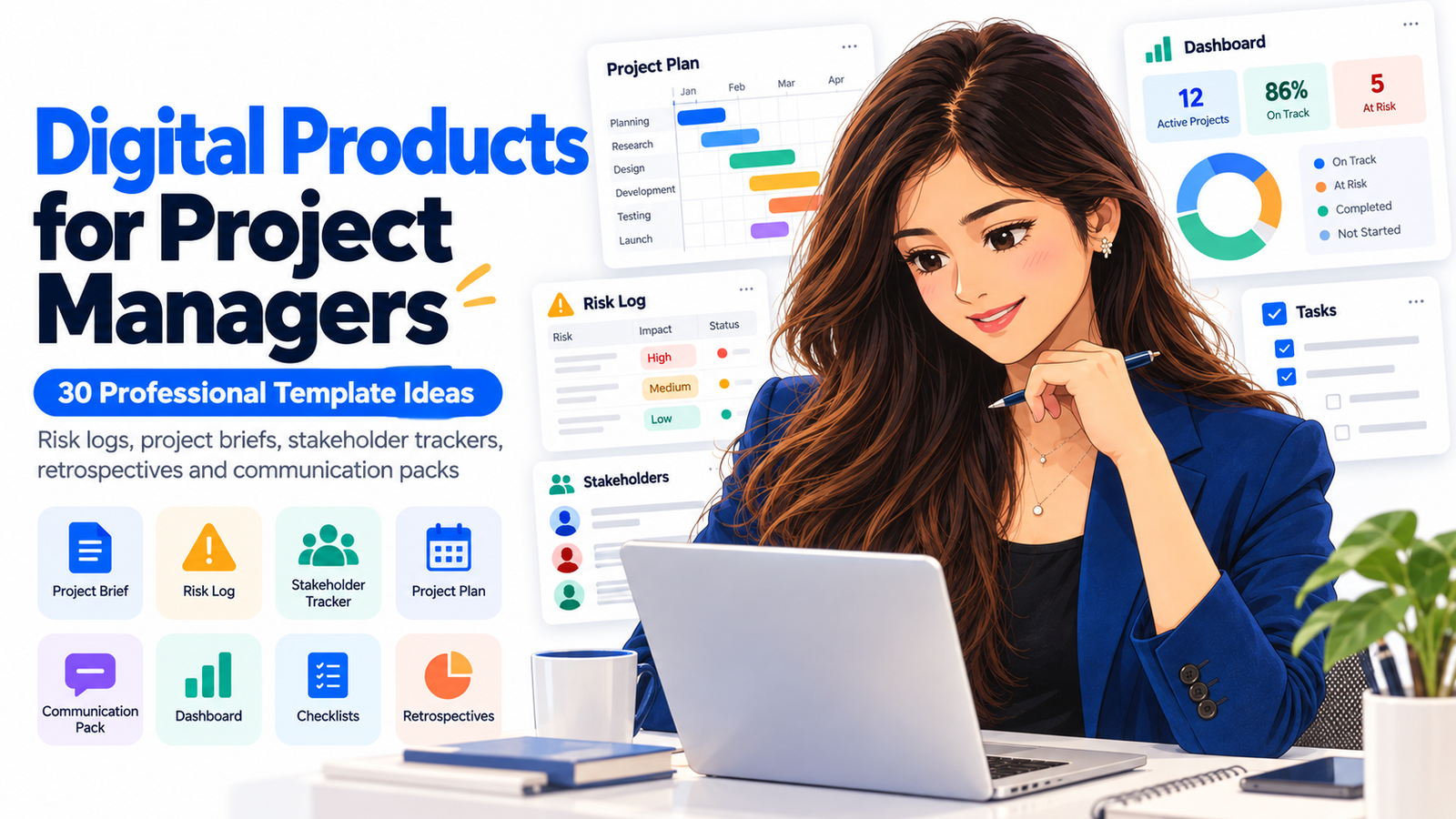
Digital Products for Project Managers: 30 Professional Template Ideas
Project managers rarely struggle because they lack information. More often, the problem is turning scattered information into clear decisions, accountable actions, realistic schedules, visible risks, and communication that everyone understands.
That is exactly why digital products for project managers can be so valuable.
A thoughtfully designed risk register, stakeholder tracker, project brief, communication plan, retrospective workbook, or project dashboard can save professionals from rebuilding the same system every time a new project begins.
And the opportunity is becoming more relevant as project work becomes increasingly complex.
PMI’s 2026 research describes complexity as an everyday operating reality for modern project professionals, driven by factors including technology change, organizational structures, regulation, stakeholder relationships, and AI.
For creators, consultants, project managers, productivity specialists, and digital-product sellers, this creates an attractive niche: professional project management templates that solve specific operational problems.
The strongest products are not merely attractive spreadsheets or printable pages. They help a project manager answer practical questions:
What needs to happen next?
Who owns the decision?
Which risk requires attention?
What changed?
Who needs to know?
Are we still delivering the expected business value?
This guide explores 30 professional project management template ideas that can be sold individually, bundled into project-management toolkits, adapted for different industries, or offered as editable digital resources.
Why Project Management Templates Are Valuable Digital Products
Project management involves repeatable processes.
Every new initiative may have different stakeholders, budgets, deliverables, technologies and deadlines, but many management activities remain similar.
Projects repeatedly need:
Project definitions
Scope documentation
Risk tracking
Decision records
Stakeholder management
Meeting documentation
Status updates
Resource planning
Issue management
Change control
Lessons learned
Project closure
That repeatability makes the category highly suitable for downloadable products.
A good project management template removes the blank-page problem. Instead of asking, “How should I organize this?” the user can start entering project information immediately.
The commercial value therefore comes from structure rather than decoration.
What Makes a Project Manager Digital Product Worth Buying?
A professional template should accomplish at least one of four things.
It should save time, improve visibility, reduce mistakes, or make communication easier.
The most useful templates also provide context.
Instead of giving buyers a spreadsheet containing columns named Risk, Owner and Status, for example, a premium version might include fields for:
Risk category
Probability
Impact
Risk score
Trigger
Mitigation strategy
Contingency action
Responsible owner
Due date
Review date
Current status
Comments
That distinction transforms a simple spreadsheet into a usable project planning tool.
1. Project Brief Template
The project brief can become the starting point for the entire project.
Create an editable template containing:
Project title
Business problem
Project purpose
Objectives
Expected outcomes
Major deliverables
Project sponsor
Project manager
Key stakeholders
Approximate timeline
Budget range
Success measures
Major assumptions
Constraints
Initial risks
A strong product could include both a one-page executive version and a detailed working version.
Product opportunity: Sell versions for agencies, consultants, startups, construction projects, software projects and internal corporate teams.
2. Project Charter Template
A project charter provides formal structure at project initiation.
Include sections covering business justification, project objectives, authority, boundaries, stakeholder roles, deliverables, resources, milestones and approval.
Add guided prompts under each field so less experienced project managers understand what information belongs there.
This makes the template useful for both working professionals and project-management students.
3. Project Scope Statement Template
Scope confusion creates expensive problems.
A dedicated scope template can include:
Project purpose
In-scope work
Out-of-scope work
Deliverables
Acceptance criteria
Constraints
Dependencies
Assumptions
Exclusions
Approval authority
You could also include a “scope clarification checklist” that project managers use before requesting stakeholder approval.
4. Work Breakdown Structure Template
A Work Breakdown Structure, or WBS, turns large deliverables into manageable packages of work.
Create versions for:
Excel
Google Sheets
Notion
Printable PDF
Presentation format
Include columns for work package, task, owner, estimated duration, dependency and status.
A visual hierarchy makes the template even more useful.
5. Project Milestone Tracker
Not every stakeholder needs to see hundreds of individual tasks.
Executives often need milestone-level visibility.
A milestone tracker can show:
Milestone
Target date
Actual date
Owner
Dependency
Status
Progress percentage
Risk indicator
Comments
This can work particularly well as part of an executive project reporting bundle.
6. Detailed Project Schedule Template
Create a reusable project schedule with phases, tasks, start dates, deadlines, duration, owners, dependencies and progress.
Include automated calculations where appropriate.
You could offer different formats for:
30-day projects
90-day projects
Six-month projects
Annual initiatives
Product launches
Client engagements
Software implementation
7. Project Risk Register
A professional project risk log template is one of the strongest products in this niche.
Risk management is becoming even more important as teams manage technology change, AI systems, regulatory requirements and increasingly interconnected projects. PMI’s recent guidance also emphasizes structured risk management and human accountability when AI is involved in project work.
Include:
Risk ID
Description
Category
Cause
Potential consequence
Probability
Impact
Overall score
Risk owner
Mitigation
Contingency
Trigger
Review date
Status
Consider adding conditional formatting to highlight high-exposure risks automatically.
8. Risk Breakdown Structure Template
A risk register lists individual threats and opportunities.
A Risk Breakdown Structure helps teams categorize where exposure originates.
Possible categories include:
Technical
Financial
Operational
Supplier
Schedule
People
Legal
Compliance
Security
Market
Environmental
AI and automation
Create a visual hierarchy plus an editable worksheet for identifying risks under each category.
9. Project Issue Log
Risks concern uncertainty. Issues are already happening.
An issue tracker can contain:
Issue ID
Description
Date identified
Severity
Business impact
Owner
Required action
Target resolution date
Escalation level
Status
Resolution
Lessons learned
Bundle the issue log with the risk register for stronger commercial value.
10. RAID Log Template
A RAID log tracks:
Risks
Assumptions
Issues
Dependencies
This compact management resource is particularly useful for project reviews and weekly governance meetings.
Create a dashboard version that summarizes open items automatically.
11. Assumption Log
Projects frequently operate on assumptions about resources, customer behavior, technology, approvals or dependencies.
When those assumptions become incorrect, schedules and budgets can quickly change.
Create an assumption log that records:
Assumption
Source
Date recorded
Validation method
Owner
Impact if false
Review deadline
Validation status
Related risk
12. Dependency Tracker
Dependencies are often hidden until they cause delays.
Create a template showing:
Dependent activity
Required activity
Internal or external dependency
Owner
Required date
Current status
Blocking issue
Escalation required
Impact of delay
This product can be particularly useful for multi-team technology, product and transformation projects.
13. Stakeholder Register
Stakeholder management is increasingly important in modern project delivery.
PMI’s updated 2026 PMP framework places additional focus on stakeholder engagement, business environment, value and real-world project dynamics.
A stakeholder tracker can include:
Stakeholder name
Role
Organization
Influence
Interest level
Project impact
Expectations
Preferred communication channel
Engagement strategy
Relationship owner
Current sentiment
14. Stakeholder Influence Matrix
Turn stakeholder analysis into a visual product.
Create a Power versus Interest matrix with four common engagement categories:
Manage closely
Keep satisfied
Keep informed
Monitor
Add instructions explaining how project managers should adapt communication for each group.
15. RACI Matrix Template
RACI means:
Responsible
Accountable
Consulted
Informed
A professional RACI template helps teams clarify responsibility across tasks, deliverables and decisions.
This is especially relevant as human teams increasingly work alongside AI-assisted workflows. PMI emphasizes that accountability should remain clearly assigned to people even when AI supports analysis, drafting or operational tasks.
Create versions for small teams and complex multi-department projects.
16. Project Communication Plan
Communication problems can damage otherwise well-managed projects.
Create a communication planner covering:
Audience
Information required
Communication purpose
Channel
Frequency
Sender
Owner
Format
Approval requirement
Escalation method
Examples could include executive updates, client reports, team meetings, risk notifications and milestone announcements.
17. Project Communication Pack
Turn several individual communication resources into one premium bundle.
It might contain:
Project kickoff email
Weekly status email
Meeting invitation
Risk escalation message
Deadline reminder
Change notification
Stakeholder update
Milestone completion announcement
Project closure email
Lessons-learned invitation
This is an excellent example of a digital product that saves users writing time as well as project-management time.
18. Weekly Project Status Report
Create an executive-friendly one-page status report.
Include:
Overall status
Project progress
Completed this week
Next priorities
Milestones
Budget status
Schedule status
Top risks
Major issues
Decisions required
Dependencies
Stakeholder concerns
Use simple status indicators rather than overwhelming the user with data.
19. Project Dashboard Template
A dashboard transforms raw project information into a management view.
Possible dashboard metrics include:
Schedule health
Budget health
Task completion
Open risks
Critical issues
Upcoming milestones
Resource utilization
Change requests
Decision backlog
Project managers can use the dashboard during leadership meetings without opening multiple files.
20. Meeting Agenda and Minutes Pack
Meetings generate enormous amounts of project information.
Create a reusable pack containing:
Agenda template
Attendance tracker
Discussion notes
Decision record
Action items
Owners
Deadlines
Parking-lot topics
Next-meeting date
Include a version specifically designed for weekly project meetings.
21. Action Item Tracker
Create a straightforward but powerful follow-up system.
Fields might include:
Action
Originating meeting
Assigned owner
Date assigned
Due date
Priority
Dependency
Current status
Completion date
Comments
Automatic overdue indicators can significantly improve the product.
22. Decision Log Template
Projects often lose valuable context because decisions are discussed in meetings but never formally documented.
Create a decision register containing:
Decision ID
Question
Decision made
Date
Decision maker
People consulted
Alternatives considered
Reasoning
Impact
Related deliverables
Review requirement
This can become particularly valuable on long-running or regulated projects.
23. Change Request Template
Changes should not quietly enter a project without understanding their consequences.
Create a professional change form covering:
Requested change
Reason
Requester
Business benefit
Scope impact
Schedule impact
Cost impact
Resource impact
Risk impact
Dependencies
Recommendation
Approval decision
Implementation date
24. Change Control Register
While the change-request form captures individual changes, the register provides portfolio-level visibility.
Include:
Change number
Request date
Description
Requester
Impact rating
Decision
Approver
Cost adjustment
Schedule adjustment
Current state
Completion date
Sell the request form and register together as a project change-management kit.
25. Resource Capacity Planner
Project managers need to know whether the right people actually have enough time available.
Create a resource-planning spreadsheet showing:
Team member
Role
Available hours
Assigned hours
Utilization
Project allocation
Time period
Over-allocation
Leave
Skills
Comments
This can be especially useful for agencies and organizations running several projects simultaneously.
26. Project Budget Tracker
Build a budgeting tool designed specifically for projects.
Include:
Budget category
Approved budget
Committed costs
Actual spending
Forecast cost
Remaining budget
Variance
Vendor
Invoice status
Notes
A dashboard showing total budget versus forecast can add considerable value.
27. Project Retrospective Template
Retrospectives should generate learning rather than simply documenting complaints.
Create prompts around:
What worked?
What did not work?
What surprised us?
What slowed us down?
What should continue?
What should stop?
What should change?
What action will we take?
Who owns that improvement?
When will it be reviewed?
Offer Agile, general project and client-project versions.
28. Lessons Learned Register
A retrospective captures discussion. A lessons-learned register turns that discussion into organizational knowledge.
Include:
Lesson
Category
Situation
What happened
Impact
Root cause
Recommendation
Applicable future projects
Owner
Follow-up status
This template becomes more valuable when designed for teams managing repeated project types.
29. Project Closure Checklist
Projects need deliberate closure.
Create a checklist covering:
Deliverable acceptance
Outstanding tasks
Financial closure
Contract closure
Vendor completion
Documentation storage
Access removal
Asset transfer
Stakeholder approval
Lessons learned
Handover
Support transition
Team recognition
Archive completion
A completion dashboard could show which closure activities remain outstanding.
30. Complete Project Management Toolkit
Instead of selling templates individually, combine your strongest assets into a comprehensive project manager digital product bundle.
For example:
Project brief
Project charter
Scope statement
WBS
Project schedule
Risk register
RAID log
Stakeholder register
RACI matrix
Communication plan
Status report
Meeting notes
Action tracker
Decision log
Change request
Budget tracker
Resource planner
Retrospective
Lessons-learned register
Closure checklist
The bundle can be organized around the project lifecycle:
Initiation
Planning
Execution
Monitoring
Communication
Risk and governance
Closure
This gives buyers a logical system rather than a folder filled with unrelated files.
Digital Product Formats Project Managers May Prefer
The same product can often be offered in several formats.
Microsoft Excel
Excellent for calculations, trackers, registers, budgets, dashboards and schedules.
Google Sheets
Useful for collaborative team environments and cloud-based project tracking.
Microsoft Word or Google Docs
Ideal for project briefs, charters, scope documents, reports and communication plans.
PowerPoint or Google Slides
Useful for executive reporting, kickoff presentations and stakeholder updates.
Notion
Suitable for interconnected project databases, dashboards, task systems and documentation.
Useful for instructions, worksheets, printable planners and supporting guides.
Offering multiple formats can increase the perceived usefulness of the product.
How to Turn Simple Templates Into Premium Digital Products
Templates become much easier to sell when buyers can immediately understand how to use them.
Instead of offering only blank documents, add:
Instructions
Sample entries
Completed examples
Definitions
Color-coded status indicators
Dropdown selections
Automatic formulas
Dashboards
Quick-start guides
Workflow diagrams
Best-practice notes
Customization instructions
This allows you to compete on usefulness rather than simply on design.
Create Industry-Specific Versions
Generic project templates have broad appeal, but niche versions can address stronger buyer intent.
Examples include:
Construction project management templates
Marketing project templates
Software development project templates
Website project templates
Event project management templates
Consulting project templates
HR project templates
Healthcare project templates
Engineering project templates
Nonprofit project templates
Digital transformation templates
AI implementation project templates
Product launch templates
Agency project management kits
Client onboarding project templates
For example, an “AI Implementation Project Management Toolkit” could contain AI risk assessments, governance checkpoints, data-quality questions, human-approval responsibilities and stakeholder documentation.
That is especially timely because PMI released a dedicated global AI standard for portfolio, program and project management in June 2026, emphasizing governance, risk, data quality, ethics and human oversight.
AI Can Make Project Templates More Useful—But Human Judgment Still Matters
AI is changing how project managers work.
It can assist with:
Drafting project summaries
Summarizing meetings
Analyzing large sets of notes
Identifying potential risks
Preparing status reports
Comparing scenarios
Organizing stakeholder feedback
Generating communication drafts
Brainstorming mitigation strategies
PMI’s recent project-management guidance describes AI as a useful collaborator for analysis, summarization, drafting and decision support while emphasizing that professional judgment and accountability remain with the project manager.
Digital-product creators can therefore add AI prompt libraries to their project-management templates.
For example, a risk-register product could include prompts such as:
“Review these project assumptions and identify possible operational, financial, technical and stakeholder risks.”
Or:
“Analyze this weekly project update and identify decisions requiring executive attention.”
The template provides the structure. AI assists with thinking. The project professional remains responsible for validating and acting on the output.
How to Package These Products for Higher Commercial Value
Instead of competing primarily on low prices, create increasingly complete offers.
A basic product could contain one editable template.
A professional pack could contain the template, instructions and examples.
A premium bundle could contain multiple interconnected templates, dashboards, workflow instructions, sample projects and AI prompts.
For example:
Project Risk Management Pack
Risk register
Risk assessment matrix
Risk breakdown structure
Risk-response planner
Issue tracker
Risk-review meeting agenda
Executive risk report
AI risk-analysis prompts
That solves a complete business problem instead of selling one spreadsheet.
Who Could Buy Project Manager Digital Products?
Potential customers extend well beyond people with “Project Manager” in their job title.
Your audience could include:
Project managers
Program managers
Operations managers
Product managers
Team leaders
Consultants
Freelancers
Agency owners
Startup founders
Business analysts
PMO professionals
Implementation specialists
Construction professionals
Event planners
Marketing managers
Virtual assistants
Students studying project management
Small-business owners
The broader positioning opportunity is therefore tools for anyone responsible for organizing complex work.
SEO Strategy for Selling Project Management Templates
Your product pages and articles should target search intent rather than repeating one keyword excessively.
A core keyword cluster could include:
Primary keywords
project management templates
project manager digital products
project planning tools
project management toolkit
project manager templates
Supporting keywords
project risk register template
stakeholder management template
project brief template
project communication plan
project status report template
RACI matrix template
project tracker template
project management spreadsheet
project dashboard template
project planning template
Commercial long-tail keywords
editable project management templates
professional project management templates
project management templates for small business
project management spreadsheet bundle
digital project management toolkit
project manager templates to download
project planning templates for teams
project risk and stakeholder templates
project management template bundle
Write naturally around the problem each product solves rather than forcing every keyword into every paragraph.
GEO and AEO Strategy: Make the Content Easy to Answer From
Search increasingly happens through traditional results, featured answers, AI-assisted discovery and conversational systems.
Clear questions followed by direct answers make content easier to interpret.
For example:
What is a project risk register?
A project risk register is a structured document used to identify, assess, assign, monitor and respond to risks that may affect project objectives.
What should a project brief include?
A project brief should generally summarize the project’s purpose, objectives, scope, deliverables, stakeholders, timeline, constraints, assumptions, risks and success criteria.
This question-and-answer structure benefits readers first while also making individual concepts easier for search and answer systems to understand.
Google continues to recommend creating useful, reliable, people-first content rather than material created primarily to manipulate rankings.
Five Frequently Asked Questions
1. What are the best digital products for project managers?
Some of the most useful products include project briefs, project charters, risk registers, RAID logs, stakeholder trackers, RACI matrices, project schedules, status reports, communication plans, decision logs, change-control tools, dashboards and project-closure checklists.
Products that solve recurring project problems generally have stronger practical value than decorative templates with limited functionality.
2. Can I sell project management templates online?
Yes. Original project-management templates can be packaged as digital products and sold through your own website or suitable digital-product marketplaces. Make sure you own or have appropriate commercial rights to every component you distribute, including graphics, fonts, formulas, instructional content and supporting assets.
3. Which format is best for project management templates?
It depends on the use case. Excel and Google Sheets work well for tracking and calculations, Word and Google Docs suit structured documentation, presentation formats work well for executive reporting, and Notion can support interconnected project workspaces. Offering several editable formats can make a professional bundle more useful.
4. How can I make project management templates more valuable?
Add instructions, completed examples, automated formulas, dashboards, dropdown fields, workflow recommendations, customization guidance, industry-specific versions and supporting AI prompts. Buyers are usually paying for clarity and saved effort, not simply an empty document.
5. Are AI project-management templates a growing opportunity?
AI is becoming increasingly integrated into project work for tasks such as analysis, reporting, summarization, risk identification and communication support. At the same time, current professional guidance emphasizes governance and human accountability. This creates opportunities for templates covering AI-project governance, risk, approvals, data quality, stakeholder responsibilities and human review.
Turn Project Knowledge Into Products People Can Use
The strongest digital products for project managers transform professional knowledge into repeatable systems.
A project manager does not necessarily need another beautiful planner.
They need a tool that helps them notice a risk earlier.
Clarify responsibility faster.
Prepare an executive update in minutes.
Control a scope change.
Document a decision.
Manage stakeholders.
Understand project health.
Close work properly.
That is where the real product opportunity exists.
Start with one narrow problem and build the best possible template for solving it.
Then connect complementary resources into professional packs.
A risk register can become a risk-management toolkit.
A stakeholder tracker can become a stakeholder-engagement system.
A status-report template can become an executive communication pack.
And several connected products can ultimately become a complete project management template bundle.
The more closely your templates reflect real project workflows, the more useful they become—and usefulness is what turns a downloadable file into a professional digital product customers can return to project after project.
Stay ahead with exclusive updates
Join our community. Get curated industry trends, actionable guides, and fresh resources delivered straight to your inbox.