Digital Products for HR and Recruitment Professionals: A Practical B2B Niche for 2026
Hiring a new employee may begin with a job description, but the real work extends far beyond posting a vacancy.
Recruiters need interview questions. Hiring managers need evaluation criteria. HR teams need onboarding checklists. New employees need training plans. Managers need progress trackers. Organizations need repeatable workflows that help different departments follow the same process.
That operational complexity creates an interesting opportunity for digital product creators.
HR templates, recruitment templates, employee onboarding templates, interview scorecards, hiring workflow systems, training trackers, and team management resources can solve practical business problems while serving a professional B2B audience.
This is especially relevant in 2026. SHRM reports that 68% of surveyed HR professionals experienced difficulty recruiting full-time employees, while 42% reported difficulty retaining full-time employees. At the same time, skills-first hiring, internal development, technology-assisted recruiting, and more structured talent processes are becoming increasingly important.
For digital product sellers, this creates an opportunity that goes beyond attractive templates.
The strongest HR digital products help businesses organize decisions, standardize processes, reduce repetitive administrative work, and create a more consistent employee experience.
Why HR and Recruitment Digital Products Are Becoming More Relevant
Many digital product markets focus primarily on individual consumers: planners, journals, social media templates, budgeting sheets, wedding printables, or productivity resources.
HR and recruitment products operate differently.
The buyer is often purchasing a resource because there is a business process that needs to work better.
A recruiter may need to evaluate 20 candidates consistently.
A small business owner may need a professional onboarding system without building one from scratch.
An HR consultant may want editable resources for client projects.
A staffing agency may need standardized candidate evaluation sheets.
A growing startup may suddenly realize that its informal hiring process no longer works when it begins recruiting several employees at the same time.
That makes HR templates particularly suitable for a problem-solving digital product strategy.
The value is not simply the appearance of the document. The value comes from the structure behind it.
The Shift Toward Skills-Based and Structured Hiring
One of the most useful product opportunities comes from changes in how organizations evaluate candidates.
SHRM research indicates that relevant work experience and demonstrated skills and competencies are becoming important hiring considerations, while many organizations are increasing their use of skills-first practices. More than 80% of HR professionals, executives, supervisors, and workers surveyed also agreed that AI will change which skills organizations value.
This creates space for practical recruitment resources such as competency scorecards, structured interview forms, candidate comparison matrices, work-sample evaluation sheets, skills assessment trackers, and role requirement worksheets.
Instead of creating another generic “interview notes” page, a seller can build a complete evaluation system.
For example, a structured candidate scorecard could include role-specific competencies, behavioral evidence, technical skills, communication ability, experience relevance, rating criteria, interviewer comments, concerns, follow-up questions, and an overall hiring recommendation field.
The product becomes more useful because it supports an actual hiring workflow.
Interview Scorecards: A Strong Entry Product
Interview scorecards are among the most practical recruitment templates because they solve a simple but important problem: interviewers often evaluate candidates differently.
One interviewer may focus heavily on experience. Another may focus on communication. A third may make decisions largely from personal impressions.
A structured scorecard creates a shared framework.
A useful interview scorecard might contain sections for candidate information, position, interview stage, required competencies, technical knowledge, problem-solving ability, communication, collaboration, leadership potential, behavioral examples, interviewer observations, risk factors, and next-step recommendations.
Creators can make versions for different hiring situations, such as entry-level employees, managers, remote workers, sales representatives, customer service teams, administrative roles, project managers, designers, marketers, developers, or executive positions.
That naturally opens opportunities for both individual products and larger recruitment bundles.
Employee Onboarding Templates
Hiring someone is only the beginning.
A new employee may need contracts completed, equipment prepared, account access created, policies reviewed, introductions scheduled, training assigned, goals established, and progress reviewed.
When these activities are scattered across emails and informal notes, important tasks are easier to miss.
That is why employee onboarding templates can become highly practical products.
SHRM has highlighted the growing interest in more digitally managed onboarding processes, including online documentation, training, system access, policy acknowledgments, and other pre-employment tasks.
A complete onboarding product could therefore cover the entire journey from accepted offer to the employee’s first 90 days.
For example, it could include a preboarding checklist, first-day checklist, IT access checklist, manager preparation sheet, employee information form, orientation schedule, required training tracker, 30-day review, 60-day review, 90-day review, onboarding feedback survey, and probation-period progress record.
Instead of marketing it merely as a checklist, position it as an Employee Onboarding System.
The difference is important.
Customers are often more interested in solving the complete workflow than downloading another isolated page.
Hiring Workflow Templates
Recruitment frequently involves several people and multiple stages.
A candidate might move through application review, screening, first interview, technical assessment, manager interview, reference checking, approval, offer, background verification, and onboarding.
A hiring workflow template helps teams see where every candidate stands.
A spreadsheet-based recruitment tracker might include candidate name, position, source, application date, current stage, interview date, interviewer, assessment score, salary expectations, availability, status, follow-up date, offer status, and notes.
A visual hiring pipeline could provide stages such as:
Application received → Screening → Interview → Assessment → Manager review → Reference check → Offer → Hired.
The same idea can be adapted to Excel, Google Sheets, Notion, Airtable-style systems, printable PDFs, or editable document templates.
Digital product creators can therefore sell the same underlying business solution in several useful formats.
Candidate Comparison Templates
Choosing between several qualified applicants can become surprisingly difficult.
Candidate comparison templates help hiring teams compare people against predetermined criteria rather than relying entirely on memory.
A useful comparison matrix might evaluate experience, technical skills, industry knowledge, communication, leadership, problem solving, cultural contribution, salary expectations, availability, certifications, portfolio strength, and interview performance.
Creators can include weighted scoring fields so businesses can prioritize the criteria that matter most for each position.
This type of template can work particularly well when packaged with interview scorecards and hiring decision worksheets.
Recruitment Planning Dashboards
Recruitment is not only about individual candidates.
HR teams may also need to monitor vacancies, hiring deadlines, sourcing channels, interviews, offers, acceptance rates, and upcoming workforce requirements.
A recruitment dashboard can bring those details together.
Possible sections include open positions, department, hiring manager, priority, vacancy date, target hiring date, applicant volume, shortlisted candidates, interviews scheduled, offers issued, accepted offers, rejected offers, time-to-hire information, recruiting source, and notes.
More advanced versions might contain automatic calculations, charts, status indicators, or summary panels.
For spreadsheet creators, this is an especially attractive category because the product’s value comes from functionality rather than decoration alone.
Training and Skills Trackers
Recruitment trends are increasingly connected with employee development.
SHRM’s 2026 Talent Trends research found that 41% of surveyed HR professionals were training existing employees for hard-to-fill roles.
That creates another digital product category: employee training trackers and skills management templates.
A training dashboard could record employee name, department, role, required course, training date, completion status, score, certification expiry date, manager verification, skills developed, and follow-up requirements.
A skills matrix could help teams compare required skills with current employee capabilities.
For example, a marketing department might track content writing, analytics, paid advertising, SEO, email marketing, design software, AI tools, project management, and presentation skills.
These products can be valuable for HR teams, team leaders, consultants, training providers, and small businesses.
30-60-90 Day Employee Plans
The first three months of employment are often critical.
A 30-60-90 day plan gives managers and employees a clearer framework for expectations.
The first 30 days might focus on orientation and learning.
Days 31–60 might emphasize independent responsibilities and skill development.
Days 61–90 could shift toward measurable contribution, ownership, and longer-term goals.
A polished digital product could combine employee goals, manager expectations, milestones, learning objectives, meetings, achievements, challenges, feedback, and review sections.
Versions could be created for different professions, allowing sellers to move beyond generic HR templates into niche-specific onboarding products.
Performance and Development Resources
Recruitment products can naturally lead into employee development products.
Once someone has been hired and onboarded, managers still need tools for feedback, goal setting, development conversations, and performance tracking.
Useful resources include employee goal planners, monthly check-in forms, one-to-one meeting templates, competency development sheets, performance review preparation forms, professional development plans, career conversation templates, team feedback forms, and achievement trackers.
The goal should be to create resources that facilitate better conversations rather than simply generating paperwork.
HR SOP Packs
Standard operating procedure templates can become one of the more substantial products in an HR digital product store.
Instead of selling a single form, create a framework businesses can adapt to document recurring processes.
An HR SOP starter pack could cover recruitment approvals, candidate screening, interview scheduling, reference checks, new hire preparation, employee onboarding, training records, leave administration, offboarding, document management, and internal communication.
These should be presented as editable operational frameworks rather than universal legal policies.
Employment requirements differ between jurisdictions, industries, and organizations. Buyers should be encouraged to have policies, contracts, regulatory documents, and compliance-sensitive materials reviewed by qualified HR or legal professionals where appropriate.
That distinction helps make the product more trustworthy.
HR Templates for Small Businesses
Large organizations often have dedicated HR systems.
Small businesses may not.
A company hiring its first five, ten, or twenty employees might still rely heavily on emails, basic spreadsheets, folders, and manager memory.
That makes small businesses a particularly relevant audience for simple HR organization products.
A Small Business HR Starter Kit might combine a hiring request form, job description worksheet, applicant tracker, interview scorecard, reference check form, offer preparation checklist, new hire checklist, onboarding planner, employee training tracker, one-to-one meeting template, and offboarding checklist.
The selling point is not complexity.
It is clarity.
The product gives a growing business a structured starting point.
Products for Recruiters and Staffing Agencies
Recruitment agencies have different needs from internal HR departments.
They frequently manage several clients, positions, candidates, interviews, and placements simultaneously.
Products for this audience might include client vacancy intake forms, candidate submission sheets, recruiter call notes, candidate pipeline trackers, placement dashboards, client follow-up systems, interview preparation sheets, sourcing trackers, recruiter KPI dashboards, and placement fee trackers.
Creators who specialize in a specific professional audience can often make their products more relevant because the terminology and workflow match the customer’s actual work.
HR Consultant Template Libraries
HR consultants can also be a useful B2B audience.
Consultants repeatedly perform similar activities for different clients: audits, onboarding reviews, process mapping, recruitment projects, training assessments, and workforce planning.
Editable template libraries can reduce repetitive document creation.
A consultant-oriented bundle could include discovery questionnaires, HR audit checklists, client meeting notes, project scopes, recruitment process assessments, onboarding audits, employee experience surveys, training needs assessments, implementation trackers, and executive summary templates.
Commercial licensing may become important for this audience.
If buyers are allowed to customize templates for their own clients, explain those rights clearly in the license instead of leaving customers to guess.
Build Systems Instead of Isolated Templates
A common digital product mistake is creating hundreds of unrelated pages.
Business customers often care more about workflow.
Consider the difference between these two offers:
“Employee Onboarding Checklist”
and
“90-Day Employee Onboarding Toolkit: Preboarding Checklist, First-Day Planner, Training Tracker, Manager Checklist, 30-60-90 Day Plan and Review Forms.”
The second product connects several resources around one result.
That creates a stronger value proposition.
The same strategy can be applied throughout the category.
An Interview Toolkit can combine interview planning, questions, competency evaluation, scorecards, candidate comparisons, interviewer notes, and decision forms.
A Recruitment Operations Kit can combine vacancy planning, applicant tracking, interview management, candidate evaluation, reference checking, offers, and hiring analytics.
A Training Management Kit can combine training schedules, attendance records, skills matrices, certification trackers, learning plans, and development reviews.
Design for Real Workplace Use
Professional HR digital products should look different from decorative consumer printables.
Clean layouts generally make more sense than heavily styled pages.
Use readable typography, logical sections, generous writing space, consistent terminology, clear instructions, editable fields, and professional formatting.
Think about how someone will actually use the product during a working day.
Can a hiring manager understand the scorecard quickly?
Can an HR assistant update the tracker without reading a manual?
Can a small-business owner customize the template?
Can several interviewers use the same evaluation criteria?
Can a manager print the form if necessary?
Can spreadsheet users immediately identify incomplete tasks?
Practical usability should guide the design.
Create Editable Versions
B2B customers frequently need customization.
Departments, hiring stages, competencies, approval structures, and job titles differ from organization to organization.
Offering editable formats can therefore increase usefulness.
Depending on the product, suitable formats could include Microsoft Word, Excel, Google Docs, Google Sheets, Canva, Notion, editable PDFs, or presentation formats.
Avoid advertising every format simply to make the bundle appear larger.
Choose formats that suit the actual workflow.
A candidate tracker belongs naturally in a spreadsheet.
An interview guide may work better as a document.
An onboarding dashboard may work well as a spreadsheet or workspace template.
Include Instructions and Example Data
Professional templates become much easier to understand when buyers can see how they are meant to work.
Consider including a short quick-start guide and a sample completed version.
For example, an interview scorecard can contain one demonstration candidate showing how scoring, evidence notes, and recommendations should be entered.
A recruitment tracker might include fictional candidate data that users can delete after understanding the system.
A training tracker could demonstrate how renewal dates and completion status are recorded.
This reduces uncertainty and improves the buyer experience.
SEO Opportunities for HR Digital Products
Search optimization should focus on the problems buyers are actually trying to solve.
The primary keyword HR templates can be supported naturally with terms such as recruitment templates, employee onboarding templates, hiring templates, interview scorecard template, recruitment tracker, HR spreadsheet templates, onboarding checklist, candidate evaluation form, employee training tracker, HR workflow template, recruitment dashboard, hiring process template, HR resources for small business, and human resources templates.
Long-tail topics can capture more specific intent.
Examples include “employee onboarding templates for small business,” “structured interview scorecard template,” “candidate evaluation sheet for hiring managers,” “recruitment tracking spreadsheet,” “new employee 30 60 90 day template,” “employee training tracker spreadsheet,” and “HR templates for recruitment agencies.”
Do not force every keyword repeatedly into one page.
Google’s current guidance continues to emphasize helpful, reliable, people-first content that gives readers substantial information and helps them accomplish their goal rather than pages created primarily to manipulate rankings.
That makes topic depth more valuable than mechanical keyword repetition.
GEO and AEO: Make the Content Easy to Understand and Answer
Generative search and answer engines increase the importance of clear information architecture.
Define important concepts directly.
Use descriptive headings.
Explain what each template does, who should use it, what it should contain, and what problem it solves.
For example:
What is an interview scorecard?
An interview scorecard is a structured evaluation document that helps interviewers assess candidates against predetermined competencies, skills, behaviors, and job requirements.
That direct-answer structure works well for readers and makes information easier for search and answer systems to interpret.
FAQ sections, definitions, comparison sections, practical examples, and clear terminology can strengthen this approach.
A Google Discover-Friendly Publishing Approach
No publishing strategy can guarantee placement in Google Discover, but the article can follow Google’s current recommendations.
Google recommends titles and headings that accurately communicate the content rather than relying on sensationalism. It also recommends compelling, relevant, high-quality imagery for Discover, with large images of at least 1,200 pixels wide and support for large image previews.
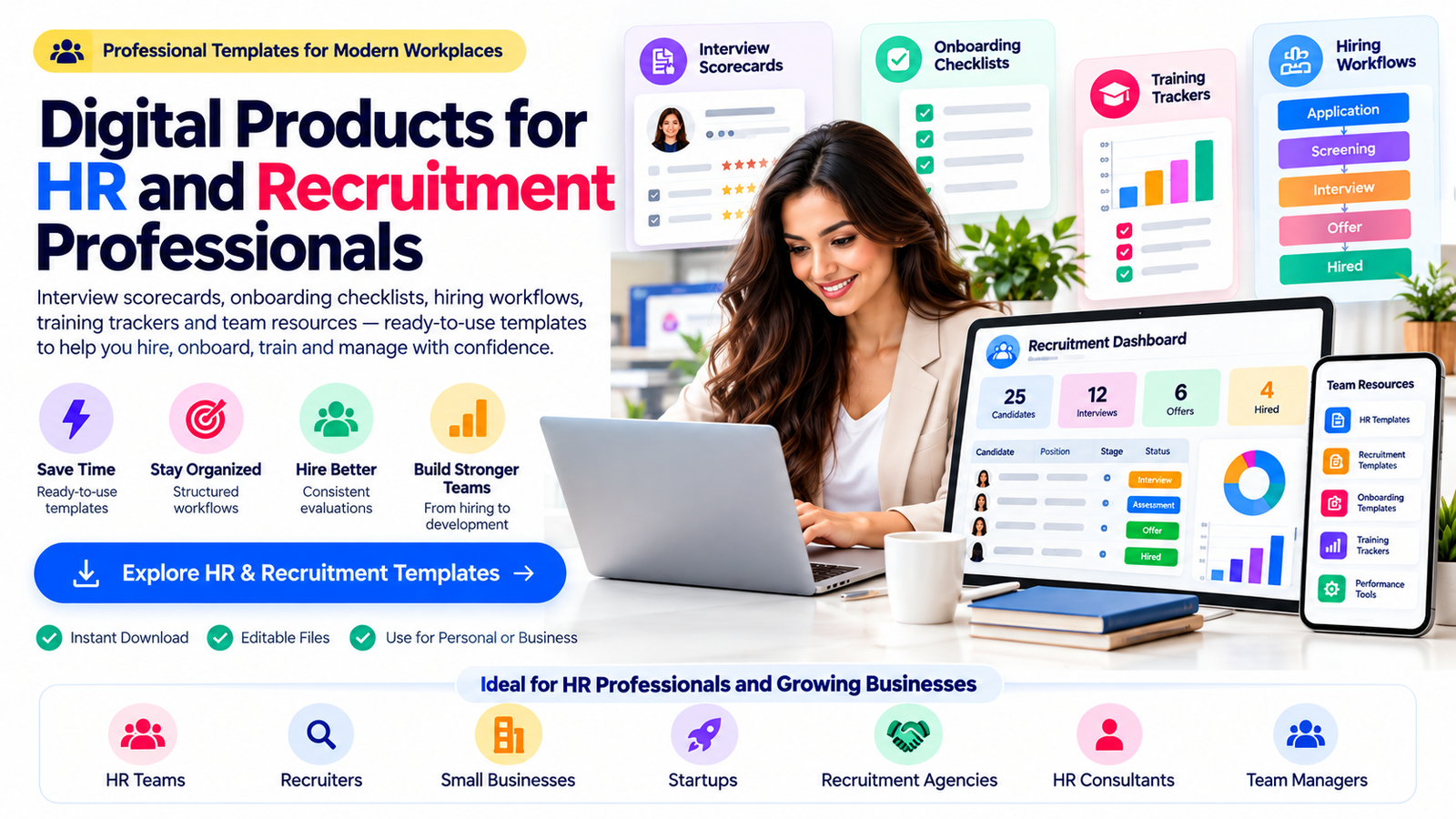
For this topic, a strong featured image could visually represent a modern HR professional reviewing candidate scorecards, onboarding workflows, recruitment dashboards, and employee training resources.
A 16:9 high-resolution original image would work well for both article presentation and social sharing.
Publishers can also use Article or BlogPosting structured data to help Google understand details such as the article headline, author, dates, and representative images. Google recommends relevant crawlable images and supports multiple high-resolution aspect ratios for article markup.
The most important element, however, remains the usefulness of the article itself.
Turn Educational Traffic Into Commercial Interest
An informational article should not read like one long advertisement.
Teach first.
Then place relevant CTAs where a reader naturally needs the next resource.
After discussing interviews, a CTA could say:
Standardize your next hiring round with an editable interview scorecard and candidate evaluation toolkit.
After the onboarding section:
Build a repeatable employee experience with a complete onboarding checklist, training tracker, and 30-60-90 day planning system.
Near the end:
Explore professional HR and recruitment templates designed to help organize hiring, onboarding, training, and everyday people operations.
The CTA should feel like the logical continuation of the information rather than an interruption.
Why This B2B Niche Has Room for Specialization
“HR templates” is only the starting category.
A creator could specialize in HR templates for startups, recruitment agencies, remote teams, restaurants, healthcare businesses, construction companies, nonprofits, virtual teams, small businesses, consultants, creative agencies, or professional service companies.
Another strategy is to specialize by process.
You might create an entire product line around interviewing.
Another around employee onboarding.
Another around training and development.
Another around recruitment analytics.
Another around manager resources.
Specialization makes it easier to create products that feel intentionally built for the buyer rather than generic documents with different titles.
The Opportunity Is in Better Workflows
The strongest digital products for HR and recruitment professionals are not simply attractive documents.
They organize work.
They help interviewers evaluate candidates more consistently.
They help HR teams see where applicants are in the hiring process.
They help managers prepare for new employees.
They help businesses track training.
They help teams document recurring processes.
And they give smaller organizations a structured starting point without requiring them to invent every internal resource from zero.
As recruiting becomes more skills-focused, technology-supported, and operationally structured, creators who understand the actual workflow behind HR work have an opportunity to build useful B2B resources. Current 2026 research points toward continuing recruiting challenges, greater attention to skills, internal development, and more strategic talent operations.
The opportunity is therefore not to produce the largest possible collection of HR forms.
It is to create clear, editable, professional systems that help real teams perform real work more consistently.
Frequently Asked Questions
1. What digital products can I create for HR professionals?
You can create interview scorecards, candidate evaluation forms, recruitment trackers, hiring dashboards, onboarding checklists, 30-60-90 day plans, employee training trackers, skills matrices, HR SOP templates, manager resources, employee development planners, recruitment agency systems, and HR consultant toolkits. Products that support a complete workflow are often more useful than isolated forms.
2. Who buys HR and recruitment templates?
Potential customers include HR professionals, recruiters, talent acquisition teams, small-business owners, startup founders, recruitment agencies, HR consultants, office managers, department managers, training providers, and organizations building internal people-management systems.
3. What should be included in an employee onboarding template?
A comprehensive onboarding system can include preboarding tasks, first-day preparation, employee documentation, technology and system access, orientation schedules, required training, manager meetings, role expectations, 30-60-90 day goals, progress reviews, and employee feedback. Compliance-sensitive materials should always be adapted to the organization’s applicable laws and policies.
4. Are recruitment templates suitable for small businesses?
Yes. Small businesses may particularly benefit from straightforward hiring and onboarding systems because they may not yet have dedicated HR software or large HR teams. Simple recruitment trackers, interview scorecards, onboarding checklists, training records, and manager resources can provide structure as the organization grows.
5. How can I make HR templates more valuable than competing products?
Focus on workflow rather than page count. Create editable resources, use professional layouts, include clear instructions, provide realistic examples, organize related templates into complete systems, define licensing clearly, and design the product around a specific customer or business problem. A focused recruitment or onboarding toolkit can provide more practical value than a large bundle of unrelated documents.
Stay ahead with exclusive updates
Join our community. Get curated industry trends, actionable guides, and fresh resources delivered straight to your inbox.