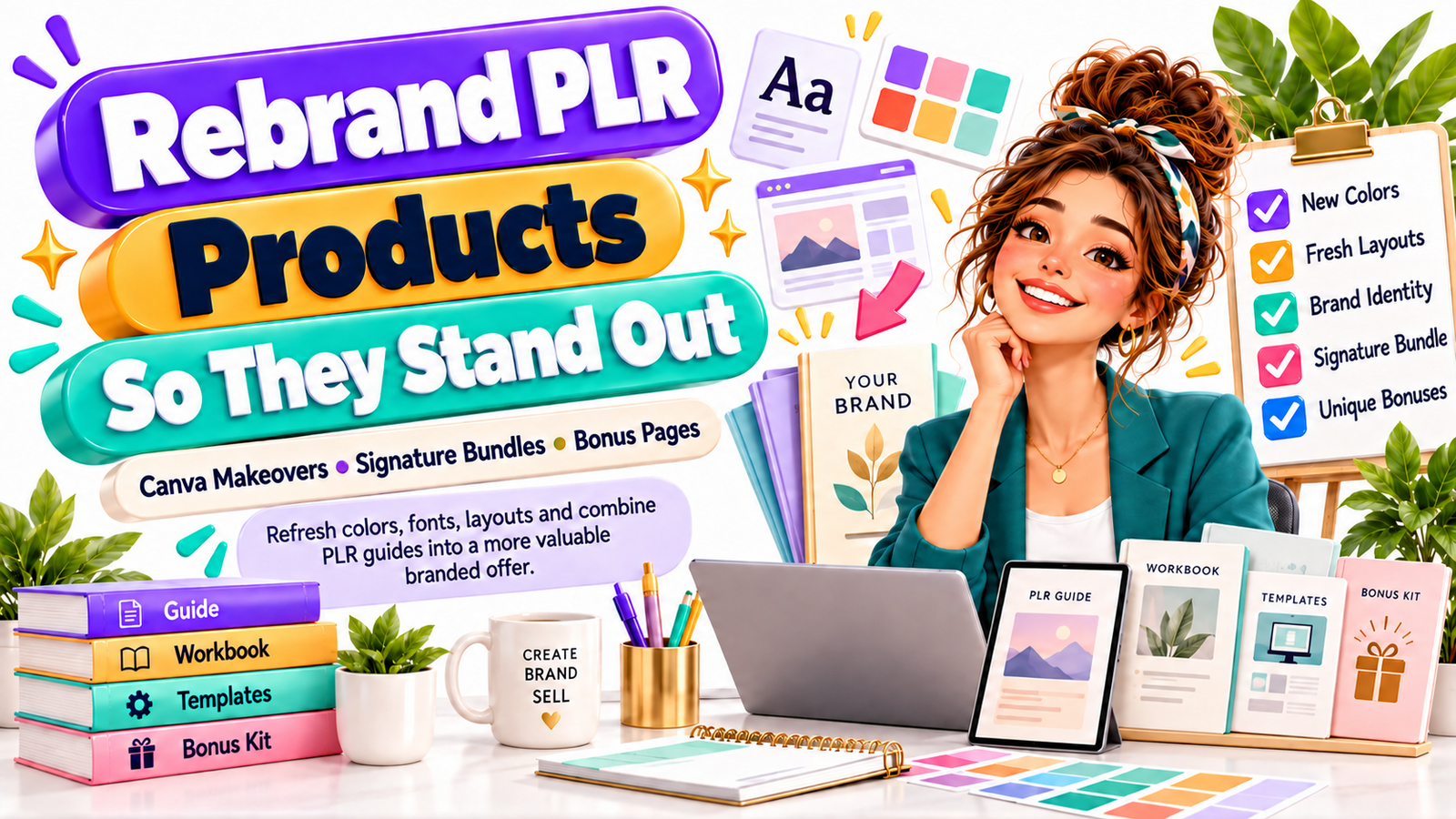
The Signature PLR Strategy: Transform Ready-Made Content Into Products Customers Remember
You buy a promising PLR ebook, workbook, planner, template pack, or digital business guide.
Then the uncomfortable thought arrives:
“What if hundreds of other sellers bought exactly the same product?”
It is one of the biggest concerns beginners have about PLR and MRR digital products.
And it is a reasonable concern.
If you upload the original files, keep the original cover, use the same product name, copy the supplied description, and sell the same bundle everyone else received, your product has very little reason to stand out.
But that does not automatically mean the market is saturated.
It means the undifferentiated version of the product is saturated.
That distinction changes everything.
Private Label Rights content can be treated as raw material rather than a finished offer. Instead of asking, “How can I resell this PLR product?” ask:
“How can I transform this material into a product that clearly belongs to my brand and solves a more specific problem?”
That is what this anti-saturation playbook is about.
You will learn how to rebrand PLR digital products in Canva, replace generic design choices, combine several PLR resources into a signature bundle, create original worksheets and bonuses, reposition the offer for a specific customer, and build something buyers are far less likely to see repeated across competing stores.
What Is PLR Product Rebranding?
PLR product rebranding is the process of taking legally editable Private Label Rights content and changing its design, positioning, structure, presentation, supporting resources, and sometimes portions of its written content to create a more distinctive commercial product.
PLR stands for Private Label Rights.
Depending on the individual license, PLR may allow you to modify, brand, package, publish, and resell the material.
MRR stands for Master Resell Rights.
MRR licenses may operate differently and can restrict editing even when resale is permitted.
Always read the exact license supplied with each product before editing, combining, redistributing, or granting rights to another buyer.
The anti-saturation strategy begins with rights compliance.
Then the creative transformation begins.
The Real Problem Is Usually Sameness, Not Saturation
Imagine five stores selling an identical 40-page “Instagram Marketing Guide.”
Store A uses the original cover.
Store B changes the cover color.
Store C changes the title.
Store D redesigns the guide for real-estate agents and adds a 30-day posting calendar.
Store E turns the material into a “90-Day Instagram Client Attraction System for Freelance Designers” containing a strategy guide, workbook, caption planner, analytics tracker, prompt library, implementation checklist, and video walkthrough.
Technically, several sellers may have started with related PLR material.
Commercially, they are no longer selling the same thing.
The biggest opportunity with PLR is therefore not simply acquiring more files.
It is creating more transformation.
Your competitive advantage can come from:
- positioning
- audience specificity
- visual branding
- organization
- additional resources
- practical implementation tools
- better product packaging
- clearer outcomes
- stronger customer experience
You do not necessarily need an entirely new subject.
You need a better reason for your ideal customer to choose your version.
The Anti-Saturation Formula
A useful way to think about PLR differentiation is:
Base PLR Content + Specific Audience + New Positioning + Brand Design + Original Tools + Better Packaging = Distinctive Digital Offer
For example:
Generic PLR product:
“Social Media Marketing Guide”
Repositioned offer:
“The 30-Day Social Media Starter Kit for Home-Based Bakers”
Add:
- daily content prompts
- bakery caption templates
- promotional calendar
- seasonal campaign planner
- order inquiry response templates
- Instagram bio worksheet
- customer testimonial request scripts
- weekly progress tracker
The original information may help form the educational foundation.
But the complete product now serves a clearly defined customer.
That is a much stronger commercial position.
Step 1: Audit the PLR Before You Rebrand It
Do not immediately open Canva and start changing colors.
First evaluate what you actually purchased.
Ask:
Is the information accurate?
Check statistics, platform instructions, screenshots, links, recommendations, technology references, and anything time-sensitive.
Old information wrapped in a beautiful new cover is still an old product.
Is the writing useful?
Look for repetitive paragraphs, vague advice, filler sections, awkward phrasing, unsupported claims, and examples that feel generic.
Mark the sections that need:
- rewriting
- expanding
- simplifying
- updating
- replacing
- deleting
Who was the original product written for?
Many PLR guides target broad audiences such as:
“entrepreneurs”
“small businesses”
“content creators”
“online sellers”
Broad positioning makes differentiation harder.
Choose a narrower customer when possible.
Instead of:
Productivity Planner
Consider:
Productivity Planner for Freelance Designers
Instead of:
Instagram Content Workbook
Consider:
Instagram Content Workbook for Handmade Jewelry Sellers
Instead of:
AI Prompt Guide
Consider:
AI Prompt Toolkit for Independent Fitness Coaches
Specific products are easier to explain, brand, market, and demonstrate.
What can you genuinely improve?
Make a transformation list before designing.
Your list might include:
- new product title
- new introduction
- updated examples
- reordered chapters
- new worksheets
- action steps
- checklists
- bonus templates
- quick-start page
- resource directory
- implementation calendar
- branded graphics
- new conclusion
- stronger calls to action
Now you are developing a product rather than merely recoloring one.
Step 2: Give the Product a New Position
Positioning is one of the fastest ways to escape PLR sameness.
A product should answer four questions almost immediately:
Who is this for?
What problem does it solve?
What outcome does it help create?
Why is this version different?
Suppose you own PLR content about budgeting.
The generic version might be called:
The Personal Budget Guide
Possible repositioned versions include:
The First Salary Money System
For young professionals receiving their first regular income.
The Freelance Income Stability Workbook
For people whose monthly earnings change.
The 30-Day Household Spending Reset
For families trying to understand where their money is going.
The Simple Money Organizer for Busy Parents
For customers who want a practical system rather than detailed financial theory.
Same broad topic.
Different customer.
Different problem.
Different presentation.
Different marketing message.
That is positioning.
Build a One-Sentence Product Promise
Before redesigning anything, complete this sentence:
This product helps [specific audience] achieve [specific outcome] without [major frustration].
Example:
This toolkit helps new Etsy digital-product sellers organize their first 30 product ideas without starting every listing from a blank page.
This sentence becomes a filter for your entire redesign.
If a page does not support the product promise, improve it or remove it.
Step 3: Create a Brand Direction Before Opening Canva
Random customization creates random-looking products.
Instead, define a simple brand system.
Choose:
- one primary color
- one secondary color
- one accent color
- one background color
- one heading font
- one body font
- one visual style
- one icon style
- one image style
- consistent spacing
You do not need twenty brand colors.
Consistency often looks more premium than complexity.
Example Brand Direction
For a modern productivity workbook:
Primary: deep navy
Secondary: muted teal
Accent: warm coral
Background: soft cream
Heading style: bold geometric sans-serif
Body style: clean readable sans-serif
Icons: simple outline icons
Photography: clean desk and workspace imagery
Layout: generous white space with strong section blocks
For a feminine wellness planner:
Primary: dusty rose
Secondary: sage
Accent: muted gold
Background: warm ivory
Heading style: elegant serif
Body style: simple sans-serif
Icons: delicate line illustrations
Layout: calm, spacious, minimal
Your visual identity should support the buyer and the product category.
Step 4: Use This Canva PLR Rebranding Workflow
Canva can make PLR customization significantly easier, but changing one color and exporting the PDF is not a meaningful rebrand.
Use a deeper workflow.
1. Duplicate the Original Design
Never experiment directly on your only working version.
Create a duplicate and rename it.
For example:
Original PLR — Archive
Brand Redesign — Working Version
Customer Version — Final
This keeps your workflow organized.
2. Replace the Cover Completely
The cover is often the strongest visual signal that a product came from commonly distributed PLR.
Do not simply change the title.
Reconsider:
- hierarchy
- image placement
- background treatment
- subtitle
- badges
- illustrations
- typography
- spacing
- author or brand placement
Your cover should visually communicate the product’s new positioning.
3. Replace the Color Palette
Use your predetermined brand colors throughout the document.
Change:
- heading colors
- page backgrounds
- boxes
- callouts
- icons
- tables
- worksheet areas
- page accents
- buttons
- decorative elements
Avoid leaving random remnants of the original palette.
4. Change the Typography System
Typography can dramatically change how a digital product feels.
Instead of replacing every font randomly, create rules.
For example:
H1: bold display font
H2: bold sans-serif
Body: highly readable sans-serif
Quotes: italic serif
Captions: medium sans-serif
Use hierarchy consistently.
Readers should immediately understand what is:
- a headline
- instruction
- example
- warning
- action step
- worksheet prompt
5. Rebuild Key Layouts
This is where serious differentiation begins.
Redesign at least several important page styles:
- chapter opener
- standard information page
- checklist
- worksheet
- quote page
- summary page
- exercise page
- action plan
- resource page
Changing layout architecture makes the product feel much less like the original source material.
6. Replace Generic Graphics
Swap out overused PLR icons, stock photos, illustrations, and decorative elements.
Choose graphics that reinforce your niche.
A digital product for photographers could use:
- camera icons
- gallery layouts
- client workflow graphics
- shot-list visuals
A resource for bakery owners could use:
- cakes
- order forms
- calendars
- packaging graphics
- customer communication icons
Visual relevance strengthens positioning.
7. Add Navigation
Professional digital products should be easy to use.
Consider adding:
- table of contents
- section divider pages
- page numbers
- module labels
- progress indicators
- clickable navigation in suitable PDF formats
- quick-reference pages
Convenience is part of product value.
8. Redesign the Last Pages
Many sellers focus on the cover and ignore the ending.
Use the final pages strategically.
Include:
- implementation checklist
- progress review
- resource directory
- next-step plan
- brand information
- complementary product recommendation
- customer support information
The product should feel intentionally designed from beginning to end.
Step 5: Rewrite the Product Title
PLR titles often sound broad because they were created to appeal to many buyers.
Your customer-facing title should be narrower and more benefit-oriented.
Instead of:
Digital Marketing Guide
Try:
The Local Business Digital Visibility Playbook
Instead of:
Instagram Planner
Try:
The 30-Day Instagram Content Planner for Wellness Coaches
Instead of:
Productivity Workbook
Try:
The Focused Freelancer Weekly Workflow System
Instead of:
Email Marketing Guide
Try:
The First 1,000 Subscribers Email Growth Toolkit
Specificity creates identity.
Step 6: Rewrite the Introduction
One of the easiest places to make PLR feel original is the opening section.
Create a fresh introduction based on your target customer.
Address:
- their situation
- their frustration
- what they may have already tried
- what the product will help them accomplish
- how to use the resource
For example:
A generic introduction might say:
“Social media is an important part of modern marketing.”
Your revised introduction could say:
“You opened your handmade business because you enjoy creating products—not because you wanted to spend every evening wondering what to post on Instagram. This workbook gives you a simple content system designed around product launches, customer trust, behind-the-scenes storytelling, and consistent promotion.”
Immediately, the product feels different.
Step 7: Add Your Own Framework
Naming your method can make a broad collection of information easier to remember.
Suppose your PLR guide teaches content marketing.
You could reorganize it into the CLEAR Content Framework:
C — Customer Problem
Identify what your audience needs.
L — Lead With Value
Teach before selling.
E — Engage
Create interaction.
A — Ask
Introduce the appropriate offer.
R — Review
Analyze the response and improve.
The underlying educational concepts may be familiar.
But your structure creates a distinctive learning experience.
Keep frameworks useful rather than inventing acronyms purely for marketing.
Step 8: Merge Multiple PLR Products Into a Signature Bundle
One of the strongest anti-saturation strategies is combining compatible PLR resources into a more complete solution.
Instead of selling three disconnected files, create one outcome-focused system.
Suppose you own:
PLR Product 1: Instagram Guide
PLR Product 2: Caption Templates
PLR Product 3: Content Planner
PLR Product 4: Analytics Tracker
Rather than listing each separately, transform them into:
The 90-Day Instagram Growth & Content System
It might contain:
Part 1: Strategy Guide
Teach positioning, content pillars, audience understanding, and profile optimization.
Part 2: Content Planner
Provide weekly and monthly scheduling pages.
Part 3: Caption Vault
Organize captions by purpose:
- educational
- engagement
- storytelling
- promotion
- trust building
- launches
Part 4: Analytics Dashboard
Help users track:
- reach
- engagement
- profile visits
- content performance
- conversions
Part 5: 90-Day Action Plan
Turn all the information into implementation.
Now the offer is not simply “four PLR files.”
It is a customer journey.
The Signature Bundle Method
Use this structure:
Learn → Plan → Execute → Track → Improve
For almost any topic, ask:
What does the customer need to learn?
What do they need to plan?
What tool helps them execute?
What should they track?
How can they review their results?
This transforms disconnected PLR material into a coherent product ecosystem.
Step 9: Remove Duplicate Information When Combining PLR
Do not simply place five ebooks into one ZIP folder and call it a premium bundle.
Customers do not want five introductions explaining the same thing.
When merging PLR products:
- Compare the tables of contents.
- Identify overlapping chapters.
- Keep the strongest explanation.
- Remove unnecessary repetition.
- Rewrite transitions.
- Standardize terminology.
- Reorganize chapters logically.
- Add missing material.
- create consistent formatting.
- Write one unified introduction and conclusion.
The finished bundle should feel like one intentionally designed system.
Step 10: Add Original Workbook Pages
Educational content tells people what to do.
Worksheets help them actually do it.
That difference creates value.
Original workbook pages might include:
Goal-Setting Worksheet
“What result would make this product valuable to you?”
Current Situation Audit
“What are you doing now?”
“What is working?”
“What is not working?”
Decision Worksheet
“What will you start?”
“What will you stop?”
“What will you continue?”
Weekly Action Planner
Top priority
Key tasks
Deadline
Resources needed
Progress
Review Sheet
What worked?
What failed?
What surprised you?
What will you change next?
Even ten original worksheet pages can substantially change the customer’s experience of a PLR-based product.
Step 11: Create Bonuses Competitors Are Unlikely to Have
Bonuses work best when they remove the next obstacle.
Do not add random files merely to make the bundle look bigger.
Suppose your main product teaches customers how to create digital products.
Useful bonuses could include:
- product research worksheet
- competitor analysis sheet
- naming prompts
- launch checklist
- pricing calculator
- product description template
- mockup checklist
- FAQ template
- customer support response library
- 30-day launch calendar
Each bonus moves the customer closer to implementation.
A Simple Bonus Formula
Ask:
“After reading this product, what would the customer need next?”
Create that.
If they need organization:
Add a planner.
If they need implementation:
Add a checklist.
If they need ideas:
Add a prompt library.
If they need measurement:
Add a tracker.
If they need communication:
Add templates.
If they need confidence:
Add examples.
Useful bonuses increase perceived completeness without relying on inflated “10,000 files included” claims.
Step 12: Add Quick Wins
People love comprehensive resources.
But they also want to know where to begin.
Include a page called:
Start Here
or
Your First 30 Minutes
For example:
Your First 30 Minutes
10 minutes: Complete the business clarity worksheet.
10 minutes: Choose three content pillars.
10 minutes: Plan your first three posts.
The buyer immediately begins using the product.
That can make an information-heavy bundle feel much more practical.
Step 13: Add Examples
Generic advice becomes more useful when customers can see it applied.
If the product teaches product descriptions, include:
Before:
“Download our social media planner today.”
After:
“Stop deciding what to post every morning. This 30-day social media planner helps independent coaches organize educational, promotional, and engagement content before the week begins.”
If the product teaches goal setting, show:
Weak:
“Grow my business.”
Better:
“Publish four optimized digital products during the next eight weeks.”
Examples create clarity.
Clarity increases perceived value.
Step 14: Build Different Editions From One Core Product
One strong PLR resource can sometimes support multiple audience-specific versions, assuming the license allows the necessary modifications.
For example:
Core product:
Content Planning Workbook
Possible editions:
- Content Planning Workbook for Coaches
- Content Planning Workbook for Realtors
- Content Planning Workbook for Beauty Professionals
- Content Planning Workbook for Etsy Sellers
- Content Planning Workbook for Freelancers
- Content Planning Workbook for Local Restaurants
But do not merely change the title.
Customize:
- examples
- prompts
- graphics
- vocabulary
- calendars
- marketing situations
- bonus resources
You are building customer relevance.
Step 15: Rebrand the Product Mockups Too
Your product can be beautifully redesigned while the listing still looks generic.
Create branded promotional graphics showing the actual contents.
Useful mockups include:
- ebook cover
- tablet preview
- laptop preview
- workbook page spread
- mobile view
- bundle overview
- bonus stack
- individual template previews
Instead of simply announcing:
“75 Pages Included”
show buyers the pages.
Let them see:
- checklists
- trackers
- exercises
- dashboards
- planners
- templates
Specificity builds trust.
Step 16: Rewrite the Sales Copy
Never assume the original PLR sales copy should remain unchanged.
Your description should reflect your version of the product.
A strong product description usually answers:
What is it?
Explain the product simply.
Who is it for?
Identify the ideal customer.
What problem does it solve?
Describe the current frustration.
What is included?
List the actual components.
How will customers use it?
Explain implementation.
What makes this offer different?
Highlight your positioning, tools, and bonuses.
What should the customer do next?
Provide a clear CTA.
Example CTA
Ready to stop piecing together your content strategy from scattered notes? Download the complete planning system and turn your ideas into an organized 30-day content schedule.
Notice what the CTA does not promise.
It does not claim instant riches.
It does not guarantee followers.
It connects the product to a practical next step.
Step 17: Improve the Product Instead of Competing on Price
Generic products tend to create price competition.
When ten shops sell what appears to be the same ebook, buyers naturally compare:
$12
$9
$6
$4
$2
That can become a race downward.
Differentiation changes the comparison.
Instead of selling:
40-Page Instagram Ebook
you might sell:
Instagram Starter System for Handmade Sellers
Including:
- 40-page strategy guide
- 30-day content planner
- caption prompts
- launch checklist
- hashtag research worksheet
- customer engagement tracker
- product photography checklist
- quick-start roadmap
Buyers are no longer comparing identical PDFs.
They are evaluating complete solutions.
Step 18: Create a Product Ecosystem
Your rebranded PLR product does not have to remain a standalone item.
It can become the entry point to an entire product line.
Example:
Entry Product
30-Day Content Planner
Core Product
90-Day Content Marketing System
Complementary Product
Caption Template Vault
Advanced Product
Digital Marketing Business Toolkit
Bundle
Complete Content Business Library
A consistent ecosystem improves cross-selling opportunities and makes your store feel like a brand rather than an assortment of unrelated downloads.
Step 19: Use Customer Questions to Create Differentiation
Your best product improvements may come from questions customers are already asking.
Watch for questions such as:
“How do I get started?”
“Can you give me an example?”
“Which template should I use first?”
“How often should I do this?”
“How do I track progress?”
“Can I use this for my niche?”
“How do I organize everything?”
Every repeated question can become:
- a new worksheet
- tutorial
- bonus
- checklist
- example
- FAQ
- quick-reference card
That is how products evolve.
Step 20: Build a Transformation Checklist Before Publishing
Before listing your rebranded PLR digital product, ask:
Licensing
Have I checked the exact PLR or MRR license?
Am I allowed to edit the material?
Am I allowed to bundle it?
Am I allowed to sell it on my chosen platform?
Do I understand what rights my customer receives?
Content
Have I reviewed the information for accuracy?
Have I removed outdated sections?
Have I added original value?
Have I rewritten generic sections where necessary?
Branding
Is the title different?
Is the cover different?
Are the colors consistent?
Is the typography consistent?
Does the layout feel branded?
Positioning
Is the target customer clear?
Is the problem clear?
Is the intended outcome clear?
Differentiation
Have I added original worksheets?
Have I added useful bonuses?
Have I included examples?
Have I improved usability?
Marketing
Have I created original mockups?
Have I written original product copy?
Does the sales page explain what makes this version useful?
If you cannot identify meaningful differences between your product and the original PLR file, keep working.
A Practical Before-and-After Example
Imagine purchasing a PLR ebook called:
The Ultimate Guide to Productivity
The original package contains:
- 45-page ebook
- basic checklist
- generic blue cover
Instead of uploading it immediately, you transform it.
New product:
The Focused Freelancer Productivity System
Module 1: Workload Audit
Identify where time is going.
Module 2: Priority Method
Choose high-value tasks.
Module 3: Weekly Planning
Build a realistic schedule.
Module 4: Distraction Management
Reduce unnecessary interruptions.
Module 5: Client Workflow
Organize deadlines and deliverables.
Then you add:
- weekly planner
- client deadline tracker
- distraction log
- deep-work planner
- project priority matrix
- monthly review
- 30-day focus challenge
- quick-start checklist
You redesign the entire resource using your visual identity.
You create original promotional mockups.
You write a new description aimed specifically at freelancers.
The finished offer now occupies a very different market position.
That is meaningful PLR transformation.
Mistakes That Make PLR Products Look Saturated
Changing Only the Cover
A new cover cannot hide identical internal pages.
Redesign the product experience, not merely the thumbnail.
Keeping the Original Product Name
Customers searching marketplaces may discover multiple products using nearly identical names.
Create your own positioning.
Using Every PLR Page
More pages do not automatically create more value.
Remove irrelevant or repetitive material.
Adding Random Bonuses
Twenty unrelated freebies can make an offer confusing.
Bonuses should support the primary outcome.
Ignoring License Terms
PLR, MRR, commercial-use rights, and basic resale rights are not interchangeable.
Read the license attached to the specific product you purchased.
Competing Only on Price
Being cheaper is easy to copy.
A stronger brand, specialized audience, better customer experience, and more useful implementation tools are harder to duplicate.
Buying More PLR Instead of Improving What You Have
A huge hard drive is not a product strategy.
One well-positioned and professionally transformed resource can be more useful to a business than hundreds of untouched files.
How Much Should You Change a PLR Product?
There is no universal percentage that magically makes a product original.
Think in terms of customer experience rather than arbitrary percentages.
Ask:
Would someone who saw the original PLR recognize my product as essentially the same offer?
If yes, continue transforming it.
Meaningful customization can involve:
- new market positioning
- new title
- redesigned cover
- new layouts
- different branding
- rewritten sections
- updated examples
- new worksheets
- new bonus materials
- reorganized modules
- improved navigation
- original sales copy
- original mockups
Your goal is not simply to “change enough.”
Your goal is to create a better product for a specific customer.
Is PLR Still Worth Selling in a Crowded Market?
PLR can still be useful when you treat it as a starting point.
The weak strategy is:
Buy → Upload → Discount → Repeat
The stronger strategy is:
Research → Position → Transform → Enhance → Brand → Package → Market
Think of PLR like ingredients.
Two restaurants can buy similar ingredients.
That does not mean they serve the same meal.
The chef’s choices determine the finished experience.
Your positioning, editing, design, examples, worksheets, bonuses, product ecosystem, customer service, and marketing create the distinction.
A Simple 7-Day PLR Rebranding Plan
If you already own PLR products but feel overwhelmed, use this schedule.
Day 1: Choose One Product
Do not redesign twenty products simultaneously.
Choose the one with the strongest customer problem.
Day 2: Define the Audience
Write:
Who is the customer?
What do they want?
What frustrates them?
What practical result can the product support?
Day 3: Reorganize the Content
Remove repetition.
Update outdated information.
Create a better structure.
Day 4: Rebrand in Canva
Change:
- cover
- colors
- fonts
- layouts
- visual elements
Day 5: Create Original Additions
Build:
- worksheets
- checklist
- quick-start guide
- tracker
- bonus resource
Day 6: Create Product Mockups
Show the actual value visually.
Day 7: Write the Listing and Publish
Create original:
- headline
- description
- feature list
- FAQ
- CTA
- promotional images
Then collect customer feedback and improve the product over time.
Your Competitive Advantage Is Transformation
The biggest mistake in the PLR business is believing that buying the product creates the advantage.
It does not.
If hundreds of people can buy the same source material, access is not your moat.
Transformation is.
Your advantage comes from understanding a specific customer better.
It comes from giving the product a clearer purpose.
It comes from reorganizing information.
It comes from creating worksheets that turn knowledge into action.
It comes from designing a better user experience.
It comes from building a recognizable brand.
And it comes from creating an offer that feels intentional rather than downloaded and relisted.
PLR can shorten the creation process.
It should not replace your judgment, creativity, positioning, or responsibility for the finished product.
Instead of asking:
“How many other people bought this PLR?”
Ask:
“How much value can I add before my customer sees it?”
That is the question that turns generic source material into a genuine product strategy.
Ready to Rebrand Your First PLR Product?
Choose one product from your library today.
Do not buy another bundle yet.
Open the product and identify five improvements you can make:
- Narrow the audience.
- Rewrite the title.
- Create a new visual identity.
- Add one implementation tool.
- Add one useful bonus.
Then rebuild the offer around the customer’s desired result.
Your goal is not to own the biggest PLR collection.
Your goal is to create products people can recognize, understand, trust, and genuinely use.
Frequently Asked Questions
1. How do I make a PLR product look different from everyone else’s?
Start by changing more than the cover. Reposition the product for a specific audience, create a new title, redesign the color palette and typography, rebuild major layouts, rewrite generic sections, add original worksheets and bonuses, and create your own product mockups and sales copy. The greater the meaningful transformation, the less the finished offer resembles the original PLR package.
2. Can I combine multiple PLR products into one bundle?
Potentially, yes, if the licenses for each product specifically permit modification and bundling. Review every license before combining files. When permitted, remove duplicate material and organize the content around one customer journey rather than simply putting several unrelated products inside the same ZIP file.
3. What are the best bonuses to add to a PLR digital product?
The strongest bonuses usually help customers implement what the main product teaches. Useful options include checklists, planners, trackers, templates, calculators, prompt libraries, swipe files, quick-start guides, calendars, worksheets, examples, and action plans. Choose bonuses that solve the customer’s next problem rather than adding unrelated files simply to make the bundle appear larger.
4. Can I rebrand PLR products in Canva?
If the product license permits editing and you have the appropriate editable files, Canva can be useful for redesigning covers, colors, typography, layouts, worksheets, graphics, checklists, planners, and promotional mockups. You must also comply with Canva’s applicable licensing terms for any Canva elements you incorporate into products intended for resale.
5. Is PLR too saturated to make money?
The presence of many sellers does not automatically eliminate opportunity, but selling an unchanged product can make differentiation difficult. A stronger strategy is to target a specific audience, improve the product, build original supporting resources, create better branding, and position the offer around a clear problem. Commercial results depend on factors including product quality, demand, pricing, positioning, marketplace competition, licensing, traffic, and marketing, so sales should never be treated as guaranteed.
Suggested SEO Keywords
Primary keyword: rebrand PLR digital products
Secondary keywords: PLR digital products, PLR rebranding, Canva PLR products, PLR products to sell, Private Label Rights products, MRR digital products, digital product branding, PLR customization, PLR bundle ideas, rebrand digital products
Long-tail keywords: how to rebrand PLR digital products in Canva, how to make PLR products unique, how to customize PLR ebooks, how to sell PLR without looking generic, how to differentiate PLR products, how to combine PLR products into a bundle, how to create a signature PLR bundle, Canva PLR rebranding workflow, how to add value to PLR products, how to avoid PLR market saturation
Semantic keywords: digital downloads, editable templates, digital product business, Canva templates, resale rights, digital product bundle, workbook templates, digital product marketing, product positioning, brand identity, digital product packaging, PLR ebook customization
Stay ahead with exclusive updates
Join our community. Get curated industry trends, actionable guides, and fresh resources delivered straight to your inbox.