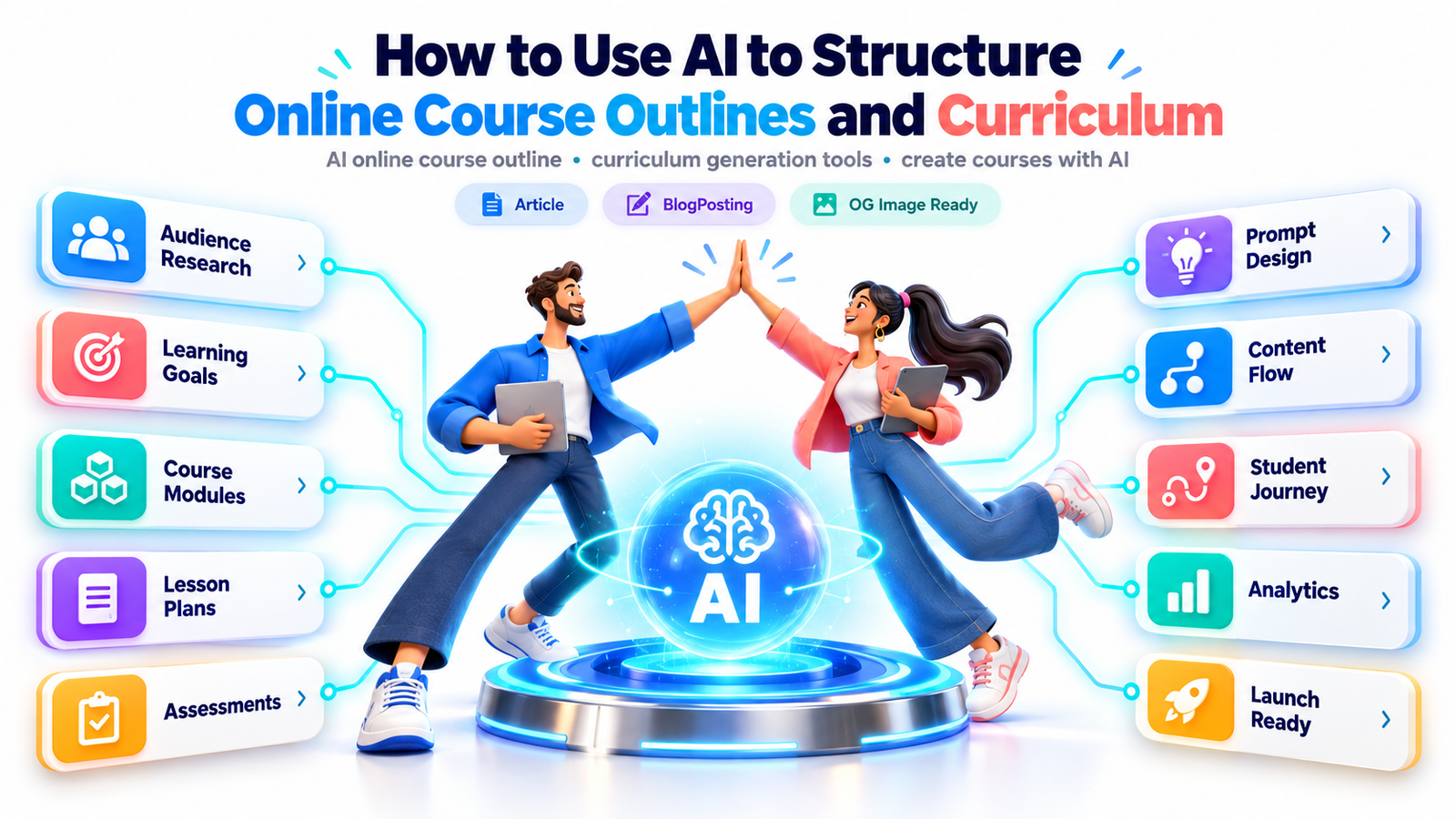
What if you could turn years of professional knowledge into a well-structured online course without spending weeks organizing lessons, planning assignments, and building a curriculum from scratch?
You already have the expertise. You know what your audience needs to learn. But turning that knowledge into a clear, engaging learning experience is another challenge entirely.
Where should you begin? Which topics deserve their own modules? How much information should each lesson contain? How can you ensure that beginners do not feel overwhelmed while advanced learners still find meaningful value?
This is where artificial intelligence can make a significant difference.
With the right AI online course outline, you can organize complex subject matter, identify learning gaps, build logical module sequences, develop assessments, and create a more efficient course development workflow.
Modern curriculum generation tools can help independent educators, coaches, consultants, training professionals, and digital entrepreneurs turn scattered ideas into structured educational products.
However, AI alone does not create an excellent course. The real advantage comes from combining artificial intelligence with sound instructional design, human expertise, and an understanding of what learners actually want to achieve.
This guide explains how to create courses with AI, from identifying your target audience to developing a complete curriculum that supports learning outcomes, learner engagement, and long-term commercial value.
What Is an AI Online Course Outline?
An AI online course outline is a structured learning plan developed with assistance from artificial intelligence. It organizes a particular subject into manageable modules, lessons, activities, assessments, and learning milestones.
Rather than manually brainstorming every topic and arranging the sequence yourself, you provide an AI system with essential details about your intended course.
These might include the subject, target learners, knowledge level, desired outcomes, available learning time, and preferred teaching format.
AI then proposes a structured learning path that you can evaluate, refine, and develop into a complete educational experience.
A comprehensive outline typically includes:
Course goals and measurable learning outcomes
What students should be able to accomplish after completing the course.
Learning modules and lesson sequences
A logical progression from foundational concepts to more advanced applications.
Learning materials and practical activities
Videos, examples, worksheets, demonstrations, exercises, and downloadable resources.
Assessments and feedback
Quizzes, practical projects, progress checkpoints, and evaluation criteria.
Completion milestones
Clear evidence that learners have developed the intended knowledge or skills.
The important distinction is that an outline describes what a course will teach, while a curriculum also explains how learners will practice, demonstrate, and retain that knowledge.
A list of impressive lesson titles is not necessarily an effective curriculum.
Why AI Is Changing Online Course Development
Traditional course creation often involves a surprising amount of work before the first video is ever recorded.
You need to analyze your audience, clarify learning objectives, research topics, plan individual lessons, prepare assignments, design supporting materials, and determine how students will demonstrate progress.
AI can reduce the manual effort involved in several of these tasks.
1. Turn scattered ideas into an organized learning path
Suppose you want to teach small business owners how to use artificial intelligence in everyday operations.
You might have dozens of ideas involving marketing, customer support, content creation, research, automation, and productivity.
Without a structured plan, the course could become a collection of disconnected tutorials.
AI can suggest relationships among topics, identify foundational skills, and organize the material into a progressive learning journey.
2. Reduce repetitive planning work
Curriculum development requires repeating similar tasks for every module.
Each module needs objectives, examples, practice opportunities, resources, and assessments.
AI can prepare consistent first drafts, allowing you to spend more time improving the actual educational experience.
3. Discover missing concepts and dependencies
An instructor who knows a subject extremely well may unintentionally skip essential beginner-level information.
For example, an experienced digital marketer might introduce advanced automation before explaining basic customer journeys.
An AI-assisted curriculum review can highlight missing prerequisite concepts and suggest additional practice exercises.
These suggestions must still be checked by a knowledgeable instructor.
4. Create learning paths for different audiences
The same subject often needs a different curriculum depending on who is learning it.
A beginner-oriented AI course for freelancers should look different from an advanced AI implementation program for business managers.
AI can help adapt explanations, examples, lesson depth, and practice activities to particular learner groups.
5. Build more consistent educational products
If you create multiple courses, AI can help maintain a consistent instructional framework across your catalog.
This is particularly useful for educators developing course series, membership libraries, corporate training programs, and self-paced learning products.
Start With the Learner, Not the Lesson Titles
One of the biggest mistakes in online course creation is asking AI to generate 50 lessons before defining what the learner actually needs.
A better question is:
What specific transformation should a student experience between enrolling in this course and completing it?
Consider these two course descriptions.
Weak promise: Learn everything about artificial intelligence.
Stronger promise: Learn how to use AI tools to organize your daily workflow, draft business content, and build a practical productivity system.
The second promise provides clearer direction.
It also makes it easier to determine which lessons belong in the curriculum and which should be removed.
Before generating an outline, create a simple learner profile.
| Planning element | Example |
|---|---|
| Target audience | Freelancers and solo entrepreneurs |
| Starting knowledge | Basic computer skills |
| Main problem | Repetitive administrative work |
| Desired outcome | Create a repeatable AI-assisted workflow |
| Course difficulty | Beginner |
| Course duration | 4 weeks |
| Learning format | Short videos and practical exercises |
| Completion project | A documented AI productivity workflow |
This information becomes the foundation for your AI course development prompts.
Define outcomes before content
Educational institutions commonly use an approach called backward design.
Instead of beginning with content, instructors first identify the desired learning outcomes, determine how those outcomes will be assessed, and then develop the learning activities.
Cornell University’s Center for Teaching Innovation describes this as a foundational course design process.
Center for Teaching Innovation
For an AI productivity course, outcomes might include:
- Identify three repetitive tasks appropriate for AI assistance.
- Write and improve prompts for common business activities.
- Evaluate AI-generated output for accuracy and usefulness.
- Design a workflow containing human review checkpoints.
- Demonstrate a completed productivity process.
These outcomes are observable and can be evaluated.
They are much more useful than vague statements such as “understand AI” or “become an AI expert.”
How to Create a Comprehensive Online Course Outline With AI: Step by Step
A practical curriculum development workflow
01
Audience research
Identify learner problems and expectations
02
Learning outcomes
Define the skills students must demonstrate
03
Course architecture
Organize topics into progressive modules
04
Lesson development
Create activities, examples, and resources
05
Assessment design
Measure progress and practical competence
06
Expert review
Verify quality, accessibility, and accuracy
07
Pilot and improve
Test the curriculum with real learners
Step 1: Research your target audience and their learning needs
Before asking AI to generate a curriculum, understand the problems your intended students are trying to solve.
Look for questions in relevant professional communities, course reviews, search results, audience surveys, interviews, and customer support conversations.
If you are developing a Canva design course, for example, your audience might struggle with inconsistent branding, confusing layouts, insufficient design skills, or the time required to produce marketing graphics.
An effective course should address these challenges rather than simply explain every Canva feature.
Practical AI prompt:
AUDIENCE ANALYSIS PROMPT
Act as an instructional designer and audience research assistant.
I want to create an online course about [TOPIC] for [TARGET AUDIENCE].
Develop a preliminary learner profile identifying likely beginner challenges, prerequisite skills, motivations, desired outcomes, and potential obstacles to course completion.
Separate hypotheses from verified audience insights. Do not invent interviews, surveys, or market statistics.
Recommend 10 questions I can ask real prospective learners to validate these assumptions.
Copy prompt
Use the output to guide your research, not as a substitute for actual audience evidence.
Step 2: Establish measurable learning objectives
Once you understand your students, define the skills they should develop.
AI can help transform broad ambitions into measurable outcomes.
For example:
Instead of: “Students will learn email marketing.”
Use: “Students will create a three-email welcome sequence, explain the purpose of each message, and evaluate it against a quality checklist.”
Useful learning outcome verbs include identify, compare, demonstrate, construct, evaluate, apply, troubleshoot, and design.
Ask AI to map each learning objective to a practical activity or assessment.
This prevents the common problem of creating lessons that sound educational but do not contribute to measurable progress.
Step 3: Generate the main course modules
Now you can ask AI to build the high-level structure.
Start with modules rather than individual lessons.
A beginner digital marketing course might progress through understanding customers, market research, content strategy, channel selection, campaign creation, analytics, and optimization.
Ask AI to explain why each module comes before the next.
That additional reasoning helps expose weak sequencing and missing dependencies.
Practical AI prompt:
COURSE STRUCTURE PROMPT
You are an experienced online curriculum architect.
Create a complete course structure on [TOPIC] for [AUDIENCE], at [SKILL LEVEL], with a total learning duration of [DURATION].
Organize the curriculum into logical modules that progressively develop the learner’s abilities.
For every module include its title, purpose, prerequisite knowledge, measurable learning outcomes, suggested lessons, estimated learning time, a practical exercise, and a method of assessment.
Explain the reasoning behind the module order, identify possible knowledge gaps, and avoid unnecessary repetition.
Copy prompt
Step 4: Break each module into focused lessons
After establishing the main modules, develop the individual lessons.
A common mistake is packing too many concepts into one session.
Instead, each lesson should have one clear instructional purpose and a manageable set of related concepts.
For an introductory lesson on writing AI prompts, you might include:
- What an AI prompt is.
- How context influences generated responses.
- Why clear instructions matter.
- A live prompt improvement demonstration.
- A practical rewriting exercise.
- A short comprehension check.
This is easier to teach and easier to assess than a single lesson attempting to cover every aspect of prompt engineering.
AI can draft the lesson sequence, but the instructor should determine whether it is appropriate for the audience.
Step 5: Build practical activities into the curriculum
Information alone does not guarantee learning.
Students need opportunities to apply what they have learned.
For example, if a course teaches social media strategy, participants should develop an actual content plan rather than simply watch presentations about marketing principles.
AI can suggest exercises such as case studies, guided projects, simulations, worksheets, peer reviews, and short practical assignments.
Useful rule: For every major skill the course claims to teach, include at least one opportunity to practice that skill and receive meaningful feedback.
Step 6: Create assessments and milestone projects
A well-designed course should help learners recognize whether they are making progress.
AI can assist with generating question banks, project briefs, rubrics, and self-evaluation checklists.
For practical skill courses, consider using a combination of short quizzes, applied exercises, and a completion project.
A marketing course might ask students to design a campaign. A spreadsheet course might require a working dashboard. An AI productivity course might require a documented workflow with measurable time-saving goals.
Avoid using AI-generated multiple-choice tests as the only evidence of competence.
Being able to recognize a correct answer is not always the same as being able to complete a task independently.
Step 7: Review, test, and improve the curriculum
Before publishing, conduct a quality review.
Check that the content is accurate, lesson objectives align with assessments, assignments are realistic, examples are appropriate, and students have access to any required tools.
Ask a small group of representative learners to complete a pilot module.
Observe where they get confused, where explanations feel too brief, and whether they can complete the activities without excessive assistance.
Use that feedback to revise the curriculum.
AI is most valuable when it helps you iterate more efficiently, not when its first draft becomes the finished product automatically.
Example: A Complete AI-Generated Online Course Curriculum
Imagine you want to create a beginner-friendly course titled:
AI Productivity Masterclass: Build Smarter Workflows in 30 Days
Your target audience includes freelancers, small business owners, digital creators, and professionals who want to use AI in everyday work.
Instead of starting with 30 unrelated video titles, organize the learning experience into six progressive modules.
Example curriculum at a glance
30
Days
6
Modules
1
Capstone project
Module 1: AI Foundations
Days 1–5
Understand generative AI, its capabilities, limitations, and responsible use.
Practical assignment: Evaluate an AI-generated business response.
Module 2: Prompt Engineering Essentials
Days 6–10
Learn prompt structure, context, constraints, iteration, and output evaluation.
Practical assignment: Build five reusable prompts.
Module 3: AI for Content and Communication
Days 11–15
Draft and improve emails, marketing content, reports, and business documents.
Practical assignment: Create a reviewed content package.
Module 4: AI Research and Business Planning
Days 16–20
Organize research, evaluate sources, and develop practical business plans.
Practical assignment: Prepare a source-checked market research brief.
Module 5: Workflow Design and Automation
Days 21–25
Map repetitive tasks, plan workflows, and add human review checkpoints.
Practical assignment: Design one AI-assisted workflow.
Module 6: Implementation and Capstone
Days 26–30
Combine the acquired skills into a practical, documented productivity system.
Practical assignment: Present and evaluate a complete workflow.
This sample structure is illustrative, not a validated or accredited training program. Its workload, tools, assignments, and accessibility requirements should be reviewed before use with real students.
How to turn this outline into individual lessons
Consider Module 2: Prompt Engineering Essentials.
An AI curriculum generator could expand it into the following five-day instructional plan.
| Day | Lesson | Practical outcome |
|---|---|---|
| 6 | Understanding effective prompts | Identify the elements of a useful prompt |
| 7 | Adding context and constraints | Improve vague instructions |
| 8 | Formatting AI responses | Request structured, reusable outputs |
| 9 | Testing and refining prompts | Compare results against evaluation criteria |
| 10 | Building a reusable prompt library | Create five tested prompt templates |
Now each lesson has a purpose, and the full module builds toward a concrete result.
This is the difference between generating content and designing a learning experience.
Choosing the Best AI Curriculum Generation Tools
There is no universal tool that automatically produces a complete, accurate, instructionally sound course.
Different applications support different stages of development.

ChatGPT
Useful for brainstorming learning objectives, generating course outlines, expanding module plans, drafting assessments, and reviewing lesson consistency.
Best suited to iterative curriculum planning and instructional drafting.

Claude
Can assist with reviewing lengthy course materials, identifying repetition, reorganizing drafts, and improving instructional explanations.
Useful when refining extensive course documents and lesson scripts.

Google Gemini
Can support brainstorming, lesson drafting, topic exploration, and organizing educational material.
A potential option for creators already using Google’s productivity ecosystem.

Canva
Useful for converting approved lesson plans into presentations, workbooks, educational graphics, and other visual learning materials.
Particularly useful for packaging and presenting the finished course.

Articulate 360
Supports professional e-learning authoring, including interactive activities, course presentation, and assessment development.
Useful for building structured workplace training experiences.
These are examples of possible tools, not a ranking. Features, subscriptions, usage limits, integrations, and commercial terms vary and should be confirmed with the provider before purchasing.
The strongest workflow often combines a general-purpose AI assistant for curriculum planning, a document or spreadsheet application for organizing the course, a visual design tool for producing resources, and a learning management system for delivering lessons.
The Master AI Prompt for Building a Complete Curriculum
A good prompt does more than tell the AI to generate a course.
It provides the context needed to make informed structural decisions.
Use the following reusable framework.
AI Course Curriculum Builder
ReusableCourse topicTarget learnersDurationDifficulty
BeginnerDesired learner outcomeBuild a practical AI-assisted business workflow
Copy prompt Generate curriculum
Customize the fields, then copy the prompt for your preferred AI assistant or generate a curriculum directly in this conversation.
The first response should be treated as a starting point. Refine individual modules, test the lesson workload, and validate specialist content before publishing.
How to Make an AI-Generated Course More Engaging
A comprehensive curriculum is not necessarily an engaging curriculum.
Students may enroll because of an appealing course description, but their willingness to continue depends on the learning experience.
Create early learning wins
The beginning of a course should help students accomplish something useful.
For example, learners joining an AI content creation course could produce their first reviewed social media caption during the opening module.
This gives them a sense of progress before introducing more complicated concepts.
Use real-world scenarios
Abstract explanations become more useful when connected to familiar challenges.
Instead of teaching spreadsheet formulas in isolation, demonstrate how those formulas solve a budgeting or inventory management problem.
AI can help draft realistic fictional cases, but label fabricated scenarios clearly.
Combine different learning formats
Different learning outcomes require different instructional approaches.
A conceptual explanation may work well as a short video. A software demonstration may require screen recording. A practical skill may be better developed through guided assignments.
Use written instructions, transcripts, accessible worksheets, demonstrations, and opportunities for learner feedback where appropriate.
Build a progression students can understand
A clear learning journey might look like this:
Understand
Practice
Apply
Demonstrate
A simple progression from foundational knowledge to demonstrated competence.
The goal is not to make every lesson entertaining. It is to ensure that learners understand why each activity matters and how it helps them become more capable.
How AI Can Help You Create Different Types of Online Courses
AI-assisted course planning works across many subjects, although the level of required human review varies.
Professional skills courses
For subjects such as business communication, digital marketing, project management, and productivity, AI can help develop structured lesson plans, workplace examples, and applied exercises.
Software and technology courses
AI can organize technical prerequisites, introductory tutorials, troubleshooting activities, and progressively more challenging projects.
Because software changes frequently, instructors must verify interface instructions, versions, and tool behavior before publication.
Creative skills courses
Artists, designers, photographers, writers, and video creators can use AI to build progressive practice schedules, critique rubrics, and project-based learning paths.
A photography course, for example, could progress from exposure fundamentals to composition, lighting, editing, and portfolio creation.
Corporate training programs
Businesses can use AI to draft onboarding modules, internal process training, customer service simulations, and staff development pathways.
Company policies and training requirements must be validated by appropriate personnel.
Coaching and educational memberships
Coaches can design multiweek learning experiences combining lessons, reflection exercises, practical challenges, and progress reviews.
However, specialized instruction involving health, legal, financial, or regulated professional practices requires appropriately qualified subject-matter review.
How to Turn Your AI Course Curriculum Into a Sellable Digital Product
An online course can be more than a collection of recorded lessons.
It can become the foundation of a larger educational product business.
The opportunity lies in providing useful instruction, relevant resources, and a clear learner experience—not simply selling AI-generated information.
Choose a focused learning transformation
Broad subjects often create broad and unfocused courses.
Compare these examples:
| Broad subject | More focused course concept |
|---|---|
| Digital marketing | Email marketing for beginner online sellers |
| Artificial intelligence | AI productivity workflows for freelancers |
| Graphic design | Canva branding for small business owners |
| Microsoft Excel | Excel dashboards for office administrators |
| Content creation | Short-form video scripting for educators |
A specific audience and outcome can make the course easier to position and explain.
Build a minimum viable course
You do not need to produce an enormous course before validating demand.
Start with a focused module that addresses an important problem.
A practical pilot could include a few lessons, one worksheet, a project, and a structured opportunity for feedback.
Offer the pilot to a small group of appropriate learners. Ask what was useful, what was confusing, and which topics they still need.
Use those insights before investing heavily in a full program.
Package supporting learning resources
A structured curriculum can support several complementary products, including printable workbooks, checklists, templates, exercises, reference guides, and project planners.
These materials should help students complete the actual learning activities rather than exist solely to increase the apparent size of the product.
Choose a suitable delivery platform
Creators may evaluate platforms such as Teachable, Thinkific, Kajabi, or Udemy according to course hosting requirements, payment processing, customization, student management, and commercial terms.
For a private training program, an organization’s existing learning management system may be more appropriate.
Develop a trustworthy course sales page
A persuasive course page should answer several important questions.
Who is the course designed for? What will students learn? What must they already know? How long should completion take? What materials are included? How will progress be measured?
An effective sales message might say:
Build your first AI-assisted business workflow with guided lessons, reusable templates, and a practical final project. Designed for beginners who want a structured introduction rather than disconnected tutorials.
This is more credible than guaranteeing career success or financial returns.
A useful next step: Publish a free sample lesson and accompanying worksheet so prospective buyers can evaluate your teaching approach before purchasing the complete course.
Use AI to Improve Course Marketing Without Misleading Learners
AI can support the marketing side of online course development by helping draft course descriptions, email sequences, lesson previews, educational articles, and social media content.
But the strongest marketing strategy begins with the course itself.
Create helpful articles around genuine learner questions
For an AI productivity course, related educational content might address:
- How beginners can start using AI at work.
- Common mistakes in business prompt writing.
- How to evaluate AI-generated information.
- Ways to organize repeatable AI workflows.
- Choosing between structured courses and independent tutorials.
Each article can answer a real question and naturally lead readers toward a more comprehensive learning experience.
Turn first-time visitors into returning readers
A returning audience is built through consistent usefulness.
Offer a relevant free resource, such as an AI curriculum checklist, a short practice lesson, or an example course planning template.
You can also publish an ongoing series of articles that takes readers from course idea validation through curriculum design, content production, launch planning, and course improvement.
Give readers a clear reason to revisit your site rather than relying on aggressive pop-ups or exaggerated promises.
Write for people first, search engines second
Clear headings, direct answers, original examples, relevant terminology, and useful explanations make educational articles easier for both readers and search systems to understand.
AI can help structure the content, but it should not replace expert judgment or original educational value.
For Google Discover, the emphasis should remain on trustworthy, relevant, engaging content accompanied by representative imagery. Google explicitly states that eligibility does not guarantee appearance in Discover.
Common Mistakes When Creating Courses With AI
Even experienced content creators can make avoidable mistakes when they rely too heavily on automation.
Generating too many lessons: A course with 100 lessons is not necessarily better than a course with 20 focused lessons. Prioritize learner outcomes over content volume.
Failing to check accuracy: AI systems can present incorrect or outdated information confidently. Verify factual claims, citations, software instructions, and technical procedures.
Ignoring beginner difficulties: Subject experts sometimes underestimate the explanations and practice that newcomers require.
Using vague learning objectives: An objective such as “master digital marketing” provides little guidance. Replace it with specific, assessable skills.
Creating disconnected assessments: A quiz should measure what students were expected to learn, not simply ask unrelated trivia.
Copying AI-generated lessons without revision: Automated drafts often require improvements in tone, examples, sequencing, accuracy, and instructional depth.
Forgetting accessibility: Visual materials, transcripts, readable formatting, alternative activities, and appropriate learning accommodations should be considered during curriculum planning.
Making unrealistic sales promises: Course outcomes depend on student circumstances, participation, prior knowledge, instructional quality, and opportunities to practice.
A Practical Quality Checklist Before Publishing
Curriculum readiness review
0 of 10 completeDefine a specific target audience and entry-level requirements.Write measurable learning outcomes.Connect every module to at least one course objective.Arrange lessons in a logical prerequisite sequence.Include guided practice and constructive feedback.Review factual accuracy and specialist content.Provide meaningful assessments and a completion project.Check accessibility and learner support needs.Verify licensing, privacy, and platform requirements.Pilot the learning experience and document improvements.
Reset checklist Copy checklist
Completing the checklist does not independently certify course quality. It provides a practical starting framework for human review.
Five Frequently Asked Questions About AI Course Outlines
1. Can AI create a complete online course curriculum?
Yes. AI can draft a comprehensive course curriculum that includes modules, lessons, learning objectives, suggested activities, assessments, and project ideas.
However, a generated curriculum must be reviewed for accuracy, teaching effectiveness, appropriate workloads, and learner needs. AI is an instructional planning assistant rather than an independent authority on educational quality.
2. What is the best AI tool for generating online course outlines?
The best choice depends on the course subject, level of complexity, available budget, and development workflow.
General-purpose AI assistants such as ChatGPT, Claude, and Gemini can help create and refine curriculum drafts. Dedicated e-learning authoring platforms may be more suitable for building interactive training materials.
Evaluate tools by their output quality, privacy controls, accessibility support, integration requirements, and terms of use.
3. Can beginners create online courses with AI without teaching experience?
Beginners can use AI to organize their knowledge, plan lessons, and develop supporting materials.
However, subject expertise and basic instructional design principles remain important.
Start with a focused topic you understand well, define clear learning outcomes, develop practical activities, and test your material with representative learners.
4. How long does it take to create an online course using AI?
The time required varies considerably.
AI may produce an initial outline relatively quickly, but developing and validating a complete course can require substantial additional work.
Factors include subject complexity, total lesson length, research requirements, recording and editing, accessibility, assessments, and pilot testing.
AI can streamline planning, but it cannot eliminate the responsibility to review the finished educational product.
5. Can I sell online courses created with AI?
In many situations, yes, provided the materials comply with applicable laws, contractual obligations, platform policies, and intellectual property requirements.
You should verify that you have suitable rights to use all included text, images, videos, audio, and supporting resources.
Avoid misleading accreditation claims, fabricated testimonials, unauthorized third-party content, and guarantees of specific learner results.
Commercial success depends on demand, usefulness, instructional quality, positioning, marketing, and the experience you deliver.
The Future of AI-Assisted Curriculum Design
Artificial intelligence is likely to remain an important part of educational content development.
Increasingly capable systems may support more personalized learning pathways, faster curriculum revisions, interactive practice experiences, and improved feedback workflows.
But more automation is not automatically better education.
Effective learning still depends on meaningful objectives, appropriate instruction, practice, feedback, and credible assessment.
UNESCO’s guidance on generative AI in education emphasizes human agency, inclusion, privacy, and responsible educational implementation. Those principles are particularly relevant to creators developing AI-assisted training products.
UNESCO
The most promising approach is to use AI where it provides genuine assistance while retaining human responsibility for educational decisions.
Build Your Next Online Course With a Stronger Foundation
Creating a high-quality online course begins with a clear understanding of the learner and the transformation the curriculum is intended to support.
Artificial intelligence can help transform an overwhelming collection of ideas into an organized educational plan. It can accelerate brainstorming, structure modules, propose activities, draft assessments, and support continuous improvement.
But the purpose of an effective AI online course outline is not to produce more lessons in less time.
It is to create a clearer path between what learners know today and what they should be able to do tomorrow.
Start with one focused course idea. Identify the learners you want to help. Define a measurable outcome. Use AI to draft the learning journey, then strengthen it with your expertise, practical examples, and genuine student feedback.
Your first step does not need to be an entire course library.
It can begin with one well-designed module that helps someone achieve something meaningful.
Compliance Note
Educational accuracy: AI-generated content must be reviewed by appropriately knowledgeable individuals. In regulated or high-stakes subjects, qualified professional oversight may be necessary.
Copyright and licensing: Verify ownership and usage rights for all course materials. AI-generated content and third-party resources can have different legal and contractual restrictions. The use of AI does not automatically establish exclusive copyright ownership or guarantee non-infringement.
Images and icons: Original AI-generated illustrations may be used in this guide subject to applicable service terms. Third-party logos, product imagery, and icons retain their respective rights; their appearance does not imply endorsement. For commercially published content, use original graphics or properly licensed assets, and retain license records. Public-domain and appropriately licensed Creative Commons assets may also be suitable.
Privacy and data protection: Do not upload confidential student records, personal information, proprietary course materials, or sensitive organizational documents into AI systems without appropriate authorization, safeguards, and a lawful basis where required.
Accessibility and inclusion: Follow applicable accessibility requirements and consider recognized guidance such as WCAG when designing digital learning experiences.
Transparency: Represent AI assistance, human authorship, educator qualifications, and course accreditation accurately. Never fabricate credentials, reviews, learner outcomes, research findings, or testimonials.
Business and earnings: Course sales, enrollment, educational outcomes, search rankings, and financial results are not guaranteed. Illustrative business examples are not income projections.
Search visibility: Structured data, relevant imagery, strong article quality, and sound technical implementation may support search discoverability, but they do not guarantee ranking or Google Discover distribution.
Professional responsibility: This article provides general educational and business guidance, not legal, financial, accreditation, or other regulated professional advice. Verify current local rules and platform policies before publishing or selling educational materials.
Stay ahead with exclusive updates
Join our community. Get curated industry trends, actionable guides, and fresh resources delivered straight to your inbox.