
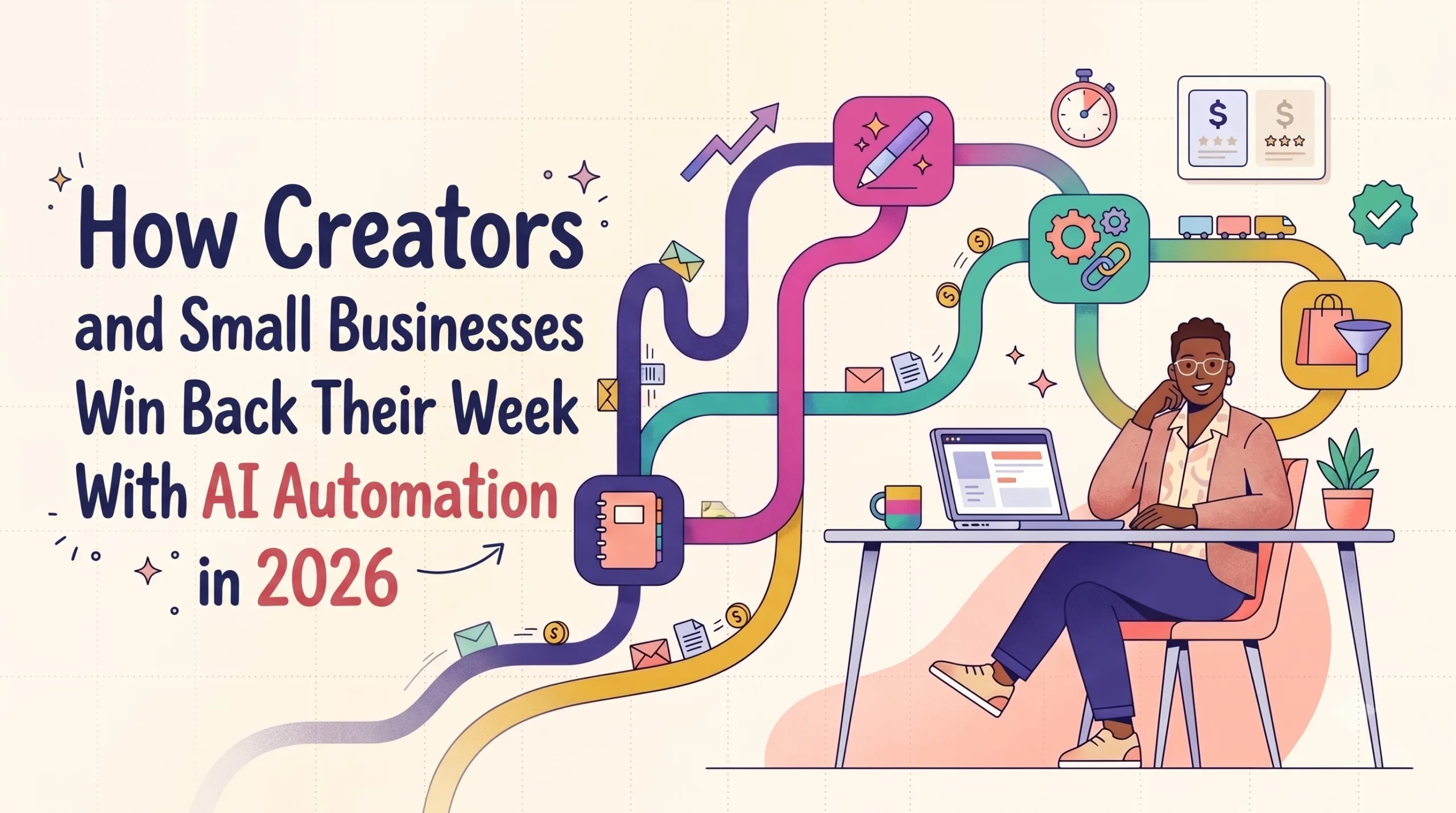
AI-Powered Automation & SaaS Tools: The 2026 Summary for Creators and Small Businesses
How Jasper, Notion, Make.com and Systeme.io fit together into a lean stack that removes busywork, what each costs right now, and how to start without overspending.
✎Description
This article is a practical guide to AI-powered automation for creators, small business owners and marketers who want to reclaim time lost to repetitive digital tasks. It explains the core ideas in plain language (SaaS, triggers and actions, integration platforms, AI agents), then organizes the tools into a simple four-layer framework: Think (Notion), Create (Jasper), Connect (Make.com) and Sell (Systeme.io).
Each tool is reviewed with October 2026 pricing, strengths, limitations and a clear verdict. The guide also includes three copy-ready workflow blueprints, a simple ROI formula, common mistakes, a seven-day launch plan, and an honest look at how recurring SaaS affiliate commissions work for creators who teach these tools.
★Vital Points
- The real gap is integration, not adoption. 2026 research from the Goldman Sachs 10,000 Small Businesses program found about 76% of surveyed owners use AI, but only about 14% have it fully built into core operations.
- AI generates; automation moves. The strongest setups pair one content generator with one automation platform, plus a human approval step.
- Make.com is the highest-leverage starting point. Its free plan includes 1,000 credits a month, and paid plans include unlimited users. Watch loops and retries, which use credits quickly.
- Notion changed how it sells AI. Full Notion AI now sits on the Business plan ($20 per member per month billed yearly). Free and Plus include only a limited trial.
- Jasper’s value is brand consistency. Pro is about $69 per seat monthly or about $59 billed yearly. It suits teams publishing marketing content weekly across several channels.
- Systeme.io is the budget all-in-one. A free-forever plan, paid tiers from about $17 a month, and no platform transaction fees make it ideal for new creators.
- Use the 15-minute rule. Automate tasks that happen weekly and cost more than 15 minutes a month; skip the rest.
- Recurring commissions reward trust. Retention matters as much as the headline rate. Recommend only tools you use, and always disclose affiliate links.
⚖The Stack in One Table
| Tool | Layer | Free option | Best for |
|---|---|---|---|
| Notion | Think | Yes | Planning, SOPs, content calendars |
| Jasper | Create | 7-day trial | On-brand marketing content |
| Make.com | Connect | Yes (1,000 credits) | Linking 3+ apps automatically |
| Systeme.io | Sell | Yes | Funnels, email, courses, checkout |
◎Who It’s For
Start small: build one automation on a free plan this week, measure the hours it saves, and upgrade only when a tool clearly pays for itself.
✓Why You Can Trust This Summary
❖Key Sources
- Goldman Sachs 10,000 Small Businesses Voices: AI survey (2026)
- Thryv 2026 AI and Small Business Adoption Survey
- Make.com Review 2026: Credits and Real Prices
- Notion AI Pricing in 2026
- Jasper AI Pricing (2026)
- Systeme.io Reviews and Pricing 2026 (Capterra)
— Written and reviewed by [Your Name], [your role or years of hands-on experience with these tools] —
Put This Summary Into Action Faster
Browse creator-made Notion templates, automation blueprints and AI prompt packs.
✨ Explore Gumroad Toolkits → Affiliate link · We may earn a commission at no extra cost to you.The AI Automation Stack for 2026: How Creators and Small Businesses Win Back Their Week with Jasper, Notion, Make & Systeme.io
A field-tested, no-hype playbook: what each tool really does, what it costs this month, three copy-ready workflow blueprints, and a 7-day plan to get your first automation live.
What is the best AI automation stack for a small business or creator in 2026? For most solo operators and teams under ten people, a four-layer stack covers nearly everything: Notion to plan and store knowledge, Jasper (or another AI writer) to draft on-brand content, Make.com to connect apps and move data automatically, and Systeme.io to capture leads, send email and sell. Start with the free tiers, automate one repetitive task at a time, and only upgrade when a tool is clearly saving you hours.
The Busywork Tax Nobody Budgets For
Picture a typical Tuesday for a one-person brand. A new subscriber signs up, so you copy their email into a spreadsheet. A client pays an invoice, so you update your tracker, send a thank-you note and add them to an onboarding sequence. You publish a blog post, then rewrite it into a newsletter, three social captions and a short video script. None of these jobs is hard. Together, they swallow the hours you meant to spend on the work that actually grows the business.
That is the busywork tax: small, repetitive digital chores that feel too minor to fix one by one, yet add up to a part-time job. AI-powered automation exists to cancel that tax. Not by replacing your judgment, but by handling the copy-paste, the first drafts and the “if this happens, do that” logic so you can stay in the creative and strategic seat.
The shift is no longer theoretical. Research from 2026 shows American small businesses moving fast, but unevenly:
Read those numbers together and the opportunity jumps out. Almost everyone has tried AI. Very few have wired it into how the business runs. A separate 2026 survey from Thryv found U.S. small-business AI adoption climbing to 66%, up from 55% a year earlier, while 70% of owners admitted they still needed more training. The winners over the next year won’t be the people with the most subscriptions. They’ll be the people who connect a few good tools into a system.
Chapter 2What “AI-Powered Automation” Really Means (In Plain English)
The term gets thrown around loosely, so let’s ground it. Understanding these building blocks makes every tool decision easier and protects you from buying features you will never use.
- SaaS (Software as a Service): software you rent by subscription and use in a browser, such as Notion or Systeme.io. You don’t install or maintain it; you pay monthly or yearly.
- Workflow automation: rules that move information between apps without you touching it. A trigger starts the workflow (a form is submitted), and actions follow (add contact, send email, post to Slack).
- Integration platform (iPaaS): a “connector” service such as Make.com or Zapier that links thousands of apps through their APIs, so tools that were never designed to talk to each other suddenly can.
- Large language model (LLM): the AI engine behind writing assistants. It predicts and generates text, which is why it drafts quickly but still needs a human editor for facts and tone.
- AI agent: an AI step that can take actions, not just write, such as sorting incoming emails, filling in database fields, or deciding which branch of a workflow to follow.
The most useful mental model is simple: AI generates, automation moves. AI writes the draft, summarizes the call, scores the lead. Automation carries that output to the right place at the right time. When people feel disappointed by “AI,” it is usually because they bought a generator and expected a system.
The 4-Layer Stack Framework: Think, Create, Connect, Sell
Instead of chasing the newest app, organize your tools by the job they do. Every online business, from a podcaster to a local bookkeeper, runs on the same four layers.
Notion
Jasper
Make.com
Systeme.io
You don’t need all four on day one. Most people feel the biggest relief from the Connect layer first, because that’s where the copy-paste lives. Creators who sell digital products usually feel it next in the Sell layer, where one platform can replace a landing-page builder, an email tool and a course host.
Chapter 4Tool-by-Tool Deep Dive (October 2026 Pricing)
Tap a tab to explore each tool. Prices below were checked against public pricing pages and recent independent reviews in September–October 2026. SaaS pricing changes often, so confirm on the vendor’s site before you buy.
Jasper — The Brand-Voice Content Engine
Best for: marketers & content-heavy brands7-day free trialJasper is an AI content platform built for marketing teams rather than casual chat. Its strength is consistency: you train it on your Brand Voice, upload knowledge assets (product sheets, style guides) and define audiences, so drafts come out sounding like your company instead of generic AI.
- Pro: about $69 per seat per month, or roughly $59 per month billed yearly. Includes unlimited AI words, a small number of Brand Voices, knowledge assets, audiences, Jasper Chat and SEO mode.
- Business: custom pricing, usually an annual contract, adding advanced agents, a no-code AI app builder, API access and governance.
- Note: the older lower-priced Creator plan has been phased out of Jasper’s main pricing page, so older reviews quoting $39–$49 may be outdated.
Strength Brand consistency across many channels. Watch out Pro is one seat; growing teams get pushed toward a Business quote.
Expert verdict: worth it if you publish content every week and brand consistency matters more than price. If you write occasionally, a general AI assistant may be enough.
Try Jasper free for 7 days →Notion — Your Business Brain
Best for: planning, SOPs, content calendarsFree plan availableNotion is a flexible workspace that combines documents, databases, wikis and project boards. For small teams it often becomes the single source of truth: the content calendar, client portal, onboarding checklist and standard operating procedures all live in one place.
- Free: $0 for individuals, with a limited Notion AI trial.
- Plus: $10 per member per month billed yearly ($12 monthly), still with only a limited AI trial.
- Business: $20 per member per month billed yearly ($24 monthly), which now bundles full Notion AI, including Agents, AI Meeting Notes and Enterprise Search.
- 2026 change: the old standalone AI add-on has been discontinued, and newer agent features use credits on Business and Enterprise plans.
Strength Unmatched flexibility as a hub. Watch out If AI is your main reason to pay, Business is effectively the entry price.
Expert verdict: start on Free or Plus as your planning hub and connect it to Make.com. Upgrade to Business only when your team genuinely uses built-in AI daily.
Start Notion free →Make.com — The Connector That Does the Copy-Paste
Best for: anyone using 3+ appsFree plan: 1,000 credits/monthMake (formerly Integromat) lets you build automations visually by dragging modules onto a canvas. Branches, filters, loops and AI steps are all supported, which makes it powerful for multi-step workflows without writing code.
- Free: $0 with 1,000 credits per month, 2 active scenarios and a 15-minute minimum interval.
- Core / Pro / Teams: at the 10,000-credit setting, independent reviewers recorded monthly-billing prices of about $10.59, $18.82 and $34.12. Annual billing is cheaper, and Make’s pricing page shows annual rates by default.
- How billing works: most module actions use one credit. Loops multiply that quickly, so estimate before you scale.
- Team bonus: paid plans include unlimited users, which is rare in this category.
Strength Very affordable for complex, branching logic. Watch out Iterators and failed retries can burn credits silently.
Expert verdict: the highest-leverage tool in this stack for most people. Build one workflow on the free plan and you’ll immediately see where your hours were going.
Build your first scenario free →Systeme.io — The Budget All-in-One Sales Engine
Best for: creators selling courses & digital productsFree forever planSysteme.io bundles sales funnels, landing pages, email marketing, online courses, a blog, checkout and even your own affiliate program in one dashboard. For solo creators, it often replaces four or five separate subscriptions.
- Free: $0 with core funnels, email and course features (limits apply).
- Startup: from about $17 per month; Webinar: about $47; Unlimited: about $97, with yearly plans discounted.
- Fees: Systeme.io charges 0% transaction fees on all plans (your payment processor still charges its own fees).
- Extras: paid plans come with a 14-day trial, and free migration is offered on qualifying plans.
Strength Exceptional value and simplicity. Watch out Design flexibility is more limited than premium funnel or course platforms.
Expert verdict: the easiest way for a new creator to start selling with almost zero upfront cost. Graduate to pricier platforms only if you outgrow it.
Open a free Systeme.io account →Side-by-Side: Which Tool Solves Which Problem?
| Tool | Main job | Free option | Typical starting paid price* | Best fit | Learning curve |
|---|---|---|---|---|---|
| Jasper | On-brand AI content creation | 7-day trial | ~$59–$69 / seat / mo | Marketers, agencies, content brands | 🟢 Easy |
| Notion | Planning, knowledge base, projects | Yes | $10–$12 / member / mo (AI on $20–$24 Business) | Teams needing one shared hub | 🟡 Moderate |
| Make.com | App-to-app workflow automation | Yes (1,000 credits) | ~$9–$11 / mo (Core, 10k credits) | Anyone juggling 3+ apps | 🟡 Moderate |
| Systeme.io | Funnels, email, courses, checkout | Yes | ~$17 / mo (Startup) | Creators & coaches selling online | 🟢 Easy |
*Prices as published or reported in September–October 2026, in USD. Annual billing is usually cheaper. Always verify the current price on each vendor’s official pricing page before purchasing.
🚀 Not sure where to start?
Begin with the Connect layer. A free Make.com account and one simple workflow will show you more about automation in an afternoon than a week of reading.
3 Workflow Blueprints You Can Copy This Week
Theory only goes so far. These blueprints show how the four layers work together in common U.S. small-business scenarios. Each uses tools that offer free tiers, so you can test before committing.
“Publish Once, Distribute Everywhere”
- Draft your weekly article in a Notion “Content Calendar” database and set its status to Ready.
- Make.com watches that database. When a page changes to Ready, it sends the text to an AI step (or you paste it into Jasper) to produce a newsletter intro, three social captions and a short video hook.
- Make writes those drafts back into the same Notion page under a “Repurposed” section for your review.
- After you approve, Make adds the newsletter draft to Systeme.io and schedules social posts through your scheduler.
Why it works: you stay the editor-in-chief, and the AI never publishes anything without your approval. That one rule protects both quality and trust.
“Never Miss a Lead Again”
- A visitor fills in the quote form on a Systeme.io landing page.
- Systeme.io tags them and sends an instant, friendly confirmation email.
- Make.com picks up the new contact, adds a row to a Notion “Leads” board and sends a text or Slack alert to whoever handles quotes.
- If nobody marks the lead as contacted within 24 hours, Make sends a reminder to the owner.
Why it works: speed of response wins service jobs. Automating the first touch means the customer hears from you in seconds, even when you’re on a job site.
“Client Reporting on Autopilot”
- Make.com pulls weekly numbers from your ad platforms, analytics and email tool into one spreadsheet or Notion database.
- An AI step writes a short plain-English summary: what improved, what dropped, and one suggested next action.
- Jasper (using the client’s brand voice) polishes the summary into a client-ready update.
- You review for 5 minutes and send. The report lands every Monday without anyone assembling it by hand.
Why it works: clients value clarity and consistency. Automating assembly frees your time for the analysis they’re actually paying you for.
Before automating anything, ask: Do I do this at least weekly, and does it take more than 15 minutes a month? If yes to both, it’s a strong candidate. If not, the setup time probably won’t pay off. This single filter prevents most “automation for automation’s sake” projects.
The Real Cost Math: Is a SaaS Stack Worth It?
Here’s an honest way to evaluate any subscription. Multiply the hours a tool saves each month by what your time is worth, then compare that to the monthly price.
Monthly value = hours saved × your hourly rate − subscription cost
Example: if Make.com Core saves you 6 hours a month and your time is worth $40/hour, that’s $240 of value against roughly $10 in cost. Even if your estimate is off by half, the math still works.
| Stack level | What’s included | Approx. monthly cost* | Who it suits |
|---|---|---|---|
| Starter | Notion Free + Make Free + Systeme.io Free + a general AI assistant | $0–$20 | Side hustlers testing an idea |
| Growth | Notion Plus + Make Core + Systeme.io Startup | ~$40–$50 | Solo creators with first paying customers |
| Pro | Notion Plus + Make Pro + Systeme.io Webinar + Jasper Pro | ~$140–$160 | Full-time creators, consultants, small agencies |
*Rough single-user estimates based on public pricing in fall 2026; actual totals vary with billing cycle, seats, credits and taxes.
Chapter 87 Mistakes That Quietly Drain Time and Money
- Buying the whole stack at once. Add one tool, prove it saves time, then add the next.
- Automating a broken process. If the manual version is messy, automation just makes the mess faster. Write the steps down in Notion first.
- Ignoring credit-based billing. On Make.com, loops and retries consume credits. Check usage weekly for the first month.
- Publishing raw AI drafts. Search engines reward content that is genuinely helpful and accurate. Always add your own experience, examples and fact checks.
- Pasting sensitive data carelessly. Review each tool’s privacy and data-retention settings before connecting client or payment information.
- Forgetting about plan changes. Notion moved full AI to its Business plan in 2026, and Jasper retired its old entry plan. Re-check pricing at every renewal.
- Building with no owner. Every automation needs a named person who checks it monthly. Silent failures are the most expensive kind.
Your 7-Day Launch Plan
Want results instead of a bookmark you never reopen? Follow this one-week plan. Each day takes about 30–60 minutes.
Audit. List every repetitive digital task you did last week. Circle the three that pass the 15-minute rule.
Map. Create a free Notion workspace and write each circled task as numbered steps.
Connect. Open a free Make.com account and automate the simplest task, such as form → spreadsheet → email alert.
Capture. Build one Systeme.io opt-in page with a freebie and a 3-email welcome sequence.
Create. Use Jasper’s free trial (or your AI assistant) to turn one existing piece of content into five formats.
Link. Connect Systeme.io sign-ups to your Notion leads board through Make.
Measure. Note the hours saved. Keep what works, cancel trials that didn’t earn their place.
Turning Your Stack Into Recurring Income
Here’s an angle many creators overlook. Once you use these tools and can teach others how, you can recommend them through official affiliate or partner programs. Because SaaS is billed monthly, many programs pay recurring commissions for as long as the referred customer keeps paying, within each program’s terms.
- Systeme.io is widely cited in 2026 affiliate roundups as offering one of the most generous programs in the category, advertised at up to 60% recurring. Some reviewers report different rates, so read the official terms when you sign up.
- Make.com, Notion and Jasper have run partner or affiliate programs at various times. Rates, eligibility and duration change, so check each company’s current partner page rather than relying on old blog posts.
- The sustainable approach: recommend only what you actually use, show real workflows (like the blueprints above), and disclose your affiliate relationships clearly. Trust is what keeps referrals subscribed, and that’s what makes recurring income actually recur.
Comparison and tutorial content (“Systeme.io vs. Kajabi,” “How I connect Notion to Make”) tends to attract readers who are already close to a buying decision. Pair each tutorial with a free template your readers can duplicate, and they’ll come back for the next one.
5 Questions Readers Ask Most
1. What is the easiest AI automation tool for a beginner?
For most beginners, Make.com’s free plan is the best first step because you can see a whole workflow visually and test it with 1,000 free credits a month. If you mainly want to sell a digital product, Systeme.io’s free plan is even simpler, since funnels, email and checkout are built in.
2. Is Jasper worth it compared with a general AI chatbot?
Jasper is worth it when you produce marketing content every week and need it to sound consistently like your brand across many channels. Its Brand Voice, knowledge assets and audience settings save editing time. If you write only occasionally, a general AI assistant at a lower price is usually enough.
3. Do I need Notion’s Business plan to use Notion AI?
As of 2026, full Notion AI (Agents, AI Meeting Notes, Enterprise Search) is bundled into the Business plan at $20 per member per month billed yearly. Free and Plus plans include only a limited AI trial, and the old standalone AI add-on has been discontinued. Many small teams stay on Plus and use Make.com plus a separate AI tool instead.
4. Make.com or Zapier: which is better for a small business?
Make.com is generally more affordable for complex, branching workflows and includes unlimited users on paid plans. Zapier is often considered easier for very simple two-step automations and has a larger app library. If budget and multi-step logic matter most, start with Make; if you want the simplest possible setup, test Zapier’s free plan too.
5. Can AI automation replace hiring staff?
It can delay certain hires by removing repetitive admin, but it works best as a multiplier, not a replacement. Surveys from 2026 show many owners using AI to do more with the same team while still needing people for judgment, relationships and quality control. Treat automation as the assistant that frees your team for higher-value work.
Flashcard Quiz: How Automation-Ready Are You?
Read each question, pick your answer, then tap or click the card to flip it and check.
Scored 4 or 5? You’re ready to build Blueprint 1 today. Scored 3 or less? Bookmark this guide and work through the 7-day plan; you’ll be ahead of most small businesses by next week.
Your next moveStart Small, Automate One Thing, Then Build
The businesses pulling ahead in 2026 aren’t the ones with the biggest software budget. They’re the ones that chose a few reliable tools, connected them with intention and kept a human in charge of quality. Pick one blueprint from this guide, build it on free plans this week, and measure the hours you get back. That single win is usually all the motivation you need for the next one.
This guide is reviewed and refreshed as pricing and features change. Bookmark it, and look for the next chapters in this series: “Notion + Make: 10 Templates for Solo Businesses”, “Systeme.io vs. Kajabi vs. Teachable (Honest Cost Breakdown)”, and “AI Agents for Small Business: What Actually Works.”
💬 Your turn: Which tool in this stack has saved you the most time? Share your workflow or your review in the comments. Real experiences from readers help everyone choose smarter.
Sources & Further Learning
- Goldman Sachs 10,000 Small Businesses Voices — AI and small business survey (March 2026)
- Thryv 2026 AI and Small Business Adoption Survey (July 2026)
- Jet Admin — Make.com Review 2026: Credits and Real Prices
- Make.com Free Plan 2026: Limits and Use Cases
- Breeze — Notion AI Pricing in 2026
- Automation Atlas — How Much Does Notion Cost in 2026?
- Layer3 Labs — Jasper AI Pricing (2026)
- SaaS CRM Review — Jasper AI Review 2026
- SchoolMaker — Systeme.io vs ClickFunnels (2026)
- Capterra — Systeme.io Reviews and Pricing 2026
- Reditus — Systeme.io Affiliate Program Overview
- Official pages to verify current pricing: jasper.ai/pricing · notion.com/pricing · make.com/en/pricing · systeme.io/pricing
- Free learning: Make Academy (make.com), Notion Help Center & template gallery, Systeme.io Help Center, and the U.S. Small Business Administration’s resources at sba.gov.
📚 Level Up With Ready-Made Templates, Guides & Toolkits
Browse creator-made Notion templates, automation blueprints, AI prompt packs and business toolkits on Gumroad, and skip the blank-page stage.
Affiliate link · We may earn a commission at no extra cost to you.
10 Sharp Briefings on AI-Powered Automation & SaaS Tools for Creators and Small Businesses
Original analysis, honest comparisons and practical playbooks for anyone who wants their software to do more of the busywork, without wasting money on subscriptions that never pay off.
The Real AI Gap in Small Business Isn’t Adoption. It’s Integration.
Early 2026 research from the Goldman Sachs 10,000 Small Businesses program reported that roughly three in four surveyed owners use AI in some form, yet only about one in seven say it is fully built into core operations. That gap tells the whole story of where small businesses stand right now. Most owners have opened a chatbot, generated a caption or summarized an email. Far fewer have connected AI to the systems that actually run the business: the lead form, the invoice, the onboarding checklist, the weekly report.
The practical consequence is that AI often adds a new tab to someone’s day instead of removing work from it. The owner still copies output from one place and pastes it into another. The value only compounds when AI output flows automatically into the next step, which is exactly what workflow automation platforms are built to do. For creators and small teams, the competitive edge over the next year will come less from using more AI tools and more from wiring a few of them together well.
Count how many AI outputs you still move by hand each week. Every manual hand-off is an integration opportunity.
Generators vs. Systems: Why Some AI Spending Feels Wasted
A useful way to sort any AI purchase is to ask whether it generates or moves. Writing assistants, image tools and summarizers generate: they turn a prompt into a draft. Automation platforms move: they carry data from a trigger, such as a new sign-up, through a chain of actions, such as tagging the contact, logging it in a database and alerting a team member.
Disappointment usually happens when someone buys a generator and expects a system. A content tool can produce a week of social posts in minutes, but if those posts still need to be formatted, scheduled and tracked by hand, the time savings shrink fast. The strongest setups pair one capable generator with one reliable mover, and add a human approval step in between so quality never slips. That combination turns a clever demo into a dependable routine.
Before buying any new AI tool, write down where its output goes next. If the answer is “I’ll paste it somewhere,” budget for automation too.
Visual Builders, Simple Connectors and Self-Hosted Options: Picking Your Automation Style
Workflow automation tools fall into three broad styles. Simple connectors favor short, linear “when this, do that” recipes and are often the fastest to learn. Visual scenario builders, a category where Make.com is a well-known example, lay workflows out on a canvas with branches, filters and loops, which suits multi-step logic at a comparatively low cost. Self-hosted or open-source platforms offer the most control and data ownership but expect more technical comfort.
For a creator or small team, the deciding factors are usually complexity and billing. Make.com, for instance, meters usage in credits, with a free tier of 1,000 credits a month and paid tiers that independent reviewers measured starting around ten dollars a month on monthly billing for 10,000 credits. Its paid plans also include unlimited users, which helps growing teams. The trade-off is that loops and retries consume credits quickly, so heavy workflows need monitoring.
Linear, two-step tasks: any simple connector works. Branching, multi-app workflows on a budget: a visual builder usually wins.
Notion’s 2026 AI Repackaging: What It Means for Small Teams
Notion remains one of the most flexible workspaces for planning, wikis and content calendars, but how it sells AI changed in 2026. Full AI features, including agents, meeting notes and enterprise search, are now bundled into the Business plan, listed at $20 per member per month on annual billing ($24 monthly). The Free and Plus plans keep only a limited AI trial, and the standalone AI add-on that many small teams relied on has been retired.
For a five-person team, that shift can roughly double the per-seat bill if built-in AI is a must-have. Many teams respond in one of two ways. Some upgrade because AI meeting notes and search across connected apps genuinely save hours. Others stay on Plus, keep Notion as their organized “business brain,” and send its content through an automation platform to whichever AI model they already pay for. Neither path is wrong; the right choice depends on how often the team would actually use AI inside Notion.
Track one month of AI use on the Business trial. If fewer than half your seats use it weekly, Plus plus an external AI tool is likely cheaper.
Jasper’s Real Value Is Consistency, Not Speed
Almost every AI writer is fast. What sets a marketing-focused platform like Jasper apart is its emphasis on staying on-brand: you define a brand voice, upload reference material such as product details and style rules, and describe target audiences, so drafts arrive closer to publishable. That matters most for teams producing ads, emails, landing pages and social posts across many channels every week.
As of fall 2026, the self-serve Pro plan is listed at about $69 per seat per month, or around $59 on annual billing, with a seven-day trial. Larger teams are steered to a custom-priced Business plan. Older reviews quoting a cheaper entry plan may be out of date. For an occasional blogger, a general-purpose assistant is often enough. For a brand publishing daily, the editing time saved by consistent voice can justify the premium.
Worth testing if you publish marketing content weekly across 3+ channels. Measure edit time per draft before and during the trial.
All-in-One Platforms vs. Best-of-Breed Stacks for Creators
Creators selling courses, coaching or digital downloads face a classic choice. A best-of-breed stack combines a separate page builder, email tool, course host and checkout, offering maximum flexibility at the cost of more subscriptions and more integrations to maintain. An all-in-one platform bundles those jobs into a single dashboard.
Systeme.io is a frequently cited budget example of the all-in-one approach. It offers a free-forever plan, paid tiers reported from about $17 a month up to roughly $97 for its top plan, and no platform transaction fees (payment processor fees still apply). Broad reviewer consensus is that it trades some design depth for simplicity and value. That trade usually suits beginners and lean solo creators well, while established brands with complex design or community needs may eventually prefer specialized tools.
Add up your current monthly spend on pages, email, courses and checkout. If an all-in-one covers 80% of your needs for less, consolidate.
The Speed-to-Lead Automation Every Service Business Should Build First
For plumbers, photographers, consultants and other local service providers, the first business to respond to an inquiry often wins the job. Yet inquiries arrive while owners are on site, driving or with another client. A simple automation closes that gap without hiring anyone.
The pattern works like this. A visitor submits a quote form. The form tool instantly sends a friendly confirmation that sets expectations for a reply. An automation platform simultaneously logs the lead in a shared board, such as a Notion database, and pings the owner by text or team chat. If nobody marks the lead as contacted within a set window, a reminder fires. Every step uses widely available tools, most with free tiers, and the setup typically takes an afternoon.
Keep the automated reply human: mention a realistic response time and one helpful next step, such as photos to send or questions to prepare.
Four Guardrails Before You Automate Anything Customer-Facing
Automation magnifies whatever it touches, including mistakes. Four guardrails keep small businesses safe. First, human approval: nothing AI-written should reach customers or go live on your site without a person reviewing it for accuracy and tone. Second, data minimization: send only the fields each step needs, and review each tool’s privacy and retention settings before connecting client or payment details.
Third, ownership: every workflow needs a named person who checks its run history monthly, because silent failures are the costliest kind. Fourth, disclosure: if you recommend tools you earn commissions from, U.S. Federal Trade Commission guidance expects clear, conspicuous disclosure. Following these rules protects your reputation and your search visibility, since search engines increasingly reward content that is accurate, original and genuinely helpful.
Write a one-page “automation register” in your workspace listing each workflow, its owner, the data it touches and its approval step.
Why Recurring SaaS Commissions Reward Trust Over Hype
Because SaaS is billed monthly or yearly, many software affiliate programs pay a percentage of each renewal rather than a single bounty. That changes the math. A one-time payout ends at the sale, while a recurring commission can keep paying for as long as the referred customer stays subscribed, within the program’s terms. Some 2026 affiliate roundups highlight all-in-one platforms such as Systeme.io for unusually high advertised recurring rates, though reported figures vary, so the official terms are the only reliable source.
The hidden variable is retention. A generous percentage on a product people cancel after two months earns less than a modest percentage on a tool customers rely on for years. That is why the most durable affiliate creators recommend only tools they use, publish real tutorials and templates, and stay transparent. Readers who succeed with a tool stay subscribed, and that is what makes recurring income actually recur.
Estimate value as: monthly commission × average months a customer stays. Retention matters as much as the headline rate.
How to Choose Your First Automation (and Avoid Building the Wrong One)
The best first automation is boring, frequent and low-risk. Apply a simple filter: does the task happen at least weekly, and does it cost you more than fifteen minutes a month? If both answers are yes, it’s a candidate. Good examples include logging new subscribers, saving invoice details to a tracker, posting new blog articles to a team channel, or creating a task when a client books a call.
Next, write the manual steps out in plain language before touching any software. If you can’t describe the process clearly, it isn’t ready to automate. Then build on a free tier, run it alongside your manual process for one week, and compare results. During the first month, check usage and error logs weekly so credit-based billing never surprises you. Once one workflow runs reliably, the second takes half the time.
One reliable automation beats five half-finished ones. Prove value, then expand.
The Field Book in One Page
- Most small businesses already use AI; the advantage now comes from connecting it to real workflows.
- Pair one strong generator with one reliable automation platform, and keep a human approval step.
- Recheck pricing at renewal: Notion moved full AI to Business, and Jasper’s lineup centers on Pro and Business.
- All-in-one platforms like Systeme.io suit lean creators; best-of-breed stacks suit complex brands.
- Recurring commissions reward honesty, because retention drives long-term value.
Start with the speed-to-lead or first-automation playbook this week, then test yourself with the quiz below.
Quick Quiz: How Automation-Smart Are You?
Ten questions based on the briefings above. Pick an answer to see the explanation.
Show all quiz questions and answers
- What is the biggest AI gap for small businesses? Integration into core operations.
- What does an automation platform mainly do? Moves data between apps automatically.
- What starts an automated workflow? A trigger.
- How many free monthly credits does Make.com’s free plan include? 1,000.
- Which Notion plan bundles full AI in 2026? Business.
- What is Jasper’s key differentiator for marketers? Brand-voice consistency.
- What platform transaction fee does Systeme.io charge? 0%.
- Which guardrail stops unreviewed AI content reaching customers? Human approval.
- What most affects long-term recurring commission value? Customer retention.
- What makes a good first automation? A frequent, low-risk, repetitive task.
Grab Ready-Made Templates, Prompt Packs & Automation Toolkits
Skip the blank page with creator-made resources for Notion, workflow automation and AI marketing.
✨ Explore Gumroad Creator Resources → Affiliate link · We may earn a commission at no extra cost to you.AI Automation Checklist
Speed Up Every Step With Ready-Made Resources
Find creator-made Notion templates, automation blueprints and AI prompt packs.
✨ Explore Gumroad Toolkits → Affiliate link · We may earn a commission at no extra cost to you.20 Facts From a Decade of AI Automation That Prove Small Players Can Win Big
From a research paper in 2017 to free tools anyone can use today, these milestones show how quickly power has shifted toward creators, solo founders and small teams. Every fact comes with a reason for hope.
Notion Started as a Tiny Team’s Big Idea
Notion released its 1.0 product in 2016 after a near-collapse and a fresh restart by a very small founding team. By 2021 it raised funding at a reported $10 billion valuation.
One Research Paper Sparked the Whole AI Wave
Google researchers published “Attention Is All You Need,” introducing the Transformer architecture. Nearly every modern AI writing assistant is built on that idea.
A Czech Startup Became Make.com
Process-mining company Celonis acquired the automation tool Integromat in 2020, and it relaunched as Make in 2022, bringing visual, no-code automation to a global audience.
No-Code Went Mainstream
Gartner forecast that by 2025, 70% of new applications built by organizations would use low-code or no-code technologies, up from under 25% in 2020.
An AI Marketing Writer Hit Unicorn Status
Jasper, launched in 2021, raised $125 million at a $1.5 billion valuation in October 2022, proving demand for AI built specifically for marketers.
The Fastest Consumer App Adoption on Record
ChatGPT launched on November 30, 2022. Analysts at UBS estimated it reached about 100 million monthly users in roughly two months.
AI Helped Developers Finish 55% Faster
In a controlled GitHub experiment, developers using its AI pair programmer completed a coding task about 55% faster than those working without it.
Writing Time Dropped 40%, Quality Rose 18%
A study published in Science by MIT researchers found professionals using ChatGPT finished writing tasks about 40% faster, while evaluators rated output quality about 18% higher.
Beginners Gained the Most From AI
A large study of customer-support agents by Brynjolfsson, Li and Raymond found AI help raised productivity about 14% on average and about 34% for newer, less experienced workers.
Trillions in Potential Value
McKinsey estimated that generative AI could add $2.6 to $4.4 trillion in value to the global economy every year across the use cases it analyzed.
Notion Put AI Inside the Workspace
After an alpha in late 2022, Notion AI became generally available in February 2023, bringing writing, summarizing and Q&A into the place teams already plan their work.
Americans Started Businesses at Record Pace
U.S. Census Bureau data showed about 5.5 million new business applications filed in 2023, the highest annual total on record.
The Creator Economy Is Heading Toward $480 Billion
Goldman Sachs Research projected the creator economy could approach roughly $480 billion by 2027, about double its 2023 size.
AI Got Over 280 Times Cheaper
Stanford’s 2025 AI Index reported that the cost of running a model performing at GPT-3.5 level fell more than 280-fold between November 2022 and October 2024.
Small Businesses Are 99.9% of U.S. Businesses
The U.S. Small Business Administration’s Office of Advocacy reports that small businesses make up 99.9% of all American businesses.
Three in Four Small Businesses Now Use AI
A Goldman Sachs 10,000 Small Businesses survey fielded in early 2026 found about 76% of participating owners use AI in some form.
The Integration Opportunity Is Wide Open
The same Goldman Sachs survey found only about 14% of small businesses have AI fully integrated into core operations.
Adoption Jumped 11 Points in One Year
Thryv’s 2026 survey of U.S. small and mid-sized businesses found AI adoption rose to 66%, up from 55% a year earlier.
Most AI Users Report Revenue Gains
In the same Thryv survey, 70% of respondents said AI increased their revenue over the past year, and 81% said it made them more strategic in running their business.
You Can Start Automating for $0
In 2026, Make.com offers a free plan with 1,000 credits a month, Notion and Systeme.io offer free-forever plans, and Systeme.io charges no platform transaction fees.
The Pattern Behind Every Page
Ten years ago, the tools in this book were research ideas or tiny startups. Today they are affordable, beginner-friendly and proven to make ordinary people faster and more capable, with the biggest gains often going to newcomers. You don’t need a big team, a tech degree or a big budget. You need one task worth automating and the confidence to start. Pick it today.
Sources & Further Reading
- Vaswani et al., “Attention Is All You Need,” 2017 (arXiv)
- Gartner press release on low-code development technologies, 2021
- Jasper funding announcement, October 2022
- UBS analyst note on ChatGPT user growth, as reported by Reuters, February 2023
- GitHub research on Copilot productivity, 2022
- Noy & Zhang, “Experimental evidence on the productivity effects of generative AI,” Science, 2023
- Brynjolfsson, Li & Raymond, “Generative AI at Work,” NBER Working Paper, 2023
- McKinsey Global Institute, “The economic potential of generative AI,” June 2023
- U.S. Census Bureau, Business Formation Statistics, 2023
- Goldman Sachs Research on the creator economy, 2023
- Stanford HAI, AI Index Report 2025
- U.S. SBA Office of Advocacy, Frequently Asked Questions About Small Business
- Goldman Sachs 10,000 Small Businesses Voices, AI survey, 2026
- Thryv 2026 AI and Small Business Adoption Survey
Ready to Write Your Own Success Chapter?
Jump-start your automation journey with creator-made templates, blueprints and AI prompt packs.
✨ Explore Gumroad Toolkits → Affiliate link · We may earn a commission at no extra cost to you.📝 Key Takeaways & Action Notes
Jot down insights, next steps, or thoughts from this post. Your notes save automatically in your browser.
- What is the #1 breakthrough insight you took away today?
- What is one concrete action you will take in the next 24 hours?
- What questions or ideas do you want to research further?
Stay ahead with exclusive updates
Join our community. Get curated industry trends, actionable guides, and fresh resources delivered straight to your inbox.