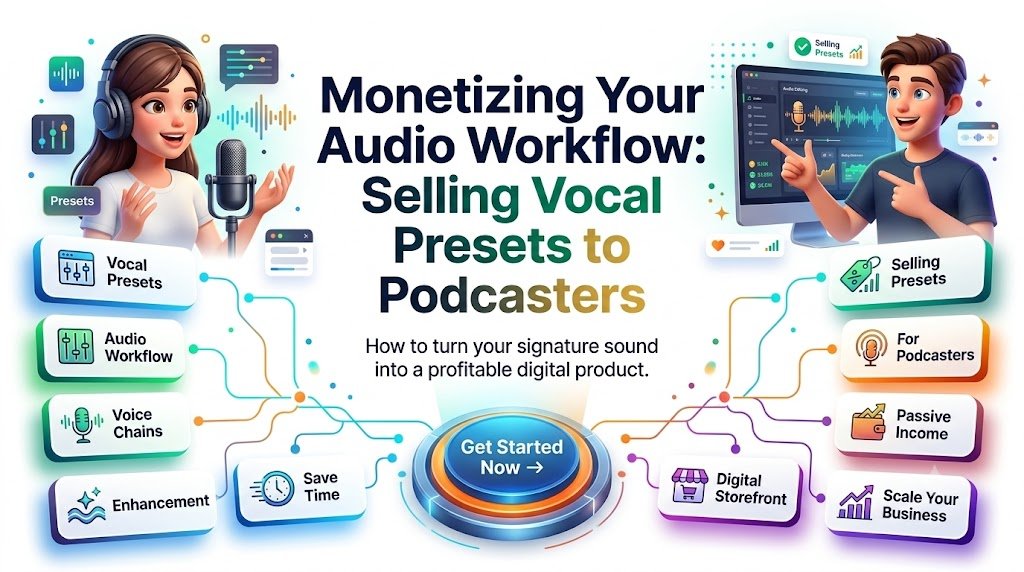
How to turn your audio engineering skills into downloadable digital products, help creators achieve cleaner recordings, and build a business around professional vocal processing.
Imagine a podcaster recording an excellent interview. The conversation is engaging, the guest shares valuable insights, and the episode has everything needed to attract listeners.
But there is one problem: the audio sounds amateur.
The voice is muddy. Background noise distracts from the conversation. Certain words sound painfully sharp, while others disappear into the recording. The creator spends another two hours adjusting equalizers, compressors, and noise-reduction settings.
Now imagine offering that same podcaster a ready-made vocal processing preset that provides a reliable starting point in minutes.
That is the business opportunity behind selling vocal presets to podcasters, voice actors, YouTubers, audiobook narrators, and content creators.
Audio engineers often develop carefully tested processing chains through years of practical experience. Instead of using that expertise only for individual editing projects, they can package part of their workflow into reusable digital products.
A vocal preset might sell for $9, $19, or $29. A specialized bundle with multiple processing chains, demonstration files, and installation instructions could justify a higher price.
Unlike traditional audio editing services, a downloadable preset can be delivered automatically after purchase. The initial creation requires skill and testing, but individual sales generally do not require repeating the same editing work.
The most interesting part is that you do not need a recording studio, an expensive microphone collection, or thousands of followers to test this business idea.
You need a useful audio solution, a clearly defined audience, an honest demonstration, and a simple purchasing experience.
Why Podcasters Are Willing to Pay for Professional Vocal Presets
Most independent podcasters do not want to become professional audio engineers.
They want to record episodes, interview interesting people, publish consistently, and grow their audience.
However, achieving polished vocal recordings can involve several technical processes:
- Reducing unnecessary low-frequency noise.
- Improving speech clarity with equalization.
- Controlling inconsistent vocal dynamics.
- Reducing excessive sibilance.
- Managing background noise and room resonance.
- Preventing clipping and unwanted distortion.
- Preparing audio for consistent playback.
Each stage takes knowledge, experimentation, and critical listening.
For experienced engineers, these tasks may feel routine. For beginners, they can become a frustrating collection of unfamiliar controls.
This creates an attractive business opportunity: sell the convenience of a repeatable workflow rather than simply selling audio settings.
A customer purchasing a vocal preset is often looking for three outcomes.
First, they want their voice to sound cleaner and more consistent.
Second, they want to spend less time experimenting with technical parameters.
Third, they want confidence that they are using a sensible starting point for their microphone and recording environment.
A well-designed preset can help with all three, provided the customer understands that recording quality, microphone placement, voice characteristics, and room acoustics still matter.
The product is not a magical replacement for audio engineering. It is a practical shortcut through part of the process.
What Exactly Is a Vocal Preset Digital Product?
A vocal preset is a saved configuration of audio processing settings that can be recalled and reused within compatible software.
For example, a podcast vocal preset may combine several effects into one organized signal chain.
A typical processing workflow might include a high-pass filter, subtractive EQ, compressor, de-esser, and output-level control.
The actual product format depends on the software.
Audacity Vocal Presets
Audacity provides Macros that can automate sequences of supported effects. Users can export and import Macros as text files, making them suitable for reusable audio workflows.
An Audacity product could include:
- A podcast voice processing Macro.
- Separate configurations for different recording conditions.
- A plain-language installation guide.
- Recommended input levels.
- Before-and-after demonstration audio.
Individual effect presets can also be saved, although their export formats and compatibility differ from complete Macros.
The Audacity Macro documentation explains how effect sequences can be created and shared.
Adobe Audition Vocal Presets
Adobe Audition offers an Effects Rack where users can organize effects, change their order, and save complete rack configurations.
A creator could develop an Adobe Audition vocal workflow designed for spoken-word recording, combining EQ, compression, de-essing, and other compatible processing effects.
Adobe’s documentation confirms that Effects Rack presets can store groups of effects and their settings.
See the Adobe Audition Effects Rack guide.
Before distributing a product, verify how buyers can transfer the configuration between installations. A saved rack preset is not necessarily a universally portable standalone file. A documented application-settings transfer or a tested session template may be more appropriate for a particular version.
GarageBand Vocal Presets
GarageBand users can create custom patches and save combinations of track settings and audio effects.
A GarageBand-focused product may therefore use a saved patch or compatible project template containing an organized vocal processing chain.
Apple documents custom patch workflows in its GarageBand for Mac User Guide.
For commercial distribution, test the product on a separate installation and verify that the buyer can load it without missing files, incompatible plugins, or undocumented steps.
Important: A preset created for one audio editor is not automatically compatible with another. Software versions, operating systems, plugin installations, and supported formats all affect portability.
The Secret to Selling Vocal Presets: Solve One Specific Audio Problem
A common beginner mistake is creating an enormous product bundle before identifying what customers actually need.
A package containing 100 vaguely named presets may appear impressive, but it creates confusion.
Most buyers would rather purchase one solution that clearly addresses their problem.
Consider the difference between these two digital products.
Product A: Ultimate Audio Preset Collection — 100 Professional Settings
Product B: Clear Podcast Voice Preset for Audacity — Built for Beginners Using USB Microphones
The second product identifies the intended audience, software, and desired outcome.
It gives potential customers a practical reason to investigate further.
This approach also makes product demonstrations, search visibility, and sales messaging easier.
Profitable Vocal Preset Niches Worth Testing
| Customer segment | Main problem | Digital product concept |
|---|---|---|
| Beginner podcasters | Muddy or inconsistent speech | Podcast Voice Starter Chain |
| YouTube educators | Unclear spoken narration | Clear Tutorial Voice Preset |
| Voice actors | Inconsistent audition recordings | Voiceover Processing Toolkit |
| Audiobook narrators | Uneven vocal levels | Narration Dynamics Preset |
| Interview podcasters | Different guest microphone levels | Interview Voice Matching Guide and Presets |
| Online course creators | Thin or harsh recordings | Warm Educational Voice Chain |
| Streamers | Speech buried under other audio | Clear Commentary Vocal Chain |
| Corporate trainers | Inconsistent presentation audio | Professional Training Voice Preset |
These are product hypotheses, not verified bestsellers. Their commercial potential should be evaluated through customer conversations, competitor research, and small launch tests.
Start with one clearly defined audience. A focused product can be expanded after collecting meaningful feedback.
How to Create a Professional Vocal Preset People Actually Want
The purpose of a commercial preset is not to make every voice sound identical.
It is to create a dependable processing starting point that buyers can adjust intelligently.
Step 1: Record a High-Quality Reference Voice
Begin with a clean, unprocessed voice recording.
Use a consistent microphone position and reasonable recording level. Select a sample containing ordinary speech, louder phrases, quieter passages, and words with noticeable S or T sounds.
A 30–60-second recording can reveal a surprising amount about a vocal chain.
Whenever possible, test your preset against more than one voice, including different vocal registers and microphone types.
A preset that sounds excellent on your own recording may perform poorly on someone else’s voice.
Step 2: Build a Sensible Processing Chain
For spoken-word audio, a useful starting workflow may look like this:
High-pass filtering → corrective EQ → compression → de-essing → output-level adjustment
These stages serve different purposes.
A high-pass filter can reduce unnecessary low-frequency rumble.
Corrective EQ can address troublesome frequencies and improve intelligibility.
Compression reduces excessive dynamic differences between louder and quieter speech.
De-essing helps manage sharp sibilant sounds.
Output-level processing helps prepare the signal for further editing, loudness normalization, or mastering.
The order may change depending on the recording and available plugins. Noise cleanup is often better handled separately before the main vocal chain.
Step 3: Use Conservative Starting Settings
For a typical spoken-word recording, experiment with the following general ranges.
| Processing stage | Illustrative starting point | Purpose |
|---|---|---|
| High-pass filter | Approximately 60–100 Hz | Reduce low-frequency rumble |
| Mud reduction | Gentle cuts around 200–400 Hz when needed | Address excessive low-mid buildup |
| Presence EQ | Small, broad adjustments around 2–5 kHz | Improve speech intelligibility |
| Compression | Ratio around 2:1 to 3:1 | Manage vocal dynamics |
| Gain reduction | Roughly 2–6 dB on louder phrases | Control peaks without excessive flattening |
| De-esser | Target the actual sibilant frequency | Reduce distracting S sounds |
| Output control | Preserve appropriate headroom | Avoid clipping and distortion |
These values are educational starting points rather than universal recommendations.
Attack, release, threshold, knee, makeup gain, and frequency choices require listening-based adjustments.
A deep voice may need very different treatment from a thin, bright voice. Aggressive compression or EQ can also exaggerate room noise, mouth sounds, and microphone imperfections.
Step 4: Test Against Multiple Real-World Recordings
Testing separates a useful commercial product from a random collection of plugin values.
Try your processing chain with a dynamic microphone, a condenser microphone, and a typical USB microphone if available.
Include quiet narration, energetic speech, and recordings with different room characteristics.
Listen for audible distortion, pumping, excessive brightness, unnatural noise suppression, and loss of vocal character.
Compare processed and unprocessed examples at matched playback loudness. Otherwise, the louder version may seem more impressive even when it has not meaningfully improved.
When possible, invite several creators to test the product on their own recordings.
Their experiences may reveal problems you did not encounter during development.
Step 5: Package the Preset as a Complete Solution
A professional digital product should be understandable without requiring the buyer to contact you repeatedly.
An example package could be named:
Podcast Voice Essentials — Audacity Edition
The downloadable ZIP might include a tested Macro file, installation instructions, a processing-chain explanation, example audio, a compatibility document, and an adjustment guide.
Include a short troubleshooting section covering common situations such as excessively bright voices, pumping compression, and weak input recordings.
This added documentation can differentiate a thoughtful product from a bare preset file.
How to Make Your First Vocal Preset Sale Within 24 Hours
A first sale within 24 hours is a useful launch objective, but no legitimate marketing method can guarantee it.
Sales depend on buyer demand, offer quality, audience reach, pricing, timing, trust, and promotion rules.
The following plan is designed to help you publish a credible first offer and give it a realistic opportunity to attract a customer within one day.
Hours 1–3: Create One Focused Preset
Choose the software you know best and the customer problem you understand most clearly.
For example:
Product: Clear Podcast Voice — Audacity Starter Macro
Audience: Beginner podcasters using basic USB microphones.
Core promise: A reusable spoken-word processing workflow that reduces repeated setup and provides a cleaner starting point.
Create and test the preset, then document the settings.
Resist the temptation to build 20 variations immediately. Your first objective is to validate whether customers value the solution.
Hours 4–5: Create a Convincing Before-and-After Demonstration
Audio products have a powerful advantage: customers can hear the intended benefit.
Record a short original voice sample and export two versions.
The first should represent the untreated recording.
The second should use your preset.
Use the same source recording, maintain the same sample duration, and loudness-match the examples to support a fair comparison.
Do not secretly replace the microphone, re-record in a quieter room, or apply additional undisclosed processing to make the second version sound better.
Explain what the preset changed and what it could not repair.
This demonstration becomes the most important part of your sales content.
Hours 6–7: Prepare the Digital Product
Package the tested configuration and provide a simple installation PDF or text guide.
Add software version requirements, operating-system compatibility, plugin dependencies, and clear instructions for disabling or adjusting effects.
Offer at least one sample demonstrating realistic performance.
For a starter product, an introductory price of $9–$19 can be reasonable to test, although the right price depends on the niche, product quality, support burden, and competing offers.
Hours 8–9: Publish a Simple Product Page
A storefront on Gumroad, Payhip, or another suitable digital download platform can provide payment processing and file delivery.
A product page should answer five practical questions immediately.
What problem does the preset address? Which software does it support? What is included? How do buyers install it? Where can customers hear an authentic demonstration?
A concise product description might read:
Clear Podcast Voice — Audacity Starter Preset
Give your spoken-word recordings a more consistent starting point without rebuilding your effects workflow for every episode.
Designed for beginner podcasters, this downloadable Audacity processing Macro includes a reusable effect chain, installation instructions, and practical adjustment guidance.
Listen to the unprocessed and processed audio examples, review compatibility details, and decide whether the workflow fits your recording setup.
Download the Podcast Voice Starter Preset
Avoid claims such as guaranteeing professional studio sound from any microphone.
Hours 10–14: Share the Audio Transformation
Turn your before-and-after demonstration into a short educational video.
A practical TikTok or YouTube Shorts structure could be:
Opening: “Your podcast recording sounds muddy? Listen to this comparison.”
Demonstration: Play the original sample, followed by the processed sample.
Explanation: Show the EQ and compression settings that contributed to the difference.
Invitation: “I packaged this workflow into a downloadable Audacity preset. You can hear the full sample and review the setup instructions through the link on my profile.”
On Reddit, prioritize helpful, relevant discussion rather than direct advertising.
Some podcasting and audio communities prohibit promotional links, while others restrict them to designated threads. Reddit’s own guidance explains that promotional content is not automatically spam but individual community rules still apply.
Review the Reddit guidance on promotional content and spam before sharing your work.
When permitted, contribute an educational demonstration and transparently disclose that you sell the preset. Do not assume that placing a purchase link in a comment or pinning it bypasses promotional restrictions.
Hours 15–20: Reach Potential Customers Directly
Look for creators publicly discussing audio quality problems, including microphone EQ questions, inconsistent voice levels, and slow editing workflows.
Offer useful technical advice before introducing a product.
Where unsolicited commercial messages are permitted, a short personalized message can work better than a generic pitch.
For example:
“Hi, I noticed your question about making spoken-word audio clearer in Audacity. One useful place to start is a gentle high-pass filter and controlled compression. I also made a reusable processing Macro for this workflow, with an audio demo and setup guide. Happy to share the details if you’re interested.”
The purpose is to open a helpful conversation, not pressure someone into buying.
Avoid mass messaging, automated spam, and misleading personal claims.
Hours 21–24: Improve the Offer Based on Real Feedback
Review the early responses carefully.
Did people listen to the demonstration? Did they understand what the preset does? Were they confused about software compatibility? Did anyone request a different version?
Pay particular attention to product-page visits, checkout starts, actual purchases, refunds, and customer questions.
If no sale occurs, that does not automatically mean the idea has failed.
It may indicate that the audience, message, demonstration, price, or distribution channel needs improvement.
The first 24 hours should produce evidence that helps you make the next decision.
How Much Can You Earn Selling Vocal Presets?
Digital preset products have an appealing cost structure because a downloadable file can be sold repeatedly without manufacturing another physical unit.
However, revenue should never be confused with profit.
Consider an illustrative product priced at $19.
| Monthly sales | Gross revenue |
|---|---|
| 10 | $190 |
| 25 | $475 |
| 50 | $950 |
| 100 | $1,900 |
| 250 | $4,750 |
These figures are hypothetical scenarios, not income predictions.
Actual profit depends on platform fees, payment processing, refunds, taxes, advertising expenses, software subscriptions, support time, and other costs.
Some months may produce no sales.
Furthermore, the business is only partly passive. Product development, compatibility updates, marketing, customer support, and quality control require continuing attention.
A realistic goal is to build a reusable catalog that earns revenue without requiring a fresh editing service for every customer.
Build a Product Ladder Instead of Selling Just One Preset
After validating a starter product, develop a small collection around related problems.
<text preserveWhitespace={false}>Entry-level product — $9–$15: One beginner-friendly vocal preset with basic setup instructions.
Core product — $19–$39: A collection of several carefully tested speech presets, demonstration audio, and adjustment guides.
Advanced bundle — $49–$99: A larger compatible workflow package with specialized recording scenarios, educational walkthroughs, and project or session templates.
Personalized service — Custom pricing: A tailored processing chain built from a customer’s own approved audio sample and equipment details.</text>
The prices are positioning examples rather than verified market averages.
The personalized service is not passive income, but it can help you discover which customer problems deserve new downloadable products.
For example, repeated requests for microphone-specific adjustment guidance may suggest a future product:
USB Microphone Podcast Processing Toolkit
Repeated questions about interview recordings might inspire:
Two-Person Podcast Audio Consistency Bundle
Each successful customer interaction can reveal another practical product opportunity.
Where to Sell Vocal Presets Online
Choosing a storefront matters, but it should not become the main obstacle to launching.
Gumroad can be considered for straightforward downloadable products and creator-focused sales pages.
Payhip is another option for selling digital files, offering product pages and automated delivery.
Etsy may be worth researching if your preset products fit its current digital-item policies and buyers are searching for related resources.
Your own website offers more control over branding, educational content, email subscriptions, and customer relationships.
Creative audio marketplaces may provide a more specialized audience, although their licensing, format, and seller requirements should be checked before listing.
Do not assume a platform has existing demand for your particular software preset.
Search its current listings, inspect buyer questions, and test relevant keywords before investing heavily.
A sensible approach is to start with one low-friction storefront while building educational traffic through your own website.
How to Market Vocal Presets Without Sounding Like a Salesperson
Technical digital products often sell best when potential customers can see or hear a genuine improvement.
Instead of repeatedly announcing a discount, teach something useful.
Create content around the problems your product solves.
Publish Before-and-After Audio Demonstrations
An original side-by-side recording provides stronger evidence than a vague claim about professional sound.
Include a short explanation of what changed.
For example, “The processed recording uses gentle low-frequency cleanup, controlled compression, and targeted de-essing.”
People should understand the transformation even if they never purchase.
Create Searchable Audio Tutorials
Publish articles and videos answering specific questions, such as:
- How to make podcast audio sound clearer in Audacity.
- How to reduce muddy voice recordings.
- How to use compression for podcast narration.
- How to create an Adobe Audition spoken-word processing chain.
- Why podcast vocals sound harsh after EQ.
These topics naturally attract people who might later become customers.
The strongest tutorials solve the reader’s immediate problem before introducing a paid shortcut.
Use Demonstrations as Your Conversion Asset
Suppose someone discovers your article while researching podcast compression.
After explaining the relevant controls, introduce a practical example:
“If you prefer a ready-made starting point, listen to the original and processed samples in our Podcast Voice Starter Preset demonstration.”
This invitation fits the reader’s intent because it offers an optional shortcut to a task they already want to complete.
Publish Real Customer Examples With Permission
As sales begin, ask customers whether they would share their experiences.
A useful testimonial focuses on a real outcome, such as easier setup, improved consistency, or reduced editing steps.
Do not fabricate reviews, create fictional customers, or claim that a preset produced results beyond what the customer actually experienced.
Turn One-Time Buyers Into Returning Customers
One of the most valuable aspects of a digital product business is the opportunity to build ongoing relationships with a clearly defined audience.
A first-time buyer may initially need help with one vocal processing chain.
Several weeks later, the same creator may want to improve interview editing, microphone placement, room treatment, or episode loudness.
Your content can become a continuing resource.
Offer a Free Podcast Audio Setup Checklist
Create a short downloadable guide addressing common beginner problems.
It might include microphone positioning advice, recording-level checks, simple room-treatment suggestions, and a basic editing sequence.
Offer it through a transparent, optional email signup.
This creates a useful entry point for readers who are not ready to buy.
Build a Helpful Email Series
A short educational sequence might cover microphone distance, equalization, compression, room noise, and consistent export workflows.
Within these lessons, introduce relevant products only where they genuinely help.
The emails should remain valuable even if the subscriber never makes a purchase.
Create a Reason to Return Every Month
Publish recurring educational content such as:
Podcast Audio Fix of the Month
Each edition could demonstrate one specific recording problem and explain how to diagnose it.
Future topics might cover plosive reduction, room reflections, guest microphone differences, clipping prevention, or excessively bright narration.
This recurring format creates a recognizable reason for readers to revisit your website.
Keep Existing Products Useful
Offer corrections, compatibility notes, and clearly described updates where appropriate.
Make it easy for previous buyers to learn when their software version is supported or when a revised installation guide becomes available.
Never promise unlimited lifetime updates unless you genuinely intend and are able to provide them.
How to Differentiate Your Vocal Presets From Free Plugins
Free audio effects and presets are widely available.
A successful paid product must therefore offer value beyond access to plugin settings.
Your competitive advantage can come from careful testing, understandable instructions, reliable compatibility, and specialization.
For example, a customer may prefer a $19 product with a tested Audacity Macro, three demonstration recordings, setup screenshots, and a troubleshooting guide over an unexplained free preset.
The product saves research time and reduces uncertainty.
Other ways to strengthen the offer include providing adjustment recommendations for different vocal characteristics, documenting supported software versions, and offering realistic before-and-after examples.
The more clearly you help customers understand when and how the preset should be used, the more credible your product becomes.
Common Mistakes That Can Damage a Vocal Preset Business
The fastest way to lose customer trust is to sell an impressive promise that the actual product cannot fulfill.
Avoid marketing a preset as a universal solution for bad microphone technique, excessive background noise, clipping, or untreated room acoustics.
A preset cannot reliably reconstruct information destroyed by severe clipping or make every recording sound like it was produced in a professional studio.
Another mistake is relying on a single carefully selected demonstration that does not represent typical results.
Test different recordings and disclose relevant limitations.
Be equally careful about plugin dependencies. If the processing chain requires a paid third-party plugin, customers must know before purchasing.
Finally, avoid distributing someone else’s proprietary preset files, commercial plugin software, copyrighted demonstration recordings, or restricted resources without permission.
Build your products around settings and files you have the right to distribute.
A Practical 30-Day Plan for Building Your First Audio Preset Business
A 24-hour launch can validate initial interest, but a more sustainable business requires structured improvement.
Days 1–5: Research and build. Identify a narrow customer problem, create a processing chain, and test it with multiple original recordings.
Days 6–10: Package and publish. Prepare installation guides, demonstrations, product screenshots, support information, and a simple sales page.
Days 11–15: Create educational content. Publish several short videos or tutorials demonstrating the problem and explaining the processing choices.
Days 16–20: Collect feedback. Speak with interested creators, answer technical questions, and identify installation problems or unclear expectations.
Days 21–25: Improve conversion. Refine product descriptions, demonstrate more recording types, strengthen compatibility information, and clarify the difference between the free educational content and the paid preset.
Days 26–30: Evaluate expansion. Review purchases, refunds, customer questions, and audience engagement. Decide whether to improve the original product or build a related second offering.
The goal is not to flood the market with generic presets.
It is to develop a recognizable collection of trusted tools for a specific group of creators.
How Vocal Preset Tutorials Can Attract Organic Search Traffic
A successful content strategy should connect educational questions with commercial solutions.
Someone searching for “how to improve podcast voice quality” may need a tutorial.
A visitor searching for “Audacity vocal presets for podcasting” may already be evaluating downloadable products.
An effective article can serve both needs.
Use descriptive headings that directly answer user questions. Explain terminology without unnecessary jargon. Demonstrate settings through real examples, and provide accurate information about software compatibility.
Relevant phrases to incorporate naturally include podcast vocal presets, Audacity voice processing, Adobe Audition podcast presets, GarageBand vocal processing, podcast EQ settings, compression for spoken-word audio, voiceover presets, audio processing chains, and downloadable podcast editing tools.
More specific searches such as “how to make a USB microphone sound clearer for podcasting” and “how to save time editing podcast vocals” can provide excellent opportunities for focused tutorials.
Search engines and AI-powered answer systems benefit from content that clearly explains what a product does, who it is intended for, what it requires, and which limitations buyers should understand.
For stronger credibility, include an author biography describing relevant audio experience, original demonstrations, software-version information, and links to authoritative technical documentation.
Add descriptive image alt text and clearly labeled audio controls so visitors can understand demonstrations on different devices.
Creating Content That May Earn Google Discover Visibility
Google Discover offers a potential additional discovery channel for engaging, useful content.
An article featuring an original audio experiment, a compelling demonstration, or a practical creator success story may be interesting to readers following podcasting and content creation.
Use a representative, high-resolution featured image—preferably at least 1200 pixels wide—and ensure the page works well on mobile devices.
A 16:9 image around 1280 × 720 pixels or larger can be appropriate.
Provide relevant image metadata, consider Article or BlogPosting structured data, and identify the preferred preview image using og:image. Where appropriate, allow large image previews through max-image-preview:large.
Google’s Discover guidance also emphasizes helpful content, accurate headlines, strong images, and good page experiences.
Do not rely on sensational promises about instant income or guaranteed audio transformations.
Search ranking, Google Trends interest, and Discover placement cannot be guaranteed through keywords, schema markup, or publishing frequency.
Use Google Trends to explore changes in interest around podcasting, audio editing, and content creation, but do not confuse search popularity with proven willingness to purchase.
Measure actual engagement and sales rather than visibility alone.
Five Frequently Asked Questions About Selling Vocal Presets
1. Can beginners make money selling vocal presets?
Yes, beginners can test this business model if they understand the effects they are configuring and can demonstrate that their product works.
However, selling a preset requires more than copying arbitrary settings from a tutorial.
Start with one program, learn the relevant processing tools, test the preset carefully, and provide honest installation instructions.
A small, reliable product is more valuable than an ambitious collection that has not been tested.
2. Which software is best for creating vocal presets to sell?
Audacity can be an accessible starting point because its supported Macro system allows users to export and share repeatable processing sequences.
Adobe Audition offers a sophisticated Effects Rack and saved processing configurations.
GarageBand provides custom patches and project-based workflows for Mac users.
The best choice is usually the software you know well enough to support. Verify portability and compatibility before claiming that customers can simply import your product.
3. How much should I charge for a podcast vocal preset?
A basic preset might be tested at $9–$19, while a more complete package containing several variations, demonstrations, setup guides, and troubleshooting information could support a higher price.
Prices should reflect buyer needs, competing options, product quality, customer support, and demonstrated value.
Test pricing with real customers rather than relying entirely on hypothetical revenue calculations.
4. Can I sell vocal presets without social media followers?
Yes. An existing audience can help, but it is not a formal requirement.
You can publish search-focused tutorials, demonstrate processing improvements on video platforms, participate helpfully in relevant communities, and sell through digital storefronts.
Without an established audience, the main challenge is reaching enough qualified potential customers to test demand.
Offer useful information, respect community promotion rules, and build credibility over time.
5. Is selling vocal presets really passive income?
Selling downloadable presets can produce recurring sales without requiring individual editing work for every order.
However, it is better described as a scalable digital product business than completely passive income.
Initial development, promotion, compatibility testing, customer support, documentation, and occasional updates require ongoing effort.
The business becomes more efficient when your product and support processes are well organized.
Build an Audio Product People Can Hear, Understand, and Trust
Audio engineering expertise becomes commercially valuable when it solves an identifiable customer problem.
For podcasters, the problem is rarely a lack of available plugins.
It is the difficulty of knowing which settings to use, how to combine them, and how to achieve consistent results without endless experimentation.
A carefully tested vocal preset can make that process easier.
Begin with one processing chain. Choose one software platform. Record an authentic before-and-after demonstration. Package your settings with clear instructions and offer the product at a price that makes sense for your audience.
Then listen to the market as carefully as you listen to your audio.
The questions people ask, the problems they experience, and the features they request will help determine which products deserve your time.
You do not need to promise instant studio quality or overnight financial success.
You need to make a specific audio task more manageable for the people who genuinely need help.
Your next step: Choose your strongest vocal processing workflow, create a short original demonstration, and turn it into one useful downloadable product. That first focused offer is a practical starting point for building a business around your audio engineering knowledge.
Compliance Note
This article is provided for educational, informational, and general business-planning purposes. The prices, sales scenarios, workflow examples, and marketing methods are illustrative, not financial guarantees or verified income results. A first sale within 24 hours cannot be guaranteed, and results vary depending on product quality, buyer demand, audience reach, competition, and execution.
Audio processing results depend on the original recording, microphone, room acoustics, vocal characteristics, software configuration, and user adjustments. Presets are starting points and do not guarantee broadcast compliance, professional mastering quality, or repair of severely damaged audio.
Before selling, verify preset portability, supported application versions, plugin licensing, and installation requirements. Use only audio demonstrations, software components, and other materials you own or are authorized to distribute. Avoid claims of official endorsement by Audacity, Adobe, Apple, or any other software provider unless such authorization exists.
Follow applicable consumer protection laws, digital product refund and disclosure requirements, intellectual property rules, platform advertising policies, email consent and privacy laws, and tax obligations in the jurisdictions where you operate. Disclose affiliate relationships and sponsored promotions where required.
Search-engine visibility, AI-search citations, Google Discover inclusion, traffic growth, conversions, and recurring revenue are not guaranteed. Product and editorial claims should remain accurate, substantiated, current, and consistent with applicable policies.
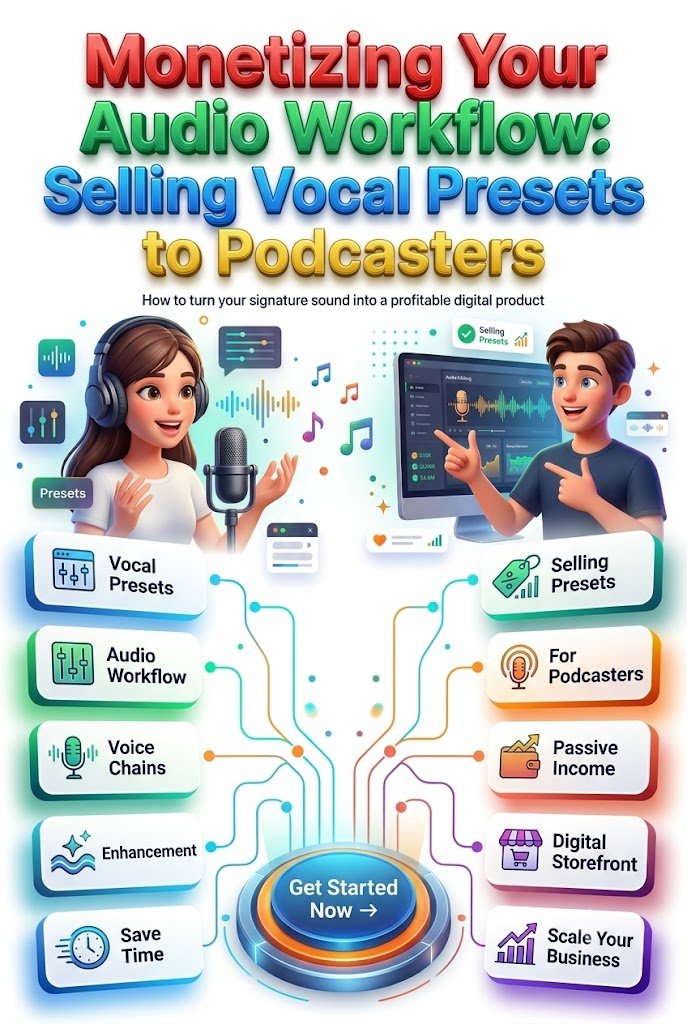
Stay ahead with exclusive updates
Join our community. Get curated industry trends, actionable guides, and fresh resources delivered straight to your inbox.