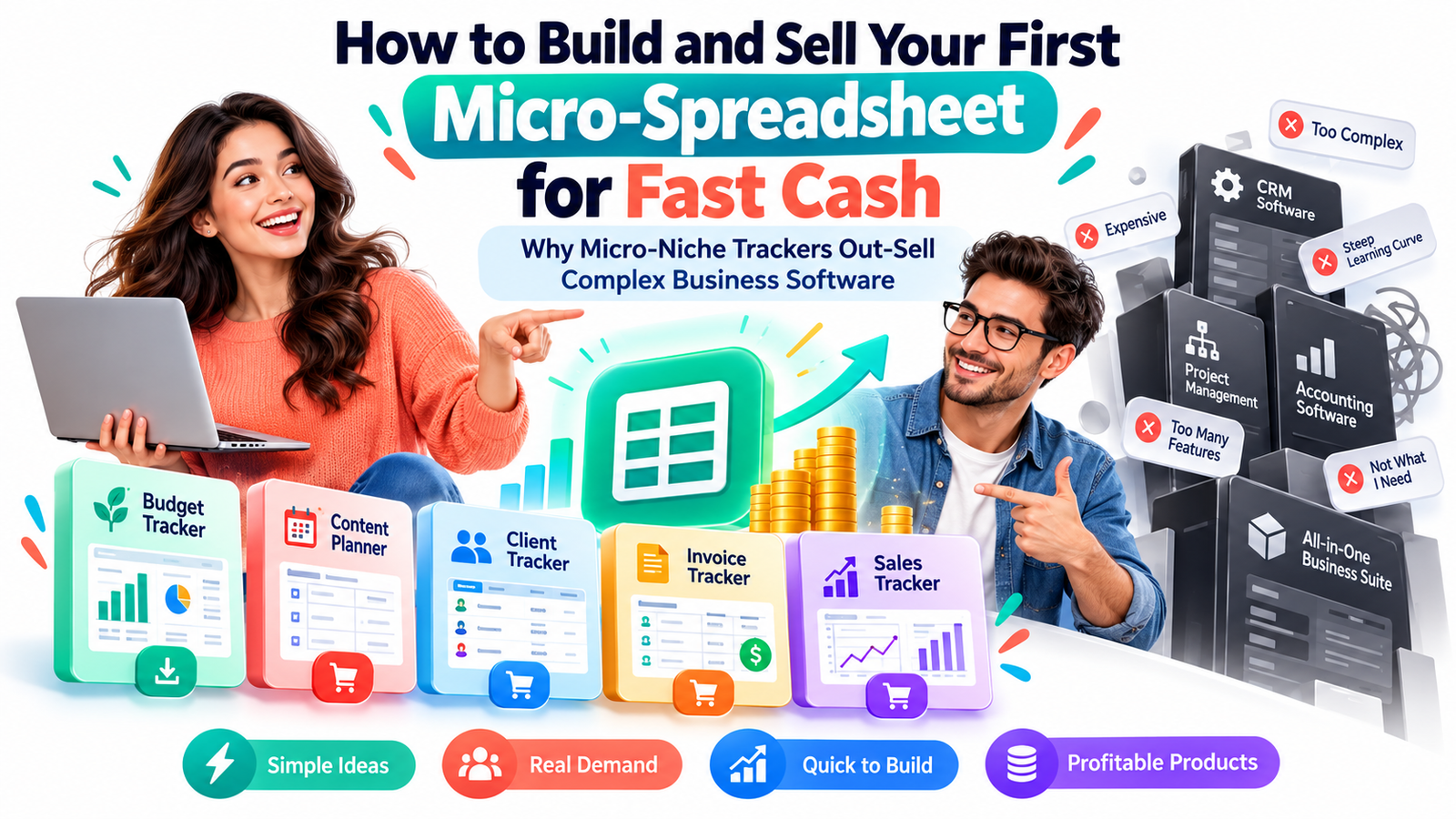
How to Build and Sell Your First Micro-Spreadsheet for Fast Cash
A small spreadsheet that solves one annoying problem can sometimes be easier to sell than a sophisticated piece of business software packed with dozens of features.
That sounds backwards.
Business software can take months to develop. A well-designed micro-spreadsheet might take an afternoon.
Software can include automation, integrations, dashboards, AI features, user accounts, permissions, notifications and complex reporting. A focused spreadsheet might contain only a few columns, formulas, dropdown menus and one useful summary.
Yet for the right buyer, simplicity is exactly the advantage.
A freelance designer may not want a full customer relationship management platform. They may simply need a freelance client payment tracker.
A home baker may not need restaurant-management software. They may want a cake order profit calculator.
A real estate agent may already have a CRM but still need a quick open-house lead follow-up tracker.
An Etsy seller may not want another monthly software subscription. They may want an easy Etsy product profit spreadsheet that answers one question:
“After fees, advertising, materials and shipping, how much money did I actually make?”
That is the opportunity behind micro-niche trackers.
Instead of trying to build software for everyone, you create a small digital tool for a clearly defined customer with a clearly defined problem.
And because spreadsheet templates can often be created with tools such as Google Sheets or Microsoft Excel, the cost and technical barrier to launching your first digital product can be remarkably low.
The objective is not to create the biggest spreadsheet.
It is to create the spreadsheet someone understands immediately and thinks:
“That would save me time.”
What Is a Micro-Spreadsheet?
A micro-spreadsheet is a focused spreadsheet template designed to solve one narrow problem for one identifiable type of user.
It usually combines simple data entry with formulas, calculations, dropdown menus, status tracking or summaries.
A traditional business application might promise:
“Manage your entire business.”
A micro-spreadsheet promises something smaller and easier to understand:
“Track your freelance invoices.”
“Calculate your Airbnb cleaning profit.”
“Plan your wedding photography bookings.”
“Track your mobile detailing expenses.”
“Calculate profit from each craft-market event.”
“Organize influencer sponsorship payments.”
That difference matters.
When a customer immediately understands the problem being solved, the purchasing decision becomes simpler.
Why Micro-Niche Trackers Can Beat Complex Business Software
Complex software absolutely has its place. Companies with large teams, complicated workflows and integration requirements often need robust systems.
But many small businesses, freelancers, creators and side hustlers have much smaller problems.
They don’t necessarily need another platform.
They need an answer.
A micro-spreadsheet can provide that answer without forcing the customer to adopt an entirely new operating system for their business.
The Buyer Understands the Product Immediately
Compare these two offers:
Business Productivity Management Platform
and
Wedding Photographer Inquiry & Booking Tracker
The second offer tells the buyer exactly:
- who it is for,
- what it tracks,
- and why it matters.
There is almost no interpretation required.
That clarity can dramatically strengthen a digital product offer.
Instead of selling features, you are selling relief from a specific frustration.
Smaller Problems Often Create Stronger Buying Intent
Imagine someone searching:
“business management software”
The search intent is broad.
They may be researching.
They may be comparing systems.
They may not even know what they need.
Now imagine someone searching:
“Google Sheets inventory tracker for candle business”
That person is describing a specific problem and a specific preferred solution.
The closer your spreadsheet gets to that exact need, the easier it becomes to position your product.
This is why profitable spreadsheet ideas are often discovered at the intersection of three things:
A specific user + a repetitive problem + a measurable outcome.
For example:
Dog groomer + appointment cancellations + track lost revenue
Wedding photographer + inquiries + track booking conversion
Food truck owner + daily expenses + calculate event profit
Freelancer + overdue invoices + track unpaid balances
Etsy seller + fees + calculate true product margin
You are not merely creating spreadsheets.
You are packaging decisions.
Why Buyers Often Prefer Something Simple
People don’t buy complexity simply because complexity exists.
They usually buy an outcome.
If a three-tab spreadsheet gives someone the answer they need, adding another 15 tabs may decrease rather than increase the value.
Every extra feature creates another question:
Where do I start?
Which tab do I use?
What does this field mean?
Do I need to fill everything in?
What happens if I change this formula?
A good micro-spreadsheet reduces those questions.
The product should feel usable within minutes.
That instant usability becomes part of the value proposition.
Micro-Spreadsheets Can Avoid Subscription Fatigue
Many modern business tools use recurring subscriptions.
For established companies, recurring software costs may be perfectly reasonable.
For solo entrepreneurs and very small businesses, however, another monthly payment can create hesitation.
A spreadsheet template can offer an attractive alternative:
Buy it.
Make a copy.
Customize it.
Use it.
That ownership-style experience can be especially appealing when the problem being solved does not require sophisticated cloud infrastructure.
A customer who only wants to calculate the profitability of weekend vendor events probably doesn’t need enterprise analytics.
They may simply need a reliable calculator.
The Secret Is Not the Spreadsheet. It Is the Niche.
One of the most common mistakes new digital product creators make is starting with the tool.
They think:
“I want to sell spreadsheet templates. What spreadsheets should I make?”
Reverse the process.
Start with the customer.
Ask:
What does this person repeatedly calculate, track, organize, compare or forget?
Those activities reveal spreadsheet opportunities.
Suppose you choose independent cleaning businesses.
You could investigate recurring questions such as:
How much profit did we make from each job?
Which clients are overdue?
How much are cleaning supplies costing each month?
Which recurring clients are most profitable?
How much should we charge for a property of a particular size?
Each problem could become a separate micro-spreadsheet.
You have suddenly moved from a generic “small business spreadsheet” to a collection of products designed around actual work.
Seven Micro-Spreadsheet Ideas You Could Build
Consider these examples as starting points rather than products to copy.
1. Mobile Car Detailer Job Profit Calculator
Possible fields:
Customer
Service package
Travel distance
Materials cost
Labor hours
Amount charged
Payment status
Profit per job
Monthly profit
A mobile detailer can enter a job and quickly see whether the pricing actually makes sense.
2. Freelance Retainer Income Tracker
Designed for writers, designers, consultants or virtual assistants.
It could track:
Client
Monthly retainer
Included hours
Hours used
Extra hours
Invoice date
Payment due date
Payment status
Effective hourly rate
The selling point isn’t “advanced financial software.”
It is:
Know which retainer clients are actually worth keeping.
3. Home Bakery Order Profit Spreadsheet
Possible fields:
Product
Quantity
Ingredient cost
Packaging
Delivery cost
Labor estimate
Selling price
Deposit paid
Balance due
Estimated profit
This solves a real business question:
“Am I pricing custom orders profitably?”
4. Wedding Photographer Lead Tracker
It might include:
Inquiry date
Couple name
Wedding date
Venue
Package requested
Quote sent
Consultation booked
Follow-up date
Status
Booking value
This is far more targeted than calling the product a “CRM spreadsheet.”
5. Craft Fair Profit Tracker
A handmade-product seller could record:
Event name
Booth fee
Travel expense
Inventory taken
Sales
Card-processing fees
Advertising cost
Total expenses
Net profit
Profit per hour
Now the seller can compare events and decide which markets deserve another booking.
6. Property Cleaning Turnover Tracker
Designed for short-term-rental cleaners or property managers.
It could track:
Property
Checkout date
Cleaning date
Cleaner
Linen status
Restocking requirements
Cleaning fee
Supply expense
Issues reported
Completion status
One narrow operational workflow becomes the entire product.
7. Creator Sponsorship Income Tracker
Useful fields might include:
Brand
Campaign
Platform
Content deliverables
Contract value
Invoice sent
Payment deadline
Payment received
Affiliate bonus
Campaign status
A creator who earns income from several brands may value this more than an expensive sales system designed for large companies.
How to Find a Micro-Niche Worth Building For
You do not need a revolutionary industry.
You need a recognizable frustration.
Look for people who regularly use phrases such as:
“I keep forgetting…”
“I wish I could track…”
“I don’t know whether…”
“I calculate this manually…”
“I have this written everywhere…”
“I need a simple way to…”
“I don’t need complicated software…”
Those phrases are product research.
The strongest micro-spreadsheet ideas usually involve one or more of five jobs:
Tracking, calculating, organizing, planning or comparing.
If the customer repeatedly performs one of those activities, a spreadsheet may be appropriate.
Use the One-Problem Test
Before building anything, finish this sentence:
This spreadsheet helps [specific user] [specific outcome] without [specific frustration].
For example:
“This spreadsheet helps mobile detailers calculate profit from every job without manually adding expenses at the end of the month.”
Or:
“This spreadsheet helps freelance designers track monthly retainers without paying for complicated project-management software.”
Or:
“This spreadsheet helps handmade sellers compare craft-market profitability without building their own formulas.”
If you struggle to complete that sentence clearly, the product is probably still too broad.
Build the Minimum Useful Spreadsheet
Digital product creators sometimes confuse more features with more value.
Resist that temptation.
Start with the smallest spreadsheet capable of producing the desired result.
You might only need three sections:
Input
Where the customer enters information.
Calculation
Where formulas process the information.
Summary
Where the most important result appears.
Imagine a simple product-profit calculator.
The user enters:
Selling price: $30
Materials: $8
Packaging: $2
Marketplace fee: $3
Advertising allocation: $4
The spreadsheet calculates:
Total cost: $17
Estimated profit: $13
Estimated margin: 43.3%
That result is the product.
Fancy dashboards can come later.
Make the Spreadsheet Difficult to Break
A spreadsheet sold to customers should not feel like an unfinished personal worksheet.
Protect important formulas where appropriate.
Use dropdown lists when customers must choose from a predictable set of options.
Keep data-entry cells easy to identify.
Use clear headings.
Add example data that demonstrates how the sheet works, then explain how customers can remove it.
Avoid unnecessarily complicated formulas.
If the customer can accidentally destroy the main calculation within 30 seconds, the product needs more testing.
Design for Someone Who Has Never Met You
You understand your spreadsheet because you created it.
Your customer doesn’t.
This difference is easy to underestimate.
Every field should answer obvious questions.
Instead of:
“Adj. Rev.”
consider:
“Revenue After Fees”
Instead of:
“Var Cost”
consider:
“Variable Cost Per Order”
Instead of:
“Stat.”
consider:
“Payment Status”
Clarity beats cleverness.
Your spreadsheet should not require the creator standing beside the customer explaining every column.
Add a Simple Start-Here Experience
One small instruction tab can dramatically improve usability.
Keep it short.
Explain:
What the spreadsheet does.
Who it is designed for.
Which fields the customer should edit.
Which cells contain formulas.
How to make a personal copy.
How to reset sample information.
What the results mean.
You can also include a two-minute walkthrough video if that suits your selling platform and audience.
The purpose is not to produce a 40-page manual.
The purpose is to eliminate uncertainty.
Turn Features Into Buying Reasons
Customers rarely care that your spreadsheet contains conditional formatting.
They care that overdue invoices become easy to notice.
They don’t care that you used a SUMIFS formula.
They care that they can see monthly revenue automatically.
They don’t care that the workbook contains a dashboard.
They care that they can identify their best-selling service.
Translate every feature into an outcome.
Instead of:
Includes automatic calculations.
Try:
Enter your costs and selling price and see the estimated profit automatically.
Instead of:
Includes status dropdowns.
Try:
See which leads are new, contacted, booked or lost without digging through messages.
Instead of:
Includes monthly dashboard.
Try:
See revenue, expenses and estimated profit in one monthly view.
That is conversion-focused copy without exaggerated claims.
How Much Should You Charge for a Micro-Spreadsheet?
There is no universal price.
A practical pricing decision should consider:
How valuable the problem is.
How much time the product saves.
How specialized the niche is.
How difficult it would be for the customer to recreate.
Whether instructions, dashboards, bonuses or support are included.
Whether the buyer receives personal or commercial usage rights.
A basic single-purpose tracker might be positioned as a low-cost entry product.
A more developed system containing calculators, dashboards, instructions and related templates may justify a higher price.
For illustration, a creator might test something like:
$9 for a simple tracker.
$19 for a tracker plus dashboard.
$29 for a small niche bundle.
These are testing examples, not guaranteed optimal prices.
The market—not the creator’s emotional attachment to the spreadsheet—should ultimately influence pricing.
Don’t Compete on Price Alone
Suppose two sellers offer invoice trackers.
One is called:
Invoice Tracking Spreadsheet
The other is called:
Freelance Designer Invoice & Late-Payment Tracker
The second can potentially justify stronger positioning because it speaks directly to a recognizable customer.
Specialization can create perceived relevance.
That relevance often matters more than adding another 50 rows or six decorative charts.
Your Product Page Should Answer Five Questions Quickly
A prospective customer should be able to determine:
Is this for someone like me?
What problem does it solve?
What exactly is included?
How difficult is it to use?
What happens after I buy it?
If those answers are buried, conversion becomes harder.
A clear product description might begin:
Track every wedding photography inquiry, follow-up and booking from one simple spreadsheet. Designed for independent photographers who want an organized lead system without adopting a complicated CRM.
Then show the workflow.
Inquiry arrives.
Add lead.
Choose status.
Set follow-up date.
Record booking.
Track potential booking value.
The buyer can now imagine using the product.
Show the Spreadsheet in Action
Screenshots should demonstrate outcomes rather than simply decorate the listing.
Show:
The main tracking screen.
The dashboard or result.
A completed sample.
An important calculator.
Dropdown menus or automated status indicators.
A customer should understand the basic product before purchasing it.
This is especially important for digital downloads because uncertainty creates hesitation.
Create a Low-Risk First Product
Your first micro-spreadsheet does not need to become your largest product.
Think of it as market research you can sell.
Instead of spending three months creating 100 spreadsheet templates, create one useful template for one customer segment.
Publish it.
Observe what happens.
Do people click?
Do they buy?
Do they ask questions?
Do they request additional features?
Do they want a related spreadsheet?
Customer behavior can guide product development better than endless speculation.
Turn One Spreadsheet Into a Product Ladder
This is where the micro-niche strategy becomes especially interesting.
Suppose your first product is:
Home Bakery Order Profit Calculator
Customers may eventually need:
Home Bakery Ingredient Cost Calculator
Custom Cake Pricing Calculator
Home Bakery Monthly Expense Tracker
Deposit & Balance Tracker
Holiday Preorder Planner
Bakery Inventory Tracker
Weekly Production Planner
You can sell each tool separately.
Later, you could combine them into a:
Home Bakery Business Spreadsheet Bundle
The first micro-product becomes the entry point into a broader catalog.
Build Around Customers, Not File Types
This distinction can transform your digital product strategy.
A weak store might contain:
Budget spreadsheet
Planner spreadsheet
Sales spreadsheet
Inventory spreadsheet
Client spreadsheet
A stronger niche store might serve:
Mobile detailers.
Wedding photographers.
Home bakers.
Virtual assistants.
Pet groomers.
Short-term-rental cleaners.
Craft sellers.
Independent tutors.
When one buyer discovers a useful product made specifically for their work, they are much more likely to find your other products relevant.
That creates a natural reason to return.
Give First-Time Visitors a Reason to Come Back
Do not treat every page view as a one-time transaction.
A customer who isn’t ready to buy today may become valuable later.
Consider offering a useful free resource related to the paid product.
For example:
Free Home Bakery Cost Checklist
Free Freelancer Invoice Checklist
Free Craft Fair Profit Worksheet
Free Photographer Lead Follow-Up Checklist
The free resource should solve a small problem while naturally revealing the next problem your paid spreadsheet solves.
You can then invite readers to return for future templates, workflow guides and niche-specific business tools.
That creates a healthier content strategy than repeatedly chasing anonymous traffic.
Use Articles to Sell Without Turning Every Paragraph Into a Pitch
Educational content can generate demand for spreadsheets when it solves the same problem the product solves.
If you sell an Etsy profit tracker, useful article topics might include:
How to Calculate True Etsy Product Profit
Which Expenses Etsy Sellers Forget to Track
Revenue vs Profit for Handmade Businesses
How to Calculate Product Margin in a Spreadsheet
How Much Should Handmade Sellers Set Aside for Fees?
Someone searching those questions already has the underlying problem.
Your spreadsheet becomes the implementation tool.
That is much more natural than forcing a product advertisement into unrelated content.
Create Content Around the Problem Before the Product
This strategy also supports organic search and AI-powered discovery.
Instead of publishing ten articles that repeatedly say “buy my spreadsheet,” publish useful resources covering the customer’s full decision journey.
For a mobile-detailing profit spreadsheet, that might include:
How to Price Mobile Detailing Services
How to Calculate Cost Per Detailing Job
How to Track Chemicals and Supply Expenses
How to Calculate Travel Costs for Mobile Services
How to Know Which Detailing Package Is Most Profitable
The spreadsheet can appear naturally when it genuinely helps the reader complete the task.
Your content becomes useful even to someone who never buys.
That trust can improve the chances that readers remember your site when they eventually need a template.
Build Pages That Answer Questions Clearly
People increasingly discover content through traditional search engines, AI-generated answers, recommendation systems and conversational interfaces.
Clear language matters.
Instead of burying the answer underneath 500 words of introduction, answer important questions directly.
For example:
What is a micro-spreadsheet?
A micro-spreadsheet is a small, specialized spreadsheet template created to solve one specific tracking, calculation, planning or organizational problem for a defined group of users.
Then expand.
That structure helps both humans and machines understand the central idea.
Specific nouns also help.
“Spreadsheet for wedding photographers” is clearer than repeatedly writing “our solution.”
“Home bakery pricing calculator” is clearer than “business tool.”
Clarity improves communication regardless of how the reader discovers your page.
Validate Before You Spend Days Building
Before creating your spreadsheet, investigate whether the problem appears repeatedly.
Search communities.
Read marketplace reviews.
Study questions in niche forums.
Look through comments on tutorials.
Talk to people who perform the job.
Pay special attention to complaints about existing solutions.
A review saying:
“Great software, but I only need the pricing calculator”
is interesting.
A comment saying:
“I currently track this manually in Google Sheets”
is interesting.
A question saying:
“Does anyone have a simple template for this?”
is very interesting.
These are signs of friction.
Friction creates product opportunities.
A Simple 24-Hour Micro-Spreadsheet Launch Framework
You do not need to follow this timeline literally, but it illustrates how lean the process can be.
Phase 1: Choose the Problem
Pick one audience.
Identify one repeated problem.
Define one measurable outcome.
Example:
Audience: freelance copywriters
Problem: inconsistent invoice tracking
Outcome: know exactly which invoices are unpaid and when follow-up is required.
Phase 2: Build the Core Spreadsheet
Create only the necessary fields.
Test formulas.
Add dropdown menus.
Create a simple summary.
Add realistic sample data.
Phase 3: Improve Usability
Add instructions.
Label editable areas clearly.
Protect important formulas where practical.
Test the spreadsheet as if you were seeing it for the first time.
Phase 4: Package the Product
Create clean preview images.
Write a benefit-focused description.
Explain compatibility.
State what files or access instructions are included.
Clarify the license.
Phase 5: Publish and Promote
Sell through your preferred digital storefront, marketplace or website.
Create educational content around the problem.
Share useful demonstrations rather than generic advertisements.
Collect customer questions.
Those questions can become both product improvements and future content.
Don’t Wait for the Perfect Spreadsheet
Perfection can become an expensive form of procrastination.
The first version needs to be useful, understandable and properly tested.
It does not need every feature you can imagine.
If customers repeatedly ask for the same improvement, you have evidence that the improvement matters.
That is far more valuable than adding features nobody requested.
Common Mistakes That Make Spreadsheet Products Harder to Sell
Going Too Broad
“Ultimate Business Spreadsheet” sounds impressive but doesn’t identify a particular buyer or urgent problem.
Specific products generally communicate value more easily.
Building Before Researching
A technically impressive spreadsheet solving an imaginary problem is still difficult to sell.
Research first.
Adding Too Many Tabs
Every additional tab should earn its place.
If it does not contribute to the promised outcome, consider removing it.
Using Spreadsheet Language Instead of Customer Language
Your customer may not search for:
“dynamic array-based revenue dashboard.”
They may search for:
“simple income tracker for freelance photographer.”
Use the language customers actually understand.
Selling the File Instead of the Result
“15-tab Google Sheets template” describes the product.
“Know which craft fairs actually make you money” describes the benefit.
Lead with the benefit.
Making Income Promises
Selling digital templates can become a legitimate business model, but no spreadsheet guarantees sales, income or quick profits.
Marketing should emphasize what the product does rather than what the seller supposedly will earn.
The Most Valuable Spreadsheet May Be Surprisingly Small
Imagine a food photographer who shoots for restaurants.
They want to know:
Which clients have paid?
Which invoices are overdue?
Which projects require image delivery?
How much revenue is expected this month?
A focused spreadsheet answering those four questions could be more useful to that person than software containing 200 features they never use.
That is the central principle of micro-products:
Value is not determined by size.
Value is determined by usefulness.
Your First Micro-Spreadsheet Doesn’t Need to Change an Industry
It needs to improve one small workflow.
That might mean saving a freelancer 15 minutes each week.
Preventing a home baker from underpricing an order.
Helping a photographer remember a follow-up.
Showing a craft seller which events actually produced profit.
Helping a consultant identify an overdue invoice.
Those improvements may look small from the creator’s perspective.
For the buyer experiencing that frustration every week, they can be valuable.
This is why micro-niche trackers can compete effectively against much more complicated software.
They don’t attempt to do everything.
They attempt to do one useful thing extremely clearly.
Start With This Product Formula
If you want to build your first spreadsheet template to sell online, use this simple formula:
Specific customer + repeated problem + simple workflow + visible result = strong micro-spreadsheet concept.
Instead of asking:
“What spreadsheet can I sell?”
Ask:
“What small business decision is someone still making manually?”
Find that decision.
Simplify it.
Build the spreadsheet.
Test it.
Package it around the outcome.
Publish it.
Then listen carefully to what customers ask for next.
Your second product may already be hiding inside their first question.
Frequently Asked Questions
1. What is the easiest micro-spreadsheet to create and sell?
The easiest product is usually one that solves a problem you already understand. Simple calculators, trackers and planners can be good starting points because the outcome is obvious. Examples include invoice trackers, job-profit calculators, order trackers, lead follow-up spreadsheets and product-pricing calculators. Choose a specific customer rather than making a generic template for everyone.
2. Can I sell spreadsheet templates made in Google Sheets or Excel?
Yes, spreadsheet templates can be packaged and sold as digital products, provided you have the rights to everything included and comply with the terms, trademarks and licensing requirements of any software, fonts, graphics or third-party assets you use. Clearly explain the format and compatibility to customers before purchase.
3. How much should I charge for a spreadsheet template?
There is no single correct price. Pricing depends on specialization, usefulness, complexity, time savings, included instructions, bonuses, licensing and the buyer’s perceived value. A simple tracker may work as an inexpensive entry product, while a specialized business system or bundle may support a higher price. Test pricing instead of assuming one number will work for every market.
4. Do I need advanced Excel skills to sell spreadsheets?
Not necessarily. Many useful spreadsheet products rely on relatively simple formulas, dropdown menus, filters and clean organization. Reliability and usability matter more than showing off complicated formulas. However, you should thoroughly test every calculation before selling the product and provide clear instructions for customers.
5. Can selling micro-spreadsheets become a profitable digital product business?
It can become a revenue stream when the creator finds genuine customer problems, produces useful products, reaches the right audience and markets them effectively. Results vary considerably. A better strategy than chasing guaranteed “fast cash” is to launch small products, study customer behavior, improve successful ideas and gradually build a catalog around a defined audience.
Build Small. Solve Something Real.
The internet already contains enormous amounts of software.
You do not necessarily need to compete by building something bigger.
You can compete by becoming more specific.
Find the photographer who doesn’t want a CRM.
The baker who doesn’t want accounting software.
The freelancer who doesn’t want another project-management subscription.
The craft seller who simply wants to know whether Saturday’s market was profitable.
Solve that one problem beautifully.
A micro-spreadsheet can be small enough to build quickly, simple enough for customers to understand and specialized enough to become commercially useful.
Your advantage is not having more features.
Your advantage is knowing exactly what the customer came to solve.
Compliance Note
This article is provided for general educational and informational purposes only. It does not constitute financial, legal, tax, accounting or business advice. References to prices, product ideas, income opportunities, launch timelines or potential commercial benefits are illustrative examples and do not guarantee sales, revenue, profit, search rankings, Google Discover visibility or any other business result. Digital-product performance varies based on product quality, niche demand, competition, pricing, marketing, platform policies, customer experience and many other factors. Before selling spreadsheet templates, verify applicable software terms, intellectual-property rights, licensing requirements, marketplace policies, tax obligations, consumer-protection rules and local laws relevant to your business. Always test spreadsheet formulas and calculations carefully, and do not market a spreadsheet as professional financial, tax, legal or accounting software unless appropriately qualified to provide such services.

Stay ahead with exclusive updates
Join our community. Get curated industry trends, actionable guides, and fresh resources delivered straight to your inbox.