
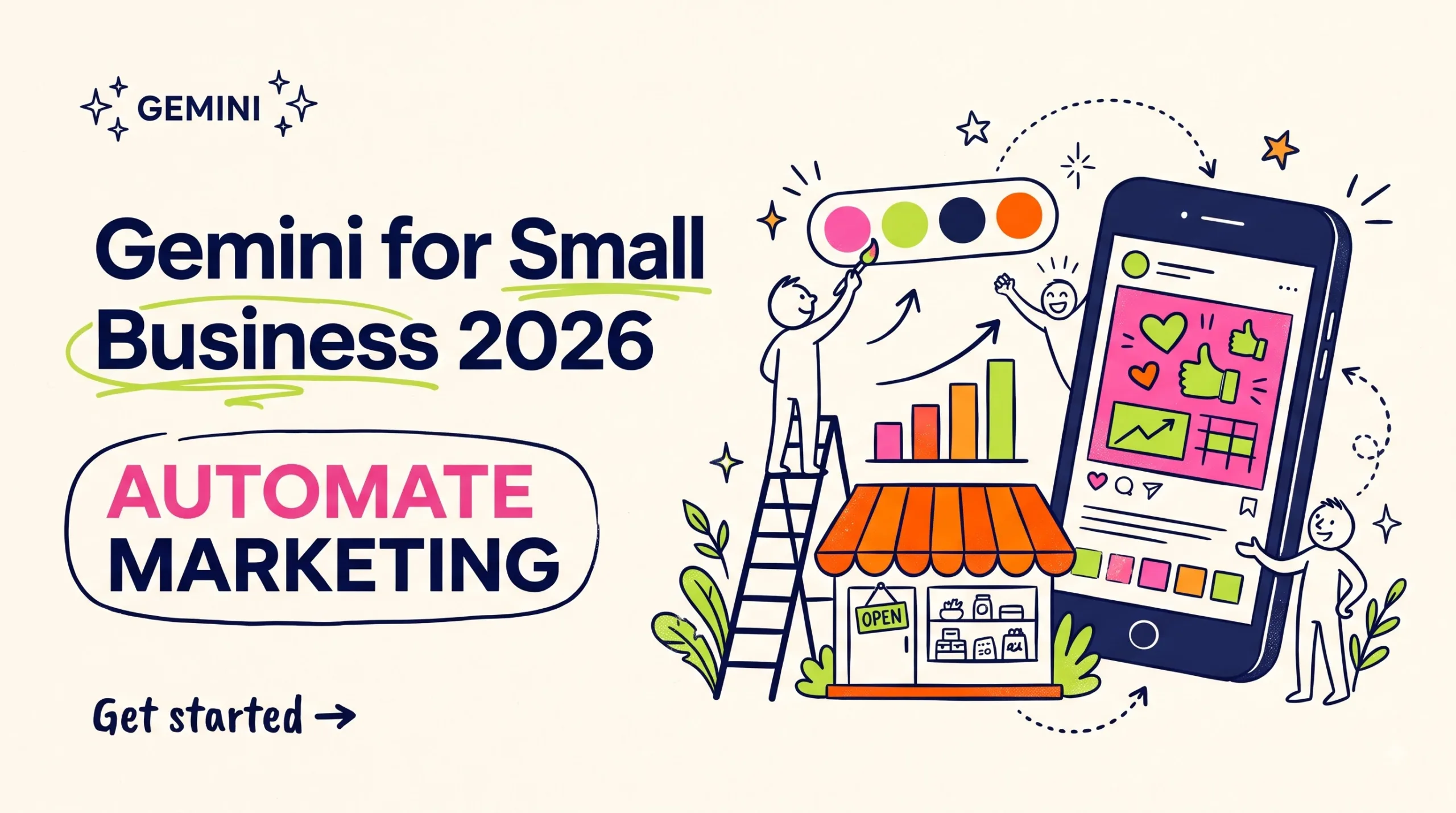
Gemini for small business now saves your brand style and makes on-brand ads with Nano Banana 2.1. See setup steps, real limits and a checklist to start today.
Gemini for small business: on-brand ads with Nano Banana 2.1
Save your brand style once, then make launch posts, ad images and sales charts from one Gemini page.
Quick summary: Gemini for small business
Gemini for small business got its own home on October 20, 2026, when Google announced a business landing page inside the Gemini app. From that page you can save a brand style (your website, a brand kit, fonts or a color palette) and ask Nano Banana 2.1, Google’s newest image model, for launch graphics that match it. Gemini can also connect to Google Business Profile, Google Ads and Google Workspace, plus Adobe, Canva, Dropbox, Shopify, Wix, Zoho and Xero. A finance feature turns spreadsheets and receipts into charts and simple interactive models. Google is rolling this out to Gemini app users in stages, so your page may appear a few days later than someone else’s. This guide covers each part of the hub, a 7-step setup for US shops, six marketing jobs worth handing over and the mistakes that make AI images look cheap. One warning up front. Keep real photos for product listings.
Gemini for small business: what Google added
The new business page is a starting screen in the Gemini app that groups the jobs a shop owner repeats every week: making brand visuals, reading the numbers and checking what customers say. Vishnu Sivaji, Senior Director of the Gemini app, announced it on Google’s Keyword blog. You don’t install anything new.
This update sits on top of a June 2026 release that connected Gemini to Google Business Profile and added Business notebooks, which keep your chats, sources, website and profile details together. Google’s own example is Burger & Butcher, a New Jersey restaurant that uses Gemini to study how it shows up in local Search and Maps.
Say you run a candle shop in Ohio with a Shopify store and a Business Profile. Before this, you’d paste reviews into one chat, export sales into another and type your brand colors into a third, then hope the answers lined up. Now one page can see all of it, if you allow each connection. That permission step deserves five careful minutes (more on it below).
The case for Gemini AI marketing in 2026
Small shops lose more hours to little creative chores than to big projects. A sale banner, three Instagram sizes, a Google Ads image and a holiday-hours post can eat an afternoon before Black Friday. Gemini AI marketing helps most with that pile.
Brand memory is the part that changes daily work. Older image tools forgot your colors when the chat ended, so you pasted hex codes every single time and still got a slightly wrong pink. Google says Gemini now keeps the style you upload and reuses it, so a September promo and a December promo can look like they came from the same shop.
Timing helps too. The rollout landed right before the US holiday season, which is when most small stores post more than any other month. Set it up in early November and you’ll get a few weeks of practice first.
Inside the business hub: four tools to try
Four parts of the hub matter for marketing, and brand style is the one to set up first. The other three get better once Gemini knows how your shop looks and sounds.
Brand style memory in Gemini for small business
You upload your website, a brand kit, font files or a color palette, and Gemini keeps that style for later image requests. Nano Banana 2.1 does the drawing.
- Good for launch sets: one product, five formats, one look.
- Read every word inside a generated image, since AI still slips on prices and dates.
- Upload a new kit when you rebrand, or the old colors keep sneaking back.
- A cluttered website gives cluttered results, so a clean brand sheet usually wins.
Connected apps for Shopify, Canva and more
On Google’s side you get Google Business Profile, Google Ads and Google Workspace. The partner list is Adobe, Canva, Dropbox, Shopify, Wix, Zoho and Xero, and each one asks for your approval before Gemini can read it.
- Connect the app where your best data lives first, which for most shops is the store or the Business Profile.
- Check which connections are active in your Google account every few months and remove the ones you stopped using.
Finance charts from spreadsheets and receipts
Upload a sales sheet, receipt photos or purchase records, and Gemini returns graphics and simple interactive models. It’s handy for spotting which product carried the quarter.
- Ask for sales by product first, then by week.
- Ask what changed between October and November.
- Use it to plan a sale, not to file taxes.
- Match totals against Xero, QuickBooks or your bank statement before you act on a chart.
- Delete customer names from a sheet if the question doesn’t need them.
Customer insights from reviews and local search
With Business Profile connected, Gemini can read your reviews and local performance. The June update also added reminders for things like unanswered questions and missing holiday hours.
- Ask for the most common complaint in this quarter’s reviews.
- Turn praise into ad headlines, paraphrased rather than copied word for word.
- Fix holiday hours before Thanksgiving week.
Six marketing jobs Gemini can handle this week
These six jobs suit a one-person shop with a saved brand style. The first two are the quickest wins, and the last one needs the cleanest data.
Launch kit in one prompt
Say you sell a $12 printable planner on Gumroad. Ask for a square post, a story, a Pinterest pin and a banner in your saved style. Line them up and keep the two that look most like your shop.
Holiday hours post
Draft a Business Profile update plus a matching graphic.
Ad headlines from reviews
Feed in your best reviews and ask for ten Google Ads headlines. Responsive search ad headlines are capped at 30 characters, so put that limit in the prompt.
Email headers for bestsellers
With Shopify connected, ask for a holiday email header for each of your top products.
Four-week content plan
Base it on what sold last month. Expect to cut half of it.
Discount math before you announce
Upload last November’s sales and compare a 15% and a 20% discount in an interactive model. The model is only as good as your sheet, so fill missing rows and remove refunds before you trust the chart.
How to set up your brand style step by step
Setup takes about one focused hour if your logo and colors are already in a folder somewhere. Most of that hour goes to step 2.
- Open Gemini: Sign in to the Gemini app or gemini.google.com with the Google account tied to your Business Profile. If the business page isn’t there yet, give it a few days, because Google is rolling it out in stages.
- Build a brand sheet: Put your logo, two fonts, your hex codes and a handful of past posts you like into one PDF. Name it something obvious, like brand-style-2026.pdf.
- Upload your style: From the business page, add the brand sheet first. Add your website only if it’s current.
- Run a test prompt: Ask for one Instagram post announcing a pretend sale. Check the colors and every word of text before you trust it with a real campaign.
- Connect one app: Pick Shopify, Canva or Business Profile, then read the permission screen before you approve it.
- Make a launch set: Request one promo in 3 sizes: 1080×1080 for feed, 1080×1920 for stories and 1200×628 for link ads. Fix the weakest version with a follow-up prompt instead of starting over.
- Save what works: Copy your best prompts into a Google Doc so next month you reuse them instead of guessing again.
🚀 Want templates to pair with Gemini?
Browse planners, social packs and prompt kits from independent creators.
Gemini vs Canva vs ChatGPT for small business visuals
Each tool fits a different habit, and you don’t have to pick only one.
| Tool | Best for | Brand memory | Watch out for |
|---|---|---|---|
| Gemini business hub | Shops already on Business Profile, Ads or Workspace | Keeps your uploaded style for later images | Staged rollout; check finance outputs |
| Canva | Hands-on layout edits and print files | Brand Kit stores logos, colors and fonts | Some brand features need a paid plan |
| ChatGPT | Long copy drafts and brainstorming | Memory and projects keep preferences | No link to your Google ads or local listing data |
| Google Pomelli | Campaign ideas built from your website | Builds a profile from your site | A Labs experiment with limited countries |
My pick for most US shops: start in Gemini if customers find you on Google Maps, and keep Canva for final layout tweaks, since its editor still gives you finer control. Fees and rules change, so check Google’s official announcement before you decide.
Common mistakes with AI marketing images (and fixes)
Most problems with AI marketing come from skipped checks, not from the model. This part is boring, but it’s where most people slip.
- Posting AI product shots as real photos: Shoppers judge color and size from listing images. Fix: use Gemini for lifestyle scenes and banners, and keep real photos for the item itself.
- Skipping the text check: A wrong date on a sale banner costs more than the banner saved you. Fix: zoom in and read every word, fine print included.
- Connecting every app on day one: Ten connections means ten permission screens you probably skimmed. Fix: start with one and add a second after a week of real use.
- Uploading an old website as your brand: Gemini copies what it sees, including the 2019 banner you forgot to delete. Fix: upload a clean brand sheet.
- Trusting the finance model blindly: A chart can look neat and still pull from the wrong column. Fix: spot-check two numbers against your books every time.
Gemini for business FAQ
Is Gemini for small business free?
What is Nano Banana 2.1?
Can Gemini connect to Shopify?
Does Gemini remember my brand colors?
Can I use Gemini AI images in Google Ads?
Is it safe to upload financial spreadsheets to Gemini?
Gemini or ChatGPT for small business marketing?
Quick quiz: test what you learned
1. When did Google announce the new Gemini business tools?
- October 20, 2026
- June 10, 2026
- January 5, 2026
2. Which model makes the on-brand visuals?
- Veo
- Nano Banana 2.1
- Imagen 2
3. What can you upload to set a brand style?
- Only a logo
- Only one hex code
- Website, brand kit, fonts or palette
4. Which accounting app is on Google’s list?
- Xero
- Wave
- FreshBooks
5. How long can a responsive search ad headline be?
- 15 characters
- 30 characters
- 90 characters
6. What is the safest use for AI images?
- Promo graphics and scenes
- Product listing photos
- Customer review screenshots
7. What did the June 2026 update add?
- A Gemini desktop app
- Business notebooks
- Free Google Ads credit
8. How many apps should you connect in week one?
- All ten
- Five
- One
9. What does the finance feature make from receipts?
- Tax returns
- Charts and interactive models
- Invoices
10. What should you check before posting an AI image?
- Every word in the image
- Only the file size
- Only the image width
Your first 48 hours with Gemini for small business
You don’t need a full campaign to see if this fits your shop. Block one hour tomorrow, set up the brand style and make one post you’d actually publish on Friday. If it takes more fixing than Canva would, that’s a useful answer too.
- Make your brand sheet: Logo, fonts and hex codes in one PDF.
- Open the business page: Upload the sheet and run one test post with a pretend sale.
- Connect one app: Business Profile or Shopify, and read the permission screen first.
✨ Put your new brand style to work
Find templates you can customize with Gemini visuals and sell or use.
Disclaimer & compliance note
Affiliate disclosure: Some links on this page, including Gumroad links, are affiliate links. If you buy through them, digitalideatool.com may earn a small commission at no extra cost to you.
No guarantee: This guide is general information, not legal, financial or tax advice, and results from AI tools vary. Gemini features, plans and policies can change, so check Google’s official pages. Gemini and Nano Banana are Google trademarks, and we are not affiliated with Google.
AI use: This post was drafted with AI assistance, then reviewed and edited by a human. Spot an error? Contact support@digitalideatool.com.
Please Note – Disclaimer
The content, news, topics, and ideas presented on this platform are collected and compiled from various websites, online sources, and digital platforms.
We do not guarantee the accuracy, authenticity, completeness, or reliability of any information, news, or sources mentioned.
Readers are strongly encouraged to independently verify all facts, claims, sources, and information through trusted and official channels before relying on or acting upon them.
This content is provided for general informational and educational purposes only.
✓ Reader Reminder: Always verify important information using trusted, authoritative, and official sources before making decisions or taking action.
📝 Key Takeaways & Action Notes
Jot down insights, next steps, or thoughts from this post. Your notes save automatically in your browser.
- What is the #1 breakthrough insight you took away today?
- What is one concrete action you will take in the next 24 hours?
- What questions or ideas do you want to research further?
Stay ahead with exclusive updates
Join our community. Get curated industry trends, actionable guides, and fresh resources delivered straight to your inbox.