
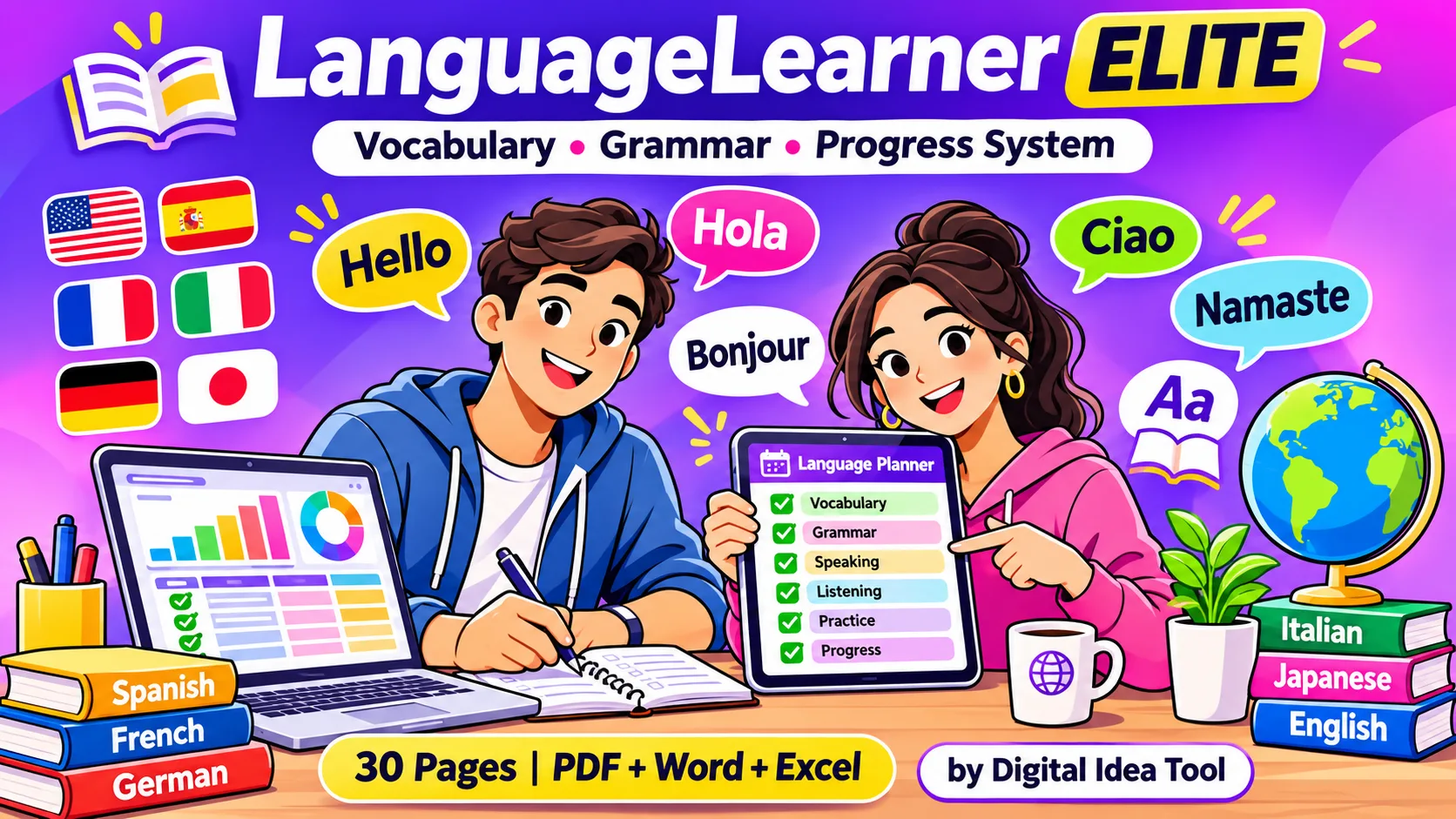
A 30-page editable PDF, Word and Excel language planner with vocabulary builder, grammar practice, spaced repetition and CEFR tracking. Any language, instant download.
LanguageLearner Elite is a 30-page language-learning planner by Digital Idea Tool, delivered as an editable PDF, a Word file and an Excel tracker. It organises vocabulary building, grammar practice, listening, speaking, reading and writing in one system. It also tracks your progress against the CEFR levels A1–C2. It works for any language, in any country, and you download it instantly after purchase.
Instant download: a 30-page editable PDF, a Word file and an auto-calculating Excel tracker, ready to use as soon as you buy.
Get LanguageLearner Elite on Gumroad →Why most language learners stall, and how a learning system fixes it
Most people do not quit a language because it is too hard. They quit because their progress becomes invisible. Words learned on Monday are gone by Friday, grammar notes are scattered across apps, and nobody tracks how many hours were actually spent.
The forgetting curve is the real enemy
Psychologist Hermann Ebbinghaus showed in the 1880s that newly learned information fades fast unless it is reviewed. Spaced repetition works against this: you review each word at gradually longer intervals, just before you would forget it. Language-learning research has confirmed the idea many times since.
What a structured planner changes
- Visibility: you see hours, words and grammar topics adding up.
- Balance: you train all four skills (listening, speaking, reading and writing), not just app vocabulary.
- Feedback: a mistake log turns repeated errors into rules you remember.
- Motivation: streaks, milestones and monthly reviews reward consistency.
What’s inside LanguageLearner Elite: 30 pages in 5 modules
We designed every page around one question: what does a self-learner actually need to do this week? The pages are grouped into five modules that follow the natural learning loop.
1. Foundation (pages 1–6)
Cover, How to Use, Disclaimer, Language Profile, SMART Goals and a CEFR A1–C2 self-check with “can-do” statements.
2. Planning (pages 7–11)
Yearly overview, monthly calendar, weekly skill planner, daily practice log and a 30-day habit tracker.
3. Vocabulary (pages 12–16)
Vocabulary Builder, Themed Word Bank, Spaced Repetition Tracker, Phrases & Idioms and Verb Conjugation practice.
4. Grammar & skills (pages 17–25)
Grammar rule notes, practice sheets, mistake log, plus logs for listening, speaking, reading, writing, pronunciation and tutors.
5. Progress (pages 26–30)
Resource library, exam & certificate prep, monthly progress review, milestones & rewards, and reflection notes.
See every page, colour theme and file format before you decide.
Preview the 30-page language planner →How the built-in spaced-repetition tracker works
This is the feature we spent the most time on. In the Excel tracker, you type a word and the date you added it. The sheet then calculates your next review date automatically, using the interval ladder 1 → 3 → 7 → 14 → 30 → 60 days.
After each review, you update “Last reviewed” and add one to “Reviews done”. When the next review date arrives, the row turns pink and is marked Due. The Dashboard then shows how many reviews are waiting for you today.
The exact formula (works in Excel, Google Sheets and LibreOffice)
Next review = IF(DateAdded="","",
  IF(LastReviewed="",DateAdded,LastReviewed)
  + CHOOSE(MIN(ReviewsDone,5)+1, 1,3,7,14,30,60))

Due? = IF(NextReview<=TODAY(),"Due","Scheduled")
A worked example from our own testing
Before release, we tested the tracker with sample entries. A word added on 1 October 2026 with two reviews completed was scheduled for 8 October (a 7-day interval). It was flagged Due when checked on 2 November. A word marked Mastered drops out of the review queue completely. The Monthly Review tab counted study minutes for October (30) and November (65) correctly from the same log.
Paper version: the Spaced Repetition Tracker page in the PDF and Word files has tick-boxes for Day 1, 3, 7, 14 and 30, so the same method works offline.
How many hours does it take to reach each CEFR level?
The Common European Framework of Reference for Languages (CEFR) describes six levels from A1 to C2. Cambridge English gives approximate cumulative “guided learning hours” for English learners. They make a useful planning benchmark:
| CEFR level | What you can do | Approx. cumulative guided hours |
|---|---|---|
| A2 Elementary | Handle routine tasks, talk about daily life | ≈ 180–200 |
| B1 Intermediate | Travel independently, give opinions simply | ≈ 350–400 |
| B2 Upper-intermediate | Talk fluently with native speakers | ≈ 500–600 |
| C1 Advanced | Use the language flexibly for work and study | ≈ 700–800 |
| C2 Mastery | Understand almost everything with ease | ≈ 1,000–1,200 |
Distance between languages matters too. The U.S. Foreign Service Institute estimates that English speakers need about 24–30 weeks of full-time training for languages such as Spanish or French. Languages such as Arabic, Japanese, Korean and Mandarin take about 88 weeks.
Turn the numbers into a plan
Divide your target hours by your weeks available. For example, 150 extra hours over 6 months is about 50 minutes a day, six days a week. Write that figure in your Language Profile, then let the Study Log and Dashboard show whether you are on track.
How to start: a 7-day LanguageLearner Elite plan
- Day 1 – Profile & goal. Fill in your Language Profile and one SMART goal, for example: “Reach A2 Spanish by 31 March: 300 words, 40 hours.”
- Day 2 – Find your level. Tick the CEFR “can-do” statements honestly. Your level is where most boxes are ticked.
- Day 3 – Plan the week. Give each day one main skill on the Weekly Study Planner.
- Day 4 – Build vocabulary. Add 10–15 words from one theme (food, travel or work) with example sentences.
- Day 5 – One grammar rule. Write the rule in your own words, add 4 examples, then do one practice sheet.
- Day 6 – Speak & listen. Shadow a short native audio clip and record yourself for one minute.
- Day 7 – Review. Do the reviews marked Due, tick your habit tracker and note one win.
Start this 7-day routine today with the ready-made pages.
Start your vocabulary system today →Editable PDF vs Word vs Excel: which format should you use?
| Format | Best for | Works with |
|---|---|---|
| Editable PDF | Tap-to-type on tablet or phone; printing; tick-box tracking | Adobe Acrobat Reader (free) and PDF apps with form support |
| Word (.docx) | Customising pages, adding rows, and non-Latin scripts (Arabic, Hindi, Japanese and more) | Microsoft Word 2016+, Google Docs, LibreOffice, Pages |
| Excel (.xlsx) | Automatic dashboard, spaced-repetition dates, monthly charts, goal progress bars | Microsoft Excel 2016+, Google Sheets, LibreOffice Calc |
Our recommendation: use the Excel tracker as your “engine” for the vocabulary bank, study log and dashboard. Use the PDF or Word pages for daily planning, grammar notes and writing practice.
Who is LanguageLearner Elite for?
Students
School and university language courses, homework and revision.
Exam candidates
IELTS, TOEFL, DELE, DELF, Goethe, JLPT, HSK, TOPIK and similar exams: mock scores and countdown.
Professionals & movers
Work, relocation or travel goals with limited daily time.
Self-learners & tutors’ students
Track lessons, feedback and homework between sessions.
One purchase gives you all three formats, for any language and any level.
Grab the PDF + Word + Excel bundle →Expert tips to learn vocabulary and grammar faster
Retrieve, don’t just re-read
Cover the meaning column and recall it before checking. Active recall (retrieval practice) strengthens memory far more than reading a list again.
Learn words in sentences and themes
Write every new word into your own example sentence on the Themed Word Bank page. Connected words are easier to remember than isolated ones.
Mix skills in one session (interleaving)
Ten minutes of vocabulary, ten minutes of grammar and ten minutes of listening keeps your brain switching contexts, which improves long-term retention.
Use comprehensible input daily
Choose podcasts, videos or graded readers where you understand about 80–90%. Log them in the Listening and Reading logs to watch your comprehension rise.
Turn mistakes into rules
Every error goes in the Mistake Log with the rule behind it. Reviewing your top three repeated mistakes each month is one of the fastest accuracy gains available.
Frequently asked questions
Is LanguageLearner Elite a digital download?
Yes. It is an instant digital download. After purchase you can download the editable PDF, Word and Excel files right away. Nothing physical is shipped.
Which languages does it work for?
It works for any language, including Spanish, French, German, Japanese, Korean, Mandarin, Arabic, Hindi and English as a second language. For non-Latin scripts, the Word and Excel files display best.
Can I use it on an iPad, tablet or phone?
Yes. The editable PDF has large tap-friendly fields and tick-boxes. It works best in Adobe Acrobat Reader or any PDF app that supports form fields.
Does it include lessons or teach the language?
No. LanguageLearner Elite is a planning and tracking system. You use it alongside your course, app, tutor or textbook to organise and measure your learning.
Do I need Microsoft Excel?
No. The tracker also works in Google Sheets and LibreOffice Calc. Some formatting may look slightly different outside Excel.
Can it help me prepare for IELTS, DELE, JLPT or HSK?
Yes. The Exam & Certificate Prep page and Excel tab track target scores, mock results and days left before your exam. It is not affiliated with any exam board.
Can I print the pages?
Yes. You may print unlimited copies for your own personal study.
Disclaimer & Compliance Note
1. Ownership & promotional disclosure
This article is published by Digital Idea Tool, the creator and seller of LanguageLearner Elite. Links to the product go to our own Gumroad store, and we earn revenue from sales. We have written this guide to be accurate and useful, but please read it knowing that we are the seller.
2. Educational information only
This article and the product provide general educational and planning information. They are not a language course, tutoring service or official assessment, and they do not replace qualified teachers or accredited courses.
3. No guaranteed results
Learning outcomes depend on individual effort, time, starting level and method. We do not guarantee fluency, exam scores, certificates, admissions, jobs or visas.
4. Data, hours and research references
CEFR hours and Foreign Service Institute figures are approximate public estimates. They vary between learners and may change. Check current figures with the original sources. Self-assessed CEFR levels are not official certification. The CEFR is a framework of the Council of Europe, and no endorsement is implied.
5. Trademarks
IELTS, TOEFL, Cambridge, DELE, DELF/DALF, Goethe, JLPT, HSK, TOPIK, Microsoft Word, Excel, Adobe Acrobat, Google Docs/Sheets, LibreOffice and Gumroad are trademarks of their respective owners. They are mentioned for identification only, and Digital Idea Tool is not affiliated with or endorsed by them.
6. Privacy
The product files work offline on your device. Digital Idea Tool does not collect or see anything you type into them. Purchases are processed by Gumroad under its own terms and privacy policy. This article page uses no pop-ups and loads no third-party trackers of its own.
7. Licence, refunds & liability
The product is licensed for personal use and may not be resold or redistributed. Refunds follow Gumroad’s policy and the consumer-protection laws of your country, which this note does not limit. Content is provided “as is”. To the extent permitted by law, Digital Idea Tool is not liable for losses arising from its use.
8. Updates
We review this article periodically to keep facts, links and figures current. Last updated: .
Ready to make your progress visible? Download LanguageLearner Elite and start tracking today.
Download LanguageLearner Elite now →📝 Key Takeaways & Action Notes
Jot down insights, next steps, or thoughts from this post. Your notes save automatically in your browser.
- What is the #1 breakthrough insight you took away today?
- What is one concrete action you will take in the next 24 hours?
- What questions or ideas do you want to research further?
Stay ahead with exclusive updates
Join our community. Get curated industry trends, actionable guides, and fresh resources delivered straight to your inbox.