Selling physical products used to mean packing boxes on your living room floor, managing inventory spreadsheets, and praying you didn’t misplace fifty postal tracking numbers. For creators running active publishing schedules, that traditional retail model is a surefire recipe for operational burnout.
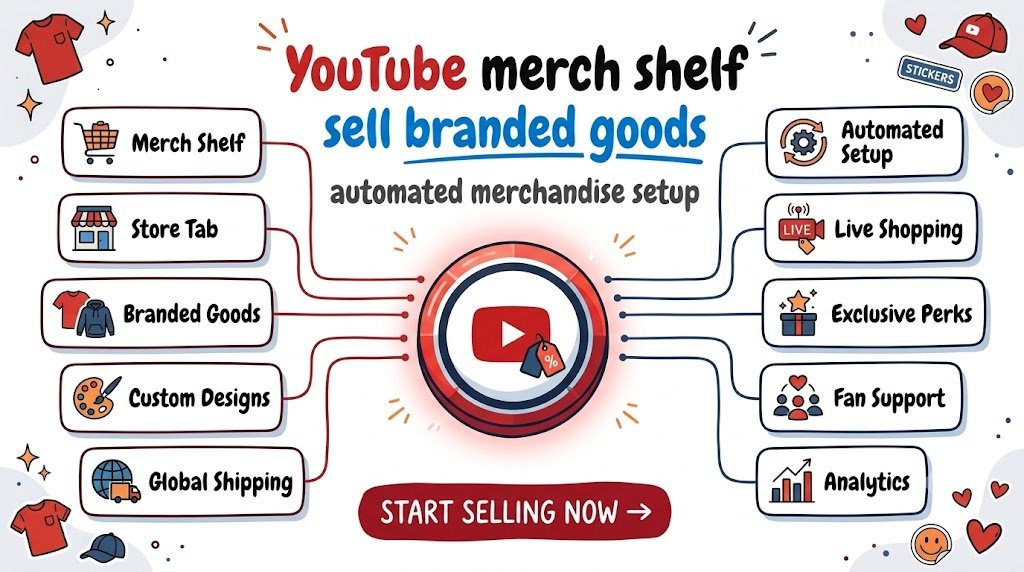
The YouTube merch shelf fundamentally rewrites this equation. By connecting an automated print-on-demand fulfillment engine directly to YouTube Studio, you can display branded t-shirts, embroidered caps, insulated tumblers, and custom desk accessories directly beneath your videos, in end screens, and inside live shopping overlays—without ever buying inventory upfront or taping a single cardboard box.
Whether you run an educational channel, a niche tech review hub, or an entertainment brand, turning casual viewers into paying community members requires zero fulfillment overhead when configured correctly. Here is the operational blueprint to build an automated merchandise engine that converts first-time viewers, rewards returning community members, and generates dependable recurring commerce revenue.
Why the YouTube Merch Shelf Converts Viewers into Buyers
Converting digital attention into physical sales usually suffers from platform friction. Every extra link a fan has to click—from the video description to an external link tree to a third-party store checkout—causes roughly 50% to 70% of potential buyers to drop off.
The native YouTube merch shelf (YouTube Shopping) eliminates this friction by embedding physical products directly into the playback interface.
- Frictionless Discovery: Products appear directly below your video player on mobile devices and desktop screens, right where viewer engagement peaks.
- Contextual In-Video Tagging: You can pin a specific mug, hoodie, or sticker pack to appear on-screen during the exact moment you mention it in your video or live stream.
- Native Platform Trust: Viewers purchase through verified, YouTube-approved retail backends rather than clicking suspicious third-party shortened links in a description box.
- Passive Evergreen Monetization: Once configured, older catalog videos with steady search traffic continually display your merch shelf to newly arrived audiences without requiring fresh promotional effort.
Understanding the Zero-Inventory Setup: Print-on-Demand Integration
The foundation of low-effort merchandising is print-on-demand (POD). In this architecture, products exist only as digital mockups until a customer clicks buy.
When a viewer orders a custom hoodie from your YouTube merch shelf:
- YouTube transmits the order to your connected store platform (such as Shopify, Spring, or Fourthwall).
- The platform routes the digital artwork and order specifications directly to a global print and fulfillment provider.
- The facility prints, packages, and ships the item directly to the customer’s doorstep with your custom packing slips and branding.
- The production cost is automatically deducted from the transaction, and the net margin deposits directly into your bank account.
You hold zero unsold stock, absorb zero storage fees, and maintain complete creative control over pricing and visual identity.
Step-by-Step: Enabling Your YouTube Merch Shelf
Activating YouTube Shopping requires meeting base channel eligibility criteria, connecting a certified e-commerce platform, and organizing your product display in YouTube Studio.
1. Confirm Eligibility Requirements
To unlock the “Shopping” tab in YouTube Studio, your channel must meet YouTube’s standard monetization criteria:
- Belong to the YouTube Partner Program (YPP).
- Channel audience is not designated as Made for Kids.
- No active Community Guidelines strikes.
- Based in an eligible country where YouTube Shopping is supported.
2. Connect Your Commerce Backend
Navigate to YouTube Studio > Earn > Shopping. Under the “Add products from your store” section, link your preferred integrated storefront. Certified platforms include:
- Fourthwall: Tailored specifically for creators, offering high-margin apparel, custom packaging inserts, membership perks, and seamless YouTube sync.
- Shopify + Google & YouTube App: The gold standard for creators seeking independent domain control, multi-vendor print setups, and advanced conversion tracking.
- Spring (formerly Teespring): An integrated plug-and-play solution with no monthly SaaS fees and direct native YouTube integration.
- Spreadshop: Reliable print-on-demand platform offering streamlined international checkout and zero platform overhead.
3. Organize Shelf Display and Product Priority
Once connected, your product catalog synchronizes with YouTube Studio within 24 to 72 hours. From the Shopping tab, choose Customize Merch Shelf to select the default sorting logic:
- Automated Popularity: Let YouTube’s algorithm display best-selling or trending items based on viewer behavior.
- Manual Display: Pin high-margin hero products or seasonal drops to the top position across your entire channel library.
4. Tag Specific Items in Individual Videos
Beyond the global shelf, open YouTube Studio > Content, select any uploaded video, and navigate to the Video Details > Products section. Tag up to 30 items that relate directly to that video’s topic. During playback, viewer interfaces display a subtle “View Products” shopping badge that expands into an interactive catalog without pausing video playback.
Merchandise Design Strategies That Actually Sell
Putting your raw channel logo onto a basic white cotton t-shirt rarely works. Viewers buy physical goods to signal shared identity, express inside jokes, or own genuinely stylish lifestyle products that fit their daily wardrobe.
Turn Inside Jokes and Catchphrases into Micro-Brands
Examine your comment section to identify the sayings, memorable quotes, and memes your community repeats back to you. An illustrated, high-aesthetic design referencing an established inside joke consistently outperforms a corporate channel logo by 4x to 8x in buyer conversion tests.
Focus on Lifestyle Aesthetics First
Design merchandise that looks attractive even to someone who has never watched your channel. Subtle embroidery on neutral crewnecks, minimalist vector desk mats, enamel pins, and matte-finish stainless tumblers appeal to mainstream buyers because they function as standalone design items rather than walking advertisements.
Prioritize Everyday Utility
Apparel requires strict size management and returns handling. If you want lower return rates and easier fulfillment, prioritize high-utility accessories:
- Heavyweight cotton tote bags
- Oversized desk pads and keyboard mats
- Insulated tumblers and ceramic coffee mugs
- Die-cut vinyl laptop stickers
High-Converting In-Video Promotion (Without Sounding Salesy)
Hard-pitching merchandise during an introduction causes viewer drop-off that harms algorithmic retention. The most successful creators use organic, visual integration that sparks curiosity before delivering a subtle call to action.
- The Passive Visual Hook: Wear the sample item naturally during your video presentation. Position a branded desk mat or mug in your primary camera frame without mentioning it right away.
- The Timed Contextual Mention: When a topic naturally connects to the product, mention it briefly for five to eight seconds: “If you want the quick-reference cheat sheet printed on a heavy desk mat, it’s linked right in the shelf below this video.”
- The Pinned Comment Reinforcement: Add a direct product link with clear buyer intent in your pinned comment to catch viewers reading discussions while listening.
- Exclusive Seasonal Drops: Announce limited-run designs with clear expiration dates (such as a 14-day production window) to convert hesitant returning viewers who might otherwise delay purchasing.
Frequently Asked Questions
What are the minimum subscriber requirements to unlock the YouTube merch shelf?
To access YouTube Shopping features, your channel must be accepted into the YouTube Partner Program (YPP). Under expanded YPP tiers in eligible countries, creators can access fan funding and YouTube Shopping with 500 subscribers, 3 valid public uploads within the last 90 days, and either 3,000 public watch hours in the past year or 3 million public Shorts views in the last 90 days.
Do I have to handle customer service, returns, or defective shipments myself?
When using verified print-on-demand integration platforms like Fourthwall, Spring, or Spreadshop, the platform handles end-to-end customer support, order tracking, address verification, and replacement requests for damaged shipments directly. If you use Shopify connected to custom external suppliers, customer support policies depend on your specific store setup.
How much profit margin can creators expect on automated print-on-demand items?
Profit margins typically range between 25% and 55% depending on product selection, blank quality, and retail pricing. For example, a quality print-on-demand heavyweight t-shirt generally costs $12 to $16 to manufacture and fulfill; pricing it at $28 to $32 leaves a net profit of approximately $12 to $16 per sale with zero upfront inventory costs.
Can viewers from outside my home country purchase products from my merch shelf?
Yes. Major creator commerce platforms maintain global distributed fulfillment centers across North America, Europe, the UK, and Asia-Pacific. When an international viewer purchases an item, the platform automatically routes the order to the closest regional print facility to minimize international shipping costs and speed up delivery times.
Can I tag products inside YouTube Shorts and Live Streams?
Yes. YouTube Shopping fully supports product tagging in YouTube Shorts and live streams. During live broadcasts, creators can pin specific merchandise directly to the top of the live chat window, allowing viewers to purchase items in real-time during peak interactive moments.
Compliance and Merchant Policy Standards
When selling physical goods through YouTube Shopping, creators and connected storefronts must maintain strict adherence to YouTube Channel Monetization Policies, Google Merchant Center product guidelines, and the Federal Trade Commission (FTC) guidelines regarding product endorsements. Storefronts must clearly publish return policies, shipping times, privacy standards, and valid customer support contact channels. Products featuring trademarked imagery, unauthorized likenesses, or misleading promotional claims are strictly prohibited and subject to automatic catalog suspension.
Building an automated merchandise shelf shifts your digital presence from unpredictable ad revenue fluctuations toward direct community ownership. By pairing automated print-on-demand systems with authentic, visually engaging product designs, you create a sustainable commerce channel that continually serves your audience and scales alongside your content catalogue.
Stay ahead with exclusive updates
Join our community. Get curated industry trends, actionable guides, and fresh resources delivered straight to your inbox.