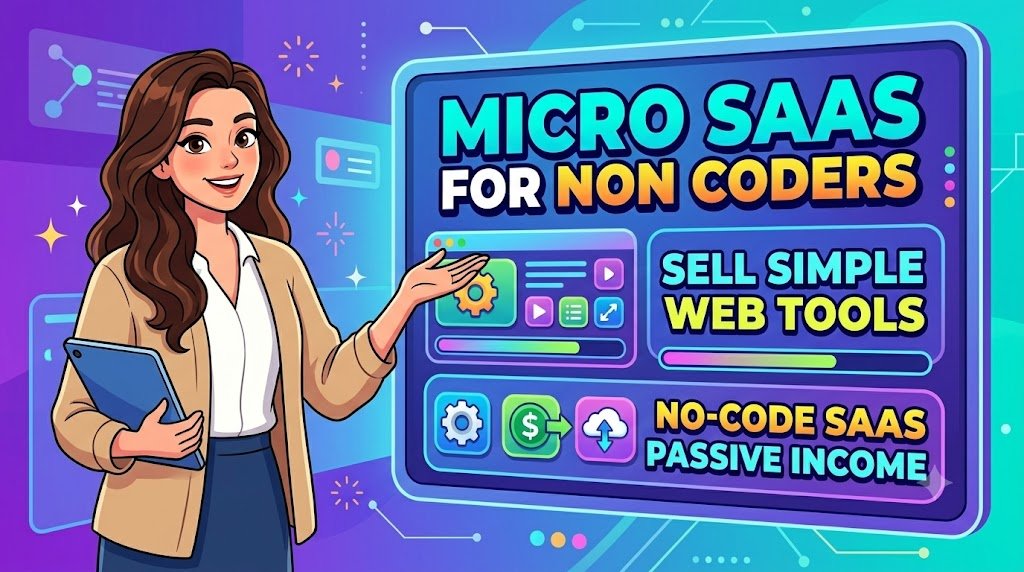
You don’t need to become a software developer to build a software business. You need to find a problem that people are willing to pay to solve.
Imagine creating a simple online tool that helps a freelancer calculate project prices, a small business manage appointments, or a content creator organize publishing schedules. Customers visit your website, use your software, and pay a monthly subscription because it makes their work easier.
You don’t need a large development team, a technology degree, or thousands of dollars in initial investment to explore this opportunity.
Welcome to the world of Micro-SaaS for non-coders, where small, focused software products can become subscription-based digital businesses.
Modern no-code platforms, workflow automation services, and AI-assisted development tools have made it possible for entrepreneurs to build functional web applications without traditional programming skills.
However, creating software is only half the challenge. The real business opportunity comes from identifying a valuable problem, attracting the right customers, converting free users into paying subscribers, and giving those subscribers a reason to stay.
This guide explains how to build, price, launch, and sell simple web tools, even if you’ve never written a line of code.
What Is Micro-SaaS, and Why Is It Attractive to Non-Coders?
Micro-SaaS stands for micro Software as a Service.
It describes a small software business that typically focuses on solving a specific problem for a clearly defined group of customers.
Unlike large software companies that serve millions of users with complex platforms, a Micro-SaaS business can operate with a smaller audience, fewer features, and a lean team.
For example, instead of building an entire accounting platform, you could create a specialized invoice reminder tool for freelance designers.
Rather than competing directly with established social media management companies, you might develop a content approval tracker specifically for small marketing agencies.
The advantage is focus.
A Micro-SaaS product doesn’t need hundreds of features. It needs to perform one valuable job reliably.
How Micro-SaaS businesses make money
Most Micro-SaaS businesses earn revenue through recurring subscriptions.
Customers pay monthly or annually to access the tool, store data, receive updates, or use specific features.
Other possible revenue models include usage-based billing, one-time purchases, transaction fees, and premium upgrades.
Consider a simple example.
You build a subscription-based scheduling tool for independent tutors and charge $12 per month.
If 50 customers subscribe, the business generates $600 in monthly recurring revenue before expenses.
If the subscriber base grows to 200 active paying customers, monthly recurring revenue reaches $2,400.
These are illustrative calculations, not income predictions. Actual profitability depends on customer acquisition, software costs, cancellations, taxes, payment processing, and ongoing support.
The appeal of Micro-SaaS is not unlimited passive income. It is the possibility of developing a repeatable, subscription-driven business around a relatively narrow customer need.
Why Micro-SaaS Is Becoming More Accessible to People Without Coding Skills
The traditional software development process often required knowledge of programming languages, databases, hosting environments, and payment integrations.
No-code and low-code platforms have changed parts of that process.
Today, entrepreneurs can visually design interfaces, create databases, connect workflows, and build customer-facing applications using tools designed to reduce manual programming.
Several developments make this particularly useful.
Visual application builders reduce technical barriers
Instead of writing code for every screen and interaction, creators can use visual editors, prebuilt components, and configurable workflows.
These platforms can help build customer portals, internal dashboards, booking systems, and small business applications.
AI-assisted development speeds up prototyping
AI tools can help generate layouts, suggest database structures, explain technical errors, and draft application logic.
However, AI-generated functionality still requires careful testing, particularly when handling payments, customer information, security, and access permissions.
Online payments make subscription selling easier
Payment platforms can support recurring billing, customer invoices, subscription management, and digital checkout experiences.
This makes it more practical for small software founders to charge customers without developing a complete billing system themselves.
Specialized audiences are easier to understand
You don’t need to create software for everyone.
A useful tool for wedding photographers, fitness instructors, independent tutors, or digital product sellers can have a clearer value proposition than a generic productivity application.
The important shift is that business knowledge and customer understanding can be just as important as technical knowledge during the earliest stages.
10 Simple Micro-SaaS Ideas You Can Build Without Traditional Coding
One of the biggest mistakes beginners make is trying to build complicated software before understanding what customers actually need.
A better approach is to begin with a manageable product that solves one recurring problem.
1. Freelance Pricing Calculator
Create an online calculator that helps freelancers estimate project rates based on working hours, expenses, desired profit, and revision allowances.
Target customers: Freelance designers, writers, video editors, and consultants.
Possible monetization: Free basic calculator with a paid subscription for saved estimates, branded quotations, and customer records.
2. Social Media Content Approval Tool
Build a lightweight workspace where agencies upload draft content and clients approve or request changes.
Target customers: Social media managers and small marketing agencies.
Possible monetization: Monthly subscriptions based on the number of clients, projects, or team members.
3. Appointment Reminder Dashboard
Develop a simple reminder management system for professionals who regularly schedule appointments.
Target customers: Tutors, consultants, coaches, and local service businesses.
Possible monetization: Subscription plans with different reminder or appointment limits.
Messaging costs, customer consent, and local communications regulations must be considered.
4. Digital Product Profit Calculator
Create a web tool that calculates estimated profitability from digital product sales.
Users enter product prices, platform fees, advertising expenses, refund assumptions, and expected sales.
Target customers: Etsy sellers, independent course creators, eBook publishers, and online store owners.
Possible monetization: Free calculations with paid saved scenarios, exports, and advanced reporting.
5. Property Rental Expense Tracker
Build a small web application that tracks rent receipts, property-related expenses, maintenance tasks, and upcoming reminders.
Target customers: Small landlords and independent property managers.
Possible monetization: Monthly subscription based on the number of properties.
6. Subscription Renewal Tracker
Help businesses monitor software subscriptions, service renewals, and recurring expenses.
Target customers: Freelancers, agencies, and small businesses managing multiple online services.
Possible monetization: Free limited tracking with paid reminders, reports, and team access.
7. Client Onboarding Portal
Develop a secure online workspace for collecting client questionnaires, project requirements, and onboarding documents.
Target customers: Consultants, creative agencies, virtual assistants, and service providers.
Possible monetization: Monthly plans based on active clients or storage requirements.
8. Content Publishing Calendar
Create a simple planning system where bloggers and content creators organize publication dates, article topics, and production stages.
Target customers: Bloggers, newsletter publishers, and small editorial teams.
Possible monetization: Premium collaboration tools, saved templates, publishing integrations, and reporting.
9. Custom Proposal Generator
Build a tool that allows service businesses to create professional proposals from reusable sections and customer information.
Target customers: Freelancers, consultants, and small agencies.
Possible monetization: Monthly subscriptions for unlimited proposals, branded PDFs, and proposal tracking.
10. Small Business Review Request Manager
Create a system that helps eligible businesses send compliant requests for honest customer reviews and monitor outreach.
Target customers: Restaurants, salons, repair services, and independent retailers.
Possible monetization: Monthly subscription based on customer contacts or locations.
The system should avoid incentivized, fabricated, or selectively solicited reviews that violate platform policies.
Which idea should you choose?
Choose the problem you can validate most easily, not the product that sounds most impressive.
If you already understand the workflow of a particular profession, that knowledge can give you an advantage when identifying unmet needs.
How to Find a Profitable Micro-SaaS Niche Before Building Anything
The strongest software ideas often begin as small, repetitive frustrations.
People may complain about copying information between spreadsheets, manually sending reminders, creating the same documents repeatedly, or paying for overly complicated software.
Each complaint represents a possible research opportunity.
But not every frustration is worth turning into a paid product.
Look for frequent, expensive, and frustrating problems
A potential Micro-SaaS opportunity becomes more interesting when three conditions are present:
- The problem happens repeatedly.
- The problem costs customers time, money, or missed opportunities.
- Existing solutions are inconvenient, expensive, or poorly suited to the audience.
For example, a photographer who struggles to track client approvals every week may value a focused tool more than someone who needs a similar feature once a year.
Research actual customer conversations
Explore communities where your target audience discusses everyday challenges.
Potential research sources include Reddit, professional forums, product review websites, industry communities, and customer interviews.
Search for discussions involving phrases such as:
“Looking for a simple tool to…”
“Is there an affordable alternative to…”
“How do you manage…”
“I wish there was an app that…”
Don’t treat complaints as proof of demand. Use them to form hypotheses worth investigating.
Interview potential users
Before investing heavily in development, speak with prospective customers.
Ask about their current process, what they dislike, how often the problem occurs, and what they have already tried.
Avoid leading questions such as, “Would you pay for my amazing new tool?”
Instead, ask what the problem currently costs them and whether they have paid for solutions before.
Past behavior can be more informative than hypothetical enthusiasm.
Validate willingness to pay
Create a basic landing page explaining the product.
Include a clear description, planned features, intended pricing, and an option to join a waiting list or request early access.
You can also present a clickable prototype.
A useful validation milestone might be securing several serious pilot customers or paid commitments before building the full product.
Paid preorders should clearly explain what exists, what is planned, the delivery expectations, and refund terms.
Best No-Code Tools for Building a Micro-SaaS Business
Choosing the right platform is important because it influences your application’s capabilities, running costs, maintenance requirements, and scalability.
Bubble: For building customized web applications
Bubble offers a visual application development environment with databases, user interfaces, workflows, and application logic.
It can be useful for customer portals, marketplaces, membership applications, and subscription-based dashboards.
Best for: Entrepreneurs who need flexible workflows and more complex application functionality.
Considerations: Learning curve, workload-based costs, security configuration, performance, and platform dependence.
Softr: For portals and database-connected applications
Softr can be useful for turning structured data into customer portals, directories, and internal applications.
Best for: Membership directories, resource portals, and lightweight business dashboards.
Considerations: Review authentication, database permissions, subscription integrations, and plan limits.
Glide: For data-driven applications
Glide can help entrepreneurs build interfaces around structured business information.
Best for: Tracking systems, operational tools, and internal workflow applications.
Considerations: Confirm the platform’s current publishing options, user limits, access controls, and suitability for a public commercial SaaS product.
Webflow or Framer: For marketing websites
These tools are useful for designing professional landing pages, product websites, and conversion-focused marketing experiences.
However, a marketing website is not automatically a complete SaaS application.
Best for: Product presentation, customer acquisition pages, feature explanations, and waitlists.
Make or Zapier: For workflow automation
Automation platforms can connect supported applications and reduce repetitive manual work.
They can support tasks such as sending notifications, updating records, or triggering workflows.
Best for: Connecting different components of a Micro-SaaS product.
Considerations: Task allowances, error handling, API limits, service reliability, and customer data handling.
Stripe or another suitable recurring billing provider
Subscription payment infrastructure helps manage charges, billing records, renewals, and customer payment experiences.
Stripe supports no-code payment links for subscriptions in supported markets and account configurations.
Availability, payment methods, fees, tax features, and eligibility vary by country.
For any payment system, successful payment collection and successful application access control are separate requirements. Your product must securely activate, restrict, and revoke access based on verified subscription status.
How to select the right tools
Rather than collecting subscriptions to every popular no-code platform, identify what your application actually needs.
A straightforward Micro-SaaS usually requires some combination of a customer interface, secure authentication, data storage, business logic, a billing system, and support processes.
Try to use the smallest technical stack capable of delivering a reliable customer experience.
Step-by-Step: How to Build Your First No-Code Micro-SaaS Product
A successful first product is not necessarily the one with the most sophisticated design.
It is the one customers can understand, begin using, and benefit from quickly.
Step 1: Write a one-sentence product promise
Your positioning should clearly identify the target customer, the problem, and the result.
For example:
“An easy invoice reminder tool that helps independent consultants track unpaid invoices without managing complicated accounting software.”
This promise will guide your design and marketing decisions.
Step 2: Define the minimum viable product
Your minimum viable product, or MVP, should include only the features necessary to deliver the core result.
For a basic invoice reminder tool, the initial version might require:
- Customer and invoice records.
- Payment due dates.
- Reminder scheduling.
- Payment status tracking.
- A simple dashboard.
Advanced analytics, accounting integrations, custom themes, and AI features can come later if customers genuinely need them.
Step 3: Design the customer journey
Map what happens from the moment a customer discovers your tool.
A simple journey could be:
Visitor discovers product → explores demo → creates account → completes first task → chooses paid plan → receives ongoing value.
Make the initial experience easy enough that customers can reach their first useful outcome quickly.
Step 4: Create the application
Use your selected no-code platform to build the interface, database, workflows, and customer access system.
Start with a small test dataset.
Avoid collecting unnecessary personal information.
Step 5: Connect subscription payments
Configure your billing provider, recurring prices, checkout, invoices, and customer billing management.
Test successful payments, declined payments, cancellations, renewals, refunds, and expiration of access.
Never rely solely on a customer’s browser or a checkout redirect to confirm that a subscription is active.
Step 6: Test the application thoroughly
Test common tasks using different devices, browsers, and user accounts.
Make sure customers cannot view another customer’s records.
Check notification failures, duplicate transactions, input errors, permissions, backups, and account deletion.
A beautiful interface cannot compensate for unreliable software.
Step 7: Launch a controlled beta
Invite a small group of potential customers to test the product.
Observe where they become confused, which features they ignore, and whether they return without being reminded.
Use that information to improve the application before spending heavily on promotion.
How to Price a Micro-SaaS Subscription
Pricing should reflect the value customers receive, your operating expenses, the market’s alternatives, and how frequently the software is used.
It should not be based only on what competitors charge.
One useful approach is offering a free demonstration or limited trial alongside two or three clearly differentiated paid plans.
For illustration, a simple business tool might use the following structure:
| Plan | Illustrative monthly price | Suitable customer |
|---|---|---|
| Free | $0 | Exploring basic features |
| Starter | $9 | Individual professionals |
| Professional | $24 | Frequent users |
| Business | $59 | Small teams |
These are hypothetical pricing examples, not recommended prices for every market.
Choose upgrades that reflect real value
A paid plan might offer more saved projects, collaboration, automated reminders, exports, integrations, or increased usage allowances.
Avoid making essential security and basic reliability premium-only features.
Monthly versus annual subscriptions
Monthly billing reduces the initial purchase commitment.
Annual billing can offer greater cash-flow predictability and reduce the frequency of renewal decisions.
However, annual subscribers may expect a reasonable discount, and refund obligations vary by jurisdiction and your disclosed policy.
Display billing frequency, renewal terms, total annual charges, and cancellation information clearly.
Understand the real numbers behind recurring revenue
Monthly recurring revenue, or MRR, measures normalized recurring subscription revenue.
Suppose you have 100 customers, each paying $15 per month.
Your starting MRR is $1,500.
If five customers cancel and no new customers join, 95 customers remain, representing $1,425 MRR.
That is a 5% customer churn rate for the period in this simplified example.
Now suppose you acquire eight new customers at the same price.
You would end the period with 103 customers and $1,545 MRR.
The important lesson is that sustainable growth depends on customer retention as well as acquisition.
New signups cannot create durable growth if subscribers consistently leave after their first payment.
How to Sell Simple Web Tools Without a Large Marketing Budget
You can build useful software and still struggle to make sales if the right customers never discover it.
Fortunately, focused Micro-SaaS products can use focused marketing strategies.
1. Create problem-solving content
Publish practical articles addressing the exact problems your tool solves.
For an invoice reminder application, possible topics include:
“How Freelancers Can Reduce Late Invoice Payments”
“How to Organize Client Invoices Without Complicated Software”
“Manual Invoice Tracking vs. Automated Reminders”
Each article should help readers independently, then introduce your tool where relevant.
This approach can attract visitors already interested in solving the problem.
2. Build free tools that demonstrate value
A free calculator, downloadable template, or limited version of your application can introduce potential customers to your product.
For example, a free freelance rate calculator could lead naturally to a paid proposal and pricing management tool.
The free resource should solve a genuine problem, not exist merely as a disguised advertisement.
3. Demonstrate the software visually
Short videos, screenshots, and interactive demos can communicate value faster than lengthy feature descriptions.
Show a real workflow: the user’s starting problem, the steps inside your software, and the resulting output.
Avoid using fabricated testimonials or simulated dashboards presented as genuine customer experiences.
4. Participate in relevant communities
Professional communities and discussion platforms can help you understand customers and build credibility.
Answer questions, contribute insights, and disclose your relationship to your product whenever you recommend it.
Follow each community’s promotional rules.
5. Build partnerships
Partner with educators, niche bloggers, agencies, or consultants who already serve your target customers.
A consultant who works with independent photographers may be a more relevant partner for photography workflow software than a large, general technology influencer.
Disclose affiliate relationships and sponsored recommendations appropriately.
6. Build a focused email audience
Offer helpful resources such as workflow templates, product tutorials, or niche-specific guides.
Then create an email sequence that helps subscribers understand the problem, evaluate possible solutions, and try your software.
A simple educational sequence might include a welcome tutorial, a practical use case, a product demonstration, and an invitation to start a trial.
Respect marketing consent, unsubscribe requests, and applicable privacy regulations.
How to Convert Free Users Into Paying Subscribers
A free user becomes a paying customer when the value of upgrading becomes clear.
Aggressive reminders and artificial urgency are rarely a substitute for that value.
Help users experience one useful result immediately
Your onboarding process should guide customers toward a meaningful outcome.
If your product generates proposals, help them create their first proposal.
If it tracks subscriptions, help them add their first recurring expense.
The shorter the journey to value, the easier it becomes for users to understand why the software matters.
Make the upgrade relevant
Present the paid option when the customer encounters a meaningful limitation, such as needing more projects, a team feature, or an advanced export.
Clearly explain what the subscription unlocks.
Offer a transparent trial
An optional free trial can reduce purchasing uncertainty.
State whether a payment method is required, when charges begin, and how cancellation works.
Do not make cancellation deliberately difficult.
Use evidence rather than exaggerated promises
Real product demonstrations, verified customer feedback, transparent limitations, and honest comparisons build credibility.
Avoid promising guaranteed earnings, business growth, time savings, or customer results that you cannot substantiate.
How to Keep Micro-SaaS Subscribers Paying Month After Month
Acquiring a subscriber is only the beginning.
A subscription business depends on repeatedly delivering enough value that customers choose to remain.
Make your product part of a useful routine
The strongest retention advantage comes from helping customers complete ongoing tasks.
A scheduling tool used every day may have a different retention profile from a tool used only once every few months.
Think about whether your customer’s problem is recurring enough to justify recurring billing.
Improve onboarding
A confusing first experience can discourage customers before they experience any benefit.
Offer concise tutorials, helpful examples, and clear setup instructions.
Monitor meaningful usage
Track successful account activations, completed tasks, feature adoption, active customers, and cancellations.
Use aggregated data where practical, and respect applicable privacy requirements.
Communicate product improvements
Share meaningful fixes and enhancements with customers.
A monthly email highlighting improvements, tutorials, or useful workflows can give subscribers a reason to return.
Make support easy to access
Offer a clear way to report problems and request assistance.
Customers paying recurring fees expect an ongoing relationship, not abandoned software.
Ask why customers cancel
A short, optional cancellation survey can reveal whether customers leave because of pricing, missing functionality, technical problems, or changing needs.
Use this feedback to improve the product without obstructing the cancellation process.
Can No-Code Micro-SaaS Generate Passive Income?
Micro-SaaS can create recurring revenue, but recurring revenue is not the same as effortless passive income.
After launch, software usually requires maintenance, customer support, security updates, monitoring, billing management, and improvements.
A product may continue processing subscriptions automatically, but those payments depend on software that keeps working.
The more accurate goal is to build a low-maintenance, repeatable digital business that becomes less dependent on the founder’s daily attention as systems mature.
What can be automated?
Common automation opportunities include welcome emails, subscription receipts, onboarding messages, billing reminders, selected customer support workflows, and operational alerts.
Sensitive issues, account disputes, technical failures, and security incidents may still require human review.
Know your real profit
Imagine a Micro-SaaS business generates $1,500 in monthly subscription revenue.
Suppose its illustrative monthly expenses include $120 for application hosting and related services, $80 for automation and APIs, $60 in payment fees, and $200 for marketing and support.
That leaves $1,040 before taxes, the founder’s labor, and other unlisted expenses.
This example shows why revenue screenshots rarely tell the full business story.
Common Micro-SaaS Mistakes Beginners Should Avoid
Many early Micro-SaaS projects fail to become sustainable businesses because of problems beyond development.
Building before validating demand: An attractive application does not prove that anyone wants to pay for it.
Targeting everyone: A vague audience creates vague product messaging.
Adding too many features: Complexity increases development costs, testing requirements, and support obligations.
Ignoring security: Exposed customer data can damage trust and create legal and financial consequences.
Underestimating platform expenses: Hosting, automation tasks, API calls, storage, and usage can increase as customers grow.
Treating AI-generated software as production-ready: Generated workflows require testing, especially for authentication, data isolation, billing, and business-critical calculations.
Depending entirely on paid advertising: Acquisition costs can exceed the value of the customers you attract.
Ignoring customer retention: A subscription business cannot remain healthy when customers consistently leave.
Promising completely passive earnings: Software ownership involves operational responsibility.
A Practical 30-Day Micro-SaaS Launch Roadmap
You don’t need to spend months planning before testing a business idea.
A focused 30-day experiment can help determine whether the opportunity deserves further investment.
This roadmap is a suggested validation schedule, not a guarantee of a functioning launch or paying customers.
Days 1–5: Research and identify the problem
Choose a professional niche and research its common workflow frustrations.
Talk to potential customers, study alternatives, and identify a problem that occurs frequently.
Your objective is to understand the customer before designing the software.
Days 6–10: Validate demand
Create a landing page describing the planned solution.
Show a basic prototype or workflow demonstration.
Invite prospective users to join a pilot, and seek concrete evidence of willingness to pay.
Days 11–18: Build the essential features
Develop the smallest reliable version of the product.
Focus on the core user journey, secure accounts, accurate calculations or workflows, and appropriate data permissions.
Days 19–23: Test with real users
Invite pilot users to try the product.
Identify confusing steps, defects, missing functionality, and unexpected costs.
Fix critical issues before expanding access.
Days 24–27: Prepare the commercial launch
Configure payments, document billing and cancellation terms, prepare support procedures, and review privacy and security requirements.
Publish a clear pricing page and product documentation.
Days 28–30: Launch and measure
Invite qualified prospects, publish useful educational content, and demonstrate the product.
Measure trial activation, successful payments, user engagement, and feedback.
If users aren’t experiencing the intended value, improve the product before increasing marketing spending.
The objective of the first month is evidence and learning, not a dramatic revenue milestone.
Building a Micro-SaaS Sales Funnel That Converts Visitors Into Customers
A focused sales funnel helps turn interest into product usage and, eventually, subscriptions.
The journey can be organized into five stages.
Discovery: A potential customer finds your tutorial, free tool, community contribution, video, or search result.
Understanding: Your landing page explains the problem, the customer outcome, and why the product is relevant.
Experience: The visitor tries a demo, free version, or trial and completes a useful task.
Purchase: A transparent pricing page and straightforward checkout allow the customer to choose a subscription.
Retention: Helpful onboarding, reliable functionality, product education, and support encourage continued use.
At every stage, remove unnecessary friction.
For example, someone who searches for “simple invoice reminders for freelance consultants” may be more prepared to explore a specialized tool than a general visitor reading about entrepreneurship.
This is why targeting specific problems often matters more than attracting the largest possible audience.
How to Grow Organic Traffic Through Search, AI Discovery, and Helpful Content
A Micro-SaaS website can attract relevant visitors by publishing content connected to real customer questions.
Rather than filling every page with repetitive keywords, build a useful information library around the problems your software solves.
Create pages aligned with different search needs
An educational article may explain how to solve a problem manually.
A comparison page can help readers evaluate alternative approaches.
A product page can demonstrate how your application works.
A pricing page should answer purchasing questions clearly.
This structure helps visitors move from general awareness to informed purchasing decisions.
Write direct, useful answers
Many readers want quick answers to specific questions.
Start important sections with clear explanations, then provide steps, examples, limitations, and practical context.
For instance, an article explaining what Micro-SaaS is should define the concept before introducing a list of development tools.
Demonstrate genuine product expertise
Original screenshots, real workflow examples, tested tutorials, transparent product limitations, and current feature information can make your content more useful than generic promotional articles.
Only claim personal experience or testing when it actually occurred.
Make your content easy to navigate
Use descriptive headings, readable paragraphs, accessible layouts, relevant internal links, and fast-loading pages.
Where appropriate, include accurate structured data that reflects the visible page content.
Encourage returning visitors
Create ongoing educational series such as:
“Build Your First No-Code Tool”
“Micro-SaaS Pricing and Profitability”
“How to Find Your First Software Customers”
“Improving Subscription Retention”
A useful newsletter or free tutorial series can give visitors a reason to return even when they aren’t ready to purchase immediately.
Search and recommendation visibility depend on many factors outside your control. Publishing high-quality content improves usefulness but does not guarantee placement in search results, Google Discover, or AI-generated answers.
How to Expand a Successful Micro-SaaS Without Losing Focus
Once a product demonstrates consistent demand, expansion becomes an option.
But expansion should strengthen the value customers already receive.
Improve the existing workflow
Prioritize enhancements that solve frequently reported problems.
A well-designed reporting feature may be more valuable to existing customers than an unrelated AI chatbot.
Add relevant integrations
Customers may benefit from connecting your tool to applications they already use.
Evaluate integration requests based on demand, reliability, ongoing API costs, and maintenance.
Introduce team plans
If multiple employees use the same workflow, collaboration features may support higher-value subscriptions.
However, shared accounts require careful permission controls and data access management.
Expand into adjacent customer groups
A proposal generator originally built for freelance designers might eventually serve marketing consultants or small service agencies.
Before expanding, check whether the new audience has sufficiently similar needs.
Document your operations
Reliable processes for support, billing, backups, updates, and incident management can reduce dependence on the founder.
Operational maturity is one of the most important steps toward making a software business manageable over time.
Five Frequently Asked Questions About Micro-SaaS for Non-Coders
1. Can I really build a Micro-SaaS business without knowing how to code?
Yes. No-code platforms can support many applications, including calculators, dashboards, portals, booking tools, and workflow systems. However, non-coders still need to understand application logic, data structures, permissions, security basics, and customer experience. Complex functionality may require technical assistance.
2. How much money do I need to start a no-code Micro-SaaS business?
Startup costs vary considerably. Some tools provide free development environments, but commercial launches may require paid hosting, a domain, databases, automation, payment processing, and other services. Begin with a small validated product and estimate recurring costs before committing to a platform.
3. What is the easiest Micro-SaaS product for a beginner?
A focused calculator, lightweight tracker, simple reporting tool, or customer-facing workflow portal can be a manageable starting point. The easiest project is usually one with limited integrations, low data sensitivity, and a problem you already understand.
4. How do I get my first paying Micro-SaaS customers?
Start by interviewing potential customers, demonstrating a working solution, and inviting qualified users to a pilot. Publish helpful niche content, engage in relevant communities, and create straightforward product demonstrations. Direct customer conversations often provide valuable early feedback, while content marketing can support longer-term discovery.
5. Is Micro-SaaS a good passive income idea for beginners?
Micro-SaaS can generate recurring revenue, but it is generally not fully passive. Founders must manage software reliability, customer support, payments, security, and updates. Its attraction is the ability to serve multiple customers through one repeatable digital product rather than delivering every service manually.
Your First Micro-SaaS Business Starts With One Useful Solution
The opportunity for non-coders is not to replicate the biggest software companies.
It is to solve a small problem exceptionally well.
A freelancer struggling with proposal preparation doesn’t necessarily need an enterprise project management platform.
A small agency coordinating client approvals may not want dozens of unnecessary features.
A digital product seller calculating profit margins may simply want a reliable tool that provides a useful answer in seconds.
When you identify a problem like this, validate real demand, create a straightforward application, and offer clear subscription value, you begin building the foundations of a sustainable software business.
Start with one audience, one problem, and one meaningful customer outcome.
Then improve the product based on what people actually use and value.
Ready to explore your first Micro-SaaS idea? Choose one repeated business task, speak with five potential customers, and sketch a tool that could simplify it. You can begin validating the opportunity before paying for a complex software stack.
The next step isn’t building more features. It’s discovering whether your proposed solution matters enough that someone would pay to use it.
Compliance Note
This article is provided for general educational and informational purposes. It does not constitute legal, financial, tax, cybersecurity, or professional business advice.
Micro-SaaS and no-code businesses involve commercial and operational risks. Startup costs, platform features, payment availability, profitability, and subscription revenue vary depending on location, customer demand, technical implementation, and market conditions.
Revenue examples in this article are hypothetical illustrations and should not be interpreted as actual business performance, expected earnings, or guaranteed results.
Software founders are responsible for complying with applicable privacy, consumer protection, accessibility, intellectual property, marketing, and tax requirements. Depending on the product and customer location, this may include obligations under laws such as the GDPR, India’s Digital Personal Data Protection framework, or other relevant regulations as applicable and in force.
Businesses should provide accurate pricing information, clear subscription and renewal disclosures, accessible cancellation procedures, appropriate refund policies, and truthful promotional claims.
No-code platforms and AI-assisted development tools do not automatically guarantee software security, regulatory compliance, or reliability. Applications involving personal information, customer accounts, payment processing, or sensitive business records should undergo appropriate testing and security review.
Verify the current documentation, commercial terms, permitted uses, and availability of third-party tools before implementing or selling a product. Consult qualified professionals where required.
Success depends on market research, customer value, consistent improvement, operational execution, and responsible business practices.
Stay ahead with exclusive updates
Join our community. Get curated industry trends, actionable guides, and fresh resources delivered straight to your inbox.