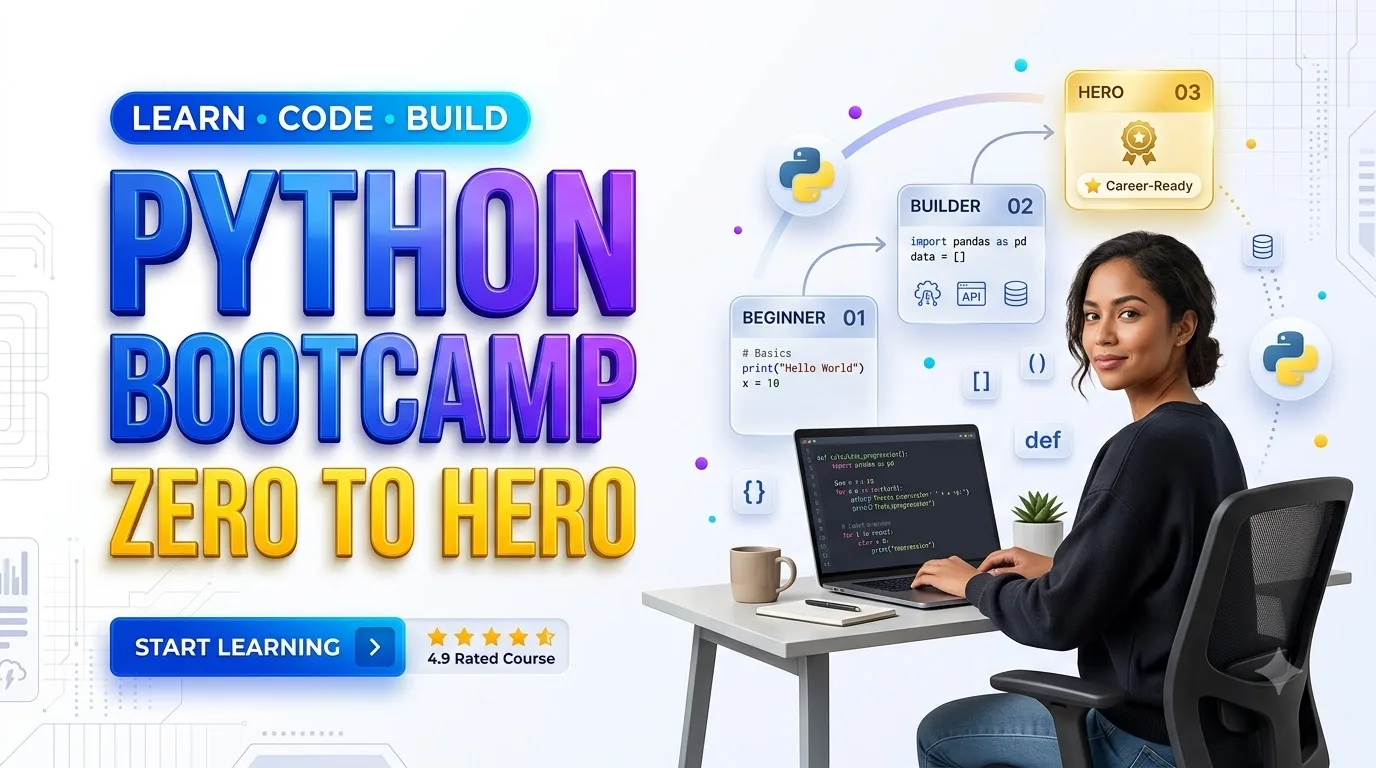
Python Bootcamp: Go from Zero to Hero
A Practical Beginner’s Guide to Python Programming
Article Summary
Learning Python becomes more manageable with a clear roadmap and consistent hands-on practice. This article introduces beginners to Python fundamentals, variables, data types, conditional statements, loops, functions, and data structures. It presents a practical eight-week learning plan covering file handling, error management, virtual environments, Git, APIs, JSON, debugging, and software testing. Readers also discover how to build useful automation projects and develop a documented programming portfolio.
Article Description
Designed for complete beginners, students, and career changers, this Python Bootcamp guide explains how to progress from writing simple programs to creating practical applications. It explores development tools, project-based learning, responsible AI coding assistance, potential career directions, and important considerations when comparing free and paid Python courses. The emphasis is on practical problem-solving, verifiable skills, independent learning, and realistic professional development.
Technical Reference: Official Python Tutorial — Python Software Foundation . Readers are encouraged to consult the official documentation to verify language concepts and current development practices.
Python Bootcamp: Go from Zero to Hero With Real Projects
You do not need to become a computer science expert before writing useful Python code. You need a clear starting point, consistent practice, and projects that solve problems you understand.
This practical guide shows you what to learn first, how to build a real programming foundation, which tools matter, and how to evaluate a Python bootcamp before spending money.
What Is a Python Bootcamp?
A Python bootcamp is a structured learning experience that teaches the fundamentals of Python programming through lessons, exercises, and practical projects. Some programs are self-paced, while others provide live instruction, coaching, code reviews, or career support.
Python is a general-purpose programming language used in software development, data analysis, automation, web applications, artificial intelligence, and scientific computing. Its approachable syntax makes it a popular starting language, although mastering software development still requires considerable practice.
Why Learn Python in 2026?
Programming skills remain useful because organizations need reliable ways to manage information, improve workflows, build software, and analyze data. Python supports all of these activities.
Python 3.15.0 was released on October 9, 2026. Beginners should generally use a supported Python 3 version, while checking third-party package compatibility when working with newly released interpreters. The fundamentals taught in this guide apply across common modern Python 3 installations.
Five Practical Reasons to Learn Python
- Automate repetitive tasks: Organize files, process CSV exports, and generate reports.
- Build useful applications: Create command-line tools, APIs, and web services.
- Work with data: Clean datasets, produce summaries, and create visualizations.
- Understand AI workflows: Connect approved APIs, process model outputs, and test applications.
- Develop transferable skills: Learn debugging, testing, version control, and problem-solving.
Learning Python Is Not the Same as Memorizing Python
A student who has memorized thirty functions may still struggle to build a useful program. Another student who understands a few core concepts and knows how to read documentation may be able to solve a real problem.
Prioritize the second kind of progress: learn a concept, use it, make mistakes, debug the result, and apply it in another situation.
How to Start Learning Python With No Experience
You do not need an expensive computer or a premium development environment to begin. A basic computer, internet access, and a willingness to practice are enough for introductory exercises.
Step 1: Install Python
Visit the official Python downloads page and select a supported Python 3 version for your system. Complete the installation using the instructions appropriate for Windows, macOS, or Linux.
Verify the installation in a terminal or command prompt:
python --version
Depending on your operating system and installation,
the command may instead be
python3 --version
or, on Windows,
py --version.
Step 2: Choose a Coding Environment
| Tool | Best For | Beginner Benefit |
|---|---|---|
| Python IDLE | First Python lessons | Simple editor supplied with many Python installations |
| Visual Studio Code | General programming | Editor, extensions, debugging and project management |
| JupyterLab | Exploring data | Interactive notebooks combining code and explanations |
Start with one environment. Switching editors repeatedly rarely helps a beginner learn faster.
Step 3: Write Your First Program
name = input("What is your name? ")

print(f"Welcome to Python, {name}!")
This tiny program introduces three important ideas: input, variables, and output. Run it several times. Change the greeting, add another question, and notice what happens.
Step 4: Understand the First Errors
- SyntaxError: The code does not follow Python's grammar.
- IndentationError: A block of code is not indented correctly.
- NameError: A variable or name is referenced before it exists in the relevant scope.
- TypeError: An operation is applied to an incompatible type or with an invalid argument.
A useful debugging routine is to read the final line of the traceback, identify the relevant line of code, check the variable values, and reproduce the problem with a smaller example.
Step 5: Create a Virtual Environment
Once you begin installing external libraries, keep
each project's dependencies separate.
Python's venv module is designed for
this purpose.
Windows:
py -m venv .venv

.venv\Scripts\activate
macOS or Linux:
python3 -m venv .venv

source .venv/bin/activate
These commands create and activate an isolated environment. Keep its directory out of Git repositories.
print(), collect user input,
and explain a basic error message.
The Complete 8-Week Python Bootcamp Roadmap
This example roadmap assumes roughly six to eight focused study hours per week. It is a planning framework, not a promise of mastery or professional readiness in eight weeks. Learners can extend individual stages as necessary.
| Week | Core Skills | Practice Assignment | Evidence of Progress |
|---|---|---|---|
| 1 | Variables, data types, operators, input and output | Build a tip calculator | Runs with valid user input |
| 2 | Conditions, Boolean logic, for and while loops | Create a number guessing game | Handles multiple attempts |
| 3 | Lists, tuples, dictionaries, sets, strings | Build a contact organizer | Adds, finds and updates records |
| 4 | Functions, modules, files, exceptions | Create an expense tracker | Saves and reads useful data |
| 5 | Classes, objects, readable code, Git | Refactor an earlier project | Code organized into reusable parts |
| 6 | pip, virtual environments, APIs, JSON | Build an API-based information tool | Processes a valid API response |
| 7 | Testing, debugging, documentation | Add automated tests | Passes documented test cases |
| 8 | Capstone planning, GitHub, project presentation | Publish a finished capstone | Readable README and working demo |
Weeks 1–2: Learn to Think in Code
Focus on data, decisions, and repetition. Instead of copying every example exactly, predict its output before running it.
For example, design a discount calculator that asks for a purchase amount, applies a discount when appropriate, and displays the result. Think through what happens when the customer enters zero or an invalid value.
Weeks 3–4: Organize and Reuse Information
Learn when to choose a list, dictionary, or set. Write functions for repeated operations. Practice saving data in a local file and recovering gracefully from expected failures.
The objective is to stop treating every new program as a collection of unrelated statements.
Weeks 5–6: Move Toward Real Applications
Learn how modules, libraries, and project environments work together. Use Git to track changes. Practice reading JSON and exploring an API's documentation.
When a tutorial introduces classes, focus on recognizing when grouping data and behavior improves clarity. Not every beginner script needs object-oriented design.
Weeks 7–8: Build, Test, and Explain
Your capstone should solve one clearly defined problem. Document how someone else can run it, add meaningful tests, and describe the limitations.
Three Python Projects That Build Useful Skills
Projects should become gradually more demanding. These three examples give beginners a way to demonstrate growing competence without claiming production-level expertise.
Personal Expense Tracker
Create a command-line program that records purchases and groups them by category.
- Accept and validate transaction amounts
- Save data to a CSV file
- Calculate category totals
- Handle missing or invalid input
Portfolio evidence: Data handling, functions, file operations.
File Organization Assistant
Build a utility that sorts files into folders according to their extensions.
- Read directory contents
- Identify file extensions
- Preview proposed changes first
- Handle duplicate filenames safely
Portfolio evidence: Automation, filesystem operations, safeguards.
CSV Business Report Generator
Build a script that reads sales transactions and summarizes business activity.
- Read CSV input
- Check required columns
- Calculate total revenue
- Export a readable report
Portfolio evidence: Data processing, reporting, documentation.
Make One Project Portfolio-Ready
Take your strongest project and improve its usability.
- Add automated tests
- Include example input files
- Write setup instructions
- Document limitations and expected results
Portfolio evidence: Maintaining and communicating working software.
Hands-On Example: Your First CSV Sales Report
Imagine a small online seller who wants to summarize three transactions without opening a spreadsheet. Python can handle the task with its built-in CSV module.
First, save this content as sales.csv:
order_id,amount
101,29.99
102,15.00
103,45.50
Then create a Python file named
sales_report.py:
import csv
from decimal import Decimal

with open(
    "sales.csv",
    newline="",
    encoding="utf-8"
) as file:
    orders = list(csv.DictReader(file))

revenue = sum(
    (Decimal(row["amount"]) for row in orders),
    Decimal("0.00")
)

print(f"Orders: {len(orders)}")
print(f"Revenue: ${revenue:.2f}")
Expected output:
Orders: 3
Revenue: $90.49
This exercise illustrates CSV reading, dictionaries, iteration, precise decimal arithmetic, and formatted output. It assumes a well-formed CSV file containing valid amounts.
How AI Coding Assistants Fit Into a Python Bootcamp
AI-assisted coding is part of the modern development workflow, but it changes the learning strategy. A generated answer can save time while also hiding an important misunderstanding.
For beginners, the most productive approach is to use AI as a reviewer and explainer rather than allowing it to complete every assignment.
Learning and Feedback
- Explaining unfamiliar error messages
- Suggesting additional test cases
- Comparing possible solutions
- Reviewing code readability
- Clarifying official documentation
Unverified Decisions
- Assuming generated code is correct
- Uploading credentials or private data
- Skipping code execution and tests
- Inventing project results
- Submitting work you cannot explain
"Review this beginner Python function. Do not rewrite the entire solution. Identify one bug, explain why it happens, and ask me a question that helps me fix it."
This approach encourages active reasoning instead of passive copying.
What Can You Do After Learning Python?
Python can support several technical career directions, but entry-level readiness depends on much more than knowing the language. Employers may assess software design, SQL, testing, frameworks, security, domain knowledge, and teamwork.
| Learning Direction | Additional Skills | Useful Portfolio Project |
|---|---|---|
| Python Web Development | HTTP, SQL, APIs, a web framework | Task management API |
| Data Analysis | SQL, pandas, visualization, statistics | Sales performance report |
| Automation | File handling, scheduling, testing | Document processing tool |
| Software Testing | pytest, debugging, test design, CI | Automated application test suite |
| Machine Learning Foundations | Statistics, NumPy, data cleaning, ML concepts | Documented prediction experiment |
U.S. Career Outlook: What the Data Actually Says
According to the U.S. Bureau of Labor Statistics, the median annual wage for software developers was $135,980 in May 2025. The agency projected 10% employment growth for software developers, software quality assurance analysts, and testers as a combined occupation group from 2025 to 2035.
These figures describe broader occupations and established labor-market patterns. They are not Python-specific salary figures, entry-level offers, or expected outcomes for bootcamp graduates.
For career changers, a more useful near-term goal is to build demonstrable competence and identify job postings that match current skills.
How to Choose the Right Python Bootcamp in 2026
The best Python bootcamp is not automatically the one with the longest curriculum, the most advertising, or the largest discount. Choose according to your learning needs, schedule, budget, and the quality of feedback available.
| Learning Format | Main Advantage | Potential Tradeoff | Best Fit |
|---|---|---|---|
| Free Self-Study | Flexible pace and low direct cost | Requires strong self-direction | Exploratory learners |
| Recorded Online Bootcamp | Organized curriculum, replayable lessons | Feedback may be limited | Busy independent learners |
| Mentor-Supported Bootcamp | Structured reviews and guidance | May require a higher budget | Students needing feedback |
| Live Intensive Program | Scheduled instruction and collaboration | Higher time commitment | Learners with protected study time |
Seven Questions to Ask Before Paying
- Does the course genuinely begin at beginner level?
- Can you review a full curriculum before purchasing?
- Are programming assignments independently assessed?
- Does the course teach Git, testing, and debugging?
- Are instructors and their qualifications identifiable?
- Are refunds, subscriptions, and cancellation terms clear?
- Are job-placement claims supported by transparent evidence?
How Much Should You Spend?
There is no universal correct budget. Start by trying official documentation and free exercises. Identify where you struggle before deciding whether you need an instructor, structured schedule, graded assignments, or career services.
When comparing paid programs, calculate the complete cost, including renewal fees, required software, additional subscriptions, and any financing charges. A low advertised monthly payment does not necessarily mean a low total price.
Common Python Learning Mistakes to Avoid
Watching Without Practicing
A video may feel understandable until you attempt the exercise alone. Write and modify the code yourself.
Learning Too Many Frameworks
Build confidence with core Python before rapidly switching among unrelated libraries and frameworks.
Ignoring Debugging
Treat errors as information. Learn to inspect values and reduce problems to reproducible examples.
Confusing a Certificate With Skill
A certificate can document course completion, but working projects and technical explanations provide stronger evidence of practical ability.
Your First 30 Days: A Simple Action Plan
An eight-week curriculum can seem overwhelming. These four weekly milestones create a manageable starting routine.
| Period | Primary Goal | Deliverable |
|---|---|---|
| Days 1–7 | Set up Python and learn basic syntax | Personalized greeting and calculator |
| Days 8–14 | Practice decisions and loops | Number guessing game |
| Days 15–21 | Understand collections and functions | Contact organizer |
| Days 22–30 | Work with files and solve errors | Simple expense tracker |
At the end of each week, revisit the previous week's project and improve one feature without following a tutorial. This practice helps reveal whether you genuinely understand the material.
Python Bootcamp FAQs: Five Important Questions
1. Can I learn Python with absolutely no coding experience?
Yes. Python is accessible to beginners because its syntax is relatively readable and its standard library supports many introductory projects. Begin with variables, conditions, loops, and functions. Previous coding experience is helpful but not required.
2. How long does it take to become comfortable with Python?
The answer depends on practice time, previous experience, and what "comfortable" means. Some learners can write small scripts after several weeks of consistent practice. Developing reliable professional skills typically takes longer and requires increasingly demanding projects.
3. Is a paid Python bootcamp better than free resources?
Not necessarily. Official documentation and free courses can teach the fundamentals effectively. A paid program may be worthwhile when it provides high-quality feedback, a suitable learning structure, live support, or supervised projects that you would otherwise struggle to access.
4. Do I need mathematics to learn Python?
Advanced mathematics is not required for basic Python programming, automation, or introductory web development. Arithmetic, logic, and careful reasoning are useful. Data science, machine learning, and certain scientific applications often require deeper mathematical knowledge.
5. Can a Python bootcamp help me get a job in the USA?
It can help you acquire relevant skills and produce portfolio evidence, but it cannot guarantee employment. Many software development roles require additional technical knowledge, education, experience, and demonstrable problem-solving ability. Evaluate any job-placement promise carefully.
Python Bootcamp Knowledge Check: Five Flashcard Questions
Choose your answer before opening the flashcard. Each card reveals the correct choice and a short explanation. Use this as a quick review of the concepts introduced in the article.
What is a Python variable used for?
- A. Changing a computer's hardware
- B. Binding a name to a value
- C. Installing external programs
- D. Opening an internet connection
Reveal Answer
Correct: B. A variable name refers to an object or value. Variables make information reusable throughout a program.
Which data structure stores key-value pairs?
- A. Dictionary
- B. List
- C. Tuple
- D. String
Reveal Answer
Correct: A. A Python dictionary associates keys with values. It is useful for structured records and lookups.
Which keyword begins a function definition?
- A. start
- B. function
- C. def
- D. create
Reveal Answer
Correct: C.
The def keyword defines a function.
Functions help organize reusable operations.
What is the purpose of a Python virtual environment?
- A. Improve monitor resolution
- B. Isolate project dependencies
- C. Replace the operating system
- D. Guarantee faster execution
Reveal Answer
Correct: B. Virtual environments help separate dependencies used by different Python projects.
Which portfolio item best demonstrates practical beginner programming ability?
- A. A list of watched coding videos
- B. An untested copied project
- C. A certificate without examples
- D. A working documented project with tests
Reveal Answer
Correct: D. A working project with readable code, instructions, and meaningful tests provides concrete evidence of what a learner can build and explain.
Learning exercise only. Quiz results do not constitute an official certification or technical qualification.
Sources and Further Learning
The following primary and specialist resources are recommended for verifying technical concepts and continuing beyond this introductory roadmap.
- Python Software Foundation: The Official Python Tutorial. Language syntax, data structures, functions, modules, and exceptions.
- Python.org: Official Python Downloads. Supported installers and release information.
- Python Packaging Authority: Installing Packages With pip and venv. Project environments and dependency management.
- pytest Documentation: Getting Started With pytest. Writing and running automated tests.
- Git Documentation: Official Git Documentation. Version control fundamentals.
- U.S. Bureau of Labor Statistics: Software Developers: Occupational Outlook Handbook. U.S. occupation, pay, and employment outlook data.
Technical information reviewed against official documentation for the October 2026 publication context. Software versions, labor data, and provider offerings may change. Consult the linked sources for updates.
Python Bootcamp: Zero to Hero Quiz
Test your Python programming knowledge with 10 interactive questions covering fundamentals, functions, data structures, debugging, automation, and real-world development skills.
Your Results
✅ Your 10-Step Python Success Checklist
Complete each task and check it off as you make progress.
Congratulations! All 10 Steps Completed!
You have completed your Python Bootcamp checklist. Continue practicing, improve your projects, and explore more advanced programming concepts.
✓ Checklist Completed📝 Key Takeaways & Action Notes
Jot down insights, next steps, or thoughts from this post. Your notes save automatically in your browser.
- What is the #1 breakthrough insight you took away today?
- What is one concrete action you will take in the next 24 hours?
- What questions or ideas do you want to research further?
Stay ahead with exclusive updates
Join our community. Get curated industry trends, actionable guides, and fresh resources delivered straight to your inbox.