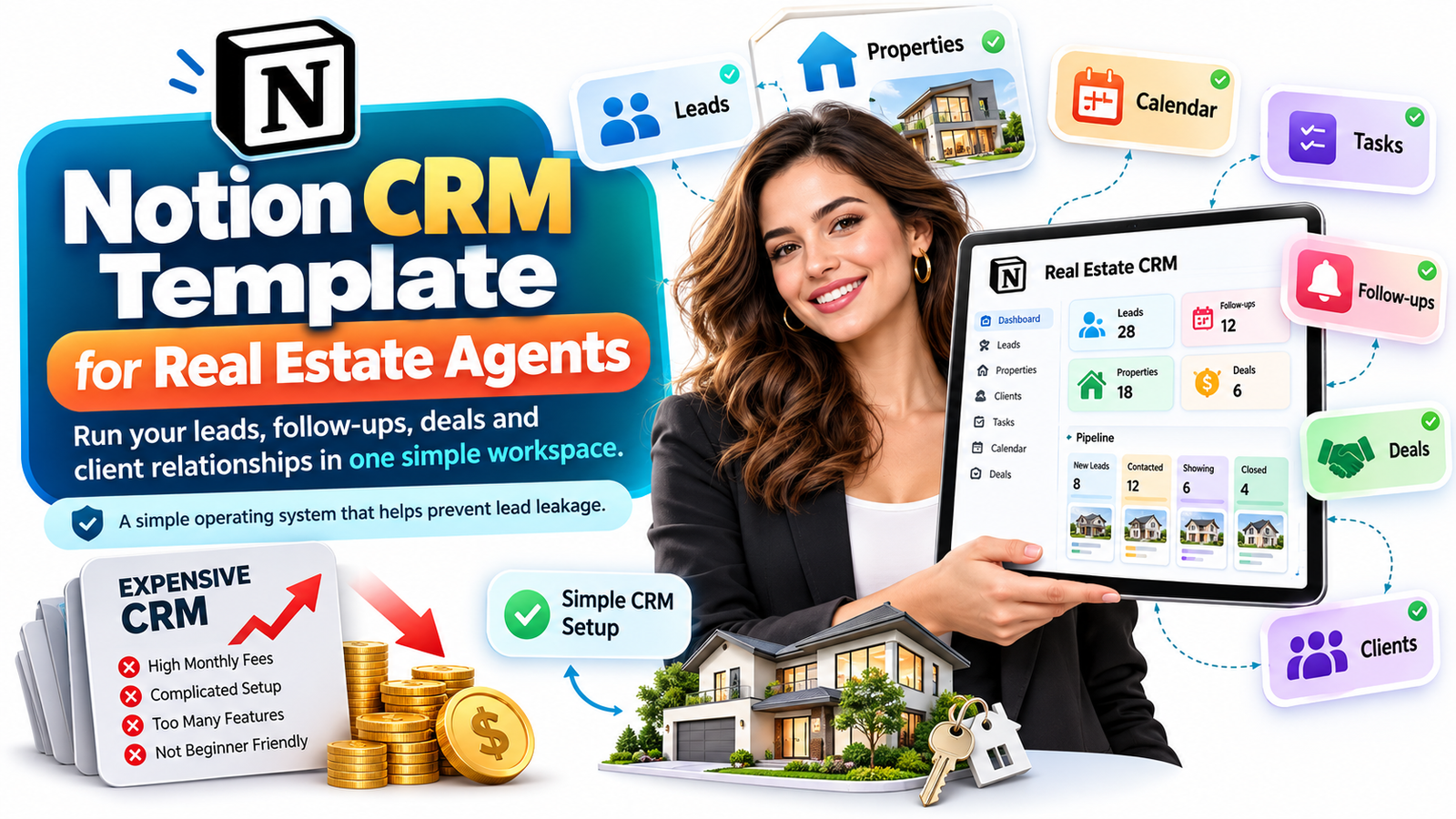
How to Run Your Entire Real Estate Business on Notion
A new real estate agent usually does not have a lead problem first.
They have an organization problem.
A prospect sends a message after seeing a listing on Instagram. Another buyer asks for a showing. A homeowner says, “Call me again next month.” Someone from an open house needs mortgage information. A past client mentions that a friend may be selling.
Then the day gets busy.
One name goes into a spreadsheet. Another stays inside WhatsApp. A third disappears into email. A follow-up date is written on a notebook. A phone number remains buried inside the call history.
Three weeks later, the agent realizes something uncomfortable:
The leads were not necessarily bad. The follow-up system was.
This is why customer relationship management software matters in real estate. But it is also why many beginner agents make the opposite mistake: buying a complicated CRM before they have developed a repeatable sales process.
Premium real estate CRMs can be valuable, particularly when teams need sophisticated lead routing, calling, texting, reporting, integrations, coaching tools and large-scale automation. But recurring software costs can escalate quickly. For context, Follow Up Boss currently lists its Grow plan at $69 per user per month when billed monthly, with calling available as an additional paid feature, while its team-oriented Pro plan is priced substantially higher.
For an established team generating hundreds or thousands of leads, that infrastructure may make perfect sense.
For a solo agent with 37 contacts, six active buyers and three potential sellers?
It may be more system than the business actually needs.
That is where a Notion CRM template for real estate agents becomes interesting.
Instead of paying for features you may not use, you can build a lightweight real estate operating system that gives every lead a home, every follow-up a date and every opportunity a visible next action.
The Real Cost of an Expensive CRM Is Not Just the Subscription
When agents compare CRM software, they usually compare prices.
That misses the larger issue.
A CRM can be expensive in four different ways: money, complexity, setup time and behavioral friction.
If a new agent opens a complicated dashboard with dozens of menus, workflows, campaign builders, integrations and reporting screens, the result is not automatically better productivity.
Sometimes the opposite happens.
The agent avoids entering information because updating the CRM feels like administrative work. Notes remain in a phone. Tasks go into a second app. Calendar appointments live somewhere else.
Eventually, the agent is paying for a centralized CRM while still operating a decentralized business.
A simpler system can work better because people actually use it.
That distinction matters.
The best CRM for a beginner real estate agent is not automatically the platform with the greatest number of features.
It is the system that answers five questions quickly:
Who needs my attention?
What do they want?
Where are they in the pipeline?
What did we discuss?
What must I do next?
If your CRM cannot make those answers obvious, adding more features may not solve the problem.
Lead Leakage: The Quiet Revenue Killer in Real Estate
“Lead leakage” sounds technical.
In practice, it is painfully simple.
A lead enters your business and then disappears because nobody performs the next required action.
Imagine Maya, a fictional buyer who downloads information about a condominium on Monday.
You speak briefly.
She says she is probably purchasing within four months, wants two bedrooms, has a budget around $450,000 and has not yet spoken to a lender.
You promise to send three suitable listings and the name of a mortgage professional.
You become busy with inspections and showings.
Thursday arrives.
Nothing has been sent.
Another agent responds faster.
Maya is gone.
Your marketing technically worked. Your conversation went well. The failure happened between interest and follow-up.
That gap is exactly what a good real estate CRM should close.
A simple Notion CRM can create one record containing Maya’s contact details, buyer status, target location, price range, financing stage, last conversation, next follow-up date, property preferences and notes.
Instead of asking, “Who should I call today?”
You open a dashboard that shows you.
That is the difference between keeping a database and running an operating system.
What Is a Notion Real Estate CRM?
A Notion real estate CRM is a customized workspace used to organize leads, clients, properties, conversations, follow-ups, deals and business tasks inside Notion databases.
Notion’s database system allows individual records to contain customizable properties such as statuses, dates, URLs and other information. Its Relations feature can connect records in separate databases, while Rollups can summarize information from those connected records.
That means a real estate agent does not have to force everything into one enormous spreadsheet.
You can create separate but connected databases for:
Leads and clients, properties, deals, tasks, appointments, follow-ups and referral partners.
Connect a client to the properties they have viewed.
Connect a transaction to the appropriate buyer or seller.
Connect follow-up tasks to a specific lead.
Connect a listing to its associated owner.
Then build a dashboard that displays only what matters today.
This relational structure is one of the reasons a well-designed Notion CRM template can feel dramatically more useful than an ordinary spreadsheet.
Stop Building a Contact List. Build a Follow-Up Machine.
Many agents believe they have a CRM because they maintain a list of names and phone numbers.
That is a contact database.
A CRM becomes useful when it changes your behavior.
Consider two systems.
System A contains:
John Smith
555-0193
Buyer
Interested in condos
System B contains the same contact but adds:
Lead stage: Qualified Buyer
Budget: $500,000–$600,000
Preferred area: Downtown
Financing: Pre-approved
Timeframe: 0–3 months
Lead source: Open house
Last contact: October 5
Next follow-up: October 8
Next action: Send three new listings
Priority: Hot
Properties viewed: 4
System B tells you what to do.
That is the principle behind a useful Notion CRM template for real estate: information should create action.
The Simple Real Estate OS Beginner Agents Actually Need
You do not need twenty interconnected databases on day one.
Start with four.
1. Lead and Client Database
This becomes the center of your real estate CRM system.
Every serious prospect should live here, whether the person came from an open house, referral, social media, property portal, website inquiry or cold prospecting campaign.
Useful fields include contact information, client type, lead source, pipeline stage, budget, preferred area, timeframe, financing status, last contact date, next follow-up date, priority, estimated opportunity value and detailed notes.
Most importantly, every active lead needs a Next Action.
Never allow an active record to end with “Talked to client.”
Replace it with:
“Call Friday after 4 p.m.”
“Send lender introduction.”
“Prepare three-bedroom options under $700K.”
“Follow up after lease expires.”
“Schedule valuation appointment.”
That tiny change converts your database from an archive into a sales system.
2. Properties Database
Your property database gives your CRM context.
Track relevant properties with details such as address, listing status, price, property type, bedrooms, bathrooms, listing date, seller, interested buyers, viewing history and notes.
Relations can then connect clients and properties. Notion specifically supports relationships between separate databases, allowing related records to remain connected instead of being repeatedly entered in different places.
Imagine opening a buyer profile and instantly seeing every home they viewed.
Or opening a property and seeing every buyer who expressed interest.
That is simple CRM intelligence without building complicated software.
3. Deals and Transactions Database
Once a prospect turns into an active opportunity, move the commercial information into a transaction pipeline.
Your stages might look like:
Prospect → Consultation → Active Search/Listing → Showing → Offer → Negotiation → Under Contract → Closing → Closed
The exact stages depend on your business.
What matters is visibility.
If ten deals are active, you should be able to see where every transaction stands without searching through email threads.
A useful transaction record can also include expected closing date, transaction value, expected commission, transaction side, key contacts, outstanding documents and next milestone.
Several current Notion Marketplace templates aimed specifically at real estate agents already use connected lead, property, deal, viewing, follow-up and commission databases, which shows how naturally the platform can be structured around this workflow.
4. Tasks and Follow-Ups Database
This is where the system starts protecting revenue.
Instead of keeping every reminder in your head, connect tasks directly to clients or transactions.
Your dashboard could show:
Overdue Follow-Ups
Follow Up Today
Hot Leads Without Contact
Appointments This Week
Offers Requiring Action
Upcoming Closings
Past Clients to Reconnect With
The goal is not to create a prettier dashboard.
The goal is to make forgetting difficult.
The One Rule That Prevents Most Lead Leakage
Every active lead must have one of two things:
A scheduled next action or a deliberate nurture status.
Never leave leads floating in a vague category such as “Interested.”
Interested when?
Interested in what?
What happens next?
If there is no next action, the CRM is simply storing evidence of opportunities you may eventually forget.
Consider using stages such as New Lead, Attempting Contact, Qualified, Appointment Set, Active Buyer, Active Seller, Nurture, Under Contract, Closed and Lost.
Then give each active lead a next-contact date.
Suddenly your database becomes operational.
Build a “Today” Dashboard Instead of Staring at 500 Contacts
Large contact lists create anxiety.
Filtered views create clarity.
Your primary Notion real estate dashboard should not show everybody.
It should show the people who matter today.
For example, create a Today’s Follow-Ups view where Next Follow-Up equals today or is overdue.
Add a Hot Leads view where Priority equals Hot.
Add a No Contact Recently view for qualified leads that have gone untouched beyond your chosen period.
Add a Closing Soon view for deals approaching settlement.
Add a New Leads view so incoming opportunities cannot disappear.
Now you are no longer browsing a database.
You are working from a queue.
That is how mature CRM systems operate, and the same operating principle can be recreated at a smaller scale inside Notion.
Capture Leads Directly Into Your CRM
One of the traditional weaknesses of homemade CRM systems was data entry.
A prospect completed a website form, then somebody manually copied the information into a spreadsheet.
That friction creates another opportunity for leakage.
Notion now includes forms that send responses directly into connected databases, and Notion says members across its plans can create and use forms.
For a solo real estate business, this opens several practical possibilities.
Create a buyer consultation form.
Create a seller property information form.
Create an open-house registration form.
Create a relocation inquiry form.
Create a referral submission form.
Instead of receiving scattered messages, prospects can enter structured information that arrives directly in the appropriate database.
You can immediately capture the person’s timeframe, budget, property preferences, location, financing status and contact information.
That means your CRM begins organizing the lead before the first conversation happens.
Add One-Click Actions Without Creating a Complicated Automation Stack
Another reason agents abandon systems is repetitive data entry.
If converting a new lead requires editing eight different properties, the CRM eventually stops getting updated.
Buttons can remove some of that friction.
Notion supports both regular buttons and database buttons, although some actions depend on the plan being used. Database buttons can perform workflow actions when clicked.
A well-designed real estate Notion template could include buttons such as:
Qualify Lead
Create Follow-Up
Schedule Buyer Consultation
Convert to Active Client
Create New Deal
Mark Closed
The agent clicks once, and the system performs predefined actions where supported.
This is exactly what a lightweight real estate operating system should do: reduce the number of decisions required to maintain it.
When Should You Pay for Notion?
You can begin surprisingly lean.
Notion currently offers a Free plan, while its Plus tier is listed at $10 per member per month on its pricing page.
The free option can be enough to test your CRM structure and determine whether you will actually use the system consistently.
However, advanced workflow requirements can change that calculation.
Notion’s database automations are primarily available on paid plans. These automations can respond to triggers such as a page being added or a database property changing, then perform predefined actions.
That means the better question is not:
“Can I run my business completely free?”
It is:
“What is the least complicated system that reliably prevents me from losing opportunities?”
Paying $10, $50 or even hundreds per month can be rational if the software produces enough additional revenue.
The mistake is paying for complexity before complexity solves a real problem.
Why a Notion CRM Can Be Better for a Beginner Agent
Traditional CRMs are often built around standardized workflows.
Notion starts with flexibility.
For a new agent, that flexibility can be valuable because your business model may still be changing.
Perhaps your leads mostly come from referrals.
Your dashboard can emphasize referral relationships.
Perhaps you focus on first-time buyers.
Add mortgage-preparation and buyer-education fields.
Perhaps you specialize in investors.
Track target yield, investment criteria and preferred asset types.
Perhaps your business is heavily listing-focused.
Build seller follow-ups, property marketing tasks, listing activity and price-review milestones into your workspace.
Instead of reshaping your business around your software, you reshape the software around your business.
A Simple Daily Workflow That Takes Minutes
A CRM succeeds when it becomes part of the day rather than another project you maintain.
Your morning workflow can be extremely simple.
Open your dashboard.
Check overdue follow-ups.
Contact those people first.
Review today’s appointments.
Check active transactions for approaching deadlines.
Process new leads.
Give every conversation a next action.
Before finishing the day, clear anything that remains inside the overdue queue.
That is the whole operating rhythm.
You do not need to “manage your CRM.”
You use the CRM to manage your business.
The 60-Second Rule After Every Conversation
One habit makes almost any CRM dramatically more valuable.
Immediately after a meaningful call, meeting or showing, spend approximately one minute updating the record.
Write what changed.
Update the stage.
Add an important note.
Choose the next action.
Set the next contact date.
Do not rely on memory.
Real estate conversations contain small facts that can become extremely important later.
“The husband works near the airport.”
“They need a ground-floor bedroom for a parent.”
“The seller wants to move only after the school year.”
“She hates open-plan kitchens.”
“They may increase the budget after their bonus.”
Those details improve future conversations and demonstrate that you were listening.
A CRM should preserve relationship context, not merely contact data.
Create a Database That Gets Smarter With Every Closed Deal
A good Notion CRM template should eventually answer strategic questions too.
Where are your best clients coming from?
Which referral partners produce business?
How many appointments become active clients?
How many active clients reach contract?
Which neighborhoods generate the most inquiries?
How long does your average deal take to close?
How much potential commission is sitting in the pipeline?
Which leads have been neglected?
Which past clients should receive another touchpoint?
Relations and rollups can help aggregate information across connected databases, making it possible to turn operational records into simple business intelligence.
You do not need fifty charts.
You need enough visibility to make better decisions.
What Notion Should Not Replace
There is an important boundary.
A Notion CRM is not automatically a substitute for specialized real estate software.
If your operation requires sophisticated automated lead distribution, built-in calling and texting, extensive email sequencing, brokerage-level permissions, advanced transaction compliance, deep website integrations, large-team reporting or complex lead-source integrations, dedicated CRM software may be the better choice.
For example, commercial CRM products may bundle capabilities such as automated lead follow-up, calling, texting, lead routing, reporting, email synchronization and team collaboration into one purpose-built environment.
Notion’s advantage is different.
It gives independent agents and smaller operations a highly customizable workspace without forcing them to adopt an enterprise-level system before they need one.
Think of Notion as the ideal minimum viable CRM for many early-stage agents.
When your business outgrows it, upgrading is a success problem.
Notion vs. Traditional Real Estate CRM: Which Agent Should Choose Which?
Choose a Notion real estate CRM when you are primarily a solo agent, want low software overhead, prefer customizable workflows, have manageable lead volume and need better organization more than advanced communication automation.
Choose a specialized CRM when your lead volume becomes difficult to manage manually, several agents need lead distribution, automated communication is central to conversion, your brokerage requires specific integrations or your operation needs detailed reporting and compliance controls.
There is no trophy for using the most expensive software.
There is only the question that matters:
Does your system help you follow up faster and close more of the opportunities you already create?
A $200 CRM Cannot Fix a Broken Follow-Up Habit
This may be the most important lesson.
Software does not create discipline.
An agent who ignores a simple Notion dashboard will probably ignore an expensive CRM dashboard too.
Before upgrading your technology, strengthen your operating rules.
Every new lead gets entered.
Every meaningful conversation gets documented.
Every active lead receives a next action.
Every follow-up receives a date.
Every active deal receives a stage.
Every closed client enters the long-term relationship database.
Do that consistently and even a simple CRM becomes powerful.
Ignore those rules and expensive software becomes an expensive address book.
Turn Your CRM Into a Referral Engine
Most new agents think CRM equals lead management.
Experienced agents eventually discover that its greater value may be relationship management.
A closed buyer should not disappear after receiving the keys.
A seller should not become an archived row after closing.
Create a past-client system inside your Notion CRM.
Store closing anniversaries.
Add birthdays when appropriate and voluntarily shared.
Record referral history.
Track periodic check-ins.
Create reminders for market updates.
Record homeownership milestones and useful conversations.
Then create a Reconnect dashboard.
Today’s transaction may create one commission.
Today’s relationship can create years of repeat and referral business.
That makes your real estate client database increasingly valuable as it grows.
Your CRM Should Also Tell You What Not to Do
Agents commonly waste time treating every lead equally.
Someone hoping to purchase next week should not receive the same attention as someone saying, “Maybe three years from now.”
A simple scoring system can help.
Combine timeframe, motivation, responsiveness, financing readiness and engagement to classify prospects as Hot, Warm, Nurture or Low Priority.
Then allocate your time accordingly.
This is not about ignoring long-term leads.
It is about matching effort to intent.
Your CRM becomes a decision engine instead of a storage cabinet.
The Real Estate OS Approach
The larger opportunity is to stop thinking about a Notion CRM as one template.
Think of it as your Real Estate Operating System.
Your CRM manages relationships.
Your pipeline manages opportunities.
Your property database manages inventory.
Your transaction dashboard manages active deals.
Your task system manages execution.
Your content planner manages marketing.
Your referral database manages partners.
Your resources section stores scripts, checklists and frequently used documents.
Everything can live inside one environment while remaining separated into clean, connected databases.
That is significantly different from keeping twelve independent spreadsheets.
The Beginner-Agent Setup I Would Build First
If I were starting a real estate business today with a limited software budget, I would resist the temptation to build a massive system.
I would begin with one dashboard and four connected databases: Contacts, Properties, Deals and Tasks.
The home dashboard would show only five things:
Today’s Follow-Ups.
New Leads.
Hot Opportunities.
Upcoming Appointments.
Active Deals.
Then I would use the system for several weeks.
Only after encountering a repeated problem would I add another feature.
That principle prevents the biggest Notion mistake: building an impressive workspace that requires more effort to maintain than the business itself.
Complexity should be earned.
The Best CRM Is the One You Open Every Morning
There are impressive CRMs.
There are powerful CRMs.
There are beautifully designed CRMs.
And then there is the CRM you actually use.
For a beginner or independent agent, that distinction can determine whether a simple Notion CRM becomes more valuable than software costing far more each month.
The objective is not to avoid paying for technology forever.
The objective is to stop paying for capabilities before your business needs them.
Start by solving lead leakage.
Build one place for every contact.
Create a visible sales pipeline.
Connect your buyers, sellers, properties, tasks and deals.
Give every serious lead a next step.
Review the system every morning.
When those habits become automatic, you have something far more important than a collection of databases.
You have an operating system for your real estate business.
Ready to Build a Real Estate CRM You Will Actually Use?
If leads are currently scattered between spreadsheets, messages, email, notebooks and your memory, do not solve the problem by adding another disconnected app.
Start with one clean system.
A purpose-built Notion CRM template for real estate agents can give you the lead tracker, client database, follow-up dashboard, property pipeline and deal-management structure without forcing you to build everything from a blank page.
Get the Notion Real Estate CRM Template and organize your next lead before another opportunity disappears between “I’ll call them later” and “I forgot.”
Save this guide and return as your pipeline grows. The next stage is not adding more software—it is improving the system around the bottleneck your business is experiencing now.
Frequently Asked Questions
1. Is Notion good for a real estate CRM?
Yes, particularly for solo agents and smaller businesses that primarily need lead tracking, client records, follow-up management, property information, transaction pipelines and customizable dashboards. Notion databases support customizable properties, relationships between databases and multiple ways of organizing business information.
Agents requiring extensive calling, texting, sophisticated marketing automation, enterprise reporting or automated lead distribution may eventually benefit more from specialized real estate CRM software.
2. Can I use Notion as a CRM for free?
Notion currently offers a Free plan, so an individual agent can build and test a basic CRM without immediately purchasing a paid subscription. Basic forms are also available across plans. More advanced database automation capabilities generally require a paid plan.
This makes the free version especially useful for validating your workflow before adding paid features.
3. What should a real estate Notion CRM template include?
At minimum, it should contain a lead and client database, sales pipeline, next-follow-up tracking, property database, task management and transaction tracking. A stronger template can also connect these areas using Relations, allowing a client record to connect with relevant properties, deals and follow-up activities.
The most important feature is not the number of databases. It is the ability to see exactly who requires attention and what should happen next.
4. Can Notion automate real estate follow-ups?
Notion offers buttons, database buttons and database automations, although the availability of specific automation actions depends on the user’s plan. Paid-plan database automations can respond to database triggers and perform predefined actions, while buttons can simplify repetitive actions with a click.
For sophisticated automated email, SMS or calling campaigns, however, a dedicated CRM or additional integration may still be necessary.
5. When should a real estate agent move from Notion to a traditional CRM?
Consider upgrading when the limitations of your current system begin costing more than the software you are avoiding. Warning signs include rapidly increasing lead volume, multiple agents needing automatic lead assignment, heavy dependence on SMS or calling automation, complicated transaction workflows, advanced reporting requirements or large numbers of external integrations.
Until then, a streamlined Notion real estate CRM can provide an affordable and flexible way to create the systems and follow-up habits that a growing real estate business needs.
Compliance Note: This article is provided for general educational and informational purposes only and should not be considered legal, regulatory, brokerage, tax, or professional advice. Real estate laws, licensing rules, agency disclosures, data-handling requirements, approved forms, CRM practices, advertising standards, and brokerage policies vary by jurisdiction. Agents should follow all applicable laws and their brokerage’s policies, use approved documents and communication procedures, and consult their managing broker, local or state REALTOR® association, regulator, or qualified legal professional when specific compliance guidance is required.
Stay ahead with exclusive updates
Join our community. Get curated industry trends, actionable guides, and fresh resources delivered straight to your inbox.