
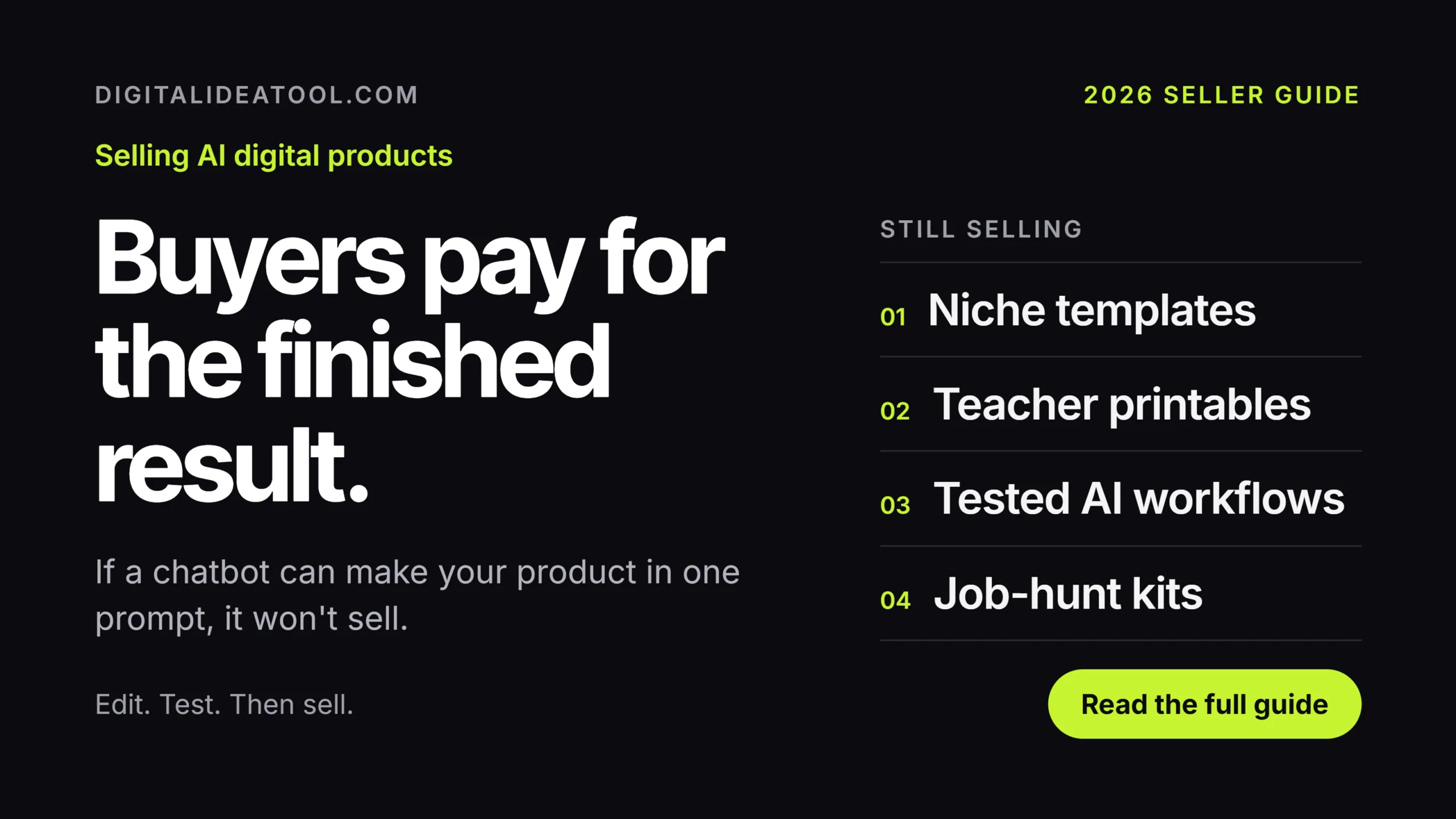
Want to sell AI digital products in 2026? See which templates, printables and prompt packs still earn sales, what buyers skip, and how to launch your first.
AI digital products that still sell in 2026
How to pick, build and list files that buyers in the US, UK, Canada and Australia still pay for.
Quick summary: sell AI digital products in 2026
You can still sell AI digital products in 2026, but the easy wins are gone. A raw pack of 500 ChatGPT prompts or a folder of unedited AI art now sits next to thousands of near-identical listings, and plenty of them are free. Buyers have changed what they pay for. They want a finished result: a budget sheet with the formulas already working, a Canva template sized for their exact job, a worksheet that matches a real grade level, a Notion system someone has used for a month. AI still earns its place in your process. It speeds up outlines, sample text, mockups and product descriptions. The value comes from your edits, your niche knowledge and your proof that the file works. This guide covers the product types holding up best, why the market shifted, a seven-step build plan and the mistakes that sink most first launches. You’ll also get a platform comparison table, answers to common questions and a 10-question quiz. One test runs through all of it. If a buyer could get your file by typing one sentence into a chatbot, they will.
What are AI digital products?
An AI digital product is a file or online resource you make with help from AI tools and sell more than once. The buyer gets a PDF, a template, a spreadsheet, an audio track, a prompt library or access to a page. Nothing ships, and you never restock.
Quality across this category varies wildly. At the bottom sit AI-generated digital products nobody checked: coloring pages where the cat has five legs, ebooks that repeat the same advice in every chapter, prompt lists lifted from a free blog post.
At the top are products where AI handled the grunt work and a person did the thinking. Picture a wedding planner who uses a chatbot to draft 40 vendor emails, then rewrites each one based on ten years of real bookings. She is selling experience, and AI just made it faster to package.
That second group is where buyers still spend. Most of them don’t care which tool you used. They care whether the file saves them an hour on a Tuesday night.
Most products land in one of these four buckets:
Each bucket can work. Each also has a crowded, low-effort corner worth staying out of.
Why selling digital products online changed in 2026
A couple of years ago, a decent prompt pack could sell on novelty. Few people used chatbots daily, so a list of good prompts felt like a shortcut. That window has closed. Most buyers in Tier-1 countries now use AI at work or school, and they know what one sentence of typing can produce.
Marketplaces filled up, too. Search a broad phrase like “AI wall art” or “ChatGPT prompts” on any big platform and you’ll scroll for a long time. With supply that high, prices slide toward zero and only standout listings get seen.
Platforms have started setting rules. Amazon KDP asks publishers to tell it when content is AI-generated, and other marketplaces have their own policies on AI use and disclosure. These rules get updated, so read each platform’s current policy page before you list anything.
Copyright adds another reason to stay hands-on. The US Copyright Office has said that material produced purely by AI, with no meaningful human authorship, isn’t protected. Your own writing, layout and edits can be. Other countries handle this differently, so check official guidance where you live.
Demand for ready-to-use files hasn’t gone anywhere, because people are busy and want things done. The bar for getting paid is simply higher now. If you’re willing to clear it, the crowd of lazy listings works in your favor.
Product types that still sell in 2026
Tap each tab to see what’s holding up and where to focus.
Templates: the easiest way to sell AI digital products
Templates sell because buyers can see the finished result before they pay. AI helps you write sample content, build formulas and test variations quickly.
- Google Sheets and Excel trackers for budgets, debt payoff, small-shop inventory or freelance invoices
- Notion dashboards built for one group, such as nursing students or job hunters
- Canva templates for a single trade, like real-estate agents or yoga studios, instead of generic “social posts”
- Resume and cover-letter templates matched to one country, since a UK CV and a US resume follow different norms
Printables made for one specific buyer
General wall art is packed with look-alikes. Printables that solve a narrow task still move, especially for parents, teachers and event planners.
- Worksheets matched to a grade level, with every answer checked by hand
- Chore charts, meal planners and habit trackers with a clear visual style
- Party kits that bundle invitations, signs, games and food labels in one matching set
Guides, workbooks and mini-courses
Information products work when they hold knowledge the buyer can’t find in a quick search. Let AI outline and draft, then rewrite with your own steps, screenshots and stories.
- Short how-to guides for one task, like opening a first Etsy shop or sending a freelance invoice
- Workbooks with fill-in pages for goal setting, budgeting or a career change
- Email or video mini-courses that walk through a process over five to seven days
- Swipe files built from your own work, such as cold emails that actually got replies
- Checklists for stressful moments: moving house, a first interview, a visa appointment
Prompt packs, presets and asset bundles
This is the most crowded corner of the market. Raw prompt lists are close to free now. Packs still sell when they come with a working system around them.
- Prompt packs for one profession, with example outputs and a short guide on editing them
- Lightroom presets or video LUTs you’ve tested on your own photos and footage
- Graphic bundles with one consistent style, transparent PNGs and a plain-English license
- Custom GPTs or AI workflows sold with templates and setup instructions
Six AI printables, templates and kits to test this year
These ideas pair steady demand with room for your own angle. Treat each one as a starting point, then narrow it to a buyer you understand well.
Niche budget spreadsheets
A budget sheet for freelancers with uneven income beats a general one. Build the formulas yourself, let AI draft the instructions tab, and include a filled-in sample so buyers see it working.
Teacher resource bundles
Teachers buy materials that save prep time and fit their grade. AI can draft question sets fast. You still need to check every answer and match the standards used where your buyer teaches.
Job-hunt kits
Combine a resume template, a cover-letter guide and an interview prep sheet in one download. Make separate versions for the US, UK, Canada and Australia, because formats and expectations differ.
Small-business starter packs
Pick one trade, say dog groomers. Bundle a price list, booking form, social templates and a policy page they can edit in minutes. A narrow pack is easier to find and easier to trust.
Tested AI workflows
Prompts alone sell poorly now. A full workflow for writing real-estate listings, with prompts, before-and-after examples, a checklist and a short video, solves a whole task for someone who bills by the hour.
Event and party kits
Birthday, baby shower and retirement kits sell around dates people can’t move. Matching invitations, signs and games in one file turn a stressful evening into a quick print job.
How to sell AI digital products in 7 steps
This is the order we’d follow for a first product. Expect the editing and testing steps to take longer than the AI drafting.
- Pick one buyer and one problem: Finish this sentence: “This helps [who] do [what] without [pain].” If you can’t, the idea is too broad. A night-shift nurse planning meals is a buyer. “Anyone who wants to be organized” isn’t.
- Check demand before you build: Search your idea on Etsy, Gumroad and Google. Look for listings with reviews, not just listings. Read the 3-star reviews closely, since they show what buyers wanted and didn’t get.
- Draft fast with AI: Use a chatbot for outlines, sample text, formulas and first-pass designs. Treat everything it hands you as a rough draft. Save your best prompts so updates are quick later.
- Edit, test and add your layer: Fix errors, rewrite in your own voice and use the file the way a buyer would. Open the spreadsheet on a phone. Print the worksheet. Ask someone in your target group to try it for a week and tell you where they got stuck.
- Make listing images that show the result: Show the product in use, like a filled-in planner or a phone mockup of the dashboard. Add one image that lists exactly what’s in the download and which apps it needs.
- Write a clear, honest listing: Lead with the outcome, then the contents, then the file formats. Say plainly if AI tools helped, and follow the platform’s disclosure rules. Add a short license note so buyers know what they can and can’t do with it.
- Launch small, then improve: Publish, then share it where your buyers already gather and self-promotion is allowed, such as an email list or a niche group. Watch questions and refund requests closely. Update the file and let past buyers know when a new version is ready.
🚀 See what’s selling right now
Browse real digital products on Gumroad for ideas, or start faster with a ready-made kit from our store.
Where to sell: Gumroad digital products and other platforms
| Platform | Good fit for | Where buyers come from | Check before you start |
|---|---|---|---|
| Gumroad | Creators with an audience, bundles, memberships | Mostly your own traffic, plus Gumroad Discover | Current fees, payouts, product rules |
| Etsy | Printables, templates, party kits | Etsy’s built-in search | Listing fees, creativity and AI rules |
| Payhip | Ebooks, courses, coupons | Mostly your own traffic | Plan pricing, tax handling |
| Amazon KDP | Workbooks, journals, low-content books | Amazon search | AI disclosure rules, print specs |
| Your own WordPress store | Full control and bigger bundles | Your SEO and email list | Payment plugin costs, sales tax setup |
Fees, rules and tax handling change often, so check each platform’s official pricing and policy pages before choosing. Plenty of sellers start on a marketplace for its traffic, then add their own store once they have repeat buyers.
Common mistakes to avoid with AI-generated digital products
- Selling raw AI output: Unedited files get spotted fast and earn bad reviews. Fix it by editing, testing and adding something only you can provide.
- Going too broad: “A planner for everyone” disappears in search. Name the buyer in your title instead.
- Ignoring tool licenses: Some AI image tools, fonts and stock assets limit commercial use. Read the terms for every tool and asset, and keep a record.
- Copying a bestseller’s look: Close copies risk takedowns. Study why the product sells, then design your own version.
- Skipping accuracy checks: AI makes confident mistakes with math, dates and facts. Check every number and every answer key.
- Promising income: Lines like “make $1,000 a month with this pack” invite refunds and policy trouble. Describe what the product does instead.
Selling AI digital products: FAQ
Is it legal to sell AI-generated digital products?
Do I have to tell buyers I used AI?
Can I copyright a product made with AI?
Which AI digital products sell best in 2026?
How should I price my first product?
Do I need design skills to start?
Is selling digital products really passive income?
Quick quiz: test what you learned
1. What do most buyers pay for in 2026?
- Raw AI output in bulk
- The name of the newest AI tool
- A finished, tested result for their situation
2. Which product type faces the heaviest competition?
- Raw prompt lists
- Grade-matched worksheets
- Niche budget spreadsheets
3. What should come right after drafting with AI?
- Publishing the same day
- Editing, testing and adding your own layer
- Raising the price
4. A strong product idea sentence names…
- Who it helps and what it solves
- The AI model you used
- How much the buyer will earn
5. Why read 3-star reviews on competing listings?
- To copy their wording
- To pick a font
- To learn what buyers wanted but didn’t get
6. According to the US Copyright Office, purely AI-generated material is…
- Not protected without meaningful human authorship
- Fully protected
- Owned by the marketplace
7. Which listing line should you avoid?
- The file formats included
- Which apps the file needs
- “Make $1,000 a month with this pack”
8. Why make country-specific resume templates?
- Platforms require it
- Formats and expectations differ by country
- It lowers selling fees
9. Before using an AI image tool for products, check its…
- Commercial-use terms
- Default color palette
- App store rating
10. Selling digital products is best described as…
- Completely hands-off money
- A small business that gets lighter over time
- A one-time project with no upkeep
Ship your first file: sell AI digital products this week
Reading about products won’t put one in front of a buyer. Pick the idea from this guide closest to something you already know well, give yourself seven days and aim for a small, finished file. A modest product that’s live will teach you more than a big one still in planning.
- Write your buyer sentence: Fill in “This helps [who] do [what]” and stick it above your desk.
- Run the one-prompt test: Ask a chatbot to make your idea. Note what it gets wrong, because that gap is your product.
- Study five rival listings: Save their prices, read their 3-star reviews and jot down what you’d do better.
✨ Ready to build your first product?
Find ideas from working Gumroad creators, or skip the blank page with a template from our store.
Disclaimer & Compliance Note
Affiliate disclosure: This post contains affiliate links, including links to Gumroad. If you buy through them, we may earn a commission at no extra cost to you. We only link to platforms we think are useful for people building digital products.
No guarantee: This guide is general information, not financial, legal or tax advice, and we don’t promise any income. Results depend on your product, market, effort and factors outside anyone’s control. Platform fees, policies and laws change, so check official sources and speak with a qualified professional about your situation.
AI use: We used AI tools to help research and draft this article. A human editor reviewed, rewrote and fact-checked it before publishing. Spotted an error or have a question? Contact support@digitalideatool.com.
📝 Key Takeaways & Action Notes
Jot down insights, next steps, or thoughts from this post. Your notes save automatically in your browser.
- What is the #1 breakthrough insight you took away today?
- What is one concrete action you will take in the next 24 hours?
- What questions or ideas do you want to research further?
Stay ahead with exclusive updates
Join our community. Get curated industry trends, actionable guides, and fresh resources delivered straight to your inbox.