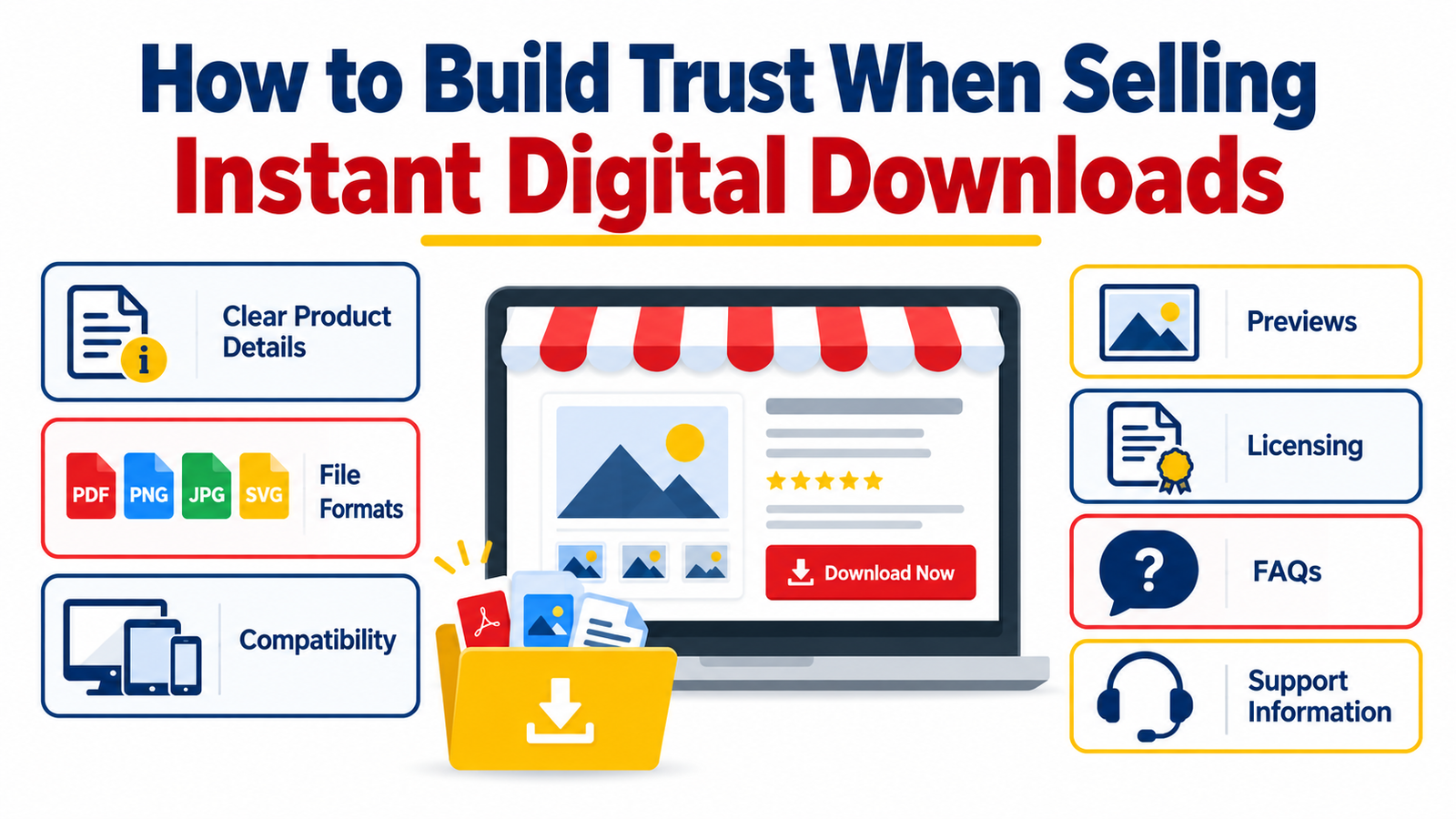
Buying a digital product should feel easy.
A customer finds something useful, checks the details, makes the purchase, downloads the file, and starts using it.
But there is one major obstacle between discovering a product and clicking Buy Now: trust.
When customers purchase a physical product, they can usually see photographs, dimensions, shipping information, reviews, return conditions, and details about what will arrive at their door. An instant digital download is different. The customer may receive access within seconds, but before paying, they cannot physically examine what they are buying.
That uncertainty can create questions:
What exactly will I receive?
Will the files work on my device?
Can I edit them?
Do I need special software?
Is commercial use allowed?
What happens if the download does not work?
Is this seller legitimate?
A trustworthy digital download store answers these questions before the customer needs to ask them.
Whether you sell printable planners, SVG files, Canva templates, spreadsheets, ebooks, business resources, graphics, courses, worksheets, digital art, social media templates, PLR products, or other downloadable files, building trust can have a direct influence on purchasing confidence, customer satisfaction, repeat business, and your long-term reputation.
Here is how to sell digital downloads safely and create a customer experience that feels professional from the first product-page visit to the final download.
Why Trust Matters So Much When Selling Digital Downloads
Digital products are convenient because there is no shipping delay, physical inventory, or packaging. Customers can often receive their purchase immediately.
That same convenience creates a challenge.
Because an instant digital download is intangible, customers must rely heavily on the information presented by the seller.
They are evaluating the product page and asking themselves:
“Do I understand what I am buying?”
“Does this look professional?”
“Can I use it for what I need?”
“Will someone help me if something goes wrong?”
Trust therefore begins long before checkout.
It begins with clarity.
A successful digital product trust strategy should reduce uncertainty at every stage of the buying journey.
Instead of trying to persuade visitors with exaggerated claims, give them enough useful information to make a confident decision themselves.
1. Give Customers a Clear and Specific Product Description
A vague product description creates unnecessary uncertainty.
Compare these two examples.
Weak description:
“Ultimate social media template bundle. Download instantly.”
Clearer description:
“Editable social media template bundle containing 120 square post templates designed for Canva. Includes promotional posts, educational layouts, testimonials, announcements, quotes, and call-to-action designs. Files are delivered as a PDF containing access links and instructions.”
The second description immediately answers several customer questions.
A strong digital download product page should explain:
- What the product is
- What the customer receives
- How many files or resources are included
- File formats
- Dimensions or page sizes
- Required software
- Whether files are editable
- Whether fonts or images are included
- Intended use
- License terms
- Download method
- Important limitations
Specific information communicates professionalism.
The customer should understand the product without having to contact you for basic details.
2. Tell Buyers Exactly What Files They Will Receive
Never make customers guess what is inside the download.
Create a clear What You Receive section.
For example:
Your download includes:
- 25 PDF printable worksheets
- 25 PNG files
- 25 JPG files
- US Letter size
- A4 size
- Printing instructions
- Personal-use license
For a design bundle, you might write:
Included file formats:
- SVG
- PNG
- EPS
- DXF
For a spreadsheet product:
Included files:
- Microsoft Excel workbook (.xlsx)
- Google Sheets access instructions
- Quick-start PDF guide
This small section can eliminate a large amount of buyer hesitation.
It can also reduce complaints from customers who assumed a particular file type was included.
3. Explain File Formats in Plain Language
Experienced designers may immediately understand SVG, EPS, PSD, AI, ZIP, XLSX, or PPTX.
Many customers do not.
If you sell digital downloads to a broad audience, do not assume that every customer understands technical file terminology.
Add simple explanations.
For example:
PDF: Best for viewing, printing, or reading.
PNG: High-quality image file with support for transparent backgrounds.
JPG: Standard image format suitable for many digital and printing purposes.
SVG: Scalable vector format commonly used with compatible cutting and design software.
XLSX: Microsoft Excel workbook format.
PPTX: Editable Microsoft PowerPoint presentation.
ZIP: Compressed folder containing multiple files. It must usually be extracted before the files inside can be used.
You do not need to turn your product page into a technical manual.
A short explanation is often enough.
4. Clearly State Software and Compatibility Requirements
Compatibility problems are one of the easiest ways to damage digital product trust.
A customer may love your product but become frustrated if they discover after purchasing that it requires software they do not own.
Make compatibility information easy to find.
For example:
Compatibility
This template is designed for Canva. A free Canva account can be used for the included editable elements unless otherwise noted.
Or:
Software required
Adobe Photoshop is required to edit the PSD source files.
Or:
Spreadsheet compatibility
Designed primarily for Microsoft Excel 2021 and Microsoft 365. Some formulas or formatting may display differently in other spreadsheet applications.
Avoid promising universal compatibility unless you have actually tested it.
If your product has known limitations, explaining them can increase trust rather than decrease sales.
Customers generally appreciate knowing what to expect.
5. Use High-Quality Product Previews
Customers cannot touch a digital download, so your previews must help them understand what the product actually looks like.
Useful previews may include:
- Sample pages
- Screenshots
- Mockups
- Close-up images
- Page thumbnails
- Template examples
- Before-and-after demonstrations
- Short videos
- Animated previews
- Screen recordings
- Product walkthroughs
Show enough information to demonstrate value without giving away the complete paid product.
For a 100-page planner, for example, you might display 8–12 representative pages.
For a spreadsheet template, show the dashboard, data-entry area, charts, and major features.
For an ebook, consider displaying the cover, table of contents, and several sample pages.
For a Canva template collection, show multiple design variations instead of displaying only one template.
The objective is simple:
Make the invisible product feel visible.
6. Make Sure the Preview Matches the Actual Download
Trust disappears quickly when the purchased product looks substantially different from the advertisement.
Your product mockups can make a download attractive, but they should still represent the actual product accurately.
If a product preview shows a framed wall print in a beautiful room, make it clear that the customer is purchasing the digital artwork—not the frame, furniture, or physical print.
For example:
Please note: This is a digital download. Frames, printed materials, decorative objects, and other physical items shown in mockups are for presentation purposes only and are not included.
This simple clarification can prevent misunderstandings.
7. State Clearly That the Product Is Digital
Do not assume visitors understand the difference between a digital and physical product.
Use clear language near the title, price, description, and purchase button where appropriate.
Examples include:
DIGITAL DOWNLOAD – NO PHYSICAL ITEM WILL BE SHIPPED
or
Instant Digital Product
or
Digital File Only
A customer should never reach checkout believing that a physical package will arrive.
8. Explain How Instant Download Delivery Works
The word “instant” sounds simple, but buyers may still wonder what happens after payment.
Explain the process.
For example:
How It Works
- Complete your purchase.
- After successful payment, access your download from the confirmation page or the delivery method provided by the store.
- Download the files to your device.
- Extract ZIP folders if required.
- Open the files using compatible software.
When appropriate, mention that processing or account requirements can depend on the ecommerce platform or payment method.
This gives customers a realistic expectation.
9. Use Transparent Licensing Terms
Licensing is one of the most important parts of selling digital products safely.
A beautiful product with unclear usage rights can leave customers unsure whether they are allowed to use it.
Your licensing section should answer questions such as:
Can buyers use the files personally?
Can they use them commercially?
Can they modify them?
Can they sell finished products created with them?
Can they redistribute the original files?
Can they share the download with someone else?
Can they use the content in print-on-demand products?
Can they resell the source files?
Avoid vague statements such as:
“Commercial use included.”
Commercial use can mean different things in different contexts.
Instead, explain what the license actually allows.
For example:
Commercial License Example
You may use the included graphics to create finished products for your business and customers, subject to the terms of this license. You may not redistribute, share, upload, sublicense, or resell the original source files as standalone digital assets.
Your specific terms should match the rights you actually own and intend to grant.
10. Be Especially Clear With PLR and MRR Products
If you sell Private Label Rights, Master Resell Rights, or resell-rights digital products, transparency becomes even more important.
State exactly what buyers can and cannot do.
Possible questions include:
- Can the product be edited?
- Can the buyer add their own branding?
- Can it be resold?
- Can resale rights be transferred?
- Can it be given away?
- Can it be added to a membership?
- Can it be uploaded to marketplaces?
- Can the source files be redistributed?
- Is there a minimum resale price?
- Are trademark rights included?
- Are editable files included?
Do not rely only on labels such as “PLR,” “MRR,” or “Commercial Rights.”
Include an actual license document whenever possible.
Clear licensing protects both seller and customer.
11. Add a Helpful FAQ Section
FAQs are not simply an SEO feature.
They are a sales tool, customer-service tool, and trust-building tool.
Good FAQs answer the questions customers frequently ask before making a purchase.
Topics might include:
- Download delivery
- File formats
- Software requirements
- Printing
- Editing
- Commercial use
- Refunds
- Technical support
- Account access
- ZIP file extraction
A strong FAQ section reduces friction because buyers do not need to leave your product page to search for answers.
12. Publish a Clear Digital Product Refund Policy
Refund policies for instant downloads can differ from those for physical goods and may also depend on applicable consumer law and the marketplace you use.
Do not hide your policy.
Explain it before checkout.
For example, your store policy might explain how you handle situations involving:
- Accidental duplicate purchases
- Corrupted files
- Incorrect files
- Download failures
- Product defects
- Purchases made in error
- Compatibility misunderstandings
Avoid writing a policy that attempts to remove legal consumer rights that apply in the buyer’s jurisdiction.
The goal should be transparency, not intimidation.
13. Make Customer Support Easy to Find
One of the strongest trust signals is simply knowing that someone can be contacted if there is a problem.
Include visible support information.
For example:
Need Help?
If you experience a problem downloading or opening your files, contact our support team through the contact page. Please include your order number and a short description of the problem so we can assist you more efficiently.
Tell customers:
- How to contact you
- What information to provide
- What types of problems you can help with
- Your typical support hours or response expectations, if appropriate
Do not make unrealistic promises such as “24/7 instant support” unless you actually provide it.
Reliable expectations are more valuable than exaggerated claims.
14. Create a Professional About Page
People often trust businesses more when they understand who is behind them.
Your About page does not need to contain your entire life story.
It should explain:
- What your store provides
- Who the products are designed for
- Why the business exists
- What customers can expect
- Your approach to quality or customer service
For example:
“We create practical digital resources for entrepreneurs, creators, educators, and small businesses looking for ready-to-use tools that save time and simplify everyday work.”
Simple, specific positioning makes a digital download store feel more established.
15. Display Genuine Customer Reviews
Social proof can reduce uncertainty.
Useful reviews may discuss:
- Product quality
- Ease of use
- Download experience
- Printing quality
- Template customization
- Customer support
- Value
- Real-world applications
Never manufacture reviews.
A smaller number of genuine reviews is more valuable for long-term trust than fabricated praise.
Encourage verified customers to describe their actual experience.
16. Use Secure, Familiar Checkout Methods
Customers notice the checkout experience.
A poorly designed payment page can create hesitation even when the product itself looks professional.
Where possible, use reputable ecommerce systems and recognizable payment providers.
Your checkout should clearly display:
- Product name
- Price
- Currency
- Applicable taxes or fees
- Billing total
- Payment options
- Contact or support information
- Required policies
Remove unnecessary distractions from the checkout process.
Clarity improves confidence.
17. Avoid Exaggerated Sales Claims
Trustworthy digital product marketing can still be persuasive.
You simply do not need claims such as:
“Guaranteed to make you rich.”
“Earn $10,000 tomorrow.”
“The only template you will ever need.”
“100% guaranteed success.”
Instead, describe the practical benefit.
For example:
“Designed to help small-business owners organize monthly expenses, income, and cash-flow information in one workbook.”
That tells the customer what the product is designed to do without promising an outcome you cannot guarantee.
18. Explain What the Product Does Not Include
Sometimes the strongest trust signal is explaining what a customer is not purchasing.
For example:
Not Included
- Physical printed items
- Canva Pro subscription
- Premium fonts shown in optional examples
- Personalized editing
- Printing service
- Lifetime consulting
- Software licenses
This prevents buyers from filling information gaps with assumptions.
19. Include Simple Instructions With the Download
A quality digital product should not end at the download button.
Include a README file, quick-start guide, instruction PDF, tutorial, or welcome document.
Your instructions might cover:
- How to unzip files
- How to access editable templates
- How to install fonts
- How to customize colors
- How to print correctly
- Recommended paper sizes
- How to use spreadsheet fields
- Where to get help
The easier the product is to use, the more professional the purchase feels.
20. Create a Consistent Digital Download Store
Trust is influenced by the entire website—not just one product page.
Use consistent:
- Branding
- Typography
- Product-image styles
- Navigation
- Policies
- Product descriptions
- Contact information
- Pricing displays
A store containing incomplete pages, broken links, inconsistent product names, missing policy information, or confusing navigation can make customers hesitate.
A polished storefront communicates that the seller pays attention to details.
21. Protect Your Store Without Making Customers Feel Distrusted
Digital products can be copied, shared, and redistributed.
Sellers have legitimate reasons to protect their work.
Common measures include:
- Watermarked preview images
- Limited sample pages
- License agreements
- Download limits
- Customer-specific access links
- PDF permissions where appropriate
- Secure cloud delivery
- Account-based access
However, protection should not make legitimate buyers struggle to use what they purchased.
Aim for a balance between intellectual-property protection and customer convenience.
22. Improve Trust With a Pre-Purchase Checklist
Before publishing a new digital product, review the listing from the customer’s perspective.
Ask:
Can a first-time visitor understand what this product is within a few seconds?
Is the file format clearly stated?
Are compatibility requirements visible?
Are the previews representative?
Is the license understandable?
Does the customer know whether this is a digital or physical product?
Are support instructions available?
Are important limitations disclosed?
Does the checkout look secure and professional?
Can customers easily find store policies?
Every unanswered question creates friction.
Every clear answer removes some of it.
A Trust-Building Digital Product Page Structure
A strong product page could follow this structure:
Product Title
Use a descriptive title that communicates what the item actually is.
Short Value Proposition
Explain the main use or benefit in one or two sentences.
Product Preview
Display clear images, screenshots, sample pages, or demonstrations.
What You Receive
List every major included file or resource.
File Formats
Explain included formats.
Size and Dimensions
Include print dimensions, pixel dimensions, page size, resolution, or other relevant specifications.
Compatibility
List required software, devices, platforms, or applications.
How It Works
Explain purchase and download steps.
Usage License
Clearly state permitted and prohibited uses.
Important Notes
Explain limitations and exclusions.
FAQ
Answer common pre-purchase questions.
Support
Tell customers how they can get assistance.
Call to Action
Finish with a clear purchasing invitation.
For example:
Ready to get started? Download the complete digital package today and receive immediate access to the files included in this listing. Review the compatibility and license details above, then choose the option that fits your project.
SEO Strategy for a Digital Download Store
Building trust helps customers, but clear product information can also make your website easier for search engines and AI-powered discovery systems to understand.
Your SEO strategy should focus on matching genuine search intent.
Instead of trying to repeat the phrase digital download dozens of times, build topical relevance naturally.
Primary Keyword Ideas
Depending on the page, relevant terms may include:
sell digital downloads safely
digital product trust
digital download store
instant digital download
sell digital products online
digital downloads for sale
Secondary and Semantic Keywords
Useful related terms may include:
digital product licensing
digital download file formats
digital product compatibility
digital product preview
instant download files
digital download customer support
digital product refund policy
commercial-use digital products
printable downloads
editable templates
digital asset licensing
digital product store
online digital products
downloadable products
secure digital downloads
Long-Tail Search Opportunities
Long-tail phrases can often align more closely with specific customer questions.
Examples include:
how to build trust selling digital downloads
how to sell digital downloads safely online
what information should a digital product listing include
how to write a digital product description
how to explain digital product licensing
what file formats should digital downloads include
how to make customers trust a digital product store
what should I include on a digital download product page
Write naturally around these questions instead of forcing every keyword into headings.
GEO: Make Your Content Easy for AI-Powered Search Systems to Understand
Generative search and AI-assisted discovery increase the importance of clear, extractable information.
Structure important answers so they can be understood without requiring the reader—or a search system—to infer your meaning.
Useful practices include:
- Give direct answers after question-based headings
- Define technical terms clearly
- Use descriptive headings
- Include real examples
- Separate licensing, compatibility, and support information
- Keep important facts consistent across the page
- Identify the author or business behind the content
- Update outdated product information
- Support factual claims where appropriate
- Provide original experience, analysis, instructions, or examples rather than producing generic filler
Content written primarily for humans remains the foundation.
The objective of GEO should not be to manipulate an AI system. It should be to make useful information clear enough that both people and machines can understand it correctly.
How to Improve the Article’s Google Discover Potential
Google Discover is personalized, which means there is no formula that guarantees placement.
Strong editorial presentation can, however, make an article more suitable for visual discovery.
Use a compelling but accurate headline such as:
How to Build Trust When Selling Instant Digital Downloads
Possible alternative:
Selling Digital Downloads? 20 Ways to Make Customers Trust Your Store
Avoid headlines that promise results the article cannot support.
Use a strong representative featured image that clearly relates to digital products, online stores, files, licensing, customer trust, or secure downloads.
For publishers targeting Search and Discover, Google recommends relevant high-resolution article imagery and supports Article, NewsArticle, or BlogPosting structured data to help describe article content.
Your article page should also provide a good mobile experience, fast loading, clear typography, an identifiable author or publisher, and straightforward navigation.
A Practical Example
Imagine you sell a digital business planner.
A weak listing might say:
Ultimate Business Planner – Instant Download
Includes everything you need!
A stronger listing could say:
Editable Small Business Planner – 65-Page PDF + Canva Template
Organize business goals, monthly planning, expenses, marketing tasks, content ideas, and progress tracking with a 65-page digital planning system.
You receive:
- 65-page PDF planner
- US Letter version
- A4 version
- Canva editing link
- Quick-start guide
- Personal and small-business-use license
Compatibility:
PDF files can be opened with standard PDF-reading software. Canva editing requires a Canva account.
Important:
This is a digital product. No physical planner will be shipped.
License:
You may customize the planner for your own business use. You may not resell, redistribute, share, or upload the original templates as standalone files.
Support:
If you have difficulty accessing your files, contact us with your order number and a description of the issue.
Nothing about that presentation is aggressive.
Yet it can be much more persuasive because it reduces uncertainty.
Five Frequently Asked Questions
1. How can I make customers trust my digital download store?
Start with transparency. Clearly explain what buyers receive, file formats, compatibility requirements, licensing terms, download instructions, refund conditions, and available support. Use representative previews and maintain consistent store policies. Customers should be able to understand the purchase before entering payment information.
2. What information should every digital product listing include?
At minimum, explain what the product contains, file types, quantity, dimensions where relevant, required software, compatibility, delivery method, licensing terms, whether the product is editable, whether a physical item is included, major limitations, and how customers can obtain support.
3. Should I show previews of digital downloads before purchase?
Yes. Previews help customers evaluate an intangible product. Depending on the product, use screenshots, sample pages, mockups, thumbnails, demonstrations, or short videos. Show enough to communicate quality and functionality without unintentionally distributing the complete paid product.
4. How should I explain commercial-use rights?
Avoid relying only on phrases such as “commercial use allowed.” Explain specifically what buyers may create, whether finished products can be sold, whether modifications are allowed, and what forms of redistribution or resale are prohibited. Provide a separate license document for more detailed terms when appropriate.
5. What should I do if a customer cannot open a downloaded file?
Provide simple troubleshooting instructions first. Explain how to extract ZIP folders, identify the required software, confirm the correct file format, and offer a clear support contact. If the file itself is defective or incorrect, resolve the issue according to your published store policy and applicable consumer-law requirements.
Turn Clarity Into Your Competitive Advantage
Selling digital downloads successfully is not only about creating attractive products.
It is about removing uncertainty.
Customers are more comfortable purchasing when they know exactly what they are receiving, which software they need, how the files work, what they are allowed to do with them, and where to get help.
That is why the strongest digital download stores do not hide important details in tiny text.
They make useful information easy to find.
Clear product descriptions demonstrate professionalism.
Accurate previews create realistic expectations.
Compatibility information prevents frustration.
Transparent licenses protect buyers and sellers.
Useful FAQs answer objections.
Visible customer support provides reassurance.
Together, these elements create something far more valuable than a clever sales headline:
confidence in the purchase.
If you operate a digital download store, review your product pages today from the perspective of someone discovering your business for the first time.
Could they understand exactly what they are buying?
Could they tell whether the files will work for them?
Could they understand the license?
Could they find help?
If the answer is yes, you are doing more than improving a product listing.
You are building a digital business people can feel comfortable buying from.
Ready to strengthen your digital download store? Start with your highest-traffic product page. Improve the description, list every file format, clarify compatibility, add useful previews, explain the license, answer the five most common customer questions, and make support easy to find. Small improvements in clarity can create a noticeably more professional buying experience.
Stay ahead with exclusive updates
Join our community. Get curated industry trends, actionable guides, and fresh resources delivered straight to your inbox.