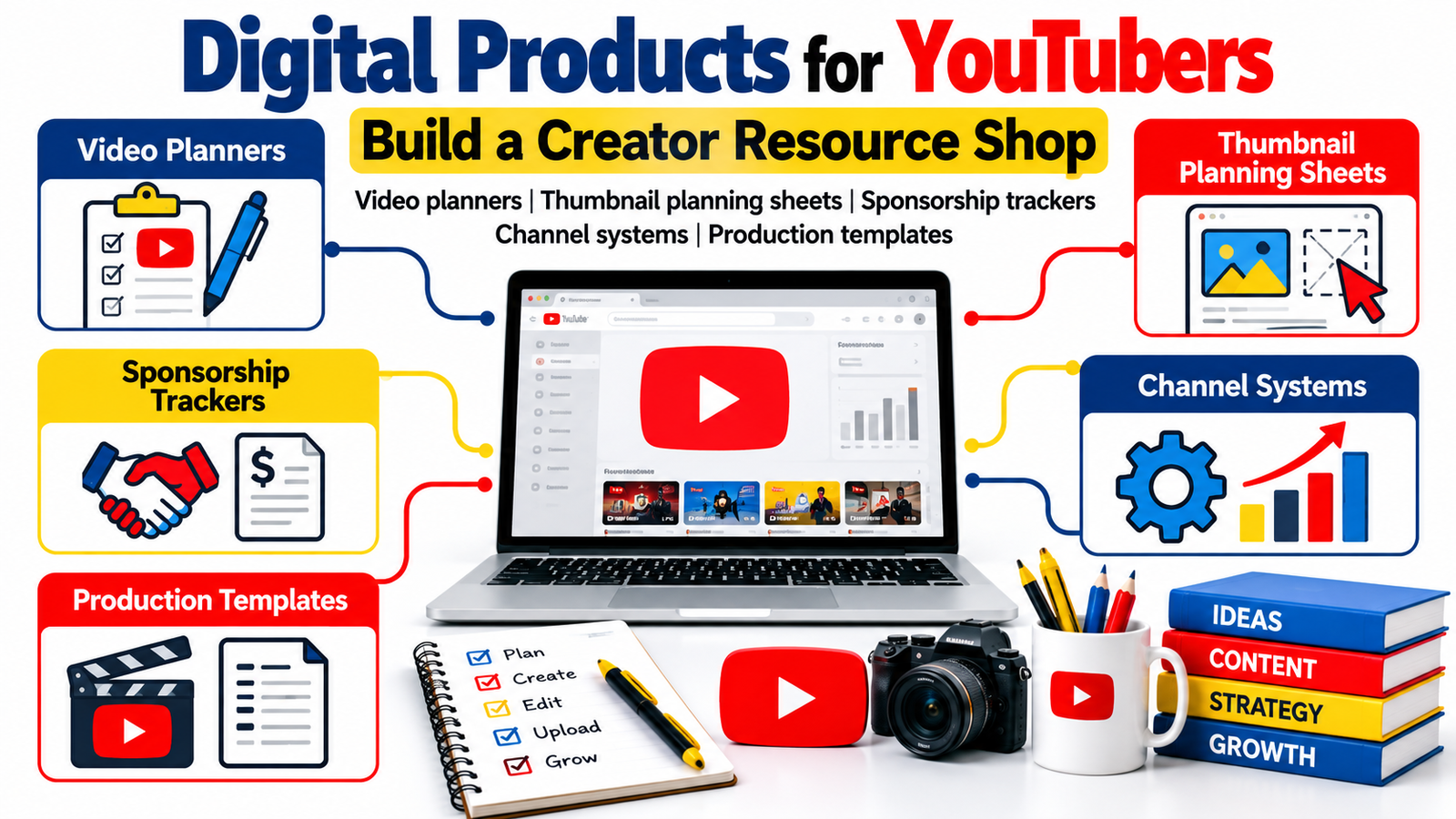
Running a YouTube channel involves far more than pressing record and uploading a video.
Behind every organized creator is a growing collection of ideas, scripts, thumbnail concepts, production schedules, sponsorship conversations, analytics notes, editing workflows, publishing checklists and content calendars.
Those systems can become something else too: digital products for YouTubers.
If you have developed a practical method for planning videos, managing collaborations, organizing a content calendar or tracking production, you may already have the foundation for a creator resource shop.
Instead of selling generic downloads, you can turn proven creator workflows into YouTube templates, video planners, thumbnail planning sheets, sponsorship trackers, channel management systems and content creator resources that help other creators solve specific problems.
The opportunity is especially interesting because digital products can complement a creator business rather than replace its main income streams. Advertising, sponsorships, affiliate marketing, memberships, consulting and courses can continue while templates and downloadable resources become another part of the business.
The best products do not begin with the question, “What can I sell?”
They begin with:
“What repetitive creator problem can I make easier?”
That change in thinking can turn everyday channel-management knowledge into a useful product library.
Why Digital Products Make Sense for YouTubers
YouTubers repeatedly perform processes that other creators are trying to learn.
You research ideas.
You decide which topics deserve videos.
You organize footage.
You plan thumbnails.
You write titles.
You coordinate editors.
You schedule uploads.
You evaluate analytics.
You communicate with sponsors.
You track payments.
You archive completed projects.
Every repeatable process has the potential to become a template, worksheet, checklist, dashboard or workflow system.
That is why content creator resources can be such a natural product category for YouTubers.
A productivity creator might sell a video-planning dashboard.
A travel YouTuber might build a location research template.
A gaming creator could develop a stream and upload planner.
A beauty creator might create a sponsorship campaign tracker.
A tutorial channel could develop a script-writing framework.
A faceless-channel operator might sell a production workflow template covering research, scripting, voice-over, editing, thumbnail creation and publishing.
Your strongest product ideas are often hiding inside the documents you already use privately.
Start With the Creator Problem, Not the Template
A common mistake when creating digital products is starting with the format.
Someone decides:
“I will make a Notion template.”
Or:
“I should sell a PDF planner.”
But customers rarely wake up wanting another PDF.
They want a result.
A creator may want to stop forgetting video ideas.
Another may need a better sponsorship system.
Another might struggle to organize twenty videos at different production stages.
Another may spend hours deciding what information should appear on a thumbnail.
So instead of selling a “YouTube spreadsheet,” position it around the problem it solves.
A stronger concept would be:
YouTube Sponsorship Tracker for Managing Brand Contacts, Deliverables, Deadlines and Payments
That immediately communicates purpose.
The same principle applies across your creator shop.
Video Planning Templates
One of the most useful categories of digital products for YouTubers is video planning.
Many creators have ideas everywhere: notes apps, screenshots, browser bookmarks, email drafts and pieces of paper.
A dedicated video planning system brings those fragments together.
A useful planner can include the working video idea, target audience, search intent, viewer problem, key promise, opening hook, talking points, research sources, B-roll requirements, call to action, thumbnail concept and publication status.
The goal is not to make creators complete twenty unnecessary fields.
The goal is to help them move from:
“I should make a video about this someday.”
to:
“This video is ready to produce.”
A well-designed planner can work as a printable PDF, Google Sheet, spreadsheet, editable document or workspace template.
You could also create different editions for vloggers, educators, reviewers, Shorts creators, podcasters and faceless YouTube channels.
That creates multiple products from the same core expertise without simply duplicating the same download.
YouTube Content Idea Banks
Creators rarely run out of possible topics.
They run out of organized, usable topics.
A YouTube content idea bank can help creators capture ideas and qualify them before production.
Useful fields can include audience problem, topic category, video format, evergreen or timely classification, estimated production effort, related videos, monetization opportunity and next action.
YouTube itself recommends using analytics to identify content patterns, including grouping videos by format, style, audience, longevity and production cost.
That makes a content idea scoring system especially useful when it helps creators combine creative judgment with their own performance data.
Instead of promising that a template will create viral videos, position it as a decision-making system.
That is more believable and ultimately more useful.
Thumbnail Planning Sheets
Thumbnail creation often begins too late.
The video is edited.
The upload date arrives.
Then someone asks:
“What should the thumbnail be?”
A YouTube thumbnail planning template moves that decision earlier in production.
The worksheet could help creators define the main visual concept, focal subject, expression, object, contrast idea, background treatment, text concept, alternate versions and testing notes.
It can also include space to sketch rough concepts.
YouTube recommends giving particular attention to titles, descriptions and thumbnails when optimizing videos, which reinforces why thumbnail planning deserves its own creator workflow.
A good thumbnail planning sheet should not try to replace design judgment.
It should reduce the chaos surrounding that judgment.
For an expanded product, combine the planning sheet with a thumbnail review checklist, thumbnail archive and experiment tracker.
Video Title Development Worksheets
Creators can also benefit from a structured place to develop titles before publishing.
A title-planning worksheet might capture the primary topic, viewer intent, promise, specificity, curiosity element, important keyword, alternate wording and alignment with the thumbnail.
The useful product is not a giant collection of sensational headline formulas.
It is a repeatable thinking process.
For example, a worksheet could encourage creators to write several options and compare them against one question:
Would someone understand what they are likely to receive from this video?
That helps keep titles compelling without becoming misleading.
Script and Talking-Point Templates
Some YouTubers work from complete scripts.
Others use bullet points.
Others need only a hook, structure and closing CTA.
That means there is room for several different YouTube script templates.
A tutorial script framework could organize the problem, promise, steps, demonstrations and recap.
A review template might cover context, testing criteria, strengths, weaknesses, ideal user and buying considerations.
A storytelling structure could organize setup, tension, turning point, resolution and takeaway.
A Shorts template might focus heavily on the first moments, pacing, one central idea and a quick conclusion.
Create templates around actual content formats instead of claiming one script structure works for every channel.
YouTube Production Checklists
A production checklist may look simple, but simplicity can be commercially valuable when it prevents expensive mistakes.
A creator might use it before recording to verify batteries, memory cards, microphones, lighting, framing, teleprompter files, props, screen-recording settings and required B-roll.
Another checklist could cover post-production.
Another could handle publishing.
Another could cover tasks completed after publication.
These products work particularly well as bundles.
For example, you could create a YouTube Production Workflow Kit containing pre-production, filming, editing, uploading and post-publication checklists.
The value comes from completeness and organization rather than complexity.
Channel Content Calendars
A generic monthly calendar is easy to find.
A creator-specific content calendar can be much more useful.
Instead of recording only publication dates, a YouTube content calendar template can track production deadlines.
A video scheduled for Friday might need research on Monday, scripting on Tuesday, filming on Wednesday and editing on Thursday.
The calendar becomes a production map rather than simply a posting schedule.
It may also track long-form videos, Shorts, livestreams, community posts, newsletters and supporting social content.
Creators managing multiple platforms can use one central content system to reduce duplicated work.
YouTube Production Dashboards
Once a creator publishes frequently, a basic calendar may not be enough.
A production dashboard can show every project by status.
For example:
Idea → Research → Script → Record → Edit → Thumbnail → Review → Scheduled → Published → Repurpose
The dashboard can also contain links to project folders, scripts, sponsor briefs and thumbnail drafts.
This type of product can become one of the higher-value items in a creator resource shop because it solves an operational problem rather than offering only a single worksheet.
The more organized the creator becomes, the more valuable visibility across the production pipeline becomes.
Sponsorship Trackers for YouTubers
Brand partnerships introduce another layer of administration.
Creators may need to track company names, agency contacts, campaign requirements, deliverables, deadlines, approval stages, rates, invoice status and payment status.
That creates a strong use case for a YouTube sponsorship tracker.
YouTube describes brand deals as partnerships between creators and brands and recommends creators prepare media kits containing relevant channel and audience information. YouTube also notes that sponsorships and other paid promotions can involve disclosure requirements.
A sponsorship management product could therefore include a lead tracker, campaign dashboard, deliverables checklist, communication log and invoice-status tracker.
Avoid presenting legal or tax guidance unless it has been properly reviewed for the relevant jurisdiction.
Instead, design the product to organize information.
Brand Outreach and Collaboration Systems
A sponsorship tracker manages opportunities once they exist.
A brand outreach system helps creators organize the process before a deal is secured.
A template could record brands of interest, contact information, previous interactions, pitching dates, follow-up dates, campaign ideas and outcomes.
An accompanying outreach planning worksheet could help the creator answer:
Why is this brand relevant to my audience?
What type of integration would make sense?
What evidence demonstrates audience fit?
What creative idea can I propose?
This encourages thoughtful outreach instead of mass emailing hundreds of companies.
Media Kit Planning Resources
YouTube notes that media kits can help creators present audience insights and channel performance information to potential partners.
That creates another digital-product opportunity.
Instead of promising a “guaranteed sponsorship media kit,” create an editable YouTube creator media kit template that gives creators a professional structure for organizing their own information.
Sections could cover creator introduction, channel positioning, audience overview, content categories, relevant performance metrics, past partnerships, collaboration formats and contact details.
Add a short customization guide explaining what information should be updated.
The template becomes more useful because the buyer understands how to use it rather than simply receiving a design.
Channel Analytics Trackers
YouTube Studio already provides substantial analytics.
So why would someone need a separate tracker?
Because raw data and decision-making are different things.
A creator might want a lightweight monthly review system that records key observations rather than every possible metric.
The template could help users note strongest videos, weak performers, successful topics, thumbnail observations, audience questions, retention observations and ideas worth testing next month.
YouTube encourages creators to use Analytics to identify patterns in what audiences interact with, making a structured review process particularly useful.
The product should complement YouTube Analytics rather than attempt to replace it.
YouTube Shorts Planning Templates
Short-form production often happens at a faster pace than long-form production.
That means creators may want separate resources for Shorts.
A YouTube Shorts content planner could organize the hook, central idea, visual sequence, caption concept, CTA, related long-form content and repurposing destination.
A Shorts batching planner could help creators prepare multiple videos in one production session.
This type of product also works well inside a larger creator bundle.
Repurposing Systems
One long-form video can potentially support multiple pieces of content.
A creator might extract short clips, quotes, newsletter ideas, blog posts, social posts, community updates or podcast segments.
But without a system, most of those opportunities disappear after publication.
A content repurposing template for YouTubers can help creators decide what happens after the original video goes live.
This is especially useful for creators operating across YouTube, websites, newsletters and social platforms.
The product is not “make one video and automatically dominate every platform.”
It is simply a workflow for getting more organized value from work already completed.
Creator File Organization Templates
Production becomes frustrating when creators cannot find their files.
Footage may live on one drive.
Music exists somewhere else.
Sponsors send assets through email.
Thumbnails sit in cloud folders.
Scripts have inconsistent filenames.
A creator file-management guide can solve a surprisingly practical problem.
It could include a suggested folder structure for each video, naming conventions, archive procedures and backup reminders.
A downloadable folder-map PDF or editable project structure can be extremely simple while still saving customers time.
Editing Handoff Templates
Creators who work with freelance editors or team members need repeatable handoff systems.
An editing brief template could contain the project objective, target length, reference videos, footage locations, music instructions, graphics requirements, sponsor integration notes, deadline and revision process.
A consistent editing brief reduces unnecessary back-and-forth.
You could create separate versions for long-form YouTube videos, Shorts, podcasts and sponsored content.
Creator SOP Templates
As a channel grows, knowledge needs to move out of the creator’s head.
Standard operating procedures can document how recurring work should happen.
Examples include uploading a video, preparing descriptions, organizing files, reviewing thumbnails, publishing Shorts, handling sponsor assets and archiving projects.
A YouTube SOP template bundle can help small creator teams establish their own systems without pretending that every channel operates identically.
Leave space for customization.
That flexibility increases long-term usefulness.
Channel Review Workbooks
Another product idea is a monthly or quarterly channel review workbook.
Instead of focusing only on numbers, the workbook can encourage strategic reflection.
What topics worked?
What topics failed to connect?
What comments appeared repeatedly?
Which videos took too long to produce?
What did viewers request?
Which processes created bottlenecks?
What should be repeated?
What should stop?
This turns analytics into decisions.
That makes the workbook useful for creators who already have data but need a process for interpreting what they learn.
How to Build Your First Creator Resource Shop
Do not begin by creating fifty products.
Start with the system you understand best.
If you have spent years refining your sponsorship process, begin there.
If your strength is production organization, create a planning system.
If your expertise is thumbnails, develop thumbnail planning resources.
If you run a team, your strongest products may involve SOPs and workflows.
Build one useful product, watch how customers use it, answer their questions and improve the resource.
Customer questions often reveal the next product.
Someone buying a video planner may ask for a content calendar.
Calendar customers may request an analytics tracker.
Analytics customers may want a quarterly review workbook.
Gradually, individual products can become an ecosystem.
Create Products at Different Levels
A useful creator shop usually benefits from products with different levels of depth.
A simple checklist can serve someone who wants a quick solution.
A full planning workbook can support someone who needs more guidance.
A production dashboard can solve a more complex workflow problem.
A creator business bundle can combine multiple products for customers who want a complete operating system.
This approach lets customers choose according to their needs instead of forcing everyone into the largest package.
Bundle Related Resources
Bundles work best when the resources genuinely belong together.
A YouTube Video Planning Bundle, for example, might combine idea capture, video planning, script development, thumbnail planning and publishing checklists.
A Creator Sponsorship Toolkit might combine brand research, outreach tracking, campaign management, deliverables tracking and invoice-status organization.
A YouTube Channel Management System could bring together content planning, production tracking, analytics review and repurposing workflows.
Avoid adding unrelated files simply to advertise a larger quantity.
Ten coordinated resources can be more useful than hundreds of random templates.
Make Every Template Easy to Understand
A template that requires twenty minutes of explanation before someone can use it probably needs improvement.
Include simple instructions.
Show a completed example where appropriate.
Explain which fields are optional.
Make editable areas obvious.
Use descriptive filenames.
If software is required, state it clearly before purchase.
If fonts, plugins or accounts are needed, tell customers.
If the product is intended for printing, explain the file format and page size.
Reducing uncertainty improves the buying experience and can also reduce customer-support requests.
Show the Product Before Asking People to Buy
Digital products are intangible.
Buyers cannot hold them.
Good previews therefore matter.
Show representative pages, dashboard screens, worksheet sections or realistic mockups.
Explain exactly what is included.
Explain what is not included.
State whether customers receive PDF, spreadsheet, document, template link or compressed archive.
Clarify whether the product is editable.
If a product is designed for a particular software platform, say so prominently.
Trust improves when customers know what they are purchasing.
Use Your YouTube Channel to Demonstrate the Product Naturally
You already have one advantage many digital-product sellers do not:
content.
Rather than repeatedly telling viewers to buy your template, demonstrate how it fits into your own workflow.
A video about planning your monthly content calendar can naturally show your planner.
A sponsorship-management video can demonstrate your campaign tracker.
A behind-the-scenes production video can show your dashboard.
A thumbnail strategy tutorial can use your planning sheet.
The product then becomes part of the educational experience rather than an interruption.
Turn Search Questions Into Product Opportunities
Search behavior can also help shape your product catalog.
Creators frequently look for solutions using phrases such as:
“YouTube video planner template”
“YouTube content calendar”
“YouTube sponsorship tracker”
“YouTube thumbnail planner”
“content creator Notion template”
“YouTube production checklist”
“creator media kit template”
“YouTube analytics spreadsheet”
“YouTube Shorts planner”
“content creator workflow template”
These phrases reveal commercial and informational search intent.
Do not force every variation into a product page.
Instead, use natural language to explain exactly which problem each resource solves.
That approach supports SEO for digital products while keeping the copy readable.
Build for GEO as Well as Traditional SEO
Generative search systems increasingly summarize information and identify clear answers within pages.
That makes straightforward writing valuable.
Define the product.
Describe who it helps.
Explain the problem.
Explain what is included.
Give practical examples.
Answer common questions.
Use specific headings.
Connect related concepts clearly.
This makes information easier for both humans and search systems to understand.
Strong GEO does not mean stuffing pages with robotic question-and-answer phrases.
It means making your expertise easy to extract, verify and understand.
SEO and Google Discover Considerations
No article can guarantee placement in Google Search or Google Discover.
Google’s current guidance emphasizes helpful, original, people-first content and an overall strong page experience rather than writing purely for ranking systems.
For this topic, that means adding genuine creator experience wherever possible.
Show screenshots of systems you actually use.
Include examples from real production workflows.
Explain mistakes you made.
Show how your processes evolved.
Keep author information clear.
Update genuinely outdated sections when YouTube features change.
Avoid changing dates merely to make old content appear new; Google specifically cautions against freshness changes made primarily for ranking purposes.
For article pages, Google supports Article and BlogPosting structured data and recommends relevant, high-quality representative images. Google also recommends providing suitable high-resolution imagery in multiple aspect ratios for article markup.
Google’s 2026 Search documentation also clarified that schema markup and og:image can both contribute to identifying preferred images in Search and Discover.
So your article should not rely only on strong writing.
Give it a descriptive headline, compelling original featured image, good mobile presentation, clear authorship, useful internal links and genuinely valuable content.
Build Trust Before Maximizing Sales
A creator resource shop becomes stronger when buyers trust the creator behind it.
Do not promise that a planner will make someone’s channel grow.
Do not imply that a sponsorship tracker will automatically secure brand deals.
Do not guarantee views, subscribers, income or viral results.
Templates improve organization.
Systems reduce friction.
Workbooks improve decision-making.
Checklists reduce forgotten tasks.
Those are strong benefits on their own.
Customers are more likely to trust practical promises that match what a product can actually deliver.
Protect Your Time With Better Product Documentation
Every product should have a clear description explaining its purpose, intended user, included files, software requirements, editing options, delivery method and permitted usage.
If licensing matters, state it plainly.
If customers may use the template only for their own creator business, explain that.
If commercial use is included, define what commercial use means.
If redistribution is prohibited, make that clear.
For licensing terms with meaningful legal consequences, obtaining jurisdiction-appropriate legal guidance is preferable to copying generic terms from another seller.
Your Best Product May Already Exist on Your Computer
Before designing something new, inspect your current workflow.
Look through the spreadsheets you open every week.
Review your checklists.
Search your project-management boards.
Look at the documents you send editors.
Look at your sponsorship records.
Review the forms you complete before recording.
Examine how you organize your video ideas.
Ask yourself:
Which of these systems could save another creator time if I cleaned it up, simplified it and explained how to use it?
That is often where the strongest digital-product idea begins.
Frequently Asked Questions
1. What are the best digital products for YouTubers to sell?
Strong options are usually resources connected to real creator workflows, including video planners, content calendars, thumbnail planning sheets, script templates, production checklists, sponsorship trackers, analytics review workbooks, creator dashboards, media kit templates and channel-management systems.
The strongest choice depends on your own experience. A resource built around a process you actually understand is generally more useful than a generic template created only because the topic appears popular.
2. Do I need a large YouTube audience before selling digital products?
Not necessarily.
Audience size can help with distribution, but product-market fit matters too.
A smaller channel serving a very specific creator niche may be well positioned to sell a specialized resource because its audience has a clear problem.
The product needs to solve something meaningful and the sales page needs to communicate that value clearly.
3. What format should YouTube templates use?
The best format depends on the job.
Printable planning resources may work well as PDFs.
Trackers may work better as spreadsheets.
Complex production systems may suit project-management or workspace tools.
Media kits may need editable presentation or design formats.
Some products benefit from offering more than one version.
Choose the format based on usability rather than what happens to be fashionable.
4. Can I sell the same creator template in several bundles?
You can organize related resources into different product packages, provided your product descriptions make the contents transparent.
For example, a thumbnail planning worksheet might be sold individually and also included inside a broader video planning bundle.
Clearly identifying what each package contains helps prevent customers from accidentally purchasing overlapping products without understanding the duplication.
5. How can I promote digital products through my YouTube channel without becoming overly promotional?
Teach first.
Create useful videos related to the problem your product addresses and demonstrate your resource where it naturally fits.
If you sell a content planner, show how you plan videos.
If you sell a sponsorship tracker, create educational content about organizing brand partnerships.
If you sell production templates, demonstrate your production workflow.
Viewers can see the resource working in context and decide whether it would help them.
Turn Your Creator Workflow Into a Product Library
You do not need to invent an entirely new business to begin selling digital products for YouTubers.
You can begin with what you already know.
Your planning process can become a planner.
Your thumbnail workflow can become a worksheet.
Your sponsorship spreadsheet can become a tracker.
Your production system can become a dashboard.
Your recurring checklist can become a downloadable resource.
Your internal documentation can become a creator operations kit.
The strongest creator shops are not simply collections of attractive files.
They are collections of useful solutions.
Start with one recurring problem.
Build the simplest resource that solves it well.
Make it easy to understand.
Test it with real creators.
Improve it from feedback.
Then use what you learn to create the next product.
Over time, a handful of practical YouTube templates and content creator resources can become a focused digital storefront built around knowledge you already use every week.
Digital Products for YouTubers, YouTube Templates, Content Creator Resources, YouTube Video Planner, YouTube Content Calendar, YouTube Sponsorship Tracker, YouTube Thumbnail Planner, Creator Templates, YouTube Production Checklist, YouTube Channel Management, Creator Business, Digital Downloads, YouTube Marketing, Content Planning, Creator Economy, Digital Product Ideas, YouTube Tools, Content Creator Templates, Video Production Templates, Online Business
Stay ahead with exclusive updates
Join our community. Get curated industry trends, actionable guides, and fresh resources delivered straight to your inbox.