Resources That Save Client Work Hours
Virtual assistants are hired to save time, but a surprising amount of a VA’s own working day can disappear into repetitive administration.
Where is the client’s login information? Which task has priority? Has the content been approved? What happens when an invoice is overdue? Which steps belong in the weekly reporting process? How should a new client submit requests?
When these questions are answered manually every time, valuable working hours are lost.
That is why some of the most useful digital products for virtual assistants are not flashy productivity tools. They are practical systems that make everyday client work clearer, faster, and easier to repeat.
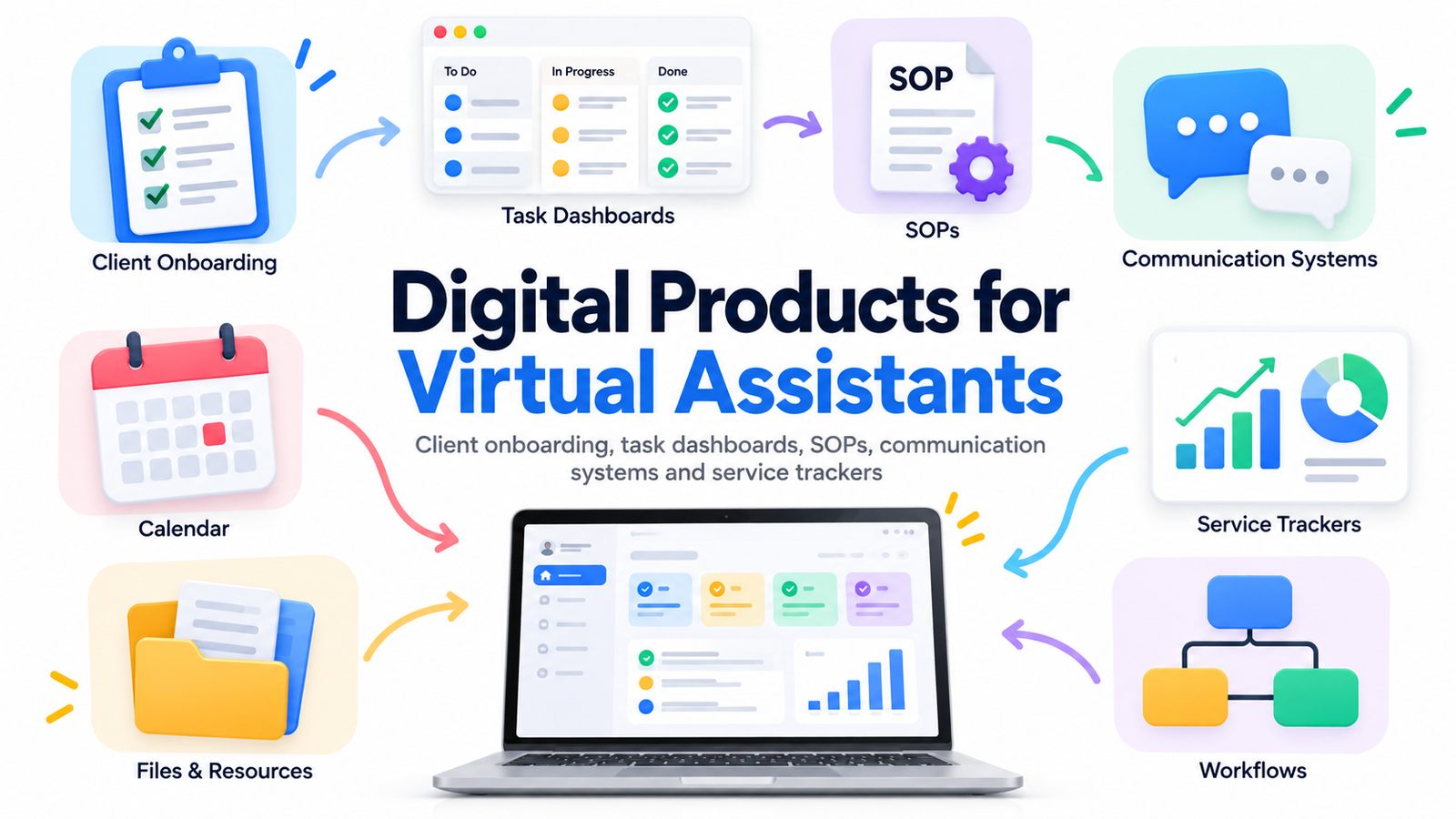
A well-designed client onboarding kit can reduce back-and-forth communication. A task dashboard can create one source of truth for ongoing assignments. SOP packs can turn complicated processes into repeatable workflows. Communication templates can reduce the time spent writing similar messages. Service trackers can help both the VA and the client see what has been completed.
For virtual assistants building their own businesses, these resources can improve service delivery. For digital product creators, they can also become valuable products to sell to freelancers, remote workers, executive assistants, online business managers and VA agencies.
The opportunity is especially relevant in 2026. Industry reporting increasingly describes virtual assistants as working inside established workflows, SOPs, project-management systems, CRM processes and AI-assisted operations rather than simply receiving one isolated task after another.
Why Virtual Assistant Templates Matter More Than Ever
A client rarely hires a virtual assistant because they want another complicated system.
They hire a VA because they want less complexity.
The best virtual assistant templates therefore remove decisions rather than add more paperwork.
Think about a VA who serves five clients. Each client may use different platforms, communication styles, deadlines and approval processes. Without structured systems, the assistant has to remember dozens of small details.
A good template converts some of that memory-based work into process-based work.
Instead of asking, “How does this client want tasks submitted?” the answer is already documented.
Instead of wondering, “What should happen after a blog post is approved?” an SOP explains the next step.
Instead of searching through messages for an overdue item, the task dashboard displays it.
This is where VA digital products become valuable: they save attention as well as time.
1. Client Onboarding Questionnaire
A virtual assistant client onboarding questionnaire gathers the information needed before regular work begins.
It can cover business goals, services required, preferred communication channels, working hours, priority levels, recurring tasks, software platforms, approval requirements and key contacts.
The purpose is not to ask dozens of unnecessary questions. It is to prevent predictable confusion later.
A strong questionnaire helps answer questions such as:
What does the client consider urgent?
Who approves completed work?
Which tasks can the VA complete independently?
Which activities require permission first?
What communication channel should be used for emergencies?
A structured onboarding process helps establish expectations early and creates a more organized working relationship.
2. VA Client Welcome Pack
After a client signs, a professional welcome pack can explain how the working relationship operates.
It may contain working hours, communication expectations, turnaround times, request procedures, meeting policies, payment information and important contacts.
This is one of the easiest virtual assistant business resources to customize for different VA niches.
An executive VA might emphasize scheduling and inbox protocols, while a social media VA might explain content approvals, asset submission and publishing deadlines.
The goal is simple: give the client a clear answer before they need to ask the question.
3. Client Setup Checklist
Onboarding contains many small tasks that are easy to overlook.
Create folders.
Confirm communication channels.
Request appropriate system access.
Add recurring tasks.
Schedule meetings.
Record brand information.
Set reporting dates.
Confirm billing details.
A reusable client setup checklist makes those steps repeatable.
It can be designed for Notion, Google Sheets, Excel, ClickUp, Trello, Asana or as an editable PDF.
4. Client Information Dashboard
A client dashboard provides a central place for essential operational information.
Rather than spreading details across emails, direct messages, notes and project-management tools, the VA can maintain an organized client workspace.
Useful sections might include active projects, recurring responsibilities, important contacts, brand resources, meeting notes, upcoming deadlines and reporting links.
Sensitive credentials should not simply be stored in an ordinary spreadsheet or template. A dashboard should instead reference the client’s approved secure password-management process.
5. Task Management Dashboard
One of the most commercially useful VA digital products is a task dashboard built specifically around client service work.
A useful dashboard does more than display a to-do list.
It can show the task owner, client, priority, due date, status, recurring schedule, approval requirement and next action.
This allows a VA serving several businesses to answer an important question quickly:
“What actually needs my attention today?”
That is much more valuable than a dashboard containing dozens of decorative widgets.
6. Daily VA Workflow Planner
The typical VA workday can become fragmented by emails, messages, meetings and small requests.
A daily workflow planner can organize the day around focused work.
Useful areas may include priority client tasks, scheduled meetings, follow-ups, admin work, delegated tasks and end-of-day checks.
The product becomes even more useful when it encourages users to separate urgent client requests from work that is simply new.
7. Weekly Client Work Planner
Some responsibilities make more sense at a weekly level.
For example:
Monday may include inbox cleanup.
Tuesday may include CRM updates.
Wednesday may be reporting day.
Thursday may include content scheduling.
Friday may include account reviews and preparation for the next week.
A weekly workflow template helps transform recurring responsibilities into predictable routines.
8. Recurring Task Tracker
Recurring tasks are easy to remember until the VA begins managing multiple clients.
A recurring task tracker can organize daily, weekly, monthly, quarterly and annual activities.
Examples include publishing newsletters, preparing reports, checking invoices, updating spreadsheets, reviewing CRM data, preparing meeting agendas and archiving old files.
This type of template can save significant mental effort because the system remembers the schedule rather than the assistant.
9. Standard Operating Procedure Template
An SOP template may be one of the most valuable virtual assistant workflow templates.
Instead of merely saying, “Prepare the newsletter,” an SOP can explain exactly how the newsletter should be prepared.
A useful SOP can document the objective, required tools, inputs, steps, quality checks, approval process, expected output and exception handling.
This is increasingly important as VAs work inside broader company workflows rather than as isolated task performers. Current industry reporting also notes increased use of documented processes alongside AI-assisted tasks and project-management workflows.
10. SOP Library Starter Pack
Rather than selling one SOP template, digital product creators can build an entire starter library.
Possible categories include inbox management, calendar administration, blog publishing, social media scheduling, customer inquiries, CRM maintenance, meeting preparation, file organization and reporting.
Templates should remain editable because every business operates differently.
The real product is the structure, not a claim that one workflow fits every company.
11. Process Documentation Worksheet
Clients often understand a process instinctively but have never documented it.
A process documentation worksheet helps a VA extract that knowledge.
For example:
What triggers the process?
What information is required?
Who completes each step?
Where are files stored?
Where does approval occur?
What counts as completed?
What happens when something goes wrong?
Once those questions are answered, the VA can turn informal knowledge into a documented workflow.
12. AI-Assisted Workflow SOP
AI is changing VA work, but businesses still need rules around how AI should be used.
An AI-assisted SOP can document acceptable use, required human review, confidential information restrictions, fact-checking steps, approval requirements and where outputs should be stored.
This is a timely category of virtual assistant business resources because current 2026 VA reporting increasingly describes AI as part of broader human-managed workflows rather than a completely separate job category.
The most useful template does not promise that AI will replace the process. It explains how AI can fit safely into the process.
13. Client Communication Template Pack
Virtual assistants repeatedly write similar messages.
“Your task has been completed.”
“I need additional information.”
“Please review this document.”
“This item is waiting for approval.”
“Here is your weekly update.”
A communication template pack can reduce the time required to create these messages from scratch.
The templates should sound professional but flexible enough to match different brand voices.
14. Client Request Form
A major cause of disorganized VA work is accepting requests through too many places.
One task arrives through email.
Another appears in WhatsApp.
Another is mentioned during a meeting.
Another appears as a comment inside a document.
A structured client request form can collect the task name, objective, deadline, required files, priority and approval contact.
It does not eliminate communication. It gives communication a reliable entry point.
15. Task Priority Matrix
Everything cannot be urgent.
A task priority template helps classify requests according to importance, deadline and business impact.
For example, a customer issue affecting today’s orders may require immediate attention, while reorganizing an archive folder may be useful but non-urgent.
A clear system reduces misunderstandings between clients and assistants about what should be completed first.
16. Client Approval Tracker
Many tasks are delayed not because the work is difficult but because someone needs to approve something.
Content may require approval.
Graphics may require approval.
Invoices may require approval.
Emails may require approval.
A client approval tracker shows what has been submitted, who needs to respond, when it was submitted and what happens next.
For content-heavy VA services, this can become one of the most useful templates in the entire workflow.
17. Meeting Agenda and Action Tracker
Meetings create value only when decisions turn into action.
A reusable meeting system can record the agenda, discussion points, decisions, assigned tasks, owners and due dates.
The assistant can then move agreed actions directly into the client task dashboard.
This creates a connection between conversation and execution.
18. Weekly Client Update Template
Clients often want visibility without another meeting.
A concise weekly update can show what was completed, what is currently in progress, what is waiting for the client, upcoming priorities and any blockers.
The value is not the document itself.
The value is reducing the question:
“What happened this week?”
A strong update answers it before the client asks.
19. Monthly Service Report
For ongoing retainers, a monthly service report can provide a broader view of activity.
Instead of simply recording hours, the report can highlight work completed, recurring systems maintained, key deliverables, outstanding issues and upcoming priorities.
A social media VA might include publishing activity.
A CRM assistant might report database cleanup and follow-ups.
An executive VA might summarize calendar, inbox and operational support.
The reporting structure should match the service being delivered.
20. VA Time and Service Tracker
A virtual assistant service tracker can help organize time spent across clients, projects and service categories.
This can be useful even when a VA charges a fixed monthly retainer because it provides insight into capacity.
If one service repeatedly requires far more time than expected, the assistant has data for improving the workflow, clarifying scope or reconsidering pricing.
The goal is not obsessive minute-by-minute tracking. It is understanding where work hours go.
21. Client Capacity Planner
Taking on too many clients can damage service quality.
A capacity planner helps virtual assistants estimate the amount of work already committed before accepting another project.
It might consider recurring client hours, meetings, administration, business development, personal availability and buffer time.
For growing VA businesses, this becomes especially important because revenue growth without capacity management can create operational problems.
22. Scope-of-Service Tracker
Scope creep often begins with a small request.
Then another.
Then another.
Eventually the service being delivered looks very different from the package originally agreed upon.
A scope tracker helps record included services, optional services, additional requests and tasks requiring separate approval.
It can support clearer conversations without making the client relationship unnecessarily rigid.
23. Lead and Inquiry Tracker for VA Businesses
Virtual assistants need systems for running their own businesses too.
A lead tracker can organize prospective clients by inquiry date, requested service, discovery-call status, proposal status, follow-up date and outcome.
This is particularly useful for freelancers receiving inquiries through several platforms.
Instead of relying on memory, the VA can maintain a simple sales pipeline.
24. Client Offboarding Kit
Good systems should cover the end of the client relationship as carefully as the beginning.
A client offboarding template can guide the VA through final deliverables, outstanding invoices, file transfers, access removal, project archival, testimonial requests and final communication.
A clean offboarding process protects both parties and leaves the client with an organized handover.
25. Complete Virtual Assistant Business Operating System
The premium version of these ideas is an integrated VA business system.
Rather than selling disconnected files, creators can combine onboarding, client management, tasks, SOPs, communication, tracking, reporting and offboarding into one connected resource.
For example, a Notion-based VA operating system could connect a client database with projects, recurring tasks, SOPs and weekly reports.
A Google Sheets or Excel version could connect service tracking, workload planning, financial administration and client records.
The advantage of a complete system is consistency.
Information entered during onboarding can support the task dashboard. Tasks can connect to SOPs. Completed work can feed the weekly report. The weekly report can support the monthly review.
That is where templates begin behaving like an operating system rather than a folder full of files.
What Makes a Virtual Assistant Digital Product Worth Buying?
A beautiful template is not automatically a useful template.
The best VA digital products solve a recognizable operational problem.
A buyer should be able to understand immediately what the resource helps them do.
“Organize everything” is vague.
“Collect all information needed before starting with a new VA client” is specific.
“Improve productivity” is vague.
“Track recurring tasks across multiple clients without rebuilding your weekly checklist” is specific.
Useful digital products also reduce setup time.
Someone buying a client onboarding template should not need two hours to understand how to use it.
Instructions, examples, sample entries and customization guidance can significantly improve the product experience.
The Biggest Opportunity: Sell Outcomes, Not Files
People rarely wake up wanting another spreadsheet.
They want the result the spreadsheet creates.
Instead of positioning a product only as a “VA Task Dashboard,” consider the outcome:
Keep every client task, deadline and approval in one organized workspace.
Instead of selling an “SOP Template Pack,” communicate the practical benefit:
Turn recurring client processes into instructions you can follow, delegate and improve.
This type of positioning aligns the product with buyer intent.
The template is the format.
The outcome is the reason someone buys it.
Bundle Products Around Real VA Workflows
Individual templates can work well as low-cost products, but workflow-based bundles often create stronger commercial value.
A Client Onboarding System could combine the inquiry form, discovery-call notes, onboarding questionnaire, welcome pack, setup checklist and first-week workflow.
A Client Management System could combine task tracking, approvals, communication templates, weekly updates and service reports.
An SOP System could combine the SOP builder, process documentation worksheet, quality-control checklist and SOP library.
A Complete VA Business Kit could connect client acquisition, onboarding, service delivery, reporting and offboarding.
Bundling around a workflow is usually clearer than combining unrelated files simply to increase the product count.
Build Templates for Specific Virtual Assistant Niches
Generic VA resources have a broad audience, but niche products can address more precise search intent.
Consider resources created specifically for executive virtual assistants, real estate VAs, social media VAs, ecommerce VAs, podcast assistants, coaches’ assistants, content VAs, customer support assistants or administrative VAs.
A real estate VA template could include listing coordination and lead follow-up.
A podcast VA kit could include guest onboarding, production stages and publishing checklists.
An ecommerce VA dashboard might focus on customer support, inventory updates, product listings and order administration.
Specificity makes the product easier for the intended buyer to recognize.
Make Virtual Assistant Templates AI-Friendly, Not AI-Dependent
One of the strongest 2026 product opportunities is combining structured human workflows with optional AI assistance.
For example, a weekly client report template might include an optional prompt that converts completed task notes into a first draft.
A meeting workflow might include an optional system for turning approved meeting notes into action items.
An SOP builder might provide prompts for organizing rough process notes into a structured draft.
The important point is that the underlying workflow should remain useful even without the AI tool.
That makes the digital product more durable and gives the user greater control over how automation is used.
SEO and AEO Strategy for Virtual Assistant Digital Products
Search optimization works best when each page answers a clear need.
A broad guide like this article can target informational searches around digital products for virtual assistants, virtual assistant templates, VA digital products and virtual assistant business resources.
Individual product or category pages can then target more specific phrases such as:
virtual assistant onboarding template
VA client management template
SOP templates for virtual assistants
virtual assistant task tracker
VA client dashboard
virtual assistant workflow template
VA business planner
virtual assistant service tracker
client portal template for virtual assistants
virtual assistant Notion template
These long-tail searches often reveal stronger product intent than a broad term such as “virtual assistant.”
For answer engines and AI-powered discovery, clarity also matters. Define important concepts directly, use descriptive headings, answer common questions in plain language and demonstrate practical expertise instead of simply repeating keywords.
Google’s current guidance continues to emphasize original, substantial, useful, people-first content rather than pages created primarily to manipulate rankings.
Creating Content With Google Discover in Mind
Discover visibility cannot be guaranteed, but publishers can improve eligibility and presentation.
Google recommends headlines that accurately capture the content rather than exaggerated clickbait. It also encourages timely content, useful storytelling, unique insights and a strong overall page experience.
For this article, a strong featured-image concept would be a professional virtual assistant workspace showing a client dashboard, SOP documents, communication tools and organized task systems.
Google currently recommends compelling representative Discover images that are at least 1200 pixels wide, high resolution and suitable for landscape presentation. It also recommends enabling max-image-preview:large and avoiding generic or excessively text-heavy preferred images.
For article structured data, Google recommends representative, crawlable imagery and supports multiple high-resolution image versions, including 16:9, 4:3 and 1:1 formats.
Strong mobile usability, fast loading, secure delivery and an uncluttered reading experience are also important parts of overall page experience.
Five Common Questions About Digital Products for Virtual Assistants
1. What are the best digital products for virtual assistants?
Some of the most useful digital products for virtual assistants are client onboarding systems, task dashboards, SOP templates, recurring task trackers, communication templates, approval trackers, weekly reporting systems and client offboarding resources. The best product solves a repetitive workflow problem and reduces unnecessary administrative work.
2. Can virtual assistants sell templates they create?
Yes, a virtual assistant can create and sell original templates, planners, dashboards and business resources they own the rights to. Before selling any resource, remove confidential client information, trademarks, proprietary processes and other material the VA does not own or have permission to distribute.
3. What should be included in a virtual assistant client onboarding template?
A useful VA client onboarding template typically covers client information, business goals, requested services, communication preferences, working hours, recurring responsibilities, access procedures, approval requirements, important contacts and workflow expectations. The exact fields should match the service being provided.
4. Are Notion, Google Sheets or Excel better for VA templates?
There is no single best format. Notion can work well for connected databases and client portals. Google Sheets is useful for collaborative trackers and calculations. Excel is valuable for detailed offline spreadsheets and business analysis. Many digital product sellers offer more than one format so customers can choose the system that fits their workflow.
5. How can virtual assistant templates save client work hours?
Templates save time by standardizing recurring processes. Instead of rebuilding onboarding forms, status reports, task lists, approval messages and SOPs for every client, the VA starts with a tested structure and customizes only what needs to change. The largest gains usually come from reducing repeated decisions, information searching and unnecessary back-and-forth communication.
Turn Repetitive VA Work Into Repeatable Systems
The most valuable virtual assistant is not necessarily the person who works the fastest.
It is often the person who creates clarity around the work.
Client onboarding removes uncertainty at the beginning.
Task dashboards make priorities visible.
SOPs preserve knowledge.
Communication systems reduce unnecessary messaging.
Approval trackers prevent stalled projects.
Service reports make completed work easier to understand.
Offboarding systems create clean handovers.
Together, these resources transform scattered administrative tasks into repeatable business processes.
That is why digital products for virtual assistants have value beyond attractive layouts. When they are designed around genuine client-service problems, they can help VAs spend less time organizing work and more time completing the work clients actually hired them to do.
For creators building a digital product store, the same principle provides a strong product strategy: identify a repeated VA problem, turn the solution into a simple system, make it easy to customize, explain the outcome clearly and build related resources around the same workflow.
Stay ahead with exclusive updates
Join our community. Get curated industry trends, actionable guides, and fresh resources delivered straight to your inbox.