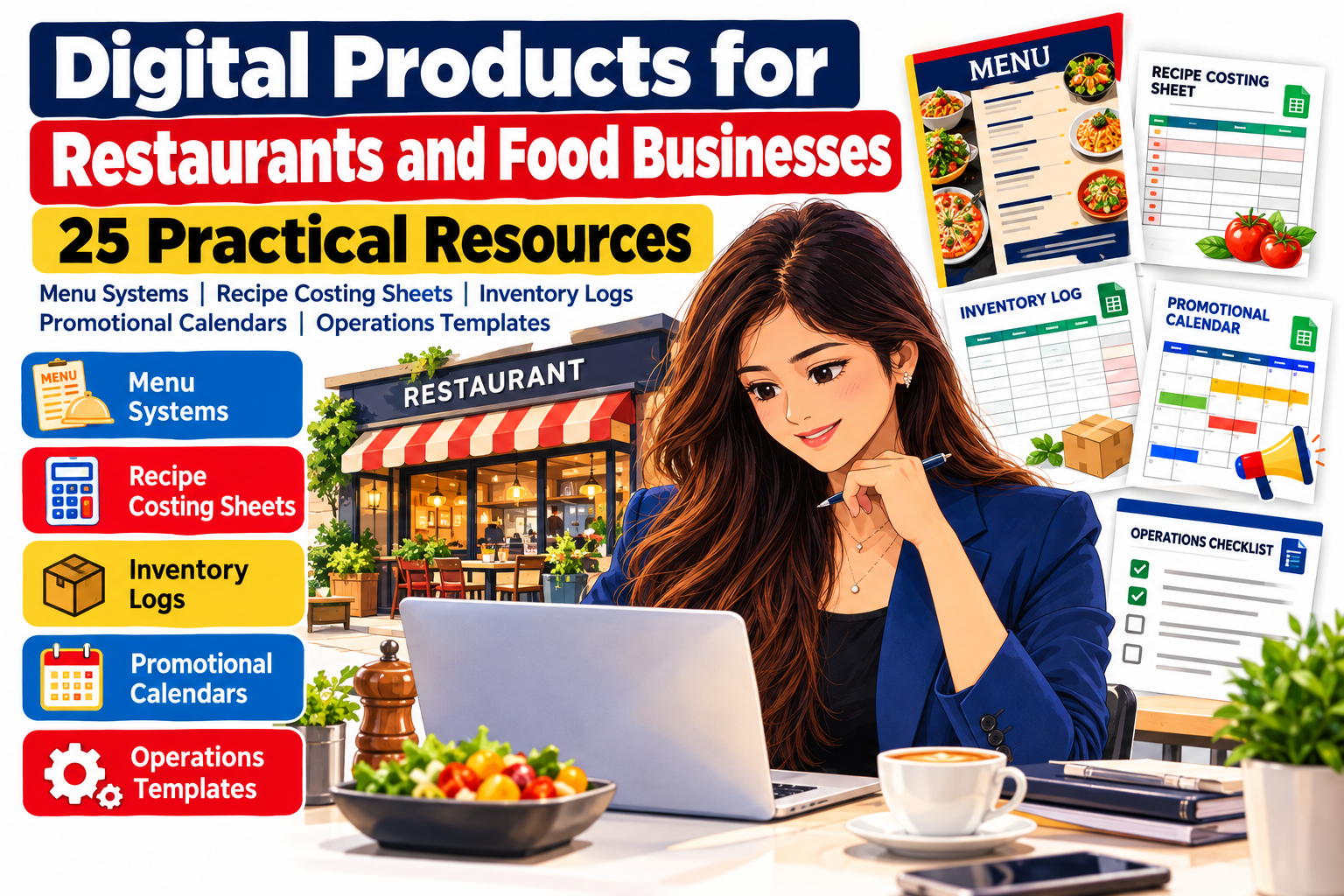
25 Practical Resources
Running a restaurant is not only about preparing excellent food. Behind every smooth service is a complicated system of menu planning, purchasing, inventory control, recipe costing, employee scheduling, promotions, food preparation, customer communication, and financial tracking.
That complexity creates an excellent opportunity for practical digital products.
Restaurant owners, café operators, bakers, food-truck entrepreneurs, caterers, cloud kitchens, meal-prep businesses, and independent food brands increasingly need simple tools that help them organize information, reduce repetitive work, control costs, and make better decisions.
That is where restaurant templates, food business digital products, and restaurant business tools become valuable.
A well-designed spreadsheet, printable checklist, editable menu template, inventory tracker, promotional calendar, or restaurant operations system can solve a specific business problem without requiring expensive custom software.
The opportunity is especially relevant in 2026. The National Restaurant Association projects U.S. restaurant and foodservice sales of approximately $1.55 trillion for the year, while operators continue dealing with uneven traffic, persistent operating expenses, and value-conscious customers. Technology investment in areas such as digital ordering, automation, marketing, data analytics, payments, customer feedback, and back-office operations remains an important industry priority.
For digital product creators, this means restaurant resources should not simply look attractive. The strongest products help businesses save time, understand costs, maintain consistency, increase visibility, or simplify daily operations.
Here are 25 practical digital product ideas for restaurants and food businesses.
Why Restaurant Digital Products Have Real Business Value
Restaurants operate with tight margins and many moving parts.
Food costs change. Supplier prices fluctuate. Employees rotate. Menu items need updating. Marketing campaigns need planning. Stock needs monitoring. Recipes must remain consistent even when different employees prepare them.
Industry cost pressures make organization even more important. The National Restaurant Association estimates total expenses for an average restaurant increased approximately 36% between 2019 and 2026, while food and labor remain two of the industry’s largest expenses.
That makes practical restaurant templates particularly valuable when they help operators answer questions such as:
What does this dish actually cost to produce?
Which ingredients need to be reordered?
Which menu items generate healthy margins?
What promotions are scheduled next month?
Are opening and closing procedures being completed consistently?
Which supplier offers the best price?
Which products are being wasted?
A useful digital product transforms one of these recurring questions into a repeatable system.
Menu and Pricing Resources
1. Editable Restaurant Menu Template System
An editable restaurant menu package can be useful for cafés, restaurants, bakeries, food trucks, caterers, bars, dessert shops, and takeaway businesses.
Instead of creating only one menu layout, build a complete menu system containing coordinated designs for dine-in menus, takeaway menus, specials, drinks, desserts, children’s options, seasonal dishes, and promotional inserts.
Templates can be offered in commonly editable formats so restaurant owners can change prices, descriptions, photographs, colors, and branding.
The commercial value comes from flexibility. A restaurant that introduces a seasonal dish should not have to redesign its entire menu.
A strong template package helps the owner update the information quickly while maintaining visual consistency.
2. Menu Pricing Calculator
Pricing food based only on competitor prices can create serious profitability problems.
A restaurant menu pricing calculator can help operators enter ingredient costs, portion quantities, packaging expenses, target food-cost percentages, and desired selling margins.
The spreadsheet can then calculate suggested selling prices and estimated gross profit.
A more advanced version might include dine-in pricing, takeaway pricing, delivery pricing, tax assumptions, packaging costs, and marketplace commission fields.
This transforms an ordinary spreadsheet into a restaurant decision-making tool.
3. Menu Engineering Worksheet
Not every popular menu item is profitable, and not every profitable item sells frequently.
A menu engineering worksheet helps restaurant owners compare item popularity against contribution margin.
The system might contain fields for:
Menu item
Number sold
Selling price
Food cost
Contribution margin
Sales mix
Profitability category
Recommended action
Operators can use the information to identify dishes that deserve stronger promotion, dishes requiring price adjustments, and products that may need to be redesigned or removed.
4. Seasonal Menu Planning Template
Restaurants often introduce special menus around holidays, weather changes, local events, festivals, ingredients, and seasonal customer preferences.
A seasonal menu planner can organize upcoming dishes, recipe testing, ingredient availability, photography, menu descriptions, launch dates, pricing, supplier requirements, and promotional activities.
This is especially useful for businesses that change their offerings several times each year.
5. Daily Specials Planner
Daily specials can increase variety without permanently expanding a restaurant’s primary menu.
A digital daily-specials planner can help managers coordinate the dish, ingredient availability, target price, expected quantity, marketing message, preparation instructions, and results.
Over time, restaurant owners can also identify which specials should become permanent menu items.
Recipe and Food Costing Resources
6. Recipe Costing Spreadsheet
A recipe costing sheet is one of the most practical food business digital products.
The user enters individual ingredients, purchase prices, package quantities, recipe quantities, and serving yield.
The spreadsheet calculates the estimated ingredient cost for the full recipe and cost per serving.
For example, a café selling a pasta dish could calculate the precise cost of pasta, sauce, cheese, vegetables, herbs, oil, garnish, and packaging rather than estimating the total informally.
When supplier prices change, the owner can update the numbers and immediately see how margins may be affected.
7. Master Recipe Card Template
Recipe consistency matters for both customer experience and cost control.
A professional master recipe card can include:
Recipe name
Ingredients
Measurements
Preparation sequence
Cooking temperature
Cooking time
Yield
Portion size
Plating instructions
Allergen information
Storage guidance
Preparation notes
Optional reference photographs can make the document even more useful when onboarding kitchen employees.
8. Recipe Scaling Calculator
A caterer might need 20 portions one day and 150 portions the next.
A bakery may need to double or triple a production batch.
A recipe scaling calculator lets the user enter the standard recipe yield and required quantity. Ingredient quantities can then be automatically adjusted.
This type of tool can be particularly useful for caterers, bakeries, meal-prep companies, commissary kitchens, and event food businesses.
9. Food Cost Percentage Tracker
A dedicated food cost tracker helps an operator compare sales with actual food expenditure over a day, week, month, or accounting period.
Instead of treating food cost as an occasional calculation, the template makes it a regularly monitored business metric.
Including charts for target versus actual food cost can make the resource more useful for managers who want a quick visual overview.
10. Portion Cost Calculator
Small inconsistencies in portion size can become significant when repeated hundreds or thousands of times.
A portion-control calculator can translate bulk purchasing costs into the approximate cost of individual servings.
This is particularly useful for meat, seafood, cheese, desserts, sauces, beverages, bakery ingredients, meal-prep portions, and other products where serving quantities need close attention.
Inventory and Purchasing Tools
11. Restaurant Inventory Management Spreadsheet
Inventory is one of the clearest opportunities for practical restaurant templates.
An inventory workbook can track product name, category, unit size, quantity available, unit cost, inventory value, reorder level, supplier, storage location, expiration date, and count date.
Separate tabs can cover dry storage, refrigeration, freezer items, beverages, packaging, cleaning supplies, and miscellaneous stock.
A dashboard can make the product significantly more valuable by showing low-stock products, total inventory value, upcoming expiration dates, and frequently reordered items.
12. Daily Inventory Count Sheet
Not every restaurant needs an elaborate inventory system for every task.
Sometimes a simple daily count sheet is more useful.
The template can focus on high-value or fast-moving products such as proteins, alcohol, dairy products, desserts, packaging materials, or signature ingredients.
Because it is quick to complete, the tool can become part of the restaurant’s daily routine.
13. Supplier Comparison Spreadsheet
Ingredient prices can differ considerably between suppliers.
A supplier comparison template can help operators compare quoted prices, package sizes, minimum orders, delivery schedules, payment terms, product quality, and reliability.
The spreadsheet can also calculate normalized unit costs so apparently cheaper packages can be compared accurately.
For multi-supplier food businesses, this can become an important purchasing resource.
14. Restaurant Purchase Order Template
A standardized purchase order system reduces confusion when multiple employees order supplies.
A digital template can contain supplier details, order numbers, product descriptions, quantities, agreed prices, expected delivery dates, payment terms, approval fields, and receiving notes.
Creating printable and spreadsheet versions can increase the usefulness of the bundle.
15. Food Waste Tracking Log
Food waste affects both profitability and sustainability.
A restaurant food waste tracker can document the item wasted, quantity, approximate cost, date, shift, reason, and corrective action.
Common reasons might include preparation waste, spoilage, overproduction, incorrect orders, quality rejection, damaged stock, or oversized portions.
Monthly summaries can reveal patterns that casual observation may miss.
Restaurant Operations Templates
16. Opening Checklist
Opening a restaurant requires many small tasks to be completed before customers arrive.
A customizable opening checklist might cover dining-room preparation, kitchen equipment checks, refrigeration temperatures, cash drawer preparation, cleaning, inventory checks, reservation reviews, delivery-platform activation, music, signage, and staff briefing.
The goal is not to create more paperwork.
It is to reduce dependence on memory.
17. Closing Checklist
Closing procedures are equally important.
A restaurant closing checklist could include cleaning responsibilities, food storage, equipment shutdown, cash procedures, waste recording, stock checks, security checks, next-day preparation, and manager sign-off.
Provide versions for front-of-house, back-of-house, café, bakery, bar, and food-truck operations to create a broader commercial product.
18. Restaurant Cleaning Schedule
Cleaning responsibilities can quickly become unclear unless tasks have specific frequencies and owners.
A restaurant cleaning planner can organize daily, weekly, monthly, quarterly, and deep-cleaning tasks.
Users might assign each job to a department or role and record completion.
The template should be presented as an organizational resource rather than a substitute for local health, sanitation, or food-safety regulations.
19. Employee Shift Handover Template
Important information can easily disappear between shifts.
A structured handover sheet allows one team to communicate stock shortages, unavailable menu items, customer issues, maintenance problems, special reservations, preparation status, deliveries, and other operational details to the next team.
Simple resources like this can be particularly valuable because they solve a recurring communication problem.
20. Restaurant Manager Daily Report
A daily manager report brings important operational information into one location.
Sections might cover sales, customer count, average spend, staffing, overtime, voids, refunds, discounts, food waste, equipment issues, stock problems, customer comments, unusual events, and priorities for the next shift.
Weekly or monthly dashboards can then combine the data to show longer-term patterns.
Marketing and Customer Growth Resources
21. Restaurant Promotional Calendar
Restaurants need marketing throughout the year, not only when sales become slow.
A promotional calendar can help owners plan monthly campaigns around holidays, local occasions, seasonal dishes, limited-time offers, loyalty promotions, community events, email campaigns, and social media content.
For example, a restaurant could plan an entire month around a new seasonal menu rather than posting unrelated promotions each day.
That creates more consistent marketing.
22. Restaurant Social Media Content Planner
Many restaurant owners know they need social content but struggle with what to publish.
A restaurant content planner can organize ideas around categories such as menu highlights, behind-the-scenes preparation, employee stories, ingredient stories, customer favorites, chef recommendations, events, special offers, educational posts, user-generated content, and new product launches.
Include fields for platform, publish date, content format, caption concept, CTA, media needed, status, and campaign.
This turns social media from spontaneous posting into an organized marketing system.
23. Customer Feedback Tracker
Individual reviews can be emotional.
Patterns are more useful.
A customer feedback spreadsheet allows businesses to categorize recurring comments about food, service, speed, atmosphere, ordering, delivery, cleanliness, value, and specific menu items.
When the same issue appears repeatedly, management has stronger evidence for action.
Positive patterns can also reveal what the restaurant should emphasize in future marketing.
24. Restaurant Loyalty Program Planner
Value and loyalty remain important considerations for restaurant customers in 2026, making loyalty planning a useful operational and marketing category.
A loyalty-program planner can help restaurant owners define reward structures, qualifying purchases, reward values, customer segments, promotional campaigns, redemption rules, launch communication, and performance indicators.
The template does not need to process loyalty transactions itself.
Its purpose is to help businesses design and manage the strategy behind the program.
25. Restaurant Marketing and Operations Dashboard
A comprehensive dashboard can become the premium product in a restaurant template collection.
It might combine:
Sales tracking
Food costs
Inventory indicators
Waste
Menu performance
Marketing campaigns
Promotional results
Customer feedback
Operational tasks
Monthly goals
Instead of replacing a restaurant’s POS or accounting system, the dashboard can provide a simplified management overview using information imported or entered from existing sources.
This is an excellent opportunity for creating a higher-value restaurant business tool rather than another isolated worksheet.
Turn Individual Restaurant Templates Into Product Bundles
One of the strongest ways to build commercial value is to combine related products.
A restaurant startup package could contain menu templates, recipe cards, opening and closing checklists, supplier sheets, an inventory tracker, and a promotional planner.
A restaurant cost-control bundle could combine recipe costing, portion costing, food-cost tracking, waste logs, supplier comparisons, and menu engineering.
A restaurant marketing bundle could contain a promotional calendar, social content planner, loyalty planner, customer feedback tracker, campaign worksheets, and monthly marketing dashboard.
A bakery operations kit could focus on batch costing, recipe scaling, ingredient inventory, production planning, order tracking, packaging inventory, and seasonal promotion planning.
A food-truck toolkit could include simplified inventory management, daily prep sheets, menu pricing, event tracking, sales summaries, location planning, and promotional calendars.
Bundling resources around a specific business outcome usually creates a clearer product proposition than combining dozens of unrelated files.
Make Restaurant Templates Easy to Use
Good restaurant digital products should reduce work rather than create additional complexity.
Keep navigation simple.
Use understandable labels instead of technical language whenever possible.
Provide example entries so customers immediately understand how each field works.
Where calculations are involved, clearly distinguish between input cells and calculated results.
Protect formula cells where appropriate.
Create a short instruction guide explaining how the system should be used.
Consider providing both printable and editable versions when the workflow benefits from them.
Mobile usability also matters. A restaurant manager may need to check a file from a phone while standing in a kitchen, storeroom, office, or dining area rather than sitting in front of a desktop computer.
Add Automation Without Making the Product Complicated
Spreadsheet automation can substantially increase perceived value.
For example, an inventory workbook might automatically flag products below their reorder level.
A recipe-costing spreadsheet could update cost per serving when ingredient prices change.
A food-waste tracker might automatically calculate the estimated monthly cost of discarded products.
A promotional planner could show upcoming campaigns on a dashboard.
A menu engineering worksheet could categorize products based on profitability and sales volume.
Automation should serve the user rather than impress them.
A simple system that restaurant employees actually understand is usually more useful than a sophisticated workbook that nobody wants to update.
Design Digital Products for Different Food Businesses
“Restaurant” is only one part of the market.
The same underlying systems can be adapted for cafés, bakeries, pastry shops, catering companies, cloud kitchens, ghost kitchens, food trucks, meal-prep businesses, juice bars, dessert shops, small food manufacturers, private chefs, street-food businesses, takeaway restaurants, and specialty food brands.
That creates an important product-development strategy.
Instead of selling one generic inventory spreadsheet, you could build specialized versions such as:
Restaurant Inventory Manager
Bakery Ingredient Inventory Tracker
Food Truck Stock Planner
Catering Inventory and Event Planner
Coffee Shop Inventory Workbook
Meal Prep Costing and Production System
The underlying framework may be similar, but terminology, examples, categories, and workflows can be customized for each buyer.
That makes the product feel more relevant.
Think Beyond Templates: Sell a Business System
The strongest food business digital products often connect several decisions.
Consider the relationship between these activities:
A supplier increases the cost of an ingredient.
That changes the recipe cost.
The recipe cost changes the margin.
The margin may influence menu pricing.
A pricing change may affect marketing.
Customer feedback may then reveal whether buyers still perceive the item as good value.
These activities are connected.
Digital products become more valuable when they help restaurant owners see those connections.
Instead of promoting a spreadsheet as simply “50 restaurant pages,” explain the business problem it solves.
“Know what every recipe costs.”
“Spot low inventory before service starts.”
“Organize one month of restaurant promotions.”
“Track where food waste is costing your kitchen money.”
“Keep opening and closing procedures consistent.”
Outcome-focused positioning is easier for potential customers to understand.
SEO Opportunities for Restaurant Digital Products
Search optimization should reflect actual buyer intent.
A person searching for “restaurant template” may still be exploring options.
Someone searching for “restaurant food costing spreadsheet template” has a much clearer problem.
Useful long-tail search topics include restaurant inventory spreadsheet, recipe costing template, food cost calculator for restaurants, restaurant menu pricing spreadsheet, restaurant operations checklist, restaurant opening checklist template, restaurant marketing calendar, food waste tracking spreadsheet, restaurant promotional planner, café inventory template, bakery costing spreadsheet, and restaurant manager daily report.
Rather than repeating these phrases excessively, build individual product pages and supporting articles around specific problems.
A useful content cluster might include articles explaining recipe costing, restaurant inventory management, menu engineering, food waste reduction, restaurant promotions, restaurant operations systems, and supplier management.
Those articles can naturally direct readers toward the corresponding templates.
GEO and AEO: Make the Content Easy for AI and Answer Engines to Understand
Generative search systems and answer engines work best with clear information.
Use descriptive headings.
Answer specific questions directly.
Define what each template does.
Explain who it is designed for.
Include practical examples.
Describe the problem before presenting the solution.
Maintain consistent terminology across product descriptions, category pages, articles, FAQs, and business information.
Avoid vague claims such as “the ultimate restaurant tool.”
Specific information is far more useful:
“An editable spreadsheet for tracking ingredient quantities, unit costs, inventory value, reorder levels, suppliers, and expiration dates.”
That description immediately communicates what the product is.
Google Discover Considerations for Food Business Content
No article can guarantee Google Discover placement.
Google’s 2026 Discover update emphasizes more original, timely, locally relevant and in-depth content while reducing sensational or clickbait-style material.
For restaurant-business content, that means useful industry analysis and practical experience are more sustainable than exaggerated headlines.
A Discover-friendly article should also use a strong representative image. Google’s current guidance recommends relevant, high-quality images at least 1,200 pixels wide, with large image previews enabled; Google also recommends representative image information through supported page signals such as structured data or og:image.
For this article, a strong featured-image concept would show a modern restaurant owner or manager reviewing a digital dashboard containing menu planning, food costing, inventory, promotions, and operations information.
The image should communicate the subject immediately rather than relying on decorative graphics alone.
Adding appropriate Article or BlogPosting structured data can also help Google understand information such as the article headline, author, publication dates, and representative images.
Five Frequently Asked Questions
1. What are the best digital products to create for restaurants?
Some of the most useful restaurant digital products include inventory spreadsheets, recipe costing calculators, menu pricing tools, opening and closing checklists, food waste trackers, promotional calendars, menu templates, supplier comparison sheets, restaurant dashboards, and social media planners.
The best product depends on the specific operational problem it solves.
2. Can restaurant templates be sold to cafés, bakeries and food trucks?
Yes. Many restaurant systems can be adapted for cafés, bakeries, catering businesses, food trucks, meal-prep companies, cloud kitchens, dessert businesses, and other food-service operations.
However, specialized terminology and workflows usually make a product more useful than simply renaming a generic restaurant template.
3. Which restaurant template is most useful for controlling costs?
Recipe costing sheets, food-cost trackers, inventory systems, supplier comparison spreadsheets, portion calculators, and food-waste logs can all contribute to better cost visibility.
They work especially well when combined into a restaurant cost-control workbook.
4. What format should restaurant digital products use?
The best format depends on the task.
Spreadsheets are useful for calculations, inventory, costing, dashboards, and tracking.
Editable document or design templates work well for menus and promotional materials.
PDFs can be useful for printable checklists, instructions, and operational forms.
Many products become more valuable when buyers receive both printable and editable versions.
5. How can restaurant digital products be made more valuable?
Focus on the outcome rather than simply increasing the number of pages.
Add formulas where appropriate, example data, instructions, dashboard summaries, mobile-friendly layouts, editable versions, specialized industry editions, and coordinated bundles.
A smaller system that clearly solves an important restaurant problem can be more useful than hundreds of generic templates.
Build Tools Restaurant Owners Can Actually Use
The restaurant digital product opportunity is not about filling folders with attractive worksheets.
It is about turning repetitive restaurant work into clear, usable systems.
An inventory spreadsheet should help someone understand stock.
A recipe calculator should reveal costs.
A menu planner should simplify decisions.
A food-waste log should expose patterns.
A promotional calendar should make marketing easier to manage.
An operations checklist should help a team perform important tasks consistently.
That is what separates decorative templates from practical restaurant business tools.
As food businesses continue balancing customer expectations, operating costs, changing prices, technology adoption, marketing, and daily execution, useful digital resources can provide structure without forcing small businesses into complicated systems.
For creators, this creates opportunities ranging from inexpensive individual templates to comprehensive restaurant-management bundles.
Start with one recurring problem.
Understand how the business handles it today.
Create a tool that makes that process clearer.
Then build the surrounding products that turn the individual resource into a complete system.
Stay ahead with exclusive updates
Join our community. Get curated industry trends, actionable guides, and fresh resources delivered straight to your inbox.