
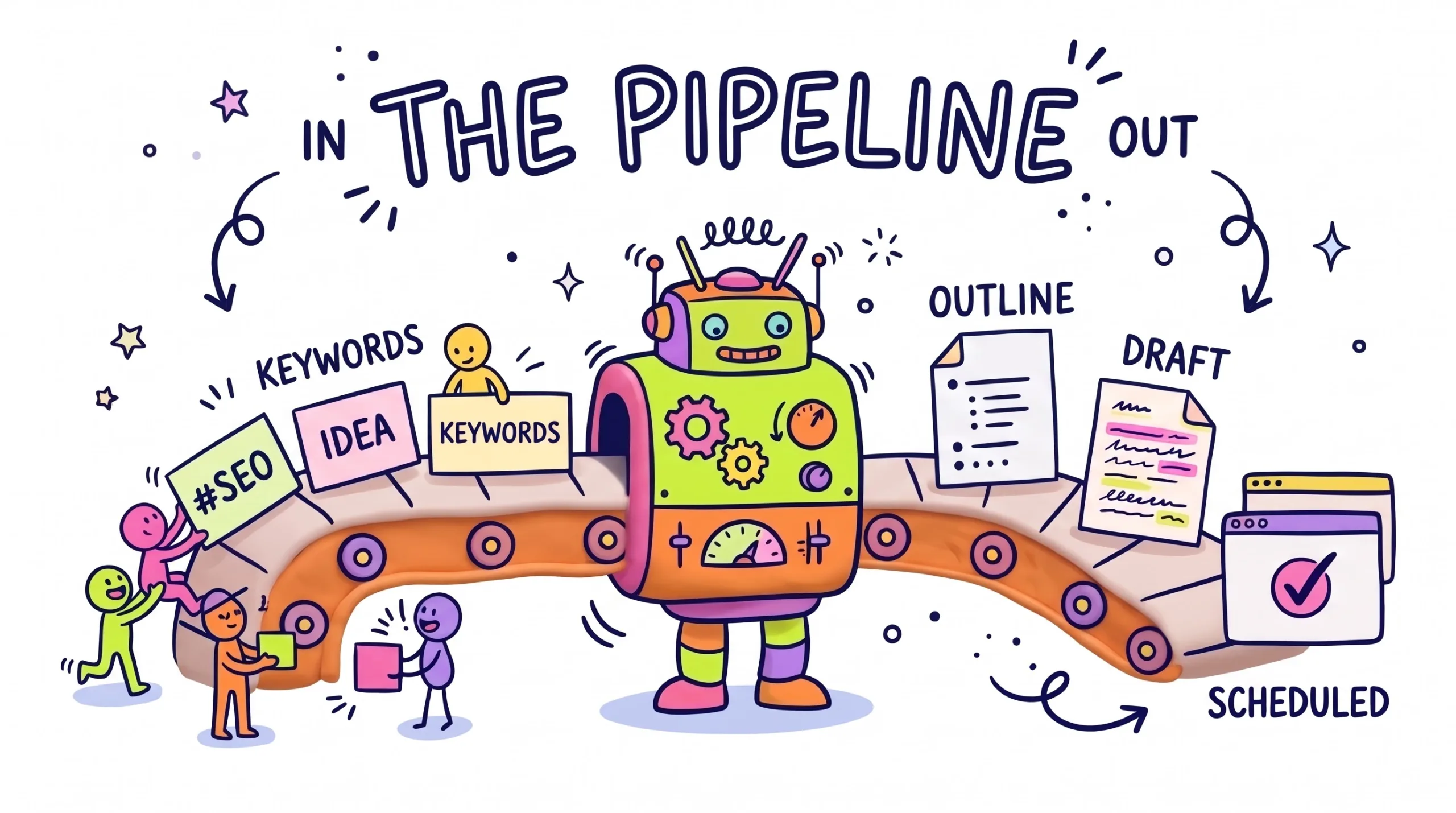
Learn how to automate blog writing with AI and WordPress: turn keyword research into outlines, drafts, and scheduled posts. Build your pipeline today.
Automate Blog Writing with AI and WordPress
Turn keyword research into outlines, drafts, and scheduled posts with one simple pipeline.
Quick Summary: Automate Blog Writing with AI
To automate blog writing with AI, you connect four stages into one repeatable pipeline: keyword research, outlines, drafts, and WordPress publishing. A spreadsheet holds your keyword list. An AI model turns each keyword into a clear outline, then a first draft that follows your brand voice. An automation tool such as Zapier, Make, or n8n sends the approved draft to WordPress through the REST API, where it waits as a draft or gets scheduled. The goal is not to remove you from the process. The goal is to remove the boring copy-and-paste work, so your time goes into fact-checking, adding real experience, and improving each post. Google rewards helpful content no matter how it was made, but it warns against mass-produced pages that add no value. That is why every pipeline in this guide keeps a human review step before anything goes live. You will learn what an AI blog content pipeline is, which tools fit each stage, a seven-step setup you can finish in a weekend, the mistakes that hurt rankings, and the first three moves to make today.
What Is an AI Blog Content Pipeline and How Does It Automate Blog Writing with AI?
An AI blog content pipeline is a chain of small tasks that run in order. Each stage takes the output of the last one and passes its own result forward.
Most bloggers already do these tasks by hand. They search for keywords, sketch a plan, write a draft, then paste it into WordPress and fix the formatting. A pipeline does the same work, but the hand-offs happen on their own. You stay in charge of the steps that need human judgment.
A simple pipeline has a trigger, a set of actions, and a destination. The trigger might be a new row in Google Sheets. The actions might be “write an outline” and “write a draft” using an AI model. The destination is your WordPress site, where the post lands as a draft for you to review.
The magic is in the connections. Once the stages talk to each other, a keyword becomes a ready-to-edit draft fast, freeing time for your own tests, photos, and opinions.
Why WordPress Automation and AI Writing Matter in 2027
Publishing on a steady schedule is one of the hardest habits for solo bloggers. Automation shrinks that gap by handling the repeat work every single time.
AI models have also become much better at following detailed instructions. You can give them a style guide, a word budget, a heading structure, and a list of things to avoid. When your prompt is strong, the first draft needs fewer fixes, and your pipeline becomes more reliable.
WordPress makes this easier than most platforms. It has a built-in REST API, and Application Passwords let tools post to your site without sharing your main login. Most automation platforms already offer a ready WordPress connection, so you rarely need to write code.
There is a catch. Search engines care about quality, not speed. Google’s guidance says AI-assisted content is fine when it helps people, but its spam policies target scaled content made mainly to rank. So the smart move in 2027 is not “publish more.” It is “spend less time on busywork and more time making each post genuinely useful.”
The 4 Stages of an AI Blog Writing Workflow
Tap each tab to see what happens at every stage.
Keyword Research with AI
Your pipeline is only as good as the topics you feed it. Start with tools that show real search data, then let AI help you group and sort ideas.
- Pull ideas from Google Search Console, Google Keyword Planner, or a paid SEO tool.
- Ask AI to group keywords by search intent: learn, compare, or buy.
- Keep one keyword per row in a Google Sheet with columns for intent and status.
- Check each topic against what already ranks before you approve it.
AI Content Outline Generator Prompts
A good outline is the backbone of a good post. Ask the AI for structure first, then review it before any draft is written.
- Give the AI your focus keyword, reader type, and target word count.
- Request H2 and H3 headings plus one line explaining each section.
- Add a rule: include an FAQ based on real reader questions.
- Save the outline back to the sheet so you can approve or edit it.
AI Draft Writing That Sounds Like You
Drafts work best when the AI follows a written style guide. Keep that guide in one place and reuse it in every prompt.
- Paste two or three of your best paragraphs as voice examples.
- Ban filler phrases and set a reading level, like grade 7 or 8.
- Write one section at a time for long posts to keep quality high.
- Mark places where you must add personal experience or screenshots.
- Never let the AI invent statistics, prices, or quotes.
Auto Publish to WordPress Safely
The final stage moves your approved text into WordPress with the right title, category, and tags.
- Create an Application Password under Users → Profile in WordPress.
- Connect your automation tool to the WordPress REST API.
- Send the post as a draft with category, tags, and excerpt filled in.
- Review, add images, then schedule it for a set day and time.
Tools for Your AI Blog Writing Workflow
You do not need every tool on this list. Pick one per job and keep the stack small, so it stays easy to fix when something breaks.
Google Sheets
Your control center. Each row is a post idea with columns for keyword, intent, outline, draft link, and status. Free and easy to connect.
AI Writing Models
Claude, ChatGPT, or Gemini handle outlines and drafts. Use the API inside automations, or the chat app while you test prompts.
Zapier or Make
No-code platforms that link your sheet, AI model, and WordPress. They are friendly for beginners. Check each plan’s task limits on the official site, since pricing changes often.
n8n
An open-source automation tool you can self-host. It suits bloggers who want more control and do not mind a little technical setup on their own server.
WordPress REST API
Built into every modern WordPress site. Paired with Application Passwords, it lets tools create posts, set categories, and add tags without plugins or shared logins.
SEO Plugin
Rank Math or Yoast helps you check titles, meta descriptions, and internal links during your final review, before you hit schedule.
How to Automate Blog Writing with AI: 7-Step Setup
Follow these steps in order. Test each one with a single keyword before you move on, so problems stay small and easy to spot.
- Build your keyword sheet: Create a Google Sheet with columns for keyword, intent, outline, draft, and status. Add ten keywords you have already checked for real search demand and low competition.
- Write a master style guide: In one document, describe your audience, tone, reading level, banned phrases, and heading rules. This guide becomes part of every prompt, so drafts stay consistent across posts.
- Create the outline prompt: Ask the AI to return H2 and H3 headings, a short note under each, and an FAQ list. Test it in the chat app until the results look right three times in a row.
- Create the draft prompt: Feed the approved outline plus your style guide into a second prompt. Ask for short paragraphs, clear examples, and placeholders like [ADD MY EXPERIENCE] where your input matters.
- Connect the automation: In Zapier, Make, or n8n, set the trigger to “status changes to Approved” in your sheet. Add one AI step for the outline and another for the draft.
- Send drafts to WordPress: Add a WordPress action that creates a post with status “draft.” Map the title, content, category, and tags from your sheet. Then update the sheet row to “In Review.”
- Review, improve, and schedule: Open each draft, fact-check every claim, add your own photos and insights, and fill your SEO plugin fields. Schedule the post and mark the sheet row “Published.”
🚀 Get Ready-Made Blog Automation Templates
Skip the blank page with prompt packs, content planners, and workflow templates from independent creators.
Manual vs Semi-Automated vs Fully Automated Blogging
| Approach | Speed | Quality control | Best for |
|---|---|---|---|
| Manual | Slow | Full control, but tiring | Personal stories and expert reviews |
| Semi-automated | Fast | Human review before publishing | Most solo bloggers and small teams |
| Fully automated | Fastest | Weak; errors can go live | Not recommended for public posts |
The semi-automated path is the sweet spot for most sites. The machines handle research sorting, structure, and formatting, while you handle truth and experience. Full automation removes the step that protects your reputation.
Common AI Content Automation Mistakes to Avoid
- Auto-publishing without review: Errors and made-up facts reach readers. Fix: always send posts as drafts first.
- Using one vague prompt: Results feel generic and repetitive. Fix: split work into outline and draft prompts with a clear style guide.
- Skipping keyword checks: You write posts nobody searches for. Fix: confirm demand with real data before approving a topic.
- Publishing too much, too fast: Thin pages can hurt the whole site. Fix: set a pace you can review properly.
- Leaving out real experience: Posts look like every other result. Fix: add your own tests, screenshots, and opinions.
- Storing passwords carelessly: Your site could be at risk. Fix: use Application Passwords and revoke any you no longer need.
FAQ About AI Blog Automation
Can AI write blog posts that rank on Google?
Is it safe to auto publish to WordPress?
Do I need coding skills to automate blog writing?
How much does an AI blogging workflow cost?
Which AI model is best for blog writing?
How do I keep AI drafts in my brand voice?
Should I disclose that I use AI on my blog?
Quick Quiz: Test Your Blog Automation Skills
1. What is the safest post status for automated WordPress posts?
- Publish
- Draft
- Private
2. Which WordPress feature lets tools post without your main password?
- Application Passwords
- Widgets
- Permalinks
3. What should come first in an AI blog content pipeline?
- Drafting
- Publishing
- Keyword research
4. Which tool works well as a simple pipeline control center?
- A photo editor
- Google Sheets
- A video app
5. Why split prompts into outline and draft steps?
- Better structure and quality
- To use more words
- To skip review
6. What does Google’s spam policy warn against?
- Using headings
- Adding images
- Scaled content made mainly to rank
7. Which automation tool is open source and can be self-hosted?
- n8n
- Google Docs
- WordPress Widgets
8. What should you never let AI invent in a post?
- Subheadings
- Statistics and quotes
- Bullet points
9. Which approach is best for most solo bloggers?
- Fully automated
- Fully manual
- Semi-automated with review
10. What makes AI drafts stand out from other results?
- Your real experience and insights
- Longer paragraphs
- More keywords
Automate Blog Writing with AI: Your First 3 Moves Tonight
You do not need the full pipeline running this week. You need one working loop, from a single keyword to a single reviewed draft. Start small tonight and grow it step by step.
- Open a new sheet: Add five checked keywords with intent and status columns.
- Draft your style guide: Write one page covering tone, reading level, and banned phrases.
- Test one prompt: Turn your best keyword into an outline and save it to the sheet.
✨ Power Your Automated Blog on Fast Cloud Hosting
A reliable WordPress host keeps your scheduled posts and REST API connections running smoothly. Pair it with ready-made templates to launch faster.
Disclaimer & Compliance Note
Affiliate disclosure: This post contains affiliate links, including Gumroad and Hostinger. If you buy through them, we may earn a commission at no extra cost to you. We only mention tools we believe are useful for bloggers.
No guarantee: This guide is for educational purposes only. We do not promise any traffic, rankings, or earnings. Results depend on your niche, effort, and content quality. Tool features, plans, and prices change often, so always check the official provider websites before buying. Nothing here is legal or financial advice.
AI use: This article was created with AI assistance and reviewed and edited by a human for accuracy and clarity. If you spot an error or have a question, please contact support@digitalideatool.com.
Please Note – Disclaimer
The content, news, topics, and ideas presented on this platform are collected and compiled from various websites, online sources, and digital platforms.
We do not guarantee the accuracy, authenticity, completeness, or reliability of any information, news, or sources mentioned.
Readers are strongly encouraged to independently verify all facts, claims, sources, and information through trusted and official channels before relying on or acting upon them.
This content is provided for general informational and educational purposes only.
✓ Reader Reminder: Always verify important information using trusted, authoritative, and official sources before making decisions or taking action.
📝 Key Takeaways & Action Notes
Jot down insights, next steps, or thoughts from this post. Your notes save automatically in your browser.
- What is the #1 breakthrough insight you took away today?
- What is one concrete action you will take in the next 24 hours?
- What questions or ideas do you want to research further?
Stay ahead with exclusive updates
Join our community. Get curated industry trends, actionable guides, and fresh resources delivered straight to your inbox.