
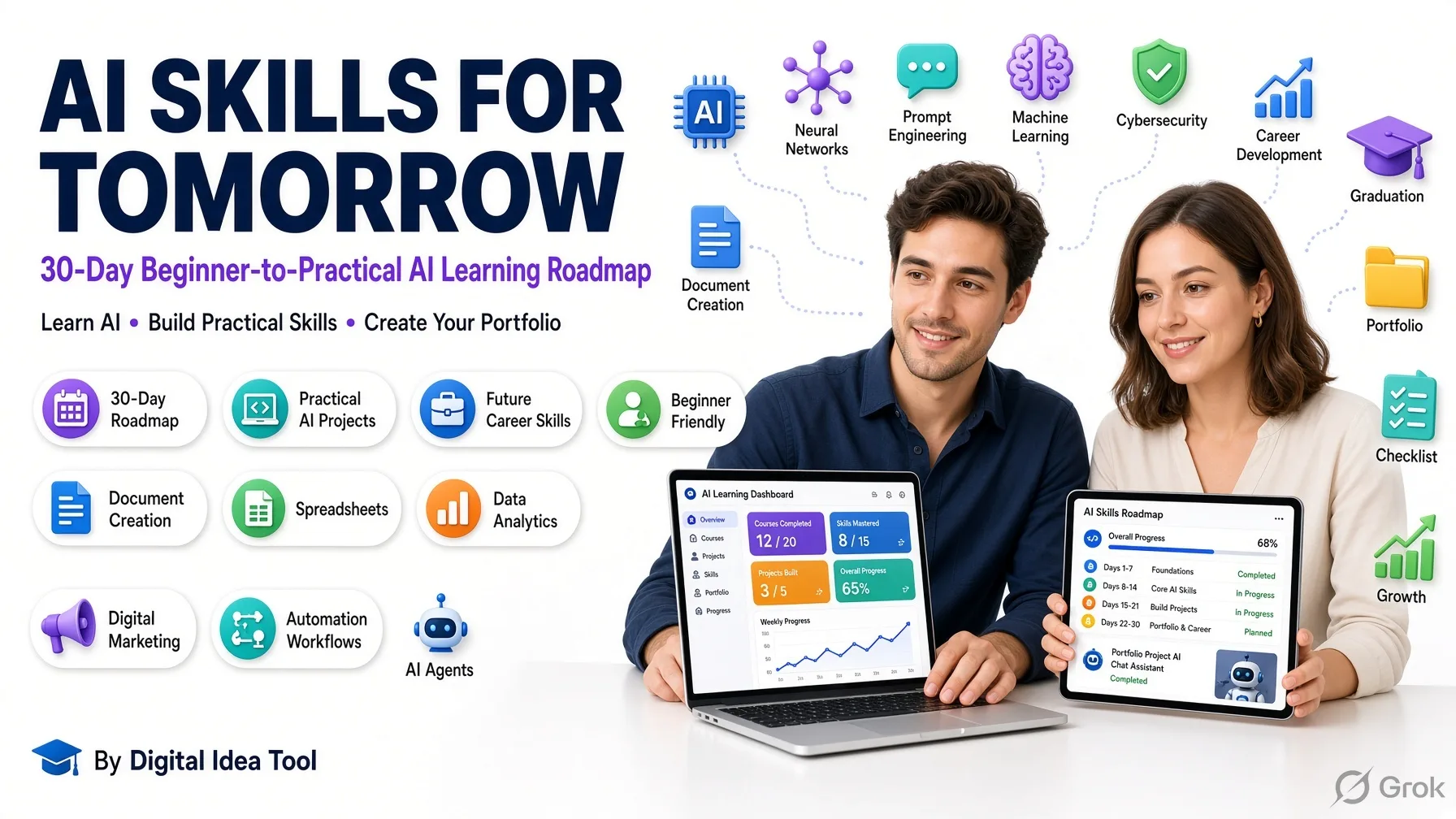
Learn AI in 30 days with beginner lessons, practical prompts, business projects, automation, career skills, and a professional AI portfolio learning roadmap.
AI Skills for Tomorrow:
Master Practical AI in 30 Days
Beginner-to-Practical AI Learning Roadmap
Learn useful AI skills for work, business, productivity, creative projects, and future career development. No previous experience needed.
Your Daily 60-Minute Learning Routine
Four simple steps to build confidence and skill.
📖 Understand
Learn a practical AI concept with easy examples.
▶ Explore
Watch or try a beginner tutorial or tool.
🛠 Practice
Complete the day’s hands-on assignment.
✍ Review
Save results and record three things learned.
Your Interactive 30-Day Checklist
Select a week, finish assignments, and mark your progress.
Week navigation works without JavaScript. Automatic progress counting and browser saving need JavaScript to be allowed by WordPress.
🧠 Week 1 — Build Your AI Foundation
Days 1–7 · Understand AI and learn how to communicate with it.
What Is Artificial Intelligence?
Learn AI, machine learning, and generative AI in simple language.
How AI Actually Works
Understand training data, models, patterns, and predictions.
Explore AI Tools
Discover ChatGPT, Gemini, Copilot, and other AI assistants.
Writing Your First AI Prompt
Learn how instructions influence AI answers.
The Four Parts of a Good Prompt
Practice role, task, context, and output format.
AI Accuracy, Privacy and Safety
Learn about hallucinations, bias, verification, and sensitive information.
AI Foundations Practice
Combine your first six days of learning.
💼 Week 2 — AI for Work and Productivity
Days 8–14 · Apply AI to everyday professional communication and planning.
AI for Professional Writing
Draft and improve workplace communications.
AI for Research and Summaries
Summarize information and check supporting sources.
AI for Documents and Reports
Organize ideas into clear business documents.
AI for Spreadsheet Learning
Explore formulas, tables, and basic analysis.
AI for Presentations
Plan effective slides and improve clarity.
AI for Time Management
Organize schedules, goals, and priorities.
Work Skills Practice
Combine writing, research, planning, and presentations.
🚀 Week 3 — AI for Business and Creativity
Days 15–21 · Explore useful applications for small businesses and creators.
AI for Business Ideas
Explore customer problems and possible solutions.
AI for Marketing Copy
Draft responsible product messaging.
AI for Social Media Content
Plan useful posts while keeping your own voice.
AI for Customer Support
Write helpful responses and identify when people must intervene.
AI for Creative Projects
Explore visual prompts and creative planning.
AI for Digital Products
Plan a guide, planner, or learning template.
Business Skills Practice
Combine ideas, marketing, service, and product design.
🎯 Week 4 — AI for Your Future Career
Days 22–30 · Build practical workflows and a beginner portfolio.
Understand AI Automation
Explore repeatable workflows and human approval.
AI for Problem Solving
Break large problems into manageable steps.
Improve Your Prompting Skills
Practice iteration, constraints, and output evaluation.
Explore AI Career Opportunities
Identify skills relevant to changing job tasks.
AI for Resumes and Interviews
Write truthful accomplishments and practice questions.
Plan Your AI Portfolio
Choose a meaningful project to demonstrate skills.
Build Your Portfolio Project
Create a useful sample of AI-assisted work.
Improve Your Portfolio Project
Evaluate accuracy, accessibility, and usefulness.
Final AI Skills Challenge
Present your project and reflect on your learning.
Free AI Learning Resources
Useful starting points; access and tool limits may change.
✨ What You Can Learn in 30 Days
- Explain basic AI concepts, abilities, and limitations.
- Write clearer prompts and verify AI output.
- Use AI to support writing, research, and workplace planning.
- Practice spreadsheets, presentations, marketing, and product ideas.
- Build a beginner portfolio project for further learning.
Learning outcomes depend on practice. This course does not guarantee advanced expertise, certification, employment, or income.
🚀 Start Here: What Is Artificial Intelligence?
Artificial intelligence (AI) is technology that can recognize patterns, understand or produce language, generate content, and make predictions. An AI assistant can help draft an email, but it can also make mistakes. Always check important results.
Suggested prompt: “Teach me Day 1 of AI Skills for Tomorrow as a complete beginner with simple examples, five exercises, and a knowledge check.”
This roadmap provides general educational information. AI outputs may contain inaccurate, biased, incomplete, or outdated information. Verify important claims, protect private data, respect copyright and applicable laws, and review content before publishing or relying on it. Third-party tools are independently operated; availability and terms may change. Course completion does not promise certification, income, or employment.
Artificial Intelligence Made Simple: Learn AI From Zero
Day 1 — What Is Artificial Intelligence? Your first step starts here!
Understand what AI is, how it works, where it appears in everyday life, and how to use an AI assistant to complete your first practical work task. No coding or paid software required.
🎯 Today's Learning Goal
🗓 Your 60-Minute Learning Plan
Understand Artificial Intelligence
What is artificial intelligence?
Artificial intelligence (AI) is technology that enables computers to perform tasks commonly associated with human intelligence. These tasks include understanding language, recognizing images, identifying patterns, predicting outcomes, and generating content.
✍️ Manual writing
You write an entire professional email yourself, choosing every word and sentence.
🤖 Assisted writing
You tell an AI assistant what you need. It drafts the email, and you review and edit the result.
AI does not need to think or feel like a human to carry out useful tasks. It processes information using computational methods.
AI vs. traditional software
| Traditional software | AI-powered software |
|---|---|
| Often follows explicit rules | Can learn patterns from data |
| Calculates a bill using a fixed formula | Predicts future sales from historical examples |
| Uses a predefined spelling dictionary | Suggests context-sensitive writing improvements |
| Performs programmed steps | May handle more varied inputs |
Both approaches are useful, and many applications combine them.
How AI Works — Simple Explanation
A simplified way to understand many modern AI systems:
Examples such as text, images or numbers
Algorithms adjust a model to learn patterns
A trained model responds to a new request
Three AI terms to know
🧠 Artificial Intelligence
The broad field of creating systems that handle tasks involving perception, language, reasoning or decision-making.
📊 Machine Learning
A branch of AI where models learn patterns from data instead of depending only on manually written rules.
✨ Generative AI
AI that creates content such as text, images, audio or code from instructions and learned patterns.
💼 Our Course Focus
Using generative AI for practical work, business and everyday productivity.
Everyday Examples of AI
🗺 Navigation apps
Estimate journey times and traffic conditions.
🛍 Online shopping
Recommend products based on relevant patterns.
📧 Email filters
Identify messages that are likely spam.
💬 AI assistants
Explain concepts, summarize text and draft content.
Other examples include speech recognition, photo organization, fraud detection and video recommendations.
Your First AI-Assisted Work Sample
Use an AI assistant to draft, improve and evaluate a professional customer email. Complete each step and check it off.
Write your first prompt
Copy this prompt into an AI assistant and read the response.
Improve your instructions
Add details about the audience, tone, length and accuracy.
Ask AI to revise its draft
Request a clearer version and identify claims that need verification.
Evaluate and save your result
Make final edits, save the email in your notes and reflect on what you learned.
✅ Evaluate your AI result
0 of 5 review points checked
Beginner Knowledge Check
Choose one answer per question, then select Check My Answers to get your score and feedback.
📝 Your Personal Learning Notes
Write in your own words. These entries remain on this page until it is refreshed; copy them to save permanently.
How Artificial Intelligence Actually Works: From Data to Smart Answers
A colourful, beginner-friendly 60-minute lesson about AI training, neural networks and how ChatGPT generates responses.
Discover how computers learn mathematical patterns, what a trained AI model does, and why you should always check important AI-generated claims. No coding needed.
Learn • Experiment • Explain ✨
Your 60-Minute Learning Journey
Today's goal: Explain the journey from training data to an AI-generated answer.
⏰ 0–10 min
Training data and patterns
⏰ 10–20 min
Models and neural networks
⏰ 20–25 min
How ChatGPT generates answers
⏰ 25–50 min
Hands-on AI experiments
⏰ 50–60 min
Knowledge check and reflection
Part 1 — How AI Learns Patterns
Imagine showing a child many apples and oranges to help them tell the difference. A machine learning system can similarly study many examples, but it learns through mathematical calculations, not human-style understanding.
🍎 Example A — Apples
Often round, red or green, with a stem.
🍊 Example B — Oranges
Usually orange, round, with textured skin.
With a sufficiently varied collection of labelled images, a machine learning system can discover patterns useful for classifying new images.
Four building blocks
1. Data
Examples and information, including text, images, audio or sales numbers.
2. Algorithm
A computational method that helps learn patterns or solve a task.
3. Training
Adjusting the model's internal parameters using data and feedback.
4. Model
The resulting mathematical system for predictions or generated output.
📈 Business example — Advertising and sales
Suppose a shop records these illustrative weekly results:
| Week | Ads run | Sales |
|---|---|---|
| 1 | 2 | 20 |
| 2 | 4 | 29 |
| 3 | 6 | 38 |
| 4 | 8 | 47 |
Part 2 — Models and Neural Networks
A neural network is a mathematical model of connected computational units. During training, it adjusts numerical weights to improve its results. It is not a biological brain.
Simplified illustration: real neural networks can have many layers and parameters.
🏗 Training
The model's parameters are adjusted using examples and optimization.
🚀 Inference
An already-trained model processes a new request and produces a result.
Asking ChatGPT to summarize a paragraph normally uses inference. That single prompt does not ordinarily retrain its underlying model weights.
Part 3 — From Prompt to Answer
Try the example prompt: “Explain the benefits of exercise in simple English.”
Language models generate text by predicting successive tokens based on learned statistical patterns and available context. This process can support useful answers and reasoning tasks, but fluent wording does not guarantee accuracy.
Part 4 — Your 25-Minute Practice Lab
Copy each prompt into your preferred AI assistant. Write your observation, then mark the experiment complete.
Laboratory progress: 0/4 complete
🔎 Lab 1 — Discover a pattern
7 minutes · Notice how AI identifies number patterns.
🧩 Lab 2 — Change the context
7 minutes · Compare a technical explanation with an analogy.
⚠️ Lab 3 — Investigate AI limitations
6 minutes · Learn why confident answers are not always reliable.
🎤 Lab 4 — Teach it back
5 minutes · Explain five key terms in your own words.
Your notes stay in the page only while it remains open; copy them elsewhere if you want to keep them.
Part 5 — Knowledge Check (10 Minutes)
Choose one answer for each question, then select Check my answers for your score and explanations.
Your Day 2 Revision Notes
- Data provides examples for learning.
- Algorithms guide computational learning methods.
- Training adjusts model parameters.
- Trained models use learned patterns on new information.
- Inference means generating output using a trained model.
Explore AI Tools Like a Pro: A Beginner's Guide to ChatGPT, Gemini, Copilot & Claude
Learn how to discover, compare and choose powerful AI assistants for everyday life, work and business.
Start from zero experience and explore how artificial intelligence can simplify writing, research, business planning and productivity. This practical 60-minute lesson includes real examples, interactive exercises and a knowledge check.
Learn • Explore • Create!Your 60-Minute AI Learning Plan
What Is an AI Tool?
An AI tool is software that uses artificial intelligence to help people answer questions, write content, research information, analyze data and perform creative tasks. For example, an AI assistant can organize rough business notes into a structured report draft that you review.
Five useful categories of AI tools
💬 Conversational AI
Explain concepts, brainstorm ideas, answer questions and improve writing.
Examples: ChatGPT, Claude and Gemini.
🔎 AI Research Assistants
Help find, summarize and organize information, sometimes including sources.
Examples: Perplexity and ChatGPT Search.
📊 AI Productivity Tools
Assist with documents, presentations, spreadsheets and everyday office work.
Examples: Microsoft 365 Copilot and Gemini in Workspace.
🎨 AI Creative Tools
Create or edit visual designs, images, audio, video and digital content.
Examples: ChatGPT image generation and Adobe Firefly.
⚙️ AI Automation Tools
Connect applications and automate repetitive business workflows.
Examples: Zapier AI workflows and Make.
Meet the Four AI Assistants
Select a colourful 3D tab to explore each AI assistant.
🤖 ChatGPT
Useful for learning new skills, professional writing, brainstorming, coding assistance, analyzing files and generating creative content.
Beginner example: Ask ChatGPT to explain five marketing ideas for a small online shop.
Access: Free and paid options; usage and features vary.
Explore ChatGPT✨ Google Gemini
Useful for explaining ideas, planning, text generation, analyzing documents, images and supported media.
Beginner example: Ask Gemini to organize a weekly learning plan.
Access: Free and paid features, with varying limits.
Explore Gemini💻 Microsoft Copilot
Useful for questions, writing and web-related tasks. Microsoft 365 Copilot also offers additional productivity features in supported Office applications.
Beginner example: Draft a professional email and improve its tone.
Access: Free assistant; Microsoft 365 integration varies by subscription.
Explore Copilot✍️ Claude
Useful for writing, editing, studying documents, organizing longer content and programming assistance.
Beginner example: Rewrite a complicated explanation in simple English.
Access: Free and paid tiers with usage restrictions.
Explore ClaudeHow to Choose the Right AI Tool
🎯 1. Your Task
Do you need research, writing, analysis, an explanation or a design?
✅ 2. Accuracy
Can you check the answer against reliable sources?
🧩 3. Ease of Use
Can you understand, edit and improve the results?
🔒 4. Privacy
Is the information safe and appropriate to share?
💰 5. Cost
Does the available plan meet your needs and budget?
Business example: When preparing a presentation, ask an AI assistant to create an outline and speaker notes. Build the slides in your preferred software and verify important facts before sharing.
Your Practical AI Laboratory
Complete four experiments using ChatGPT and another assistant. Copy each prompt, study the output and mark the exercise complete.
Use ChatGPT as a Beginner Tutor
Explore how AI explains a practical business topic.
Compare Another AI Assistant
Use exactly the same prompt in Gemini, Claude or Copilot to compare explanations fairly.
Improve Your AI Answer
Learn how follow-up instructions can generate more useful results.
Choose the Best Tool for Your Task
Evaluate clarity, reliability, safety, privacy, cost and task completion.
My AI Tool Scorecard
Give ChatGPT and Gemini a score from 1 (poor) to 5 (excellent) in each category. If you tested a different second assistant, use its scores in the second column instead.
| Evaluation | ChatGPT | Second AI |
|---|---|---|
| Clear explanations | ||
| Useful examples | ||
| Follows instructions | ||
| Factual reliability | ||
| Ease of use |
ChatGPT: 0/25 · Second AI: 0/25
Scores are your personal observations, not verified product rankings. Check factual claims before rating reliability.
Test Your AI Knowledge
Select one answer for each question and submit your responses.
What is the main purpose of a conversational AI assistant?
Which tool is appropriate for asking questions about a long document?
What is the fairest way to compare two AI assistants?
Which statement about AI-generated research is correct?
What should you consider before uploading customer information?
Master Your First AI Prompt: From Zero to Smart AI Instructions
Learn the art of asking AI better questions and getting clearer, more useful answers.
A complete beginner-friendly 60-minute lesson covering effective prompts, context, real business applications, five hands-on tasks, and an interactive knowledge check.
Your 60-Minute AI Prompt Learning Journey
Start with the basics and work towards writing your own practical AI instructions.
⏰ Your Learning Schedule
| Time | Activity |
|---|---|
| 0–10 min | Understand AI prompts |
| 10–20 min | Learn the five building blocks |
| 20–25 min | Explore real business examples |
| 25–50 min | Complete five practical exercises |
| 50–60 min | Complete the knowledge check |
❌ Vague Prompt
"Write about business."
The AI must guess the topic, audience, length, and style.
✅ Improved Prompt
"Write a 200-word beginner guide to starting an online digital product business. Include five practical steps."
Compare Two Educational Prompts
Simple: What is digital marketing?
Detailed: Explain digital marketing to a beginner using simple English. Include five examples for a small online business and three actions to try today.
Both prompts are valid, but the second defines the audience, content, and expected result.
The Five Building Blocks of a Powerful AI Prompt
Use this beginner framework whenever you want a more tailored response.
"Act as a beginner-friendly marketing tutor."
"Explain how email marketing works."
"I run a small online digital product store."
"Use simple English, practical examples, and no jargon."
"Provide a table and a five-step checklist."
🌟 Complete Prompt Example
Real Work and Business Prompt Examples
Discover practical ways AI prompts can help with professional writing, analysis, marketing, and learning.
✉️ Professional Communication
Write a polite follow-up email after a business meeting. Include a thank-you, agreed next steps, and a professional closing. Use placeholders for missing details.
📊 Business Analysis
Analyze this sample sales table. Calculate changes between months, identify the strongest month, and summarize three observations. Do not invent missing numbers.
📣 Digital Marketing
Create five educational social media post ideas for a beginner AI learning guide. Include a hook, short description, and relevant search keywords for each.
🎓 Personal Learning
Teach me Excel formulas as a complete beginner. Explain one formula at a time, provide an example, and ask me to solve a problem before continuing.
Five Hands-On AI Prompt Exercises
Write a prompt, compare it with the example, test it in an AI assistant, and review the response.
🚀 Your Practice Progress
0 of 5 exercises completed🎓 Explain a New Skill
You want to learn digital marketing from zero. Write an educational prompt requesting a simple explanation and examples.
✉️ Write a Professional Email
A customer is asking about a downloadable productivity planner. Create a prompt for a friendly, accurate response.
📣 Create a Marketing Plan
You are launching a beginner-friendly digital learning guide. Ask AI for a simple promotional strategy.
📊 Analyze Business Data
Use monthly order numbers to request calculations and useful observations.
💡 Improve a Weak Prompt
Original prompt: "Give me business ideas." Rewrite it to request specific and realistic suggestions.
Build Your Own Professional AI Prompt
Combine the five prompt elements using the guided form below.
Day 4 Knowledge Check
Answer five beginner-level questions. Check individual answers for feedback or submit all five for your final score.
What is an AI prompt?
Which prompt is most specific for drafting a customer email?
What does context do in a prompt?
Which instruction specifies an output format?
What should you do if an AI-generated business report includes an unsupported claim?
📌 Your Day 4 Revision Card
Remember: Write your prompt, examine the AI response, improve your instructions, and verify important information.
Open your AI assistant and ask: "Start Day 5 of my AI Skills for Tomorrow course: The Four Parts of a Good Prompt."
Master the Four Parts of a Powerful AI Prompt
Day 5 — Role, Task, Context & Output Format
Learn how to communicate clearly with artificial intelligence and create useful prompts for professional writing, digital marketing, business decisions and future career development.
Combine Role, Task, Context and Format to write effective AI prompts for workplace communication, marketing, business analysis and learning.
In Day 4, you learned five prompt-building elements. Today we focus on four foundational parts. Instructions about tone, length, accuracy and limitations can be included within the Task or Format.
⏱ Your 60-Minute Learning Schedule
| Time | Activity |
|---|---|
| 0–10 min | Understand the four components |
| 10–20 min | Learn how to combine them |
| 20–25 min | Study real business examples |
| 25–50 min | Complete five interactive exercises |
| 50–60 min | Knowledge check and review |
🧩 Understand the Four Components
The R–T–C–F Framework
1. Role — Set the Perspective
Who should the AI act as?
A role establishes a useful perspective or style. It does not guarantee expertise or accuracy.
2. Task — Define the Action
What should the AI do?
Use clear verbs such as explain, compare, summarize, create, calculate or review.
3. Context — Add Background
What does the AI need to know?
Include goals, audience and available resources. Avoid sharing passwords or private customer records.
4. Format — Choose the Structure
How should the result look?
You can request an email, checklist, table, report, guide or step-by-step plan.
🚀 Combine the Four Components
❌ Vague Request
“Help my business.”
This leaves many questions unanswered. What business? What help? What result?
✅ Structured Request
Role: Act as a practical small-business marketing advisor.
Task: Create a seven-day launch plan for a productivity planner.
Context: I sell digital downloads online, have a limited budget and no established audience.
Format: Use a table with Day, Activity, Platform and Success Metric. Avoid sales guarantees.
✨ Your Combined Prompt
💼 Real Workplace & Business Examples
See how R–T–C–F applies to common professional tasks.
📧 Example 1 — Professional Email Writing
Role: Customer service assistant
Task: Draft a product inquiry response
Context: Customer asks about a digital learning guide
Format: Email with subject, greeting, body and closing
📊 Example 2 — Basic Sales Analysis
Role: Data analyst
Task: Compare monthly sales
Context: Three months of sample figures
Format: Table plus three observations
📣 Example 3 — Content Marketing
Role: Content strategist
Task: Generate educational blog ideas
Context: Beginner practical AI learning website
Format: Ten titles and learning takeaways
✍️ Five Interactive Prompt Exercises
Identify the four components, write your own prompts, compare example answers, and track your progress.
🧩 Identify the Prompt Components
Match each sentence with Role, Task, Context or Format.
📈 Writing Practice Progress
0/4 exercises completed
Write a prompt and mark it complete after testing it with an AI assistant.
📧 Business Email
A customer wants to know whether your downloadable planner is a physical product.
📱 Social Media Marketing
You want social media content ideas to promote a beginner AI learning guide.
📊 Business Data Analysis
A sample store made $500 in January, $650 in February and $600 in March.
🎓 Career Learning Plan
You want to learn practical AI skills for work without any programming experience.
🛠️ Build Your Own AI Prompt
Enter your Role, Task, Context and Output Format. Your complete prompt updates automatically.
✨ Your Complete AI Prompt
🧠 Day 5 Knowledge Check
Answer all five questions. You can check individual answers and review your total score.
What does the Role component tell an AI assistant?
Which sentence is the Task component?
What is the primary purpose of Context?
Which instruction defines an Output Format?
Why should you use all four components?
📝 Your Day 5 Revision Notes
R — Role: Who should the AI act as?
T — Task: What should the AI do?
C — Context: What relevant background does AI need?
F — Format: How should the response look?
Effective prompts are clear and appropriately specific. Keep improving your instructions with follow-up questions and verify important information.
🚀 Next Lesson — Day 6
AI Accuracy, Privacy and Safety
Learn to recognize hallucinations, identify misleading information, protect private data and verify AI answers.
Opens your AI assistant with the Day 6 lesson request.
Day 6: AI Accuracy, Privacy and Safety
Learn safer, smarter and more responsible AI skills
Today's learning goal: Learn to recognize inaccurate AI answers, protect sensitive information, identify bias, and verify important claims before using AI-generated content at work or in business.
By the end of today's lesson, you should be able to explain what an AI hallucination is, recognize common privacy risks, check an AI-generated answer using trustworthy sources, and create a personal AI safety checklist.
Your 60-minute learning schedule
| Time | Activity |
|---|---|
| 0–10 min | Understand AI accuracy and hallucinations |
| 10–20 min | Learn privacy, security, and bias |
| 20–25 min | Understand how to verify AI answers |
| 25–50 min | Five practical verification exercises |
| 50–60 min | Knowledge check and review |
Part 1 — Understanding AI accuracy (10 minutes)
1. Why does AI sometimes give wrong answers?
AI assistants generate answers using learned patterns, the information provided to them, and available tools. They can be highly useful, but their responses are not guaranteed to be correct.
An AI system may produce:
- Incorrect dates, statistics, or calculations.
- Invented sources, quotations, or references.
- Outdated information.
- Misleading conclusions.
- Confident answers to questions it cannot reliably resolve.
2. What is an AI hallucination?
An AI hallucination occurs when an AI system produces information that is fabricated, inaccurate, or unsupported, but presents it as though it were reliable.

⚠ Potentially inaccurate
"This new business will definitely earn $5,000 every month."
An unsupported guarantee about future revenue.

✓ More responsible
"Revenue depends on demand, pricing, costs, and execution. Results cannot be guaranteed."
Acknowledges uncertainty and relevant factors.
An unsupported guarantee is a warning sign, but it doesn't always prove that a model hallucinated. The way to establish whether a specific claim is accurate is to check the evidence.
3. Accuracy versus confidence
A professional tone, detailed explanation, or confident statement does not prove that information is correct.
Remember this rule:
Confident answer ≠ Correct answer
Evaluate the facts and supporting evidence, not just how convincing the response sounds.
Part 2 — AI privacy, security, and bias (10 minutes)
4. What information should you avoid sharing?
Some AI services may retain or process information you submit. Data handling differs by provider, product, settings, and account type.
Do not enter sensitive information into an unapproved AI tool
Passwords and verification codes
Account passwords, one-time codes, recovery keys.
Financial account information
Complete payment card details or banking credentials.
Personal identification details
Government ID numbers, private addresses, and identity documents.
Customer information
Private contact details, purchase histories, or support records without authorization.
Confidential business material
Unpublished contracts, private financial reports, trade secrets, or unreleased strategies.
5. How can you use AI more safely?
Minimize the data
Share only the information needed for the task. Use invented sample data when possible.
Review privacy settings
Check whether chats, uploaded files, or other content are retained or used for model improvement.
Use approved services
At work, follow company rules and use AI applications authorized for your data.
Review permissions
Check what connected apps and integrations are allowed to access or change.
Use human approval
Review AI-generated emails, decisions, and public content before taking action.
6. What is AI bias?
AI bias describes systematic differences or unfair patterns in an AI system's outputs or performance. Bias can come from training data, design choices, labeling decisions, or how a system is used.
For example, suppose an AI tool helps screen job applications. If its historical training data reflects unfair hiring practices, the tool may reproduce those patterns.
This is especially important for hiring, lending, healthcare, education, and other decisions affecting people.
Beginner rule: Do not let an AI recommendation make an important decision about a person without appropriate human oversight, fairness checks, and evidence.
Part 3 — Learn a simple fact-checking method (5 minutes)
Use the S–O–U–R–C–E checklist for important AI-generated claims.
Identify the factual claim you need to verify.
Find a reliable, relevant source.
Read the full context, not just a headline.
Check dates, authorship, numbers, and qualifications.
Compare with another independent source when appropriate.
Mark the claim verified, contradicted, or uncertain.
Example: Checking an AI-generated claim
Suppose an AI says:
"Every online store must offer a 30-day refund period."
How should you respond?
Do not assume it is correct. Refund requirements depend on relevant consumer laws, jurisdictions, product types, and specific circumstances. Check current official consumer protection guidance for the countries in which the business operates before creating a policy.
This is a case where legal requirements must be checked rather than guessed.
Part 4 — Five practical exercises (25 minutes)
Use the interactive exercises below to practice identifying AI risks, improving prompts, evaluating evidence, and protecting information.
Practical exercise progress: 0/5 completed
Exercise 1: Identify an unsupported claim
Read the statement and identify what makes it unreliable.
SCENARIOThis AI marketing method guarantees that every beginner will earn $10,000 in their first month.
What evidence would you require before trusting this claim?
Exercise 2: Protect customer privacy
Practice replacing personal details with fictional or anonymized information.
SCENARIOA business owner wants an AI assistant to summarize customer support issues using real customer names, phone numbers, and addresses.
How could you complete the task while minimizing customer information?
Exercise 3: Verify an AI-generated factual claim
Use a reliable source to check one scientific fact.
SCENARIOClaim: The Moon produces its own visible light like the Sun.
What did your source establish about the claim?
Exercise 4: Identify potential bias
Explore how an AI recommendation can become unfair.
SCENARIOAn AI hiring assistant recommends rejecting applicants based on their age rather than skills relevant to the position.
Why could this be unfair, and what should be reviewed?
Exercise 5: Create a responsible business prompt
Develop a prompt that asks AI to acknowledge uncertainty and provide verifiable information.
SCENARIOYou need a digital product description that is useful and persuasive without making unsupported promises.
What safety and accuracy instructions did you include?
Bonus: AI information safety checker
Use this small exercise to decide what kind of information is appropriate to share with an AI assistant.
Fictional data avoids exposing real customers, provided it does not accidentally reproduce identifiable private details.
Part 5 — Day 6 knowledge check (10 minutes)
Test your understanding with five questions. Select your answer, then check the explanation.
QUESTION 1 OF 5
What is an AI hallucination?
An AI hallucination is fabricated, inaccurate or unsupported information presented as reliable.
QUESTION 2 OF 5
Which information should not be pasted into a general AI chatbot?
Passwords and one-time codes are sensitive account credentials and should not be shared.
QUESTION 3 OF 5
An AI assistant gives a confident answer with an unfamiliar statistic. What should you do?
Confidence does not establish truth; verify important numbers using reliable sources.
QUESTION 4 OF 5
Which example best illustrates potential AI bias?
Rejecting qualified applicants because of irrelevant personal characteristics is potentially unfair.
QUESTION 5 OF 5
What is a responsible way to use AI for business content?
Responsible business writing uses verified claims and avoids unsupported guarantees.
Day 6 — Your responsible AI checklist
You can use this checklist whenever you create content with an AI assistant.
Responsible AI review 0/6
Key lessons to remember
Accuracy: AI answers can contain mistakes even when they sound convincing.
Privacy: Do not share sensitive information without an appropriate, approved reason and suitable safeguards.
Bias: AI systems can produce unfair recommendations that require human review.
Verification: Prefer authoritative sources, check context and dates, and acknowledge uncertainty.
Responsibility: The person using AI remains responsible for reviewing its output before acting on it.
Next lesson — Day 7: AI Foundations Practice
Day 7 is your first weekly review. You will combine everything learned during Days 1–6 and create a one-page beginner AI guide covering AI fundamentals, models, prompts, tools, accuracy, and safety.
Ready for your Week 1 project?
Complete your verification exercises and knowledge check before continuing.
Start Day 7
Day 7: AI Foundations Practice
Review, Practice & Build Your First AI Portfolio Guide
Today's goal: Consolidate everything you learned during Days 1–6 and create a one-page beginner guide explaining what AI is, how to use it, and how to use it responsibly.
Your 60-minute learning plan
You've reached the first weekly review. Today you will recall, explain and apply your existing knowledge.
| Time | Activity |
|---|---|
| 0–15 min | Review six foundational topics |
| 15–25 min | Complete three short exercises |
| 25–45 min | Build your one-page AI guide |
| 45–55 min | Week 1 knowledge assessment |
| 55–60 min | Self-review and Week 2 preparation |
Part 1 — Review Days 1–6 (15 minutes)
Tap a colourful 3D tab to review a topic ✏️
Day 1 — What Is Artificial Intelligence?
AI is a broad field focused on systems that perform tasks involving language, perception, patterns, predictions or reasoning.
Examples: Chatbots, recommendation systems and speech recognition.Day 2 — How AI Actually Works
During machine learning training, algorithms adjust model parameters using examples. During inference, a trained model processes new inputs.
Remember: Data → Training → Trained Model → New Input → Output.Day 3 — Explore AI Tools
Different AI assistants help with writing, research, learning, analysis and content creation. Compare accuracy, privacy, ease of use, suitability and cost.
Examples: ChatGPT, Gemini, Microsoft Copilot and Claude.Day 4 — Writing Your First AI Prompt
A prompt is an instruction or question guiding the response. Clarity helps the tool understand your goal.
Example: “Explain AI to a beginner using three everyday examples.”Day 5 — The Four Parts of a Good Prompt
R–T–C–F: Role, Task, Context and Format.
Example: “Act as a tutor. Explain AI. I'm a beginner. Use a short table.”Day 6 — AI Accuracy, Privacy and Safety
AI can make unsupported or incorrect claims. Verify important facts, protect sensitive data, check for bias and review outputs.
Remember: Confidence does not guarantee correctness.Your first-week mental model
Understand the tool → Give useful instructions → Examine the result → Improve your approach.
Part 2 — Three practical review exercises (10 minutes)
Write your own answers, reveal hints if needed, and check each completed task.
Explain AI
Explain artificial intelligence in your own words. Give two everyday examples.
Show hint
Describe a computer system doing tasks such as recognizing speech or recommending videos.
Improve a weak prompt
Rewrite “Help me sell products” using Role, Task, Context and Format.
Show hint
Try: “Act as a marketing advisor. Suggest five low-cost ways to promote my digital planners to new customers. I have a small budget. Show a table with the idea, first step and risk.”
Identify a risk
An AI says: “This business strategy guarantees $2,000 profit every month.” What is wrong and how would you verify it?
Show hint
Profit is uncertain. Examine costs, sales evidence, comparable businesses and the reliability of any figures; do not treat an AI prediction as a guarantee.
0/3 exercises marked complete
This local feedback checks for key ideas, not the full meaning of your answer. Copy your answers into an AI tutor for a more detailed review.
Part 3 — Your first AI portfolio project (20 minutes)
Create a One-Page Beginner Guide to Artificial Intelligence
Your guide should include a definition of AI, machine learning basics, three practical uses, a useful prompt and three safety rules. Target: 250–350 words.
Step 1 — Plan your guide (5 minutes)
Step 2 — Generate your guide preview (5 minutes)
0 words · Suggested length: 250–350
Step 3 — Ask AI to review your draft (5 minutes)
Use the following editor request to improve your guide rather than replace your ideas.
Paste the copied text into your preferred AI assistant. This WordPress block does not connect to an AI service.
Step 4 — Final project review (5 minutes)
0/7 project checks complete
Part 4 — Week 1 knowledge assessment (10 minutes)
Try all ten questions without revisiting your notes. Choose one answer per question and check your result.
0/10 answered
Part 5 — Your five-minute reflection
Your Week 1 learning milestone
🏅 AI Foundations — Week 1
You've reviewed AI concepts, models, tools, prompting and responsible use. Your first portfolio deliverable is a one-page AI beginner guide.
Completion is based on your own practice, project review and knowledge assessment. This is not a formal certification.
Coming next — Week 2: Practical AI for Everyday Work
Next lesson: Day 8 — AI for Professional Writing
Learn how to draft professional emails, rewrite unclear messages, summarize meetings and improve workplace communication.
Start Day 8: Add your published Day 8 post URL to the link below when it's ready.
Start Day 8 — Link coming soonWritten by Digital Idea Tool Team · Educational content only. Verify important AI outputs and avoid sharing passwords or confidential information.
Day 8: AI for Professional Writing
AI Skills for Tomorrow · Lesson 08 of 30 · Week 2: Practical AI for Work
WRITE SMARTER ✎Today's goal: Learn to use AI for writing professional emails, improving unclear messages, summarizing meetings, drafting reports, and creating customer-friendly business communication.
By the end of this lesson, you should be able to turn rough notes into a professional draft, improve its tone, summarize information accurately, and review AI-generated writing before sending or publishing it.
Your 60-minute lesson schedule
| Time | Learning activity |
|---|---|
| 0–10 min | Understand AI-assisted professional writing |
| 10–20 min | Learn the professional writing workflow |
| 20–25 min | Study realistic workplace examples |
| 25–50 min | Complete five writing exercises |
| 50–60 min | Knowledge check and review |
Part 1 — Understanding AI-assisted writing (10 minutes)
1. What is AI-assisted professional writing?
AI-assisted writing means using an AI tool to help plan, draft, edit, summarize, or improve written communication.
The AI can help with the wording and structure, while you remain responsible for the accuracy, tone, purpose, and final message.
Organize ideas, draft sentences, revise grammar, and format a message manually.
Provide your notes and instructions, obtain a draft, and review and improve it.
2. Five ways AI can help
Turn basic instructions or notes into a structured first draft.
Make unclear or overly complicated writing easier to understand.
Suggest grammar, spelling, punctuation, and tone improvements.
Condense provided information while preserving essential points.
Rewrite the same message for a customer, colleague, manager, or other audience.
3. The difference between informal and professional writing
“Hey, I need that report. Send it fast.”
“Hello, could you please share the report when it is ready? It would help me complete the next stage of the project. Thank you.”
Professional writing is not necessarily longer. It should be clear, accurate, respectful, and suited to the situation.
Part 2 — The five-step professional writing workflow (10 minutes)
Decide what you want the recipient to know or do.
Give the AI the necessary background, audience, and factual details.
Request a friendly, formal, concise, or persuasive style and appropriate structure.
Read the draft and request changes to improve clarity or organization.
Confirm facts, names, dates, promises, links, and confidentiality before use.
Example: Writing a business email
A beginner might enter:
Write an email to a customer.
But a more useful prompt would be:
Example output
Hello,
Thank you for your interest in our digital planner.
This planner is a digital product rather than a physical item. No printed planner or physical package will be shipped.
If you have questions about the planner's contents, available file formats, or purchasing process, please let us know. We're happy to help you find the information you need.
Thank you for considering our product.
Best regards,
Customer Support Team
This is an illustrative draft, not a message that has been sent. It avoids claiming unverified product details.
Part 3 — Realistic workplace examples (5 minutes)
After a meeting, ask AI to write a clear summary of agreed tasks, deadlines, and next steps using only the details you provide.
Turn rough meeting notes into a summary with decisions, action items, owners, and deadlines. Mark missing information instead of guessing.
Ask AI to organize your completed tasks, current progress, challenges, and next actions into a short professional report.
Draft a polite reply to a customer complaint using the actual issue and verified company policies without promising unauthorized refunds or other remedies.
Part 4 — Five practical writing exercises (25 minutes)
Complete each five-minute exercise. Start by drafting or editing the text yourself, then use AI to compare and refine your version.
Write a professional follow-up email
You had a meeting about a website update. The team discussed improving navigation and reviewing the homepage design. No deadlines were confirmed.
Write a polite follow-up email containing the meeting summary and next steps.
Rewrite an unclear message
Original message: 'The report is not good. Fix everything quickly and send again.'
Make this message constructive, respectful, and actionable without inventing specific report errors.
Summarize meeting notes
Notes: Monday meeting. Team agreed to update website FAQs. Ravi will draft the questions. Priya will review the wording. No completion date has been agreed.
Create a short meeting summary with decisions, responsible people, and unresolved items.
Write a weekly progress report
Sample work: completed three product descriptions, drafted two blog outlines, and started a spreadsheet tracker. The tracker is not finished.
Create a factual workplace progress report based on these sample details.
Respond to a customer question
A customer asks whether a downloadable digital workbook will arrive in the mail. You know only that it is a digital download, not a physical product.
Draft an accurate, friendly customer response.
Bonus — Interactive professional writing assistant
Use this practice builder to see how audience, tone, and purpose change a writing prompt.
Your generated AI writing prompt
This WordPress-only practice builder creates prompts locally. It does not send text to an AI service.
Part 5 — Day 8 knowledge check (10 minutes)
Choose the best answer for each question.
Your professional writing review checklist
Before sending or publishing — 0/6
Day 8 — Key takeaways
- AI is useful for drafting, rewriting, editing, summarizing, and adapting communication.
- Strong writing prompts specify purpose, audience, relevant context, tone, and format.
- Professional writing should be clear, respectful, accurate, and concise.
- AI-generated meeting notes and reports must be checked against their original sources.
- The final responsibility for sending or publishing written material belongs to you.
Next lesson — Day 9: AI for Research and Learning
In Day 9, you'll learn to use AI for research, find reliable sources, organize information, ask better questions, and verify research findings.
Finish your five writing exercises and review the knowledge-check explanations before continuing.
Day 9: AI for Research and Learning
Learn to research smarter, verify facts, and build reliable evidence-based conclusions.
Today's goal: Learn how to use AI to research unfamiliar topics, find credible information, compare sources, understand complex subjects, and produce accurate research summaries.
No programming or paid research tools are required.
Your 60-minute lesson schedule
| Time | Learning activity |
|---|---|
| 0–10 min | Understand AI-assisted research |
| 10–20 min | Learn a reliable research workflow |
| 20–25 min | Study real research examples |
| 25–50 min | Complete five practical exercises |
| 50–60 min | Knowledge check and review |
Part 1 — What is AI-assisted research? (10 minutes)
AI-assisted research means using artificial intelligence to help investigate a question, understand information, organize evidence, and explain findings.
For example, imagine you want to learn about digital marketing but don't know where to begin.
A basic question might be:
What is digital marketing?
A stronger research prompt is:
Act as a beginner research tutor. Explain digital marketing, identify five important techniques, provide practical examples for small businesses, and recommend reliable sources for further study. Separate established facts from suggestions.
The second prompt helps define the research task. However, asking AI for sources does not automatically mean those sources are genuine or support its claims.
Five ways AI can help researchers
Discover a topic
Identify key concepts, subtopics, and important research questions.
Explain difficult information
Simplify complicated material without changing its essential meaning.
Summarize sources
Condense supplied documents into main ideas and supporting evidence.
Compare information
Identify similarities, disagreements, and gaps between sources.
Organize findings
Create research notes, evidence tables, reports, and learning plans.
Research versus simply asking AI
| Asking AI a question | Conducting research |
|---|---|
| Receives a generated answer | Investigates a defined question |
| May not include evidence | Looks for supporting evidence |
| Can provide a starting point | Checks original sources |
| Often produces one perspective | Compares relevant viewpoints |
| Useful for quick explanations | Better for justified conclusions |
The key principle is that AI can assist your research, but its response is not itself proof.
Part 2 — The six-step reliable research workflow (10 minutes)
Your beginner research process
- Define — Ask a focused question
- Discover — Identify potential sources
- Read — Open the original information
- Verify — Check evidence and credibility
- Compare — Look for agreement and disagreement
- Summarize — Report supported conclusions
How do you recognize a reliable source?
The UK House of Commons Library describes source evaluation using factors such as accuracy, authority, relevance, transparency, and purpose. It also highlights lateral reading: checking a source's reputation and claims by looking beyond the original website. 
House of Commons Library
Use this practical checklist:
Authority
Who published the information? Do they have relevant expertise?
Evidence
Are there original studies, official documents, or data?
Accuracy
Does the source actually support the claim?
Currency
Is the information recent enough for this question?
Purpose
Is the source informing, persuading, advertising, or selling?
Independence
Do independent credible sources support the same conclusion?
No domain ending, publication date, or professional-looking design guarantees accuracy. The evidence must match the specific claim.
Understand primary and secondary sources
A primary source provides original information, such as a research study, official statistical dataset, product documentation, or direct interview.
A secondary source explains or interprets original information, such as a newspaper article summarizing a scientific study.
Both can be useful, but original sources are especially important when verifying specific numbers or quotations.
Part 3 — Real research examples (5 minutes)
Example 1: Verifying a scientific claim
Suppose an AI assistant says:
"The Moon produces its own visible light."
We can verify this using NASA's Moonlight explanation.
NASA explains that moonlight is sunlight reflected from the Moon's surface. Therefore, the claim is incorrect. 
NASA Science
Research finding
Claim: The Moon produces its own visible light.
Evidence: NASA identifies reflected sunlight as the source of moonlight.
Conclusion: Contradicted by evidence.
Example 2: Researching digital product demand
Research question: What problems do beginners want a budget planner to solve?
You could investigate customer reviews, marketplace search results, community discussions, and feedback from potential buyers.
AI can help organize recurring themes such as expense tracking, savings goals, and ease of use. But it should not invent demand statistics or treat a few comments as representative market research.
Example 3: Evaluating health information
Imagine a website promises a miracle cure for a health condition.
The US National Library of Medicine's MedlinePlus recommends examining who runs a site, why it exists, the evidence provided, its review process, and when information was updated. It also recommends comparing trustworthy sources. 
MedlinePlus
A responsible AI research assistant should identify such a claim as requiring substantial medical evidence rather than repeat the promise as fact.
Part 4 — Five practical research exercises (25 minutes)
Each exercise takes five minutes. Work through the steps, record what you find, and use the provided prompts for additional help.
Explore an unfamiliar subject
RESEARCH SCENARIOYou want to understand how search engine optimization (SEO) works for a beginner blog.
Identify the main concepts and make a simple learning outline.
SUGGESTED AI PROMPTVerify a scientific statement
RESEARCH SCENARIOAn AI claims that moonlight is produced by the Moon itself.
Check the claim against NASA's explanation.
SUGGESTED AI PROMPTCompare two information sources
RESEARCH SCENARIOYou find one article claiming that AI always improves workplace productivity and another stating that benefits depend on the task and how it is used.
Compare the claims and identify what evidence would be needed to judge them.
SUGGESTED AI PROMPTInvestigate a digital product idea
RESEARCH SCENARIOYou want to explore whether an editable monthly budget planner could address a real customer need.
Design a small research plan rather than inventing market demand.
SUGGESTED AI PROMPTProduce an evidence-based summary
RESEARCH SCENARIOYou need a short report explaining why businesses should verify AI-generated research.
Write a short summary grounded in provided or independently checked sources.
SUGGESTED AI PROMPTBonus: Interactive research prompt builder
Use these controls to create a research prompt for any beginner topic. The generated prompt will request sources, evidence, and a transparent explanation of uncertainty.
Your research prompt
Part 5 — Day 9 knowledge check (10 minutes)
Answer the five questions below. Each checks an important skill from today's lesson.
Your research verification checklist
Before using research findings in a blog, report, presentation, or business decision, check the following:
Recommended free research resources
House of Commons Library — How to Evaluate Sources
A practical introduction to authority, accuracy, relevance, transparency, and source evaluation.
MedlinePlus — Evaluating Health Information
Learn how to evaluate websites, evidence, authorship, and medical claims.
A beginner-friendly example of checking a scientific claim against an original authoritative source.
Day 9 — Key takeaways
1. AI can help discover topics, summarize information, generate research questions, and organize findings.
2. A useful research process includes defining a question, finding sources, reading them, verifying claims, comparing evidence, and summarizing conclusions.
3. A source link does not automatically prove a claim. You must check what the source actually says.
4. Original authoritative sources are often the best starting point for verifying factual statements.
5. Good research clearly distinguishes supported findings from uncertainty, speculation, and personal interpretation.
Next lesson — Day 10: AI for Documents
Learn how AI can help create professional reports, proposals, business plans, guides, and organized documents using clear instructions and human review.
Continue your 30-day AI learning journey
Start Day 10 
Written by Digital Idea Tool Team
Day 10: AI for Professional Documents
Write smarter reports, proposals, project plans and meeting records
Today's goal: Learn how to use AI to plan, draft, organize, format, review, and improve professional documents such as reports, business proposals, meeting records, guides, and project plans.
No coding or paid software is needed for this lesson.
At the end of today's lesson, you'll have practiced five document-writing skills and prepared a short business proposal that can become part of your beginner AI portfolio.
Your 60-minute schedule
| Time | Activity |
|---|---|
| 0–10 min | Understand documents and AI-assisted drafting |
| 10–20 min | Learn a six-step document workflow |
| 20–25 min | Study professional document examples |
| 25–40 min | Five practical exercises, three minutes each |
| 40–50 min | Create your first business proposal |
| 50–60 min | Knowledge check and final review |
Part 1 — What is AI-assisted document creation? (10 minutes)
AI-assisted document creation means using artificial intelligence to help prepare structured written materials while retaining human control over the content and final decisions.
An AI assistant can help you plan a document, suggest headings, draft sections, refine wording, and check consistency.
Five common business documents

- Business reports
Explain activities, findings, performance, or business results.
Example: Monthly business performance report

Present a problem, proposed solution, activities, expected benefits, and resource requirements.
Example: Proposal for a digital productivity planner

Describe goals, tasks, responsibilities, milestones, and risks.
Example: Website improvement project plan

Capture decisions, action items, assigned owners, and unresolved questions.
Example: Project meeting minutes

Explain processes and skills using structured instructions and examples.
Example: Beginner AI learning handbook
Documents versus ordinary chat answers
| Ordinary AI response | Professional document |
|---|---|
| Can be conversational | Has a defined purpose |
| May contain loose paragraphs | Uses logical sections |
| Often needs little formatting | Needs consistent layout |
| May omit source details | Identifies necessary sources |
| Is often a starting point | Requires a final quality review |
A document does not become professional just because it uses attractive formatting. Its information must also be accurate, complete, readable, and appropriate for the reader.
Part 2 — The six-step AI document workflow (10 minutes)
Identify the reader, objective, and decision or action the document should support.
Gather factual notes, figures, relevant references, and requirements before drafting.
Ask AI to organize your information into headings and logical sections.
Develop each section using your source material and explicit writing instructions.
Check facts, calculations, missing details, readability, and source support.
Apply consistent typography, spacing, headings, page layout, and export settings.
How to write a good document prompt
You already learned Role, Task, Context, and Format on Day 5. Let's apply those components.
Act as a professional business document writer. Create a two-page project proposal for launching a beginner-friendly digital budget planner. The intended reader is a small business owner evaluating the idea. Include an executive summary, customer problem, proposed solution, target audience, implementation steps, proposed success metrics, and risks. Use clear headings and professional language. Mark assumptions and missing facts. Do not invent market research, costs, or guaranteed results.
Important document formatting principles
- Use one clear document title and a consistent heading hierarchy.
- Make each section serve a defined purpose.
- Keep paragraphs readable and avoid unnecessary repetition.
- Use tables for structured comparisons, not decoration.
- Provide references for factual claims that need support.
- Review page breaks, accessibility, and text overflow before exporting.
Part 3 — Professional document examples (5 minutes)
Example 1 — Business proposal
SAMPLE STRUCTURE
Digital Budget Planner Launch Proposal
Executive summary
Develop a downloadable budget planner designed to help beginners organize expenses and track savings goals.
Customer problem
Some users want a straightforward method to record income, expenses, and progress toward financial goals. Actual customer demand still needs validation.
Proposed solution
Create a reusable digital planner with expense logs, monthly summaries, and savings tracking.
Implementation plan
Draft the template, test it with sample data, gather user feedback, and revise before launch.
Success measures
Usability feedback, completion of testing, and observed customer interest.
Risks
Inaccurate formulas, unclear instructions, compatibility problems, and unverified demand.
Example 2 — Weekly progress report
| Section | Example |
|---|---|
| Completed | Drafted three product descriptions |
| In progress | Preparing a spreadsheet tracker |
| Challenge | Some product information is incomplete |
| Next action | Verify details and complete tracker |
Example 3 — Meeting minutes
Meeting topic: Website content improvements
Decision: Update the FAQ section.
Assigned work: Ravi drafts questions; Priya reviews the wording.
Outstanding item: Completion date has not been agreed.
Next step: Confirm the deadline with the team.
Notice how the examples avoid inventing facts that were not provided.
Part 4 — Five practical document exercises (15 minutes)
Each exercise takes three minutes. Complete a small document-writing task, then try the corresponding AI prompt.
Practical progress: 0/5 completed
Create a document outline
You are preparing a beginner guide called 'How to Use AI at Work.'
Write five suitable section headings.
✍ AI PRACTICE PROMPT
Act as an instructional document planner. Create a five-section outline for a beginner guide titled 'How to Use AI at Work.' The audience has no prior AI experience. Include short descriptions for each section, covering practical tasks, useful prompts, accuracy, and privacy.
Turn notes into a report
Sample notes: three digital product descriptions completed, one customer FAQ drafted, and a sales tracker still in progress.
Create a short progress report with accurate headings.
✍ AI PRACTICE PROMPT
Act as a professional reporting assistant. Turn these notes into a weekly progress report: three product descriptions completed, one customer FAQ drafted, and a sales tracker still in progress. Use headings: Summary, Completed Work, In Progress, and Next Steps. Do not invent deadlines or performance numbers.
Improve document clarity
Original sentence: 'Our business is doing many things and we plan to make improvements so everything is better.'
Rewrite the sentence to be clearer without inventing facts.
✍ AI PRACTICE PROMPT
Act as a business editor. Rewrite this sentence to be concise and professional without adding unsupported facts: 'Our business is doing many things and we plan to make improvements so everything is better.' Provide two alternatives and explain what information is still needed.
Organize a project plan
You want to create a beginner workbook with three stages: plan content, design pages, and review usability.
Turn these stages into a simple structured project plan.
✍ AI PRACTICE PROMPT
Act as a beginner project planner. Organize these stages into a project plan for a digital workbook: plan content, design pages, and review usability. Include tasks, deliverables, and questions to resolve. Use a table. Do not invent project owners or deadlines.
Review a document for accuracy
A draft says: 'Our new planner guarantees that every customer will double their savings.'
Identify the unsupported claim and rewrite it responsibly.
✍ AI PRACTICE PROMPT
Act as a responsible business document reviewer. Review this claim: 'Our new planner guarantees that every customer will double their savings.' Explain what is unsupported and suggest accurate, benefit-focused alternatives without promising financial outcomes.  
Part 5 — Create your first business proposal (10 minutes)
Mini project: Digital Learning Guide Proposal
You will prepare a short professional proposal for a fictional beginner AI learning guide.
The example project is called AI Starter Guide, a downloadable educational resource for people who want to understand and use AI safely.
Your goal is to produce a concise, organized proposal, not to make unsupported predictions about profitability.
Step 1 — Fill in your proposal
PROPOSAL_FORM
Step 2 — Review your document
Before calling a proposal finished, make sure it contains a clear problem, a relevant solution, a defined audience, realistic steps, and reasonable quality checks.
For a final deliverable, you can copy your reviewed proposal into Google Docs or Word, apply a consistent heading structure, and export it as a PDF if needed.
Part 6 — Day 10 knowledge check (10 minutes)
Answer these five questions to review today’s most important concepts.
Quiz score: 0/5 checked correct
Your document quality checklist
Final document quality check 0/7
Day 10 — Key takeaways
Plan: Define the document's purpose and target audience.
Organize: Prepare a logical outline before drafting.
Create: Use AI to assist with clear, structured writing.
Verify: Confirm facts, figures, references, and assumptions.
Finalize: Review formatting, accessibility, and professional quality.
Next lesson — Day 11: AI for Spreadsheets
Learn how AI can help explain spreadsheet formulas, organize tabular data, calculate totals, analyze simple expenses, and identify common spreadsheet mistakes.
Continue your Week 2 learning journey
Start Day 11
Written by Digital Idea Tool Team · Educational content. Verify all AI-assisted documents before publication or professional use.
🛡️ Disclaimer & Compliance Note
This learning resource provides general educational guidance on AI-assisted business decision-making, financial scenarios, risk analysis, and digital business planning. Please review the following important information before using the examples, exercises, calculators, or recommendations.
📚 1. Educational & Informational Purposes
All content in "AI for Business Decisions — Day 20" is provided for general education, skill development, and informational purposes only. It does not constitute personalized business, investment, accounting, legal, tax, or other regulated professional advice. Examples are intended to demonstrate analytical techniques, not to prescribe a specific business action.
🤖 2. Artificial Intelligence Limitations
AI-generated suggestions, analyses, forecasts, and recommendations may contain errors, incomplete information, outdated assumptions, or misleading conclusions. AI tools cannot independently guarantee business success or verify every input. Review their outputs carefully using reliable evidence and appropriate human judgment before taking action.
💰 3. Financial Examples & Hypothetical Results
All sample prices, development costs, sales volumes, profit calculations, decision scores, and financial scenarios in this lesson are illustrative unless explicitly identified otherwise. They are not actual sales results, verified market research, or promises of future earnings. Real results depend on market conditions, expenses, demand, and individual circumstances.
📊 4. Decision Matrix & Scenario Calculator
Weighted decision matrices and scenario calculators help organize assumptions and compare alternatives. Their outputs depend on user-selected inputs, subjective ratings, formulas, and simplified models. A high score does not establish demand or profitability. Verify calculations and account for relevant fees, taxes, refunds, and other costs before relying on any financial assessment.
🔍 5. Research, Verification & Accountability
Users should distinguish documented facts from assumptions, estimates, and predictions. Validate important claims through customer research, reliable data, independent calculations, and real-world testing. All significant business and financial decisions remain the responsibility of the individual or organization making them.
🔐 6. Privacy & Responsible AI Use
Avoid entering passwords, confidential customer records, payment details, trade secrets, or sensitive business information into AI platforms without suitable authorization and safeguards. Follow applicable privacy, intellectual property, consumer protection, and platform requirements. Review each AI service's current terms and data-handling practices.
🎓 7. Learning Outcomes & Individual Results
Completing this lesson, its exercises, or the associated portfolio project does not guarantee employment, certification, professional competence, increased revenue, or business growth. Learning outcomes depend on the user's practice, background, understanding, and application of the material.
🔗 8. External Links & Product References
This article may include links to third-party AI services, learning resources, and digital products. External services are governed by their own terms, pricing, privacy policies, and availability. Product references are not independent endorsements of any claimed outcome. Review the relevant product details before purchasing.
🛍️ 9. Digital Products & Purchase Information
Linked Digital Idea Tool learning products are offered as digital resources. No physical product is shipped when an item is identified as a digital-only download. File formats, delivery access, usage rights, and purchase conditions depend on the individual product listing and checkout terms. Review these conditions carefully before completing a purchase. Any refund or cancellation policy must comply with applicable consumer protection laws and the marketplace's governing rules.
📢 10. Advertising & Affiliate Transparency
This article may promote digital learning products sold by Digital Idea Tool, including the linked AI Life Mastery and Claude Mastery resources. These are commercial product links. If additional affiliate links are included, qualifying purchases may generate a commission where disclosed. Promotional relationships do not guarantee the quality, suitability, or results of any product.
📝 Key Takeaways & Action Notes
Jot down insights, next steps, or thoughts from this post. Your notes save automatically in your browser.
- What is the #1 breakthrough insight you took away today?
- What is one concrete action you will take in the next 24 hours?
- What questions or ideas do you want to research further?
Stay ahead with exclusive updates
Join our community. Get curated industry trends, actionable guides, and fresh resources delivered straight to your inbox.