
Automated Spaced Repetition Calendar Setup
Article Summary
An automated spaced repetition calendar helps learners remember information by scheduling reviews at carefully spaced intervals rather than relying on last-minute studying. This article explains how to combine active recall, Google Calendar, Google Sheets, and dedicated flashcard tools to organize review sessions, automate reminders, adjust schedules based on recall performance, and track learning progress. It also covers practical setup strategies, common mistakes, and ways to maintain a manageable, consistent study routine.
Article Description
Discover how to build a smarter, personalized study calendar that helps you know what to review and when. This practical guide explores spaced repetition scheduling, active recall techniques, adaptive review intervals, flashcard management, and digital automation workflows. Whether you are preparing for examinations, learning a language, pursuing professional certification, or developing new skills, learn how to create an organized review system that reduces planning effort and supports long-term knowledge retention.
What This Article Covers
- Understanding spaced repetition and active recall.
- Building a review calendar with practical scheduling intervals.
- Using Google Calendar, Google Sheets, and flashcard applications.
- Automating reminders and adapting reviews to recall performance.
- Tracking progress, managing overdue reviews, and improving consistency.
Research & Credibility
The article draws on established learning research about distributed practice and retrieval practice, alongside official documentation for study scheduling and automation. Further reading: Dunlosky et al. (2013) , Anki Scheduling Documentation , and Google Apps Script Documentation .
Compliance & Educational Note
This article provides general educational and productivity information, not guaranteed improvements in memory, academic results, or professional certification performance. Suggested review intervals are illustrative and should be adjusted according to individual needs and actual recall results. Software features, pricing, and automation capabilities may change. Product names are used for educational identification only and do not imply endorsement or affiliation. Readers should verify technical instructions through official sources and protect sensitive information when using connected services.
Stop Forgetting What You Study: Build an Automated Spaced Repetition Calendar
What if your study calendar could tell you what to review next, instead of leaving you to guess? Discover a practical system that combines spaced repetition, active recall, and smart reminders without turning studying into another full-time job.
You Remember Today’s Lesson. But Will You Remember It Next Month?
Imagine spending two hours learning a new topic, feeling confident, and closing your notebook with a sense of accomplishment. A week later, you try to explain the same concept without looking at your notes. Suddenly, the details are harder to retrieve than you expected.
This is a familiar problem for college students, language learners, professionals studying for certifications, and people building new skills. Understanding a topic once does not mean you will remember it whenever you need it.
An automated spaced repetition calendar helps solve the planning side of this problem. Instead of deciding every morning what deserves another look, you organize upcoming review sessions around carefully spaced intervals.
The key is not to fill your calendar with hundreds of reminders. It is to build a repeatable system that helps you recall important information, identify weak areas, and return to material before it becomes unfamiliar.
To set up an automated spaced repetition calendar, organize your study topics, choose a starting review schedule, create a recurring daily study block, and use a flashcard scheduler or automation tool to determine which topics are due. After each review, record how well you recalled the material so future intervals can be adjusted.
What Is Spaced Repetition, and Why Does It Work?
Spaced repetition is a study method that revisits information across separate sessions rather than concentrating all practice into one sitting. It is commonly combined with active recall, which means trying to remember an answer before seeing it.
A widely cited 2013 review by John Dunlosky and colleagues, published in Psychological Science in the Public Interest, rated distributed practice and practice testing as highly useful learning techniques across many educational settings.
That research supports a practical lesson: spending more time looking at notes is not necessarily the same as strengthening your ability to retrieve the information later.
Active Recall
Answer questions or explain concepts before checking notes. Discover what you genuinely remember.
Distributed Practice
Review information across multiple days or weeks instead of depending on one long study session.
Adaptive Scheduling
Allow difficult items to return sooner and familiar ones to receive longer intervals when appropriate.
A Beginner’s Spaced Repetition Calendar Schedule
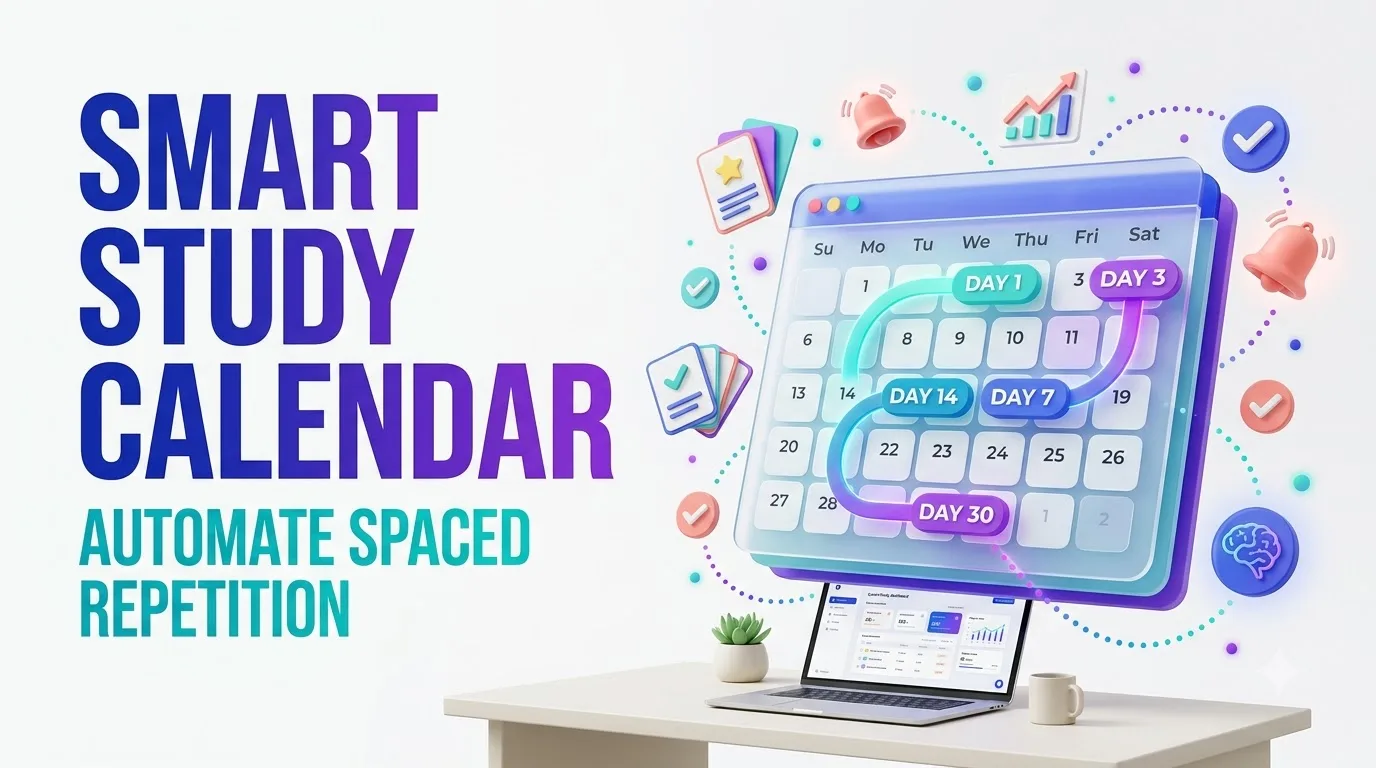
A useful starting plan is to review new material after approximately one day, three days, one week, two weeks, and one month.
These intervals are a planning example, not a universal scientific formula. The ideal gap depends on difficulty, your existing knowledge, and when you need to remember the information.
| Review | Timing After Learning | Recommended Activity | Purpose |
|---|---|---|---|
| Initial Learning | Day 0 | Understand and summarize the topic | Build initial comprehension |
| Review 1 | Day 1 | Answer flashcards without notes | Check early recall |
| Review 2 | Day 3 | Explain concepts from memory | Identify weak points |
| Review 3 | Day 7 | Complete a mixed practice quiz | Practice retrieval after a longer gap |
| Review 4 | Day 14 | Solve realistic problems | Apply retained knowledge |
| Review 5 | Day 30 | Take a cumulative assessment | Check longer-term retention |
What happens if you forget an answer?
Do not blindly continue to the next longer interval. Review the explanation, attempt the answer again, and bring the material back sooner.
If you consistently recall a concept correctly, a longer interval may be reasonable. If you repeatedly struggle, shorten the interval and consider rewriting your flashcard or studying the underlying concept again.
Three Ways to Build Your Automated Study Calendar
Not everyone needs custom code. The best system is the one that fits your learning materials and requires the least unnecessary maintenance.
Best for: Frequent Flashcard Reviews
Create a deck in a dedicated spaced repetition application such as Anki. Use the application’s scheduling algorithm to manage individual cards.
- Create meaningful question-and-answer cards.
- Configure the app’s review settings.
- Schedule a daily Google Calendar study block.
- Open the app and review your due cards.
- Use honest recall ratings to guide future intervals.
Anki supports the FSRS scheduler. Its documentation explains desired retention settings and how review performance influences scheduling.
Trade-off: Your calendar reserves time, while Anki controls the actual card due dates. Native two-way calendar synchronization should not be assumed.
Read Anki Scheduling GuideBest for: Small Topic Lists
Use Google Calendar to schedule several one-time reviews after your original learning session.
- Create a calendar called Study Reviews.
- Add reviews on your chosen future dates.
- Include the topic and a recall question.
- Reserve a recurring daily study appointment.
- Reschedule weak topics manually when needed.
This approach is easy to understand, but its review intervals remain fixed until you change them.
Trade-off: Simple setup and familiar reminders, with more manual maintenance.
Open Google CalendarBest for: Custom Topic-Level Automation
Use Google Sheets to store learning records and Google Apps Script to create or reschedule a calendar review event when your recall result changes.
- Keep study topics in spreadsheet rows.
- Record completed review dates and recall ratings.
- Calculate a new review interval.
- Update the next calendar reminder automatically.
- Run the synchronization with a daily trigger.
Trade-off: Greater customization, but you must maintain the script and authorize access to your spreadsheet and calendar.
View Automation TutorialThe Six Decisions That Make Your Study System More Effective
Define the learning outcome
Decide what successful recall looks like. For a certification exam, this might mean explaining a rule and applying it to a practice scenario. For vocabulary, it might mean producing the correct word without prompts.
Break large subjects into smaller topics
Avoid placing an entire textbook chapter into one review session. Separate definitions, principles, processes, and applications into manageable review units.
Make recall the first activity
Begin by answering a question, solving a problem, or explaining an idea from memory. Use notes to correct mistakes afterward.
Protect a realistic daily study block
A 15-to-25-minute starting block may be easier to maintain than an ambitious daily schedule. Increase or decrease the duration based on your real workload.
Record recall quality
Mark whether you forgot, struggled, recalled correctly, or found the material easy. Avoid rating yourself highly just because an answer looked familiar.
Audit the system every week
Check overdue reviews, repeated failures, calendar conflicts, and growing workloads. Your schedule should evolve with your actual learning needs.
How to Automate Spaced Repetition with Google Sheets and Google Calendar
Here is a practical way to move beyond fixed reminders. The following setup creates one upcoming all-day calendar event per study topic, then replaces that reminder after you log a new review outcome.
This is topic-level automation. It is useful for tracking subject reviews, revision questions, and broader learning objectives. It is not intended to replace a mature, per-card scheduling system such as Anki FSRS.
Step 1: Create your Google Sheets tracker
Open Google Sheets and rename the worksheet tab to Reviews. Enter the following eight columns in row one, in this exact order.
| Column | Header | What It Stores |
|---|---|---|
| A | Topic | The topic to review |
| B | Completed On | Actual date of your latest review |
| C | Recall Rating | Again, Hard, Good, or Easy |
| D | Interval Days | Stored review interval |
| E | Next Due | Calculated future review date |
| F | Event ID | Calendar event identifier |
| G | Last Processed | Prevents repeated rescheduling |
| H | Resource URL | Optional link to study material |
For your first test, enter a sample topic in column A, today’s date in column B, and Good in column C. Leave columns D through G blank. You can add an optional study-material link in column H.
Step 2: Open Apps Script
In your spreadsheet, choose Extensions → Apps Script. Replace the editor’s starter code with the following example.
function syncReviews() {
  const sheet = SpreadsheetApp
    .getActiveSpreadsheet()
    .getSheetByName("Reviews");

  if (!sheet) {
    throw new Error("Create a tab named Reviews");
  }

  const calendar = CalendarApp.getDefaultCalendar();
  const rows = sheet.getDataRange().getValues();
  const tz = Session.getScriptTimeZone();

  const dateKey = d =>
    Utilities.formatDate(d, tz, "yyyy-MM-dd");

  for (let i = 1; i < rows.length; i++) {
    const [
      topic, completed, result, previous,
      nextDue, savedId, processed, resource
    ] = rows[i];

    if (!topic || !(completed instanceof Date)) {
      continue;
    }

    const rating = String(result)
      .trim().toLowerCase();

    let due = nextDue instanceof Date
      ? nextDue : null;

    const valid = [
      "again", "hard", "good", "easy"
    ].includes(rating);

    const changed = valid && (
      !(processed instanceof Date) ||
      dateKey(completed) !== dateKey(processed)
    );

    if (changed) {
      let interval = Number(previous) || 0;

      if (rating === "again") {
        interval = 1;
      } else if (rating === "hard") {
        interval = Math.max(
          1, Math.round(interval * 1.2)
        );
      } else if (rating === "good") {
        interval = interval
          ? Math.max(2, Math.round(interval * 2))
          : 1;
      } else {
        interval = interval
          ? Math.max(3, Math.round(interval * 2.5))
          : 3;
      }

      interval = Math.min(interval, 60);

      due = new Date(
        completed.getFullYear(),
        completed.getMonth(),
        completed.getDate() + interval,
        12
      );

      sheet.getRange(i + 1, 4, 1, 2)
        .setValues([[interval, due]]);

      sheet.getRange(i + 1, 7)
        .setValue(completed);
    }

    if (!due) continue;

    let event = savedId
      ? calendar.getEventById(String(savedId))
      : null;

    if (
      event &&
      dateKey(event.getAllDayStartDate())
      !== dateKey(due)
    ) {
      event.deleteEvent();
      event = null;
    }

    if (!event) {
      const description =
        "Recall before opening your notes." +
        (resource
          ? "\nResource: " + resource
          : "");

      event = calendar.createAllDayEvent(
        "Review: " + topic,
        due,
        { description: description }
      );

      sheet.getRange(i + 1, 6)
        .setValue(event.getId());
    }
  }
}
Step 3: Authorize and test the script
Save the project, select the syncReviews function, and run it. Google may ask you to review the permissions needed to access your spreadsheet and calendar.
After a successful run, verify that the spreadsheet contains a Next Due date and Event ID. Check Google Calendar for the corresponding all-day review event.
Step 4: Add a daily automation trigger
In Apps Script, open the Triggers section, create a trigger for syncReviews, choose a time-driven event source, and select a daily schedule.
The trigger checks new review entries and synchronizes their next due dates. Changes are processed at the next scheduled execution, or whenever you manually run the function.
Step 5: Use the tracker after every review
When a review is complete, update the Completed On date and select one of the following recall ratings.
| Rating | Meaning | Example Scheduling Rule |
|---|---|---|
| Again | You could not recall the answer | Review again the next day |
| Hard | You recalled it with difficulty | Increase interval slightly |
| Good | You remembered correctly | Extend the interval |
| Easy | Recall was comfortable | Extend the interval more |
The sample script uses a simplified scheduling heuristic capped at 60 days. It processes one logged result per topic per calendar day. It is not a scientifically calibrated memory model or a validated FSRS implementation. For forgotten material, retry the answer during the current study session as well.
The script saves a Calendar Event ID in your spreadsheet. On later runs, it reuses the existing event when the due date is unchanged, or replaces the existing event when a new due date is calculated. Avoid manually editing those generated events because they may be replaced during synchronization.
Step 6: Create a daily study appointment
In Google Calendar, reserve a recurring study block at a convenient time. This appointment is separate from the topic-specific all-day review reminders.
At the beginning of the block, check which topics are due. Open the relevant material, attempt recall, and then record your review outcome.
All-day events provide due-date visibility, not necessarily an alert at your preferred study hour. Configure your calendar notifications separately and test them on your devices.
Google Calendar vs. Anki vs. Custom Spreadsheet Automation
Search results for the best spaced repetition planner often focus on features. A better buying decision starts with the kind of information you need to remember and how frequently you plan to review it.
| Tool | Best Use | Scheduling | Main Limitation |
|---|---|---|---|
| Google Calendar | Visible review appointments | Fixed dates or recurring blocks | No native adaptive recall scoring |
| Anki | Large flashcard collections | Per-card spaced repetition | Requires thoughtful card creation |
| Google Sheets + Apps Script | Custom topic-level workflow | Rules based on logged results | Script maintenance and permissions |
| Notion-based study system | Integrated notes and learning dashboards | Depends on formulas and automations | Advanced scheduling requires extra setup |
When is a paid spaced repetition tool worthwhile?
A paid solution may be worth evaluating when it significantly reduces manual maintenance or supports requirements your current workflow cannot handle. Before purchasing, consider:
- Whether scheduling is genuinely adaptive
- Support for mobile and offline review
- Data export and portability
- Privacy and account permissions
- Flashcard creation and media support
- Calendar integration and integration limits
- Subscription cost relative to actual use
An attractive dashboard alone is not proof of better learning results. Test a small deck or limited trial with your own study material before committing to a long subscription.
How Different Learners Can Use the Same Calendar System
College Students
Create review units for each course and schedule practice questions throughout the semester. Give difficult material additional attention before major exams.
Language Learners
Practice vocabulary and grammar with flashcards, then reinforce learning through speaking, writing, and listening activities.
Working Professionals
Review technical concepts, certification objectives, procedures, and applied scenarios in short sessions that fit around work commitments.
Illustrative example: A certification learner
Consider someone preparing for a professional certification over eight weeks. Their initial plan involves learning five small objectives per weekday and reviewing older material for 20 minutes daily.
Rather than adding a separate calendar event for every question, they group related material into focused topics. During each review, they answer practice questions before opening their notes.
If a topic repeatedly causes difficulty, they split it into smaller concepts and shorten the next review interval. Familiar material receives less frequent attention.
This is an illustrative workflow, not a claim of measured improvement or a real participant case study. Its value is that the process can be adapted to different learning goals.
Five Mistakes That Can Make Spaced Repetition Less Useful
1. Reviewing without testing recall
Reading the same summary repeatedly can make material feel familiar. Convert the summary into questions and answer before checking.
2. Creating oversized flashcards
A flashcard asking you to explain an entire chapter is difficult to assess. Keep most cards focused on one fact, distinction, process, or application.
3. Using fixed intervals for everything
Some topics are harder than others. Adapt the review timing to your actual recall instead of treating every subject identically.
4. Adding too much new material
New material creates future review obligations. If the review backlog becomes overwhelming, temporarily reduce new material and work through the existing queue.
5. Treating every missed session as failure
A missed reminder is a scheduling problem to manage, not evidence that the entire learning system has failed. Resume with overdue reviews, adjust your workload, and continue.
A Seven-Day Launch Plan You Can Actually Follow
| Day | Action | Outcome to Check |
|---|---|---|
| 1 | Choose three topics and create the tracker | Each topic has a clear recall goal |
| 2 | Complete your first reviews | Record honest recall ratings |
| 3 | Verify calendar reminders | No unexpected duplicate events |
| 4 | Improve weak flashcards | Questions are specific and answerable |
| 5 | Practice a mixed-topic session | You can retrieve information out of order |
| 6 | Check overdue reviews and workload | The daily plan remains manageable |
| 7 | Review system effectiveness | Keep, simplify, or adjust the schedule |
Which results should you measure?
- Percentage of scheduled reviews completed
- Percentage of answers recalled correctly
- Number of overdue topics
- Average time spent on actual review
- Repeatedly missed questions
- Performance on practice tasks beyond flashcards
These measures help identify whether the system is useful. Do not treat calendar completion alone as proof of knowledge retention.
Test Yourself: Five Spaced Repetition Quiz Flashcards
Choose your answer mentally before opening each flashcard. Tap Reveal Answer to check your understanding. Record which questions you miss and review those concepts again.
Flashcard 1: What is the central idea behind spaced repetition?
Reveal Answer
Correct: B. Spaced repetition distributes review across time instead of relying exclusively on concentrated study sessions.
Flashcard 2: What should you do before revealing a flashcard answer?
Reveal Answer
Correct: A. Attempting recall first makes the card a retrieval exercise, not simply another reading activity.
Flashcard 3: What should happen when you cannot recall a concept?
Reveal Answer
Correct: C. A failed recall attempt suggests that the material needs attention. Correct the answer and schedule a sooner review.
Flashcard 4: Which tool is designed for adaptive per-card review scheduling?
Reveal Answer
Correct: D. Dedicated spaced repetition software can schedule individual cards using review performance. A basic calendar does not do this by itself.
Flashcard 5: What is a good response to a growing review backlog?
Reveal Answer
Correct: B. A manageable workload supports consistency. Reduce the rate of adding new topics while working through due material.
Count how many questions you answered correctly before revealing the solutions. If you missed a question, turn its explanation into a new review item. This mini-quiz is for learning, not a validated assessment.
Five Frequently Asked Questions About Automated Spaced Repetition
1. Can Google Calendar automatically schedule spaced repetition reviews?
Google Calendar can create recurring events and dated reminders, but it does not natively calculate adaptive review intervals based on recall performance. You can connect it to a spreadsheet workflow or use a separate spaced repetition app.
2. What is the best spaced repetition schedule for beginners?
A simple starting schedule is approximately one, three, seven, fourteen, and thirty days after initial learning. Treat these as adjustable examples. Difficult topics may need earlier reviews, while well-learned material may support longer intervals.
3. Is Anki better than Google Calendar for spaced repetition?
Anki is more suitable for managing the due dates of individual flashcards. Google Calendar is useful for protecting study time and keeping upcoming review appointments visible. They can complement one another without requiring a direct integration.
4. How many minutes should I spend reviewing every day?
There is no universal requirement. Try a manageable daily block, such as 15 to 25 minutes, then adjust according to the number of due items, material difficulty, upcoming assessments, and personal availability. Review quality matters more than simply reaching a time target.
5. Can spaced repetition help with professional certification exams?
It can support retention of definitions, concepts, rules, and procedures. However, exam readiness also requires realistic practice questions, applied problem-solving, and familiarity with the official exam objectives. Spaced repetition should be one part of a broader study plan.
Turn Your Study Calendar Into a System You Will Keep Using
The most valuable part of study automation is not the technology. It is the removal of repeated planning decisions.
When your schedule makes the next useful review easy to identify, more of your attention can go toward understanding, retrieving, and applying knowledge.
Start with a few important topics. Review them actively. Record your results. Adjust the intervals when your memory gives you a reason to do so.
Keep the system simple enough that you can return to it after a busy day, a missed session, or an unexpected change in plans. Consistency is easier to maintain when your tools support your learning instead of demanding constant attention.
Your Next Review Can Start Today
Pick three topics. Create your first review schedule. Reserve one short daily study block. Then return to this guide after seven days and compare your actual recall with your expectations.
Have you tried an automated study calendar? Share which workflow worked for you, where it became complicated, and what you would improve. Practical reader experiences can help others choose a sustainable approach.
Build My Review Calendar Compare Study ToolsResearch and Official Documentation
The following references support the learning-science explanations and software implementation guidance in this article.
- Dunlosky et al. (2013). Improving Students’ Learning With Effective Learning Techniques. Psychological Science in the Public Interest. Read research .
- Association for Psychological Science. Which Study Strategies Make the Grade? Read research summary .
- Anki Manual. Deck Options and FSRS Scheduling. Read documentation .
- Google for Developers. Apps Script Calendar Service. Read API reference .
- Google for Developers. Installable Triggers. Read trigger setup guide .
- Google for Developers. Apps Script Quotas and Limits. Review service limits .
Compliance and Educational Note
Educational purpose: This article provides general educational and productivity information. It does not promise specific grades, examination results, memory improvements, employment outcomes, or professional certification success.
Technical limitations: The automation example is illustrative and should be tested with non-sensitive sample data before routine use. Google services may change their interfaces, quotas, permissions, and functionality.
Security and privacy: Review connected-app permissions and applicable institutional policies before placing learning records or confidential material into third-party services.
Product independence: References to Google Calendar, Google Sheets, Notion, and Anki are provided for educational identification and comparison. This article does not imply sponsorship, certification, endorsement, or partnership with those providers.
Purchases and affiliate links: If commercial or affiliate links are later added, disclose any material relationship clearly before readers make purchasing decisions. Product availability, features, and pricing should be independently verified.
Editorial accuracy: The illustrative learner scenario is not a verified personal testimonial. The scheduling script is a simplified rule-based example, not a validated adaptive learning algorithm.
Automated Spaced Repetition Calendar Setup: 10 Practical Ideas, Comparisons & Smarter Study Workflows
Discover how spaced repetition, active recall, digital calendars, flashcard scheduling, and automation tools can work together to create a realistic long-term learning system.
Ten independently written editorial perspectives covering learning science, setup methods, software choices, reminder management, and review performance.
Editor’s Overview: An automated spaced repetition calendar can make review planning easier, but the quality of learning still depends on what happens during the session. Good systems combine useful questions, appropriate review intervals, realistic scheduling, and honest feedback.
The ten articles below explore common questions learners ask about spaced repetition software, Google Calendar study schedules, flashcard apps, Notion dashboards, review reminders, and learning analytics. They are original editorial analyses rather than reproduced product reviews or claims about measured search volume.
Why Automated Spaced Repetition Is More Useful Than Another Ordinary Study Reminder
Many students create calendar reminders that say “Study biology” or “Review chapter five.” The reminder appears, but the student must still decide which concepts to revisit, how to test their knowledge, and when to schedule the next session.
Spaced repetition offers a more structured approach. Information is reviewed across separate intervals, preferably through active recall. Research on distributed practice and practice testing supports their value as learning techniques. The calendar adds organizational convenience rather than supplying the learning benefit on its own.
A useful workflow begins with a question, requires an attempt at retrieval, provides corrective feedback, and records the outcome. When recall is difficult, the next review can be scheduled sooner. Successfully remembered material can often receive a longer gap. This creates a meaningful distinction between simply receiving notifications and managing a learning process.
Design each reminder around an actual recall task. A review event that only says “Read notes” gives less useful direction than one containing a specific question or practice objective.
The 1-3-7-14-30 Review Calendar: A Simple Starting Point, Not a Universal Formula
One frequently discussed beginner approach is to review new material approximately one, three, seven, fourteen, and thirty days after the initial learning session. Its appeal is simplicity: the dates are easy to understand and can be entered into nearly any calendar.
However, these particular intervals should not be presented as the scientifically optimal schedule for every learner. The appropriate review gap varies with the material, prior knowledge, recall success, and the time until the knowledge will be needed.
Consider two different tasks. Remembering ten new foreign-language words may justify frequent individual flashcard reviews. Understanding a complex engineering procedure may require longer application exercises rather than a simple definition quiz. The same calendar template should not force both tasks into identical patterns. Begin with predictable intervals, observe actual recall, and adapt.
Use Day 1, Day 3, Day 7, Day 14, and Day 30 as an optional planning template. If an answer is forgotten, correct it and schedule another review sooner instead of blindly following the original dates.
Google Calendar Study Planner: How to Organize Review Dates Without Creating Notification Chaos
Google Calendar works well as the visible scheduling layer of a learning system. Learners can reserve study periods, organize important assessment dates, and create dated reminders that fit around classes, employment, and personal commitments.
A useful setup separates two kinds of events. The first is a recurring study appointment, such as a short review session each weekday evening. The second is a topic-specific due date indicating which material needs attention. This separation prevents the calendar from becoming crowded with individual appointments for every flashcard.
Start with a dedicated study calendar or a carefully labeled group of events. Include the topic, learning resource, and review objective in the event description. Keep the daily workload realistic. Most importantly, understand that ordinary recurring calendar events do not automatically calculate new intervals from recall performance. That requires a separate scheduling system or automation rule.
Create one recurring daily study block of approximately 15–25 minutes as an adjustable starting point. Keep the individual topic due dates separate, and test your notification settings.
Google Sheets and Apps Script: Building a Calendar That Reschedules Your Next Review
Learners who want more control can combine Google Sheets with Google Apps Script. A spreadsheet stores the study topics, completed review dates, recall ratings, intervals, and upcoming due dates. A script then reads those records and creates or updates corresponding Google Calendar events.
For example, a topic marked “Forgotten” might be reviewed the next day, while a correctly recalled topic might receive a longer interval. These rules can be adjusted to the learner’s needs. Time-driven triggers can run synchronization automatically, although execution times are not guaranteed to be exact.
Good automation requires careful engineering. Each topic should have a reliable identifier so events are not duplicated. The system must distinguish an incomplete review from a completed one and handle overdue topics, date formats, time zones, permissions, and failed runs. Basic scripts are convenient planning tools, not substitutes for validated memory models.
Track Topic, Completed Date, Recall Rating, Interval, Next Due Date, and Calendar Event ID. Test the workflow using three sample topics before automating a larger study library.
Anki vs. Google Calendar: Which Tool Should Manage Your Spaced Repetition Schedule?
Anki and Google Calendar may both appear in discussions about study scheduling, but they solve different problems. Anki manages flashcards and their review due dates. Google Calendar organizes time, appointments, and visible scheduling commitments.
Anki supports adaptive scheduling, including the FSRS system, which uses review performance to guide future intervals. This makes it suitable for learners managing large collections of facts, terminology, and question-answer material. Accurate ratings matter: a forgotten answer should not be marked as successfully recalled.
Google Calendar remains useful even when the actual flashcards live elsewhere. A daily calendar appointment can protect time for opening Anki and completing due reviews. Learners should not assume that Anki automatically synchronizes individual card events into Google Calendar. Any such integration needs separate verification and maintenance.
Choose dedicated flashcard software for adaptive per-card scheduling. Use a calendar to reserve time for those reviews. Combining the two can be simpler than rebuilding a sophisticated flashcard scheduler from scratch.
Notion Spaced Repetition Dashboard: Turn Study Notes Into a Practical Review Queue
Notion appeals to learners who prefer keeping notes, tasks, resources, and study plans in one workspace. A well-designed database can show which subjects are due for review, which have been completed, and which need additional practice.
The essential database fields are straightforward: Topic, Subject, Learning Resource, Last Review, Recall Rating, Next Review, and Status. Formulas can calculate dates using a chosen interval rule, while filtered views can show overdue and upcoming material.
The important limitation is that a visually impressive dashboard does not automatically become an adaptive spaced repetition system. A learner still needs to define how recall ratings change future dates and whether those changes are calculated manually, through formulas, or through supported automations. Available automation features and integrations may depend on the current service plan.
Create three filtered views: Due Today, Upcoming Reviews, and Difficult Topics. Build and verify the review-date logic before spending time on decorative dashboard features.
AI-Generated Flashcards and Smart Review Prompts: Helpful Assistant or Another Source of Errors?
AI tools can help transform study notes into review questions, flashcard drafts, concept comparisons, and practice scenarios. This can reduce preparation work for learners who struggle to convert long reading assignments into manageable recall tasks.
The challenge is accuracy. AI-generated questions may contain incorrect explanations, ambiguous wording, invented references, or answers that differ from the assigned learning material. Automatically scheduling hundreds of unchecked cards can make those mistakes harder to discover.
A safer process begins with a small batch. Generate questions from material you are authorized to use, verify every answer against reliable sources, and keep each card focused on a clear learning objective. For subjects requiring practical judgment, include application questions instead of relying only on definitions.
Review every AI-generated flashcard before adding it to your study calendar. Treat AI as a drafting assistant, not an authoritative source of answers.
Spaced Repetition for Exams: Build the Calendar Backward From Your Test Date
A spaced repetition schedule becomes more useful when it accounts for a real deadline. Students preparing for college examinations or professional certifications often have a fixed date by which they must demonstrate their knowledge.
Start by identifying the exam objectives and dividing them into manageable learning units. Estimate how much material can realistically be covered each week. Reserve time for initial understanding, spaced reviews, mixed practice, and realistic assessments.
As the exam approaches, shift some attention from isolated flashcards toward timed questions and applied tasks. A student may remember individual definitions but still struggle to select the correct concept in an unfamiliar scenario. Mixing topics and practicing under relevant conditions helps reveal those gaps. Do not keep adding new cards at a pace that crowds out essential exam practice.
Map the syllabus backward from the assessment date. Protect separate calendar blocks for new learning, spaced review, and realistic practice tests. Adjust the balance as the deadline gets closer.
Reminder Fatigue, Missed Reviews, and Calendar Overload: Make Automation Sustainable
A highly automated calendar can still become frustrating when too many reminders compete for attention. Learners may begin ignoring notifications if every topic generates another alert, particularly during busy work or academic periods.
A more sustainable design separates the number of topics due from the number of notifications sent. A single daily study block can provide time to process multiple due items without interrupting the day for every individual flashcard. A dashboard or queue can show the details when the learner begins the session.
Missed sessions need a predictable recovery process. Rather than deleting all overdue reviews, prioritize important or repeatedly forgotten material, reduce new-topic intake temporarily, and spread the remaining workload across realistic sessions. Automation should also be checked periodically for duplicate events, broken notifications, and time-zone problems.
Use one dependable daily review window and a clear overdue queue. If the backlog keeps increasing, reduce new material before increasing the number of notifications.
Spaced Repetition Progress Tracking: The Metrics That Matter More Than a Perfect Calendar
A study calendar can look impressively organized while delivering disappointing learning results. Completing scheduled sessions is useful, but it does not establish that information has been understood or retained.
A more meaningful review dashboard combines activity measures with actual retrieval performance. Useful signals include the percentage of completed reviews, success rates on attempted questions, overdue items, repeatedly forgotten concepts, and performance on unfamiliar application problems.
These numbers require careful interpretation. High recall scores may reflect easy questions rather than deep understanding. Low completion rates may reveal unrealistic workloads rather than poor motivation. Review the system weekly and look for recurring problems. Improve unclear flashcards, adjust intervals, or simplify the study plan when the evidence supports a change.
Track completed reviews, accurate recall, overdue topics, and repeated mistakes. Use the results to make one practical improvement to your next week’s learning schedule.
Your Study Calendar Should Help You Remember, Not Just Remind You
A thoughtful automated spaced repetition system combines three separate responsibilities: deciding what is due, protecting time to study, and testing whether knowledge can be retrieved.
Dedicated flashcard tools are useful for individual card scheduling. Digital calendars help learners protect review time. Spreadsheets and automation scripts can connect topic records with dated reminders, while note-taking workspaces help organize larger learning projects.
Start small: choose three topics, schedule your first reviews, attempt recall before opening your notes, and record what you remember. Evaluate the results after one week, then make the system more sophisticated only when there is a clear need.
The most useful learning system is not necessarily the most automated. It is one that you understand, can maintain, and can adapt to your learning goals.
Return to CollectionSources & Further Learning
The ten entries are independent editorial analyses informed by established learning research and official software documentation. These sources provide additional detail on the underlying concepts.
- Dunlosky et al. (2013): Improving Students’ Learning With Effective Learning Techniques. Research overview .
- Anki Manual: Deck options and adaptive scheduling guidance. Official documentation .
- Google Apps Script: Calendar service reference. Developer documentation .
- Google Apps Script: Installable triggers and automated execution. Trigger guide .
- Google Apps Script: Service quotas and limits. Official reference .
Compliance & Editorial Transparency
Original Content Declaration: All ten article summaries are newly written educational and comparative analyses. They do not reproduce third-party editorial excerpts, paywalled materials, proprietary reviews, or copyrighted marketing text.
Educational Disclaimer: The content provides general information about learning methods, digital study scheduling, and productivity. No specific examination scores, learning improvements, certification results, or professional outcomes are guaranteed.
Research Interpretation: Evidence supporting distributed practice and retrieval practice should not be interpreted as proof that a particular calendar application or interval formula is superior for every learner.
Software Accuracy: Product interfaces, subscription plans, API permissions, integration capabilities, and automation behavior may change. Readers should consult current official documentation before making technical or purchasing decisions.
Privacy & Data Security: Learners should review third-party access permissions, avoid unnecessarily storing sensitive information, and follow applicable school, workplace, and institutional data-handling requirements.
Brand Independence: Brand and platform names are used only for factual identification and comparison. Their inclusion does not imply sponsorship, endorsement, partnership, or certification by the respective providers.
Commercial Transparency: No product rankings or performance measurements are represented as independently tested laboratory findings. If affiliate links or paid product placements are added in the future, material relationships should be disclosed clearly to readers.
Accessibility: The layout uses native text, semantic headings, visible navigation links, high-contrast text colors, keyboard-accessible anchors, and mobile-responsive layouts. Final accessibility depends on the surrounding WordPress theme, plugins, and published page content.
Editorial Review: This collection should be reviewed periodically for changes in software features, research guidance, and technical documentation. Any publication or update date should reflect a genuine editorial action.
Automated Spaced Repetition Calendar Setup
Test your knowledge of active recall, review scheduling, Google Calendar, Anki, and study automation.
10 Questions | 4 Options Each | Instant Feedback
Your Quiz Results
Educational & Compliance Note
This quiz is intended for general educational purposes. It evaluates understanding of selected spaced repetition concepts and digital study scheduling methods. It is not a professional certification or scientifically validated memory assessment.
Scheduling examples are illustrative. Actual review intervals should be adjusted according to learning difficulty, recall performance, and individual study goals. No specific improvement in memory, academic performance, or examination results is guaranteed.
Platform names are used solely for educational identification. This quiz is independently authored and is not affiliated with or endorsed by any software provider. Quiz answers are processed locally in the browser; this code does not send answers to an external service.
Begin by completing your first action.
Congratulations! All 10 Steps Completed!
Your setup checklist is complete. Review your calendar, confirm reminders are working, and begin your first active recall session.
Educational & Compliance Note
This interactive checklist provides general educational and productivity guidance. Spaced repetition schedules should be adjusted to the learner's goals, memory performance, available study time, and material difficulty. No specific academic performance, memory improvement, examination score, or professional outcome is guaranteed.
Google Calendar, Google Sheets, Anki, and other study tools may have changing interfaces, features, permissions, and availability. Review official documentation before configuring advanced automation or connecting personal information.
Checklist completion measures setup actions, not actual memory retention or learning proficiency. The optional browser-based progress saving stores completion preferences locally when permitted; this widget does not transmit checklist answers to an external service.
📝 Key Takeaways & Action Notes
Jot down insights, next steps, or thoughts from this post. Your notes save automatically in your browser.
- What is the #1 breakthrough insight you took away today?
- What is one concrete action you will take in the next 24 hours?
- What questions or ideas do you want to research further?
Stay ahead with exclusive updates
Join our community. Get curated industry trends, actionable guides, and fresh resources delivered straight to your inbox.