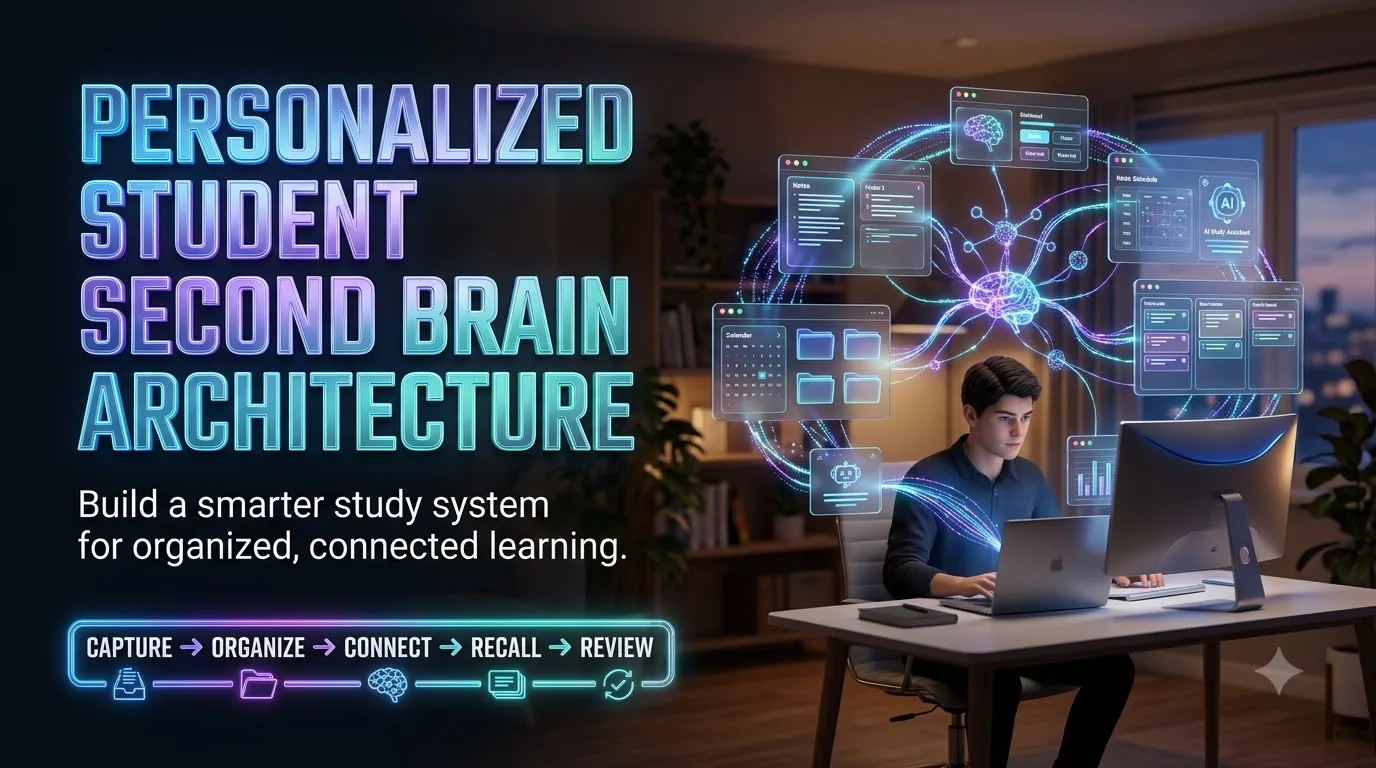
Personalized Student Second Brain Architecture
Organize Knowledge • Strengthen Recall • Learn Smarter
Article Summary
A personalized student second brain is a connected digital learning system designed to capture, organize, understand, and retrieve knowledge efficiently. This article explains how students can build a structured architecture using course libraries, concept notes, knowledge links, active recall, spaced repetition, assignment dashboards, and responsible AI assistance. It also explores practical tool selection, secure information management, and weekly reviews that keep the system useful. The goal is to reduce information overload, support independent thinking, and turn scattered study materials into actionable knowledge.
Article Description
Discover how to design your own student second brain architecture with a practical, step-by-step learning framework. From building a central knowledge inbox and connecting important ideas to creating personalized revision schedules, managing academic projects, and using AI responsibly, this guide helps students build a more organized and sustainable study workflow. It includes real-world examples, digital tool considerations, learning-science principles, and actionable setup recommendations suitable for high school, college, and independent learners.
Personalized Student Second Brain Architecture: Build a Study System That Thinks With You
Imagine opening your study dashboard and immediately knowing what matters, what needs reviewing, and what deserves your attention next. No frantic searching through scattered PDFs. No endless note rewriting. Just a connected system that helps turn information into usable knowledge.
Build Your Second Brain Explore the ArchitecturePractical guide for U.S. high school students, college learners, graduate students, and independent learners.
What Is a Personalized Student Second Brain?
A personalized student second brain is a structured external knowledge system that helps a learner capture information, organize course materials, connect related concepts, retrieve knowledge, and apply it to assignments, examinations, and personal projects.
Unlike a simple notes folder, it connects information with learning goals, deadlines, questions, and review schedules. Its value is not the number of notes stored, but how easily those notes lead to better understanding and action.
The central principle: Store information externally, but develop understanding internally. Your second brain should support your actual memory and reasoning—not replace them.
Why Students Need a Learning System, Not Another Notes App
A student can attend every lecture, download every slide, highlight every chapter, and still feel unprepared when an exam arrives. The problem is often not a shortage of information. It is a shortage of usable connections between information and the questions the student needs to answer.
Consider a typical college semester. A biology class produces diagrams and definitions. A psychology course introduces theories. Research papers arrive as PDFs. Deadlines live in a calendar. Flashcards sit in a separate application. Somewhere in the middle of all this activity, important knowledge becomes surprisingly difficult to retrieve.
A personalized second brain gives these materials a sensible home and a purpose. Instead of treating notes as finished products, it treats them as raw material for thinking, practicing, and creating.
Information Overload
Useful explanations become buried beneath screenshots, downloads, lecture files, and unfinished reading lists.
Disconnected Learning
Ideas from different courses rarely meet, even when they explain the same underlying concept.
Passive Revision
Students spend time arranging or rereading notes instead of testing what they can recall and apply.
Research on effective learning techniques provides an important distinction: practice testing and distributing study sessions over time are useful approaches for strengthening learning. A good second brain makes those activities easier to perform consistently rather than assuming that better organization automatically creates better memory. See the learning research in the sources section.
The Six-Layer Student Second Brain Framework
Here is a practical architecture designed around the complete learning process. It can be created using a basic folder system, Notion, Obsidian, OneNote, or a combination of compatible tools. The framework is a suggested workflow, not a requirement to purchase specific software.
The Learning Inbox
Collect lecture notes, ideas, web resources, questions, and assignment instructions into a temporary intake space.
The Course Library
Store reliable materials according to course, topic, source, and academic term.
The Concept Network
Create short concept notes that explain relationships, examples, contradictions, and questions.
The Project Workspace
Transform information into essays, laboratory reports, presentations, and solved problems.
The Recall Engine
Generate questions, practice tasks, and spaced review sessions from verified course knowledge.
The Learning Dashboard
Review deadlines, weak topics, unanswered questions, and progress to choose the next study action.
| Layer | Key Question | Main Output | Maintenance Rhythm |
|---|---|---|---|
| Inbox | What needs attention? | Unprocessed learning material | Daily |
| Library | Where is the source? | Searchable course resources | During processing |
| Concepts | What does this mean? | Connected explanations | After learning sessions |
| Projects | What must I produce? | Assignments and deliverables | As deadlines require |
| Recall | What can I remember? | Practice questions and reviews | Most study days |
| Dashboard | What matters next? | Prioritized action list | Daily check and weekly review |
On mobile, swipe sideways to explore the complete table.
How Information Moves Through Your Second Brain
The same source can serve several purposes. A lecture PDF might first be captured, then organized, then converted into a concept note, and eventually become three useful flashcards and one practice problem.
Select a workflow view below to see what the student should actually do.
From Lecture to Useful Note
Situation: Your biology professor explains negative feedback in hormonal regulation.
- Capture the lecture source and date.
- Write a two-sentence explanation in your own words.
- Record one confusing point to clarify.
- Attach the relevant textbook section or approved class resource.
Output: A source-backed concept note rather than an unprocessed slide collection.
From Note to Knowledge Network
Situation: You notice that negative feedback also appears in discussions of body temperature and engineering control systems.
- Create a short explanation of the shared principle.
- Link related biology and engineering examples.
- Identify where the examples differ.
- Use the comparison to explain a new case.
Output: A connected explanation that can support learning across subjects.
From Knowledge to Exam Readiness
Situation: You need to explain feedback systems without looking at your textbook.
- Hide the explanation and answer a self-test question.
- Draw the feedback loop from memory.
- Compare your answer with the verified source.
- Schedule another review if key steps were missed.
Output: Evidence of what you can explain, plus a clear next review action.
How to Build Your Personalized Student Second Brain, Step by Step
Step 1: Define Your Learning Mission
Start with the problems you want to solve rather than choosing a dashboard theme. Are you preparing for AP examinations, navigating a U.S. college semester, building a research portfolio, or managing multiple professional certifications?
Write three practical outcomes. For example: find the right source quickly, identify weak topics before a quiz, and keep assignments connected to the knowledge required to complete them.
Step 2: Create a Minimal Home Structure
A useful starting structure contains six spaces: Inbox, Courses, Concepts, Projects, Reviews, and Archive.
You can build this using standard folders or database views. Do not create dozens of nested categories before you have actual material to organize.
Step 3: Build a Reusable Concept Note Template
A consistent structure makes notes easier to retrieve, compare, and review. Each substantial concept note should answer what the idea means, where it came from, why it matters, how it connects with related knowledge, and how you can test your understanding.
For problem-solving subjects, add worked calculations and common errors. For literature or history, include evidence and competing interpretations. For research, distinguish original source claims from your own commentary.
Step 4: Connect Ideas Instead of Collecting Tags
Tags help with broad classification, but meaningful links explain relationships. A note titled “Opportunity Cost” might connect to “Trade-Offs,” “Time Management,” and “Decision-Making.” Those links become more useful when the student records why the connection exists.
Economics: Opportunity cost explains the value of the next-best alternative.
Personal finance: Choosing one expense can affect money available for another goal.
Study planning: Spending an extra hour decorating a dashboard leaves an hour unavailable for practice problems.
Connection: A general decision principle becomes meaningful when applied to multiple contexts.
Step 5: Add a Retrieval and Review Engine
For each important topic, create questions that require you to recall or use information without looking at the answer. Start with definitions, progress to explanations, and then add application problems.
A simple trial schedule is an initial review the following day, another several days later, and a later review if needed. These are planning examples, not universally optimal intervals. Adjust the schedule according to difficulty, past recall, exam dates, and the scheduling algorithm of any study tool you use.
- Recall: Explain a concept before revealing the note.
- Check: Compare the explanation with a trusted source.
- Correct: Identify exactly what was forgotten or misunderstood.
- Revisit: Schedule additional practice when necessary.
Step 6: Build a Dashboard That Leads to Action
The dashboard should answer three questions immediately: What must I complete today? What knowledge needs reviewing? What is blocking progress?
Include a short list of upcoming deadlines, today’s study sessions, due reviews, current projects, and unresolved questions. Link each dashboard entry to its relevant source or concept.
Step 7: Test the System With Real Work
Use the architecture for one course over a week. Try finding an old explanation, preparing for a quiz, and completing a real assignment. Record the moments when the system feels slow or confusing.
Then simplify. Remove redundant views, merge unnecessary categories, and keep the features that improve learning behavior.
One Architecture, Different Student Needs
Students differ in assessment formats, available study time, prior knowledge, device access, and personal preferences. Personalization should account for those realities rather than relying on rigid labels such as being only a “visual learner” or an “auditory learner.”
| Learner Profile | Main Priority | Recommended Design |
|---|---|---|
| High School / AP Student | Course content and test preparation | Subject hubs, question banks, assignment deadlines, and review sessions |
| College STEM Student | Applying concepts and solving problems | Worked-example library, error log, concept links, and problem practice |
| Humanities Student | Reading, arguments, and evidence | Source notes, thesis maps, quotation records, and thematic connections |
| Graduate Researcher | Literature synthesis and research output | Citation manager, research questions, evidence matrices, and writing projects |
| Working Student | Limited and changing study availability | Mobile capture, concise dashboards, realistic time blocks, and priority filters |
Specialist design perspective: Personalization works best when students adjust the workload, interfaces, content types, and feedback loops that affect actual study behavior. Adding more customization without evidence of benefit can create unnecessary complexity.
Best Types of Tools for a Student Second Brain
No single application is necessary for every learner. Choose based on the tasks you need to complete, the devices you own, collaboration requirements, privacy preferences, and the cost of long-term use.
| Tool | Useful For | Trade-Off | Suggested Student Use |
|---|---|---|---|
| Notion | Structured databases, dashboards, and connected projects | Complex workspaces can require ongoing setup | Course management and assignments |
| Obsidian | Linked notes and locally stored Markdown knowledge | Some workflows require configuration | Concept networks and long-term learning |
| Microsoft OneNote | Lecture notebooks, handwriting, and mixed-format notes | Less focused on linked knowledge databases | Lecture capture and class organization |
| Anki | Recall cards and spaced review scheduling | Requires careful card creation and maintenance | Terminology and high-volume recall |
| Google Drive / Docs | Document storage, collaboration, and sharing | Concept relationships are less explicit without manual organization | Assignments and group projects |
| Plain Files + Calendar | Simple, portable, low-complexity workflows | More linking and tracking must be done manually | Minimalist study systems |
Features, supported platforms, educational eligibility, and pricing can change. Review current terms directly with each provider before paying for a subscription or template.
Should You Buy a Second Brain Template?
A paid student second brain template can make sense when it solves a known setup problem. A template is less helpful when it introduces dashboards, automations, or databases the student does not understand.
- Confirm that the template works with your chosen software and account plan.
- Look for a clear onboarding guide and an example semester setup.
- Check whether the template includes review tracking, assignment management, and concept linking.
- Review the update policy, support terms, licensing, and refund policy before purchase.
- Prefer a system that can be simplified, exported, or migrated if your needs change.
The most valuable template is not necessarily the one with the most features. It is the one you can understand, maintain, and use during a busy academic week.
See the Starter Kit BlueprintHow AI Can Support a Student Second Brain Without Replacing Thinking
AI assistants can help with note restructuring, practice-question generation, explanations, and brainstorming. Their usefulness depends on the accuracy of the source material, the quality of the instructions, and human verification.
High-Value AI Workflows
- Convert your own lecture notes into a structured outline for review.
- Suggest active recall questions from a verified course summary.
- Compare two theories using source material you provide.
- Identify gaps or unclear wording in your own explanations.
- Generate practice scenarios that require application, then verify their correctness.
- Help create a realistic study plan around known deadlines and available time.
A Practical Student AI Prompt
After receiving AI-generated material, compare important definitions, dates, formulas, quotations, and references with textbooks, instructor-approved sources, or original research. AI output should be treated as a draft to inspect rather than proof of correctness.
Your Seven-Day Student Second Brain Setup Plan
You do not need a perfect system before you begin studying. Use this seven-day starter plan to build and test a useful minimum version with one real course.
| Day | Main Action | Practical Deliverable |
|---|---|---|
| 01 | Define learning goals and choose the primary app or folder system. | One-page learning mission |
| 02 | Create core folders or databases. | Working knowledge structure |
| 03 | Process several existing lecture notes. | First useful concept notes |
| 04 | Connect related ideas and references. | Small concept network |
| 05 | Create recall questions and a review schedule. | Starter review queue |
| 06 | Set up the assignment and study dashboard. | Actionable daily view |
| 07 | Study using the system and remove unnecessary complexity. | First tested workflow |
What a Realistic Daily Routine Looks Like
Before studying: Check the dashboard and choose one priority topic or task.
During studying: Work on understanding, solving, reading, or writing. Capture new material only when useful.
After studying: Convert the most important findings into concise notes and a few useful questions.
During a weekly review: Clear stale inbox items, update deadlines, inspect difficult concepts, and schedule the next practice sessions.
These are workflow suggestions, not a fixed time requirement. Students should adapt the workload to their academic responsibilities, energy, and personal circumstances.
How to Know Whether Your Second Brain Is Working
A growing note count is not a reliable measure of learning. Evaluate the system using behaviors and outcomes that matter to your academic goals.
Retrieval Success
Can you answer representative questions correctly without consulting your notes?
Source Findability
Can you locate a needed lecture, citation, example, or explanation without extended searching?
Assignment Progress
Are important tasks visible, supported by relevant information, and advancing toward completion?
Knowledge Gaps
Can you identify which questions remain unanswered and what evidence would resolve them?
Maintenance Burden
Is organization consuming more time than the actual study work it supports?
Transfer
Can you apply learned ideas to new problems rather than only repeat memorized wording?
Five Mistakes That Make Second Brain Systems Harder to Use
- Over-customization: Building a complicated interface before understanding the study workflow.
- Saving everything: Treating every article, screenshot, and video as equally important.
- Confusing familiarity with mastery: Rereading comfortable material without retrieval practice.
- Weak source tracking: Separating claims from their original citations or course references.
- Ignoring maintenance: Allowing inboxes, review queues, and task lists to become outdated.
What Should a Student Second Brain Starter Kit Include?
Whether you build your own architecture or evaluate a commercial study template, the following components form a practical starter blueprint.
- Semester dashboard: Course links, deadlines, and study priorities.
- Course note library: Organized source materials and key references.
- Concept note template: Definitions, explanations, examples, and links.
- Assignment tracker: Deliverables, due dates, progress, and source links.
- Active recall bank: Questions linked to the concepts they test.
- Review planner: Due dates, difficulty, and missed-question tracking.
- Weekly review page: Study reflection and next-week planning.
- Privacy and backup checklist: Data handling, export, and recovery steps.
Build the Smallest System You Will Actually Use
Choose one course. Process one lecture. Create three meaningful recall questions. Connect one important concept to something you already know. Then use what you created in your next study session.
A small system used repeatedly is more useful than an elaborate setup that never enters your daily routine.
Start With the Setup Guide Test Your UnderstandingFrequently Asked Questions About Personalized Student Second Brains
1. What is the difference between a student second brain and a digital notebook?
A digital notebook primarily stores information. A student second brain connects that information to concepts, study questions, review schedules, projects, and decisions. A notebook can become the foundation of a second brain when it supports these activities.
2. Is Notion or Obsidian better for a student second brain?
Notion can be a practical choice for database-driven dashboards, assignments, and structured course tracking. Obsidian is useful for interconnected Markdown notes and knowledge development. Neither is universally better. The right choice depends on how you study, your devices, collaboration needs, and preference for maintaining the system.
3. Can AI automatically create a personalized student second brain?
AI can help organize permitted material, suggest note structures, generate questions, and draft study workflows. It cannot reliably determine what you truly understand without meaningful input and assessment. Human review, source verification, appropriate privacy controls, and independent practice remain essential.
4. How much time should a student spend maintaining a second brain?
Maintenance should be proportional to its usefulness. A brief daily check and a longer weekly review may be sufficient for a simple system. If extensive organization repeatedly displaces coursework, simplify the architecture. There is no universally correct maintenance duration.
5. Does a personalized second brain improve academic grades?
A second brain may support organization, planning, and consistent use of effective study strategies, but it does not guarantee higher grades. Outcomes depend on understanding, prior knowledge, instruction, practice quality, assessments, available time, and other factors. Its success should be judged by observable improvements in your learning workflow, not a promise of a particular score.
Test Your Student Second Brain Knowledge
Try each multiple-choice question before opening its flashcard. Select the card to reveal the correct answer and explanation. This is a self-check activity; answers are not stored.
FLASHCARD 01
What is the main purpose of a personalized student second brain?
A. To collect as many notes as possible
B. To support finding, connecting, retrieving, and applying knowledge
C. To replace independent thinking
Tap to reveal the answer
The architecture is designed to make information useful for learning and action, not simply maximize storage.
FLASHCARD 02
Which activity is an example of retrieval practice?
A. Repeatedly changing note colors
B. Rereading a paragraph without testing recall
C. Explaining a concept from memory before checking your notes
Tap to reveal the answer
Retrieval practice involves attempting to bring learned information to mind rather than only viewing it again.
FLASHCARD 03
What makes a concept connection useful?
A. Explaining the relationship between ideas
B. Adding unrelated tags
C. Copying the same paragraph into several folders
Tap to reveal the answer
Meaningful connections identify similarities, differences, causes, applications, or relationships that improve understanding.
FLASHCARD 04
What should you do with AI-generated study explanations?
A. Assume every explanation is correct
B. Verify important claims against trusted sources
C. Remove the original source references
Tap to reveal the answer
AI can produce plausible errors. Important academic material should be checked against reliable sources and applicable course requirements.
FLASHCARD 05
Which metric best reflects useful learning progress?
A. Number of decorative dashboard widgets
B. Total count of stored screenshots
C. Ability to explain and apply concepts without notes
Tap to reveal the answer
Independent recall and successful application provide more meaningful evidence of learning than the appearance or size of a note collection.
Your Knowledge System Should Grow With Your Education
One of the most promising aspects of a personalized second brain is the ability to preserve useful knowledge across courses and academic years. A well-explained concept from an introductory class may become relevant in an advanced course, an internship, or a future professional project.
That does not mean every old file deserves permanent attention. Archive completed material, preserve valuable references, maintain important conceptual connections, and keep active study views focused on current needs.
Start with a small and understandable architecture. Let genuine academic problems guide each improvement. Create room for questions, correction, and changing priorities.
The goal is not to build a machine that knows everything for you. It is to create a reliable learning environment in which your own understanding can develop.
Make Your Next Study Session the Starting Point
Return to this guide when setting up a new course, preparing for examinations, or redesigning an overloaded workspace. Each review offers an opportunity to simplify your system and improve how you use it.
Revisit the Seven-Day Plan Review the Six LayersSources and Further Learning
The article combines an original student workflow framework with established learning research, software documentation, and U.S. privacy guidance. The six-layer architecture is a practical design recommendation, not a separately validated academic intervention.
- Association for Psychological Science: Improving Students’ Learning With Effective Learning Techniques — Research background on practice testing, distributed practice, and study methods.
- Washington University in St. Louis: Using Retrieval Practice to Increase Student Learning — Guidance on recall-based learning.
- Notion Help Center: Database Properties — Official documentation for structured study databases.
- Obsidian Help: Internal Links and Backlinks — Documentation for linked knowledge structures.
- U.S. Department of Education: Privacy and Data Sharing — Information about education-record privacy and FERPA.
- Google Search Central: Creating Helpful, Reliable, People-First Content — Editorial credibility and content-quality guidance.
Compliance, Accuracy & Editorial Transparency
Educational information: This article provides general study and productivity guidance. It does not offer individualized academic, legal, medical, or psychological advice. No specific learning outcome, exam score, institutional acceptance, or academic improvement is guaranteed.
Research boundaries: Research supporting retrieval and spaced practice should not be interpreted as proof that a particular digital second brain template improves grades. The architecture, daily routine, and seven-day implementation plan are practical recommendations rather than results from a controlled evaluation of this specific framework.
AI and academic integrity: Readers must follow applicable school policies concerning AI assistance, authorized materials, plagiarism, copyrighted content, citation, and independent work. AI-generated answers may contain errors and require verification.
Student privacy: Avoid sharing sensitive personal information or identifiable student records with unapproved third-party applications. FERPA obligations depend on the institution, records, disclosures, and relevant circumstances; not every personal note is automatically a FERPA-protected education record. Review institutional guidance and applicable law.
Commercial transparency: Software names are presented for comparison, not as endorsements. Pricing and features may change. Publishers should clearly identify advertising, affiliate relationships, sponsored placements, and actual product terms wherever applicable.
Editorial credibility: Practical scenarios are illustrative, not fabricated testimonials or documented individual outcomes. Before publication, the publisher should identify the responsible author, include genuine qualifications where relevant, verify links and product claims, and record a legitimate editorial review date.
Content currency: Prepared October 17, 2026. Software availability, school rules, research, and privacy guidance should be reviewed periodically.
Personalized Student Second Brain Architecture: 10 Essential Systems for Smarter Learning
Ten original, practical editorial guides exploring how students can organize knowledge, connect ideas, remember important information, manage assignments, and build a more dependable digital learning environment.
Explore the Collection
The central idea: A second brain is not simply a large collection of digital notes. It is an external system that helps people preserve, organize, retrieve, and use information. For students, the architecture becomes genuinely valuable when it connects course materials with understanding, practice, assignments, and meaningful learning goals.
The ten entries below examine different parts of that architecture. Each offers an independent explanation, practical design considerations, and one actionable takeaway.
Why a Student Second Brain Needs an Architecture, Not Just Another Notes App
Many students begin their digital productivity journey by searching for the perfect note-taking application. They compare dashboards, templates, databases, and interface designs before identifying what the system actually needs to accomplish. The result can be an attractive workspace that does little to improve everyday learning.
A more reliable approach begins with architecture. Think of a student second brain as a connected sequence of responsibilities: capture incoming information, organize reliable sources, explain concepts, connect related knowledge, practice retrieval, and convert understanding into meaningful work. Each responsibility should have a clear place and a recognizable next action.
Consider a student studying environmental science. A lecture introduces the carbon cycle. The student saves the lecture source, writes a concise explanation, connects it to photosynthesis, creates a question about carbon movement, and later uses the knowledge in a class assignment. That is an actual learning workflow rather than passive digital storage.
The architecture does not require six different applications. Several functions may exist inside one thoughtfully arranged workspace. Simplicity is especially valuable when assignments accumulate and students have limited time for system maintenance.
Start with six functions: Capture, Organize, Connect, Practice, Apply, and Review. Choose software only after defining how information moves between them.
The Intelligent Capture Inbox: Stop Losing Important Learning Materials
A useful second brain begins with a dependable capture process. Students receive information through classroom discussions, textbooks, research databases, assignment portals, email, and personal observations. When these materials enter unrelated locations, the student must repeatedly remember where everything was saved.
A single capture inbox reduces this friction. It serves as a temporary holding area for relevant materials rather than a permanent archive. Every captured item should include enough context to remain understandable later. A short title, course name, source, date, and intended action are often more useful than an elaborate tagging system.
The distinction between collection and processing matters. Saving a research article is not the same as understanding it. During a regular inbox review, decide whether to discard the item, save it as a reference, connect it to a concept, or use it in an active project.
For example, a screenshot of a mathematics solution should not remain an unexplained image in a miscellaneous folder. Add the problem type, the step that caused confusion, and the relevant course reference. That context turns the saved material into something useful for later revision.
Every saved item should answer three questions: Where did it come from? Why did I save it? What should happen to it next?
Connected Notes and Knowledge Graphs: How Students Can Think Across Subjects
Traditional digital folders organize information according to where it belongs. A connected knowledge system also records how ideas relate. This difference becomes important when students encounter concepts that appear across multiple subjects or return in more advanced courses.
Imagine learning about feedback loops in biology. The same broad idea may later appear in engineering, climate systems, and economics. A student who understands the relationships can examine the shared principle while still recognizing the differences between these applications.
Short, focused concept notes support this process. Each note should define one meaningful idea, explain it in the student’s own words, include a trustworthy source, and identify related concepts. Links become more valuable when they explain a relationship instead of merely connecting two titles.
Knowledge graphs and backlink views can make these connections easier to explore, but visual complexity is not the objective. A carefully written sentence explaining why two concepts are related can be more useful than dozens of unexplained links.
For every major concept, record one definition, one real-world example, and two meaningful relationships with other ideas. Explain what each relationship teaches you.
Active Recall Architecture: Turn Digital Notes Into Questions You Can Answer
A second brain should make students better at retrieving knowledge, not simply better at browsing material. This distinction is supported by research on retrieval practice, which involves attempting to recall previously learned information without immediately consulting the original source.
A practical recall architecture connects each important concept note to several question types. Basic questions test definitions and key facts. Explanation questions test relationships and reasoning. Application questions ask students to use ideas in unfamiliar situations.
In a chemistry course, memorizing the definition of an equilibrium concept is one task. Explaining what happens when a condition changes is another. A useful review collection should contain both, alongside problems that require students to recognize relevant principles independently.
Feedback completes the learning loop. After attempting a question, the student checks the answer against course material, identifies any misunderstanding, and decides whether further practice is necessary. A difficult answer becomes useful information about what to study next.
For each important topic, create three questions: one asking what it means, one asking why it works, and one asking how to apply it. Attempt all three before opening your notes.
Spaced Repetition and Adaptive Review: Build a Calendar That Responds to Learning
Students frequently concentrate revision close to an examination. Although a short study burst can create temporary familiarity, repeated practice distributed across time is generally more useful for longer-term retention than concentrating equivalent practice into one short period.
A second brain can make spaced study easier by connecting concepts with review dates and observed difficulty. Instead of selecting topics solely because they are recent or interesting, students can identify material that deserves another retrieval attempt.
One simple approach is to review a newly learned topic the following day, revisit it several days later, and schedule additional practice according to performance. These intervals are examples rather than universal rules. Appropriate spacing depends on the material, the learner, and how long the knowledge needs to be retained.
Adaptive planning also means distinguishing between a small recall mistake and a deeper conceptual misunderstanding. The first may require another question. The second may require returning to the source, studying a worked example, and then attempting a new problem.
Schedule reviews according to demonstrated recall and exam requirements, not just the number of days since a note was created. Give difficult concepts more appropriate practice opportunities.
Personalized Study Dashboards: Design Around Learning Priorities, Not Decoration
A student dashboard should function like a decision screen. Its purpose is to make the next important action clear. When a workspace becomes crowded with decorative widgets, multiple calendars, duplicated lists, and unnecessary statistics, it may demand more attention than it saves.
A useful dashboard can begin with four areas: upcoming deadlines, today’s study priorities, concepts due for review, and active academic projects. Each item should link to the resource or task needed to make progress.
Personalization should reflect real academic conditions. A student handling laboratory classes may need experiment preparation and report milestones. A humanities student might emphasize reading progress, source references, and essay drafts. A working student may prefer a compact mobile-first dashboard that can be checked between other responsibilities.
Rather than assuming that every student needs the same study schedule, the dashboard should respond to deadlines, prior knowledge, available study time, and unanswered questions. The most effective design is the one the student can understand quickly and maintain consistently.
Open your dashboard and ask: What is due? What should I study next? What knowledge is currently weak? If the answers are difficult to find, simplify the interface.
Research and Assignment Pipelines: Move From Collected Information to Finished Work
Students often separate their notes from their assignment management systems. Research sources sit in one application, writing drafts in another, and deadlines somewhere else. A personalized second brain becomes more useful when these activities are connected through clear project workflows.
Each significant assignment should have a dedicated project page or folder containing its objective, instructions, deadline, source materials, outline, working draft, and outstanding questions. Larger projects benefit from milestones that make progress visible before the final submission date.
Consider a university history essay. A student might begin with the research question, collect primary and secondary sources, record evidence with accurate citations, compare competing interpretations, develop a thesis, and revise the argument. Connecting these stages reduces the likelihood that a useful source becomes disconnected from its original context.
This architecture also encourages an important academic distinction: collected information is not automatically evidence, and evidence does not interpret itself. Students still need to evaluate sources, construct arguments, solve problems, and demonstrate their own understanding.
Use six project stages: Define, Research, Organize, Draft, Verify, and Submit. Link relevant concept notes and source references directly to the assignment workspace.
AI-Assisted Second Brain Workflows: Use Automation Without Outsourcing Understanding
Artificial intelligence can support a student second brain by helping organize permitted notes, suggest revision questions, summarize complex structures, and identify gaps in an explanation. However, automation introduces a significant educational challenge: a polished answer can create the appearance of knowledge without ensuring that the learner understands it.
A responsible workflow gives students ownership of the reasoning process. After reading a chapter, they might write a short explanation independently. An AI assistant can then suggest missing questions or present alternative scenarios. The student evaluates the suggestions, verifies important claims against original sources, and attempts the problems without immediate assistance.
The most useful automation often concerns administration rather than intellectual substitution. Organizing notes, creating draft review queues, formatting permitted study materials, and identifying duplicate resources can reduce routine work while leaving the essential learning activity with the student.
Privacy and academic integrity remain central. Students should follow their institution’s AI policies and avoid uploading sensitive records, confidential research, or restricted materials to tools that have not been approved for that purpose.
Understand first, use AI to support the process, verify important information, then test your understanding independently. Never treat automated explanations as automatically authoritative.
Choosing a Second Brain Tool Stack: Compare Flexibility, Cost, Privacy, and Portability
Digital study systems can be built with database-driven workspaces, linked-note applications, digital notebooks, flashcard software, cloud storage, and ordinary folders. Each category offers advantages, but adding more applications does not automatically produce a better learning environment.
Database-focused systems make it convenient to manage course properties, assignment statuses, and filtered dashboards. Linked-note applications can be useful for building conceptual relationships over time. Flashcard systems focus on recall practice, while collaborative document tools help students share approved material and coordinate group assignments.
The decision should begin with actual student needs. Evaluate whether the application works on your devices, supports your required collaboration methods, remains usable with limited internet access, and allows meaningful export of your data. Review accessibility, backups, educational pricing, privacy settings, and the time needed to learn the interface.
Portability deserves particular attention. Academic knowledge may remain useful for years, while software plans and product features can change. Standard formats, clear source references, and practical backup procedures reduce unnecessary dependence on a single vendor.
Compare tools using five criteria: Learning Fit, Ease of Use, Total Cost, Data Protection, and Export Options. Prefer the smallest tool stack that meets your requirements.
Building a Second Brain in Seven Days: A Practical Student Launch Framework
The most dependable way to build a personalized student second brain is to begin with a small working version. Instead of attempting to design an entire academic operating system immediately, select one course and test the essential learning process.
On the first day, define the primary problem the system should solve. On the second, establish the core storage structure. During the third and fourth days, process real course material into useful notes and concept connections. On the fifth day, create recall questions and a simple review schedule. Use the sixth day to connect study tasks with upcoming assignments. On the seventh, study with the system and evaluate what worked.
Success should not be measured by the number of pages, automation rules, or decorative widgets. Better indicators include how quickly students locate important information, whether they remember material independently, whether difficult topics become easier to identify, and whether assignments progress with fewer organizational obstacles.
A weekly review can keep the system aligned with changing academic responsibilities. Archive completed projects, refresh deadlines, inspect unresolved questions, and remove unnecessary complexity. As students advance into new subjects, they can expand the architecture gradually.
Build one course hub, process five useful learning resources, create ten meaningful review questions, and test the system with one real assignment. These are starter targets, not guaranteed performance benchmarks.
Research Sources & Further Learning
These ten entries are original editorial analyses. The research-based recommendations are informed by established learning science, while the architecture and implementation frameworks are practical design suggestions rather than separately validated interventions.
Compliance Note & Editorial Transparency
Originality and intellectual property: All ten summaries are newly written editorial content. They do not reproduce external articles, proprietary reviews, commercial slogans, or protected artwork. The resource links identify external research and guidance for further reading.
Educational purpose: The content provides general learning, study organization, and productivity information. It does not guarantee examination success, higher grades, improved memory, admission results, or professional certification outcomes.
Research interpretation: Evidence supporting retrieval practice and distributed study should not be interpreted as proof that any particular second brain application or template improves student performance. Individual outcomes depend on many academic and personal factors.
Artificial intelligence and integrity: Readers should comply with their institution’s rules on AI assistance, plagiarism, citations, independent work, and authorized study materials. AI-generated information should be checked against reliable original sources.
Student data protection: Do not upload confidential records or other sensitive personal information into unapproved third-party systems. Applicable U.S. education privacy obligations, including FERPA where relevant, depend on the records, institution, disclosure, and circumstances involved.
Commercial disclosures: Software or template recommendations should reflect genuine editorial judgment. Publishers must disclose material affiliate or sponsorship relationships where required and accurately describe product prices, licenses, limitations, and refund terms.
Editorial accuracy: Learning examples are illustrative, not documented student testimonials. The ten topics are presented as relevant editorial themes, not a verified ranking of search volume. Before publication, check sources, current tool features, institutional policies, and authorship information.
Personalized Student Second Brain Architecture Quiz
Test your understanding of digital knowledge management, connected notes, active recall, spaced repetition, AI-assisted learning, and personalized study systems. Answer 10 questions and receive instant explanations.
Your Results
No tasks match this filter.
✓ Your Second Brain Setup Is Complete!
You have worked through all ten foundation steps. Your next priority is to test the system with real coursework, review what is useful, and refine the workflow as your learning needs change.
📝 Key Takeaways & Action Notes
Jot down insights, next steps, or thoughts from this post. Your notes save automatically in your browser.
- What is the #1 breakthrough insight you took away today?
- What is one concrete action you will take in the next 24 hours?
- What questions or ideas do you want to research further?
Stay ahead with exclusive updates
Join our community. Get curated industry trends, actionable guides, and fresh resources delivered straight to your inbox.