
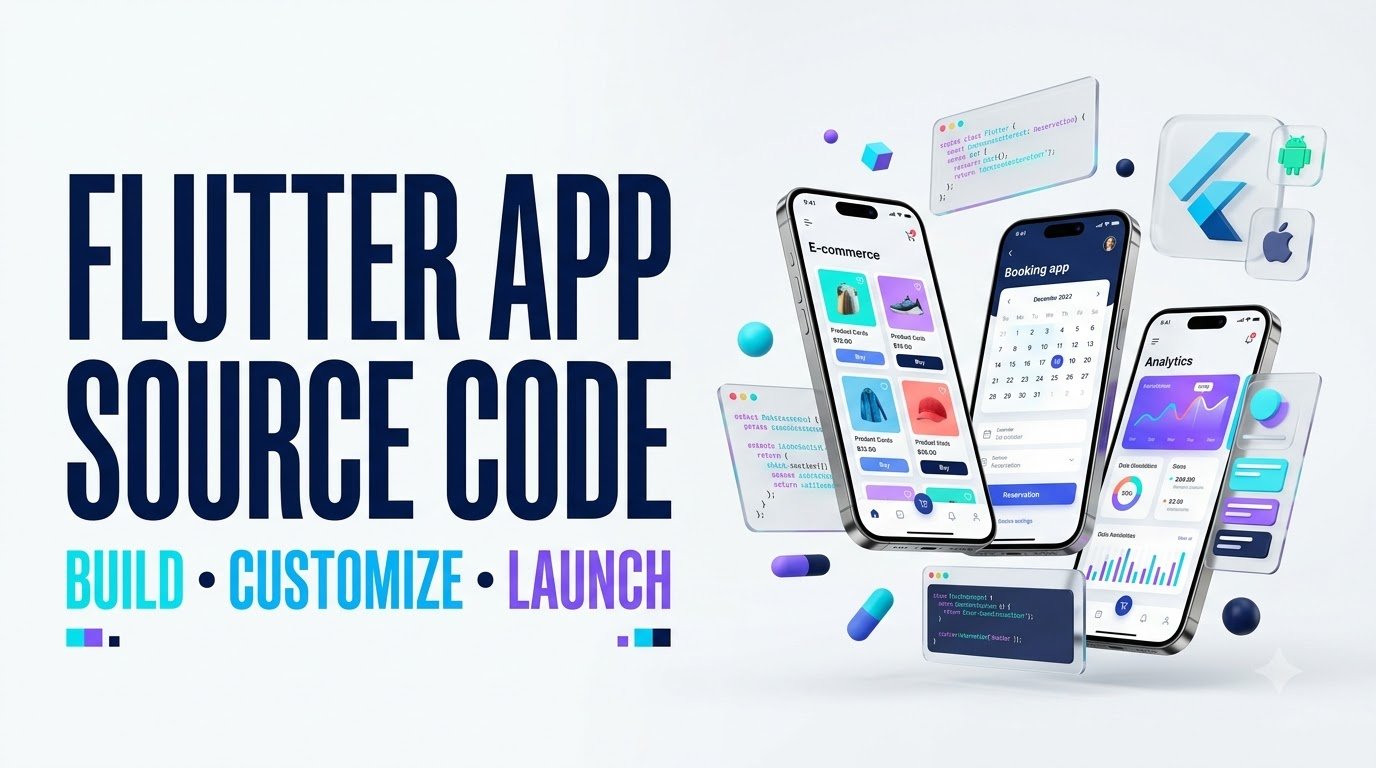
Flutter Mobile App Source Code: Build, Customize & Launch Apps Faster
Discover how to choose high-quality templates/" class="auto-link">Flutter app templates, avoid expensive code mistakes, customize your product, and prepare a professional Android or iOS app for launch.
Explore the Buying Guide View the Quality ChecklistImagine discovering a ready-made mobile app that already has the navigation, product screens, user accounts, and visual design you need. Instead of beginning with an empty project, you could spend more time improving the experience that makes your business different.
That is the appeal of Flutter mobile app source code. For entrepreneurs, developers, and digital agencies, a well-structured starter project can provide a practical foundation for creating mobile products without rebuilding every common feature.
However, the words “ready-made” do not automatically mean reliable, secure, commercially licensed, or ready for an app store. Some source code packages are excellent starting points. Others contain outdated dependencies, unfinished integrations, confusing folder structures, or licensing restrictions that become expensive after purchase.
This guide explains what Flutter source code actually includes, what to inspect before buying, how to customize it, and when purchasing a starter project makes more sense than building from scratch.
What Is Flutter Mobile App Source Code?
Flutter is an open-source UI framework that developers use to create applications for different platforms with substantial code reuse. Dart is the programming language used to create Flutter applications.
In simple terms, Flutter source code is the editable foundation of an app. It defines how screens look, what happens when users tap buttons, how information is displayed, and how different parts of the application interact.
Depending on the product, a source code package may include:
- Dart files: Application screens, widgets, models, state management, and business logic.
- Project configuration: Build settings, application identifiers, and platform-specific files.
- Images and fonts: Branding assets, icons, illustrations, and other visual resources.
- Package definitions: A pubspec.yaml file identifying project dependencies and assets.
- Backend integration: Connections to APIs, authentication services, or databases, if included.
- Documentation: Setup instructions, customization notes, and build guidance.
A complete project can make the learning and development process easier because you can inspect real application patterns instead of experimenting with disconnected code snippets.
Still, different sellers mean different things by “full source code.” One package may contain only frontend screens. Another may include a functioning backend, deployment instructions, admin tools, and technical support. Always verify the exact deliverables.
Why Businesses and Developers Choose Flutter App Templates
🚀 Faster Starting Point
Reusable screens and navigation can reduce repetitive setup, allowing teams to focus on features that matter to actual users.
📱 Cross-Platform Foundation
Many application features can share Dart code across Android and iOS, although platform-specific configurations may still be necessary.
🎨 Flexible Customization
Developers can adapt colors, typography, layouts, branding, navigation, and workflows when the code and license permit.
💼 Commercial Potential
A properly licensed template may support client projects, SaaS products, internal business tools, and commercially distributed apps.
For example, a small US appointment-based business might want a mobile app with service listings, a booking calendar, customer profiles, and appointment reminders. A suitable Flutter starter kit could provide some of those user-facing screens.
The business would still need to connect accurate availability data, configure notifications, protect customer information, test booking conflicts, and validate payment or cancellation workflows.
The value is not simply having more lines of code. It is having a reliable foundation that lets you solve the right business problem sooner.
Popular Types of Flutter Mobile App Source Code
Different app categories have very different technical requirements. Choose a template based on the features you actually plan to launch, not just the attractiveness of its screenshots.
| App Category | Typical Features | Important Buyer Check |
|---|---|---|
| 🛒 Ecommerce | Catalog, cart, checkout, customer accounts | Live payment integration, orders, inventory, taxes |
| 📅 Booking | Calendar, reservations, profiles, reminders | Availability accuracy, time zones, cancellation logic |
| 🍔 Food Ordering | Menus, orders, delivery status, notifications | Real order processing and vendor permissions |
| 🎓 Education | Lessons, quizzes, progress tracking | Content rights, student data, accessibility |
| 💰 Finance Tracker | Budgets, reports, expense categories | Financial data security and accurate calculations |
| 🏢 Business CRM | Contacts, tasks, leads, dashboards | Access control and data synchronization |
| 💬 Community | Profiles, messaging, posts, comments | Moderation, reporting, blocking, abuse prevention |
Choose the Right Source Code for Your Project
Not every purchaser needs the same kind of Flutter project. Select a use case below to explore the features that deserve your attention.
For Startup Founders
Prioritize a functional minimum viable product, clear documentation, straightforward customization, and reliable backend connectivity. Ask what is included and what requires additional development.
Best buying question: Can this source code support the main customer journey I want to validate?
For Flutter Developers
Examine code organization, null safety, dependency maintenance, architecture, automated tests, error handling, and repository quality.
Best buying question: Can I maintain and extend this application without rewriting its foundations?
For Digital Agencies
Check the commercial license, redistribution restrictions, white-label rights, client delivery terms, documentation, and ownership of added custom work.
Best buying question: Does the license allow the exact client delivery and deployment model I intend to use?
Free vs. Premium Flutter Source Code: Which Is Better?
Free code is often useful for learning, prototypes, and experimentation. Premium source code may offer documentation, richer features, and support, but price alone does not prove quality.
| Factor | Free / Open-Source | Paid / Premium |
|---|---|---|
| Initial cost | Often $0 for code access | Purchase or subscription required |
| Documentation | Varies widely | May include dedicated setup guides |
| Technical support | Community or voluntary support | May include seller assistance |
| Commercial usage | Depends on its license | Depends on purchase license |
| Code quality | Requires independent review | Also requires independent review |
| Ongoing updates | Depends on maintainers | Depends on vendor terms |
One frequently overlooked issue is that publicly visible code is not automatically free for commercial reuse. If a repository has no license, do not assume you have permission to copy, modify, or distribute it.
Likewise, a purchased template might allow deployment of one finished app but prohibit resale of the editable project files. Read the license carefully before buying.
10 Essential Checks Before Buying Flutter App Source Code
- Confirm the Flutter and Dart compatibility. Compare the project’s SDK requirements with supported tooling and current packages.
- Request a working demonstration. Test actual functionality rather than relying entirely on screenshots.
- Inspect the project structure. Organized code is easier to understand, maintain, and extend.
- Review package dependencies. Identify abandoned packages, incompatible plugins, and avoidable security risks.
- Check backend deliverables. Determine whether APIs, databases, admin dashboards, and deployment scripts are included.
- Understand the license. Confirm modification, commercial usage, distribution, and client delivery permissions.
- Inspect security practices. Look for hardcoded secrets, unsafe storage, weak authorization, and exposed private data.
- Review testing and accessibility. Ask for tests, error states, responsive layouts, and accessibility support.
- Evaluate documentation and support. Understand installation steps, configuration requirements, updates, and support duration.
- Calculate the complete project cost. Include developer time, cloud services, third-party APIs, testing, and ongoing maintenance.
How to Customize Flutter Mobile App Source Code
Once you have legally obtained a compatible project, customization normally involves several stages. Here is a practical workflow.
Step 1: Set Up Your Development Environment
Install the Flutter SDK, a suitable code editor, and platform tools. Android development can be configured on supported operating systems. Building and releasing a Flutter iOS app requires macOS and Xcode.
Use the official Flutter documentation to validate your setup before editing an unfamiliar project.
Step 2: Open and Inspect the Project
Review the README, pubspec.yaml, directory structure, project configuration, and license. Keep an untouched copy of the original purchased project and use version control for your modifications.
Step 3: Install Dependencies
From the project directory, a typical setup includes these commands:
flutter doctor
flutter pub get
flutter analyze
flutter test
flutter run
These commands check the development environment, resolve dependencies, run static analysis, execute available tests, and launch the app on a configured device or emulator. Passing them does not establish production readiness.
Step 4: Personalize the Brand
Replace the original application name, app icon, splash experience, brand colors, text, images, and navigation labels. Remove demo accounts, placeholder assets, sample orders, and unlicensed materials.
Step 5: Configure Backend Services
Connect your own API endpoints, authentication provider, database, and push notification configuration where required. Test both successful workflows and predictable failure cases.
Never place permanent privileged service credentials or administrative secrets inside the distributed mobile application. Use secure backend services and appropriate access controls.
Step 6: Run Real Device Tests
Evaluate the product on different screen sizes, Android versions, supported iPhones, slow networks, and realistic user accounts.
Step 7: Prepare a Release Build
After signing and configuring the Android application, Flutter provides the following standard command for a release app bundle:
flutter build appbundleiOS releases follow a separate process involving Xcode, code signing, App Store Connect, and Apple Developer Program requirements.
Understanding a Well-Organized Flutter Project
Flutter’s architecture guidance emphasizes separation of concerns. A maintainable application should avoid mixing screen rendering, networking, database access, and business rules in one oversized file.
One illustrative project structure is:
my_flutter_app/
  lib/
    main.dart
    app/
      app.dart
      routes/
    core/
      theme/
      services/
    features/
      home/
        views/
        view_models/
        repositories/
      profile/
        views/
        view_models/
        repositories/
  assets/
    images/
    icons/
  test/
  android/
  ios/
  pubspec.yaml
This is an example of feature-oriented organization, not a mandatory Flutter directory standard. Small applications may use simpler structures, while complex apps may need additional domain layers.
The key question is whether developers can understand where each responsibility belongs.
Why Architecture Matters After Purchase
Imagine purchasing a booking app and later adding recurring appointments, business-specific pricing, and customer memberships. With modular code, these changes can be easier to isolate, test, and review.
With poorly organized code, the same changes may require editing unrelated screens and risk breaking existing workflows. That makes maintainability a valuable commercial feature, even when buyers cannot see it in screenshots.
Hidden Costs of Ready-Made Flutter App Templates
A source code purchase is only one part of a mobile app budget. Even a low-cost template can require substantial development when its assumptions do not match the business model.
Development & Customization
New features, design changes, integrations, debugging, and code refactoring may require specialist work.
Backend & Hosting
Database usage, servers, storage, authentication, and API services can introduce recurring charges.
Store & Compliance
Developer accounts, payment processing, privacy work, licenses, and regulatory requirements may create additional costs.
Ongoing Maintenance
Package updates, operating system compatibility, customer support, monitoring, and bug fixes continue after launch.
A Practical Cost Evaluation Example
Suppose you are comparing a ready-made scheduling template with custom development. The template contains attractive booking screens, but it does not support real-time calendar synchronization.
To make the right decision, estimate the cost of integrating calendar services, resolving scheduling conflicts, testing time zones, building staff administration tools, and maintaining the new features.
A more expensive template that includes reliable, documented scheduling infrastructure could offer better value than a cheaper design-only package.
The principle: Compare the full cost of reaching a usable product, not merely the source code purchase price.
Can You Make Money With Flutter App Source Code?
Flutter source code can support several legitimate business models when licenses, development quality, and marketplace policies allow.
01. Client App Development
Build customized mobile apps for businesses using reusable code foundations. Verify agency and client-delivery license permissions.
02. SaaS Products
Develop applications linked to subscription-based online services, with secure account management and appropriate billing integrations.
03. Business Operations Tools
Create internal mobile systems for inventory, appointments, reporting, or employee workflows.
04. Original Template Products
Design and sell your own source code or templates when you own the necessary intellectual property and redistribution rights.
For US-focused businesses, attractive opportunities often arise from specific operational problems: scheduling technicians, collecting field-service reports, managing client appointments, or organizing local service requests.
The opportunity is not guaranteed income from uploading a template. It depends on identifying demand, delivering value, maintaining the product, and reaching customers effectively.
Common Mistakes That Can Delay Your Flutter App Launch
- Choosing solely by visual design: An impressive interface can hide unstable code or missing business functionality.
- Ignoring license restrictions: Commercial distribution and source code resale are different permissions.
- Using outdated dependencies: Incompatible plugins can create build failures and maintenance risks.
- Skipping backend security: Client-side checks are not a replacement for server-side authorization.
- Submitting duplicate applications: App stores expect genuine functionality and meaningful user value.
- Launching without practical testing: Payment errors, broken authentication, and inaccessible interfaces can damage customer trust.
- Ignoring ongoing support: Released apps require updates, monitoring, and maintenance.
Flutter App Source Code and App Store Approval
Purchasing Flutter source code does not guarantee acceptance by Google Play or Apple’s App Store.
Google Play policies require functional applications that provide meaningful experiences and prohibit repetitive or low-quality apps. Apple similarly reviews apps for completeness, functionality, originality, privacy, and compliance with its App Review Guidelines.
If many developers purchase the same application template and publish nearly identical apps, changing the icon, name, and colors alone may not create sufficient original value.
Focus on useful features, authentic business content, responsive interfaces, proper user permissions, and reliable functionality. For accounts, payments, health information, financial data, or user-generated content, additional rules may apply.
Review official requirements before submission because developer policies and technical requirements change.
How to Evaluate Sellers and Read Customer Reviews
Before investing in a Flutter starter project, look beyond star ratings and short testimonials. More useful reviews explain whether customers could install, customize, and maintain the application.
Ask the seller these questions:
- Which Flutter and Dart SDK versions are supported?
- Does the demo contain real functionality or simulated data?
- Are the backend, admin panel, and database setup included?
- What commercial usage and distribution rights does the license grant?
- How long does technical support last, and what does it cover?
- Are updates available when dependencies or platform requirements change?
A detailed negative review mentioning reproducible build failures may be more informative than a generic positive review. Assess the review date, technical context, and whether the vendor has addressed the issue.
Flutter Development Trends Worth Watching in 2026
Several development practices are particularly relevant when choosing a starter project intended to remain useful over time.
AI-Enabled User Experiences
Mobile products can incorporate AI-assisted search, recommendations, or support features through carefully designed backend services. Evaluate data handling, costs, accuracy, and user transparency rather than assuming an AI label adds value.
Accessibility and Inclusive Design
Readable typography, accessible controls, scalable text, clear contrast, and screen-reader compatibility improve usability for a wider audience.
Secure Authentication and Privacy
Protecting user information requires more than a login screen. Backend authorization, secure storage, permission management, and appropriate privacy practices should shape the architecture.
Maintainable Cross-Platform Code
A consistent project structure, automated testing, and actively maintained dependencies make it easier to respond to changing Android and iOS requirements.
These are practical development priorities, not a prediction that any particular feature will automatically increase downloads or revenue.
Five Frequently Asked Questions About Flutter Source Code
1. Is Flutter mobile app source code suitable for beginners?
Yes, provided the project is well documented and the learner understands basic Dart and Flutter concepts. Beginners should start with smaller projects and build skills in widgets, navigation, state, dependencies, and debugging before modifying complex applications.
2. Can one Flutter source code project work on Android and iOS?
Flutter enables substantial code sharing across Android and iOS, but plugins, permissions, layouts, platform integrations, and release settings can differ. Both platforms require testing, and iOS release builds require macOS and Xcode.
3. Can I sell an app developed using purchased Flutter source code?
Possibly. You must confirm that the license permits the intended commercial use and distribution. Publishing a compiled app and reselling editable source files may involve different rights. Third-party assets and libraries can have additional license conditions.
4. Does Flutter source code include a backend and database?
Not necessarily. Some products offer only user interface screens, while others include API integration, database configuration, server code, or administrative tools. Confirm exactly what is included before purchasing.
5. Is buying Flutter source code better than hiring an app developer?
It depends on your requirements. A good starter project may reduce repetitive development, while a custom developer or team may be needed for complex business logic, unique design, integrations, security, and ongoing maintenance. In many projects, buying source code and hiring a developer are complementary choices.
Test Your Flutter Knowledge: Five Interactive Quiz Flashcards
Use these short questions to reinforce the key concepts before choosing your next mobile app project.
Which programming language is primarily used for Flutter applications?
Does publicly accessible source code automatically permit commercial redistribution?
What command installs dependencies defined in a Flutter project’s pubspec?
What Apple development tools are required for building an iOS release?
Does purchasing a ready-made app template guarantee app store approval?
A Practical Launch Plan for Your First Flutter App
| Stage | Primary Goal | Expected Deliverable |
|---|---|---|
| 1. Research | Understand customer needs and existing solutions | Clear feature requirements |
| 2. Validation | Review code, licensing, functionality, and costs | Documented source code assessment |
| 3. Customization | Adapt branding, screens, data, and workflows | Working customized application |
| 4. Quality Assurance | Test devices, accessibility, security, and failure states | Resolved critical issues |
| 5. Release | Prepare signing, policies, and store submissions | App submitted for review |
| 6. Improvement | Measure feedback and prioritize fixes | Ongoing product updates |
These are development stages, not a guaranteed delivery schedule. A small prototype and a production application handling sensitive customer information have very different levels of complexity.
Ready to Build Your Next Mobile App?
The right Flutter source code can turn a promising concept into a practical development project. Start by comparing licensing, working features, documentation, and long-term maintenance requirements.
Explore mobile development resources, evaluate your options carefully, and choose a code foundation that supports the experience you want to deliver.
Start Learning Flutter Explore App ArchitectureFor a commercial product CTA, replace one of these resource links with your actual product or marketplace URL only after verifying the listing and its terms.
Compliance Note: Licensing, Security & Responsible App Publishing
Educational and commercial information notice: This article provides general information about Flutter development and evaluating source code products. It does not provide legal, cybersecurity, financial, or professional engineering certification advice.
Intellectual property: Confirm the rights to source code, images, fonts, software packages, branding, and third-party assets. A commercial-use license does not necessarily authorize resale of the source code itself.
Privacy and security: Applications collecting or processing personal data may need privacy notices, appropriate safeguards, deletion and access workflows, and compliance with applicable US federal or state requirements and relevant international rules. Requirements vary by business and data type.
Payments and subscriptions: Verify the applicable Apple and Google billing rules, payment processor requirements, and any tax obligations before offering paid features or digital goods.
App store policies: Google Play and Apple review submissions independently. Licensing a template, creating a successful build, or following this guide does not guarantee approval.
Affiliate and commercial transparency: If this article includes affiliate links, paid placements, or sponsored recommendations, include a clear disclosure where required. Product capabilities, compatibility, support, and pricing should be verified before publication.
Results disclaimer: Development time, costs, app approval, sales, downloads, and profitability depend on circumstances. No financial or performance outcome is promised.
Sources and Further Learning
For implementation details and changing platform requirements, prioritize official documentation.
- Flutter Official Learning Resources — Flutter fundamentals, Dart, and guided tutorials.
- Flutter App Architecture Guide — Maintainable application structure and recommended development patterns.
- Flutter Testing Overview — Unit, widget, and integration testing.
- Flutter Android Deployment — Android signing, app bundles, and release preparation.
- Flutter iOS Deployment — iOS release and App Store preparation.
- Apple App Review Guidelines — Apple’s current app submission standards.
- Google Play Spam and Repetitive Content Policy — Rules governing duplicate and low-quality applications.
- Dart and Flutter Package Repository — Explore available software packages and package information.
Editorial update: October 2026. Recheck official documentation and marketplace requirements before publishing or releasing an app.
Choose Your Flutter Development Path
Select the solution that matches your app development goals and explore your next step.
Launch Your Flutter App With a Smarter Starting Point
Explore ready-made Flutter mobile app source code designed to help you build and customize Android and iOS applications. Start with reusable components and adaptable layouts while keeping control of your product’s features and branding.
Flutter Mobile App Source Code Quiz
Test your knowledge of Flutter development, Dart, source code licensing, customization, and app publishing with 10 practical questions.
Your Flutter Knowledge Score
📝 Key Takeaways & Action Notes
Jot down insights, next steps, or thoughts from this post. Your notes save automatically in your browser.
- What is the #1 breakthrough insight you took away today?
- What is one concrete action you will take in the next 24 hours?
- What questions or ideas do you want to research further?
Stay ahead with exclusive updates
Join our community. Get curated industry trends, actionable guides, and fresh resources delivered straight to your inbox.