
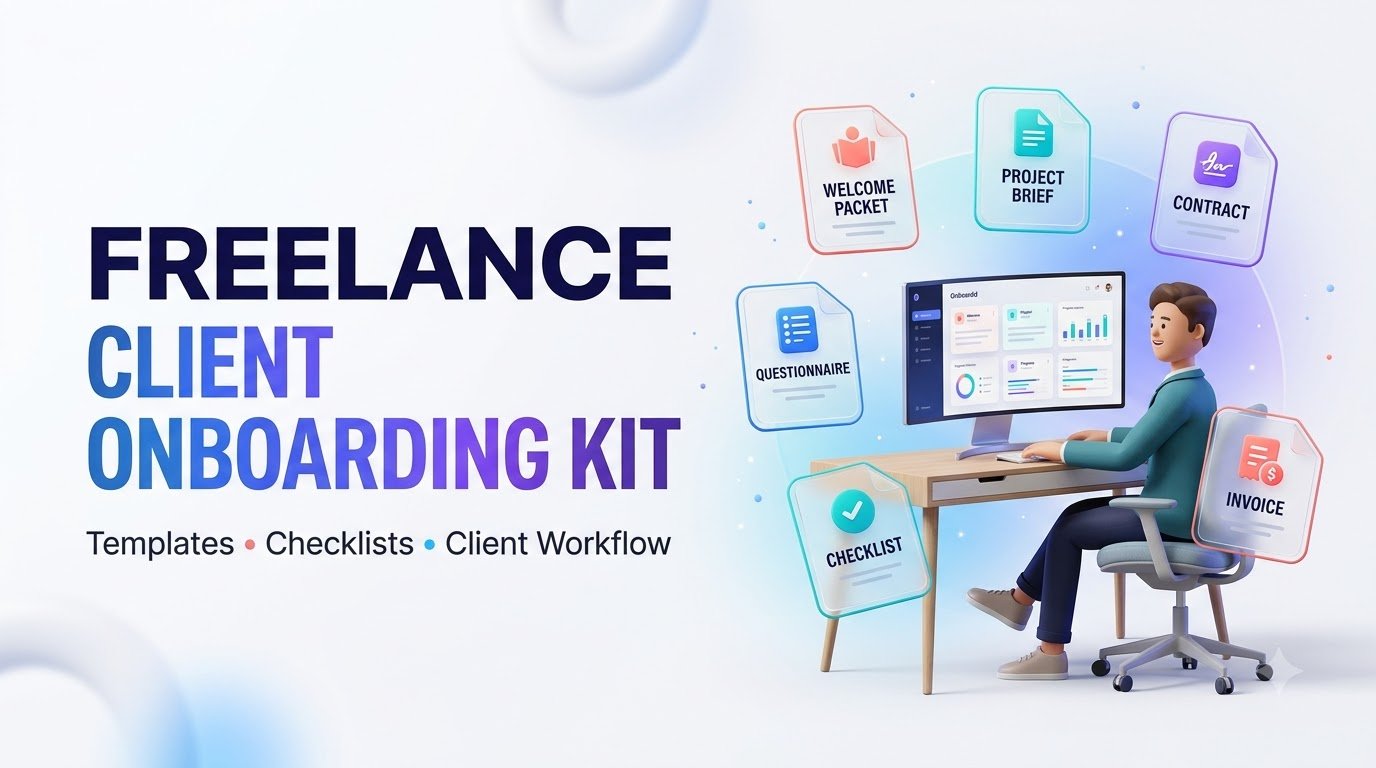
Streamline your freelance business with a client onboarding kit. Discover welcome emails, questionnaires, contracts, checklists, and templates.
Freelance Client Onboarding Kit: Templates, Checklists & A Better Client Experience
Turn the moment a client says “yes” into a smooth, confident project launch with a practical onboarding system you can use again and again.
Explore the Checklist → View Free Templates →Winning a new freelance client feels exciting. You have pitched your services, answered questions, discussed pricing, and finally received that welcome confirmation: “Let’s get started.”
But what happens next?
For many freelancers, the exciting moment quickly becomes a confusing collection of emails, missing documents, delayed payments, uncertain deadlines, and repeated questions. The client might not know what information to send, while the freelancer is unsure whether the project can officially begin.
A well-designed freelance client onboarding kit solves that organizational challenge. Instead of building a new process for every client, you create one reliable system for welcoming clients, collecting requirements, setting expectations, confirming agreements, and starting work professionally.
Whether you are a freelance writer, graphic designer, website developer, virtual assistant, social media manager, marketing consultant, or independent creative professional, the right onboarding process can help you reduce unnecessary administrative work and improve communication.
What Is a Freelance Client Onboarding Kit?
A client onboarding kit is your professional welcome system. It tells a new client what happens after they hire you, which information is required, how the project will progress, and what both parties are responsible for.
Think of it as the bridge between selling your service and delivering the service.
Without an established process, you may depend on memory, scattered messages, and improvised documents. With a kit, your important steps become repeatable, making each project easier to coordinate.
Professional First Impression
Welcome clients with a clear and confident explanation of your process.
Organized Requirements
Collect the brief, business information, assets, and approvals before production starts.
Clear Project Expectations
Explain milestones, responsibilities, communication, and revision procedures.
Stronger Collaboration
Give both parties a shared understanding of what a successful project requires.
Why Freelancers Need a Repeatable Onboarding Process
Your technical ability may attract clients, but the experience of working with you influences whether they feel comfortable returning or recommending your services.
Imagine hiring two freelancers for the same project. One asks for information through several disconnected emails. The other provides a welcome packet, a concise questionnaire, a defined approval process, and a clear project schedule.
The second approach communicates organization before any design, writing, coding, or consulting work begins.
That does not mean onboarding documents automatically produce more revenue or guarantee positive reviews. Their value lies in making collaboration more predictable and reducing avoidable confusion.
Five Practical Benefits
- Less repeated administration: Reuse tested documents rather than rewriting standard instructions.
- Fewer missing details: Ask important project questions before scheduling delivery.
- Better scope management: Define services, exclusions, deliverables, and revision expectations.
- More dependable communication: Identify the client’s primary contact and preferred approval method.
- Improved handoffs: Keep the beginning, delivery, and closure stages connected.
What Should Be Included in a Freelance Client Onboarding Kit?
A comprehensive kit might contain dozens of templates, but not every project needs every file. Start with the essentials and expand the system as your services become more complex.
| Kit Component | Main Purpose | When to Use It |
|---|---|---|
| Welcome Email | Introduce the process and next steps | After client acceptance |
| Client Intake Form | Collect contact and business details | Before kickoff |
| Discovery Questionnaire | Understand objectives and requirements | Before planning |
| Scope of Work | Define deliverables and exclusions | Before work starts |
| Service Agreement | Document contractual obligations | Before performance |
| Invoice and Payment Guide | Explain charges and payment terms | At agreed billing stages |
| Project Timeline | Establish milestones and dependencies | During kickoff |
| Communication Guide | Clarify channels and response expectations | At onboarding |
| Feedback and Approval Form | Document revision requests and signoff | During review |
| Handoff Checklist | Verify final deliverables and access transfer | At completion |
How to Onboard a New Freelance Client: Step by Step
Step 1: Confirm the Project Before Celebrating the Sale
A verbal “yes” is encouraging, but it should not replace a clear written confirmation of what the client is purchasing.
Restate the project objective, proposed deliverables, fee, tentative schedule, and remaining requirements. Make sure the person approving the project has the authority to do so.
For example, a freelance web designer may confirm that the project includes a five-page website, contact form configuration, responsive design, and two agreed revision rounds. Features such as online booking or ongoing maintenance should be listed separately if they are not included.
Step 2: Send a Personalized Welcome Email
Your first onboarding email should reassure the client and explain the immediate next steps. It does not need to be long. A friendly greeting, brief project summary, list of required actions, and a clear response deadline usually provide a strong starting point.
Avoid sending ten attachments with no explanation. If several files are required, provide an ordered checklist or an organized client portal.
Step 3: Collect the Right Client Information
Use a short intake form to gather only information needed to deliver the service.
- Client name, business name, and primary contact.
- Project goals, intended audience, and success criteria.
- Existing brand guidelines, reference material, and required assets.
- Preferred communication channel and approval contact.
- Deadline requirements, known dependencies, and constraints.
For sensitive information, use secure, access-controlled tools. Never encourage clients to send passwords, tax identification numbers, or confidential credentials through ordinary intake forms or unsecured email.
Step 4: Document Scope, Responsibilities, and Approval Rules
Unclear project boundaries can create tension even when both parties have good intentions. Your onboarding process should specify deliverables, exclusions, revision allowances, client responsibilities, and procedures for requesting changes.
For example, distinguish between correcting an agreed design and adding an entirely new design concept. A clear change-request process helps avoid disputes over additional work.
Step 5: Complete the Contract and Payment Steps
Confirm the applicable agreement and payment arrangements before beginning billable work. If you use a deposit, define the amount, due date, refund treatment, and how the deposit relates to future invoices.
Payment arrangements vary. A smaller project might use a deposit and final payment, while a larger engagement may use milestones or a recurring retainer.
Contracts should also address confidentiality, ownership of work, permitted portfolio use, cancellation, late payments, and dispute procedures where appropriate. Obtain professional legal advice for agreements used in regulated or higher-risk situations.
Step 6: Create a Shared Project Timeline
A timeline should show more than the final delivery date. Include internal production stages, client review periods, dependencies, and anticipated approval dates.
Remember that a timeline is only useful when the client understands which milestones depend on receiving their materials or feedback.
Step 7: Run a Focused Kickoff
A kickoff meeting is an opportunity to align expectations, not repeat everything already documented. Review the objective, deliverables, success criteria, communication plan, and immediate actions.
For smaller projects, an asynchronous written kickoff may be perfectly sufficient. Choose the simplest method that leaves both parties confident about next steps.
Interactive Freelance Onboarding Template Library
Explore these starter examples. Each can be adapted to fit your freelance specialty, tone, and client expectations.
Welcome Email Template
Hi [Client Name],
Thank you for choosing [Your Business Name]. I’m excited to collaborate with you on [Project Name].
To get started, please complete the onboarding questionnaire, review the project agreement, and provide the initial assets listed in your project folder.
Once the required information and agreed payment steps are complete, I will confirm the kickoff schedule.
Our main communication channel will be [Channel], and I will provide updates at [Agreed Frequency].
I look forward to working together!
Best,
[Your Name]
Client Questionnaire Template
- What is the main goal of this project?
- Who is your ideal audience or customer?
- Which deliverables are most important?
- What existing materials or brand guidelines should we use?
- Are there examples you like or dislike?
- What is your preferred communication method?
- Who is responsible for final approvals?
- Are there important deadlines or external dependencies?
Include only necessary information. Use a secure method for confidential materials.
Project Kickoff Agenda
- Project objective and intended outcome — 4 minutes.
- Deliverables and scope boundaries — 5 minutes.
- Timeline and required client materials — 4 minutes.
- Review and approval process — 4 minutes.
- Action items and next update — 3 minutes.
Send a brief written recap identifying owners and next-step deadlines.
How to Customize Your Kit for Different Freelance Services
A generic onboarding template is a starting point, not a complete substitute for service-specific questions.
| Freelance Service | Extra Information to Collect | Important Agreement Detail |
|---|---|---|
| Graphic Design | Brand assets, formats, references, print specifications | File delivery and usage rights |
| Content Writing | Audience, tone, research sources, editorial guidelines | Revision and publication permissions |
| Web Development | Features, hosting needs, integrations, content inventory | Testing, access, warranty, maintenance |
| Virtual Assistance | Task priorities, workflow rules, tool access requirements | Confidentiality and access boundaries |
| Social Media Management | Platforms, approval workflow, brand voice, content assets | Account permissions and publishing authority |
| Business Consulting | Current challenges, stakeholders, objectives, constraints | Scope of advice and deliverable limitations |
Choosing Between Free Templates and a Premium Onboarding Kit
Free client onboarding templates can be excellent for testing a new workflow. If you have only a few straightforward projects, a welcome email, intake form, and basic task list may be enough.
A premium freelance onboarding bundle becomes more attractive when you need consistency across multiple clients, customized branding, multiple document formats, and a connected workflow.
| Feature | Basic Free Templates | Comprehensive Paid Bundle |
|---|---|---|
| Welcome Email | Often included | Usually customizable |
| Intake Form | Basic questions | May include niche-specific versions |
| Workflow Guidance | Limited | May include connected steps |
| Brand Customization | Varies | Often emphasized |
| Automation Guidance | Not always included | May be included |
| Legal Suitability | Requires independent review | Still requires independent review |
| Best Fit | Simple or occasional projects | Repeatable, growing client operations |
Before purchasing, check the actual file list, editable formats, licensing terms, included instructions, refund policy, compatibility, and availability of updates. Do not assume every paid kit contains automation, legally reviewed contracts, or software integrations.
Practical 10-Point Freelance Client Onboarding Checklist
Use this interactive checklist before starting your next client project. You can mark items complete as you work.
Progress applies to this page session and may reset when you leave or reload the page.
How to Automate Freelance Client Onboarding
Automation is useful when it reduces repeated work without making the client experience impersonal.
For instance, a submitted inquiry form can create a draft client record. An accepted proposal can trigger an internal preparation checklist. After agreement completion and verified payment, an automated workflow can send the appropriate welcome information.
However, do not design automation that starts work solely because someone clicked a payment link. Confirm the actual payment state, agreement status, and project readiness through the relevant system.
Tools That Can Support Your Workflow
- Google Forms or Microsoft Forms: Organize basic client intake questions.
- Notion or Trello: Build repeatable project boards and task lists.
- ClickUp or Asana: Coordinate milestones, owners, and deadlines.
- Calendly: Help clients select available kickoff appointments.
- Zapier or Make: Connect supported workflow steps between applications.
- Accounting or invoicing software: Create invoices and track payment statuses.
Tool capabilities, prices, security settings, and integrations change over time. Review current plans and permissions before committing to a workflow.
Common Client Onboarding Mistakes to Avoid
Asking Too Many Questions Too Early
A lengthy questionnaire may overwhelm a client who simply needs a small deliverable. Ask the essentials first, and collect specialist details only when relevant.
Starting Work Without Clarifying Scope
Do not rely on informal conversations to define unlimited revisions, unclear deadlines, or undefined deliverables. Capture these terms in appropriate written documents.
Using Multiple Communication Channels Without Rules
If feedback arrives through email, messaging apps, comments, and meetings, it becomes difficult to identify the approved instructions. Establish one primary channel or a documented method for consolidating feedback.
Collecting Sensitive Information Unnecessarily
A client onboarding kit should not become a repository for passwords, government identification numbers, and sensitive financial records. Use approved, secure systems and minimize collection.
Promising Unrealistic Delivery Times
Leave adequate room for reviews, technical issues, client responses, and necessary corrections. Explain how late client inputs may affect the schedule.
Forgetting the Project Handoff
Good onboarding should lead into good delivery. Include an end-of-project checklist that covers files, documentation, final invoices, and access removal when appropriate.
A Realistic Example: Onboarding a Website Design Client
Consider a hypothetical freelance designer hired by a U.S. small business to create a simple service website.
The designer begins by confirming the package: a five-page responsive site, contact form, basic content placement, and an agreed number of review rounds.
The client receives a welcome email and a short questionnaire covering brand identity, business services, website goals, and required pages. The designer provides a secure process for sharing assets and necessary system access.
Both parties review the project scope, responsibilities, payment schedule, and target milestones. The designer then sends a kickoff summary explaining when content is needed and when feedback is expected.
When the first version is ready, the client receives a structured review form rather than an open-ended request for comments. Approved changes are tracked, and new requests outside the agreed scope are handled separately.
At completion, the designer delivers the agreed files, access instructions, maintenance guidance, and final invoice information.
The key lesson is not that every client needs an elaborate system. It is that each stage has a clear purpose, owner, and next action.
How Much Should a Freelance Client Onboarding Kit Cost?
The appropriate budget depends on whether you are purchasing simple editable files, a multi-format template package, or custom business process design.
As an illustrative budgeting framework, not verified market pricing, you might evaluate the following options:
| Solution Type | Illustrative Budget | Ideal Use |
|---|---|---|
| Self-built starter system | $0 plus your time | Testing a basic workflow |
| Basic template collection | $9–$29 | Organizing standard documents |
| Expanded editable bundle | $30–$99 | Developing a repeatable process |
| Customized implementation | $100+ depending on scope | More complex service operations |
Price alone is not a reliable indicator of quality. Evaluate the completeness of the materials, editing convenience, accessibility, contract limitations, seller support, and fit for your business.
How to Evaluate the Return on Your Onboarding Investment
Rather than assuming a template will increase income, measure the operational impact.
Track the average time spent on administrative tasks per new client, the number of missing-information requests, the frequency of scope misunderstandings, and the amount of revision coordination needed.
For example, if a reusable process reduces administrative work by 30 minutes for each of eight monthly projects, the estimated time reduction is four hours per month. This is an illustration, not a promised outcome.
You can also ask new clients whether instructions were clear and what could have made the experience easier. Direct feedback helps you improve the kit without purchasing unnecessary tools.
Five Quick-Learning Quiz Flashcards
Test your understanding of freelance client onboarding. Select a card to reveal the answer.
Frequently Asked Questions About Freelance Client Onboarding
1. What is included in a freelance client onboarding kit?
A standard kit commonly includes a welcome email, client intake form, discovery questionnaire, scope document, service agreement workflow, payment instructions, project timeline, communication guidelines, and checklist. Optional additions include client portals, feedback forms, and handoff documents.
2. Can beginners use freelance client onboarding templates?
Yes. Beginners often benefit from a short, repeatable process. Start with a welcome message, project questionnaire, written scope, agreed payment arrangements, and a basic timeline. Expand your system as client work becomes more complex.
3. What is the difference between a welcome packet and an onboarding kit?
A welcome packet introduces the freelancer, project expectations, and next steps. An onboarding kit is broader: it includes the templates, documents, and workflows required to begin and organize the engagement.
4. Do freelancers need contracts for every project?
Written agreements are generally advisable because they clarify scope, payment, revisions, responsibilities, and ownership. The specific legal requirements and enforceability of an agreement depend on the applicable law, service, and circumstances. Consult a qualified legal professional when needed.
5. Is a paid freelance onboarding kit worth buying?
It can be worthwhile if the templates match your services, save meaningful setup time, and help standardize your process. Compare the actual included files, editing formats, instructions, legal limitations, and refund terms before purchasing.
How to Build Long-Term Client Relationships After Onboarding
An onboarding kit is only the beginning of the client experience. The promises made during onboarding need to be reflected in the actual delivery process.
Provide updates at the agreed frequency. Raise risks early. Explain changes before they surprise the client. Keep approvals organized and make it easy to ask questions.
After project completion, send a concise closing message that summarizes delivered work, remaining responsibilities, and appropriate support options.
If the client had a positive experience, you may invite honest feedback or a review without pressure, compensation conditions, or expectations of a favorable rating. Obtain permission before publishing identifiable feedback, case studies, or client materials.
For freelancers offering ongoing services, a useful next step may be an optional maintenance package, content update service, or recurring support agreement. Present these as relevant choices rather than assuming every client needs a subscription.
Build a Better Client Experience From Day One
Stop reinventing your process for every project. Turn your welcome messages, discovery questions, project milestones, and client communications into one professional onboarding system.
Explore the Freelance Client Onboarding Kit and review its available templates, formats, license, and instructions before choosing the right fit for your business.
Explore the Onboarding Kit →Product contents, pricing, and availability should be verified on the actual sales page.
Sources and Further Learning
For a trustworthy client management process, review guidance from established public authorities alongside the practical templates provided in this guide.
- Internal Revenue Service: Forms and Associated Taxes for Independent Contractors. Relevant to tax documentation and reporting responsibilities.
- IRS: Independent Contractor Defined. Explains that worker classification depends on the underlying working relationship.
- Federal Trade Commission: Protecting Personal Information: A Guide for Business. Practical guidance on minimizing and safeguarding sensitive data.
- Federal Trade Commission: Endorsements, Influencers, and Reviews. Guidance on honest reviews, testimonials, and relevant disclosures.
- Google Search Central: Get on Discover. Publisher guidance on high-quality content and relevant images.
Make Every New Client Feel Prepared
Freelancing becomes easier to manage when successful client experiences no longer depend entirely on memory, improvised emails, or last-minute requests.
A thoughtfully designed freelance client onboarding kit gives your business a repeatable foundation. It makes expectations easier to communicate, requirements easier to collect, and progress easier to track.
Start with the templates you genuinely need. Personalize them to your services. Review them after each engagement. Over time, that simple discipline can help create a more dependable workflow for both you and your clients.
Your next client deserves a clear beginning. Your freelance business deserves a process you can confidently repeat.
Compliance Note — USA
Educational information only: This guide and its examples are not legal, tax, accounting, cybersecurity, or financial advice. Requirements vary by state, service type, client relationship, and applicable law.
Agreements and ownership: Review confidentiality, intellectual property rights, work ownership, cancellation provisions, dispute resolution, and other contract terms with an appropriate professional. A purchased contract template does not guarantee enforceability.
Taxes and worker classification: U.S. businesses may need applicable tax documents and information reporting. Form W-9 and Form 1099-NEC requirements depend on the parties, payment circumstances, thresholds, and current IRS rules. Calling someone a freelancer does not itself establish independent contractor status.
Privacy and security: Collect only necessary information, restrict access, use secure transmission and storage, and follow applicable privacy and data-protection obligations.
Marketing and testimonials: Use genuine reviews, obtain appropriate permissions, disclose relevant commercial relationships, and avoid unsupported earnings claims. Never promise guaranteed client growth or sales based solely on purchasing a template kit.
Product and affiliate disclosure: If this page includes affiliate links or sponsored recommendations, provide a clear and conspicuous disclosure near those recommendations. Verify all product claims, licensing rights, and included features before publication.
Choose Your Onboarding Solution
Discover the right way to simplify client onboarding, organize freelance projects, and build better client relationships.
Welcome Clients Like a Pro
Simplify your freelance workflow with ready-to-customize welcome emails, client questionnaires, onboarding checklists, and project kickoff templates. Create a consistent, professional experience from the very first client interaction.
Freelance Client Onboarding Kit Quiz
Test your knowledge of client onboarding, contracts, questionnaires, project management, and professional freelance workflows with 10 practical questions.
Quiz Completed!
📝 Key Takeaways & Action Notes
Jot down insights, next steps, or thoughts from this post. Your notes save automatically in your browser.
- What is the #1 breakthrough insight you took away today?
- What is one concrete action you will take in the next 24 hours?
- What questions or ideas do you want to research further?
Stay ahead with exclusive updates
Join our community. Get curated industry trends, actionable guides, and fresh resources delivered straight to your inbox.