
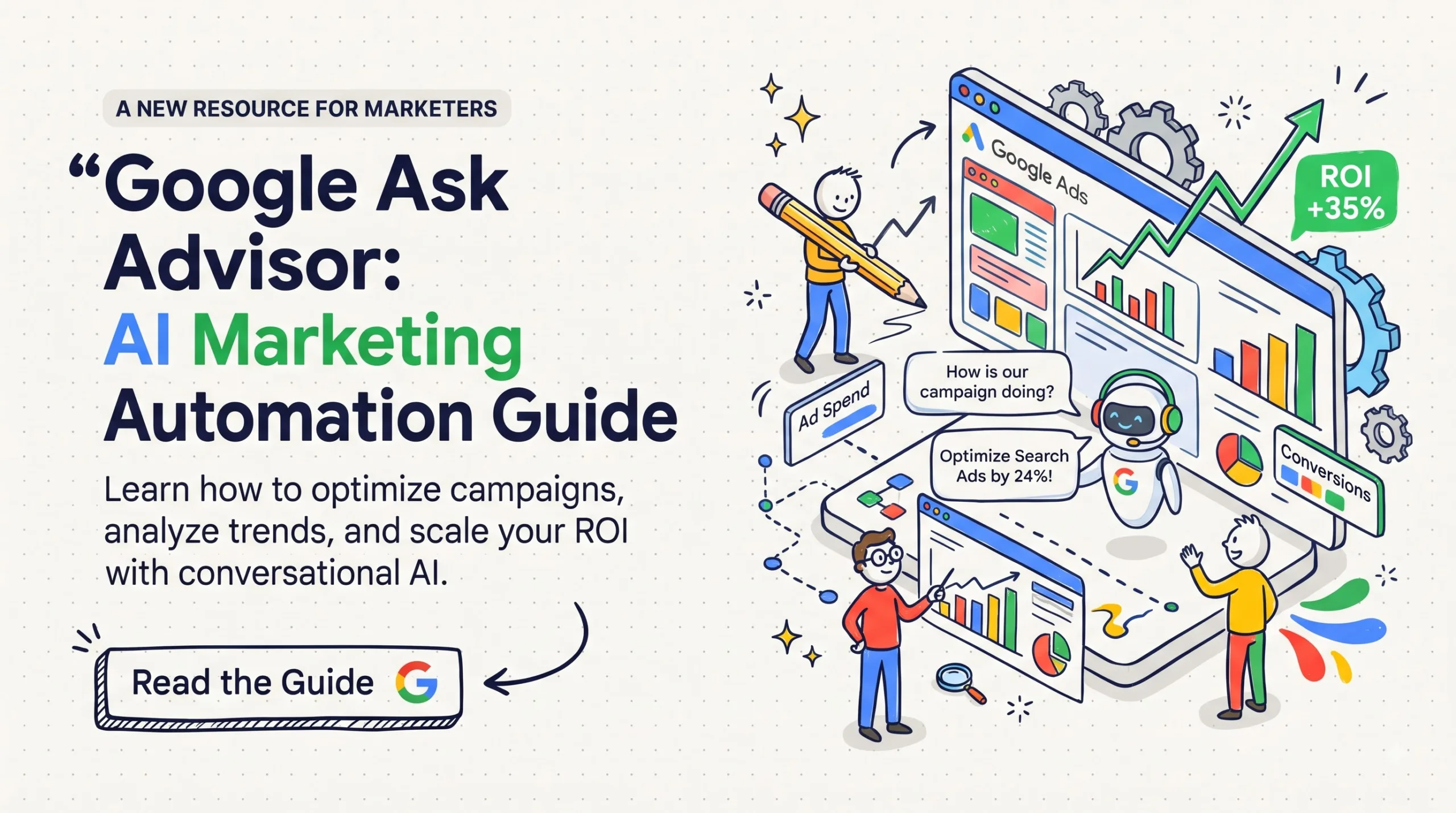
Master Google Ask Advisor to query ad data, fix budget leaks, and automate reports. Learn real setup steps, prompt tactics, and current limits today.
Meet Google Ask Advisor for AI Marketing
Query ad metrics in plain English, spot budget waste early, and audit conversions without spreadsheet formulas.
Quick summary: Google Ask Advisor
Google Ask Advisor is a conversational AI agent inside Google Ads and Google Analytics that lets you query ad performance in plain English. Instead of building custom pivot tables to figure out why your cost per acquisition spiked on a Tuesday, you type a prompt directly into the interface and receive cross-channel answers within seconds. The system processes bid logs, conversion paths, and audience signals to isolate performance anomalies that usually stay buried under manual filters. You get clear diagnostics on Search, Performance Max, and YouTube campaigns, alongside immediate suggestions for negative keyword exclusions and budget reallocations. While the tool reduces routine analysis time, it requires strict human verification because it still misinterprets loose prompts and complex multi-touch attribution models. Knowing how to prompt it correctly makes the difference between spot-on cost audits and wasted spend.
Understanding how Google Ask Advisor processes your marketing data
Google Ask Advisor connects directly to your Google Ads and Google Analytics accounts to answer operational questions without custom reporting scripts. You open the side panel, enter a natural query about your campaigns, and the system queries the underlying APIs to return plain-language explanations with supporting data cards. It replaces the endless clicking across segmented tables when you want to know which product groups lost impression share or which search queries wasted budget overnight.
The system relies on structured analytical models trained on ad platform metrics, historical trends, and bid auction dynamics. When you ask why your cost per click jumped 40% across your Chicago ad sets over the weekend, it pulls auction insights, competitor presence logs, and conversion lag data to formulate a grounded response. It does not just spit back raw numbers. It compares your numbers against your previous 30-day baseline and flags changes in competitor bid pressure or Quality Score drift.
Unlike third-party chatbots that require exported CSV files or third-party webhooks, this native agent reads directly from the ad server logs. That direct link removes manual export lag. It also means you can ask follow-up questions in the same conversation thread, such as narrowing a broad query down to mobile devices or specific match types without rebuilding your original filter setup.
The practical reality of running paid campaigns in 2026
Running paid search in 2026 feels nothing like the clean keyword-match days of five years ago. Performance Max, Smart Bidding, and broad match expansions now dominate account structures, making it much harder to pinpoint why performance shifts. You cannot simply read an isolated search terms report and call it a day because machine-learning systems adjust bids across billions of real-time signals every second.
Google Ask Advisor functions as an analytical companion for high-volume accounts that spend thousands of dollars each week. Say you sell a $45 monthly SaaS subscription in the United States and noticed your cost per trial registration climbed from $28 to $47 over the past 14 days. Instead of manually cross-referencing your target cost-per-action settings, asset group ratings, and location bid adjustments, you ask the assistant to isolate the exact campaign elements driving that margin decay. It surfaces the specific asset group that degraded and checks whether a drop in landing page conversion rate caused the problem.
Access limitations still represent the main headache for many agencies right now. Google continues to roll out Ask Advisor in phased cohorts across the United States, United Kingdom, Canada, and Australia, giving priority to accounts with active Google Marketing Platform tiers and high historical ad spend. If your client dashboard lacks the prompt icon in the top utility ribbon, your customer ID remains on the waitlist. You still need to maintain your standard reporting dashboards until account verification passes.
Four functional pillars inside the interface
The platform separates its workload across four operational zones that handle distinct media buying tasks. Each area tackles a specific bottleneck in your daily routine.
Instant diagnostic summaries
This module breaks down sudden shifts in campaign performance without requiring custom dashboards. It looks at click-through rate, cost per click, and landing page responsiveness side by side.
- Compares week-over-week performance variations against historical month-long trends.
- Flags sudden changes in impression share lost to rank versus impression share lost to budget constraints.
- Identifies poorly performing creative assets inside responsive search ads and suggests specific copy replacements.
Search term and intent inspection
Finding budget waste across broad match keywords used to take hours of manual log parsing. This panel scans query strings against your actual landing page copy to highlight mismatched intent.
- Groups thousands of long-tail search terms into distinct intent clusters automatically.
- Extracts high-cost, zero-conversion search terms and pre-populates a negative keyword list ready for manual approval.
- Detects brand cannibalization where your generic search campaigns end up bidding on your own trademarked brand terms.
- Flags competitor brand name impressions that drive high cost per click with minimal conversion follow-through.
Cross-channel attribution and analytics
Tying Google Ads performance directly to your Google Analytics 4 event stream prevents channel conflicts. This view unifies both platforms to show true path-to-purchase interactions.
- Reads session-level GA4 event parameters to check if paid clicks bounce before the core tracking tag fires.
- Analyzes multi-touch conversion paths to show which campaigns act as top-of-funnel openers versus closing touchpoints.
Budget pacing and spend reallocation
Managing multiple daily budgets across diverse product lines requires continuous balance. This area monitors daily caps and projected end-of-month spend across your portfolio.
- Calculates projected month-end spend based on current pacing and seasonal day-of-week demand trends.
- Highlights campaigns hitting daily spend caps by early afternoon while running on positive return on ad spend.
- Recommends exact dollar transfers from low-performing testing campaigns into your highest-converting ad sets.
- Monitors portfolio bid strategies to ensure your shared budgets do not starve smaller geographic regions.
- Warns you before major national holidays if your current budget limits risk suppressing high-intent weekend traffic.
Six ways marketing teams apply these features daily
Marketing teams spend too much time assembling slide decks and calculating basic ratios. These six practical workflows show where automated query processing delivers actual utility during weekly client reviews.
Zero-conversion query sweeps
Marketers prompt the tool every Monday morning to identify all search terms that spent over $50 in the past seven days with zero conversions, instantly creating a negative keyword exclusion list.
Auction pressure checks
When cost per click rises unexpectedly, the assistant audits impression share lost to rank and notes whether specific competitor domains expanded their aggressive outbidding behavior.
Creative fatigue detection
The system evaluates responsive display and video asset metrics, warning you when asset groups drop from Good to Low performance ratings so you can refresh visual assets before conversion rates plunge.
Geographic profitability audits
Media buyers prompt the system to find metro areas with high customer acquisition costs, allowing teams to set negative location exclusions or decrease regional bids by 15% to protect operating margins.
Device-level conversion gaps
The assistant isolates differences between mobile and desktop conversion rates, alerting developers if mobile checkout drop-offs point to broken site elements after an app release.
Executive briefing drafts
Account managers request plain-language summaries of monthly campaign milestones, receiving draft paragraphs that translate complicated technical metrics into clear business results for clients.
How to set up and query Google Ask Advisor step by step
Getting useful answers from an AI marketing agent requires precise inputs. Follow these operational steps to connect your accounts, run your first diagnostic prompts, and protect your ad budget from misapplied advice.
- Verify account eligibility in Google Ads: Log in to your primary Google Ads MCC or individual account, navigate to the top-right Tools icon, and check under the Labs submenu for the Ask Advisor access toggle. If the feature shows as pending, submit your account ID through your Google representative for cohort inclusion.
- Link your Google Analytics 4 property: Go to Admin, select Linked Accounts, and confirm that your GA4 property shares active data exchange with Google Ads, including auto-tagging and personalized advertising signals. Without bidirectional data flow, Ask Advisor cannot verify post-click landing page metrics.
- Define baseline performance windows: Open the Ask Advisor conversational panel on your campaign overview screen, and set your historical benchmark by specifying your typical conversion lag and target acquisition costs. Setting baseline parameters prevents the system from comparing holiday spikes against quiet summer weekdays.
- Run an exploratory anomaly prompt: Type: “Analyze all Search campaigns over the last 14 days and identify the top three drivers behind our cost-per-acquisition changes.” Review the generated breakdown card to ensure it pulls data from the correct campaign IDs.
- Inspect the underlying data citations: Click on each metric reference in the assistant’s reply to verify that the numbers match your actual campaign summary tables. Never trust a summarized figure without confirming that it excludes internal test conversions.
- Request targeted negative keyword exclusions: Submit a follow-up prompt: “List all search queries with more than 30 clicks and zero purchases over the past 30 days, sorted by total spend.” Review the terms manually to ensure high-intent brand queries are not accidentally included.
- Apply approved recommendations manually: Export the suggested adjustments into your Google Ads Editor or apply them directly through the review panel with human confirmation. Keep automated application toggles turned off until you evaluate results over several weeks.
🚀 Upgrade Your Digital Marketing Strategy
Get battle-tested PPC audit checklists, prompt libraries, and tracking blueprints built for professional growth.
Comparing conversational ad assistants with traditional reporting tools
Deciding when to use conversational queries versus dedicated analytics dashboards depends on the complexity of your task. The comparison table below highlights practical differences across daily marketing workflows.
| Feature | Google Ask Advisor | Standard GA4 Reports | Third-Party BI Dashboards |
|---|---|---|---|
| Primary Input | Natural language queries | Dimension and metric filters | SQL queries and data pipelines |
| Setup Overhead | Zero manual configuration needed | Moderate report creation time | Heavy ongoing engineering setup |
| Anomaly Detection | Automated context explanations | Manual chart inspection required | Custom statistical alert scripts |
| Execution Action | Drafts changes directly in ad UI | Read-only data presentation | Read-only data presentation |
| Data Scope | Google Ads and GA4 ecosystems | Google Analytics tracking only | Omnichannel cross-network data |
While natural-language assistants excel at rapid troubleshooting, enterprise reporting across Meta, TikTok, and Google still demands dedicated business intelligence tools. Platform rules and feature sets shift frequently, so review the Google Ads Help Center to confirm current integration limits and terms.
Five mistakes that ruin automated marketing analysis
Working with conversational marketing agents requires a skeptical eye. Many account managers run into trouble because they treat the assistant like an infallible media buyer rather than an automated junior analyst.
- Accepting automated recommendations without verifying match types: Ask Advisor may suggest adding broad-match exclusions that unintentionally block high-converting long-tail phrases. Always review proposed negative keyword match types before applying them to your shared account lists.
- Ignoring the attribution conversion lag: If your customers take two weeks to research and buy a high-ticket item, asking the assistant about yesterday’s return on ad spend will trigger false panic. Tell the tool to exclude the most recent seven days when calculating acquisition costs on long-cycle products.
- Writing ambiguous and open-ended prompts: Asking “Why are sales down?” yields vague generalities about market competition. Ask specific, quantified questions like “Compare desktop conversion rate against mobile conversion rate for Campaign X between April 1 and April 14.”
- Allowing automated bid strategy overrides: The assistant frequently recommends switching manual bid setups to Maximize Conversions. If your tracking tags miss values or record duplicate leads, automated bidding will blow through your budget on junk traffic.
- Failing to account for offline conversion imports: When you track closed sales through an offline CRM sync, Ask Advisor only sees online lead volume until that upload finishes. Never adjust spend based on assistant recommendations until CRM data has fully reconciled.
Frequently asked questions about Google Ask Advisor
What is Google Ask Advisor?
Does Google Ask Advisor cost extra to use?
Can the assistant automatically change my campaign budgets?
How does it access my private marketing data?
Can Ask Advisor analyze competitors’ ads?
Which countries currently have access to the tool?
Can it manage third-party networks like Meta or TikTok?
Test your marketing automation knowledge
1. What is the safest way to apply Ask Advisor negative keyword suggestions?
- Turn on auto-apply for all suggestions
- Review proposed match types manually before saving
- Ignore all suggestions completely
2. Why does conversion lag matter when querying recent performance?
- It causes recent ad spend to look unprofitable before buyers complete checkout
- It increases platform server maintenance costs
- It permanently deletes Google Analytics tracking cookies
3. Which data sources does Google Ask Advisor read natively?
- Salesforce, HubSpot, and Shopify APIs directly
- Google Ads and Google Analytics 4 connected properties
- Meta Ads Manager and TikTok Business Center
4. What should you do before letting the assistant evaluate target CPA changes?
- Verify that conversion tracking tags fire accurately without duplicate counts
- Double your daily ad budget across all campaigns
- Pause all Search campaigns for 48 hours
5. How does the assistant help identify budget waste?
- By deleting low-performing campaigns automatically
- By grouping high-cost, zero-conversion search queries for review
- By lowering all keyword bids to one cent
6. What is a key limitation of the tool regarding competitor research?
- It cannot see competitor internal ad spend or private conversion metrics
- It refuses to show which domains appear in Auction Insights
- It only works on campaigns that bid on brand terms
7. What type of prompt yields the most accurate analytical response?
- Short queries like “Fix my ads”
- Vague prompts asking why revenue changed
- Specific prompts mentioning dates, campaign names, and exact metrics
8. Which campaign type benefits from conversational asset group fatigue checks?
- Performance Max
- Call-only campaigns
- Single keyword ad groups from 2018
9. Why should you avoid using the tool on accounts spending under $500 monthly?
- The tool charges a $100 penalty fee on small accounts
- Low traffic volume makes automated statistical insights unreliable
- Google disables the interface for smaller accounts entirely
10. What role should human marketers maintain alongside AI agents?
- Strict supervisory review and strategic business verification
- No involvement after turning on automated features
- Manual spreadsheet entry for every single click
Your first 48 hours with Google Ask Advisor
Open your primary Google Ads dashboard tomorrow morning and run a single, targeted diagnostic query on your highest-spend campaign. Resisting the urge to automate everything at once protects your profit margins while you learn how the assistant interprets your specific conversion tracking structure.
- Audit tracking integrity: Confirm that your primary conversion action matches real revenue events in GA4 before asking the assistant for performance analysis.
- Run a zero-conversion query check: Prompt the tool to surface all search terms that spent over $30 with zero conversions during the previous 14 days.
- Build a verified exclusion list: Review the suggested terms manually, filter out any valuable brand keywords, and add the true waste terms to your negative keyword list.
✨ Master Modern Performance Marketing
Get instant access to our complete collection of digital marketing tools, PPC templates, and analytical audit checklists.
Disclaimer & compliance note
Affiliate disclosure: Some links on this page are affiliate links. If you make a purchase through them, we may receive a commission at no additional cost to you. We only recommend resources that support practical marketing operations.
No guarantee: Paid advertising performance depends on market competition, product quality, budget constraints, and tracking accuracy. We do not guarantee specific returns, conversion rates, or revenue increases from applying these workflows.
AI use: This guide was developed with AI research assistance and thoroughly edited, fact-checked, and refined by human media buyers. If you have questions or feedback, contact us at support@digitalideatool.com.
Please Note – Disclaimer
The content, news, topics, and ideas presented on this platform are collected and compiled from various websites, online sources, and digital platforms.
We do not guarantee the accuracy, authenticity, completeness, or reliability of any information, news, or sources mentioned.
Readers are strongly encouraged to independently verify all facts, claims, sources, and information through trusted and official channels before relying on or acting upon them.
This content is provided for general informational and educational purposes only.
✓ Reader Reminder: Always verify important information using trusted, authoritative, and official sources before making decisions or taking action.
📝 Key Takeaways & Action Notes
Jot down insights, next steps, or thoughts from this post. Your notes save automatically in your browser.
- What is the #1 breakthrough insight you took away today?
- What is one concrete action you will take in the next 24 hours?
- What questions or ideas do you want to research further?
Stay ahead with exclusive updates
Join our community. Get curated industry trends, actionable guides, and fresh resources delivered straight to your inbox.