

How to choose a CV and cover letter template that passes ATS and the 7-second recruiter scan. Tested on 32 Word designs in A4 and US Letter.
Professional CV & Cover Letter Templates (2026): How to Choose One That Recruiters and ATS Can Read
The best professional CV (resume) template is a clean, one-page Word layout with standard section headings, real text instead of graphics, and a matching cover letter. Use a single-column, ATS-friendly template for online job portals, because 97.4% of Fortune 500 companies use an applicant tracking system. Save creative two-column designs for emailing a hiring manager directly. Use US Letter size in the US and Canada, and A4 everywhere else.
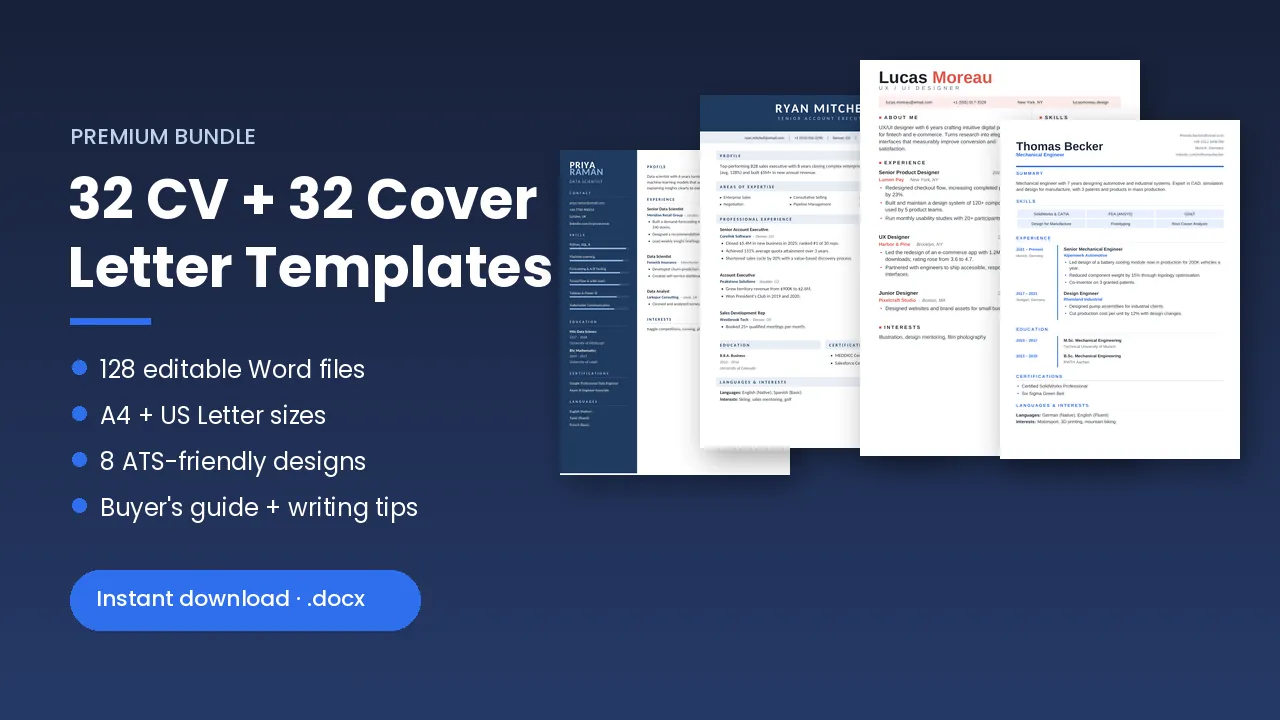
- Recruiters spend about 7.4 seconds on a first resume scan, so a clear layout matters more than decoration.
- Single-column templates without tables, text boxes or images are the safest choice for ATS portals.
- US Letter is about 17 mm shorter than A4. A CV that fits on one A4 page can spill onto a second Letter page.
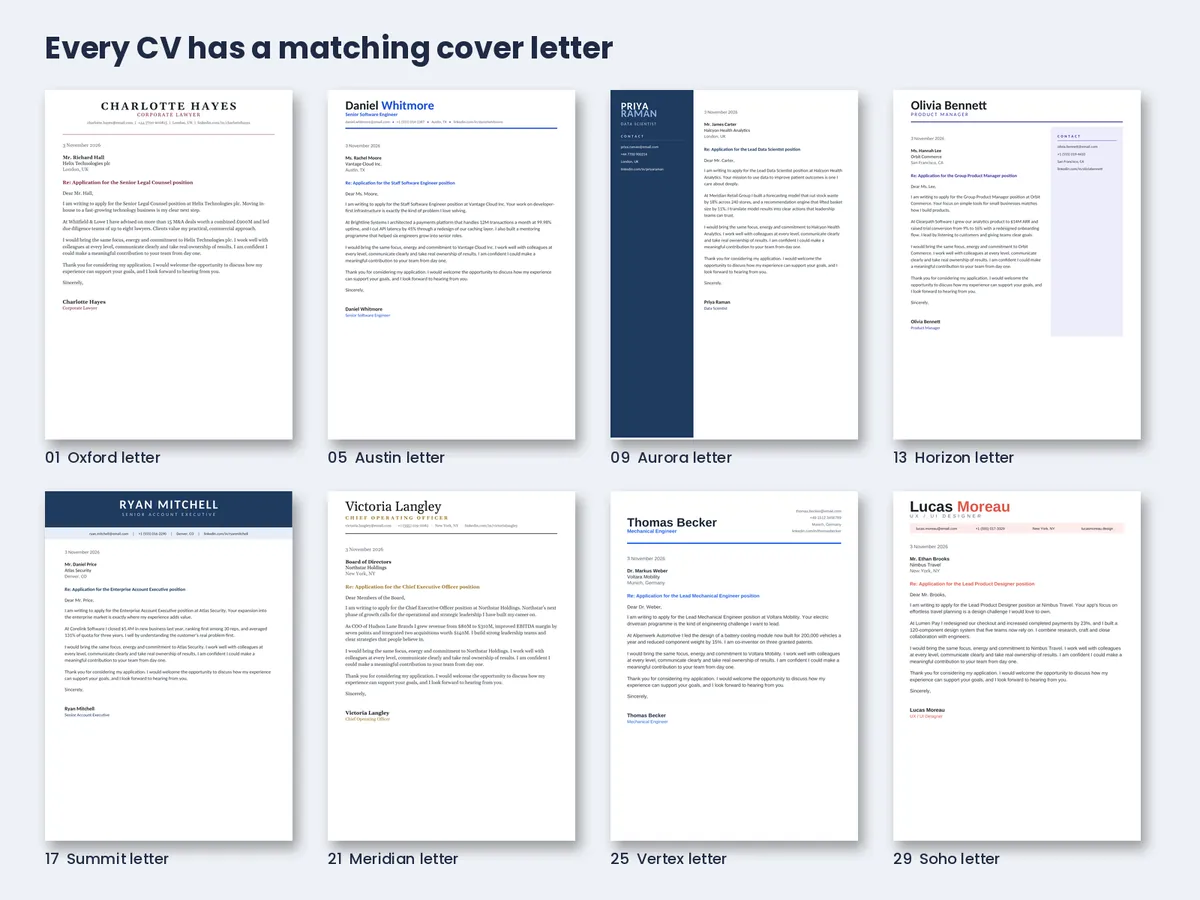
- A matching cover letter makes your application look consistent and still influences many hiring decisions.
- Pick standard fonts that come with Office (Calibri, Cambria, Arial, Georgia) so your layout does not break on the recruiter’s computer.
What Makes a CV Template “Professional” in 2026?
A professional resume template is not the most colourful one. It is the one a person can scan in seconds and software can read without errors. Here are the three tests every template should pass.
1. It survives the 7-second human scan
The Ladders 2018 eye-tracking study found that recruiters spend about 7.4 seconds on an initial resume screen. The resumes that did best had simple layouts, clear headings, bold job titles and bulleted achievements. Cluttered pages, long sentences and missing headers performed worst. Your template should put your name, current title and best results where the eye lands first: the top third of the page.
2. It can be read by an applicant tracking system (ATS)
Jobscan’s 2026 research found that 487 of the Fortune 500 (97.4%) use a detectable ATS, with Workday used by more than 40% of them. An ATS pulls text from your file into fields like “Experience” and “Education”. Tables, text boxes, headers, icons and images can confuse that process. An ATS-friendly resume template keeps everything in one column of real text, with standard section names.
3. It stays editable and stable on any computer
A template that uses an unusual downloaded font can look perfect on your laptop and broken on the recruiter’s. Fonts that ship with Microsoft Office, like Calibri, Cambria, Arial and Georgia, avoid that risk. Always send the final version as a PDF unless the employer asks for Word.
ATS-Friendly vs Creative Resume Templates: Which Should You Use?
You don’t have to choose one style forever. Use the right one for each way of applying.
| Feature | ATS-friendly (single column) | Creative (sidebar, banner, two columns) |
|---|---|---|
| Best for | Online portals, job boards, large employers | Emailing a hiring manager, networking, interviews |
| Layout | One column, no tables or graphics | Colour panels and columns built with tables |
| ATS parsing risk | Low | Medium to high |
| Visual impact | Clean and classic | High, memorable |
| Good careers | Finance, law, government, healthcare, engineering | Design, marketing, tech, hospitality, sales |
Simple rule: if you click “Upload resume” on a careers site, use the ATS version. If a person will open your file, a creative template can help you stand out.
A4 vs US Letter: Which Resume Size Do You Need?
Use US Letter (8.5 × 11 in) for jobs in the United States and Canada. Use A4 (210 × 297 mm) for the UK, Europe, Australia, the Middle East and most of Asia. Letter is slightly wider but about 17 mm shorter. In my testing, that shorter height was enough to push one line onto a second page. Always check your final PDF in the size you are sending.
How I Built and Tested 32 CV and Cover Letter Templates
For this guide I designed a complete CV and cover letter template bundle from scratch and checked every file before publishing it. Here is what I did and what I learned, including what went wrong.
| Test | Result |
|---|---|
| Files created | 128 Word (.docx) files: 32 CVs + 32 cover letters, each in A4 and US Letter |
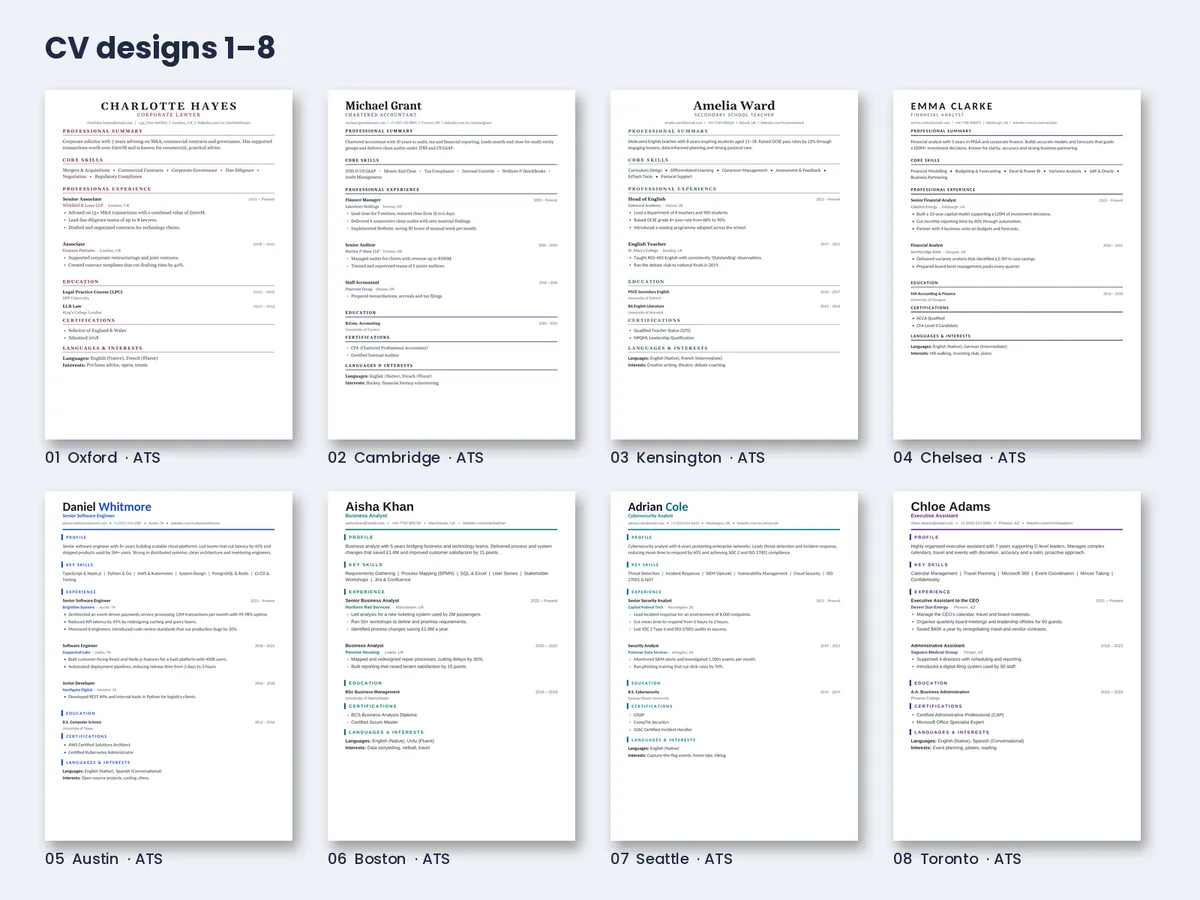
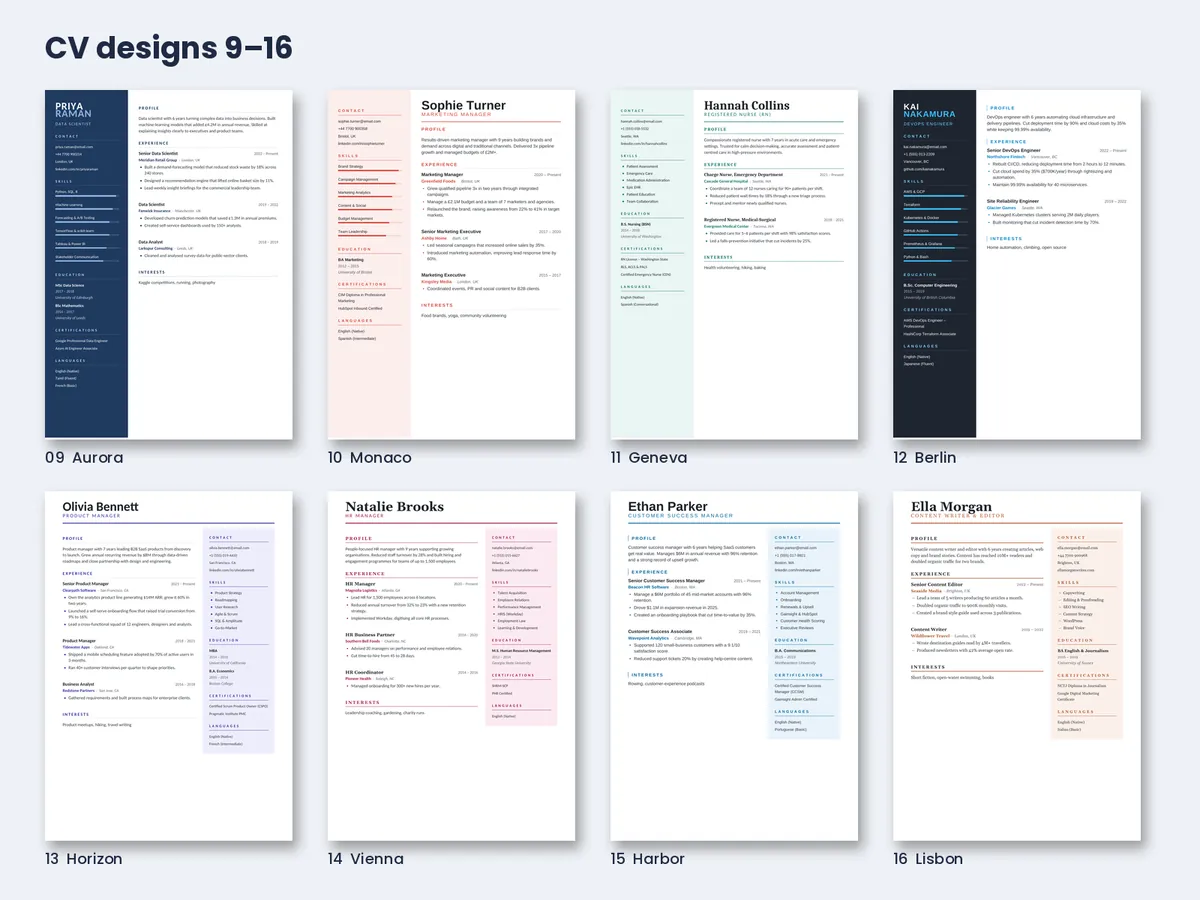
| Layout styles | 8 families: ATS Classic, ATS Modern, Full-colour Sidebar, Right Panel, Banner, Executive Side-label, Timeline, Bold Modern |
| One-page check (A4) | 64 of 64 files rendered on a single page |
| One-page check (US Letter) | 63 of 64 on first test. The Timeline CV spilled one line onto page 2. Fixed by reducing the top margin. |
| File structure check | Sample files validated against the Word document format with no errors |
| Sample content | 30+ fictional professionals, from graduate to COO, with measurable achievements |
Three problems I found (and how you can avoid them)
- Long names break narrow sidebars. In the dark sidebar design, the surname “NAKAMURA” split across two lines. I made long names shrink automatically. If you use a sidebar template, check your own name fits on one line.
- Tight line spacing looks cheap. My first drafts used 10 pt text with tight spacing, and the pages felt crowded. Moving to 10.5–11 pt with 1.2 line spacing made every design look more premium without losing content.
- Cover letter mail-merge mistakes are easy to miss. An early letter said “Dear Mr. Richard Hall,” instead of “Dear Mr. Hall,”. Small errors like this are exactly what hiring managers notice, so read your greeting twice.
Honest note: I tested structure, page fit and file validity. I did not run these files through a commercial ATS. The ATS-friendly designs follow the published structural rules: one column, no tables, no text boxes and standard headings.
Which Resume Template Style Fits Your Career?
| Layout style | Best for | ATS-safe? |
|---|---|---|
| ATS Classic | Law, accounting, teaching, finance | Yes |
| ATS Modern | Tech, analysts, admin, cybersecurity | Yes |
| Full-colour Sidebar | Data, DevOps, marketing, healthcare | Direct use |
| Right Sidebar Panel | Product, HR, customer success, writing | Direct use |
| Full-width Banner | Sales, hospitality, real estate | Direct use |
| Executive Side-label | Directors, consultants, architects, C-suite | Direct use |
| Timeline | Engineers, operations, supply chain | Direct use |
| Bold Modern | Designers, creatives, chefs, graduates | Direct use |
How to Customise a Word CV Template in 5 Steps
- Pick your paper size. Open the US Letter version for the US and Canada, or the A4 version for other countries.
- Replace text, not formatting. Click into each sample line and type over it. Press Enter at the end of a bullet to add another one with the same style.
- Write achievement bullets. Use this formula: action verb + what you did + measurable result. Example: “Reduced customer complaints by 30% by redesigning the returns process.”
- Match keywords to the job ad. Copy exact skills and tools from the advert into your summary and skills section.
- Export to PDF and check it. Use File › Save As › PDF. Name it Firstname-Lastname-Resume.pdf and check that it fits the page.
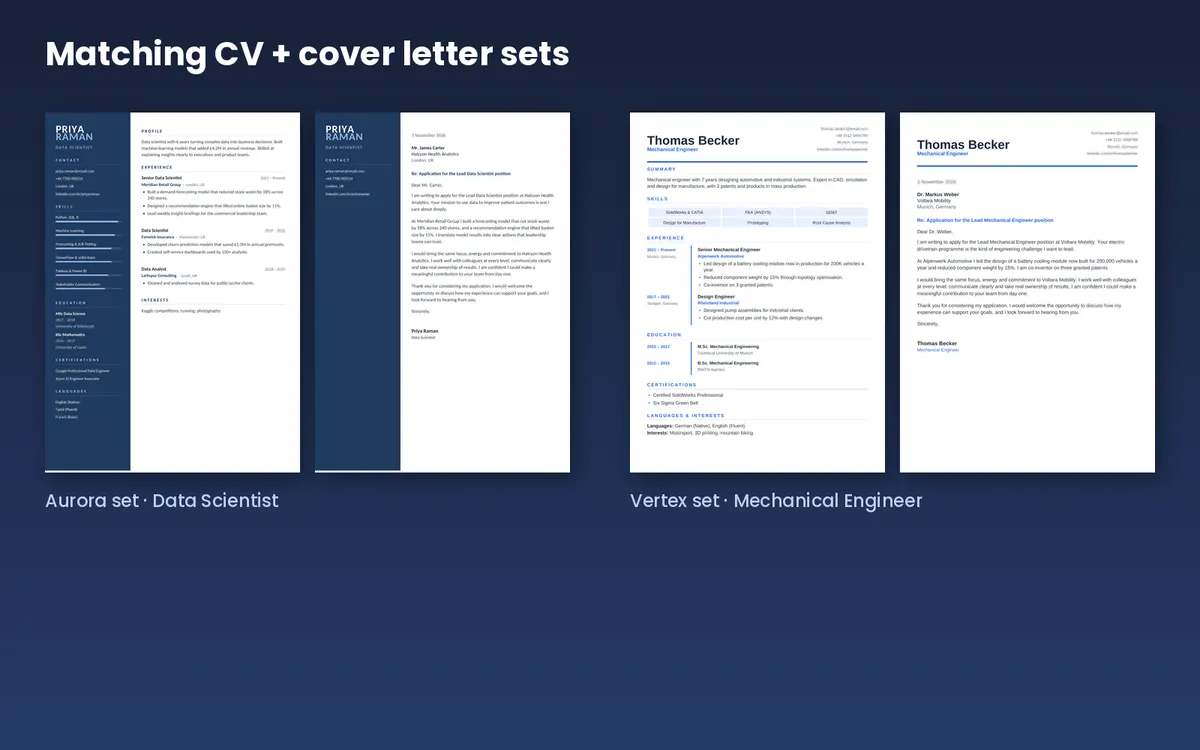
How to Write a Matching Cover Letter
Are cover letters still worth it? In a ResumeLab survey of 200 recruiters and hiring managers (published 2020), 83% said cover letters remain important to hiring decisions, and 72% expected one even when it was optional. The data is self-reported and a few years old, but the lesson still holds: a short, specific letter rarely hurts.
Use the same header, fonts and colours as your CV, and follow this four-paragraph structure:
- Opening: the role, the company, and one reason you want to work there.
- Proof: two or three results with numbers that match the job.
- Fit: how you work and what you will bring to the team.
- Close: thank them and invite the next step.
Keep it to one page, about 250–400 words, and address a real person when you can find their name.
6 Resume Template Mistakes to Avoid
- Sending a two-column creative CV through an online ATS portal.
- Putting contact details inside the page header or footer, where some ATS software ignores them.
- Using skill bars or icons as your only way to show skills. Also list skills as words.
- Adding a photo, date of birth or marital status for US, UK, Canadian or Australian jobs.
- Shrinking text below 10 pt to squeeze everything onto one page.
- Sending a Word file when a PDF would keep your layout safe.
Get All 32 CV + Cover Letter Templates
128 editable Word files · A4 + US Letter · 8 ATS-friendly designs · PDF previews · Buyer’s guide with 60 action verbs
Get the 32-template bundle →Or browse all our digital products
Frequently Asked Questions
What is the best format for a professional CV in 2026?
A reverse-chronological, one-page (or two pages for senior roles) layout with a profile, skills, experience, education and certifications. Use a single-column ATS-friendly design for online applications.
Are Word resume templates ATS-friendly?
Word (.docx) files are widely supported by ATS software. Whether a template is ATS-friendly depends on its layout. Single-column designs without tables, text boxes or images parse most reliably.
Should a resume be one page or two?
One page suits most people with under 10 years of experience. Two pages are fine for senior, technical or executive roles when every line adds value.
Can I edit these templates in Google Docs?
Yes. Upload the .docx to Google Drive and open it with Google Docs. Single-column designs convert almost perfectly. Sidebar designs may need small spacing tweaks.
Do I really need a cover letter?
Many recruiters still read cover letters, and many expect one even when it is optional. A short, tailored letter is a low-effort way to stand out.
Should I send my resume as PDF or Word?
Send a PDF unless the job ad asks for Word. A PDF keeps your fonts and layout the same on every device.
What is the difference between a CV and a resume?
In the US and Canada, “resume” means a one- or two-page career summary, and “CV” usually means a longer academic document. In the UK, Europe and much of the world, “CV” means the same as a resume.
Quick Quiz: Is Your Resume Template Ready?
Tap each question to check your answer.
1. How long does a recruiter spend on a first resume scan, according to the Ladders eye-tracking study?
- 2 seconds
- About 7.4 seconds
- 1 minute
✅ B, about 7.4 seconds.
2. Which template is safest for an online job portal?
- Two-column with skill bars
- Single-column ATS-friendly
- Infographic resume
✅ B, single-column ATS-friendly.
3. Which paper size should you use for a job in the USA?
- A4
- US Letter
- A5
✅ B, US Letter (8.5 × 11 in).
4. Roughly what share of Fortune 500 companies use a detectable ATS (Jobscan, 2026)?
- About 50%
- About 75%
- About 97%
✅ C, 97.4%.
5. Where should your contact details NOT go?
- The top of the page body
- Inside the page header or footer
- Under your name
✅ B. Some ATS software skips headers and footers.
6. What is the best bullet formula?
- Duty + responsibility
- Action verb + task + measurable result
- Adjective + job title
✅ B, action verb + task + measurable result.
7. Which file type should you send by default?
- JPG
- Pages
✅ A, PDF, unless the employer asks for Word.
8. How long should a cover letter be?
- One page, about 250–400 words
- Three pages
- One sentence
✅ A, one page.
9. Which font is the safest choice for a Word resume?
- A rare downloaded display font
- Calibri, Arial, Cambria or Georgia
- Handwriting fonts
✅ B. These fonts come with Microsoft Office.
10. When is a creative two-column CV a good choice?
- When uploading to Workday
- When emailing a hiring manager directly
- Never
✅ B, when a person will open your file.
Sources
- Jobscan: Fortune 500 use of applicant tracking systems (2026 data)
- HR Dive: Recruiters spend 7.4 seconds on a resume (Ladders eye-tracking study, 2018)
- Human Resources Online: ResumeLab cover letter survey of 200 recruiters
Disclosure: Digital Idea Tool sells the CV and cover letter template bundle mentioned in this article. We earn money if you buy it. This page may also contain affiliate links, and we may earn a commission at no extra cost to you.
No guarantee: This guide is general career information, not professional career, legal or recruitment advice. No template can guarantee interviews, job offers or ATS results, because hiring decisions and ATS settings vary by employer.
Sample content: All names, companies and contact details shown in the template previews are fictional. Statistics come from the third-party sources listed above and were checked on the date this article was last updated.
Questions or corrections? Email support@digitalideatool.com.
📝 Key Takeaways & Action Notes
Jot down insights, next steps, or thoughts from this post. Your notes save automatically in your browser.
- What is the #1 breakthrough insight you took away today?
- What is one concrete action you will take in the next 24 hours?
- What questions or ideas do you want to research further?
Stay ahead with exclusive updates
Join our community. Get curated industry trends, actionable guides, and fresh resources delivered straight to your inbox.