
How to Build a 25-Point Shopify Store Audit Checklist, Attract E-Commerce Clients, and Turn Website Problems Into a Profitable Digital Product
Imagine discovering a small online store that sells beautiful products but makes one costly mistake: its mobile customers can barely find the Add to Cart button.
The products are appealing. The photographs are professional. The business owner is investing in advertising. Yet visitors arrive, browse, hesitate, and disappear.
Now imagine sending that store owner a short, personalized video explaining the problem and demonstrating how to fix it for free.
Instead of sending another generic sales pitch, you have delivered something immediately useful.
That simple interaction can become the beginning of a profitable digital-product business.
You don’t need to develop complicated software, become a full-time Shopify consultant, or invest thousands of dollars in advertising. You can start by creating a practical 25-point e-commerce website audit checklist that helps store owners identify conversion problems they might otherwise overlook.
Then you can package that checklist into a professional diagnostic toolkit and sell it to store owners who want to improve their websites.
The approach combines three attractive opportunities: digital product creation, conversion rate optimization (CRO), and personalized business outreach.
And while no legitimate strategy can guarantee a first sale within 24 hours, this model gives beginners a focused way to create a useful product, identify potential buyers, and test demand within a single day.
Let’s explore how to make it work.
Why Website Audit Checklists Are a Valuable Digital Product
Every online store faces the same fundamental challenge: turning website visitors into paying customers.
Store owners spend money on advertising, search engine optimization, influencer partnerships, email marketing, and social media campaigns. But attracting traffic is only half the challenge.
The website must also make purchasing convenient, trustworthy, and understandable.
Consider these common situations:
- A customer visits a product page but cannot find important shipping information.
- A mobile shopper struggles with tiny navigation buttons.
- A product description explains features but not practical benefits.
- A discount popup interrupts the buying process.
- A checkout process introduces unexpected charges.
- A new visitor hesitates because the store has no visible contact details or clear return policy.
Each problem creates friction between customer interest and completed purchases.
Recent discussions in Shopify communities reveal continuing concerns about low conversion rates, mobile usability, customer trust, payment friction, and unexpected checkout abandonment.
Shopify’s 2026 guidance similarly emphasizes straightforward navigation, transparent costs, appropriate payment methods, and mobile-friendly checkout experiences.
That creates an opportunity for a specialized diagnostic product.
A website audit checklist helps business owners recognize problems, prioritize improvements, and take action without commissioning an expensive full-service audit.
The value is not simply a collection of questions. It is an organized decision-making system that tells the customer what to inspect, why it matters, and what to do next.
Why Diagnostic Tools Can Sell Better Than Generic Advice
A store owner can find thousands of free articles about increasing Shopify sales.
But those articles often require time to interpret and apply.
A useful audit toolkit reduces that effort.
Compare two products:
Product A: A 40-page eBook titled How to Improve Your Shopify Store.
Product B: A 25-Point Shopify Conversion Audit Kit with a mobile checklist, diagnostic scorecard, priority tracker, and step-by-step repair suggestions.
Both could contain valuable information.
However, Product B offers a more immediate outcome. The buyer can open the checklist, inspect their store, identify weaknesses, and decide what to fix first.
This makes the product particularly relevant to small business owners who want practical improvements rather than another lengthy course.
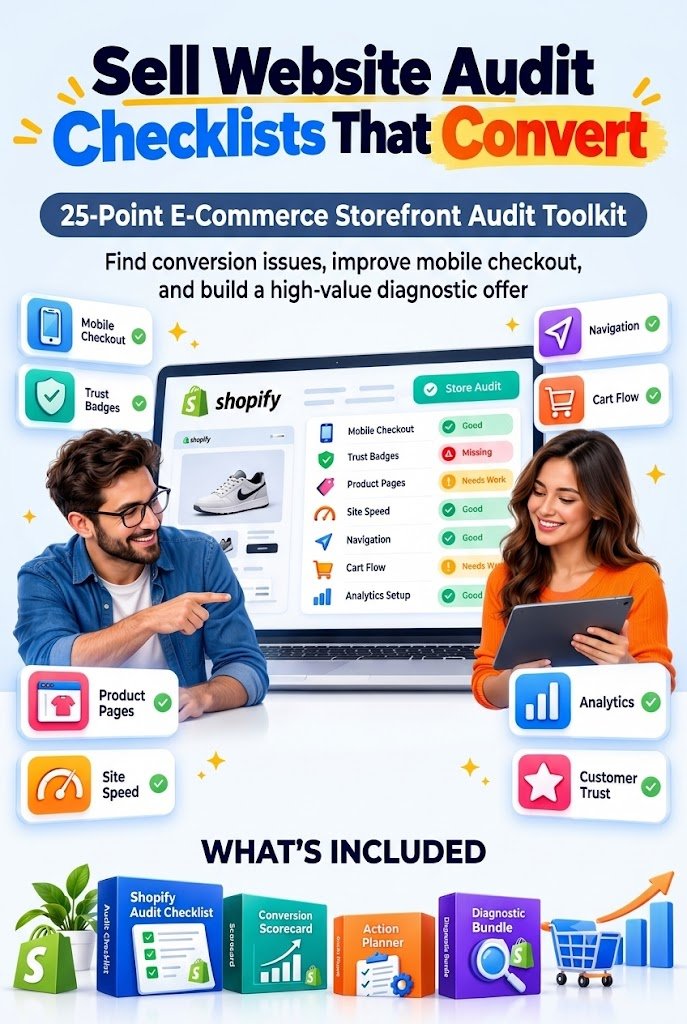
The 25-Point E-Commerce Store Audit Checklist
Your main digital product should be simple enough for beginners yet detailed enough to feel professionally useful.
Organize the checklist around five major areas of the customer experience.
Each category contains five diagnostic questions.
Category 1: Homepage Clarity and First Impressions
The homepage should quickly communicate what the store sells, whom it serves, and why customers might choose it.
1. Clear Value Proposition
Can a first-time visitor understand the main products and their benefits without searching through the entire website?
2. Visible Primary Call to Action
Does the homepage feature an obvious action such as Shop Now, Explore Collection, or View Best Sellers?
3. Professional Visual Hierarchy
Are headlines, product photographs, buttons, and supporting information arranged in a logical order?
4. Straightforward Navigation
Can visitors easily find products, categories, contact information, and important policies?
5. Consistent Branding
Do fonts, colors, imagery, logos, and messaging create a recognizable and trustworthy shopping experience?
Practical fix: If the homepage headline is vague, replace it with a specific explanation of the product and its main benefit.
For example, replace Welcome to Our Amazing Store with Everyday Reusable Lunch Essentials for Busy Families.
The second headline tells customers what the store offers immediately.
Category 2: Mobile Shopping Experience
A storefront that looks polished on a desktop computer may become frustrating on a smartphone.
That is why mobile optimization deserves its own section.
6. Responsive Layout
Do product images, text, menus, and buttons display correctly on different screen sizes?
7. Accessible Add to Cart Button
Can customers locate and tap the main purchase button without unnecessary scrolling or awkward positioning?
8. Readable Product Information
Are descriptions, prices, delivery details, and important benefits readable without zooming?
9. Uninterrupted Mobile Navigation
Do popups, banners, chat widgets, or sticky elements obscure important content?
10. Reasonable Mobile Loading Performance
Does the store load efficiently on everyday mobile connections without excessive visual shifts or delayed interactions?
Practical fix: Reduce oversized images and unnecessary theme features before adding another paid optimization app.
Use tools such as Google PageSpeed Insights to identify possible performance problems.
Remember that a fast homepage does not automatically mean product pages or checkout steps perform equally well.
Category 3: Product Page Conversion Optimization
Product pages must do more than display attractive merchandise.
They need to help customers make informed buying decisions.
11. Benefit-Focused Product Titles
Are product titles descriptive, specific, and easy to understand?
12. High-Quality Product Images
Do photographs clearly show the product, relevant details, and realistic usage?
13. Persuasive Product Descriptions
Do descriptions explain features, benefits, dimensions, materials, and appropriate use cases?
14. Clear Pricing and Availability
Are product prices, variants, availability, and relevant additional costs communicated accurately?
15. Genuine Customer Feedback
Are authentic customer reviews, testimonials, or other verifiable trust signals displayed where appropriate?
Practical fix: Rewrite generic product descriptions using a simple framework:
What the product is + who it helps + why it matters + important specifications.
Avoid invented benefits, misleading discount claims, or fabricated reviews.
Category 4: Checkout Friction and Customer Trust
Customers may genuinely want a product but abandon the purchase when checkout becomes confusing.
16. Transparent Shipping Costs
Can customers understand likely shipping charges and conditions before the final payment stage?
17. Clear Return and Refund Policies
Are relevant policies easy to locate and written in understandable language?
18. Relevant Payment Options
Does the store offer trustworthy payment methods suitable for its customers and operating region?
19. Convenient Checkout Experience
Can eligible customers complete purchases without unnecessary account creation, repeated data entry, or confusing steps?
20. Authentic Trust and Security Information
Does the store clearly identify the business, explain its support options, and display only genuine payment and security assurances?
Practical fix: Place a concise shipping and returns summary near the product purchase area, with links to the full policies.
A critical distinction: adding decorative trust badges is not the same as establishing trust.
Never display security certifications, payment logos, reviews, or guarantees that the business cannot legitimately substantiate.
Category 5: Conversion Tracking and Customer Retention
A well-designed store must also help the business learn from customer behavior.
21. Functional Buttons and Links
Do navigation links, product selectors, cart buttons, and important forms work correctly?
22. Clear Shopping Cart Experience
Can customers review products, adjust quantities, and understand their order before checkout?
23. Reliable Conversion Tracking
Is the store measuring relevant actions such as product views, add-to-cart events, checkout progression, and completed purchases accurately?
24. Appropriate Abandoned Checkout Recovery
Are eligible shoppers receiving helpful, consent-compliant recovery communications where enabled?
25. Post-Purchase Customer Experience
Does the store provide useful order confirmations, customer support information, and relevant opportunities to return for another purchase?
Practical fix: Test the shopping journey on both desktop and mobile, then document any failures.
For businesses with suitable analytics access, examine funnel behavior before assuming a particular design element is responsible for lost revenue.
Turn the 25 Questions Into a Professional Visual Diagnostic Tool
A plain checklist is useful.
A visual diagnostic system can be considerably more valuable.
Your product should help a store owner move from uncertainty to a clear improvement plan.
Build a Simple Scoring System
Assign each question a score:
| Score | Meaning |
|---|---|
| 0 | Missing, broken, or seriously unclear |
| 1 | Partially implemented or needs improvement |
| 2 | Meets the checklist criteria |
With 25 questions and a maximum of two points each, the total possible score is 50.
For an easy-to-read starting framework:
| Audit score | Suggested interpretation |
|---|---|
| 0–19 | Major improvement opportunities |
| 20–34 | Several important issues |
| 35–44 | Generally functional, with refinements needed |
| 45–50 | Strong checklist coverage; continue testing |
These ranges are an illustrative internal scoring rubric, not validated industry benchmarks or predictions of future revenue.
A high score does not guarantee strong conversion performance. Product-market fit, traffic quality, pricing, demand, and other factors still matter.
Add a Priority Matrix
Not every problem deserves equal attention.
A broken Add to Cart button is generally more urgent than adjusting a decorative icon.
Include three priority labels:
- High priority: Broken functionality, major purchase barriers, misleading information, or serious trust issues.
- Medium priority: Important usability, clarity, or navigation problems.
- Low priority: Cosmetic improvements and refinements with uncertain commercial impact.
For each issue, provide a short recommended action, an estimated implementation difficulty, and a space to record whether the fix has been completed.
This transforms a static checklist into an actionable improvement system.
How to Create Your Website Audit Checklist Bundle
You can produce the first version of this digital product using familiar, low-cost tools.
Step 1: Design the Checklist
Use Canva, Google Docs, or another document editor.
Create a clean PDF containing all 25 checkpoints.
Include a checkbox, short explanation, score field, and suggested action for each item.
Step 2: Build a Spreadsheet Scorecard
Create a companion file in Google Sheets or Excel.
Useful columns include:
| Audit item | Score | Priority | Recommended action | Status |
|---|---|---|---|---|
| Mobile purchase button | 0 | High | Make primary CTA accessible | Not started |
| Shipping information | 1 | Medium | Clarify costs earlier | In progress |
| Product photographs | 2 | Low | Maintain current quality | Complete |
Use formulas to calculate the total score and summarize unresolved problems.
Step 3: Add a Visual Repair Guide
Include screenshots or original illustrations showing examples of:
- Confusing and clear navigation
- Poor and improved mobile button placement
- Weak and informative product descriptions
- Hidden and accessible shipping information
- Distracting and focused product-page layouts
Create your own examples or use material for which you have appropriate rights.
Step 4: Include a 7-Day Improvement Planner
Help buyers translate audit findings into a realistic sequence of tasks.
A suggested schedule could be:
Day 1: Complete the baseline audit.
Day 2: Repair broken buttons and critical navigation issues.
Day 3: Improve mobile layouts and obvious performance problems.
Day 4: Clarify product descriptions, imagery, and pricing.
Day 5: Review shipping information, return policies, and payment options.
Day 6: Verify analytics and test the purchasing journey.
Day 7: Review completed changes and decide which hypotheses require additional measurement.
Step 5: Package the Complete Bundle
Give the product a specific, commercially relevant name, such as:
Shopify Store Conversion Audit Toolkit: 25 Checks to Find and Prioritize Website Problems
Your starter bundle could contain:
- 25-point printable PDF audit checklist
- Spreadsheet-based diagnostic scorecard
- Priority action tracker
- Visual improvement reference guide
- Seven-day store optimization planner
- Optional short tutorial showing how to complete an audit
This is more compelling than selling a single generic PDF because it combines diagnosis, prioritization, education, and implementation.
How to Price Your Website Audit Checklist
Pricing should reflect the audience, clarity of the product, and amount of practical assistance included.
For an initial market test, consider these illustrative price points.
| Product offer | Test price |
|---|---|
| Basic 25-point PDF checklist | $9 |
| Complete diagnostic toolkit | $19 |
| Toolkit with expanded examples and tutorials | $29 |
| Personalized recorded mini-audit plus toolkit | $59–$99 |
These are suggested test prices, not established market averages.
You may discover that some audiences prefer lower-cost self-service tools, while others value individualized guidance enough to pay substantially more.
Start with a clear offer, collect feedback, and adjust pricing based on actual customer interest.
Example product positioning:
Find hidden shopping friction before investing more in advertising. Use a practical 25-point audit to review your Shopify store, organize potential improvements, and create a prioritized action plan.
The promise is specific, useful, and credible.
How to Find 15 Potential Shopify Store Customers
Creating the product is only the first part of the business.
The next challenge is identifying store owners who might benefit from it.
A practical approach is personalized prospect research.
Look for smaller independent stores where you can reasonably identify the business owner or relevant contact.
Possible discovery channels include public store directories, business websites, publicly shared Shopify storefronts, professional communities, and social media profiles.
Reddit communities can also help you understand the problems store owners discuss, although community participation should never become an excuse for unsolicited promotional posting.
Search for legitimate situations involving:
- Store owners requesting website feedback
- Merchants experiencing low mobile engagement
- Businesses reporting unexplained checkout difficulties
- Product pages with visible usability problems
- New stores preparing for their first promotional campaign
Create a Prospect Research Sheet
Record basic, relevant business information:
| Store | Publicly visible issue | Suggested free fix | Contact status |
|---|---|---|---|
| Store A | Mobile CTA difficult to locate | Improve button placement | Not contacted |
| Store B | Shipping information hard to find | Add clear shipping summary | Not contacted |
| Store C | Vague product descriptions | Improve first paragraph | Not contacted |
| Store D | Cluttered navigation | Simplify menu labels | Not contacted |
Continue until you have identified 15 relevant prospects.
Avoid collecting unnecessary personal information. Use publicly available professional contact channels and comply with applicable marketing rules.
Importantly, a problem observed from outside the store is an audit hypothesis, not proof that the business is losing a particular amount of revenue.
You cannot reliably diagnose every checkout issue from a public storefront. Some payment, analytics, and checkout settings require owner-authorized access.
The Personalized Loom Video Strategy
The key differentiator is simple:
Demonstrate your expertise before asking for a purchase.
Rather than contacting store owners with a generic pitch, provide one helpful observation they can evaluate immediately.
A short Loom video can make this approach more personal and understandable.
A Simple 60–90 Second Video Structure
Opening: Briefly introduce yourself and explain why you reviewed the store.
Observation: Highlight one specific issue visible on the storefront.
Explanation: Describe why the issue may create confusion or friction for shoppers.
Free solution: Demonstrate a practical correction or explain exactly how to investigate it.
Invitation: Mention that you have a complete audit toolkit if the owner wants to examine additional areas.
For example, suppose a store’s mobile product page requires several screens of scrolling before the purchase button appears.
Your video might explain:
I noticed that your main purchase button is difficult to reach on a typical phone screen. You could test moving it higher or enabling an appropriate sticky purchase button in your theme. That would make the next action easier to find. I also have a 25-point store audit kit covering navigation, product pages, trust, and checkout if you’d like a structured way to review the rest.
Notice what the message does not claim.
It does not promise an immediate conversion increase.
It does not tell the owner their store is poorly designed.
And it does not create false urgency.
It offers one observable finding, one reasonable solution, and one relevant product.
A Short Outreach Message You Can Adapt
Subject: One mobile shopping improvement I noticed on your store
Hi,
I came across your store and noticed one small area that may be worth improving on mobile.
I recorded a short video showing the issue and a possible fix that doesn’t require purchasing another app.
Here’s the video: [Your Loom Link]
If you find it helpful, I also created a 25-point Shopify Store Audit Toolkit covering product-page clarity, mobile usability, customer trust, checkout friction, and conversion tracking.
You can explore it here: [Your Product Link]
Either way, I hope the suggestion is useful.
Best,
[Your Name]
Personalize the message for each business, keep claims accurate, and respect requests not to receive further contact.
Do not send identical unsolicited videos to large groups of recipients or misrepresent yourself as affiliated with Shopify.
The 24-Hour First-Sale Action Plan
Can you sell your first website audit checklist within 24 hours?
It’s possible, but not guaranteed.
The strongest approach is to treat the first day as a focused launch experiment rather than a guaranteed revenue event.
Hours 1–4: Develop the Core Product
Create the 25-point checklist and basic scoring system.
Prioritize clarity and usefulness over unnecessary decoration.
The first version should be complete enough that a buyer can perform a meaningful self-audit without additional services.
Hours 5–7: Prepare the Sales Offer
Create a simple product listing on a digital-product storefront.
Use a descriptive headline, realistic product previews, a clear explanation of included files, and transparent purchase terms.
Choose a test price, such as $19.
Verify the download and payment process before promotion.
Hours 8–12: Research Relevant Stores
Identify up to 15 qualified prospects.
Inspect public homepage and product-page experiences.
Record one genuinely useful observation for each store.
Avoid spending time creating detailed technical claims you cannot substantiate.
Hours 13–17: Produce Personalized Videos
Record concise videos demonstrating the most useful observations.
Each video should address the recipient’s actual storefront rather than presenting a generic checklist.
Keep the free recommendation independently useful.
Hours 18–21: Send Thoughtful Outreach
Contact prospects through suitable business channels, subject to consent and marketing requirements.
Be transparent that you are offering a paid toolkit.
Avoid contacting people who have opted out or posting promotional material in communities that prohibit it.
Hours 22–24: Review Responses and Improve the Offer
Track whether people watched the video, replied, clicked through, or purchased—using only appropriately obtained data.
If prospects engage with the free advice but ignore the paid bundle, investigate whether your product description communicates enough additional value.
If nobody responds, test the relevance of the audience, the quality of personalization, and the appropriateness of the contact channel before simply sending more messages.
What First-Day Sales Could Look Like
Suppose you send 15 legitimate, personalized outreach messages.
In one hypothetical scenario:
- Three recipients respond.
- Two request more information.
- One purchases the $19 toolkit.
That would generate $19 in gross revenue before fees, refunds, and taxes.
This is an illustration, not a conversion forecast.
You could also receive no replies and make no sales.
That outcome would still provide information about the offer and outreach approach.
A successful first-day experiment is one that creates a usable product, reaches a relevant audience appropriately, and produces feedback you can act on.
Turn a One-Time Checklist Into a Scalable Digital Product Business
A diagnostic toolkit can become the starting point for a broader product portfolio.
Once customers begin using your first checklist, you can develop specialized versions addressing specific business needs.
Examples include:
Mobile Conversion Audit Kit: Concentrates on smartphone navigation, product-page design, button placement, and usability.
Shopify Product Page Optimization Kit: Helps merchants evaluate descriptions, photographs, pricing clarity, and purchase information.
E-Commerce Trust and Credibility Toolkit: Reviews authentic customer feedback, store identification, policies, and support accessibility.
Checkout Friction Diagnostic Kit: Helps merchants examine visible checkout issues and use authorized store analytics to investigate abandonment.
E-Commerce Conversion Tracking Kit: Provides event verification worksheets, funnel review templates, and reporting guidance.
The advantage is product reuse.
Once you develop a strong diagnostic framework, you can adapt its structure to different audiences without recreating everything from scratch.
However, specialized versions should contain genuinely different material rather than merely replacing the title on an identical checklist.
How to Increase the Perceived Value of Your Audit Bundle
Customers rarely pay premium prices simply because a PDF contains more pages.
They pay for practical relevance, usability, clarity, and credible expertise.
Here are several ways to make your toolkit more valuable.
Provide an Action for Every Problem
Do not stop at asking whether a store has visible shipping information.
Explain where the owner should look, why the information matters, and how it could be improved.
A useful diagnostic tool must connect observation to action.
Include Before-and-After Examples
Show realistic examples of confusing and improved layouts.
Use examples to explain principles rather than claiming every redesign will increase sales.
Make the Toolkit Beginner-Friendly
Explain technical terms such as conversion rate, cart abandonment, responsive layout, and click-through rate.
Assume that some buyers know how to run a business but are unfamiliar with technical optimization terminology.
Make the Product Reusable
Let customers audit the same store repeatedly after changes.
Include dates, baseline scores, follow-up scores, and notes.
This encourages repeat use and makes progress easier to document.
Offer Free Product Updates Where Practical
If you provide updates, clearly state which versions or periods are included in the purchase.
An accurately described update policy can increase buyer confidence without relying on unrealistic lifetime-access promises.
How to Turn New Visitors Into Returning Readers and Customers
A visitor who discovers your article today may not purchase immediately.
They might be preparing to launch a store, investigating weak sales, or comparing ways to improve an existing website.
Your content should give them a reason to return.
Offer a Free Five-Point Mini Audit
Create a smaller downloadable checklist containing five practical questions.
For example:
- Can shoppers clearly identify the product’s main benefit?
- Is the Add to Cart button easily accessible on mobile?
- Are shipping and return details easy to locate?
- Does the store display authentic business information?
- Can a customer move through the buying journey without obvious technical problems?
Offer the mini audit as a free resource and clearly explain the value of the complete 25-point toolkit.
Suggested CTA:
Start with the free 5-point store check. If you find something worth fixing, use the complete audit toolkit to investigate the remaining areas.
Create a Seven-Day Learning Series
Invite interested readers to receive one practical store-improvement lesson per day.
Potential topics include mobile purchase buttons, shipping transparency, product descriptions, navigation, checkout troubleshooting, tracking, and post-purchase experience.
Only email subscribers who have provided appropriate consent, and include a straightforward unsubscribe option.
Build a Returning-Visitor Content Series
Publish connected articles addressing related questions:
- Why Shopify Visitors Add Products to Cart but Don’t Buy
- How to Audit a Shopify Product Page Without Paid Software
- The Mobile Store Problems That Make Shopping Difficult
- How to Build Customer Trust Without Fake Reviews or Badges
- A Beginner’s Guide to Measuring E-Commerce Conversion Rate
Link these articles naturally.
A reader who finds the first guide useful should discover the next relevant resource without searching the entire website.
Use a Recurring Content Hook
One effective reader-retention concept is a regular feature called:
The Store Fix of the Week
Each edition could demonstrate one common storefront problem, explain a realistic solution, and provide a small downloadable worksheet.
The series creates a reason to revisit the website while establishing a recognizable editorial format.
Keep all store examples anonymized unless you have permission to identify the business.
How to Measure Whether Your Toolkit Marketing Is Working
More traffic does not automatically mean more buyers.
Monitor both content engagement and commercial performance.
Useful measurements include:
Organic search traffic: Visitors reaching your article from search engines.
Landing-page engagement: Whether readers interact with important sections and resources.
Free checklist downloads: Interest in your introductory offer.
Product-page visits: Traffic reaching the paid toolkit listing.
Purchase conversion rate: The percentage of eligible storefront sessions resulting in orders, using a consistent measurement method.
Outreach response rate: The percentage of appropriate contacts who respond.
Refund and support patterns: Signals that the product may need clearer instructions or better expectation-setting.
Returning visitors: The proportion and behavior of people who come back to your content.
Review the metrics together.
For example, strong article traffic but limited product-page visits may indicate that the connection between the educational content and the product is weak.
Product-page interest without purchases could suggest concerns about pricing, perceived usefulness, checkout experience, or offer clarity.
Treat these as hypotheses to investigate rather than automatic diagnoses.
Common Mistakes to Avoid When Selling Website Audit Checklists
Selling a Generic Checklist With No Clear Audience
A checklist marketed to every website owner competes against an enormous amount of free content.
A Shopify-focused audit kit serves a more recognizable problem.
Narrowing the audience can make the product easier to explain and demonstrate.
Promising Guaranteed Conversion Increases
Avoid advertising that your checklist will double sales, triple conversions, or eliminate abandonment.
A checklist can identify potential improvements.
It cannot guarantee the financial results of implementing them.
Using Misleading Trust Badges
Never recommend installing invented security seals or implying certifications that a merchant does not have.
Real trust is built through transparent business practices, reliable systems, clear policies, and authentic customer experiences.
Giving Away the Complete Product During Outreach
Your free observation should deliver standalone value.
The paid toolkit should then provide deeper structure, additional checks, tracking tools, and implementation guidance.
Making Unsupported Technical Claims
A slow-loading image or hard-to-find button can be directly observed.
The exact revenue impact of that issue generally cannot.
Avoid claiming that an identified problem costs a store a specific amount unless you have sufficient authorized data and a defensible method.
Neglecting Your Own Product’s Buying Experience
If you sell conversion audit tools, your own product page should demonstrate strong usability principles.
Clearly describe the product, show authentic previews, communicate price and usage rights, and test the purchase process on mobile.
Your sales experience should reinforce the credibility of your recommendations.
Build Credibility With Research, Practical Evidence, and Clear Explanations
Trustworthy content performs an important role in attracting prospective buyers.
Explain the reasoning behind each diagnostic recommendation, and link to established resources where appropriate.
For example, Shopify’s 2026 e-commerce conversion guidance recommends examining where customers leave the funnel, comparing mobile and desktop performance, and reducing unnecessary friction.
Its checkout guidance also emphasizes transparency, trust, convenient payment options, and straightforward purchasing experiences.
These principles support a checklist-based approach, but they do not establish that any particular checklist will generate a specific sales increase.
You can strengthen your own content by incorporating original diagrams, anonymized audit demonstrations, small usability experiments, and clearly labeled examples.
When customers voluntarily provide feedback, use genuine testimonials only with appropriate permission.
As your experience develops, explain what you observed, what changed, what was measured, and which limitations remain.
That kind of practical documentation is more persuasive than unsupported success claims.
Five Frequently Asked Questions
1. Can I really sell a Shopify website audit checklist within 24 hours?
Yes, a first sale is possible if you develop a useful product, reach suitable prospects, and present a compelling offer. However, no ethical strategy can guarantee a purchase within a specified period. Treat the first 24 hours as a market-validation experiment and focus on product quality, relevant outreach, and measurable feedback.
2. Do I need coding skills to create an e-commerce conversion audit toolkit?
Not for a basic diagnostic product. You can create a PDF checklist in Canva or Google Docs and build a scoring system in Google Sheets or Excel. More advanced work, such as editing theme code or diagnosing technical integrations, may require additional expertise. Clearly distinguish beginner self-audits from professional technical assessments.
3. What is the best price for a Shopify store audit checklist?
A simple checklist might be tested at $9, while a more complete toolkit could be tested at $19–$29. Personalized reviews can be priced separately. The best price depends on customer demand, product depth, credibility, and competitor alternatives. Test different offers rather than assuming one price will work everywhere.
4. How can I find customers without paying for advertising?
You can research publicly visible storefronts, participate helpfully in relevant professional communities, publish search-focused educational articles, and contact appropriate businesses through compliant outreach channels. Short personalized videos can help demonstrate expertise, but avoid spam, mass unsolicited messaging, and exaggerated claims.
5. Can selling website audit checklists become passive income?
It can become a relatively low-maintenance digital-product business once the toolkit, payment process, and delivery system are established. However, product updates, customer support, marketing, legal compliance, and ongoing improvement still require work. Personalized Loom audits and custom consulting are active services, not passive income.
Start With One Store Problem and Build a Product Around It
You don’t need to solve every problem in e-commerce to build a valuable digital product.
Start with one clear customer need.
A Shopify owner with limited time and a confusing storefront does not necessarily want another marketing course.
They may simply want to know what to inspect first.
A well-organized 25-point website audit checklist provides a starting point for answering that question.
Build the checklist. Create a visual scoring system. Add practical fixes. Package everything into a professional toolkit.
Then identify a small group of relevant prospects and demonstrate one genuinely useful improvement.
Even if nobody purchases immediately, you will have created an original digital product and gathered information that can guide its next iteration.
Over time, your toolkit can become the foundation of a product library, educational content series, or specialized e-commerce optimization service.
The opportunity is not in promising magical conversion rates.
It is in helping store owners make better decisions about their websites.
Ready to turn your e-commerce knowledge into a sellable digital product?
Start by developing your first 25-point checklist, testing it on a storefront you control or have permission to audit, and building a clear offer around the practical value it provides.
One useful diagnosis can begin a customer relationship. A repeatable diagnostic system can become a business.
Suggested Tags
Shopify Store Audit, Website Audit Checklist, E-Commerce Conversion Optimization, Shopify CRO, Digital Product Business, Sell Digital Downloads, Website Conversion Checklist, E-Commerce Store Optimization, Shopify Mobile Optimization, Digital Product Marketing, Shopify Store Checklist, Conversion Rate Optimization Tools
Compliance Note
Educational and business information: This article provides general educational guidance about digital product creation, e-commerce website audits, conversion optimization, and marketing. It does not constitute legal, financial, cybersecurity, or professional technical advice.
Earnings and performance disclaimer: No sales, passive income, first-sale timing, conversion improvement, or revenue outcome is guaranteed. Pricing examples, revenue illustrations, scoring bands, and outreach scenarios are hypothetical and should not be interpreted as verified performance forecasts.
Trademark and platform independence: Shopify is a trademark of Shopify Inc. Loom and other platform names belong to their respective owners. Independent toolkit sellers must not imply affiliation, certification, partnership, or endorsement without authorization.
Privacy and outreach compliance: Collect only necessary business information. Comply with applicable privacy, direct-marketing, email, and electronic communications laws, including relevant requirements under GDPR, CAN-SPAM, CASL, India’s applicable privacy framework, and other local regulations where relevant. Respect platform rules, opt-out requests, and consent requirements. A public business email address does not automatically authorize every form of marketing outreach.
Website access and security: Review only publicly accessible information unless you have explicit authorization for further testing. Do not bypass login protections, probe vulnerabilities, initiate unauthorized transactions, access private analytics, or test payment systems without permission.
Testimonials and trust claims: Use only genuine, appropriately authorized testimonials, reviews, badges, and certifications. Do not fabricate customer experiences, security claims, conversion statistics, or commercial outcomes.
Intellectual property: Use original audit materials, properly licensed templates, and authorized screenshots. Respect store branding, content ownership, and third-party usage restrictions. Obtain permission when necessary before reproducing identifiable storefront material commercially.
Technical and financial decisions: Store owners should verify technical changes, platform compatibility, payment requirements, and relevant consumer-protection obligations before implementation. Audit scores are illustrative and should not be used as substitutes for analytics, user research, accessibility testing, or professional assessments.
Affiliate and promotional disclosures: Clearly disclose affiliate relationships, sponsorships, incentives, and material commercial relationships where legally required. Describe product pricing, digital delivery terms, refund conditions, and usage rights accurately.
Content accuracy: Platform features, checkout settings, marketing rules, search-engine guidelines, and regulations can change. Readers should consult current official documentation and qualified professionals where appropriate.
Stay ahead with exclusive updates
Join our community. Get curated industry trends, actionable guides, and fresh resources delivered straight to your inbox.