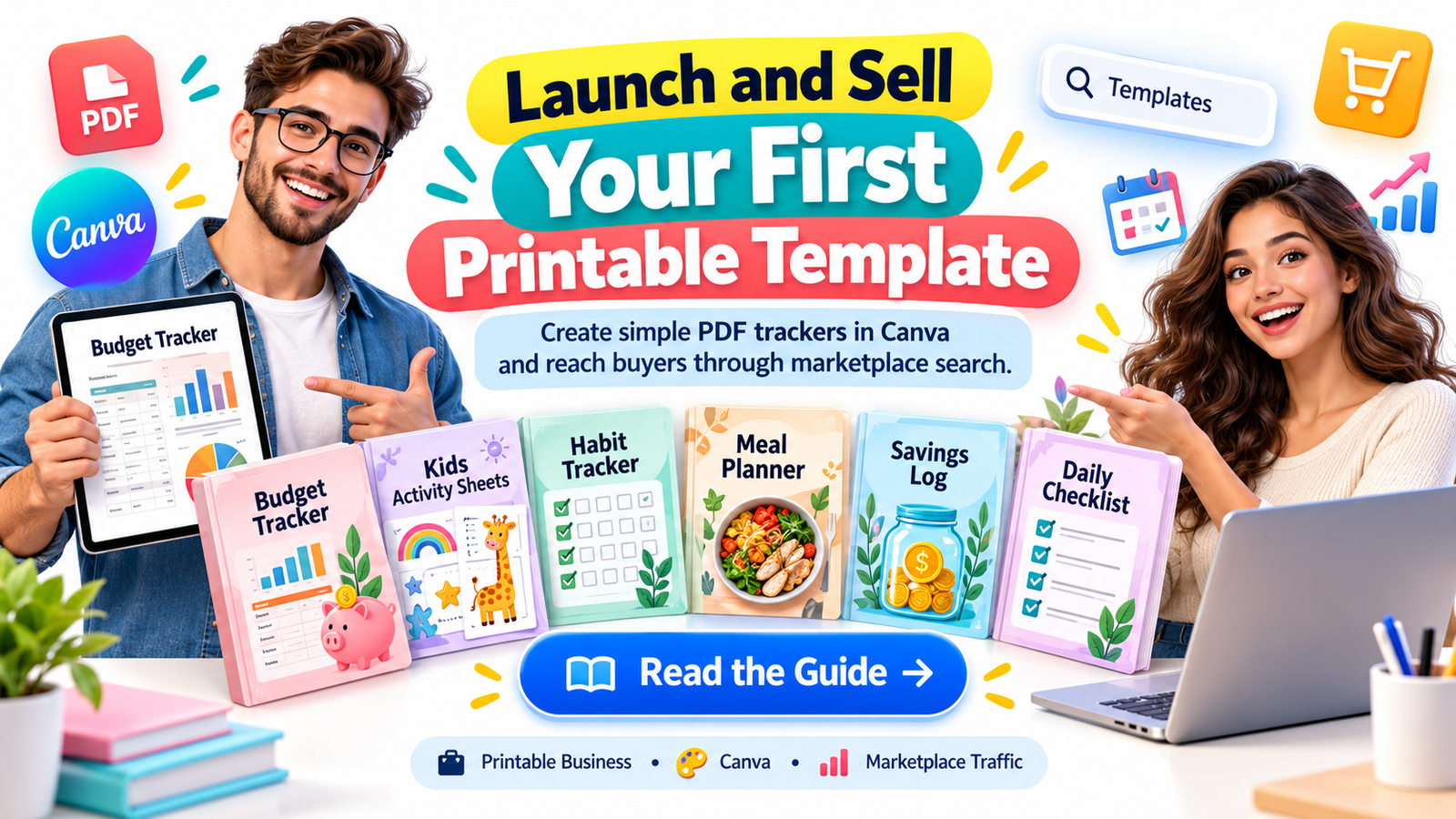
Imagine creating a simple digital product on your laptop today, uploading it to an online marketplace, and making it available to customers around the world without printing, packaging, or shipping anything.
Your product could be a monthly budget tracker, a children’s learning worksheet, a daily habit checklist, or a printable meal planner. It might take only a few hours to design, yet the same downloadable file could potentially be sold to multiple customers over time.
That’s the attraction of selling printable templates online.
You don’t necessarily need advanced graphic design skills, expensive software, a large social media following, or your own e-commerce website to get started.
Platforms such as Etsy and Gumroad give independent creators a way to publish digital downloads, accept payments, and deliver purchased files automatically. Etsy also has an established search marketplace where shoppers actively look for products.
But there’s something beginners should understand before opening Canva.
A printable doesn’t sell simply because it’s attractive. It sells when it solves a specific problem for someone who is already looking for a solution.
That’s why a specialized budget planner for freelance photographers may have a clearer audience than a generic finance worksheet, and a morning routine chart for preschoolers may appeal more directly to a parent than an ordinary blank checklist.
In this guide, you’ll learn how to identify a printable product idea, design it with Canva, publish it on the right platform, improve its search visibility, promote it during your first 24 hours, and develop a repeatable strategy for attracting customers.
You won’t find a promise of guaranteed overnight income. Instead, you’ll discover a practical approach to launching quickly, testing real demand, and building a small digital product business with long-term potential.
What Is a Printable Template Business?
A printable template business involves creating digital files that customers purchase, download, and use for a specific purpose.
Most printable products are delivered as PDF files, although some may include editable Canva template links, PNG files, or other formats.
Examples include:
- Budget trackers: Monthly expense logs, savings challenges, debt payment planners, and sinking-fund worksheets.
- Kids’ activity sheets: Alphabet tracing, number recognition, coloring activities, matching games, and learning exercises.
- Habit trackers: Daily routines, reading goals, fitness logs, and productivity checklists.
- Business printables: Client onboarding worksheets, invoice trackers, inventory logs, and appointment organizers.
- Lifestyle planners: Meal planning sheets, cleaning schedules, travel packing lists, and weekly calendars.
The business model is straightforward.
You create an original product, publish it online, and let customers purchase downloadable copies. Once the initial file and delivery system are established, most of the fulfillment process can happen automatically.
This makes printable templates attractive to beginners interested in low-cost digital products and scalable online income.
However, passive fulfillment is not the same as completely passive business ownership. You may still need to answer customer questions, update products, improve listings, handle refunds, and market your store.
The opportunity comes from being able to sell the same original digital file repeatedly without manufacturing additional physical inventory.
Why Simple Printables Can Be Valuable to Buyers
Many beginners assume that successful digital products must be complicated.
They imagine creating a sophisticated Notion dashboard, a large spreadsheet system, or a 100-page planner.
But complexity isn’t always what customers want.
Consider someone searching for a printable weekly grocery budget tracker.
That buyer may want only a few things:
- A place to write the weekly grocery budget.
- Space to record purchases.
- A simple total-spending section.
- A clear layout that prints easily.
A beautifully designed 80-page financial planner might actually be less convenient.
The best printable is often the simplest useful solution to one clearly defined problem.
This is especially important when creating products for busy parents, teachers, students, freelancers, or small business owners.
These customers are often looking for immediate convenience.
They don’t necessarily want to learn another application. They want to download something, print it, and start using it.
The Psychology Behind a Printable Purchase
People rarely search for a PDF file because they are excited about the format itself.
They search because they want an outcome.
Someone purchasing a debt payoff tracker wants to organize repayment progress.
A parent downloading alphabet worksheets wants to support a child’s learning.
A freelance designer purchasing an expense log wants better visibility into business spending.
Successful printable product listings connect the file with the outcome buyers expect.
Instead of selling a “Printable PDF,” sell the convenience of a “Simple Weekly Expense Tracker for Freelancers.”
That difference can make your product easier to discover and understand.
Step 1: Choose a Profitable Printable Niche Before You Design
The biggest beginner mistake is creating a product first and looking for buyers afterward.
A better approach starts with identifying an audience and a problem.
Ask yourself:
Who needs a simple downloadable resource, what exactly are they trying to accomplish, and why would they prefer buying a ready-made version?
For example, “budget planner” is a broad product category.
“Monthly cash-envelope tracker for beginners” is more specific.
“Pet grooming appointment and expense log” targets a clearly identifiable business need.
Narrow product positioning can help customers recognize whether a printable is relevant to their situation.
Ten Printable Product Ideas Worth Researching
| Printable product | Target buyer | Problem solved |
|---|---|---|
| Monthly expense tracker | Students and households | Organizing daily spending |
| Kids’ alphabet workbook | Parents and educators | Supporting early literacy practice |
| Freelancer invoice log | Freelancers | Tracking client payments |
| Pet care planner | Pet owners | Organizing feeding and care routines |
| Wedding budget worksheet | Engaged couples | Planning wedding expenses |
| Cleaning schedule | Busy households | Managing recurring chores |
| Habit tracker | Productivity enthusiasts | Recording daily consistency |
| Homeschool activity pack | Homeschooling families | Structuring learning activities |
| Side-hustle income tracker | New entrepreneurs | Recording revenue and expenses |
| Craft fair sales log | Handmade sellers | Tracking event sales and costs |
These are research candidates, not proven bestsellers. Actual opportunity depends on demand, competition, pricing, quality, and the audience you can reach.
How to Research Demand Without Paid Tools
Start by visiting Etsy and searching for phrases your ideal customer might use.
Try searches such as:
- Printable budget planner PDF
- Kids’ morning routine chart
- Small business expense tracker printable
- Preschool alphabet tracing worksheets
- Weekly cleaning checklist printable
Study relevant listings.
Look at the product presentation, included pages, prices, customer questions, and reviews.
Notice recurring complaints and unmet needs.
For example, if buyers frequently mention wanting a printer-friendly version, you could design a minimal black-and-white option.
If reviews request larger writing spaces, that could become a useful product improvement.
You can also examine Pinterest search suggestions and Google Trends to understand related interests and seasonal search patterns.
Google Trends measures relative search interest; it does not establish exact sales volume or guarantee demand.
Your objective is to find a specific customer problem that existing products aren’t solving especially well.
Step 2: Create Your First Printable Tracker Using Canva
Once you’ve selected your niche, it’s time to build your product.
Canva is a convenient starting point because it offers an accessible drag-and-drop design environment.
For your first project, choose a simple printable that can be completed and tested without complicated functionality.
Let’s use a monthly expense tracker as an example.
Create a Clean, Minimalist Layout
Open Canva and start with an A4 or US Letter document.
Choose a page size appropriate for your target market, or offer both formats.
Add a clear heading such as:
Monthly Expense Tracker
Then create a practical layout with sections for:
- Month and year
- Monthly budget
- Date of expense
- Expense category
- Description
- Amount spent
- Monthly total
- Notes
Use a readable typeface, sufficient writing space, consistent margins, and simple lines.
Avoid filling every available corner with decorative graphics.
A minimalist printable should remain easy to read and useful after printing.
Make It Printer-Friendly
A major advantage of simple printable trackers is that customers can use them with ordinary home printers.
Consider offering a black-and-white version alongside a lightly colored version.
Avoid unnecessary full-page backgrounds that consume ink.
Before publishing, download the file and test it at actual print size.
Check whether text is readable, lines are visible, and the writing areas are large enough for practical use.
Export and Test the PDF
Export your finished design as a suitable PDF.
Open the exported file and inspect every page.
Verify that:
- All text is legible.
- Nothing important is cropped.
- The page dimensions are correct.
- Design elements are properly aligned.
- Any calculations are described accurately.
Remember that a standard printable PDF is not automatically an interactive calculator or editable digital planner.
If you are selling a fillable PDF, make sure its form fields genuinely work.
A product that works reliably creates more trust than a product that merely looks attractive in a preview.
Understand Canva’s Commercial Licensing Rules
Creating a design in Canva doesn’t automatically give you unrestricted rights to redistribute its underlying assets.
Your design should be original and comply with Canva’s applicable licensing terms.
In particular, selling editable templates, finished printables, stock assets, and designs containing Canva Pro elements can involve different restrictions.
If you’re planning to distribute an editable Canva template, confirm that the content and delivery method are permitted.
For a beginner, original layouts using your own text, shapes, and appropriately licensed design elements can simplify the process.
Step 3: Choose Where to Sell Your Printable Templates
Choosing the right marketplace can influence your discoverability, buyer experience, and overall profit.
Two popular starting points are Etsy and Gumroad.
Both support digital products, but they serve somewhat different selling strategies.
Etsy: Attract Buyers Already Searching for Printables
Etsy is especially relevant to creators who want to reach shoppers browsing a marketplace.
Potential customers use Etsy to search for downloadable planners, learning activities, budgeting worksheets, and other digital resources.
Your listing can potentially appear in relevant search results when its content matches what shoppers are looking for.
Etsy evaluates multiple factors, including listing relevance, quality, customer service, and shopper engagement.
This means that strong keywords are important, but keywords alone don’t guarantee visibility.
For a new seller, product quality and clear presentation should receive just as much attention as search optimization.
Gumroad: Sell Through Direct Links and Creator-Led Promotion
Gumroad is useful for creators who want a straightforward way to sell digital downloads through product pages and shareable links.
You can promote a Gumroad product through a blog, social media profile, email newsletter, or online community where promotion is permitted.
Gumroad also has a discovery marketplace, but its existence doesn’t mean every newly uploaded product will receive meaningful organic traffic.
For a beginner without an established audience, deliberate marketing may play an especially important role.
Etsy vs. Gumroad: Which Is Better?
| Feature | Etsy | Gumroad |
|---|---|---|
| Primary opportunity | Marketplace search shoppers | Direct-link sales and discovery |
| Common printable buyers | Planners, worksheets, organizers | Digital downloads and creator resources |
| Product delivery | Automated digital downloads | Automated digital delivery |
| Organic visibility | Search and marketplace recommendations | Platform discovery and creator marketing |
| Beginner priority | Listing SEO and product imagery | Audience targeting and product messaging |
| Main limitation | Competition and marketplace fees | Need to generate qualified traffic |
Etsy may be a useful first choice if your main strategy is reaching people searching for existing printable product categories.
Gumroad may suit you if you plan to promote your product through content, a community, or an audience you are developing.
You can also evaluate both platforms, provided your selling arrangements and product licenses permit it.
Before opening a shop, check current country eligibility, seller verification, payout availability, fees, taxes, and marketplace policies.
Step 4: Write a Product Listing That Converts Search Visitors Into Buyers
A listing has two jobs.
First, it must help the right shopper discover your product.
Second, it must give that shopper enough confidence to purchase.
Many beginners focus too heavily on stuffing keywords into a title while neglecting presentation and clarity.
A more effective strategy combines relevant search terms with an understandable explanation of the product.
Write a Descriptive, Search-Friendly Title
Suppose you’re selling a simple monthly budget tracker.
A weak title might be:
“Beautiful Printable Planner”
A more useful title would be:
Monthly Budget Tracker Printable PDF | Simple Expense Log for Beginners
The second title communicates the product format, function, and audience.
It aligns more closely with the kind of phrases a potential customer might type into marketplace search.
Use natural variations of important phrases in relevant listing fields rather than repeating the same keyword excessively.
Create a Buyer-Focused Description
Your description should answer the questions customers ask before buying.
Explain what the product is, who it is intended for, what files are included, and how to use them.
For example:
Organize your monthly spending with a simple printable budget tracker designed for everyday use.
This minimalist expense worksheet helps you record purchases, categorize spending, and keep your monthly budget information in one convenient place.
Your download includes an easy-to-print PDF with clear sections and generous writing space.
Perfect for students, households, freelancers, and anyone looking for a straightforward way to organize expenses without complicated software.
Download your tracker and start organizing your budget today.
This description focuses on usefulness rather than unrealistic income, savings, or lifestyle promises.
Make Your Product Images Explain the Offer
Your listing visuals should communicate what the customer receives.
Consider using:
- A primary cover image with the product clearly visible.
- A close-up showing the actual printable layout.
- A preview of all included pages.
- A simple image describing available formats.
- A practical example of the worksheet in use.
For digital products, indicate prominently that the item is a digital download, not a physical shipment.
Make sure listing previews accurately represent the files customers will receive.
Your goal is to remove uncertainty before checkout.
Step 5: How to Aim for Your First Sale Within 24 Hours
It’s possible to launch a printable product and receive a first order on the same day.
But no legitimate strategy can guarantee your first sale within 24 hours.
A new marketplace listing may take time to gain visibility, and even a well-designed product may not immediately attract interested buyers.
The practical alternative is to combine marketplace discoverability with immediate, targeted promotion.
Instead of depending entirely on search algorithms, introduce your product to people who may already need it.
Your First 24-Hour Printable Launch Plan
| Time | Action | Objective |
|---|---|---|
| Hour 0–2 | Research one customer problem | Validate the idea |
| Hour 2–5 | Design a minimal printable | Build the first product |
| Hour 5–6 | Export and test the PDF | Verify quality |
| Hour 6–8 | Publish the marketplace listing | Make the product available |
| Hour 8–10 | Create product previews and Pinterest graphics | Prepare promotional assets |
| Hour 10–16 | Share relevant content where permitted | Reach potential buyers |
| Hour 16–20 | Review traffic and customer feedback | Identify friction |
| Hour 20–24 | Improve messaging or visuals | Refine the launch |
These are suggested work blocks, not guaranteed completion times or sales milestones.
Promote Through Pinterest
Pinterest can be useful for printable products because users explore ideas related to organization, education, budgeting, celebrations, and home management.
Create an attractive vertical Pinterest graphic showing a realistic preview of your printable.
For example, a pin promoting a budget tracker might use:
Simple Monthly Budget Tracker
Printable PDF for Organizing Everyday Expenses
Place the product preview prominently in the design and link to the relevant product page.
Use a descriptive Pin title and helpful supporting text.
You can also participate in relevant collaborative boards when you have permission to do so.
However, don’t assume that posting to a group board will generate immediate traffic or that every board permits commercial links.
Avoid repetitive, irrelevant, or spam-like submissions.
Reach Niche Communities Without Spamming
Online communities can help creators understand real problems and sometimes introduce useful resources to interested members.
Suppose you’ve created an expense tracker for freelance photographers.
A photography-business community may be more relevant than a general online entrepreneurship group.
But relevance alone doesn’t create permission to advertise.
Before posting a link in a Discord server, Facebook group, forum, or similar community:
- Read its promotional and self-promotion rules.
- Participate in discussions where you can contribute useful information.
- Share the product only in permitted channels or with moderator approval.
- Explain whom it helps and what it does.
- Avoid unsolicited direct messages or repeated promotional posts.
For example, a helpful permitted announcement could read:
“I created a simple printable expense log for freelance photographers who want to organize monthly equipment, travel, and editing expenses. It includes a one-page PDF with category sections and writing space. Here’s the product preview and download link for anyone who finds it useful.”
A community-first approach is more sustainable than treating every discussion as an advertising opportunity.
Why Hyper-Targeted Traffic Matters
Imagine sending 100 visitors to a printable product listing.
If those people have little interest in budgeting, they may leave immediately.
Now imagine attracting a smaller group of people who are actively trying to organize freelance business expenses.
Those visitors may be more likely to recognize the product’s value.
That doesn’t guarantee a conversion, but it illustrates why buyer intent matters more than raw visitor numbers.
Focus on reaching people who have the problem your printable solves.
Step 6: Price Your First Printable for Value and Sustainability
Beginners frequently struggle with pricing.
If the price is too high for the perceived value, customers may hesitate.
If it’s too low, marketplace fees and promotional costs can consume a large portion of revenue.
A basic printable tracker may reasonably be tested at a low price, while a more comprehensive and original workbook may support higher pricing.
For illustration, you might experiment with:
| Product type | Illustrative test price |
|---|---|
| Single-page printable tracker | $2–$4 |
| Three-to-five-page planner | $4–$7 |
| Specialized worksheet bundle | $7–$12 |
| Larger printable workbook | $12–$20 |
These are hypothetical price-testing ranges, not verified marketplace averages.
Your actual price should reflect competitor research, design quality, buyer expectations, licensing requirements, fees, and the value offered.
Understand the Difference Between Revenue and Profit
Suppose you sell a printable for $5.
If 20 customers purchase it, your gross revenue is $100.
But that is not your net profit.
You must account for marketplace commissions, payment processing, listing charges, advertising, refunds, applicable taxes, and other costs.
Your time also has economic value, even when you are not paying an employee.
A useful calculation is:
Net operating profit = Sales revenue − platform fees − payment processing − advertising − other business costs
Track these numbers from the beginning.
A product that earns consistent modest sales with very little maintenance can be more attractive than one that generates occasional revenue but requires constant troubleshooting.
Step 7: Build a Printable Product That Attracts Repeat Buyers
Your first sale is important, but one successful transaction doesn’t automatically create a sustainable business.
The larger opportunity comes from building a related catalog.
Think about your initial product as the starting point of a small collection rather than a standalone experiment.
If you sell a monthly budget tracker, related products might include a savings goal worksheet, debt payoff checklist, subscription payment log, and yearly expense summary.
Customers who appreciate the first download may have a reason to explore the others.
Create a Logical Product Series
For example:
The Simple Budgeting Printable Collection
Product 1: Monthly Budget Tracker
Product 2: Weekly Spending Log
Product 3: Savings Goal Planner
Product 4: Bill Payment Checklist
Product 5: Debt Repayment Tracker
Product 6: Complete Printable Budgeting Bundle
This approach makes your store easier for returning visitors to understand.
It also creates opportunities to offer bundles that solve a broader problem than any single worksheet.
Give Buyers a Reason to Return
Repeat customers are more likely to consider another purchase when they trust the quality of their previous experience.
Build that trust through practical details.
Offer clear instructions. Maintain consistent formatting. Respond to legitimate support questions. Fix errors promptly. Keep your previews accurate.
Where platform policies and applicable privacy laws allow, you can invite interested customers to subscribe voluntarily to an email newsletter.
For example:
Enjoy simple tools for everyday organization? Explore our growing collection of printable budgeting resources and new worksheet releases.
Avoid automatically adding customer email addresses to marketing lists without the required permission.
The objective is to build a recognizable product experience that customers genuinely want to revisit.
Step 8: Use Pinterest and Google Search to Develop Longer-Term Traffic
Your first-day promotion may help introduce a product quickly, but sustainable visibility usually requires a longer-term approach.
Pinterest, marketplace search, and Google Search can complement each other.
Each channel reaches people at a different point in their decision-making process.
Turn One Printable Into Several Helpful Content Ideas
A monthly budget tracker can support multiple educational articles or Pins.
Examples include:
How to Start a Monthly Budget Using a Printable Expense Tracker
Seven Common Budgeting Mistakes Beginners Can Avoid
Printable Budget Tracker vs. Spreadsheet: Which Should You Use?
How to Organize Household Expenses Without Complicated Apps
A Simple Weekly Money-Planning Routine for Busy Families
Each article can answer a real question and naturally introduce a relevant printable as an optional resource.
This is often more valuable to readers than a page filled entirely with product advertisements.
Improve Search Visibility With Useful Information
Search engines increasingly reward content that demonstrates usefulness, clarity, and relevance to user intent.
For a blog focused on digital printables, make information easy for both readers and search systems to interpret.
Explain unfamiliar terms, use descriptive headings, identify the intended audience, and provide original examples.
When discussing product creation, show practical steps and realistic limitations.
When discussing marketplace fees or licensing, reference current official information rather than making unsupported assumptions.
The aim is not simply to appear in search results.
It’s to become a resource that readers trust enough to revisit.
Write for AI Search and Answer-Based Discovery
Many people now ask search engines and AI-powered assistants direct questions such as:
“Can I sell printable PDFs made in Canva?”
“Where should beginners sell printable worksheets?”
“Do I need a website to sell digital downloads?”
Answer these questions clearly within the relevant sections of your article.
Short, direct explanations followed by practical detail make information easier to understand and potentially easier for search systems to surface.
Use precise language and avoid exaggerated statements.
No particular wording or schema markup guarantees inclusion in AI-generated answers.
Step 9: Create Content That Has a Better Chance of Appearing in Google Discover
Google Discover differs from ordinary keyword-based search.
It can recommend content based on user interests and other signals, even when someone hasn’t entered a specific search query.
For printable product creators, this presents a potential opportunity to publish visual, informative content that addresses topics people care about.
For example, an article about creating a printer-friendly family budget system might appeal to readers interested in organization and personal finance.
However, Discover visibility cannot be guaranteed.
Make Your Content Visually Useful
Use original images that demonstrate the article’s subject.
A featured image for this guide could show a clean printable budget tracker, a laptop displaying its design, and a visually clear representation of an online digital-download storefront.
For Discover eligibility and image presentation, use a relevant high-resolution featured image at least 1,200 pixels wide, with appropriate large-image preview settings.
A landscape image such as 1280 × 720 pixels can be useful for this purpose when its composition works well at that crop.
Provide meaningful alternative text, accurate page metadata, and an appropriate og:image reference.
Prioritize Helpful Headlines
Avoid headlines that promise guaranteed earnings or claim that a printable will automatically produce passive income.
A headline such as:
How to Create and Sell Your First Printable Template Online
is clearer and more trustworthy than:
“Earn $500 Tonight With One Canva PDF!”
The second headline makes a dramatic earnings implication that cannot be substantiated for individual readers.
For search visibility and long-term credibility, accuracy is more useful than exaggerated urgency.
Keep the Mobile Reading Experience Comfortable
Many people discover articles and digital products on their phones.
Use readable text, responsive layouts, sensible image dimensions, and clear navigation.
Avoid intrusive pop-ups that obstruct the article.
Make product links easy to identify, but don’t overload every paragraph with a sales message.
Use helpful supporting graphics rather than unnecessary decoration.
A strong reader experience can encourage people to continue exploring your website.
Step 10: Measure Your Results and Improve Your Product
A printable template business becomes easier to manage when you treat every product as a testable offer.
Instead of judging success only by whether you received a sale in the first day, evaluate what happened.
Track:
- Listing impressions and product page visits.
- Traffic sources.
- Purchases and conversion rate.
- Gross revenue and actual profit.
- Customer questions.
- Refunds and support issues.
- Performance of different product previews.
Suppose your product listing receives 200 visits and four purchases.
That represents a 2% visitor-to-purchase conversion rate.
The figure alone doesn’t tell you whether the product is successful, but it gives you a baseline for improvement.
If people are clicking but not buying, inspect your product preview, price, description, and the match between your promotional message and the actual download.
If almost nobody visits the listing, focus first on visibility and reaching a more relevant audience.
Don’t change ten variables at once.
Improve one meaningful element, allow time for data to accumulate, and evaluate the result.
A Practical 30-Day Plan for Your First Printable Store
Your first 24 hours are about launching and learning.
The following month is about improving the offer and developing an audience.
| Period | Main activity | Intended outcome |
|---|---|---|
| Days 1–3 | Research and publish first printable | Validate the launch process |
| Days 4–7 | Improve listing, visuals, and instructions | Reduce buyer uncertainty |
| Days 8–12 | Publish related Pinterest content | Test external traffic |
| Days 13–17 | Create a complementary printable | Expand the product range |
| Days 18–22 | Write an educational blog post | Build useful search content |
| Days 23–26 | Test a small product bundle | Explore additional buyer value |
| Days 27–30 | Review analytics and customer feedback | Choose the next improvement |
You don’t need dozens of products in your first month.
A small collection of useful, well-presented printables is a more manageable starting point than a large catalog of rushed designs.
Five Frequently Asked Questions About Selling Printable Templates
1. Can beginners really make money selling printable PDFs?
Yes, beginners can earn revenue by selling original printable products, but income is not guaranteed.
Results depend on customer demand, competition, product usefulness, pricing, marketplace fees, and marketing.
Starting with a small, targeted product allows you to test the market without a major financial commitment.
2. What are the easiest printable templates to create in Canva?
Simple habit trackers, expense logs, cleaning schedules, reading logs, meal planners, and basic checklists are often manageable starting projects.
These usually require straightforward layouts rather than advanced technical features.
Choose a product that solves a specific problem and can be tested before sale.
3. Is Etsy or Gumroad better for selling printable templates?
Etsy may be attractive when your strategy depends on reaching existing marketplace shoppers searching for printables.
Gumroad can work well when you want to share product links through content, newsletters, or an audience you are building.
Both have fees, eligibility conditions, and discovery limitations. Compare their current rules before selecting a platform.
4. Can I get my first printable sale within 24 hours?
It is possible, but it cannot be promised.
A focused product, clear listing, competitive offer, and promotion to a relevant audience may improve your chances of attracting early interest.
Pinterest content and permitted community promotion can supplement marketplace search, but neither guarantees immediate traffic or orders.
Treat the first day as a launch and learning opportunity rather than a fixed earnings deadline.
5. How can I generate more consistent sales from digital printables?
Focus on a recognizable niche, improve product quality, develop related products, and strengthen discoverability through marketplace listings and useful external content.
Track the performance of each listing and use genuine customer feedback to guide updates.
Over time, a cohesive catalog and a positive buyer experience may create more opportunities for repeat purchases.
Start With One Useful Page, Not a Perfect Store
One of the biggest obstacles to launching a printable business is the belief that everything must be perfect before you begin.
Beginners spend weeks choosing colors, comparing tools, redesigning logos, and studying competitors without publishing a single product.
But your first printable doesn’t need to become a bestseller to be worthwhile.
It can teach you how to research an audience, create a downloadable resource, test a PDF, write a product listing, communicate value, and interpret buyer behavior.
Those are transferable skills.
Start with a clear problem and a small, useful solution.
Make the product easy to understand, easy to download, and easy to use.
Publish it on a marketplace that fits your audience, and promote it responsibly where interested buyers can discover it.
Then use what you learn to create something better.
Your first printable isn’t merely a product. It’s the beginning of a repeatable process for turning useful ideas into digital resources that people can choose to buy.
Ready to begin? Choose one customer problem today, design your first original printable in Canva, and build a listing that clearly explains how it helps.
The sooner you test a real product with real buyers, the sooner you’ll have meaningful information to guide your next decision.
Compliance Note
This article is provided for general educational and informational purposes only. It does not constitute legal, financial, tax, accounting, or professional business advice.
Selling digital printable products involves commercial and operational risks. Sales, profits, organic traffic, marketplace visibility, search rankings, Google Discover exposure, repeat purchases, and passive income are not guaranteed. Any timelines, prices, conversion figures, and revenue calculations presented are illustrative and should not be interpreted as typical results or earnings promises.
Creators are responsible for ensuring that all products comply with applicable copyright, trademark, intellectual property, privacy, consumer protection, advertising, and tax laws. Review Canva’s commercial licensing terms before selling designs containing its content. Follow the current product, listing, promotion, payment, and refund requirements of Etsy, Gumroad, Pinterest, Discord, and any other platforms used.
Do not redistribute unlicensed templates, graphics, copyrighted characters, educational materials, or third-party digital assets. Products involving children’s education, financial organization, health, or other specialized subjects should be appropriately designed, accurately described, and never presented as substitutes for qualified professional advice. Obtain any required marketing consent before collecting or using customer information.
Platform pricing, seller eligibility, payout arrangements, search algorithms, and policies may change. Verify current requirements using official platform documentation before launching or purchasing services. Individual business results will vary.
Stay ahead with exclusive updates
Join our community. Get curated industry trends, actionable guides, and fresh resources delivered straight to your inbox.