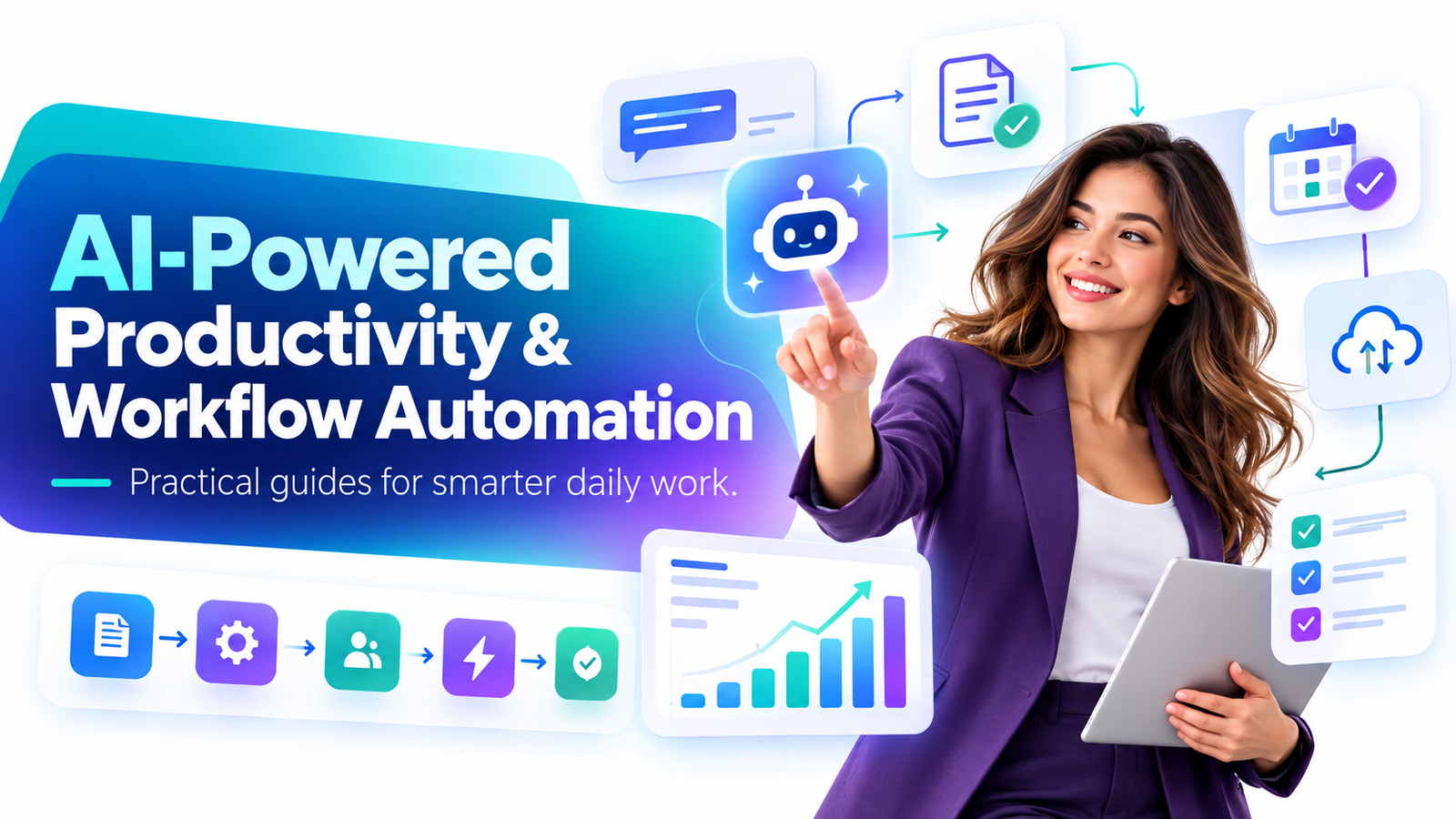
The modern professional has a strange productivity problem.
We have more software, more communication channels, more dashboards and more information than any generation before us—yet a surprising amount of the workday is still consumed by copying information, summarizing meetings, searching through documents, updating spreadsheets, rewriting emails, preparing reports and moving tasks from one system to another.
Artificial intelligence is beginning to change that.
The real opportunity is not simply asking ChatGPT to write an email faster. It is learning how to combine AI-powered productivity tools, workflow automation software and human judgment into repeatable systems that remove administrative friction from everyday work.
For professionals working in fast-moving environments such as New York City—particularly finance, technology, consulting, media, advertising, sales and marketing—the value proposition is easy to understand: when every hour matters, removing even a few repetitive steps from a daily workflow can create meaningful additional capacity.
That is why AI-powered productivity and workflow automation guides have such strong commercial potential. Professionals do not necessarily need another 400-page technology manual. Many want concise, practical handbooks showing them exactly where AI fits into the work they already perform.
The question is shifting from:
“What can AI do?”
to:
“Which parts of my work should AI handle, which parts should automation handle, and which decisions should remain mine?”
That is a much more valuable question.
Why AI Productivity Has Become a Major Workplace Topic in 2026
Workplace AI is moving beyond casual experimentation.
Microsoft’s 2026 Work Trend Index reported that 66% of surveyed AI users said AI allowed them to spend more time on higher-value work, while 58% said they were producing work they could not have produced a year earlier. The report also highlights a smaller group of advanced users who are moving beyond individual prompts toward multi-step workflows and agent-assisted work.
At the organizational level, the same pattern is appearing: simply giving employees access to AI does not automatically create large productivity improvements. McKinsey’s 2026 research emphasizes that meaningful value increasingly depends on redesigning workflows rather than layering AI onto inefficient processes.
That distinction matters.
Imagine an employee who spends 45 minutes every Monday assembling information from five different sources before creating a management report.
Using AI only to rewrite the final report may save ten minutes.
Redesigning the complete workflow could potentially automate data collection, organize the information, generate a first draft, flag unusual numbers and prepare the report for human review.
That is the difference between using an AI tool and building an AI-enabled workflow.
Why This Opportunity Is Especially Relevant in New York City
New York is unusually well positioned for workplace AI adoption because of the industries concentrated in the city.
A 2026 report from the New York City Comptroller noted that AI adoption is particularly concentrated in finance, information and professional services—industries that play an outsized role in New York City’s employment, wages and tax base. The report also noted that improving production efficiency is a major motivation behind business AI investment.
That makes AI productivity especially relevant to professionals whose days are filled with research, documents, numbers, client communication and fast decision-making.
Consider a Manhattan investment professional preparing market briefs before an early meeting.
Consider a Brooklyn startup founder moving between product planning, customer support, sales and investor communication.
Consider a Madison Avenue marketing team creating campaign variations for multiple clients.
Consider a consultant preparing meeting notes, competitor research and presentation drafts.
Consider a real-estate team managing inquiries, follow-ups, listings and transaction documentation.
These people are not necessarily searching for “artificial intelligence education.”
They are searching for outcomes:
How can I prepare reports faster?
How can I automate repetitive office work?
How can I use ChatGPT for business productivity?
How can I automate follow-up emails?
How can I reduce time spent on meeting notes?
How can I connect AI with my existing apps?
That is why an effective AI workflow guide should begin with the reader’s work—not the technology.
What AI-Powered Productivity Actually Means
AI productivity is best understood as three connected layers.
The first layer is thinking assistance.
Tools such as ChatGPT and Claude can help professionals brainstorm, summarize, reorganize information, explain difficult material, compare ideas, draft documents and prepare first-pass analyses.
The second layer is execution assistance.
AI can help transform information from one useful format into another. Meeting notes can become action items. Research can become a briefing document. Customer feedback can become categorized themes. A long document can become an executive summary.
The third layer is workflow automation.
Automation platforms can connect systems so that actions happen without someone manually repeating every step.
When these layers are combined carefully, the employee moves from being the person performing every administrative action to being the person designing, reviewing and improving the process.
That is where the largest long-term productivity opportunity may exist.
Start With the Workflow, Not the AI Tool
One of the most common productivity mistakes is starting with the question:
“What should I automate?”
Start instead with:
“What do I repeatedly do?”
For one week, pay attention to tasks that contain repeated patterns.
Maybe you repeatedly download information, rename files, summarize documents, send similar emails, prepare recurring reports, transfer customer details between systems or convert meeting discussions into project tasks.
Those repetitions are workflow opportunities.
A useful AI productivity guide should teach readers to break a process into seven stages:
- Identify a recurring task that consumes meaningful time.
- Write down every step currently required to complete it.
- Separate judgment-heavy steps from predictable steps.
- Decide where AI can assist with language, analysis or classification.
- Decide where automation software can move information or trigger actions.
- Keep human review around important financial, legal, strategic or customer-facing decisions.
- Measure the workflow after implementation and improve it gradually.
This approach prevents a common mistake: automating a bad process.
Efficiency is valuable only when the underlying process deserves to exist.
Workflow Example: Turn Meetings Into Action Automatically
Meetings often create a second meeting-sized workload afterward.
Someone has to organize notes, identify decisions, determine responsibilities, create tasks and send follow-ups.
AI can dramatically improve this workflow.
Instead of treating meeting transcription as the finished product, treat it as the raw material.
The transcript or notes can be passed through an AI system that identifies major decisions, unresolved questions, action items, deadlines and responsible people.
Automation software can then move approved action items into the company’s project-management platform and prepare a follow-up message.
The professional still reviews the output.
But instead of reconstructing the entire meeting manually, the employee becomes an editor and decision-maker.
That is a much better use of human attention.
Workflow Example: Build an AI-Assisted Executive Briefing System
Executives, analysts and managers frequently consume far more information than they can realistically read.
An AI briefing workflow can consolidate selected information sources into a structured daily or weekly summary.
A good briefing should not simply generate a giant AI summary.
It should answer questions such as:
What changed?
Why does it matter?
What requires attention?
What decision may be needed?
What information remains uncertain?
A finance professional might use this approach for market information.
A marketing executive might summarize campaign performance and competitor activity.
A founder might combine sales, product, customer-support and operational updates.
The value comes from turning information overload into decision-ready information.
Workflow Example: Create Faster Client Proposals
Proposal creation often involves significant repetitive work.
A sales professional may review discovery notes, identify customer needs, search for relevant services, draft a proposal, create an email and update the CRM.
An AI-assisted process can organize discovery notes into customer priorities, identify relevant supporting information and generate the first proposal draft using an approved company structure.
The employee then improves the reasoning, pricing, positioning and recommendations.
Automation can handle administrative steps such as saving the proposal, updating opportunity status and scheduling follow-up reminders.
The result is not “AI selling to customers.”
It is a salesperson spending less time assembling documents and more time understanding the customer.
Workflow Example: Automate Marketing Production Without Losing Brand Quality
Marketing teams frequently perform highly repetitive transformations.
One campaign idea becomes a blog article.
The article becomes an email.
The email becomes social posts.
The campaign becomes advertising copy.
The webinar becomes clips, summaries and follow-up messages.
AI can help create first drafts for these transformations while a strong brand system keeps the output consistent.
The important word is first.
High-quality marketing still requires judgment regarding audience, positioning, originality, timing, emotion and brand reputation.
AI should remove production friction without removing the marketer.
A well-designed marketing workflow automation system lets creative professionals spend less time resizing ideas for different channels and more time developing ideas worth distributing.
Workflow Example: Make Research More Efficient
Knowledge workers regularly spend hours searching, collecting and reorganizing information.
AI can help create a research workflow, but this is also an area where human verification matters enormously.
A useful system might begin with a research question, create subquestions, gather information from approved sources, organize findings by topic, identify contradictions and produce a preliminary briefing.
The professional then verifies important claims against original sources.
This distinction is crucial.
AI-generated text should never automatically become trusted evidence.
For finance, legal work, healthcare, compliance, journalism and other high-stakes areas, verification should be part of the workflow itself.
Workflow Example: Build a Smarter Email System
Email is one of the largest hidden administrative costs in professional work.
AI can help classify messages by intent, summarize long threads, draft routine responses, identify commitments and highlight messages that appear to require decisions.
Automation can then help move information to the appropriate place.
A customer request might become a support ticket.
A sales inquiry might become a CRM record.
An invoice might enter an accounting workflow.
An approved meeting request might create a scheduling task.
The objective should not be “automate all email.”
The objective should be to reduce the amount of human attention spent on predictable email administration while protecting communication that deserves a thoughtful personal response.
Finance Professionals: Where AI Automation Can Create Value
Finance is one of the most compelling markets for practical AI workflow education because professionals deal constantly with numbers, documents, research and recurring reporting.
Useful AI-assisted workflows may include preparing first drafts of management commentary, summarizing earnings materials, categorizing internal requests, comparing documents, organizing research, preparing meeting briefs and explaining changes in financial datasets.
But financial workflows also demonstrate why automation needs controls.
An incorrect marketing caption might be embarrassing.
An incorrect number in a financial document can have much more serious consequences.
Therefore, the best productivity systems use AI to accelerate preparation while maintaining approved data sources, review procedures and accountability.
Technology Teams: Move From Coding Assistance to Operational Workflows
Technology professionals were among the earliest users of generative AI, but coding assistance represents only part of the productivity opportunity.
AI can also support technical documentation, bug-report summarization, incident summaries, requirement clarification, test-case creation, knowledge-base maintenance and internal support.
The larger opportunity comes when these activities connect to development workflows.
A customer-reported issue, for example, could be categorized, matched with supporting information and prepared for engineering review before a developer manually investigates it.
That reduces friction without pretending that complex engineering judgment can be safely removed from the process.
Marketing Teams: Scale Output Without Creating AI Content Pollution
Marketing departments face a different challenge.
Generating more content has become easy.
Generating more valuable content has not.
That means AI productivity should not be measured by how many blog posts, captions or emails a marketer can produce.
It should be measured by how effectively AI helps the marketer understand customers, test ideas, repurpose valuable material, personalize useful information and shorten production cycles.
Google’s current guidance is relevant here as well. Its Search documentation continues to emphasize helpful, reliable, people-first content and warns against producing large quantities of material primarily to attract search traffic.
AI should therefore improve useful content creation—not become an excuse for publishing thousands of generic pages.
The New Productivity Skill: Workflow Design
The most valuable AI skill may eventually be neither prompting nor programming.
It may be workflow design.
Someone who understands a business process deeply can ask:
Where does information enter?
Who needs it?
What happens next?
Which decisions require expertise?
Which transformations are repetitive?
Where do delays occur?
Where can mistakes become expensive?
Which actions can safely happen automatically?
Those questions turn AI from an interesting tool into business infrastructure.
They also create a major educational opportunity.
Companies have employees who know their jobs.
They have AI tools.
They have automation platforms.
What many organizations still lack is the knowledge required to connect those pieces into reliable processes.
That gap creates demand for practical AI workflow automation guides, AI productivity training, prompt libraries, workflow templates and role-specific playbooks.
The Human-in-the-Loop Principle
Not everything that can be automated should be automated.
A strong productivity system assigns different responsibilities to humans and machines.
AI is particularly useful for transforming, organizing, summarizing, classifying and drafting information.
Automation software is useful for moving information and triggering predictable actions.
Humans remain essential when the work involves accountability, judgment, ethics, negotiation, empathy, unusual situations and consequential decisions.
This balance becomes even more important as AI agents become capable of handling longer chains of tasks.
Microsoft’s 2026 workplace research describes advanced users increasingly working with AI across multi-step processes rather than simply using isolated prompts.
The sophistication of the system should therefore increase alongside its controls.
Privacy and Security Must Be Part of Productivity
A workflow is not productive if it creates a data-security problem.
Before placing information into any AI platform, professionals should understand what information their organization allows them to process.
Confidential client information, employee records, intellectual property, unreleased financial results, passwords, regulated data and sensitive contracts should never be casually pasted into an unapproved public tool.
Organizations should establish clear policies concerning approved platforms, access permissions, data retention, human review and sensitive information.
This is particularly important in New York’s finance, legal, healthcare and enterprise sectors.
The fastest workflow is not necessarily the best workflow.
The best workflow is fast enough, accurate enough, secure enough and appropriately controlled.
Do Not Automate Before Measuring
One of the easiest ways to waste money on automation is to build systems around tasks that barely matter.
Measure the current process first.
If a recurring task takes 90 minutes each week and automation reduces it to 20 minutes, you have created approximately 70 minutes of additional weekly capacity.
If that workflow applies to ten employees, the impact becomes much larger.
Productivity should therefore be measured in business terms: time recovered, turnaround time, error reduction, customer response speed, work completed, revenue influenced or employee capacity created.
This moves the conversation beyond impressive AI demonstrations.
It answers the question executives actually care about:
Did the workflow improve the business?
Why Concise AI Productivity Handbooks Have Commercial Potential
AI changes too quickly for many professionals to want another giant theoretical textbook.
A concise guide can solve a more immediate problem.
Instead of teaching everything about artificial intelligence, it might teach:
AI Workflow Automation for Financial Analysts
ChatGPT Productivity Systems for Marketing Teams
The Executive AI Workflow Handbook
AI Automation for Small Professional Firms
30 AI Workflows for Busy Managers
The No-Code AI Automation Guide for Consultants
AI Productivity for NYC Professionals
That specificity matters.
People rarely buy information because it contains more pages.
They buy information because it helps them reach a useful outcome faster.
A 70-page handbook containing twelve tested workflows, setup instructions, checklists, prompt frameworks and troubleshooting guidance may provide more practical value than a 500-page general introduction to AI.
What a High-Value AI Workflow Guide Should Contain
The best guide should not be a random collection of prompts.
It should begin with a clearly defined audience and a clearly defined business problem.
Each workflow should explain what task is being improved, what information enters the process, where AI is used, what can be automated, what still requires human approval and how success should be measured.
Templates increase the value further.
Readers appreciate reusable prompt frameworks, workflow maps, process-audit worksheets, automation planning templates and review checklists because these resources shorten the distance between reading and implementation.
That turns information into a system.
And systems are easier to sell than vague advice.
A Better Daily AI Routine for Professionals
The best AI productivity strategy does not require spending the entire day talking to a chatbot.
Use AI at moments of friction.
At the beginning of the day, use it to organize priorities or prepare briefings.
Before meetings, use it to compress background information.
After meetings, use it to structure decisions and next steps.
During research, use it to organize questions and findings.
During writing, use it to challenge structure, improve clarity or produce an initial draft.
At the end of recurring workflows, use automation to route approved information into the systems where it belongs.
Gradually, the professional stops thinking of AI as a destination.
It becomes part of the operating environment.
Start Small Before Building AI Agents Everywhere
There is considerable interest in AI agents, but organizations do not need elaborate autonomous systems to achieve meaningful productivity improvements.
Start with one frustrating recurring process.
Map it.
Improve it.
Automate the safest parts.
Measure the result.
Then move to the next workflow.
This gradual approach produces something much more valuable than an impressive demonstration.
It produces operational confidence.
Research from McKinsey in 2026 similarly indicates that many organizations are still working through the transition from individual AI adoption toward broader workflow and enterprise-level value.
The companies that benefit most will probably not be those that adopt every new tool first.
They will be those that learn how to integrate useful AI capabilities into real work responsibly.
The Opportunity for Professionals
AI creates understandable anxiety because it changes the economics of knowledge work.
But there is another side to that change.
One capable professional with carefully designed AI workflows may be able to research faster, communicate more clearly, respond to clients sooner, manage more information and spend a greater proportion of the day on work requiring genuine expertise.
That does not eliminate the need for skill.
It increases the importance of knowing where skill should be applied.
The productivity advantage belongs to professionals who can combine domain knowledge, AI assistance, workflow automation and critical judgment.
The Opportunity for Businesses
Organizations should stop asking only:
“How many employees are using AI?”
A more useful question is:
“Which important workflows have become measurably better because of AI?”
Usage is not the same as transformation.
Ten thousand prompts do not necessarily produce business value.
A single redesigned workflow used by an entire department might.
The next phase of workplace AI is therefore less about collecting tools and more about redesigning work.
For New York’s finance firms, technology companies, agencies, consultancies, professional-services businesses and entrepreneurial community, that creates both a competitive challenge and a significant opportunity.
CTA: Want to introduce AI into your business? Begin with one recurring workflow that consumes at least an hour every week. Document it before buying another AI tool.
How Publishers and Digital Sellers Can Turn This Topic Into Products
The commercial opportunity extends beyond books.
One strong core guide can support a wider digital-product ecosystem.
The handbook can become a video course. The workflow maps can become editable templates. The prompt frameworks can become a professional prompt library. The implementation process can become a workbook. Industry-specific sections can become separate mini-guides for finance, sales, marketing, consulting and small business.
The strongest positioning is practical rather than sensational.
Instead of promising readers that AI will “10X their life overnight,” offer a believable result:
Reduce repetitive admin work and build smarter professional workflows with AI.
Credibility converts.
Especially with business audiences.
CTA: If you sell digital guides, create one product around one professional role and one measurable problem before trying to serve every AI user at once.
Five Questions and Answers About AI-Powered Productivity
1. What is AI-powered workflow automation?
AI-powered workflow automation combines artificial intelligence with software automation to make recurring business processes faster or easier. AI may summarize, classify, analyze or draft information, while automation software moves information between applications, creates records, triggers notifications or starts the next step in a process. Human review can remain wherever judgment or accountability is required.
2. Which tasks should professionals automate first?
Start with tasks that are repetitive, predictable, frequent and time-consuming. Good early candidates include meeting follow-ups, recurring reporting, document summarization, data categorization, administrative email processing and moving information between business systems. Avoid beginning with rare or highly consequential processes.
3. Can ChatGPT or Claude replace workflow automation software?
Not necessarily. AI assistants are strong at language-oriented and analytical tasks, while automation platforms are designed to connect applications, triggers and actions. In many effective workflows the two complement each other: AI interprets or transforms information, and automation software moves the result through the business process.
4. Is AI workflow automation safe for finance and corporate environments?
It can be useful, but governance matters. Organizations should use approved tools, protect confidential information, limit permissions, maintain reliable source data and require human review around high-impact decisions. Productivity should never come at the expense of security, compliance or accuracy.
5. What is the biggest mistake beginners make with AI productivity?
The biggest mistake is automating before understanding the workflow. Buying more tools does not fix an unclear process. First document the existing work, identify the bottleneck, decide what AI can safely improve and measure whether the redesigned process actually saves time or improves outcomes.
Build Systems, Not Just Prompts
The first era of workplace generative AI taught millions of professionals how to write prompts.
The next era is about what happens after the prompt.
Information needs to move somewhere.
Decisions need to become actions.
Actions need to enter business systems.
Results need to be measured.
That is why AI-powered productivity and workflow automation is becoming such an important professional skill.
For a busy New York analyst, marketer, founder, consultant or manager, saving ten minutes on one prompt is useful.
Building a workflow that removes several hours of repetitive work every month is more valuable.
And building an organization where dozens or hundreds of people can use carefully designed AI workflows responsibly is where the larger opportunity begins.
Choose one recurring task today. Map every step. Identify what requires judgment, what can be assisted by AI and what can safely be automated. Your first useful AI workflow may be much simpler—and much more valuable—than you expect.
Stay ahead with exclusive updates
Join our community. Get curated industry trends, actionable guides, and fresh resources delivered straight to your inbox.