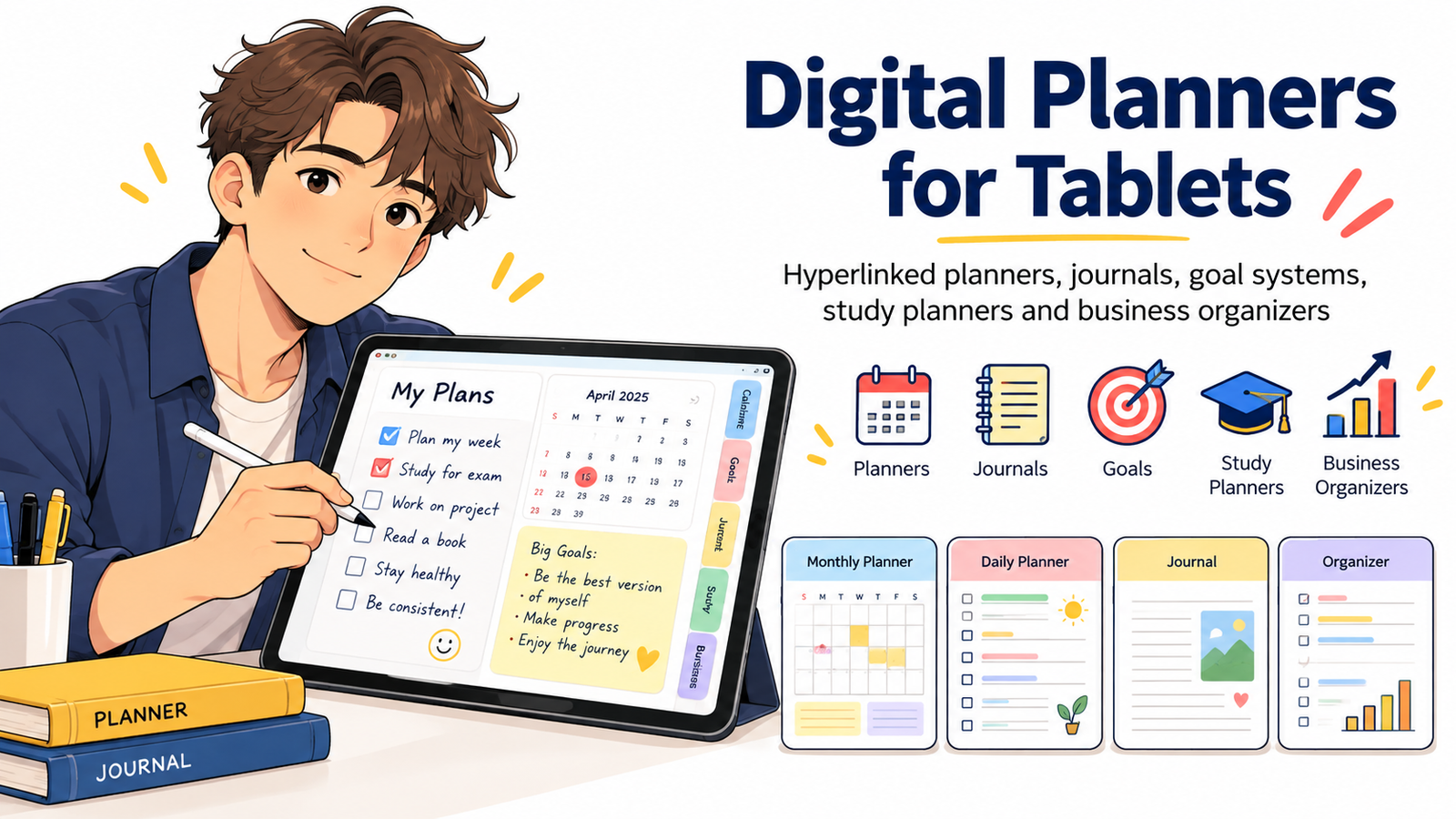
How to Build Products Buyers Use Every Day
Digital planning has moved far beyond replacing a paper calendar with a PDF.
For tablet users, a well-designed digital planner can become a daily workspace—a place to organize appointments, write notes, track habits, manage projects, prepare for exams, review goals, plan content, monitor finances, or run a small business.
That daily-use potential is what makes tablet planner templates especially interesting for digital product creators.
But there is an important difference between a digital planner that looks attractive in a product listing and one that customers actually open every morning.
The planners people continue using tend to reduce friction. Navigation feels natural. Pages have a clear purpose. Writing areas are comfortable. Hyperlinks behave predictably. The customer does not need a tutorial every time they want to move from March to April or from a weekly page to today’s schedule.
For sellers, that creates a valuable opportunity.
Instead of asking, “How many pages can I put into this planner?” a better question is:
“How can I make this planner useful enough that a customer wants to open it every day?”
That shift can lead to better products, clearer positioning, stronger customer satisfaction, and more opportunities to build a complete digital-planning product line.
What Is a Digital Planner for Tablets?
A digital planner for tablets is an interactive planning document or template designed to be viewed, written on, annotated, and navigated electronically, often with a stylus.
Many planners use hyperlinked PDF navigation so customers can move between yearly, monthly, weekly, daily, goal, notes, and tracking sections without scrolling through hundreds of pages.
For example, Goodnotes officially supports hyperlinks contained in imported PDFs, including links that move users from an index to monthly, weekly, or daily planner pages. Hyperlinked planners are also supported across its Android, Windows, and Web versions, expanding the concept beyond only one tablet ecosystem.
A digital planner might include:
- Yearly calendars
- Monthly dashboards
- Weekly layouts
- Daily planning pages
- Goal-setting sections
- Habit trackers
- Journaling pages
- Project planners
- Study schedules
- Budget trackers
- Meeting notes
- Business dashboards
- Content calendars
- Meal planners
- Fitness trackers
- Reading logs
- Digital stickers
- Custom covers
- Notebook sections
The best product does not necessarily contain all of them.
The best product contains the pages that make sense for a specific buyer.
Why Digital Planners Remain an Attractive Digital Product Category
Digital planners sit at the intersection of several strong consumer behaviors: tablet usage, handwriting, productivity, organization, personalization, journaling, education, and digital note-taking.
Current marketplace activity also shows that the category has become increasingly specialized. Digital-planner listings now commonly target areas such as academic planning, ADHD-oriented organization, budgeting, teacher planning, journaling, business organization, dated planning, undated planning, Goodnotes, OneNote, Android tablets, iPad users, and e-ink devices.
That matters for sellers because the opportunity is no longer simply:
“Create a digital planner.”
The stronger opportunity is:
“Create a digital planner for a clearly defined situation, workflow, or type of user.”
Compare these two product ideas:
“2027 Digital Planner”
and
“2027 Hyperlinked Study Planner for University Students With Semester, Assignment, Exam and Revision Tracking”
The second product immediately communicates who it is for and what problem it helps solve.
Specificity makes digital products easier to understand, easier to position, and often easier to discover through search.
The Product Principle That Matters Most: Build for Repeated Use
A planner earns its place on someone’s tablet through repetition.
A customer might purchase because of the cover.
They continue using it because of the workflow.
Think about the actions someone performs repeatedly:
- Checking today’s schedule
- Adding an appointment
- Reviewing weekly priorities
- Recording study hours
- Updating a project
- Tracking a habit
- Writing a journal entry
- Checking an upcoming deadline
- Reviewing monthly goals
Your planner should make these recurring actions fast.
A beautiful system that requires six taps to reach a daily page can become frustrating.
A simpler planner that reaches important pages in one or two taps may become part of the customer’s routine.
This leads to a useful design rule:
Reduce the distance between intention and action.
If someone thinks, “I need to write today’s tasks,” they should reach the correct page almost immediately.
1. Hyperlinked Digital Planners
A hyperlinked planner is one of the most recognizable formats in the category.
Instead of functioning like a long static PDF, tabs and navigation elements connect related pages.
A typical structure could be:
Year → Month → Week → Day
You might also include persistent navigation for:
Home
Calendar
Goals
Projects
Habits
Notes
Finances
Journal
The important part is not adding as many hyperlinks as possible.
It is creating a navigation system customers can understand without thinking about it.
Useful Hyperlink Ideas
Consider linking:
- Month tabs to monthly dashboards
- Calendar dates to daily pages
- Weekly pages to individual days
- Home icons back to the main dashboard
- Goal dashboards to action-plan pages
- Project indexes to project worksheets
- Subject tabs to student note sections
- Business dashboards to project or finance sections
Before selling the planner, test every important navigation path.
Broken links can turn an otherwise excellent planner into a frustrating product.
2. Digital Journals
Not every customer needs detailed scheduling.
Some customers want a structured place to think.
That creates opportunities for digital journals built around recurring prompts.
Possible products include:
- Daily reflection journal
- Gratitude journal
- Morning journal
- Evening reflection journal
- Self-discovery journal
- Reading journal
- Travel journal
- Creative ideas journal
- Business reflection journal
- Goal journal
- Productivity journal
A strong digital journal combines enough structure to help the customer begin with enough open space for personal writing.
For example, a daily page could contain:
Today I am focusing on:
Something I appreciate:
One challenge I need to handle:
What went well today?
What will I improve tomorrow?
Customers should feel guided rather than restricted.
3. Goal-Setting Systems
Goal planners can become especially useful when they connect long-term objectives with daily behavior.
A weak goal planner may simply ask:
“What is your goal?”
A stronger system helps customers move through several levels:
Vision → Annual Goal → Quarterly Milestone → Monthly Target → Weekly Action → Daily Task → Review
That turns an inspirational worksheet into an operating system.
Useful goal-planning pages could include:
- Life areas assessment
- Goal definition
- Motivation or purpose
- Success criteria
- Milestone planner
- Deadline tracker
- Action breakdown
- Obstacles and solutions
- Habit connection
- Monthly review
- Quarterly review
- Progress dashboard
A goal planner can also be combined with a daily planner to produce a more valuable all-in-one productivity product.
4. Digital Study Planners
Students are a natural audience for tablet planners because planning, note-taking, reading, revision, and assignment management can happen on the same device.
A practical digital study planner might include:
- Academic-year overview
- Semester dashboard
- Subject pages
- Class timetable
- Assignment tracker
- Exam schedule
- Study-session planner
- Revision tracker
- Grade tracker
- Reading list
- Project planner
- Lecture notes
- Weekly study schedule
- Daily focus page
Current digital-planner marketplaces contain numerous academic and student-oriented products, including semester, college, school, and academic-year planners, indicating that sellers are actively developing around this use case.
Instead of creating one generic student planner, consider narrower versions such as:
University Semester Planner
Exam Revision Planner
College Assignment Tracker
Medical Student Study Planner
Language Learning Planner
Homeschool Digital Planner
Graduate Research Planner
The more clearly you understand the customer’s routine, the easier it becomes to decide which pages deserve space.
5. Business Digital Organizers
Business owners rarely need another decorative calendar.
They need systems.
That makes business planning an especially interesting direction for digital products.
A digital business organizer could include:
- Annual business goals
- Quarterly priorities
- Monthly targets
- Weekly CEO dashboard
- Project planner
- Content calendar
- Social media planner
- Marketing campaign tracker
- Product-launch planner
- Customer notes
- Meeting notes
- Revenue tracker
- Expense tracker
- Idea vault
- SOP notes
- Client project pages
You can make the product even more specific.
Examples include:
Digital Planner for Etsy Sellers
Digital Planner for Freelancers
Content Creator Business Planner
Online Course Launch Planner
Small Business CEO Planner
Real Estate Agent Digital Planner
Digital Product Seller Organizer
Specific positioning helps a buyer immediately recognize whether the planner was designed for their workflow.
6. Habit and Routine Planners
Habit tracking works well digitally because the same activity is repeated frequently.
Possible components include:
- Monthly habit matrix
- Morning routine
- Evening routine
- Weekly consistency tracker
- Sleep log
- Water tracker
- Reading tracker
- Exercise log
- Screen-time reflection
- Productivity habits
- Personal challenge pages
Avoid turning every habit tracker into a giant dashboard.
Some customers want simplicity.
A page containing five important habits may be more useful than a tracker designed for thirty.
7. Build Dated and Undated Versions
Both formats solve different needs.
A dated digital planner offers immediate structure. Buyers can begin using the correct date without setting anything up.
An undated digital planner provides flexibility. Customers can begin at any time and reuse the overall structure.
For sellers, an undated version may have a longer commercial lifespan because it is not tied to one calendar year.
A useful product strategy is to create:
- Dated annual edition
- Undated evergreen edition
- Academic-year edition
The core design system can remain consistent while the scheduling structure changes.
8. Design for the Tablet, Not for the Printer
A common mistake is treating a tablet planner like a printable planner displayed on a screen.
Tablet interaction is different.
Users tap, zoom, swipe, write with a stylus, copy elements, switch apps, and move between pages.
That means digital-first design matters.
Keep navigation tabs large enough to tap comfortably.
Avoid extremely tiny text.
Provide sufficient writing space.
Maintain consistent margins.
Use visual hierarchy.
Avoid cluttering every empty area with decoration.
Keep commonly used navigation in predictable locations.
Test both portrait and landscape assumptions before choosing your format.
A planner’s interface should almost disappear during use.
The customer should focus on planning—not figuring out your design.
9. Give Every Page a Clear Job
One of the fastest ways to improve a planner is to ask:
What exactly is this page supposed to help someone accomplish?
If you cannot answer the question clearly, consider removing or redesigning the page.
For example:
Monthly Dashboard → understand the month
Weekly Planner → decide weekly priorities
Daily Planner → manage today’s actions
Habit Tracker → measure consistency
Goal Review → evaluate progress
Project Page → organize one project
Meeting Notes → capture decisions and actions
Clear purpose creates cleaner products.
10. Avoid the “More Pages = More Value” Trap
A 1,000-page planner is not automatically more valuable than a 100-page planner.
Extra pages can actually create friction when customers do not know what to use.
Value comes from useful structure.
Instead of advertising only:
“1,500+ pages!”
explain outcomes:
“Move from annual goals to monthly priorities, weekly action plans and daily tasks through one hyperlinked system.”
Page count describes quantity.
Workflow describes usefulness.
For many buyers, usefulness is the stronger reason to purchase.
11. Create a Strong Home Dashboard
Think of the home page as the planner’s control center.
It should provide quick access to the sections customers are most likely to use.
For example:
MY PLANNER
Calendar
Today
This Week
Goals
Projects
Habits
Notes
Journal
A business version might use:
Dashboard
Projects
Marketing
Content
Clients
Finances
Meetings
Notes
The goal is simple:
A customer should not need to remember where anything is located.
12. Make the Daily Page Extremely Useful
If your planner contains daily pages, they may become the most frequently visited part of the product.
Treat them accordingly.
Possible daily components include:
Date
Today’s Top 3
Schedule
Task List
Notes
Habit Check
Water or wellness area
Tomorrow reminder
Daily reflection
But do not include every feature simply because space exists.
The ideal daily page should feel calm enough that someone is comfortable opening it first thing in the morning.
13. Offer Different Layout Preferences
People plan differently.
Some prefer vertical schedules.
Others prefer horizontal planning.
Some want minimal pages.
Others want decorative designs.
Potential variants include:
- Portrait
- Landscape
- Sunday start
- Monday start
- Light mode
- Dark mode
- Minimal
- Colorful
- Professional
- Neutral
- Dated
- Undated
You do not need to create every version immediately.
Start with your clearest customer segment and expand after learning what that audience wants.
14. Add Bonus Pages That Support the Main Product
Bonuses work best when they strengthen the central purpose of the planner.
Useful additions could include:
- Digital stickers
- Notebook paper
- Grid paper
- Dot-grid pages
- Additional covers
- Project inserts
- Goal worksheets
- Reading lists
- Meal pages
- Budget pages
- Password organization sheets
- Customizable labels
Avoid unrelated bonuses simply to make the bundle appear larger.
A coherent bundle usually feels more professional than a random collection of files.
15. Test the Planner Like a Customer
Before publishing, stop thinking like the designer.
Pretend you just purchased the product.
Try common actions.
Can you reach January quickly?
Can you return home?
Can you find today’s page?
Can you move from a weekly page to a daily page?
Do all month tabs work?
Are buttons large enough?
Can you comfortably write inside each field?
Do pages look sharp at normal tablet viewing size?
Does navigation behave consistently?
Does the planner work in the apps you mention in the listing?
Goodnotes advises that PDF hyperlinks need to exist correctly within the imported document for them to work, making real-file testing especially important.
Never promise compatibility you have not verified.
16. Sell the Workflow, Not Only the Design
Screenshots of attractive pages matter, but buyers also need to understand how the planner works.
A strong product listing can show:
- Cover
- Home dashboard
- Monthly view
- Weekly layout
- Daily page
- Goal section
- Special features
- Hyperlink navigation
- Included files
- Compatibility information
- How to import and use the planner
A short demonstration video or animated preview can be even more useful because buyers can see navigation before purchasing.
Your marketing message should explain the transformation.
Instead of:
“Beautiful Blue Digital Planner”
try:
“A hyperlinked tablet planning system that connects your yearly goals, monthly plans, weekly priorities and daily schedule in one organized workspace.”
That tells customers what the product actually does.
17. Digital Planner Ideas With Strong Commercial Positioning
Rather than entering the market with another generic planner, build around clear use cases.
Potential digital planners to sell include:
- All-in-one life planner
- Student academic planner
- Exam preparation planner
- Teacher digital planner
- Freelancer planner
- Small business planner
- Content creator planner
- Social media planning system
- Digital product business planner
- Project management planner
- Goal achievement planner
- Habit-building planner
- Reading planner
- Book writing planner
- Wedding planning organizer
- Travel planner
- Meal planning system
- Home management planner
- Budget planner
- Savings planner
- Side-hustle organizer
- Client management planner
- Meeting notebook
- Daily productivity planner
- Minimal weekly planner
- Digital journal
- Wellness planner
- Undated life organizer
- Launch planner
- 90-day goal planner
Several of these niches—including budgeting, ADHD-focused organization, teaching, academics, journaling and all-in-one planning—are visibly represented in current digital-planner marketplace listings.
The opportunity is not merely finding a popular keyword.
It is finding a useful workflow you can execute better.
18. Build a Product Family Instead of One Planner
A digital planner can become the beginning of a larger product ecosystem.
For example:
Core Product: Student Digital Planner
Then expand with:
Exam Planner
Assignment Tracker
Study Journal
Semester Dashboard
Digital Notebook
Student Sticker Pack
Reading Tracker
Revision Planner
Academic Bundle
Or start with:
Core Product: Small Business Planner
Then create:
Content Planner
Marketing Planner
Launch Planner
Client Organizer
Finance Tracker
Meeting Notebook
Business Goal Planner
Business Planner Bundle
This approach helps you serve one audience through several connected products rather than constantly searching for unrelated product ideas.
19. Think About Search Intent Before Naming the Product
Search-friendly naming should still sound natural.
A buyer may search phrases such as:
digital planner
digital planner for tablet
tablet planner template
hyperlinked digital planner
digital planner for Goodnotes
digital study planner
student planner for tablet
digital business planner
undated digital planner
2027 digital planner
digital journal for tablet
digital planners to sell
These phrases should appear naturally only where relevant.
Do not repeat the same phrase in every paragraph.
Search visibility increasingly depends on whether a page actually satisfies the user’s question, not simply how many times a keyword appears.
Google’s current people-first guidance specifically emphasizes original, substantial and useful information rather than content produced primarily to manipulate search rankings.
20. Optimize Product Pages for Both People and AI Search
Search is increasingly becoming answer-oriented.
That means your product page should make basic facts easy to understand.
Clearly state:
What is the product?
A hyperlinked digital planner.
Who is it for?
Students, business owners, creators, teachers or another defined audience.
What is included?
Explain the files, sections and bonuses.
What format is provided?
For example, PDF plus PNG sticker files.
Which apps or devices have you tested?
Be specific.
Is it dated or undated?
State this prominently.
Is it a physical product?
Clarify that the item is a digital download when applicable.
Structured, explicit information is helpful both for customers and for systems trying to understand the page.
Google’s 2026 guidance for its generative search experiences continues to emphasize foundational SEO, clear site structure and unique, valuable, people-first content rather than special “AEO” or “GEO” tricks.
21. Make the Article and Product Discover-Friendly
If you publish content around your planners, avoid writing articles that exist only to push a product.
Create resources customers genuinely want to read.
Examples include:
How to Start Digital Planning on a Tablet
Dated vs. Undated Digital Planners: Which Format Fits Your Routine?
How to Use a Hyperlinked Digital Planner
How Students Can Organize Assignments on a Tablet
How to Build a Weekly Planning Routine
Digital Planning Ideas for Small Business Owners
These informational articles can introduce readers to problems that your products solve.
For Google Discover specifically, Google says eligible pages do not require special Discover tags or structured data. It recommends useful, timely or uniquely insightful content, descriptive non-clickbait headlines, strong page experience and compelling relevant imagery. Google currently recommends Discover images at least 1,200 pixels wide, high resolution and suitable for a 16:9 presentation, with max-image-preview:large enabled.
A featured image for this article could therefore show a clean tablet workspace displaying a monthly planner, weekly schedule, stylus, goal dashboard and hyperlinked navigation—without overwhelming the image with promotional text.
22. Use Article Structured Data Where Appropriate
For blog content such as this guide, publishers can use Article or BlogPosting structured data to help Google understand information such as the headline, author, publication date and representative imagery.
Google notes that Article structured data can help it better understand article pages and their title, image, author and date information, although structured data does not guarantee a particular search appearance.
Your technical implementation can therefore support the useful content rather than trying to replace it.
23. Build Trust Before Asking for the Sale
A digital-planner buyer cannot physically inspect the product.
Your product presentation must reduce uncertainty.
Include:
Clear screenshots
Real page previews
Navigation examples
File-format information
Compatibility notes
Installation instructions
What’s included
What’s not included
Usage-license information
Support details
Accurate product descriptions
Avoid claiming your planner will “change anyone’s life,” “guarantee productivity,” or create unrealistic results.
Trust is more sustainable than hype.
24. Give Customers an Easy First Win
The first few minutes after opening the planner matter.
Do not make customers configure twenty settings before they can use it.
Consider adding a simple start page:
1. Open your planner
2. Tap the month
3. Add this week’s priorities
4. Open today’s page
5. Write your three most important tasks
That is enough to begin.
Once users experience value, they can explore advanced sections gradually.
25. Create for Everyday Use
The strongest digital-planner idea is not necessarily the most complicated.
It is the one that fits naturally into someone’s routine.
A student may open a planner before every study session.
A freelancer may check project deadlines each morning.
A creator may plan weekly content every Monday.
A business owner may review monthly goals.
A journal customer may write every evening.
Those recurring moments create product value.
Design around them.
Ask yourself:
When will my customer open this?
What will they want to accomplish immediately?
How quickly can they accomplish it?
Those three questions can guide almost every design decision.
A Simple Blueprint for Creating Your First Tablet Planner
If you are beginning from zero, use this sequence:
Step 1: Choose one customer
Student, freelancer, creator, teacher, entrepreneur, journaler or another clear audience.
Step 2: Choose one primary outcome
Manage school, organize projects, track goals, plan content, journal daily or run a business.
Step 3: Identify recurring actions
What does this person need to do every day, week and month?
Step 4: Design the information architecture
Decide how Year, Month, Week, Day and specialist sections connect.
Step 5: Create the essential pages
Begin with the smallest useful system.
Step 6: Add navigation
Build predictable hyperlinks.
Step 7: Test on real devices and apps
Check writing comfort, readability and hyperlinks.
Step 8: Prepare customer instructions
Explain importing, navigation and basic usage.
Step 9: Create visual previews
Show functionality instead of relying only on decorative mockups.
Step 10: Launch and improve
Use genuine customer questions and support requests to identify future improvements.
Where the Digital Planner Opportunity Is Heading
Digital planning is gradually becoming less about imitating paper and more about designing personal information systems.
That opens room for creators who think beyond calendars.
The next useful planner might combine planning with:
Goal execution
Study workflows
Creator operations
Project management
Journaling
Business organization
Client management
Digital note-taking
Personal knowledge management
Specialized professional routines
Current marketplace listings already show planners expanding across different devices, operating systems, professions and planning styles.
Creators who understand the customer’s actual routine can differentiate themselves without relying on endless decorative variations.
Build a Planner Customers Want to Reopen
The real test of a digital planner happens after the purchase.
Does the customer use it tomorrow?
And next week?
And next month?
That is where product design becomes more important than product presentation.
Start with one audience.
Understand how that person plans.
Create clear navigation.
Remove unnecessary complexity.
Give every page a purpose.
Test every important hyperlink.
Explain exactly what customers receive.
Then build extensions, accessories and specialized versions around the workflows buyers actually value.
A digital planner does not need to become the most complicated product in the marketplace.
It needs to become one of the most useful files on your customer’s tablet.
Ready to build your digital-planner collection? Start with one focused planner that solves one recurring problem, test the workflow carefully, and expand it into journals, goal systems, study organizers, business planners and complementary tablet templates as your product library grows.
Frequently Asked Questions
1. What is the best type of digital planner to sell?
There is no single format that is best for every seller or customer. Strong opportunities often come from planners designed around a specific use case, such as student planning, business organization, goal tracking, budgeting, content planning, journaling or productivity. A clearly positioned planner is usually easier for buyers to understand than a generic product containing hundreds of unrelated pages.
2. What should a hyperlinked digital planner include?
A hyperlinked digital planner commonly includes a home dashboard, yearly overview, monthly calendars, weekly pages, daily pages and navigation tabs. Specialist products can add sections for goals, projects, habits, finances, studies, clients, journals or notes. Navigation should remain simple and consistent throughout the planner.
3. Can digital planners work on tablets other than iPads?
Yes, depending on the planner format and the note-taking application being used. Hyperlinked PDFs can be used with various compatible applications and devices. For example, Goodnotes currently supports planner hyperlinks on Apple platforms as well as Android, Windows and Web. Sellers should test compatibility themselves before advertising support for a particular application or device.
4. Is a dated or undated digital planner better to sell?
Both can be valuable. Dated planners provide immediate calendar structure and can capitalize on annual and academic planning periods. Undated planners are evergreen and allow buyers to begin whenever they choose. Many sellers can build both versions from the same underlying planner system.
5. How can I make my digital planner different from competitors?
Differentiate through usefulness rather than decoration alone. Choose a specific customer, study that person’s routine and build pages around real recurring tasks. Strong navigation, useful page layouts, clear instructions, tested compatibility, professional previews and a focused workflow can create a more distinctive product than simply adding more pages.
Stay ahead with exclusive updates
Join our community. Get curated industry trends, actionable guides, and fresh resources delivered straight to your inbox.